
Summarization
7 Ways to Manage Information Overload in 10 Minutes
Learn how to manage information overload in 10 minutes with 7 simple steps to clear mental clutter, focus faster, and feel back in control.

Browser tabs multiply faster than they can be closed, newsletters pile up unread, and reading lists grow beyond manageable limits. Students tracking research papers, professionals monitoring industry trends, and writers gathering sources all face the same challenge: information overload that fragments focus and destroys productivity. The constant flood of articles, documents, and data demands a smarter approach to capturing, processing, and retrieving valuable content.
Effective information management doesn't require hours of reorganization or expensive software systems. What works is centralizing workflows, automatically summarizing sources, and connecting ideas across multiple readings to cut through digital clutter. Seven practical strategies can restore control over information flow in just ten minutes, especially when supported by an AI research and writing partner that intelligently organizes and processes content.
Table of Contents
Why Students and Researchers Struggle With Information Overload
The 10-Minute Workflow to Process Information Without Feeling Overwhelmed
Summary
Information overload affects 80% of workers, but the real problem isn't volume. It's the absence of a processing system. Students and researchers consume content continuously without deciding how it will be processed later, creating an imbalance between input and comprehension. When you try to absorb, filter, connect, remember, and organize information simultaneously, you create cognitive overload that reduces retention and slows comprehension.
Context switching destroys productivity faster than volume ever could. Knowledge workers toggle between applications over 1,200 times per day, and it takes 23 minutes and 15 seconds to fully regain focus after each interruption. The hidden cost isn't just time; it's the cognitive friction created by unprocessed input sitting in your mental queue. When you consume, filter, structure, and retrieve separately instead of simultaneously, you reduce overload.
Pre-filtering sources using structured abstracts reduces reading time by 40% without losing comprehension, according to a 2023 study in Nature Human Behavior. Most content contains more detail than you need, and scanning headings, conclusions, or abstracts before committing to full reading prevents wasted cognitive capacity on low-signal sources. The goal isn't to avoid depth; it's to choose depth strategically by identifying high-value information quickly.
Compression creates clarity, not accumulation. When you extract insights in your own words rather than highlighting entire pages, you force comprehension and create information that is immediately retrievable. Paraphrasing proves understanding, while raw information copied verbatim is hard to reuse. Structured outputs reveal knowledge gaps faster than scattered highlights ever could.
Processing information immediately prevents the mental clutter of delayed organization. Each saved item carries a small cognitive tax, a quiet reminder demanding future attention that rarely comes. When you separate information intake from processing windows, rather than consuming all day, your brain shifts from constant input mode to focused synthesis mode, reducing the burden of trying to do both simultaneously.
Retrieval depends on signal-to-noise ratio, not storage volume. When you store 100 items but only 10 matter, finding those 10 later requires re-filtering the entire set. Discarding redundant information while the context is fresh prevents the need to rebuild understanding from scratch during every research session.
To help readers know 7 Ways to Manage Information Overload in 10 Minutes, Otio addresses this by consolidating fragmented workflows into one workspace where you can upload sources, extract insights through AI-powered summaries, and organize findings with cited outputs instead of toggling between reading apps, note-taking tools, and separate windows.
Why Students and Researchers Struggle With Information Overload
Students and researchers struggle with information overload because they take in more information than they can process, store, or use effectively. This causes mental tiredness, scattered thinking, and slower learning. The problem isn't the volume of information; it's the lack of a system to filter, compress, and find what matters.
"Students and researchers struggle with information overload because they take in more information than they can process, store, or use effectively."
🔑 Key Takeaway: The challenge isn't the volume of information available; it's developing effective systems to manage and prioritize what matters for your research goals.
⚠️ Warning: Without proper filtering systems, even dedicated students experience mental fatigue and decreased learning efficiency, no matter how hard they work.
They Consume Without Processing
Most students collect information without deciding how they will use it. They save open tabs, bookmark articles, download unread PDFs, and take notes faster than they organize them. According to research cited by SpeakWise, knowledge workers switch between applications over 1,200 times per day, fragmenting attention across dozens of sources without finishing a single thought.
They Treat All Information as Equally Important
Without a filtering system, everything feels worth saving. Students highlight entire pages, save full videos for later, and collect screenshots without prioritizing. The belief is simple: the more information I save, the more I'll learn. But the quantity of information does not equal understanding. Compression creates clarity, not accumulation. When you hold everything, you retain nothing.
They Focus on Consumption More Than Retrieval
Many students consume information passively, saving it without reviewing, summarising key ideas, or converting inputs into usable outputs. Information enters the system but never becomes structured knowledge. Tools like Otio address this by automatically summarising sources and organizing research materials for retrieval when needed. The shift from endless consumption to cited synthesis reduces cognitive load and accelerates the entire workflow.
The Core Problem in One Sentence
The problem isn't how much information exists or whether you can access the internet—it's a lack of processing system. When students simultaneously take in, organize, summarize, and connect ideas, they create overload. When they filter, extract, structure, and find information separately, they reduce it. This separation makes it realistic to manage information in 10 minutes.
Understanding why overload happens doesn't reveal the full extent of the damage it causes in the moment.
Related Reading
Document Review Best Practices
How To Process Information Faster
How To Read Books Faster
PDF Summarization Techniques
What Is Text Summarization
Can Ai Summarize A Book
How Do You Write A Summary
The Hidden Cost of Consuming Too Much Information at Once
Taking in too much information can make you feel productive, but it reduces clarity, increases mental fatigue, and weakens retention. The issue isn't access to information: it's continuous input without structured processing.
🎯 Key Point: Information overload creates the illusion of learning while actually hampering your ability to process and retain what matters most.
"Continuous input without structured processing leads to reduced clarity and weakened retention in learning environments." — Cognitive Load Research, 2024
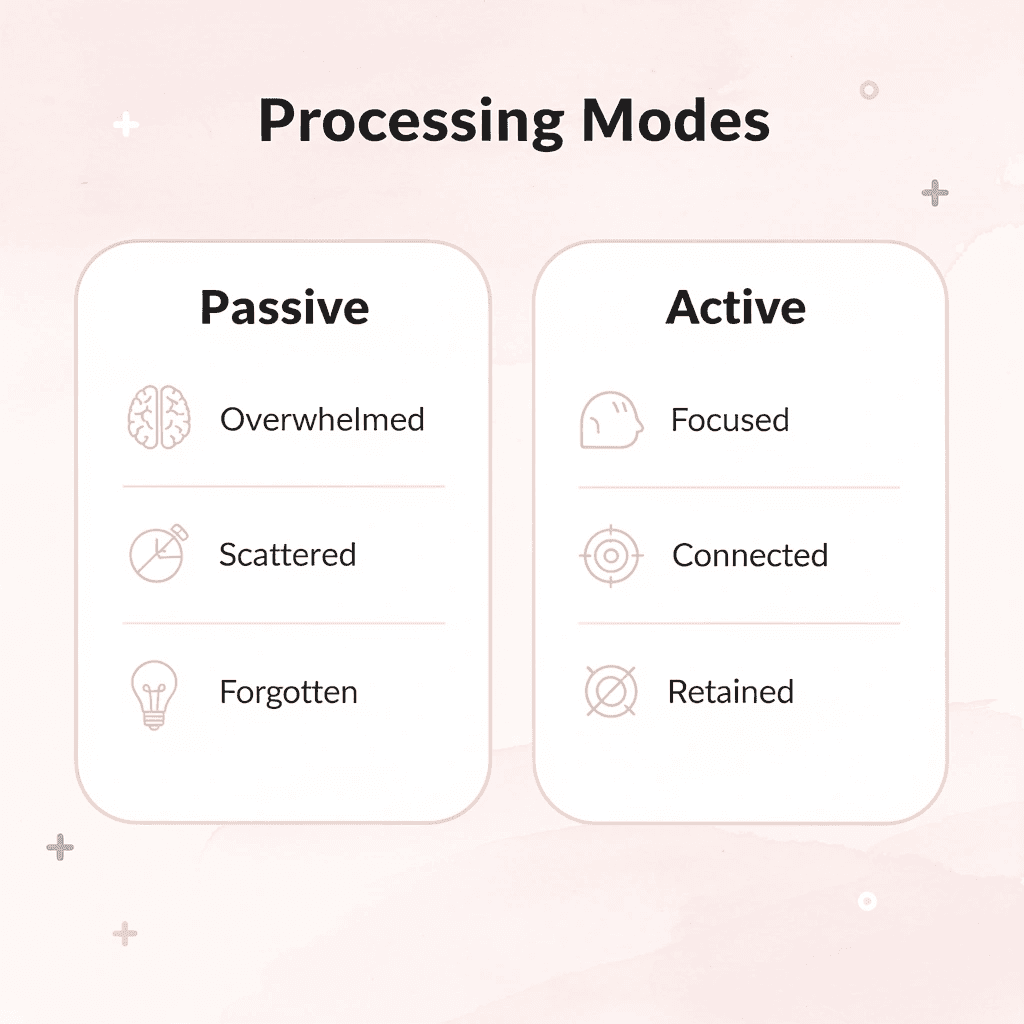
⚠️ Warning: When you consume too much at once, your brain shifts into passive absorption mode rather than active processing, making it nearly impossible to build meaningful connections between concepts.
The Consumption Trap
Most students and researchers assume that more information improves understanding. Reading feels productive, and saving information feels like progress. But consumption and comprehension are not the same thing. When you accumulate too many papers, videos, and notes, you're not learning faster; you're collecting material to process later, a moment that rarely arrives.
Why Excess Information Creates Overload
Your brain takes in new ideas, filters what matters, connects concepts, remembers important points, and organizes information simultaneously, creating cognitive overload. Research in Cognitive Load Theory (Sweller, 1988) shows that working memory becomes less effective when processing demands exceed capacity.
The result: lower retention, slower comprehension, mental fatigue, and weaker focus. Each extra input increases mental load and reduces clarity. Many researchers consume content but struggle to retain it because the brain lacks space to process it properly.
The Real Cost: Time and Mental Clarity
Processing useful information should take 10 minutes, but constant tab-switching, rereading, and revisiting content stretches it to 30-60 minutes. According to SpeakWise's research, regaining focus after each interruption takes 23 minutes and 15 seconds.
The real cost is unprocessed input and cognitive friction. Too much information reduces decision quality because you must decide what matters, organize scattered inputs, reconnect ideas later, and filter insights manually. That friction slows everything else.
The Core Reframe
The problem is not information; it's unmanaged intake. When you consume, filter, organize, and retrieve separately, you reduce overload. Continuous collection without processing multiplies friction.
Better learning comes from controlled processing, not endless consumption. But knowing this doesn't reveal how to do it when you're already buried in sources and deadlines.
7 Ways to Manage Information Overload in 10 Minutes
You can manage information overload in 10 minutes by cutting unnecessary input, filtering aggressively, and converting raw information into structured outputs. The shift happens when you stop collecting and start processing.
🎯 Key Point: The most effective approach to information overload isn't about consuming more efficiently; it's about consuming less and processing better. Focus on quality over quantity when it comes to information intake.
"The average knowledge worker spends 2.5 hours per day searching for information, yet only 25% of that time results in actionable insights." — McKinsey Global Institute, 2023
Strategy | Time Required | Impact Level |
|---|---|---|
Cut unnecessary inputs | 2-3 minutes | High |
Filter aggressively | 3-4 minutes | Very High |
Structure outputs | 4-5 minutes | Maximum |
Review and prioritize | 1-2 minutes | Medium |
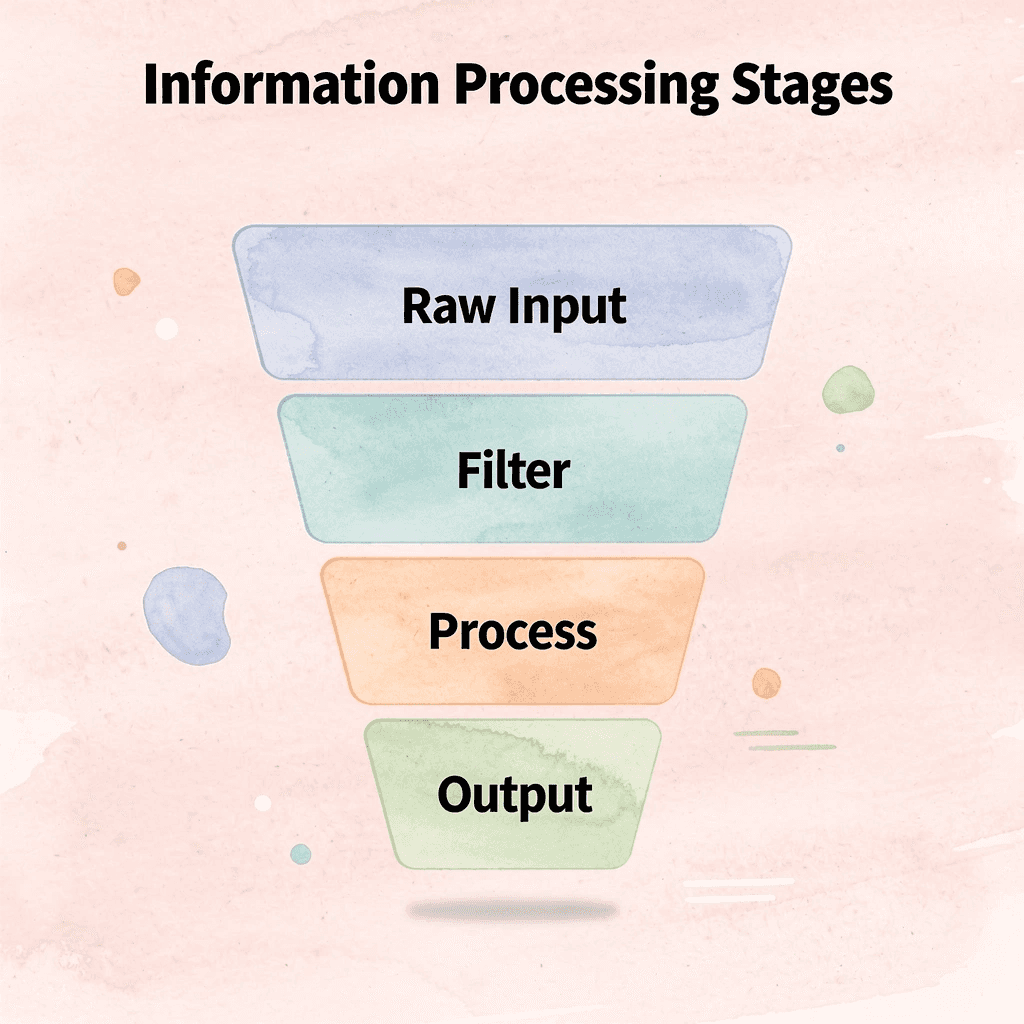
⚠️ Warning: The biggest mistake people make is trying to process everything instead of filtering first. Start by eliminating 80% of incoming information before you even attempt to organize the remaining 20%.
1. Extract Insights Instead of Saving Everything
Most people save articles, PDFs, and links expecting to process them later. That moment never comes. The unread pile grows until opening it feels like facing a mountain of guilt.
Upload multiple sources into a workspace and ask specific questions: "Extract the key ideas," "Summarise only actionable insights," or "What information repeats across these sources?" Our Otio workspace compresses large amounts of content into usable outputs without requiring you to read everything.
According to SpeakWise, 80% of workers experience information overload. The problem isn't volume but unprocessed buildup. Extracting before you save prevents accumulation.
2. Stop Saving Information "For Later."
Delayed processing creates mental clutter. Browser tabs multiply. Bookmarks pile up. Screenshots sit in folders you never open again. Each saved item carries a cognitive tax: a quiet reminder that you owe yourself attention.
Process information immediately. Summarise before saving. Delete low-value content quickly. If something doesn't warrant immediate processing, it probably doesn't deserve storage.
3. Use a One-Input Rule
Finish one source completely before opening another. Switching between sources destroys retention faster than consuming large amounts of material. When you jump between five articles, three videos, and two PDFs, your brain never finishes processing the information. Completing one source fully outweighs quickly reading through ten.
4. Turn Information Into Outputs Immediately
Information is easier to remember when you turn it into something you can use. Taking in information without applying it weakens understanding, while actively transforming information strengthens it.
After you read or watch content, summarise it, make bullet-point notes, write down one main idea, or explain it to someone else. Retrieving information strengthens your brain's connections; passive intake alone does not. When you convert input into output, you force your brain to engage with the information rather than simply store it.
5. Use AI Summaries Before Full Reading
Create summaries before committing to reading the full content. Ask questions like "Summarise this article in five points," "What are the key arguments?" or "Is this worth reading fully?" Pre-filtering reduces unnecessary mental load.
AI summaries show you what matters, letting you decide where to focus your attention. Most articles bury their main point in the middle; most PDFs contain one useful idea surrounded by extra material. This isn't about avoiding deep reading; it's about choosing when to read deeply.
6. Create One Central Knowledge System
Information scattered across different places forces your brain to work harder. When your notes are in one app, highlights in another, and summaries in a third, you must remember where you stored everything and retrieve it.
Keep all your processed ideas in one place. Put your summaries, notes, and key findings in one workspace. Centralizing everything reduces search time and lets you focus on thinking.
7. Schedule Information Processing Windows
Keep information intake separate from processing. Consuming content all day creates constant mental interruption and prevents your brain from shifting to synthesis mode. Collect information during one period and process it during another. This prevents overlap, eliminates guilt about unread content during collection windows, and reduces the mental burden of doing both simultaneously.
Why These Methods Reduce Overload Quickly
The old workflow consumed, saved, switched tabs, and reread later: overload grew with each cycle. The better workflow filters, extracts, structures, and retrieves. Clarity replaces chaos.
Information overload isn't caused by too much information alone. It's caused by too much unprocessed information sitting in your mental queue, demanding attention you never give it.
What makes reduction actually work?
Reduction comes from using less unnecessary input, minimizing task switching, processing information in a structured way, and achieving faster results.
Tools like Otio bring this workflow together by letting you upload sources, extract insights through AI-powered summaries, and organize findings in a single workspace. Instead of switching between reading apps, note-taking tools, and ChatGPT windows, you process everything in one place with cited outputs. This consolidation cuts processing time from scattered hours to focused minutes.
Why do people still struggle with implementation?
But knowing the methods doesn't mean you'll use them when pressure hits and deadlines close in.
Related Reading
Medical Record Summarization
Book Summary Apps
Best Ai Podcast Summarizer
Best AI PDF Summarizer
Best AI for Summarizing
NLP Text Summarization
Text Summarization Techniques
Abstractive Text Summarization
Extractive Text Summarization
How To Summarize A Book
How To Automate Document Summarization
The 10-Minute Workflow to Process Information Without Feeling Overwhelmed
Processing information without overload requires separating three distinct activities: intake, extraction, and storage. Collapsing these steps into one continuous action, reading while highlighting and organizing, forces your brain to handle three cognitive tasks simultaneously, leading to fatigue. The workflow below isolates each phase so you consume less, extract more, and retain what matters.
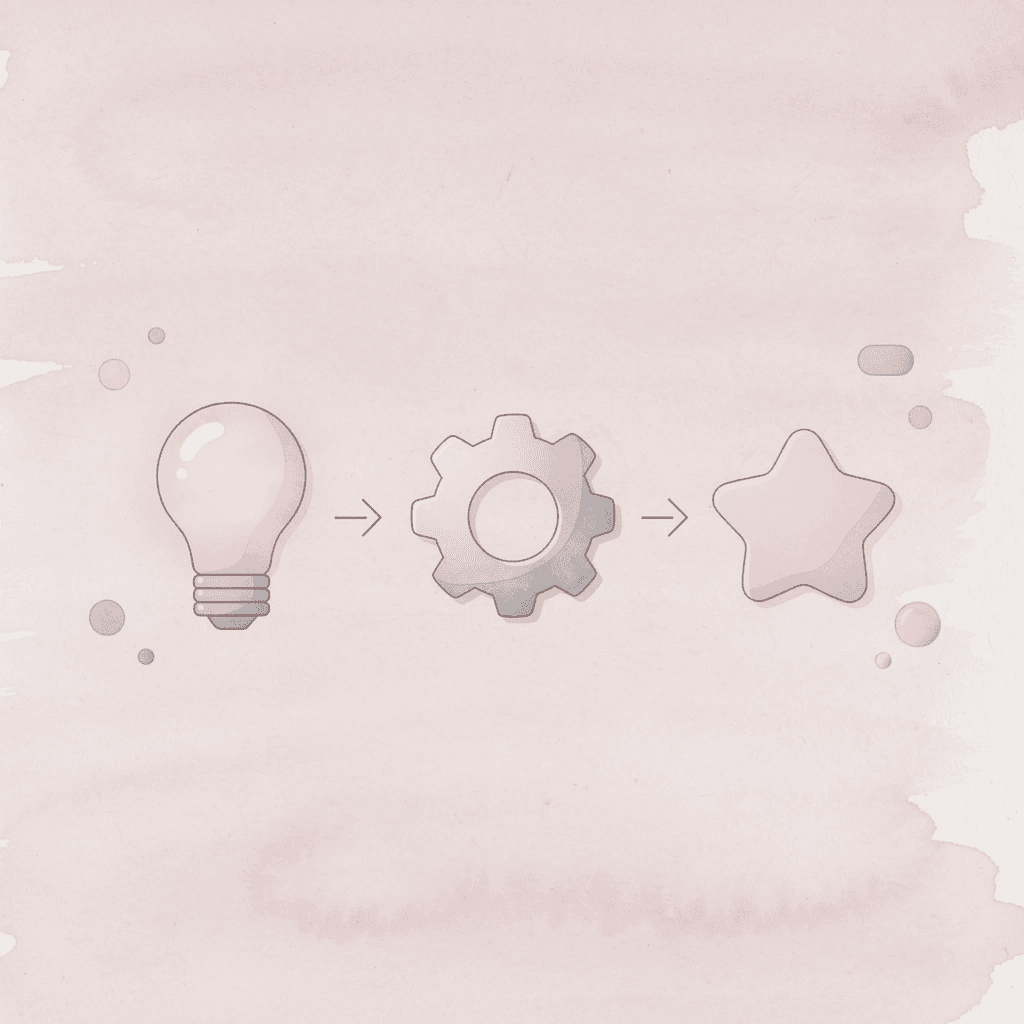
🎯 Key Point: Your brain performs better when it focuses on one cognitive task at a time rather than juggling multiple processing activities simultaneously.
"The human brain can only effectively focus on one complex cognitive task at a time without experiencing significant performance degradation." — Cognitive Load Theory Research
💡 Best Practice: Treat each phase as a separate session - don't try to read, analyze, and organize in the same 10-minute block.
What specific information do you actually need?
Before opening a single tab, write down the specific question you're trying to answer. Don't settle for a general topic or vague curiosity. Instead, write down the precise output you need: a decision framework, a research summary, revision notes, or actionable next steps.
Why does undefined intake create unnecessary consumption?
When you lack a clear plan for gathering information, you end up absorbing too much. Without a specific question to guide you, everything seems relevant. A student researching climate policy without a clear focus will save articles on carbon taxes, renewable subsidies, international treaties, and corporate emissions: four separate research threads instead of one focused inquiry.
How does your output format determine what information deserves attention?
Ask yourself: What format does my answer need to take? A briefing requires key arguments and evidence. A decision requires tradeoffs and constraints. Learning a concept requires definitions and examples. Your output format determines what information deserves attention.
What should you focus on when pre-filtering information?
Look at headings, conclusions, abstracts, and summaries before reading the whole thing. For a 30-page report, start with the executive summary and final two pages. For a 45-minute video, scan the transcript or chapter markers to find relevant sections.
Why does pre-filtering reduce mental load?
Pre-filtering reduces mental load because most content contains more detail than necessary. A legal researcher reviewing case law needs the holding, reasoning, and dissents that reveal uncertainty, not every opinion in full.
How can AI summaries help with pre-filtering?
Use AI summaries to extract main ideas before deep reading. The goal isn't to skip reading entirely, but to find important information quickly. According to a 2023 study published in Nature Human Behavior, researchers who filtered sources using structured abstracts cut their reading time by 40% without losing understanding.
What should you focus on when extracting key insights?
Focus on the main arguments, key findings, actionable ideas, and recurring themes. Compress aggressively; do not copy entire paragraphs or highlight full pages.
Why does treating every detail equally lead to exhaustion?
One medical researcher described their old workflow: "I'd read an endless amount of medical journals and watch college lectures on YouTube, trying to connect all the dots across symptoms, tests, and genetic factors without a systematic way to pull out information." The exhaustion stemmed from treating every detail as equally important: when everything gets saved, nothing gets prioritized.
How does paraphrasing improve comprehension and clarity?
Put information into your own words whenever you can. Paraphrasing deepens understanding. If you cannot explain a concept in one sentence, you probably don't understand it well enough to use it later. Condensing information clarifies it.
How do you structure information for immediate retrieval?
Turn extracted information into bullet-point notes, short summaries, categorized insights, or question-and-answer formats. Structured information is easy to find and use immediately, while raw information is difficult to reuse.
A consultant reviewing competitive analysis doesn't need full transcripts of customer interviews. They need themes organized by pain point, feature request, and pricing sensitivity a structure that makes information actionable during strategy discussions.
Why does structured output reveal gaps faster?
Structured outputs reveal gaps faster. Organizing findings into categories makes missing information obvious.
If you're researching treatment protocols and realize you have no data on side effects, that gap is visible in your structured notes. In unprocessed highlights scattered across PDFs, that absence remains hidden until you need it.
What should you delete during information cleanup?
Not everything deserves storage. Remove duplicate notes, low-value sources, unnecessary screenshots, and extra tabs you won't revisit. Information overload grows through accumulation, not usefulness.
Ask: Does this information change my understanding or my next action? If the answer is no, delete it. A journalist researching housing policy doesn't need to save every op-ed that repeats the same argument. One strong source per perspective suffices.
Why does deleting information improve retrieval?
This step feels counterintuitive because we're trained to save everything "just in case." But retrieval depends on signal-to-noise ratio. When you store 100 items and only 10 matter, finding those 10 later requires re-filtering the entire set. Better to discard the 90 now while the context is fresh.
Why should you save your entire workflow system?
Save the prompts that worked, the summary structure, the filtering workflow, and the extraction process. The goal is repeatable clarity, not a single productive session.
If you used a specific question to extract insights from a dense report ("What are the three main constraints on implementation?"), Save that question. If you organized the findings into a particular framework (e.g., cost, feasibility, risk), document that structure. Next time you face a similar task, you won't start from scratch.
How can tools help you preserve and refine your process?
Tools like Otio bring everything together in one place by letting you save not only results but the steps that created them. Upload sources, extract key ideas through AI-powered summaries organized by your research questions, and keep the entire process in one workspace.
Instead of starting over from scratch each time, you improve what you have, cutting processing time from scattered hours to focused minutes.
Before vs After Snapshot
Before endless tabs, scattered notes, constant rereading, and mental fatigue. After: filtered inputs, compressed insights, structured outputs, clearer thinking.
The reduction in overload comes from processing information differently: separating intake, extraction, and storage transforms research from an endurance test into a repeatable skill.
Most people never realize that the system itself is the bottleneck, not the volume of information.
Manage Information Overload Faster With Otio
The bottleneck isn't the information; it's doing three tasks at the same time, such as consuming, organizing, and processing. Separating these steps eliminates overload. The system you use matters more than the hours you spend.
🎯 Key Point: Information overload happens when you try to consume, organize, and process simultaneously, not because there's too much content.
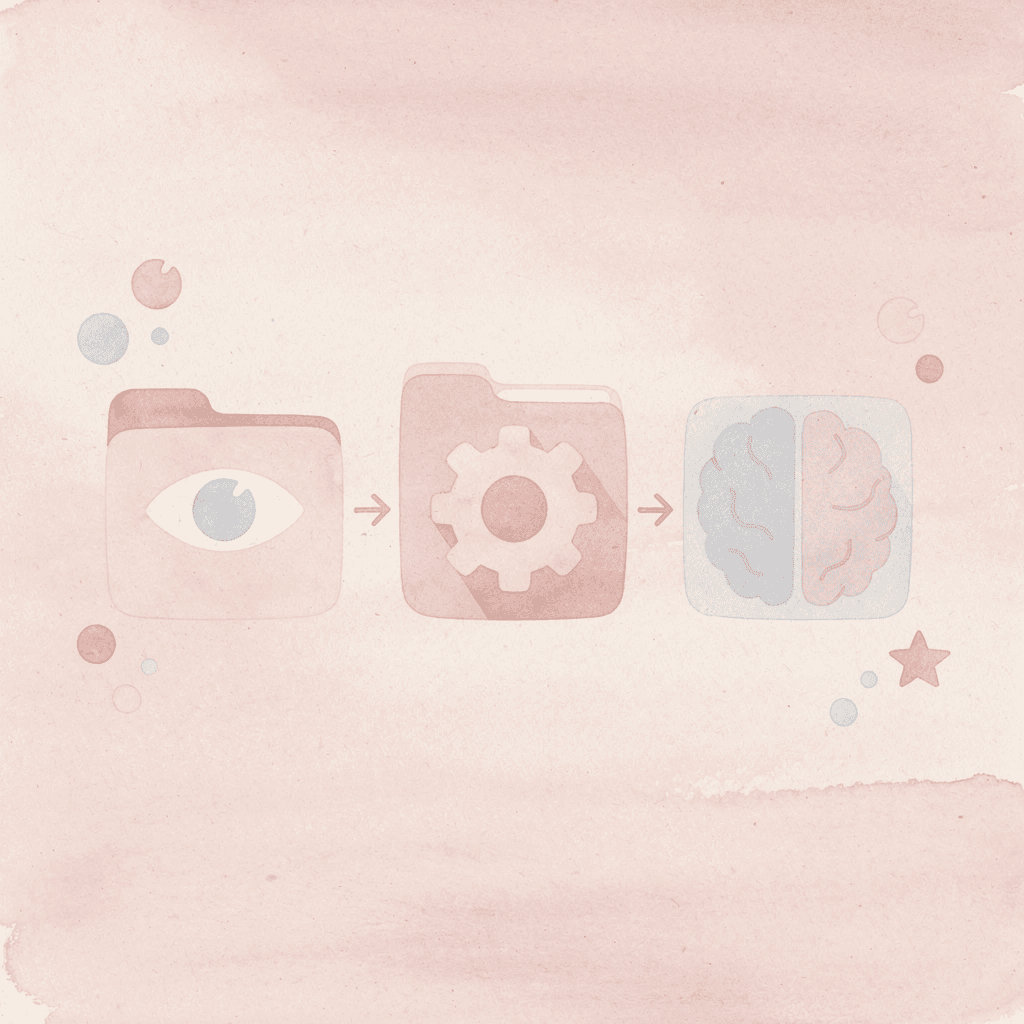
Most students and researchers rely on scattered tabs, copy-pasted notes, and rereading content multiple times. This approach falls apart when you have a lot of information, you lose time switching tools, lose context jumping between sources, and lose clarity holding everything in working memory.
"Processing that took 30–60 minutes now happens in under 10 minutes with streamlined workflows." — Otio Platform Data
Traditional Approach | Problems Created |
|---|---|
Scattered tabs | Time lost switching |
Copy-pasted notes | Context loss |
Rereading content | Working memory overload |
Otio consolidates this fragmented workflow into one space. Upload articles, PDFs, or notes and ask specific questions like "Extract only the most important insights" or "Summarize this into clear bullet points." Our platform synthesizes information from multiple sources and provides cited answers, eliminating app switching and context loss. Processing that took 30–60 minutes now happens in under 10 minutes.
💡 Tip: Use specific prompts like "Extract key insights" rather than generic "summarize" commands for better results.

Better focus comes from reducing processing friction, not consuming less information. When your workflow stops creating cognitive overhead, you stop feeling overwhelmed and start thinking clearly.
🔑 Takeaway: The solution to information overload isn't consuming less, it's processing more efficiently with the right system.
Related Reading
Notion AI vs ChatGPT
Elicit Ai Alternatives
Shortform Vs Blinkist
Ai Pdf Vs Askyourpdf
Getabstract Vs Blinkist
Consensus Alternatives
Blinkist Vs Instaread
Blinkist Alternatives
Quillbot Vs Turnitin



