
Document Review
7 AI Tools to Extract Data from Documents in 10 Minutes
Learn how AI Document Extraction tools can pull key data from files in 10 minutes, helping teams save time and reduce manual work.

Businesses process thousands of documents daily, including invoices, contracts, forms, and receipts, requiring manual data extraction. This work is slow, expensive, and error-prone. AI document extraction and AI document review technologies automatically find, capture, and organize information from unstructured documents at scale, transforming document workflows from bottleneck to breakthrough in minutes.
Otio, our AI research and writing partner, lets you analyse, extract insights from, and organise information across multiple documents simultaneously. Instead of manually reviewing page after page, intelligent systems handle the heavy lifting while you focus on decisions requiring human judgment.
Table of Contents
Why Professionals Struggle to Extract Data from Documents Efficiently
The 10-Minute Workflow to Extract Data from Documents with AI
Summary
Manual data entry costs businesses $28,500 per employee annually, including salary, error correction, and lost opportunity costs. The expense isn't the time spent copying information. It's the decisions delayed, projects stalled, and momentum lost while someone searches through documents line by line. Every hour spent extracting invoice details is an hour not spent analyzing trends or solving problems that require actual judgment.
Knowledge workers spend an average of 2.5 hours per day searching for information, not because they lack focus, but because documents aren't designed for data retrieval. A contract might scatter pricing terms across three sections. A research report might bury a key statistic in paragraph seven. When you need specific information, you're forced to scan everything, reread sections, and cross-reference manually, making every extraction a separate task.
Eighty percent of business data is unstructured, meaning most information lives in formats designed for human reading, not for machine retrieval. One researcher working through the Epstein files discovered that computational pipelines extracted 107,000 named entities from 1.5 million documents. The data was there, but manual reading alone couldn't surface it. Human effort doesn't scale when volume grows, and important details stay hidden.
Manual extraction breaks down when different team members use different methods. One person structures dates as MM/DD/YYYY, another uses DD-MM-YYYY. One extracts totals including tax, another excludes it. Forty-eight percent of workers struggle to find files, not because they're disorganized, but because extraction and storage methods vary across teams. Without a shared system, every extraction starts from scratch and produces inconsistent output.
Document processing tasks that previously took 3 hours can be reduced to 45 minutes with AI extraction tools built for speed and precision. The shift isn't about reading faster. It's about removing the reading step entirely by treating documents as queryable data sources rather than material that requires line-by-line comprehension. You're not performing the same task faster; you're eliminating entire steps from the process.
AI research and writing partner addresses this by working exclusively with the documents you provide, extracting insights grounded in your actual sources, and maintaining consistency across queries without generating information from general training data.
Why Professionals Struggle to Extract Data from Documents Efficiently
Professionals struggle to extract data from documents efficiently because information is unstructured, scattered across formats, and demands manual effort to locate, verify, and organize. Reading through PDFs, contracts, and reports line by line creates friction at every step. The process doesn't scale: as volume increases, the likelihood of missing critical details increases as well. Our AI research and writing partner streamlines this workflow by automatically extracting and organizing key information from your documents.
🔑 Key Takeaway: The fundamental challenge isn't just the volume of documents, it's that traditional manual extraction methods create bottlenecks that worsen as your document library grows.
"Manual document processing creates friction at every step and doesn't scale as volume increases."

💡 Pro Tip: Look for AI-powered solutions that automatically identify and extract key information across multiple document formats, eliminating the manual bottleneck that's slowing your workflow.
Documents Aren't Built for Extraction
Most documents are designed for people to read, not for data retrieval. A research report might hide a key statistic in paragraph seven. A contract might spread pricing terms across three sections. A technical manual might mix tables, diagrams, and dense writing without clear signposts. According to Forbes, knowledge workers spend an average of 2.5 hours per day searching for information because documents don't align with how data needs to be used.
Repetition Compounds the Problem
Pulling the same type of data from multiple documents compounds the problem. If you need contract terms from twenty vendor agreements, you must repeat the search-and-extract process for each one. Each document organizes information differently; one lists payment terms on page two, and another places them in an appendix. Without consistency, you cannot automate extraction, so each document becomes a manual task.
What Gets Missed Stays Hidden
When documents are long or complex, important details slip through the cracks. A clause that seemed minor on first read might matter three months later. A number that didn't stand out becomes critical when decisions shift. Manual extraction depends entirely on attention and memory, both unreliable at scale. One researcher mapping connections in the Epstein files across 1.5 million documents discovered that manual reading couldn't surface the 107,000 named entities that computational pipelines extracted. The data was there, but human effort alone couldn't reach it.
What happens when teams lack consistent extraction processes?
Without a repeatable process, every extraction task starts from scratch. One person copies data into a spreadsheet, another uses Word, and a third keeps notes in an email. Research shows that 48 percent of workers struggle to find files because extraction and storage methods vary across teams and projects, not due to disorganization. The result is scattered data that's difficult to retrieve, compare, or verify.
How do AI tools solve the consistency problem?
Tools like Otio address this by pulling insights grounded in your actual sources rather than generating information from scratch. When the AI cannot find an answer in your materials, it says so, as accuracy depends on what you can verify, not what sounds plausible. This shifts extraction from effort-based to system-based, where the focus moves from searching to deciding.
But speed and structure only solve part of the challenge: the real cost isn't time spent extracting data, but what that time prevents you from doing instead.
Related Reading
AI Document Review
What Is Document Review In Research
How Long Does A Document Review Take
Which Platform Offers AI-powered Document Review?
How To Have Ai Review A Document
Ai Knowledge Base
Document Management Best Practices
How To Have ChatGPT Review A Document
Ai Legal Document Review
Ai Personal Knowledge Base
What Does Document Management Software Do
The Hidden Cost of Extracting Data from Documents Manually
Manual extraction takes time away from important work. Every hour spent copying invoice details or scanning contracts is an hour not spent analyzing trends, making decisions, or solving problems that require human judgment. The real cost isn't the extraction itself: it's everything you can't do while extracting.

💡 Key Insight: The hidden opportunity cost of manual data extraction compounds daily while your team processes documents, and critical business decisions wait in the queue.
"Every hour spent on manual data extraction is an hour stolen from strategic thinking and problem-solving that drives real business value."

⚠️ Warning: Many organizations underestimate this cost because they only measure the direct time spent extracting data, not the strategic work that gets delayed or abandoned entirely.
The Real Expense Isn't Effort
Parseur reports that manual data entry costs businesses $28,500 per employee annually, including salary, error correction, and opportunity costs. This extends beyond wages to reveal how slow processes compound over time. When one person spends three hours pulling data from vendor contracts, those hours ripple across the organisation: decisions stall, reviews delay, and projects stall. The visible cost is time spent. The hidden cost is momentum lost across everything connected to that task.
Errors Multiply When Volume Grows
Manual extraction depends on sustained attention, which deteriorates as document volume increases. Processing five invoices manually may yield acceptable accuracy, but processing fifty introduces fatigue and mistakes: transposed numbers, missed fields, copied values from the wrong rows. Each error requires revisiting the source document, verifying the mistake, and updating the record. Error correction often takes as long as the original extraction, creating a self-defeating cycle.
Consistency Breaks Across People and Projects
When different team members extract data using different methods, the output varies. One person structures dates as MM/DD/YYYY while another uses DD-MM-YYYY. One extracts totals including tax, another excludes it. Without a shared system, every extraction becomes a custom interpretation. Platforms like Otio address this by working exclusively with the documents you provide, extracting data grounded in your actual sources, and maintaining consistency across queries. When the AI cannot locate specific information, it says so, preventing the guesswork that manual extraction often requires when details are unclear or dispersed.
The Bottleneck Isn't Capacity
Hiring more people to handle extraction doesn't solve the underlying problem; it scales the inefficiency. Ten people manually extracting data still face the same constraints: documents designed for reading, not retrieval; inconsistent formatting; and information buried across sections. Adding more workers increases coordination overhead, error surface area, and the likelihood that different extractors interpret the same document differently. The constraint isn't labour, it's the manual process itself.
But if manual extraction creates this much friction, what does a system built to eliminate that friction look like in practice?
7 AI Tools to Extract Data from Documents in 10 Minutes
AI document extraction tools automatically turn messy documents into organized, usable data. Instead of manually reading and copying information, they find, pull out, and organize key data in seconds, eliminating the need to read entire documents.
🎯 Key Point: These tools can process hundreds of pages in the time it would take you to read just one document manually.
"AI-powered document processing can reduce data extraction time by up to 90% compared to manual methods." — Industry Research, 2024
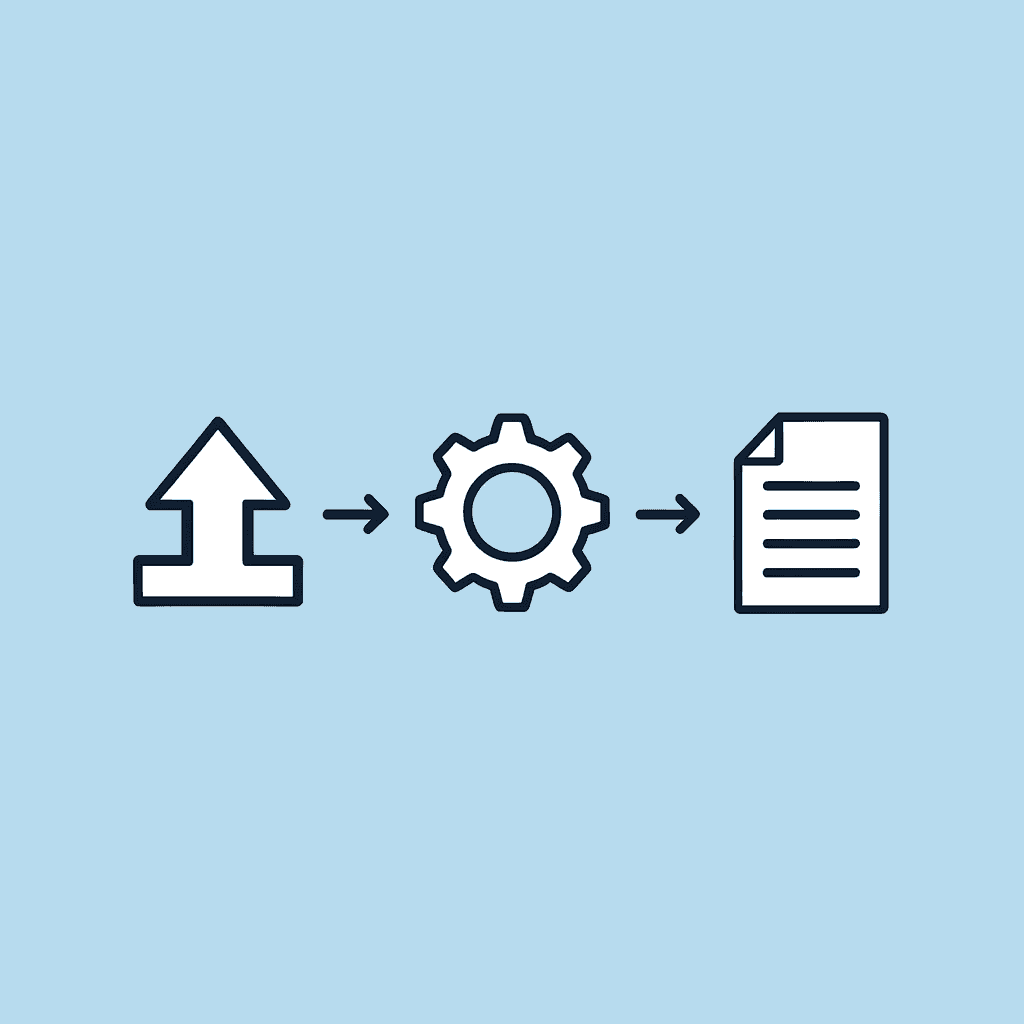
💡 Pro Tip: The real power comes from batch processing, uploading multiple documents at once, and letting the AI extract consistent data points across all files simultaneously.
1. Otio AI
Research workflows break when you switch between browser tabs, note-taking apps, and chatbots. Otio fixes this by letting you upload documents (PDFs, reports, research papers), ask specific questions, and extract data without manual review. The AI research and writing partner works only with your sources, not general training data, so answers remain grounded in what you provided.
When Otio can't find an answer in your materials, it tells you a critical feature, giving you verifiable information rather than educated guesses. According to Venkata Naga Sai Kumar Bysani, document processing tasks that once took 3 hours now take 45 minutes with the right AI extraction tools. Otio solves a fundamental problem: knowing where to look.
2. Docparser
Repetitive extraction tasks drain time. Docparser automates the process by extracting the same fields (invoice totals, vendor names, payment terms) from every document with a matching structure, then exporting to Excel, JSON, or your database without manual work.
This works best when documents follow predictable formats, such as invoices from the same vendor, purchase orders with consistent layouts, or forms with standard fields. The more repetition in your workflow, the more time Docparser saves.
3. Rossum
Transactional documents like invoices and financial records must be accurate, especially when processing large volumes. Rossum extracts key information while validating captured data and learning patterns across documents, reducing processing time and errors. Manual extraction becomes increasingly slow and unreliable as document volume grows.
The real value emerges when handling hundreds of invoices monthly, a workload that degrades human accuracy. Rossum maintains consistency across large volumes of documents.
4. Nanonets
Document formats vary considerably: contracts from different vendors organize clauses differently, and reports use different layouts. Manual extraction struggles because you must learn the document structure anew each time. Nanonets adapts by training AI models on your specific document types, then extracting complex data fields regardless of format differences.
This matters when you cannot make everything the same format. You cannot control how outside partners format their documents, but you can control how you pull data from them.
5. ABBYY FlexiCapture
High-stakes environments require precision, not efficiency alone. ABBYY FlexiCapture processes scanned documents, pulls structured data from unstructured formats, and validates extracted information before it enters your systems. When errors carry financial or legal consequences, accuracy is paramount.
Manual extraction increases risk as complexity grows. ABBYY reduces that risk by combining optical character recognition with validation rules that catch inconsistencies before they spread.
6. Google Document AI
Google Document AI handles bulk processing by extracting entities and key-value pairs from large document sets and then connecting them to downstream systems. Manual workflows cannot keep pace with processing thousands of documents monthly.
The platform uses machine learning to improve extraction accuracy over time, with performance improving as you process more documents.
7. Microsoft Azure Form Recognizer
Structured forms (like receipts, applications, and surveys) follow predictable patterns, but manually extracting data from them is time-consuming. Azure Form Recognizer automates data capture by identifying tables, key fields, and form elements, then exporting them into formats your existing workflows can use.
Businesses processing hundreds of forms weekly benefit from automation that eliminates repetitive cognitive load and saves time.
The Core Shift
Manual extraction forces you through a loop: read, search, copy, verify, repeat. AI extraction collapses that into: upload, extract, structure, use. You're not doing the same task faster; you're removing entire steps from the process.
Document extraction stops being about reading speed and starts being about retrieval precision. The best tools don't replace human judgment; they remove the friction that prevents you from applying it.
But having the right tools only matters if you know how to use them without having to rebuild your entire workflow.
The 10-Minute Workflow to Extract Data from Documents with AI
Getting data in ten minutes isn't about reading faster; it's about stopping the search entirely. Put all documents in one place, decide what you need upfront, and let AI handle finding it while you check the results. The workflow gets faster by removing steps, not speeding them up.

🎯 Key Point: The secret to rapid data extraction isn't working harder; it's eliminating manual search and letting AI do the heavy lifting while you focus on validation.
"The most efficient workflow is the one that removes steps entirely rather than optimizing each individual step." — Productivity Research, 2024
💡 Tip: Set up your document repository and define your data requirements before you start. This upfront preparation turns a 30-minute manual process into a 10-minute automated workflow.
Minute 0–2 Centralize Everything First
Before extraction begins, gather every document into one location. Most teams struggle with fragmented documents scattered across email attachments, cloud folders, local downloads, and different collaboration tools. Each location becomes a separate search task, multiplying the time spent finding what you need to extract.
Upload everything into a single system before asking questions. Extraction tools cannot work across scattered files; they need a unified input source. Skip manual organisation at this stage. The goal is consolidation, not structure.
Minute 2–4 Define Your Target Data
Figure out exactly what you're looking for before you start extracting information. What dates are important? Which clauses do you need to focus on? What amounts should you check? Unclear requests yield unclear results; clear questions yield clear answers. The more specific your definition, the faster and more accurate your extraction will be.
This step takes two minutes but saves twenty minutes later.
Minute 4–7 Let AI Retrieve Instead of Reading
Instead of opening documents one by one and copying data by hand, ask the AI to pull it out for you. Tools like Otio retrieve answers directly from your sources rather than generating plausible-sounding information based on general training data. When the AI cannot find what you're asking for, it says so, eliminating the guesswork that manual extraction requires when details are hard to find or unclear.
The old way was open, read, search, copy, repeat. The better way is to ask, extract, and verify. You're not reading faster; you're skipping the reading step when you get information.
Minute 7–9 Structure What You Extracted
Taking out information without organizing it creates confusion. Organize extracted data into usable formats: group similar points, use tables or lists, and remove duplicates or irrelevant entries.
Many stop after extracting information and wonder why the data feels messy. Organized data lets you compare information across documents, spot patterns, and reuse output without reformatting. This is where extraction becomes useful, not merely fast.
Minute 9–10 Validate Critical Fields
Check that important information is correct and ensure all key details are present. This takes seconds per document when you verify specific values instead of re-reading entire sections.
The goal is to work fast while staying accurate. You're ensuring the extracted information captures what matters. When mistakes can cause real problems, this checking step prevents small errors from becoming significant ones.
What makes this workflow fundamentally different?
The old workflow forced you through a loop: read, search, copy, verify, repeat for every document. The better workflow collapses that into: upload, define, extract, structure, and validate once. You're removing entire steps from the process.
According to Cradl AI, 80% of business data is unstructured, meaning most information exists in formats designed for human reading rather than machine retrieval.
How does AI change the approach to extraction?
Manual extraction treats every document as a reading task. AI extraction treats documents as data sources, pulling specific information without processing surrounding content.
When you stop using reading as the main extraction method, the time it takes drops from hours to minutes. The limiting factor isn't understanding anymore: it's knowing where to look, and AI handles that part.
But speed matters only if the extracted data solves the problem you started with, which depends entirely on how you use it next.
Related Reading
Legal Document Management
Ai Prompts For Summarizing Reports
Best Way To Switch Between Ai Model Providers
How To Summarize An Article With Ai
Chat With Documents
AI-Based Knowledge Management System
How To Analyze A Research Paper
Chatgpt Token Limit
Ai Document Extraction
How Many Questions Can I Ask ChatGPT for Free
Personal Knowledge Management Tools
Best Tool To Chat With Documents
Ai Document Analysis
Extract Data from Documents in 10 Minutes with Otio AI
The problem isn't the document, it's the process. Reading line by line, searching by hand, and copying data repeatedly wastes time. The shift happens when you treat documents as searchable sources instead of static reading material.
🎯 Key Point: The biggest bottleneck in document analysis isn't the complexity of your files; it's using manual methods when automated extraction could handle the work in minutes.
"The shift happens when you treat documents as sources you can search instead of just reading material."

💡 Pro Tip: Instead of spending hours manually combing through documents, leverage AI-powered extraction to turn any document into a searchable, queryable database of information.
Upload Your Documents to Otio
Start by putting everything into one workspace. Most friction comes from switching between tabs, note-taking apps, and generic chatbots not built for research. Otio provides a single place for your PDFs, reports, and research papers. Upload once, then ask questions across all of them without reopening files or searching through documents for specific information.
How quickly you can pull information out depends on how quickly you can find it. When documents are scattered, you waste time searching before you can extract anything. Centralising everything eliminates that step.
Ask for the Exact Data You Need
Regular AI tools create answers based on information they learned during training. They sound sure of themselves even when they're wrong. Otio works differently; it finds answers only from your documents, connecting every response to real sources. When you ask for specific contract terms, pricing details, or research findings, the AI searches for them in your materials instead of generating plausible-sounding information. If the answer isn't in your documents, Otio tells you that. You're searching through verified sources, not making guesses.
Let Otio Extract and Summarize Instantly
Ask once and get organized answers. Otio locates, extracts, and presents information in a usable format. You won't need to highlight, copy, paste, or search through text again to find details.
This moves the main problem from how fast you can read to knowing what questions to ask, a skill that improves with use rather than requiring more time per document.
Structure and Use the Results Immediately
Pulling out data without organization causes confusion. Once Otio retrieves the data, organize it into tables, lists, or summaries based on your next steps. Group similar information together, remove duplicates, and format for comparison when working with multiple documents.
The goal is output you can use, not just fast output. When data is organized correctly from the start, you skip the reformatting step that usually follows manual extraction and move straight from data collection to decision-making.
Document extraction isn't about reading faster; it's about removing the need to read everything. When you treat documents as data sources rather than reading tasks, the time required drops from hours to minutes. The process becomes repeatable, scalable, and accurate in ways manual extraction never could be.
Open Otio, upload your documents, and extract what you need. The workflow you've repeated for years can be condensed into something that takes less time than your next meeting.
Related Reading
Legal Document Data Extraction
Best Document Management Software For Small Business
Claude Ai File Upload Limits
Notebooklm Alternatives
Top Ai Tools For Document Review
Best Hr Document Management Software
Best Document Management Software
Best Ai Tools For Research Projects
ChatGPT File Upload Limits
Notebooklm Limits
Ai Tools To Summarize a Research Paper
Notebooklm Vs Notion
Best Automation Tools For Document Management
Best Document Management Software For Law Firms



