
Document Review
7 AI Tools to Build a Knowledge Base in 30 Minutes
Discover 7 AI tools to build an AI personal knowledge base in 30 minutes and organise your ideas, notes, and insights faster.

Research papers, meeting notes, saved articles, and PDFs scattered across folders create information chaos, wasting precious time. When searching for that crucial insight from last month, most people spend twenty minutes hunting through files instead of focusing on their actual work. AI document review technology solves this problem by instantly searching, analyzing, and extracting insights from thousands of files with photographic-precision recall.
Building an intelligent knowledge base requires no coding skills or expensive software investments. Seven proven AI tools can transform scattered information into a searchable system within 30 minutes, allowing users to ask questions and receive cited answers from their personal document library. Rather than switching between multiple apps to locate information, professionals can access their entire knowledge base through natural conversation, turning overwhelming data into actionable insights with an AI research and writing partner.
Summary
Employees waste 5 hours per week searching for information they know exists but can't locate, according to Bloomfire. The problem isn't missing knowledge. Its retrieval architecture treats information as static files rather than as queryable assets. When finding what you already learned takes longer than researching it again, your system has failed.
Students forget up to 70% of what they learn within 24 hours, according to the American College of Education Blog, and the same pattern applies to meeting notes and research without a reinforcement system. Most professionals believe that if notes exist somewhere, they're organized. But having a record isn't the same as having a retrieval method. Information buried in long documents or scattered across six apps might as well not exist when you need it.
Manual knowledge management creates a predictable failure loop. You capture valuable insights, store them without structure, lose track of where they live, then encounter the same question weeks later and start over. The real cost isn't the 20 minutes spent searching. It's the compounding loss of intellectual progress when your understanding can't build on itself because your system forces you to restart instead of deepen.
Tasks that once consumed 14 hours of execution drop to about 2 hours when AI handles the structuring work, according to M Waleed Kadous. That compression isn't just about speed. It's about removing the cognitive load of deciding where every piece of information belongs, freeing mental energy for synthesis rather than filing. The shift from manual categorization to semantic search changes whether you spend your time organizing or thinking.
Fifteen AI knowledge base tools emerged in 2025 specifically designed to handle networked thinking and semantic search, reflecting how professionals now expect their notes to behave like a conversation partner rather than a filing cabinet, according to Kuse.ai. The defining feature isn't storage capacity. It's the ability to ask your knowledge base a question and get an answer grounded in what you've already captured, with citations showing exactly where each insight came from.
AI research and writing partner addresses this by centralizing notes, PDFs, and links into a single searchable workspace, where you can chat with your sources and retrieve context-backed answers instead of hunting across fragmented tools.
Table of Contents
Why Students and Professionals Struggle to Organize Their Knowledge (And Keep Re-Learning the Same Things)
Meeting notes pile up because most people capture information without organizing what matters. You end up with records of conversations, not tools for action. The problem is the lack of structure in the notes.
🎯 Key Point: The difference between effective and ineffective note-taking isn't about how much you write, it's about how you organize what you capture for future use.
"Without proper structure, even the most detailed notes become information graveyards rather than knowledge assets." — Knowledge Management Research, 2023
⚠️ Warning: Unstructured notes create a false sense of productivity. You feel like you're capturing everything, but when you need to actually use the information, you can't find or apply what you wrote down.
Capturing everything instead of organizing what matters
During meetings, speed often wins over structure. You're juggling discussion points, decisions, questions, action items, deadlines, and side comments simultaneously. Writing fast produces a rough record of the conversation instead of a clean summary of what matters. Even complete notes often lack usefulness.
Important details get buried inside long notes
Most meeting notes are stored as one long block of text, with decisions, ownership, next steps, deadlines, and unresolved questions all mixed together. Teams need more than a transcript; they need to quickly find actionable items. When everything is buried together, retrieval slows down, and you waste time scrolling through paragraphs to find a single deadline or decision.
Having notes isn't the same as being organized
Many professionals equate meeting notes with organization. But notes can fail to answer critical follow-up questions: What was decided? What comes next? Who is responsible? The problem isn't missing notes, it's missing structure within them. Information exists, but it doesn't help the team move forward.
Notes are scattered across too many places
Meeting notes end up in notebooks, documents, chat messages, email threads, meeting apps, screenshots, and project tools, making it hard to maintain a reliable record. Even when someone recalls that a detail was documented, they may not remember where it was documented. Teams waste time searching through versions, re-asking in chat, or repeating information already discussed. The real problem isn't taking notes; it's finding them again, and this challenge compounds each time someone needs to reference what was said.
Why do teams only review notes when problems arise?
Most teams review meeting notes only when something goes wrong: a missed deadline, unclear task owner, or questioned decision. Without a repeatable review system, notes become archives instead of active tools for alignment. According to the American College of Education Blog, people forget up to 70% of information within 24 hours, and this pattern applies to meeting information without reinforcement or retrieval systems.
How can centralized platforms transform scattered notes?
Platforms like Otio bring together research notes, meeting summaries, and source documents into one searchable workspace. Instead of switching between apps, you can chat with your notes and get answers backed by context with citations. This AI research and writing partner transforms scattered records into accessible knowledge, enabling you to write, research, and make decisions faster. But the real cost is the time spent searching for notes.
Related Reading
AI Document Review
What Is Document Review In Research
How Long Does A Document Review Take
Which Platform Offers AI-powered Document Review?
How To Have Ai Review A Document
Document Management Best Practices
How To Have ChatGPT Review A Document
Ai Knowledge Base
Ai Legal Document Review
Ai Personal Knowledge Base
What Does Document Management Software Do
The Hidden Cost of Managing Knowledge Manually
You spend hours researching a topic, save the notes somewhere, then three months later start from scratch because you can't remember where you stored the insight or how it connected to your current question. The cost isn't the minutes spent searching, it's the growing loss of intellectual progress when your knowledge can't build on itself.
🔑 Key Point: The hidden cost of manual knowledge management isn't time lost, it's the compound effect of losing intellectual momentum when insights can't connect and build upon each other.
"The real cost isn't the minutes spent searching it's the growing loss of intellectual progress when your knowledge can't build on itself."
⚠️ Warning: Without a systematic approach to knowledge management, you start over with each new project, losing the cumulative advantage that comes from connected learning.
When retrieval becomes harder than original research
You bookmark articles, save PDFs, highlight passages, and capture ideas across note apps, browser tabs, and document folders. Each piece lives somewhere, but nowhere together. When you need that information again, you face a choice: spend 20 minutes hunting through fragmented tools, or spend 30 minutes redoing the research from memory. According to Bloomfire, employees waste 5 hours per week searching for information they know exists but cannot locate. That's a retrieval architecture problem.
The cycle that kills momentum
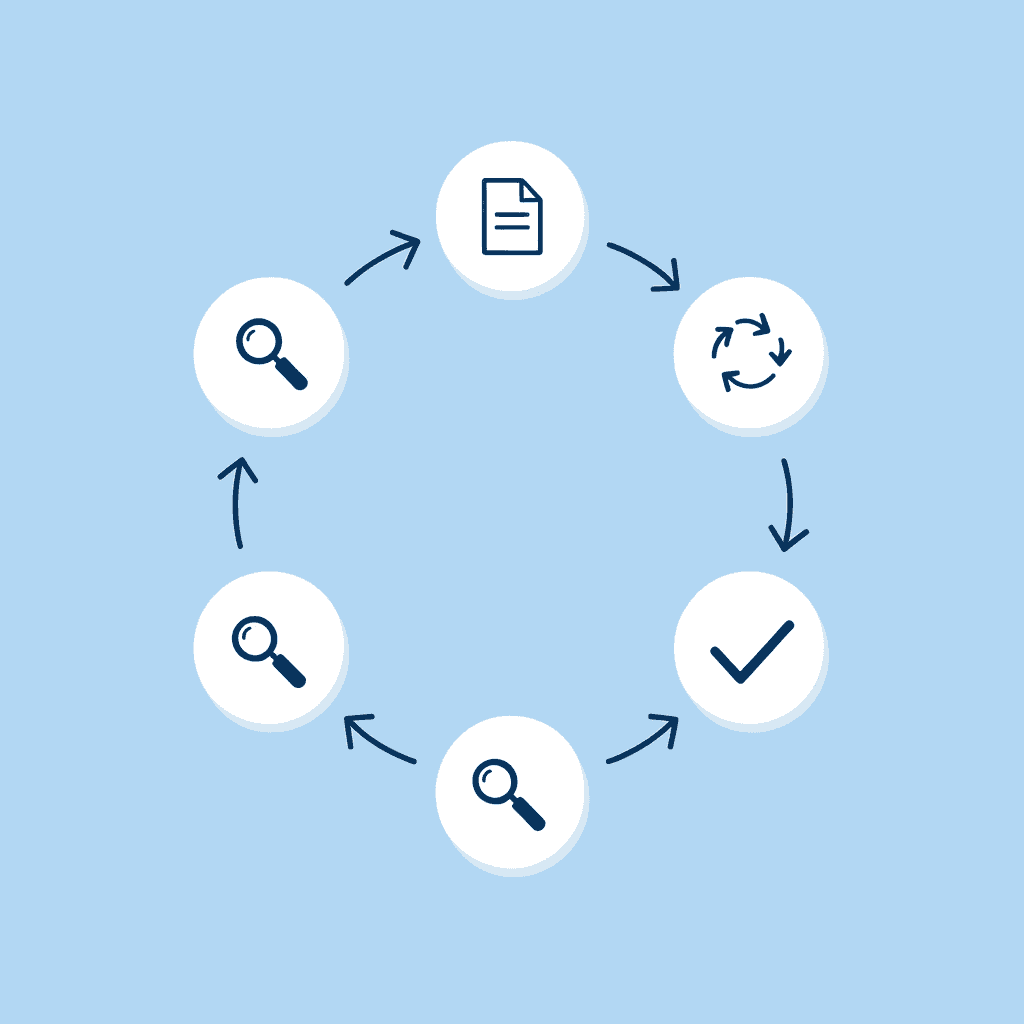
Manual knowledge management creates a predictable loop: you learn something valuable, store it without structure, lose track of where it lives, and then encounter the same question weeks later. Because you can't find what you already saved, you research it again. That repetition wastes time and prevents your understanding from deepening, since you're constantly starting over instead of building on what you know.
Memory becomes your search engine
Without organized outside systems, your brain must work harder by remembering not just what you learned, but where you saved it, which tool you used, what you named the file, and what surrounded it. That's cognitive load spent on logistics instead of thinking. Every time you rely on memory to find knowledge, you're using mental energy that could go toward synthesis, analysis, or creation.
Intelligence that can't compound
The highest cost isn't disorganization, it's wasted intelligence. When knowledge stays scattered, it can't connect. You might have read three articles that, together, answer your current question, but because they are in different places, the insight remains fragmented. Platforms like Otio turn isolated notes into a searchable knowledge base where you can ask questions across all your sources and get answers grounded in what you've already captured, with citations showing exactly where each insight came from. That shift from storage to retrieval changes how fast your thinking compounds.
The question most people don't ask
You're not failing because you don't take notes. You're stuck because your notes can't talk back. Manual methods work when information is fresh, creating an illusion of organization. But as volume grows and time passes, they fall apart. What you need isn't more discipline, it's a structure that makes past knowledge as accessible as a conversation. The tools that solve this store information differently.
Related Reading
Ai Document Extraction
Legal Document Management
Ai Prompts For Summarizing Reports
Best Way To Switch Between Ai Model Providers
Chat With Documents
Best Tool To Chat With Documents
How Many Questions Can I Ask ChatGPT for Free
Chatgpt Token Limit
How To Summarize An Article With Ai
AI-Based Knowledge Management System
Ai Document Analysis
How To Analyze A Research Paper
Personal Knowledge Management Tools
7 AI Tools to Build a Knowledge Base in 30 Minutes
They change how knowledge connects and surfaces when you need it. Building a knowledge base isn't about saving more information it's about organizing and finding what you already have. These AI tools capture, connect, and surface knowledge instantly, transforming scattered notes into a usable system.
🔑 Key Takeaway: The real value of a knowledge base isn't in storing information, it's in making that information instantly accessible and actionable when you need it most.
"Building a knowledge base transforms scattered information into a connected system that surfaces the right knowledge at the right time." — Knowledge Management Research, 2025

💡 Pro Tip: Focus on connection quality over quantity—a well-organized knowledge base with fewer, highly-connected notes will outperform a massive collection of isolated information.
1. Otio AI (Centralized Knowledge Capture and Structuring)
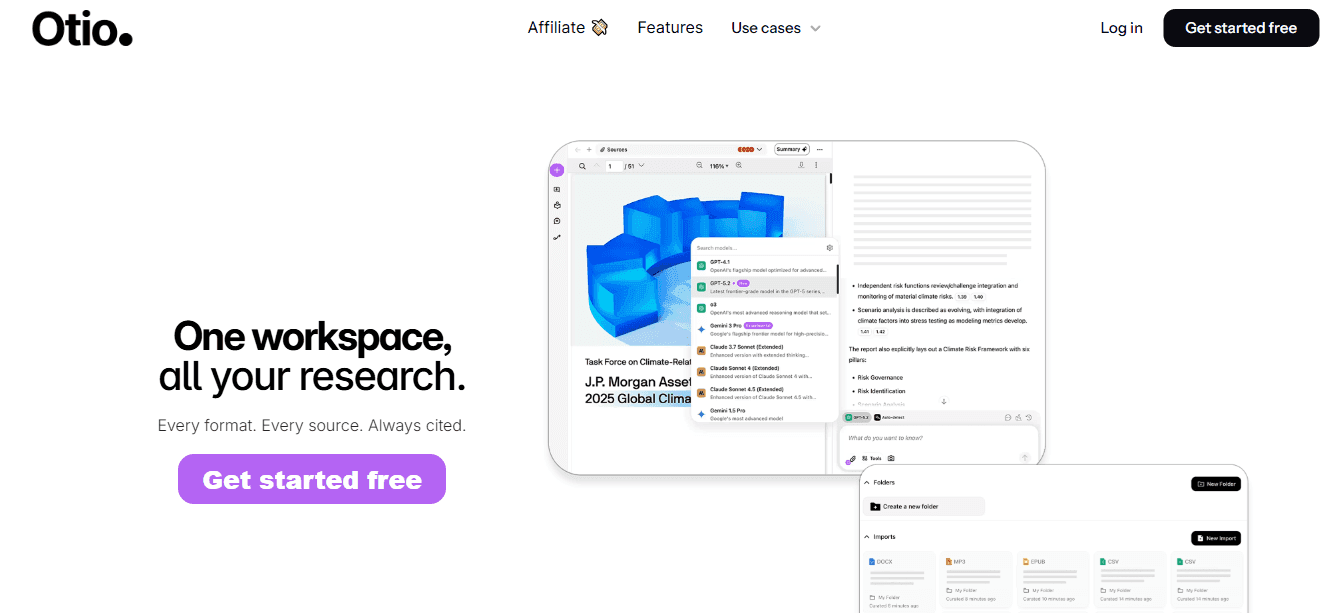
Otio turns scattered content into a structured system. Upload notes, PDFs, and links, and AI organizes related ideas, surfaces key insights, and connects information across sources. You're structuring knowledge for simple retrieval through natural questions. Answers come from your own sources, not generic AI guesses.
2. Notion AI (Structured Notes and Databases)
Notion AI helps you create organized pages, structure notes into databases, summarize content, and generate insights. The database structure lets you filter, sort, and query information, rather than scrolling through lengthy documents.
3. Obsidian (Linked Knowledge System)

Obsidian lets you link notes together and see how your ideas connect. Your knowledge grows when you make these connections instead of keeping notes separate. When you link concepts, you create a web of understanding that mirrors how your brain works: one note can reference five others, and those five can reference ten more. This network effect accelerates information retrieval and deepens understanding.
4. Mem AI (Automatic Organization of Notes)
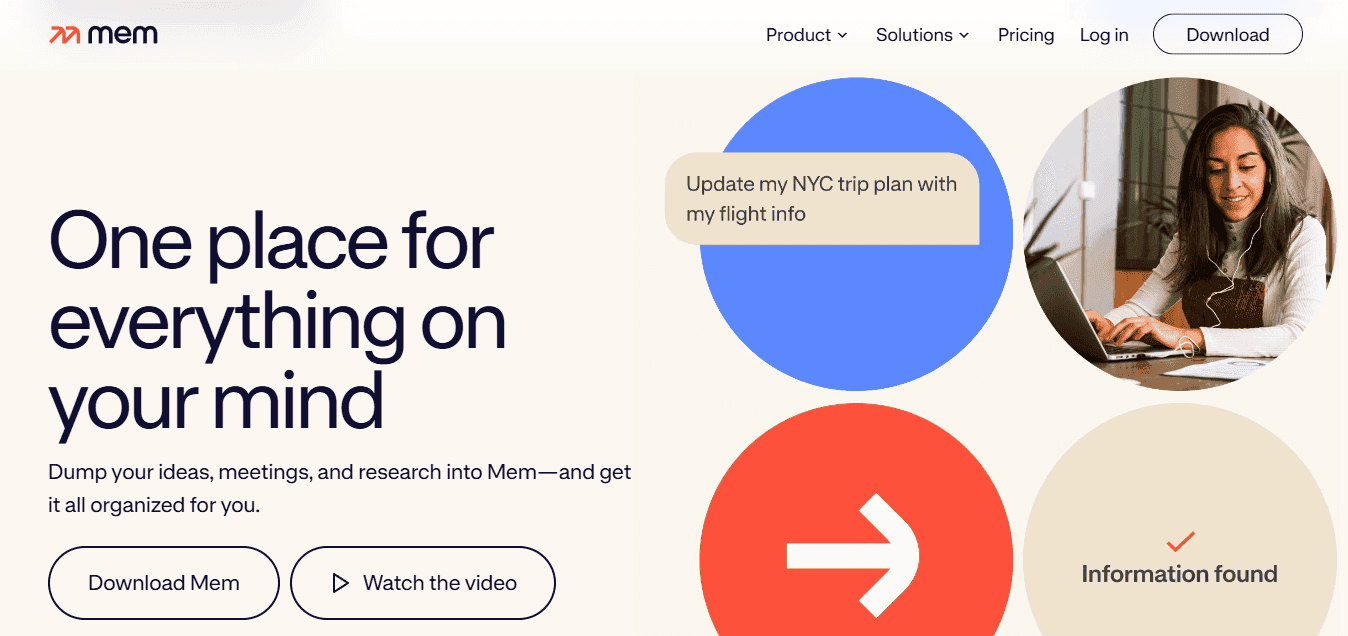
Mem automatically organizes notes, grouping similar ideas without manual tagging or sorting. You can capture ideas quickly and find them through search, spending less time organizing and more time thinking.
5. Evernote (Capture and Tag Everything)
Evernote stores notes, documents, and ideas in tagged notebooks for easy retrieval. Tagging creates multiple pathways to the same information, letting you locate content through context even if you forget the exact title or date.
6. Roam Research (Networked Thinking)

Roam focuses on dynamically linking ideas, creating a network of thoughts, and tracking how concepts relate to one another. According to Kuse.ai, 15 AI knowledge base tools launched in 2025 for networked thinking and semantic search, reflecting professionals' expectation that notes function as conversation partners rather than filing cabinets. The daily note feature encourages consistent capture. As you write each day, you create links to past notes, forming a map of your evolving understanding.
7. Reflect (Simple, Connected Note-Taking)
Reflect brings together note-taking, backlinks, and daily knowledge capture into one system. Its simple interface lets you focus on writing and linking without unnecessary features.
The Core Shift
Manual system: Save, forget, search, relearn. AI-powered system: Capture, connect, retrieve, apply. The difference isn't speed alone. You can ask your knowledge base a question and get an answer based on what you've already learned, with citations showing exactly where each insight came from. This accelerates how your thinking builds because you're not starting over each time you need information. But knowing the tools is only half the equation.
The 30-Minute AI Knowledge Base Workflow
The other half is how fast you can do it. You need a way of working that takes scattered materials and turns them into a system you can search without endless organizing. The goal is to make it work, not to make it perfect. When you can ask your knowledge base a question and get an answer from your own sources, you've moved from storing things to having intelligence.

This way of working assumes you already have information saved somewhere, notes, PDFs, bookmarks, screenshots, voice memos, and articles. The problem is not how much you have, but finding it. What you're building is not a library, but a system for retrieving information.
Minutes 0 to 5: Gather what you already have
Start by pulling everything into one place without organizing, renaming files, or creating folders. Gather from your note apps, download folders, browser bookmarks, email drafts, and anywhere else you've stored information. The goal is visibility; you cannot structure what you cannot see. This step reveals the real picture. Most people feel organised because their knowledge is scattered across different apps with different purposes. But pulling it together exposes duplicates, gaps, half-finished thoughts, and ideas that never connected because they lived in separate systems.
Minutes 5 to 10: Upload everything into one tool
Move your materials into a single knowledge system. Upload PDFs and notes, or paste bookmarked URLs, depending on your platform's support. The goal is to consolidate one place, one source of truth. This is where friction usually appears. People resist uploading because they worry about losing control, mixing personal and professional content, or creating a mess. But the mess already exists, spread across six apps instead of one. Centralization reveals chaos rather than creating it, which is the first step toward fixing it.
Minutes 10 to 18: Group information by topic or purpose
Create simple categories: Work, school, research, content ideas, projects, and references. Don't build complex taxonomies or debate whether something belongs in "marketing" or "strategy." Pick one and move on. The goal is to group similar ideas to make retrieval easier. If your tool supports AI-powered grouping, use it. According to M Waleed Kadous' LinkedIn post, tasks that once took 14 hours drop to about 2 hours when AI handles the structuring work. Manual categorization forces you to think like a librarian; AI categorization lets you think like a researcher.
Why is connecting ideas the most critical step?
This is where your knowledge base transforms from storage into a thinking system. Look for connections: a saved article that supports a project note, a class lecture that relates to an uploaded PDF, a content idea linked to research you captured months ago. Most knowledge systems fail here because people skip this step. They save and organize but do not connect. Without links between ideas, your knowledge base becomes isolated insights you must remember manually, which is not a system.
How does semantic search accelerate knowledge connections?
Platforms like Otio turn this step into a conversation. Instead of manually linking every note, you can ask questions across all your sources and get answers based on what you've captured, with citations showing exactly where each insight came from. That shift from manual linking to semantic search changes how fast your thinking compounds.
Minutes 25 to 30: Tag, review, and stop
Do one final pass to confirm everything landed in the right category, similar ideas are grouped together, and titles are clear for future recognition. Apply tags or metadata if your tool supports them, then stop. This is the hardest part for most people. The urge to keep organizing is strong: you'll notice inconsistencies and opportunities for improvement. Resist. The goal was never to build the perfect system, but a working one in 30 minutes. Perfect systems take weeks to build and still fail because they require constant maintenance. Working systems take less than an hour to set up and improve naturally as you use them.
What did your workflow look like before this system?
Before this workflow, your knowledge was scattered, with notes spread across different apps, unorganised saved links, repeated searching for information you knew you had, and relearning ideas you'd already encountered.
How does the centralized system change your daily work?
After this workflow, you have one centralized system with grouped ideas, searchable insights, and faster reuse of existing knowledge. The shift isn't dramatic in the moment: it's dramatic over time. Every question you answer using your own knowledge base instead of starting from scratch saves time and deepens understanding.
What makes building a knowledge base in 30 minutes realistic?
The old process was save, scatter, forget, relearn. The better process is gather, upload, group, and connect. This makes building a knowledge base in 30 minutes realistic.
But realistic does not mean easy for everyone.
Build Your Knowledge Base in 30 Minutes with Otio AI
If your research feels scattered, the problem is your system. You need a structure that brings together what you have, connects what matters, and finds answers when you ask. Platforms like Otio let you upload notes, PDFs, and links into one workspace, automatically organize related ideas, and chat with your sources to get answers based on your own research, not speculation. In 30 minutes, you move from scattered files to a knowledge base you can use.
You build once, then you search. No more hunting across apps, re-reading materials, or forgetting where you saved something. That shift from storage to intelligence accelerates the pace at which your thinking builds on itself.
Related Reading
Best Document Management Software For Small Businesses
Best Hr Document Management Software
Notebooklm Alternatives
Claude Ai File Upload Limits
Best Document Management Software For Law Firms
Best Ai Tools For Research Projects
Ai Tools To Summarize a Research Paper
Top Ai Tools For Document Review
Notebooklm Vs Notion
ChatGPT File Upload Limits
Legal Document Data Extraction
Best Document Management Software
Best Automation Tools For Document Management
Notebooklm Limit



