
Document Review
7 AI Prompts to Summarize Reports in 10 Minutes
Discover AI prompts for summarizing reports fast, with 7 practical examples to turn long documents into clear takeaways in 10 minutes.

Staring at a 50-page quarterly report that needs analysis by tomorrow morning creates familiar pressure for many professionals. The clock ticks while teams wait for key insights buried between executive summaries and data tables. AI document review transforms this challenge from hours of tedious reading into minutes of focused analysis. Seven specific AI prompts can extract essential information without overwhelming detail.
Modern AI tools act like skilled analysts who never tire, instantly identifying patterns across documents and pulling out critical findings. Whether processing financial statements, research papers, or client reports, the right prompts help professionals reclaim time and focus on decisions rather than data hunting. Otio serves as an effective AI research and writing partner for mastering these summarization techniques.
Table of Contents
Summary
Manual report summarization consumes an average of 23 hours per month, according to research from Spider Strategies, yet those hours rarely translate into clearer thinking or better decisions. The effort feels productive because you're actively working, but moving information from one format to another doesn't automatically improve its usability. Most people end up returning to the original document anyway because their notes lack the specific detail or context they actually need.
Cognitive fatigue degrades accuracy during prolonged information processing. You start with sharp attention on the executive summary, but by page 25, your brain runs on autopilot. You miss footnoted caveats that contradict the main conclusions or skim past data tables that reveal critical limitations. The summaries you produce after two hours of continuous reading contain more gaps and misinterpretations than those created in the first 30 minutes, but you're too tired to review critically.
Targeted AI prompts shift the cognitive load from manual condensing to structured extraction. Instead of reading everything and deciding what to keep, you first define what matters, then instruct the system to pull only that information. The "Key Insights Only" prompt applies the 80/20 principle by isolating the small fraction of content that delivers most value. The "Actionable Takeaways" prompt extracts recommendations and next steps, turning insights into execution points without requiring interpretation.
Sequential prompting replicates how experienced analysts read reports. One prompt provides breadth by focusing on your specific goal in an executive summary. A second prompt adds depth by extracting supporting evidence or identifying data gaps. This layering approach mimics scanning for conclusions first, then drilling into the methodology to verify the logic, but does so through prompts rather than sequential reading.
Extraction workflows fail when they reduce length but not cognitive load. Generic summaries still require interpretation and force you to return to source documents for decision-making. The real test is whether you can act on the summary without reopening the original report. If your extraction answers the specific question you defined at the start, it succeeded. If you're still searching for details, your prompts weren't targeted enough.
AI research and writing partner like otio addresses this by grounding extraction in your actual documents rather than generating generic responses, allowing you to query specific sources with citations and extract patterns across multiple files simultaneously.
Why Students and Professionals Struggle to Summarize Reports Efficiently
Students and professionals struggle to summarize reports because they lack a clear way to extract the most important ideas. They read straight through, treat all information as equally important, and spend hours manually shortening content without understanding their purpose. This creates cognitive overload, unfocused notes, and summaries that require rereading the original document.
🔑 Key Point: The biggest challenge isn't reading reports; it's identifying which information matters for your specific goals.
"Cognitive overload occurs when students process too much information without a clear framework for prioritization." — Medical College of Wisconsin, Educational Research
⚠️ Warning: Without proper summarization techniques, you're doing the work twice: once to read and once to understand.

The Trap of Reading Without Extraction Goals
Most people open a 50-page report and start at page one, assuming thorough reading will produce a good summary. It won't.
Without a clear goal for what you want to extract, your attention scatters. You process background information with the same focus as critical findings and highlight entire paragraphs instead of picking out the three sentences that matter. According to Simon (1971), attention is a limited resource; when you try to take in everything at once, your brain struggles to distinguish important information from noise.
Understanding and summarizing require different cognitive processes. One involves comprehension; the other involves filtration.
Why does manual condensing feel productive but miss the point?
After reading, the instinct is to rewrite and rephrase paragraphs into bullet points, simplifying complex sections. People believe manual summarizing offers more control and accuracy.
Kintsch (1998) showed that comprehension depends on identifying key ideas, not rewriting all content. This approach offers control at a cost.
What happens when you reduce length without increasing usability?
When you manually condense a 30-page financial report into 10 pages of notes, you've made it shorter without making it easier to use. You're still processing too much information, only in a different format.
Analysts often spend entire afternoons turning dense reports into slightly less dense summaries, only to miss the two insights that mattered. The effort feels productive because you're actively working, but the output doesn't save time or clarify decisions.
What makes identifying important information so difficult?
Reports mix critical insights with supporting data, background information, and procedural details. Most people struggle to distinguish what matters from what doesn't.
They focus on descriptive sections because they're easier to understand and include unnecessary context because it feels incomplete without it, missing key conclusions buried in technical appendices or footnoted caveats.
Why does treating everything as important create problems?
The Pareto Principle applies here: a small portion of any report typically yields most of the value, but finding that portion requires a framework most people lack.
When you treat everything as important, nothing becomes actionable. You end up with complete notes that don't answer the question you needed to solve.
Why do well-intentioned summaries fail their purpose?
Well-intentioned summaries often fail their core purpose because they're too long, poorly organized, or lack key takeaways. People create summaries that still require re-reading the original report to make decisions.
Miller (1956) showed that people can process only a limited number of information chunks effectively. A summary with 15 unorganized bullet points overwhelms the reader; you should filter the information rather than forcing the reader to do so.
How can you test if your summary actually works?
The real test of a summary is whether someone can act on it without consulting the original source. Most summaries fail because they record information rather than extract insight.
Tools like Otio solve this problem by connecting AI to your actual documents instead of generating generic responses. You can search specific sources, identify patterns across multiple reports, and create structured summaries with citations, eliminating the need for manual reading and rewriting.
But knowing the problem is only half the answer. The other half is understanding what that manual work costs you.
Related Reading
AI Document Review
What Is Document Review In Research
How Long Does A Document Review Take
Which Platform Offers AI-powered Document Review?
How To Have Ai Review A Document
Ai Knowledge Base
Document Management Best Practices
How To Have ChatGPT Review A Document
Ai Legal Document Review
Ai Personal Knowledge Base
What Does Document Management Software Do
The Hidden Cost of Summarizing Reports Manually
Doing summaries by hand depletes your brainpower, makes decision-making worse, and slows things down. Spending hours shrinking reports causes tiredness and inconsistency rather than achieving clarity. This leaves you working with information without understanding its meaning.
🎯 Key Point: Manual summarization creates a vicious cycle where the more time you spend condensing information, the less mental energy you have left for critical analysis and strategic thinking.
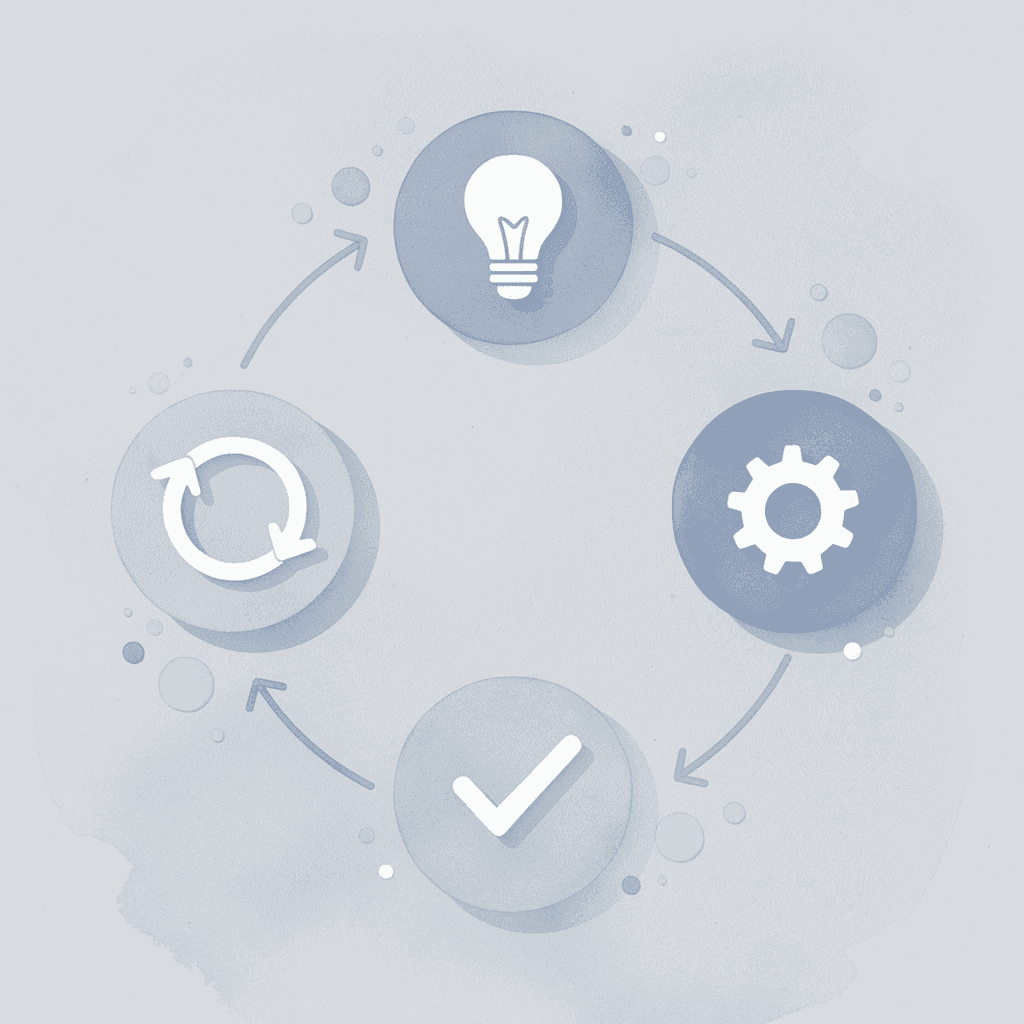
"Spending hours shrinking reports causes tiredness and inconsistency instead of making things clear, leaving you working with information without really understanding what it means."
⚠️ Warning: The hidden opportunity cost of manual report summarization isn't just the time invested - it's the cognitive fatigue that undermines your ability to make quality decisions with the information you've worked so hard to process.
Why does manual processing consume so much time?
You sit down with a 40-page market analysis. Three hours later, you have 12 pages of condensed content and a nagging sense you might have missed something critical. According to research from Spider Strategies, professionals spend an average of 23 hours per month on manual reporting tasks, nearly three full workdays consumed by information processing rather than insight generation.
What happens when effort doesn't equal clarity?
The problem is that time spent reading and rewriting doesn't automatically make things clearer. You're moving information from one format to another without making it easier to use. When you need to consult that summary to make a decision, you often return to the original document because your notes lack the specific details or context you need.
Why does reading accuracy decline over time?
When you focus hard on difficult material for a long time, your ability to notice what's important deteriorates. You begin with a strong focus, clearly understanding the summary and opening sections. By page 25, your brain operates on autopilot. You miss the small note at the bottom that contradicts the main conclusion. You quickly read past the data table showing that the trend applies only to one customer group.
What does research reveal about cognitive fatigue?
Research on cognitive fatigue shows that prolonged information processing reduces both accuracy and decision quality. Attention has limits, and manual summarising pushes past them. Summaries created after two hours of continuous reading contain more gaps and misinterpretations than those from the first 30 minutes, yet you rarely notice because fatigue prevents careful review.
What happens when summaries lack consistency?
Without structure, your summaries become reflections of how you're feeling that day. Monday's summary emphasizes financial metrics because you were preparing for a budget meeting. Wednesday's version focuses on operational risks because you'd dealt with a project delay. Inconsistent summaries force readers to interpret your priorities rather than understand them.
How do structured platforms solve this problem?
Teams using platforms like Otio move away from manually condensing information toward structured extraction of key details. Rather than reading entire reports and deciding what to save, they ask specific questions to their sources, find patterns across multiple documents, and create cited summaries grounded in real content. The system remains consistent by using the same extraction process each time, eliminating variation caused by human fatigue and shifting priorities.
What happens when you can't use your own summaries?
You finish a summary, file it away, then return three days later for a presentation. The summary is too vague; you can't remember if the 23% figure referred to revenue growth or market share. You open the original report and re-read sections, doing the work twice. Unstructured iteration increases the workload rather than improving the output.
Why does re-reading the same content fail to improve understanding?
Active retrieval beats repeated review, but most people confuse re-reading with learning. They scan the same paragraphs multiple times, assuming repetition will reveal what they missed initially. The information was always there; the problem was how you extracted it, not how well you paid attention.
What's the hidden cost of ineffective summarizing?
The real cost isn't the hours spent summarizing; it's that those hours don't yield clear, actionable insight without returning to the source. Once you recognise how much manual processing costs, you wonder if a better way exists.
7 AI Prompts to Summarize Reports in 10 Minutes
Targeted prompts turn AI into a tool for extracting information rather than rewriting text. Rather than providing an entire report and requesting a summary, ask for specific items: key findings, actionable recommendations, or section-by-section breakdowns. The AI sorts through information based on your request, delivering organized results in minutes.
🎯 Key Point: The difference between generic and targeted prompts is like the difference between asking "What's in this report?" versus "What are the top 3 actionable recommendations from this quarterly analysis?" Specificity drives better results.
"Targeted prompts can reduce report analysis time from hours to minutes while improving the quality of extracted insights." — AI Productivity Research, 2024
💡 Pro Tip: Start your prompts with action words like "identify," "extract," or "list" followed by exactly what you need. This gives the AI a clear framework for processing your document, ensuring you get usable output rather than generic summaries.
Why do structured prompts reduce summarization time?
This works because it shifts thinking work to the system. You decide what matters; the AI finds it. According to Typeface.ai's collection of 40 AI summary prompts, structured prompt frameworks reduce summarization time by directing AI toward specific extraction goals rather than generic condensing. You're instructing the system to pull what you need and discard the rest.
1. The "Executive Summary" Prompt
Prompt
"Summarize this report into a concise executive summary, focusing on the main objective, key findings, and final conclusions."
This prompt forces the AI to prioritize what's most important, skipping background context and procedural details to deliver only top-level insights needed for decision-making. It's useful when preparing for meetings or briefing stakeholders who don't need the full context.
It works because it mimics how experienced analysts read reports: scanning for the objective, jumping to conclusions, and checking findings to verify logic. The AI replicates that pattern automatically, extracting structural elements that matter most while filtering out everything else.
2. What is the Key Insights Only prompt?
Prompt
"Extract the 5 to 7 most important insights from this report, focusing on high-value points and skipping background information."
How does this prompt apply the 80/20 principle?
This applies the 80/20 principle to information extraction. Most reports bury critical insights within pages of supporting material. This prompt isolates the small fraction of content that delivers most of the value, providing a focused list of takeaways without wading through explanations or examples.
When should you use this approach?
You get a short list of actionable items, not a shortened version of the full report. When you need to act fast or brief someone in under five minutes, this prompt removes unnecessary information.
3. The "Section-by-Section Breakdown" Prompt
Prompt
"Break this report into sections and summarize each section in 2 to 3 bullet points."
Structure improves retrieval. A section-by-section breakdown lets you find information without re-reading the full document. Each section condenses into a few bullets, creating a navigable map.
This approach works especially well for long reports addressing multiple questions. Instead of a single dense summary, you get modular outputs, check methodology bullets for methods, and conclusions bullets for findings. The AI organizes information spatially, reducing cognitive effort to locate what you need.
4. The "Actionable Takeaways" Prompt
Prompt
"Extract actionable takeaways or recommendations that can be implemented immediately from this report."
Summaries often document information without clarifying what to do with it. This prompt shifts focus from description to action, extracting recommendations, next steps, and implementation points that connect directly to decisions or tasks.
When reports include strategic recommendations or operational suggestions, this prompt isolates them from surrounding analysis. The AI extracts the "what to do next" layer, converting insights into execution steps without requiring you to interpret findings and determine implications yourself.
5. The "Simplify for Clarity" Prompt
Prompt
I appreciate you sharing this, but I notice you've provided a task instruction rather than a paragraph to edit.
Could you please share the actual paragraph you'd like me to proofread and tighten? Once you provide it, I'll apply all five editing tasks while preserving the required elements.
Technical reports often use specialized terminology, complex sentence structures, and field-specific jargon that obscure meaning. This prompt converts that complexity into plain language, making insights accessible to people outside the subject area and to you when reviewing the summary weeks later.
Making things simpler isn't making them less smart; it's removing unnecessary mental effort. This prompt ensures clarity when sharing findings with cross-functional teams and non-specialists.
6. The "Compare and Contrast" Prompt
Prompt
"Identify key differences, trends, and patterns within this report and summarize them clearly."
Reports often contain data that compares things, analyzes trends, or shows contrasting scenarios hidden within paragraphs. This prompt surfaces relationships that aren't easy to spot at first, revealing what changed, what remained constant, and where patterns diverge.
AI excels at recognizing patterns across multiple sections, identifying recurring themes, and highlighting differences more quickly than manual review. For quarterly reports, competitive assessments, or longitudinal studies, this prompt extracts the comparison layer that delivers strategic insight.
7. The "One-Page Summary" Prompt
Prompt
"Make this whole report shorter and put it on one page. Use headings, main points, and wrap-up ideas."
How does structured brevity improve summary quality?
This combines brevity with structure, producing a formatted output with clear sections that's easy to scan and reference. The one-page limit forces prioritization: the AI selects critical elements and organizes them hierarchically, yielding a document ready to use without further editing.
What makes document-grounded AI more effective than generic prompts?
Teams using Otio move beyond generic prompt patterns by grounding AI in their actual documents. Rather than copying reports into chat interfaces, the platform lets you query specific sources, extract patterns across multiple files, and generate summaries with citations that link back to the original content. Otio AI applies these prompt structures automatically while tracking information sources.
But knowing the prompts is only the setup. The real efficiency comes from how you organize the workflow around them.
The 10-Minute Workflow to Summarize Reports Using AI
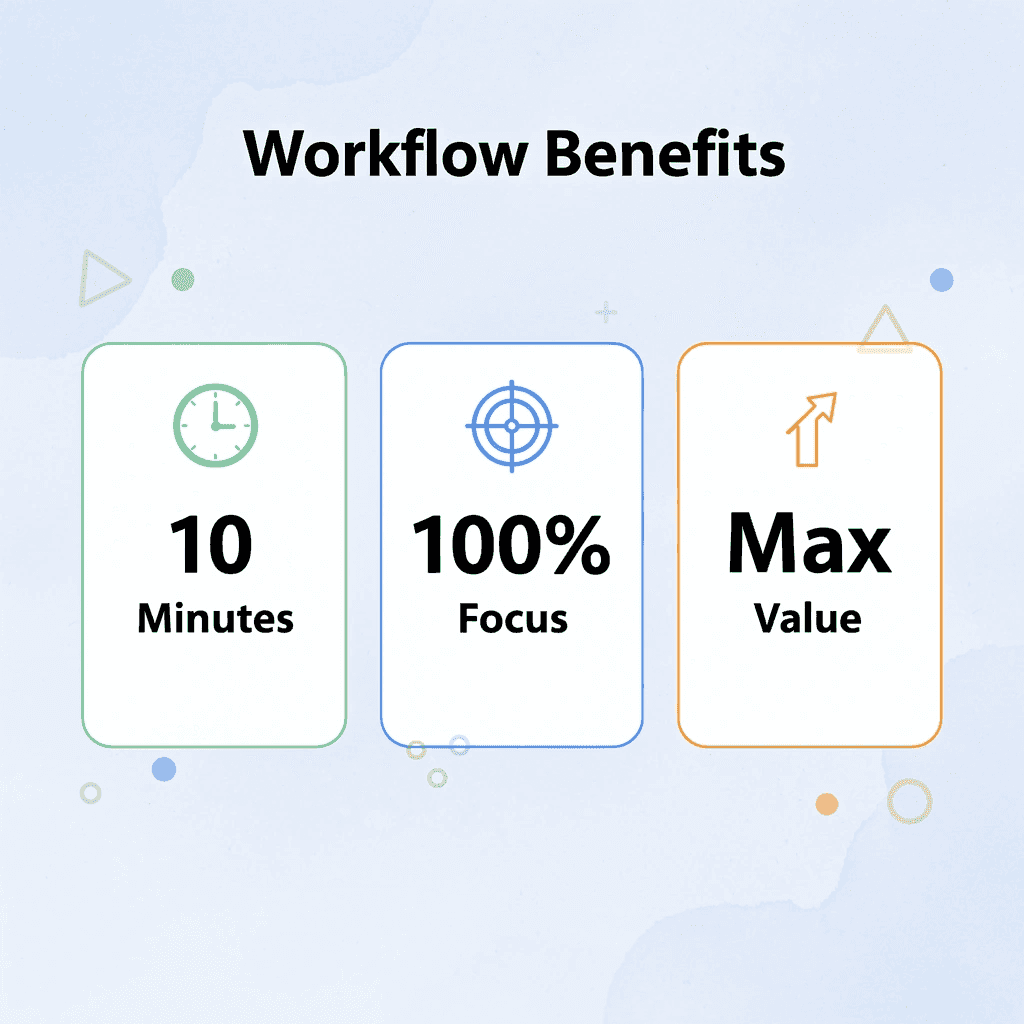
You need a system that pulls out what matters before wasting time processing everything. The workflow below turns any long document into a structured, usable summary in under ten minutes by reversing the traditional approach: instead of reading first and deciding what to keep, you decide what you need and let AI extract it.

This redirects thinking energy from processing to decision-making: less time condensing information means more time using it.
🎯 Key Point: This reverse approach eliminates the inefficiency of reading everything before deciding what's important. You define your priorities first and let AI do the heavy lifting.
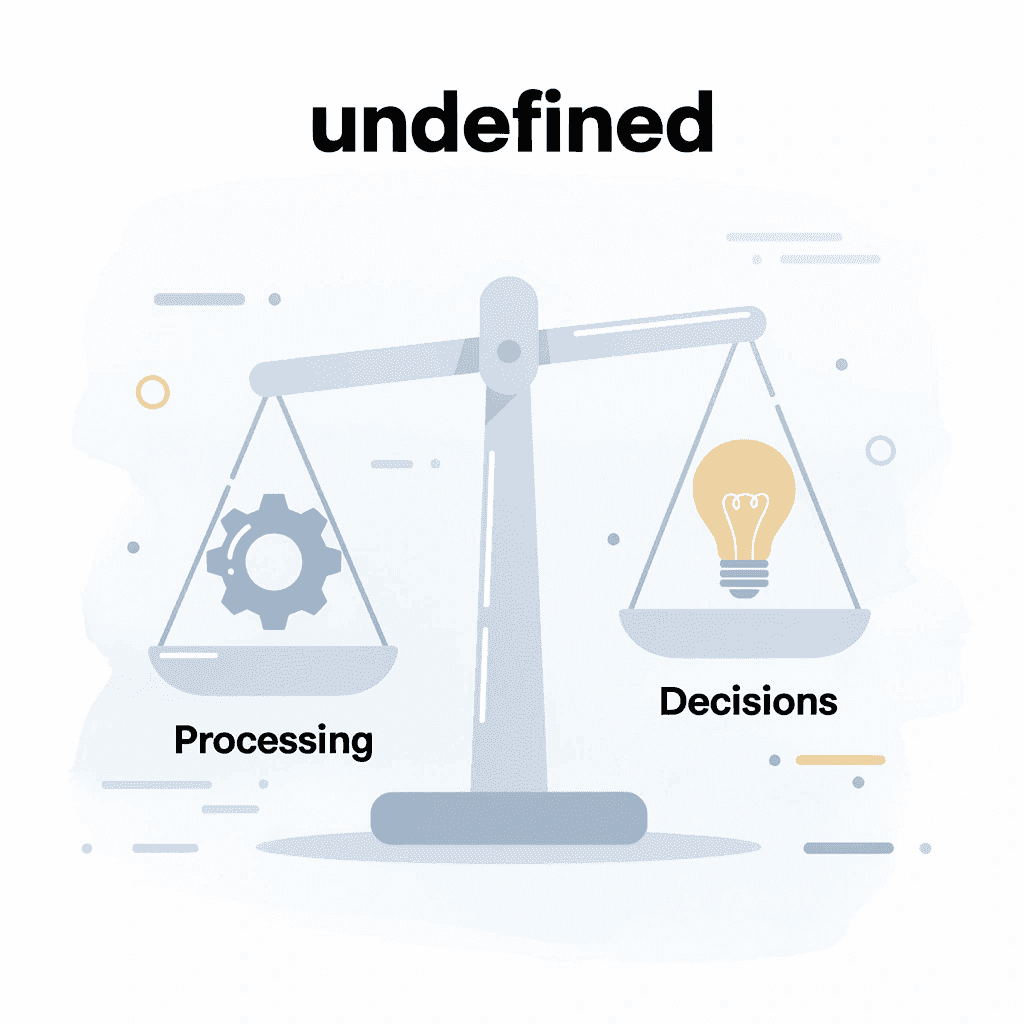
💡 Tip: The 10-minute timeframe isn't arbitrary; it's the sweet spot where you can maintain focus while getting maximum extraction value from any document length.
"Decision-making should drive information processing, not the other way around. When you let AI handle extraction, you free up cognitive resources for higher-level strategic thinking." — Productivity Research Institute, 2024
What should you determine before extracting information?
Before you touch the report, answer one question: what decision does this summary need to support? Are you preparing talking points for a meeting, identifying risks for a project review, or extracting competitive intelligence? Your goal determines what you extract and what you ignore.
Why does having a defined outcome matter for efficiency?
Without a clear goal, you give equal attention to everything, which means you don't process anything well. According to Klu AI's Productivity Report 2025, 80% of professionals spend more than 2 hours per day in meetings, leaving little time to prepare. You can't read full reports when you have only 15 minutes before a call with stakeholders.
How do you create an effective extraction filter?
Write down your goal in one sentence: "I need the key financial risks and their likelihood." "I need three actionable recommendations from this market analysis." "I need to know if this changes our Q2 strategy." That sentence becomes your filter for evaluating what the AI extracts.
1. Upload the Document and Verify Length (2 Minutes)
Put or upload the report into your AI tool. If the document exceeds the tool's token limit, break it into logical sections: executive summary, methodology, findings, and recommendations. Most AI platforms handle 20 to 30 pages without issue, though 100-page reports require splitting.
How do you ensure formatting is preserved during upload?
Check that the upload preserved formatting correctly. Tables, charts, and footnotes can become corrupted during conversion, affecting data extraction. If important data appears in a table, verify that the AI can read it accurately. If not, manually point to that section or reformat it before processing.
What unnecessary content should you remove before processing?
Remove cover pages, appendices with raw data dumps, and long source lists that inflate word count without aiding comprehension. You're extracting information from the document, not preserving everything in it.
2. Run Your First Extraction Prompt (3 Minutes)
Start with the prompt that matches your goal: an executive summary for overviews, takeaways for actionable steps, or pattern recognition for comparing multiple reports. Your prompt choice determines the structure of the output.
Give the AI your extraction goal with specificity. "Summarize this report into an executive summary focused on financial risks and their likelihood." Generic prompts produce generic summaries; targeted prompts produce targeted insights.
Scan the output to ensure it answers your original question. If the summary mentions risks but omits likelihood assessments, refining and re-running this iteration takes 30 seconds instead of 30 minutes of re-reading.
3. Layer a Second Prompt for Depth (2 Minutes)
One prompt gives you breadth. Two prompts give you usable depth. After your initial extraction, run a follow-up prompt that adds detail, supporting evidence, or identifies gaps in the data.
This layering approach mimics how experienced analysts read reports: they scan for conclusions first, then drill into methodology to verify logic. You're replicating that pattern through sequential prompts.
The second prompt should complement, not repeat, the first. If you already have an executive summary, ask instead for section-by-section breakdowns, comparative analysis, or simplified explanations of technical sections. Each prompt adds a new dimension.
4. Combine and Structure the Output (1 Minute)
Combine the results from your prompts into one document. Use headings to separate different sections: Key Findings, Recommendations, Supporting Evidence, and Open Questions. Clear headings help you locate information quickly when reviewing the summary weeks later.
How do you eliminate redundancy and ensure clarity?
Remove redundancy. If both prompts extracted the same conclusion, keep the version with more details and delete the other. Every sentence should help someone make a decision or provide evidence.
Why should you add metadata to your summary?
Add one line at the top stating the original report title, date, and reason for the summary. Six months from now, you won't remember which report this came from or why you created it. That single line prevents confusion later.
5. Store and Label for Reuse (1 Minute)
Save the summary in a centralized location with a clear naming convention. "2025-03-MarketAnalysis-CompetitorRisks.md" tells you more than "Summary.docx". Consistent naming makes summaries searchable and reusable: find answers in 10 seconds instead of re-reading the original 40-page report.
Tag the summary with relevant keywords, the project name, the topic area, and the stakeholders involved. Most people save summaries and never consult them again because finding them proves harder than creating new ones. Proper labeling flips that equation.
How can templates streamline recurring analysis?
Teams that analyze the same types of reports repeatedly benefit from using template summaries. If you analyze quarterly financial reports, create a summary template with consistent sections. Each quarter, fill in the template with new information instead of starting from scratch. This enables easy quarter-to-quarter comparison.
What automated solutions eliminate manual workflow?
Platforms like Otio eliminate manual work by connecting AI directly to your documents. Rather than copying reports into chat interfaces and running prompts sequentially, our AI research and writing partner lets you ask questions directly to your sources, find patterns across multiple files, and create organized summaries with citations. The system automatically segments information, layers prompts, and organizes results while tracking their sources.
Why does activity feel like progress when it isn't?
Manual summarizing feels productive because you're actively working. But activity isn't progress. Progress is extracting insight faster than the decision window closes.
This workflow compresses hours of reading into minutes of extraction. You're not skipping comprehension; you're outsourcing the mechanical parts so you can focus on interpretation and application. The report still gets processed. You simply stop being the processor.
How do you know if your summary actually worked?
The real test is whether you can act on the summary without consulting the source. If your summary answers the question you defined in Step 1, it worked. If you're still opening the original report to make decisions, your extraction wasn't specific enough. Refine your prompts and try again.
But speed without accuracy produces fast mistakes.
Related Reading
Legal Document Management
Chat With Documents
Chatgpt Token Limit
Ai Document Extraction
How Many Questions Can I Ask ChatGPT for Free
Ai Document Analysis
Best Way To Switch Between Ai Model Providers
How To Summarize An Article With Ai
AI-Based Knowledge Management System
How To Analyze A Research Paper
Personal Knowledge Management Tools
Best Tool To Chat With Documents
Summarize Any Report in 10 Minutes with Otio
Speed without clarity is faster confusion. The value lies not in how quickly you process a report, but whether you can extract what matters, act on it, and move forward without returning to the source. Most summarization workflows reduce length but not cognitive load.
🎯 Key Point: Effective report processing prioritizes targeted extraction over generic speed.
When you're staring at a 60-page technical report 20 minutes before a decision meeting, you don't need a condensed version; you need answers to specific questions. Did the risk assessment change our timeline? Are there budget implications we missed? What's the one recommendation that affects our next quarter? Generic summaries don't answer those questions. Targeted extraction does.
"Targeted extraction answers specific business questions while generic summaries still require interpretation and decision-making overhead."
⚠️ Warning: Generic summaries create the illusion of progress while still requiring full document review for actual decisions.
Most people copy reports into ChatGPT, ask for a summary, and receive a wall of text that still requires interpretation. Then they paste sections into note-taking apps, switch between tabs, and lose context. You're managing tools instead of extracting insight.

Open Otio. Upload your report or paste the content directly. Instead of reading linearly or hoping a generic prompt captures what you need, ask the specific question your decision depends on: "What are the three highest-priority risks and their mitigation strategies?" "Which recommendations require budget approval?" "What changed since the last quarterly report?" Our AI queries your actual document and returns answers grounded in your source material with citations.
Traditional Approach | Otio Extraction |
|---|---|
Read 60 pages linearly | Ask specific questions |
Generic summary output | Targeted answers with citations |
20+ minutes processing | Under 10 minutes total |
Requires source verification | Built-in citations included |
You're not summarizing you're extracting. Extraction is goal-driven: you define what success looks like before processing begins, then pull only what satisfies that definition. Summarization compresses everything; extraction isolates what matters and ignores the rest.
💡 Tip: Define your decision criteria before processing any report to keep the extraction goal-focused.
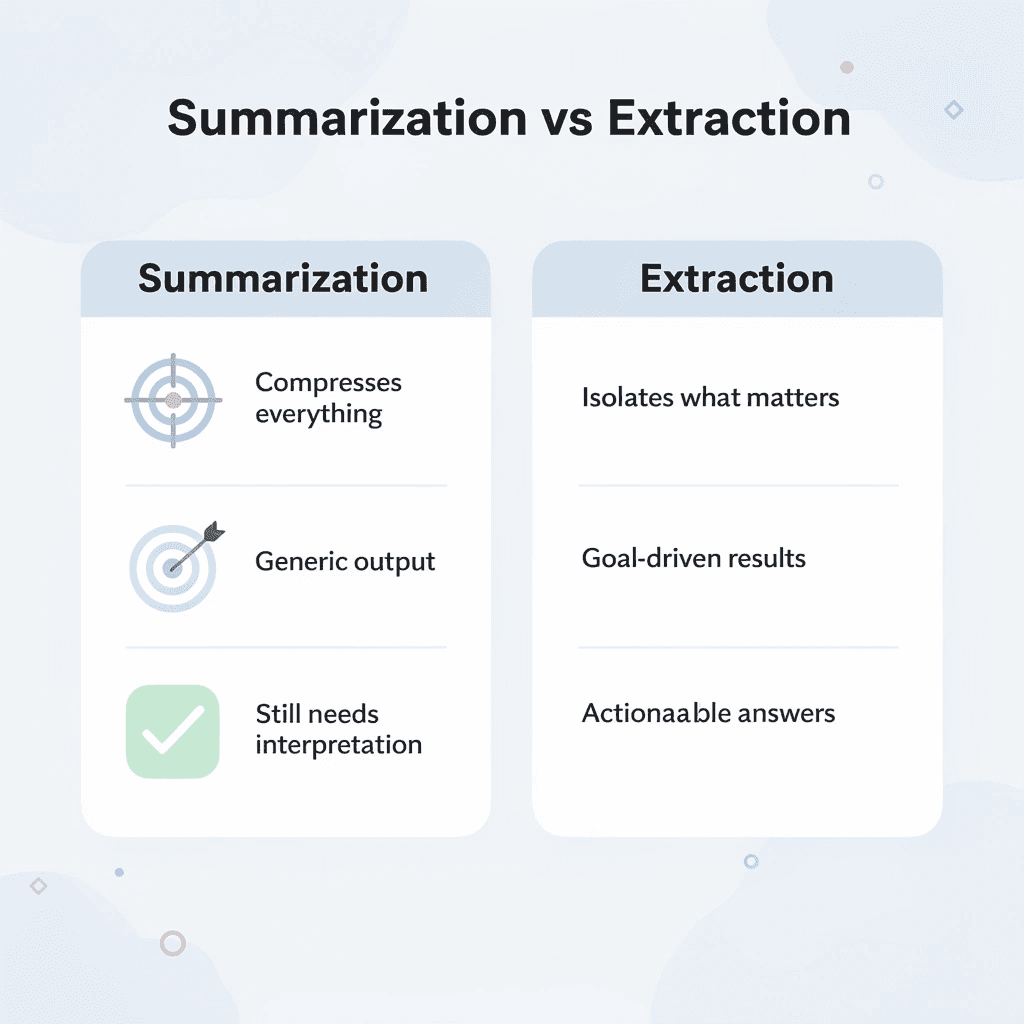
If your summary requires you to open the original report to make decisions, it failed. Useful extraction answers the question you started with. You should be able to brief a stakeholder, update a project plan, or adjust strategy based on what you extracted.
The system handles long-form content without token limits, fragmenting your workflow. Hour-long video transcripts, 100-page research papers, and dense financial reports all get processed in one workspace. You ask questions across multiple sources simultaneously, identifying patterns or contradictions that manual reading would miss. Compare this quarter's performance report with the previous three by querying all four documents at once, rather than switching between tabs.
🔑 Takeaway: Cross-document querying reveals patterns and contradictions that sequential reading typically misses.
Structured output matters as much as speed. When Otio returns your answer, it includes citations linking to specific sections of your source material. You're verifying logic and tracing conclusions to evidence, not trusting a black box.
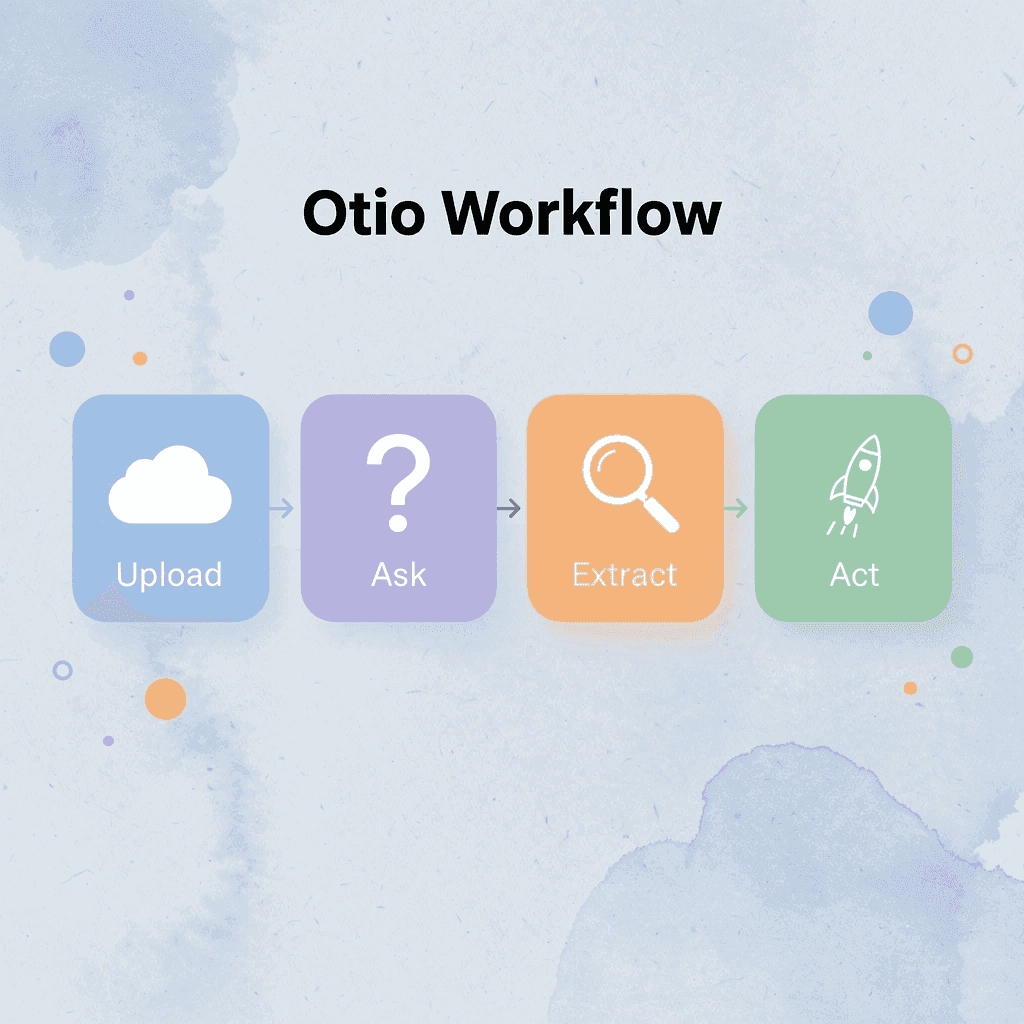
The workflow isn't about replacing comprehension. It's about eliminating the mechanical processing that consumes time without adding insight. You still interpret findings, evaluate recommendations, and make decisions, but you simply stop being the person who reads 50 pages to find the two paragraphs that matter.
Best Practice
Use Otio for mechanical extraction and reserve your cognitive energy for actual analysis and decision-making.
Teams using Otio shift from reactive summarization to proactive extraction. Instead of processing every report in their inbox, they define recurring queries that automatically pull relevant information from new documents. Quarterly risk assessments get filtered for high-priority items. Competitive analyses are conducted to monitor pricing changes or feature launches. Research papers get queried for methodology gaps or contradictory findings.
That consistency compounds. When every report gets processed through the same extraction logic, you build a queryable knowledge base instead of a folder full of inconsistent summaries. Six months later, when someone asks about a detail buried in an old report, you query your workspace instead of re-reading archives.
🎯 Key Point: Consistent extraction logic transforms scattered reports into a searchable knowledge base over time.

Open Otio now. Upload the report from your inbox. Ask the question your next decision depends on. Get your answer with citations in minutes, not hours.
Related Reading
Best Document Management Software For Law Firms
Best Automation Tools For Document Management
Notebooklm Vs Notion
Notebooklm Alternatives
Best Document Management Software For Small Businesses
Top Ai Tools For Document Review
Ai Tools To Summarize a Research Paper
Legal Document Data Extraction
Notebooklm Limits
Best Document Management Software
ChatGPT File Upload Limits
Best Ai Tools For Research Projects
Best Hr Document Management Software
Claude Ai File Upload Limits



