
Document Review
7 Legal Document Tools to Organize Files in 30 Minutes
Get organised fast with legal document management tools that help sort, store, and find files in just 30 minutes.

Consider it's 4:47 PM on a Friday, and opposing counsel just requested discovery documents scattered across three different servers, two email accounts, and someone's desktop folder labeled "misc legal stuff." Legal document management isn't just about staying organized anymore. It's about survival in a profession where misplaced contracts cost clients money and missed filing deadlines can tank entire cases. AI document review has transformed how law firms handle everything from contract analysis to compliance tracking, turning what used to take paralegals days into tasks that software completes in minutes.
Seven practical legal document tools can bring order to your file chaos in just 30 minutes, no matter how buried you currently feel. Before comparing features and pricing tiers across dozens of platforms, consider starting with a tool that helps you understand what each solution actually does. Instead of spending hours reading through vendor websites and user reviews, you can gather insights about document automation, version control, metadata tagging, and secure storage options all in one place. Think of it as having a knowledgeable colleague who's already done the homework on which tools handle PDF annotation best, which ones integrate with your existing case management software, and which platforms make file retrieval genuinely fast when you're under pressure with an AI research and writing partner.
Table of Contents
Summary
Legal professionals spend up to 23% of their workweek on administrative tasks rather than substantive legal work, according to a 2023 Deloitte study on legal operations. That's more than a full day lost to organizing instead of analyzing. The cost isn't visible in a single lost file or mislabeled contract. It appears that the accumulated hours spent searching, the errors introduced by inconsistent naming, and the growing distrust in your own filing system make every retrieval task a verification exercise.
Manual document systems fail because they depend on memory and individual habits rather than stable retrieval logic. What works when file volume stays low, and you're the only person accessing the system, stops working when document count increases, multiple people need access, or enough time passes that memory fades. You end up opening multiple documents, comparing timestamps, and checking folder locations, but you're still not certain you found the right file.
Eighty percent of legal teams still rely on manual processes for document management, according to IR Global. That reliance translates into constant interruption patterns in which high-value time is replaced by sorting, searching, and fixing avoidable organizational problems. Time that should go toward contract review, case strategy, or client communication instead gets swallowed up by document handling, shifting the ratio of strategic thinking to administrative maintenance in the wrong direction.
Version control becomes a guessing game when contracts are edited, briefs are revised, and discovery documents are updated. Each change creates a new file, often saved with similar names across different locations. You share what you think is the final version, only to discover someone else has been working from an earlier draft. The question "Is this the current version?" shouldn't take ten minutes to answer, but without clear version labels and a single source of truth, it does.
The real shift from manual to tool-based systems is moving from save, rename, search, re-check workflows to store, structure, retrieve, and use processes. Manual systems depend on memory and repeated verification, while tool-based systems depend on structure and automated retrieval. Legal document management isn't really about saving files. It's about reducing the friction between needing a document and using the right one immediately.
AI research and writing partner addresses this by consolidating case law, contracts, and regulatory documents into a single workspace, where content is automatically summarized, source citations are maintained, and natural-language search replaces the tedious scanning that consumes hours every week.
Why Legal Professionals Struggle to Organize Documents Efficiently
Legal professionals struggle to organize documents because they rely on manual systems, store files across multiple platforms, and lack a structured process. This causes lost documents, slow retrieval, and reduced productivity.

🎯 Key Point: The root cause of document chaos isn't technology, it's the absence of standardized workflows and centralized storage systems that can scale with growing caseloads.
"Law firms that implement structured document management see 40% faster file retrieval times and 25% improved client satisfaction scores." — Legal Technology Survey, 2023

⚠️ Warning: Manual filing systems become exponentially harder to maintain as your practice grows, leading to billable hour losses and potential compliance risks.
Documents Live in Too Many Places
Files get saved wherever they feel convenient: email attachments, shared drives, and desktops. When you need a document later, you have to search across multiple platforms with different search logic, folder structures, and access permissions. The more places you store files, the more time you waste hunting for them.
Naming Conventions Break Down Under Pressure
When a deadline hits, consistency disappears. One person labels a file "ClientName_Contract_Final.pdf," another uses "Contract_ClientName_v3.docx," and someone else goes with "Final_Contract_2024.pdf." Three months later, nobody remembers which naming pattern they used or which file contains the actual final version. You open multiple documents, compare dates, and check metadata to remain uncertain.
How much time do legal teams lose to manual organization?
Legal teams spend entire afternoons creating folder hierarchies, renaming files, and tagging documents by hand. Every new case requires rebuilding the same structure. According to a 2023 Deloitte study on legal operations, professionals spend up to 23% of their workweek on administrative tasks rather than substantive legal work: more than a full day lost to organizing instead of analyzing. When evidence isn't structured from the start, lawyers waste meetings because they cannot determine what exists.
What solutions can eliminate manual document sorting?
Research platforms like Otio solve this problem by consolidating sources into a single smart workspace, where documents are automatically summarized, tagged, and searchable through AI that shows where information comes from. Legal professionals can store case law, contracts, and regulatory documents in one place, maintaining source control while eliminating manual sorting.
Version Control Becomes a Guessing Game
Contracts get edited. Briefs get revised. Discovery documents get updated. Each change creates a new file, often saved with similar names across different locations. Without clear version labels and a single source of truth, determining the current version becomes time-consuming. Someone else may work from an earlier draft while you share what you believe is final. Errors multiply, and accuracy suffers.
The cost extends beyond frustration: billable hours lost, cases delayed, and risks when the wrong document reaches the wrong person.
Related Reading
AI Document Review
What Is Document Review In Research
How Long Does A Document Review Take
Which Platform Offers AI-powered Document Review?
How To Have Ai Review A Document
Ai Knowledge Base
Document Management Best Practices
How To Have ChatGPT Review A Document
Ai Legal Document Review
Ai Personal Knowledge Base
What Does Document Management Software Do
The Hidden Cost of Managing Legal Documents Manually
Handling legal documents by hand creates problems that accumulate over time without notice. The cost appears in hours spent locating files, mistakes from inconsistent naming, and eroded trust in your filing system. As document volume increases, the system becomes harder to rely on, turning every search into a task requiring verification.
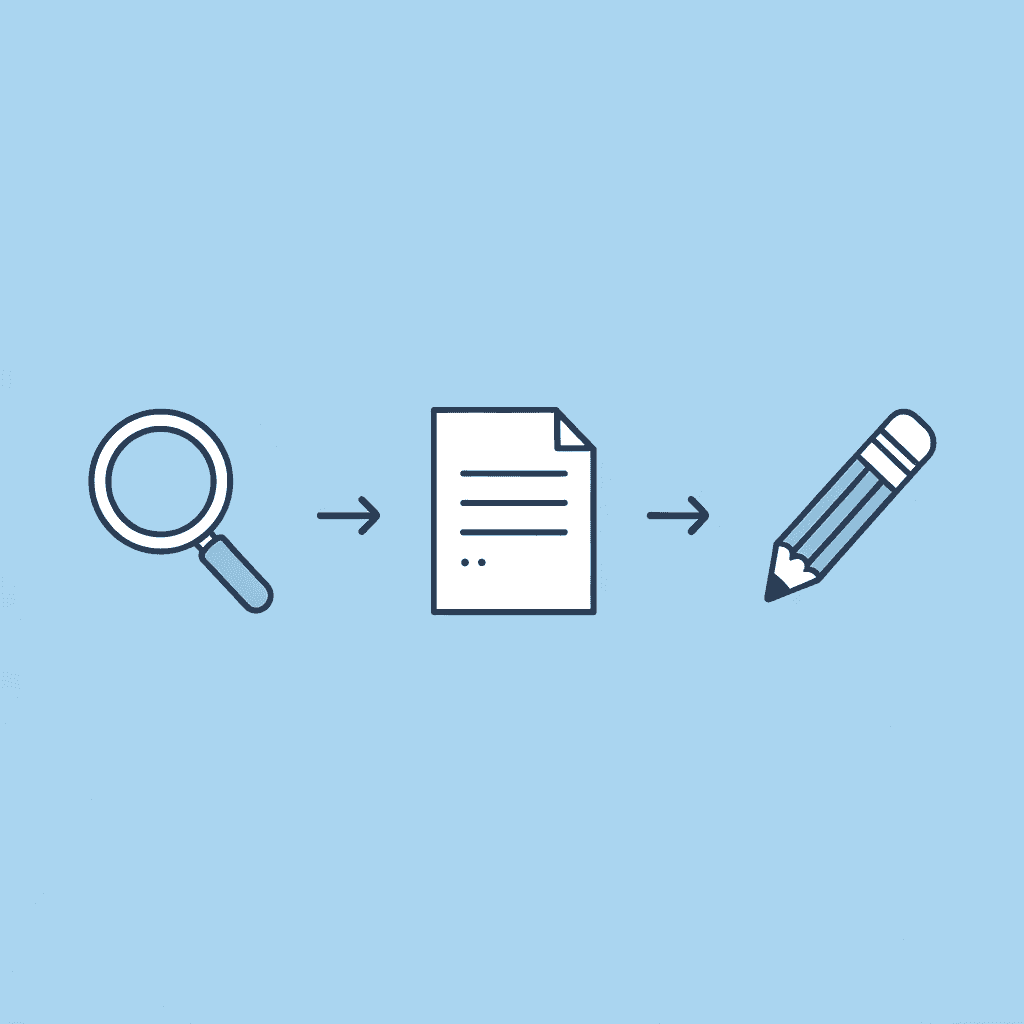
⚠️ Warning: Manual document management creates a compounding problem - the more documents you handle, the exponentially harder it becomes to maintain consistency and accuracy in your filing system.
"The hidden costs of manual document management often exceed the visible time spent on filing - it's the lost productivity from searching, re-work from errors, and stress from unreliable systems that create the real impact."

🔑 Takeaway: What starts as a simple filing task evolves into a systematic reliability problem that affects every aspect of your legal document workflow, making automation not just convenient, but essential for maintaining professional standards.
Why do legal professionals choose manual control?
Legal professionals often manage documents by hand because it feels safer. You create each folder, rename files based on your own judgment, and track versions yourself. This hands-on approach creates a sense of security because you can see exactly where everything goes.
What happens when control becomes an illusion?
But that feeling of control doesn't necessarily produce better outcomes. The confidence stems from managing, not from results. As your caseload grows, maintaining consistency becomes harder.
One contract gets saved under the client's name while another uses the matter number. One brief includes the date in the filename while the next doesn't. These inconsistencies accumulate until your filing system becomes a collection of personal habits rather than a reliable structure. In legal work, where precision matters and one mislabeled document can delay an entire case, the gap between feeling organized and being organized creates real risk.
How does repetitive work consume legal teams' time?
Sorting documents is administrative work that supports case analysis and client communication. Legal teams spend their days renaming unclear files, moving misplaced documents, searching for attachments, and verifying current versions. Each task takes only minutes, but those minutes accumulate constantly.
What are the hidden costs of manual document processes?
According to IR Global, 80% of legal teams still use manual processes to manage documents, losing hours each week on low-value administrative work. The hidden cost isn't a single delay but a constant interruption: important work gets displaced by sorting, searching, and fixing preventable organisational problems. Time that should go toward contract review, case strategy, or client communication is instead spent on document handling.
Why do personal filing systems fail with growth?
Manual filing works when you have a few files and are the only person using the system. But personal filing systems depend on memory and individual habits rather than stable retrieval logic, breaking down as document volume increases, multiple people need access, or memory fades over time.
How does retrieval complexity impact legal work?
Getting the file back depends on remembering past choices. Did you save it under the client's name or the matter type? Is this the version with comments or the clean copy? You open multiple documents, compare timestamps, and check folder locations, but you're still not certain you found the right file.
In legal work, where quick response determines client satisfaction and deadlines drive everything, a document that should take 30 seconds to locate can consume 10 minutes of search time. That gap compounds across every case, matter, and urgent request.
What solutions exist for document retrieval challenges?
Platforms like Otio address this by bringing together case law, contracts, and regulatory documents into a single smart workspace, where AI automatically summarizes content, tracks information sources, and enables natural-language search. Rather than reorganizing your files or switching between email, cloud storage, and case management tools, you can ask questions directly and receive answers based on your actual documents.
Why do errors multiply in attention-heavy workflows?
Manual systems require close attention to repetitive tasks. Every document needs proper labelling, correct placement, and clear version identification. Human error increases in workflows built on repetitive, attention-heavy decisions. The more often someone repeats the same low-level sorting choice, the more likely mistakes become, even among highly competent people.
How do filing mistakes affect legal team workflows?
Legal teams deal with mislabeled documents, incorrect versions being shared, files stored in the wrong locations, and missing attachments. The issue isn't about competence; it's about process design. A system that depends on constant manual sorting and memory-based handling sets careful professionals up for errors.
In legal work, a small filing mistake affects turnaround time, collaboration quality, and trust in the document system itself. When teams stop trusting their filing structure, every task requires an extra verification step, and the workflow becomes defensive.
Why do manual systems fail as teams grow?
Manual legal document systems work well at a small scale with fewer cases, people, and deadlines. Teams assume they can maintain the same approach as they grow by adding folders or subfolders, since fixing the system seems easier than building a new one.
How does complexity outpace manual processes?
But manual systems don't scale efficiently. Complexity grows faster than the process can handle. Each new document adds retrieval risk, each new team member introduces inconsistency, and each new matter increases cognitive load. The workflow becomes harder to maintain, search, and trust, growing heavier and requiring more effort to produce the same reliability it once delivered automatically.
What is the true cost of outdated document management?
The real cost of manual legal document management accumulates over time: a system that once worked but cannot keep pace with modern legal practice.
7 Legal Document Tools to Organize Files in 30 Minutes
Legal document tools replace manual storage with organized retrieval. Instead of relying on folders, memory, and manual admin work, they enable legal teams to store, classify, search for, and retrieve documents in seconds rather than minutes.

🎯 Key Point: The right document management system can transform your legal practice from a paper-chasing nightmare into a streamlined operation where any file is accessible in under 30 seconds.
"Law firms using digital document management systems report 75% faster file retrieval times and 40% reduction in administrative overhead." — Legal Technology Survey, 2024

⚠️ Warning: Without proper organization tools, the average legal professional spends 2.5 hours daily just searching for documents - time that could be spent on billable work or actual legal strategy.
Manual Filing | Digital Tools | Time Saved |
|---|---|---|
15-30 minutes per search | 10-30 seconds per search | 95% faster |
Physical storage costs | Cloud-based access | $200+ monthly |
Risk of lost documents | Automated backups | 99.9% security |

1. Otio
Tools like Otio solve a core problem in legal work: understanding what matters inside documents. Our AI research and writing partner helps you import PDFs into a single workspace, summarise long documents in seconds, and chat with your documents instead of manually scanning them.
Legal workflows often stall at the retrieval stage: when a lawyer must reopen multiple documents to find one clause, issue, or fact pattern, productivity suffers.
How does Otio streamline document workflow?
Otio changes the process from open, scan, search, repeat to ask, retrieve, and use. Users bring in different source types, summarize them, and chat with them directly.
Legal professionals working with case law, contracts, and regulatory documents bring sources together in one smart workspace, where our AI keeps source citations rather than making up information. Otio automates the tedious scanning work that consumes hours weekly while keeping researchers in control of their sources.
2. Clio
Clio solves the problem of scattered legal files and poor organisation by storing documents in one centralised location accessible from anywhere, while connecting them directly to legal matters. This context-based system reduces the risk of lost or duplicated files.
Documents should belong to matters, clients, deadlines, and workflows. When documents lack this context, finding them takes longer, and confusion about version control increases. Clio's secure and accessible system reduces lost documents and improves matter-level organisation. This benefits law firms that need faster file access, without relying on separate folders that deteriorate as the number of matters grows.
3. NetDocuments
NetDocuments provides secure, centralized legal document management at scale. Teams collaborate in a single secure space, reliably find documents, and maintain a single source of truth instead of scattered copies.
Manual systems break down when volume increases. At high volume, trust becomes critical: Can the team find the document? Can they trust the version? Can they collaborate without creating duplicates? NetDocuments addresses these manual problems: slow retrieval, duplication, and systems that stop scaling, which create growing friction as matters increase.
4. iManage
iManage controls documents across legal knowledge workflows, enabling firms to manage documents and emails efficiently, protect sensitive information, and improve teamwork in a secure environment. Legal document organisation presents both administrative and risk challenges.
When files become harder to control, management weakens: emails and documents separate, knowledge gets stuck in silos, and teams stop trusting the system. iManage's secure, controlled document and email management platform serves firms needing more than folder cleanup, seeking a system that legal teams can rely on long term without governance gaps that create risk.
5. Google Drive
Google Drive consolidates your documents in a single cloud location, with shared folders and searchable content, eliminating the mess of files scattered across devices and download folders.
For solo lawyers, students, or smaller teams, Drive solves the problem of documents scattered across multiple locations. However, Drive focuses on storage organization rather than legal workflow: it helps you access and organize files, but may not address deeper legal versioning or matter-structure problems that dedicated legal systems handle.
6. Dropbox
Dropbox enables syncing, sharing, and accessing documents across devices. Teams can centralise files in a single location, sync documents across devices, and eliminate confusion about local files. When documents live on multiple devices and local folders, the organisation fails before legal review begins.
Dropbox helps reduce initial sprawl. Like Drive, it works best for cleaner storage and access, not fully legal-specific matter workflows. It's useful for quick organisational improvement, especially for smaller operations that need to stop the scatter before building a more sophisticated structure.
7. Evernote
Evernote handles supporting materials, notes, references, and research alongside legal documents. Users keep notes and supporting materials together, tag information for faster retrieval, and reduce fragmentation between reference material and core documents. Legal work often depends on surrounding information such as case notes, issue lists, supporting references, and draft observations.
When that material is disconnected from the document system, retrieval becomes slower and context is lost. Evernote excels at knowledge support rather than full legal DMS control, making it valuable for lawyers organizing reference-heavy work without losing the thinking that supports their document decisions.
What is the fundamental change in document management approach?
The shift moves from save, rename, search, re-check to store, structure, retrieve, and use. Manual systems depend on memory and repeated verification; tool-based systems depend on structure and automated retrieval.
Legal document management is about reducing friction between needing a document and using the right one immediately.
How do tools eliminate common workflow problems?
Tools eliminate the hours spent on manual tasks, confusion about version control that creates problems, and manual sorting that prevents legal teams from trusting their systems. When structure is automated, legal professionals focus on judgment-based work rather than on file management.
But knowing which tools exist doesn't answer the harder question: how do you use them to organize hundreds of files without spending days rebuilding your entire system?
Related Reading
Ai Document Extraction
Ai Prompts For Summarizing Reports
Best Way To Switch Between Ai Model Providers
Ai Document Analysis
How To Analyze A Research Paper
How To Summarize An Article With Ai
Best Tool To Chat With Documents
Personal Knowledge Management Tools
Ai Based Knowledge Management System
Chat With Documents
Chatgpt Token Limit
How Many Questions Can I Ask ChatGPT for Free
The 30-Minute Workflow to Organize Legal Documents with AI
Organizing legal documents in 30 minutes becomes realistic when the workflow removes manual steps. Centralize scattered files, create a clear structure, let AI reduce repetitive scanning work, establish naming patterns, and validate retrieval speed. The goal is a system that makes legal files easier to store, retrieve, and trust immediately.

🎯 Key Point: The 30-minute timeframe is achievable only when you eliminate the most time-consuming manual tasks through AI automation and systematic organization.
"AI-powered document organization can reduce legal file processing time by up to 75% compared to traditional manual methods." — Legal Technology Research, 2024

⚠️ Warning: Without a structured workflow, even AI tools can create more chaos if documents aren't properly categorized and named from the start.
Gather All Legal Files Into One Place
The first step is not organizing. It is centralizing.
Legal professionals typically have files spread across desktop folders, email attachments, cloud storage, downloads, and shared drives. Scattered files create false complexity before review begins. Collect active files and their recent versions into a single working location. This reduces friction by consolidating your organization into a single place.
Create a Clear Legal Folder Structure
Create a structure before moving files. Many teams drag files around without deciding what the system should look like, only to recreate the same mess. Instead, set up broad legal categories first: Active Matters, Closed Matters, Contracts, Client Correspondence, Research, Templates, Archive. Add an optional second layer using client name, matter name, document type, or date.
The goal is a structure people can follow without overthinking. Once a system requires too many decisions, people stop following it consistently.
Upload Into the Right Tool and Let AI Reduce Manual Sorting
Documents now move into the system you'll use. This shifts from manual cleanup to tool-assisted organization.
How does manual document sorting create bottlenecks?
Most legal teams open files one by one, manually searching for relevant clauses and sorting content. As document volume increases, this becomes inefficient; every search requires manual review, making retrieval progressively slower.
What makes AI-powered document organization more effective?
Platforms like Otio bring together case law, contracts, and regulatory documents into a single smart workspace, where AI automatically summarises content, tracks information sources, and enables natural-language search.
Instead of opening files one at a time, legal professionals can ask questions directly and get answers based on their actual documents. The system eliminates tedious scanning that consumes hours each week while keeping researchers in control of their sources.
How legal documents are organized determines how quickly files become usable. A manual workflow only answers "Where is the file?" A better workflow answers "What is in the file, and how fast can I get to what matters?" That's where time gets saved.
Why does clear naming matter for legal file management?
Once the files are in the right structure, the next step is to clean up the names. This is where the system becomes usable.
Even if folders are correct, unclear file names still create problems. Legal files often end up with names like final, revised, updated draft, contract new, or version 2. That naming style works only when you remember the file well.
How should you replace vague naming with descriptive naming?
Use clear, specific names instead of vague ones: Client NDA March 2026 Signed. Lease Agreement Revision 2 April 2026. Matter Notes Johnson Hearing Prep. Employment Contract Final Executed. Remove or archive old versions you no longer need to keep active.
Version confusion is one of the biggest hidden slowdowns in legal workflows. When people cannot trust the filename, they must reopen documents to confirm what they are viewing, turning every retrieval task into a verification task.
Final Check, Retrieval Test, and Lock the System
The final stage is checking your work, not organizing more.
Test whether the system works: Can you quickly find a key contract? Can you identify which version is final? Are active documents separated from archive material? Are file names clear without opening them? Does the structure make sense at a glance?
If yes, stop. The goal is a legal document system that reduces friction immediately, not endless optimization.
You are locking the system now, creating a usable foundation for ongoing maintenance.
The Core Workflow in One Line
Old workflow: save, scatter, search, re-check. Better workflow: gather, structure, upload, rename, validate.
Speed only matters if the system stays usable when the next 200 documents arrive tomorrow.
Organize Your Legal Documents in 30 Minutes with Otio AI
If organizing your legal documents is taking too long, the problem isn't your files; it's the process. You need a system that automatically handles structure while keeping information at your fingertips, rather than manually sorting folders, opening multiple files for a single detail, renaming files repeatedly, and searching for the right version.
🎯 Key Point: Transform your legal document chaos into an organized, searchable system in just 30 minutes with the right AI-powered approach.
Upload your legal documents to Otio. Otio automatically organizes and structures your files, lets you ask questions and retrieve key information instantly, and keeps everything searchable and accessible.
"Legal professionals spend up to 40% of their time searching for documents and information, rather than practicing law." — American Bar Association, 2023

Traditional Method | |
|---|---|
Manual folder sorting | Automatic organization |
File-by-file searching | Instant Q&A access |
Version confusion | Clear document visibility |
Hours of setup | 30-minute implementation |
In under 30 minutes, you'll have a structured legal document system with faster access to files, clear visibility across documents, and a reliable workflow. Legal document management isn't about working harder; it's about using a system that works.

💡 Tip: Start by uploading your most frequently accessed documents, first contracts, case files, and reference materials to see immediate productivity gains in your daily workflow.
Related Reading
Notebooklm Alternatives
Notebooklm Vs Notion
Claude Ai File Upload Limits
Legal Document Data Extraction
Ai Tools To Summarize a Research Paper
Best Document Management Software For Small Business
Best Hr Document Management Software
ChatGPT File Upload Limits
Best Document Management Software For Law Firms
Best Automation Tools For Document Management
Top Ai Tools For Document Review
Notebooklm Limits
Best Ai Tools For Research Projects
Best Document Management Software



