
Document Review
7 Document Management Tools to Organize Files in 30 Minutes
Learn what document management software does and discover 7 tools to organize files in just 30 minutes.
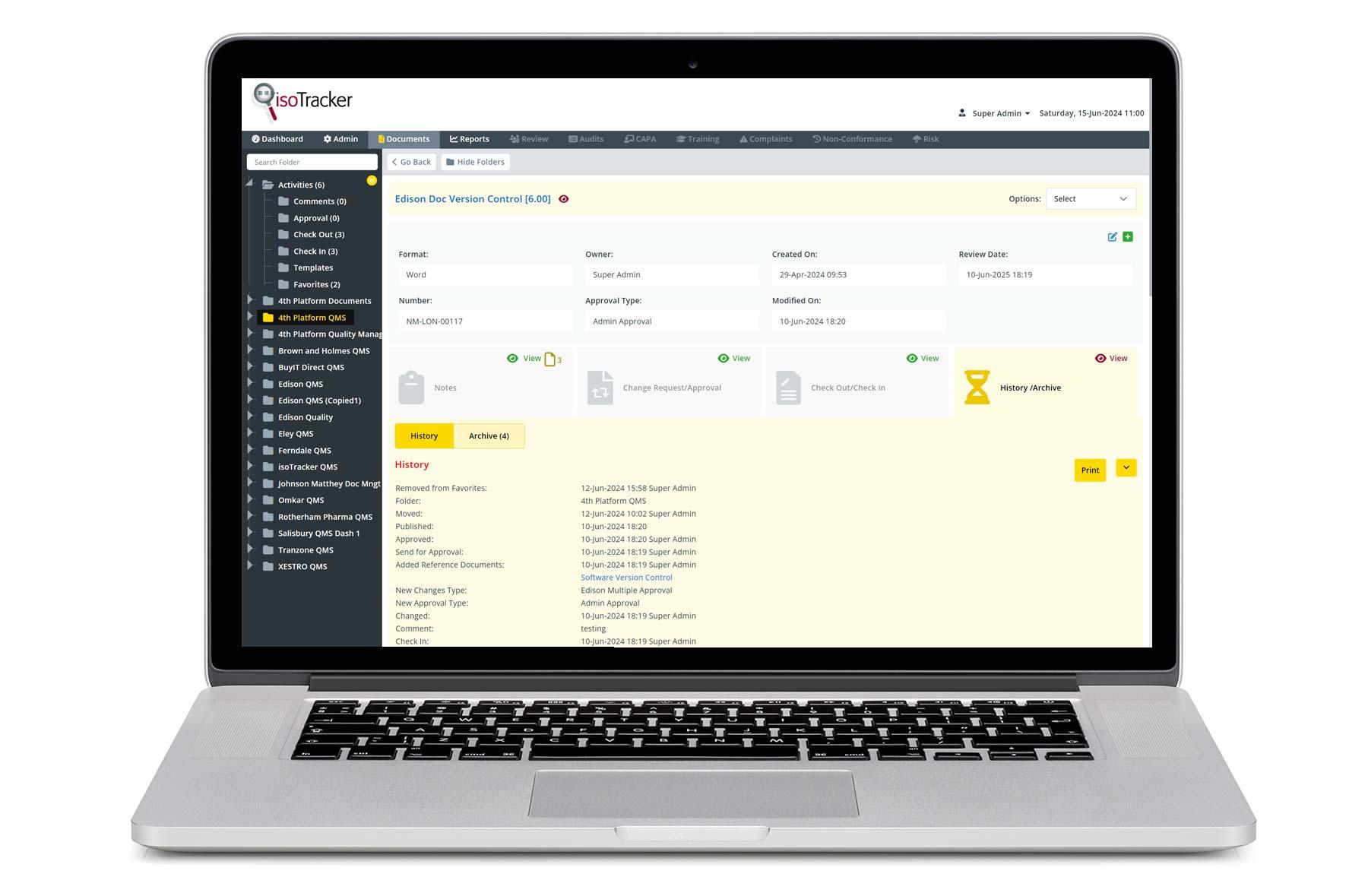
Digital files scattered across email attachments, desktop folders, and shared drives create chaos that wastes hours when searching for important documents. Document management software eliminates this problem by organizing, storing, and retrieving files through intelligent systems with features like version control, secure access permissions, and AI document review capabilities that analyze and categorize content automatically. Seven practical tools can transform a messy file system into an organized workspace within 30 minutes.
These platforms do more than just store files; they create searchable databases that make information instantly accessible. The best solutions also help users actively work with their documents by extracting insights, creating summaries, and connecting information across multiple sources to build comprehensive knowledge bases. For those seeking advanced document analysis capabilities, Otio serves as an AI research and writing partner, transforming static file storage into dynamic research workflows.
Summary
Knowledge workers spend an average of 2.5 hours per day searching for information across documents and files, according to a 2023 IDC study. That's 30% of the workday lost to retrieval friction, not because files don't exist, but because no one can find them. The problem isn't volume; it's the absence of intentional design in how files get saved and named.
Manual document processing costs organizations between $5 and $25 per document, factoring in handling time, error correction, and retrieval delays. The real damage comes from cognitive load, the tax of constant micro-decisions about where to save files, what to name them, and whether similar versions already exist. These decisions sound trivial until you make them 40 times a day, draining energy from work that actually matters.
Folder hierarchies deeper than three levels significantly increase retrieval time because users forget the path they created. The critical difference is between "easy to navigate" and "technically organized but practically unusable." Too many folders create a different kind of chaos, with 40 categories each containing three files and no clear logic for which category wins when documents fit multiple places.
Generic file names destroy findability by forcing you to open multiple documents to identify the right version. Teams working across shared drives report the same frustration: someone saves a file as "revised," another person saves edits as "final," and suddenly no one knows which version reflects the latest decisions. Descriptive names that include what the document is, when it was created, and which version you're looking at turn search from guesswork into instant retrieval.
Automatic syncing and version control rank among the most valued features for teams managing shared files, according to MeisterTask's 2025 analysis of project document management software. Manual file transfers create version conflicts, while automatic sync keeps everyone working from the same source. The shift from location-based filing to property-based retrieval (searching by document type, project, or date rather than folder placement) eliminates the question "where did I save this?" entirely.
AI research and writing partner addresses this by making documents queryable by concept rather than by filename, letting you ask questions and get answers grounded in your actual sources, rather than opening multiple files to find a specific insight.
Table of Contents
Why Students and Professionals Struggle to Organize Files Efficiently
You struggle with file organization not because you have too many documents, but because you never built a retrieval system. Most people treat file storage like a junk drawer: toss it in, deal with it later. This means opening six different files to find the right version, scrolling through folders named "Miscellaneous" or "Backup," and spending 15 minutes on a task that should take seconds.

🎯 Key Point: The real problem isn't file volume — it's the absence of a systematic retrieval strategy that turns your digital workspace into a productivity black hole.
"15 minutes spent searching for files daily adds up to over 90 hours of lost productivity per year — equivalent to more than two full work weeks."

⚠️ Warning: Without a proper file organization system, even the most organized students and professionals fall into the "digital hoarding" trap, where finding information becomes harder than creating it.
What happens when you save without structure?
The typical approach: finish a document, hit save, pick whichever folder feels closest. No naming convention. No organization system. According to a 2023 IDC study, knowledge workers spend an average of 2.5 hours per day searching for information across documents and files. That's 30% of the workday lost to finding things, not because files don't exist, but because no one can find them.
Why do impulse folders create chaos?
When you create folders on impulse, a new project folder here, a "Final Versions" folder there, perhaps one called "Old Stuff," you're building a maze without a map. Six months later, you can't remember if that client proposal lives in "Projects 2024," "Client Work," or "Proposals Final."
Why do generic file names make documents impossible to find?
Search for "final.doc" in your system right now. Dozens of results likely appear. Try "updated version" or "copy of" and the same thing happens: unclear names that made sense at the time but convey nothing three weeks later. Students finishing thesis research and analysts preparing quarterly reports save versions as "draft2," "draft3," "FINAL," and "FINAL_revised": a trail of clues that all look identical from the outside.
What questions should every file name answer instantly?
File names should answer three questions immediately: what is this, when was it created, and which version am I looking at? Without this information, every search becomes a guessing game. "Q4_Analysis_Draft" tells you nothing. "2024_Q4_Sales_Analysis_v3_Dec15" tells you everything.
Duplication Replaces Decision-Making
Instead of moving or updating a file, you download it again and save it to a new location. Now you have five versions scattered across Downloads, Desktop, and three project folders. Which one has the latest edits? You'd have to open each one and compare timestamps. This happens when organizing feels harder than duplicating. Every duplicate is a future decision made under pressure. Teams on shared drives and cloud storage face the same problem: multiple people download the same file to edit locally, creating conflicting versions with no clear source of truth.
Why does searching for documents drain your mental energy?
Need that research paper you read last month? You remember the topic, perhaps part of the title. You search. Ten results appear. You open the first PDF, skim the abstract, and realise it's not the right one. Open the next. Still not it. By the fourth try, your focus is slipping. The cognitive load of repeated searching drains the energy you need for actual work.
How do AI-powered tools transform document searching?
Tools designed for research workflows take a different approach. Platforms like Otio let you interact with documents through AI-powered chat and summarization, extracting key insights without manually opening and scanning multiple files. Instead of searching by filename and hoping, you ask questions and get answers based on your actual sources, turning a 15-minute hunt into a 30-second query.
Why does convenience-based saving create long-term problems
The core problem isn't volume—it's the absence of intentional design. When you save files based on immediate convenience rather than future retrieval, you trade short-term ease for long-term friction. Generic file names assume you'll remember context that fades within days. Duplicating instead of organising multiplies confusion.
How can you build structure that reduces search friction
Most people never learned to organize files until they had too many to handle. Organization isn't about perfection; it's about spending less time searching for what you need. Build a system that answers how you'll search later, not how you feel right now. Name files so future-you understands them instantly. Keep everything in one place. These three changes remove 90% of the friction. But even a perfect folder system can't solve the bigger problem: what happens when you need to work with those files, not just store them?
Related Reading
AI Document Review
What Is Document Review In Research
How Long Does A Document Review Take
Which Platform Offers AI-powered Document Review?
How To Have Ai Review A Document
Document Management Best Practices
How To Have ChatGPT Review A Document
Ai Knowledge Base
Ai Legal Document Review
Ai Personal Knowledge Base
What Does Document Management Software Do
The Hidden Cost of Managing Documents Manually
Doing document management by hand incurs hidden costs for every task: lost files, messy folders, repeated searches, and broken focus. The cost compounds daily until friction becomes normal.
🎯 Key Point: Manual document management doesn't just waste time, it compounds daily, turning simple tasks into frustrating searches that break your workflow and kill productivity.
"The average knowledge worker spends 2.5 hours per day searching for information, with 90% of that time spent on poorly organized documents." — McKinsey Global Institute, 2023

Manual Management Problems | Daily Impact | Long-term Cost |
|---|---|---|
Lost files | 5-10 minutes per search | Missed deadlines |
Messy folders | Constant reorganizing | Decision fatigue |
Broken focus | Task switching penalty | Reduced quality |
⚠️ Warning: What starts as a minor inconvenience quickly escalates into a productivity killer that affects every aspect of your work—from project timelines to mental clarity.
What micro-decisions drain your energy daily?
Every file you save manually requires micro-decisions. Where does this go? What do I name it? Does a similar file already exist? Should I create a new folder or use an existing one? These questions seem small until you answer them 40 times a day. According to DocuExprt, manual document processing costs organisations between $5 and $25 per document, factoring in handling time, error correction, and retrieval delays. It's not typing in data; it's the mental effort of maintaining the system.
How does decision fatigue impact your productivity?
These decisions pile up. You hesitate before saving, second-guess your folder structure, and create duplicates because finding the original feels harder than starting fresh. What began as simple file management becomes a source of constant low-level stress that drains energy from work that matters.
When Searching Becomes Your Second Job
Manual systems force you into a pattern, such as save now, search later. "Later" means opening three PDFs to find the right quote, checking change dates to identify the current version, and scanning folder structures built under different assumptions. A two-minute task stretches to fifteen because the system requires investigation before you can work. Research-focused platforms eliminate this search loop. Otio lets you query documents via AI-powered chat rather than hunting through folders and filenames. Rather than opening five PDFs to find one insight, you ask a question and receive answers grounded in your sources, with citations showing exactly where information lives.
What makes focus so fragile during file management?
The hidden cost isn't measured in minutes lost: it's measured in focus destroyed. When you stop mid-task to find a file, rename a document, or check which version has the latest edits, your concentration fractures. Each interruption requires mental energy to rebuild your previous train of thought.
How does this pattern affect team productivity?
Teams working across shared drives report the same pattern: someone needs a file, can't find it, asks around, waits for responses, discovers three possible versions, then spends time comparing them to identify the right one. By the time they return to work, the original task feels distant. But knowing that manual management creates friction matters only if better systems exist.
7 Document Management Tools to Organize Files in 30 Minutes
Better systems exist that don't require filing expertise. You need tools that handle structure, sorting, and retrieval automatically so you can organize everything in one focused session. Let software do what it does best: categorize, sync, and surface information instantly.
🎯 Key Point: The most effective document management happens when you choose tools that automate organization rather than forcing you to become a filing expert.
"Modern document management tools can reduce file retrieval time by 85% compared to traditional folder systems." — Digital Productivity Research, 2024
Tool Type | Best For | Setup Time |
|---|---|---|
Cloud Storage | Basic sync & access | 5-10 minutes |
AI-Powered Search | Large file volumes | 10-15 minutes |
Automated Tagging | Mixed file types | 15-20 minutes |

💡 Tip: Start with one tool that handles your biggest pain point first, then expand your system once that foundation is working smoothly.
Otio AI Intelligence That Structures Your Research
Most document tools store files. Otio analyzes them. Upload your PDFs, articles, and research materials, and our platform groups related content, surfaces key insights through AI-powered chat, and lets you query across everything you've saved without opening individual files. Instead of building folder hierarchies, you ask questions and get answers grounded in your sources with citations showing exactly where the information came from. With dozens of research papers or client documents, traditional search requires remembering filenames or folder locations. Otio lets you search by concept, question, or topic, transforming a 15-minute hunt through files into a 30-second query.
How does Google Drive centralize scattered files?
When files scatter across your desktop, downloads folder, email attachments, and USB drives, you're playing hide-and-seek with your own work. Google Drive solves this by centralising everything in one searchable location accessible from any device. Create folders, drag files into logical groups, and use the search bar to find documents by name, content, or text within images.
What changes when you save centrally instead of locally?
The important change happens when you stop saving files on your own computer and start saving them in one central place. Everything updates automatically, so you don't wonder "which computer has that file?" or "did I email this to myself?" You can access your files without having to remember where you saved them.
How does Dropbox eliminate file transfer friction?
Dropbox eliminates the friction of moving files between devices. Edit a document on your laptop, and it appears updated on your phone seconds later without emailing yourself or plugging in cables. Organize files into folders once, and that structure persists everywhere.
Why does automatic sync matter for collaboration?
Share links instead of attachments so people working with you always see the current version rather than an outdated copy from their inbox. According to MeisterTask's analysis of project document management software, automatic syncing and version control rank among the most valued features for teams managing shared files. Manual file transfers create version conflicts, whereas automatic sync ensures everyone works from the same source.
Notion Databases That Add Context to Documents
Notion treats documents as database entries rather than files in folders. Create a project database, tag entries by status, priority, or category, and link related documents together so clicking one reference surfaces everything connected to that topic. Add notes, deadlines, and context directly alongside the file instead of relying on memory. The structure removes guesswork. See metadata at a glance instead of opening files to check relevance. Filter by attributes that matter: incomplete tasks, high-priority items, documents updated this week, instead of searching through folders.
OneDrive Integration That Connects Files to Workflows
OneDrive works directly with Word, Excel, and Teams rather than functioning as separate storage. You can edit documents in the browser, collaborate in real time with version history tracking, and access files from any device without downloading them locally. For teams already using Microsoft tools, files integrate seamlessly into your workflows.
Evernote Tags That Replace Folder Hierarchies
Evernote lets you tag documents instead of filing them into rigid folder structures. One research paper can carry tags for "client work," "Q4 analysis," and "needs review" simultaneously, appearing in searches for any of those terms. Retrieval becomes faster because you're searching by what the document is about, not where you placed it.
M-Files Metadata That Eliminates Location-Based Filing
M-Files organizes documents by what they are, not where they live. Instead of navigating folder trees, you filter by document type, project, date, or custom properties. A contract isn't stored in "Clients > CompanyX > Legal" but tagged as a contract, connected with CompanyX, marked as finalized, and searchable by any of those attributes. The core shift happens when you stop thinking about storage locations and start thinking about document properties. Instead of asking "where did I save this?" you ask "show me all finalized contracts from Q4," and the system answers immediately.
The Real Difference: Upload, Structure, Retrieve
Manual systems degrade over time; tool-based systems improve as you add content. You upload files, let tools handle organizing and syncing, then find what you need through search, filters, or AI-powered questions instead of browsing folders. The 30-minute setup replaces ongoing work with a system that scales with your needs. But even the best tools fail without consistent use.
Related Reading
Ai Document Extraction
Legal Document Management
Ai Prompts For Summarizing Reports
Best Way To Switch Between Ai Model Providers
Ai Document Analysis
Personal Knowledge Management Tools
Best Tool To Chat With Documents
How To Summarize An Article With Ai
Chatgpt Token Limit
AI-Based Knowledge Management System
How Many Questions Can I Ask ChatGPT for Free
How To Analyze A Research Paper
Chat With Documents
The 30-Minute File Organization Workflow
The 30-minute transformation works because it removes decision-making from the process. You build the structure first, then move everything into it using tools that automatically handle sorting. The speed comes from eliminating the back-and-forth between "where should this go?" and "let me create a new folder for that."
🎯 Key Point: Pre-built structures eliminate the mental overhead that slows down file organization and creates decision fatigue.
"The biggest productivity killer isn't the mess itself, it's the constant micro-decisions about where each file belongs." — Digital Organization Research, 2024
This prevents a mess from becoming so bad that it requires an entire weekend to fix. By investing 30 minutes in proactive organization, you avoid the hours of reactive cleanup that compound when files pile up without a systematic approach.
💡 Tip: Set a weekly 30-minute timer for file maintenance—it's always easier to organize a small mess than dig out from digital chaos.
Gather Everything in One Place
Pull all your files into a single temporary location: a desktop folder called "To Organize" or a dedicated cloud storage space. Don't sort yet. Gather first. When files scatter across downloads, desktop, project folders, and email attachments, you can't see the full scope of what you're managing. Centralizing first removes confusion about whether you've already moved something or where else it might be hiding, creating one clear starting point before fixing the system.
Build the Structure Before Moving Files
Create four to six top-level categories that match how you work. For students: Coursework, Research, Personal, Archive. For professionals: Active Projects, Client Work, Internal Resources, Completed Work. Add one layer of subfolders under each if needed, then stop. Research from the University of California, Irvine (2008) shows that folder hierarchies with more than three levels significantly increase retrieval time because users forget the paths they created. Too many folders create confusion: 40 categories with three files each, and no clear logic for overlapping documents. Simplicity outweighs comprehensiveness.
How do automated tools handle document categorization?
Manual systems break down when you have too much to process. Instead of moving files one by one, you upload groups of them and let the software find patterns you would miss when handling them by hand. Otio analyzes content as you upload it, grouping related documents automatically and surfacing key themes through AI-powered summarization. You query across everything without opening individual files, getting answers grounded in your actual sources with citations showing exactly where information came from, rather than building folder hierarchies and hoping you remember the right path later.
Why does concept-based search matter for research?
This matters when processing research papers, client documents, or course materials. Traditional filing requires predicting how you'll search later. Otio makes content searchable by idea, not filename or folder location.
Replace Generic Names with Descriptive Ones
Replace "final.docx" with "2024_Q4_Budget_Analysis_v3_Dec15.docx" and "notes.pdf" with "NSC313_Lecture_Notes_Week4_Jan20.pdf." The pattern is: what it is, when it was created, and which version it is. Good naming prevents the confusion that arises three months later when you can't remember that "document1" contains the client contract. Teams on shared drives face this constantly: someone saves as "revised," another as "final," and no one knows which version contains the latest decisions. Descriptive names turn search into instant retrieval. Type "budget Q4" and find exactly what you need, not 12 identical files called "final."
Delete Duplicates and Archive Old Versions
Look for duplicates. If you have three copies of the same contract in different folders, keep one in the correct location and delete the rest. Move final versions to their permanent home and archive drafts in a separate "Archive" or "Old Versions" folder. Duplication happens when organizing feels harder than saving a new copy. Every duplicate forces a future decision under time pressure. This cleanup step removes that friction and eliminates the mental load of determining which version is current each time you open a project.
Tag and Confirm the System
Do one final check: ensure files are in the right folders, names are clear and understandable, and there are no duplicate files. If your tool allows, add tags or metadata now. For example, tag a research paper with "client work," "Q4 analysis," and "needs review," so it appears in searches for any of those terms. You're trying to create a system that answers "where is this?" in seconds, not something perfect.
What Changed
Before: files scattered across locations, unclear names, duplicate versions, time wasted searching. After: files in one system, clear folder structure, descriptive names, searchable content, faster retrieval. The difference removes the retrieval tax from every task. You stop paying the cost of "let me find that first" before starting actual work. The workflow separates decisions from execution. You decide the structure once, then execute the sorting with tool support. This makes file organization in 30 minutes realistic instead of aspirational. But speed matters only if the system remains organized after the initial cleanup.
Organize Your Files in Less Than 30 Minutes with Otio AI
Most organizational methods fail within weeks because they demand perfect adherence forever. You get busy, skip the filing step once or twice, and chaos returns. The solution isn't better discipline; it's choosing tools that organize automatically as you work, so the system maintains itself without requiring you to remember rules from three months ago.
Upload your scattered files into Otio and let it handle the structure. The platform analyzes content as you add it, automatically groups related materials, and surfaces insights through AI-powered chat. You're building a research workspace that answers questions instead of storing files. When you need that client proposal or research paper, you ask for it by topic or concept, and Otio retrieves it with citations showing exactly where the information came from. Retrieval happens in seconds, not the fifteen minutes you'd spend opening folders and scanning filenames.
💡 Tip: Traditional document management asks you to predict how you'll search later, then forces you to maintain that prediction as your work evolves. Otio removes that prediction entirely. Your files become searchable by their contents, not by where you decided to store them. Organization shifts from an ongoing task into a one-time setup that improves as you add more content, because the AI gets better at surfacing connections and patterns you'd miss manually.
"Organization shifts from an ongoing task into a one-time setup that improves as you add more content, because the AI gets better at surfacing connections and patterns you'd miss manually." — Otio AI Platform Analysis
🔑 Takeaway: This removes the gap between needing information and finding it. When that gap shrinks from minutes to seconds, you stop losing momentum every time a task requires reference material. You get back to actual work instead of searching for the tools to do it.

Related Reading
Top Ai Tools For Document Review
Best Ai Tools For Research Projects
Claude Ai File Upload Limits
Legal Document Data Extraction
Best Document Management Software For Law Firms
Notebooklm Vs Notion
Notebooklm Alternatives
Ai Tools To Summarize a Research Paper
Best Document Management Software For Small Businesses
Best Automation Tools For Document Management
Best Document Management Software
ChatGPT File Upload Limits
Best Hr Document Management Software
Notebooklm Limits



