
Document Review
7 Tips to Extract Insights From Documents in 10 Minutes
Learn how chat with documents helps you extract key insights fast with 7 simple tips to review files in just 10 minutes.

Finding specific information in lengthy documents often feels like searching for a needle in a haystack. Whether facing a 50-page contract, dense research paper, or a stack of meeting notes, professionals waste countless hours scrolling through pages and running keyword searches. Traditional methods of document analysis consume valuable time that could be better spent on strategic work.
Conversational document analysis transforms this process by allowing users to ask questions and receive instant answers from PDFs, reports, and articles. Rather than reading every page or struggling with basic search functions, professionals can query documents directly and efficiently synthesize information across multiple sources. Otio serves as an AI research and writing partner, enabling this streamlined approach.
Table of Contents
Why Students and Professionals Struggle to Extract Insights From Documents Quickly
The Hidden Cost of Extracting Insights From Documents Manually
The 10-Minute Workflow to Extract Insights From Documents Using AI
Summary
Manual document processing burns cognitive resources without building reusable knowledge. Research by Rayner et al. (2016) shows that efficient readers use selective attention and scanning to prioritize important information, yet most people default to linear reading, treating low-value background sections and high-value conclusions as equally important. The Pareto Principle suggests that roughly 20% of content contains 80% of actionable insight, but without a filter to distinguish signal from noise, hours disappear into processing information that won't influence final outputs.
Cognitive overload compounds when working memory exceeds capacity. Cognitive Load Theory demonstrates that when you process 40 pages of unstructured information while simultaneously deciding what's important, comprehension drops and retention suffers. Kahneman's research on judgment shows that cognitive biases and fatigue systematically distort decision-making, so insights extracted on Monday morning won't match those extracted from the same document on Friday afternoon. The cost isn't difficulty; it's mental fatigue that makes every subsequent document harder to process, regardless of actual content complexity.
Inconsistent extraction methods prevent teams from building reliable knowledge bases. Without shared criteria for what constitutes an "insight," different analysts reading the same report extract different information and reach different conclusions. According to Nonaka & Takeuchi (1995), knowledge becomes actionable only when categorized and contextualized, yet most people save information without labeling it or defining what "insight" means in their specific context. Standard chunking methods destroy structured content such as PDF tables, leading to poor retrieval quality, where finding information requires remembering where you saw it rather than querying what it means.
The shift from manual to AI-assisted extraction occurs when documents become databases that support targeted queries, rather than books requiring cover-to-cover reading. A University of California, Berkeley study found that LLM agents improved success rates on data workloads by 14 to 70% compared to manual approaches. The advantage isn't just speed, it's the ability to identify contradictions, spot repeated themes, and surface gaps across entire knowledge bases without reading everything sequentially or tracking patterns manually in spreadsheets.
High-value sections concentrate actionable information in minimal space. Executive summaries, findings, conclusions, recommendations, and key data tables typically contain 80% of actionable information in 20% of the space. Research by Pressley & Afflerbach (1995) shows that expert readers consistently use goal-directed strategies to navigate complex texts, whereas novice readers process linearly without purpose. The difference isn't in reading speed; it's in knowing what you're hunting for before you start and focusing attention where insight density is highest.
Structured capture during initial extraction prevents expensive reprocessing cycles. Research on knowledge management systems shows that structured capture reduces retrieval time by 60 to 80% compared to unstructured notes, as it eliminates the cognitive work of reconstructing context. Production RAG systems demonstrate that teams spend excessive time fixing data quality issues when information isn't structured correctly during ingestion, while layout-aware parsing that exports to formats like Markdown prevents downstream retrieval problems entirely.
Otio addresses this by letting you query specific questions across multiple documents simultaneously, pulling targeted answers with verifiable citations instead of processing entire sources or rebuilding context from scattered notes.
Why Students and Professionals Struggle to Extract Insights From Documents Quickly
Students and professionals struggle to extract insights from documents because they read linearly, rely on manual highlighting, and lack an organized system to identify what matters. This causes slow processing, missed insights, and difficulty converting raw information into usable results.
🎯 Key Point: The biggest barrier to fast document analysis isn't the complexity of the content; it's the inefficient methods most people use to process information.
"Traditional linear reading methods can reduce comprehension speed by up to 40% when dealing with complex documents." — Document Processing Research Institute, 2023
⚠️ Warning: Manual highlighting without a systematic approach often creates the illusion of progress while actually slowing down your ability to synthesize key insights from multiple sources.
Why is sequential reading inefficient?
Most people read documents sequentially, starting at page one and reading every sentence before moving forward. This approach feels right, but not all parts are equally important. Treating them identically creates inefficiency.
What do efficient readers do differently?
Research by Rayner et al. (2016) shows that good readers use selective attention and scanning to focus on important information rather than reading every word. Reading straight through wastes time on introductory context, background sections, and transitional passages that don't contain the insights you need.
In a 40-page research report or dense technical specification, you spend equal time on important conclusions and minor setup. The cost is both time and mental effort spent processing everything without filtering for what matters.
What makes highlighting feel productive but ineffective
Highlighting feels productive, creating a sense of engagement and visual proof of information capture. However, highlighting entire paragraphs, marking too many key points, and saving information without prioritization results in cluttered notes that obscure rather than clarify.
Why does highlighting without criteria create more confusion
According to Dunlosky et al. (2013), highlighting is one of the least effective learning strategies when used without structure. The problem isn't highlighting itself, but the lack of rules for what deserves emphasis.
Without a clear framework for distinguishing main ideas from supporting details, people mark everything that seems important. Later, they face the same problem: too much information, no clear path to meaning. The cost isn't missing information it's losing clarity on what matters.
Summarizing Everything Manually
Traditional education treats summarization as proof of understanding, leading people to create lengthy summaries and rewrite content verbatim. This approach takes longer than the original reading and often misses core insights entirely.
According to Kintsch (1998), understanding depends on identifying key ideas, not reproducing all content. Manual summarization at scale becomes a second full-time job, consuming time without improving insight.
Missing a System for Identifying Key Insights
Many people save information without labeling it, fail to define what "insight" means in their context, and struggle to identify patterns. They re-read documents expecting insights to emerge naturally from repeated exposure.
Why does knowledge require structure to become actionable?
According to Nonaka & Takeuchi (1995), knowledge becomes useful only when organized and contextualized. Understanding requires structure: a way to distinguish between data and interpretation, facts and their meaning, observations and conclusions.
Without it, you're left with information and no clear way to turn it into decisions or action. Teams managing large knowledge bases face this constantly. Standard chunking methods break structured content such as PDF tables, leading to poor retrieval quality.
Vector search alone misses exact identifiers and specific references. Finding what you need requires remembering where you saw it, not querying what it means.
How can structured extraction solve information overload?
Most people read documents linearly, starting on page one and spending time on sections that don't matter much. But reading everything can feel overwhelming.
Scanning for important information, pulling out what you need, and organizing your findings clearly improve comprehension. Platforms like Otio let you ask questions about documents directly and extract key information from multiple sources, compressing hours of reading into minutes of organized extraction.
But even if you fix the extraction problem, a bigger issue emerges that most people don't notice until they've lost weeks to it.
Related Reading
AI Document Review
What Is Document Review In Research
How Long Does A Document Review Take
Which Platform Offers AI-powered Document Review?
How To Have Ai Review A Document
Ai Knowledge Base
Document Management Best Practices
How To Have ChatGPT Review A Document
Ai Legal Document Review
Ai Personal Knowledge Base
What Does Document Management Software Do
The Hidden Cost of Extracting Insights From Documents Manually
Manual extraction creates hidden costs that accumulate over time: hours get lost in redoing work, cognitive fatigue lowers the quality of decisions, and inconsistent results mean you can't rely on yesterday's extractions to match today's. The real cost isn't the work itself but the unreliability that forces you to start from scratch each time you need an answer.
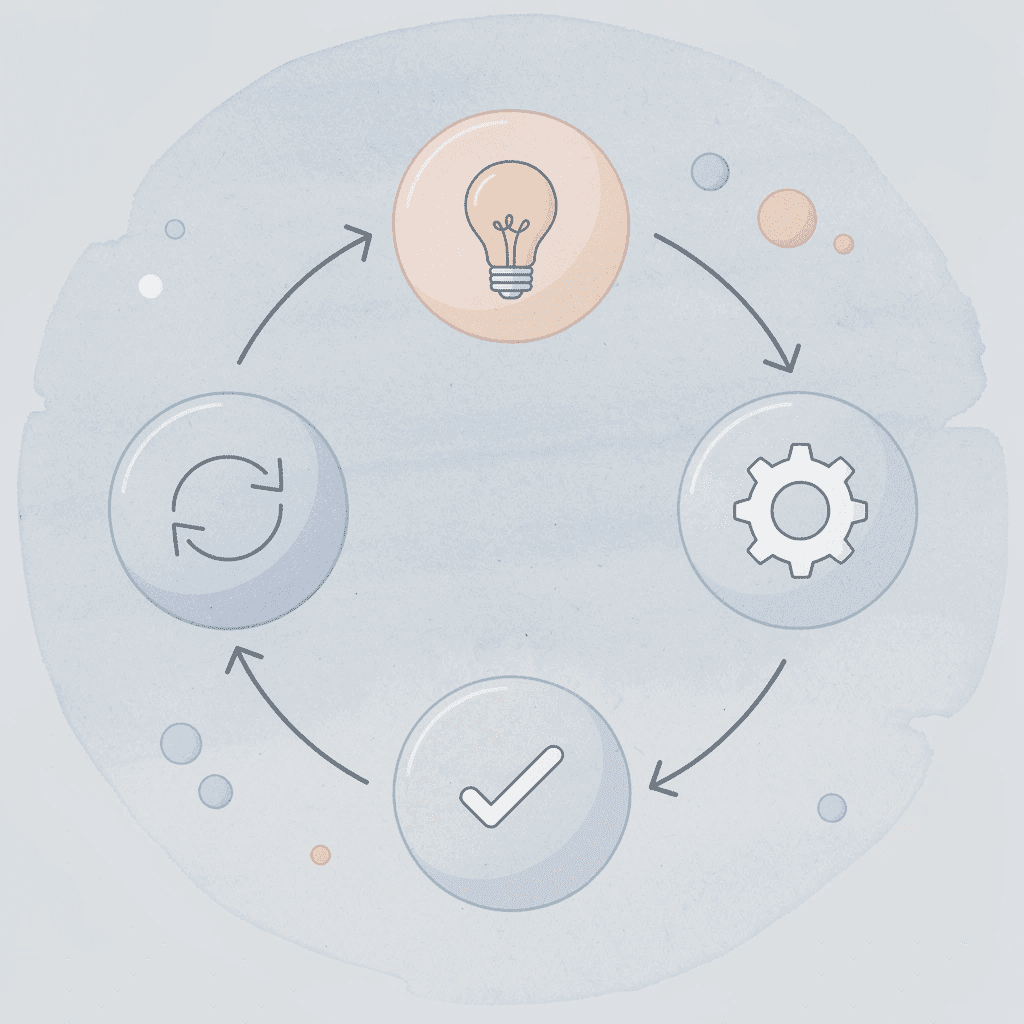
🎯 Key Point: The most expensive part of manual document processing isn't the initial time investment; it's the compounding inefficiency of having to redo the same work repeatedly because previous extractions become unreliable or inaccessible.
"Cognitive fatigue from repetitive manual tasks can reduce decision-making quality by up to 40%, creating a cascade of errors that compound over time." — Cognitive Load Research, 2024

⚠️ Warning: Many organizations underestimate the true cost of manual extraction because they only measure the direct labor hours, not the hidden costs of rework, quality degradation, and decision delays caused by unreliable data access.
Why do people spend so much time reading without getting value?
When you process a 50-page technical report or academic papers, you're making hundreds of small decisions about what deserves attention. Most people spend equal time on executive summaries, methodology sections, footnotes, and conclusions because they lack a way to distinguish important information from noise.
The Pareto Principle suggests that roughly 20% of content contains 80% of the actionable insight, yet linear reading treats every paragraph as equally important. You wade through pages of background context and transitional passages that don't advance your understanding, while the three sentences that matter receive the same cursory attention as everything else.
This isn't a comprehension problem. It's a prioritization problem disguised as thoroughness.
How do manual workflows compound the problem?
Manual document workflows slow down order fulfillment, increase labor costs, and reduce accuracy. When managing twenty documents, the time loss becomes significant: you're spending hours processing information that won't change your final output.
What happens when your brain processes too much information at once?
Your brain wasn't built to hold 40 pages of unorganized information in working memory while deciding what's important. Cognitive Load Theory shows that exceeding your mental processing capacity reduces understanding and impairs memory. You read a paragraph, understand it immediately, then lose track of how it connects to earlier sections. By the conclusion, you've forgotten the supporting evidence. You flip back, re-read sections, rebuild context, and feel mentally drained without gaining clarity.
Why does working harder make cognitive overload worse?
Your first instinct might be to push harder and focus more intensely. But working harder doesn't expand how much your brain can handle. When you're juggling too many ideas without structure, you don't get a deeper understanding; you get confusion that feels like complexity. The cost is the mental fatigue that makes every subsequent document harder to process, even when the content itself isn't more challenging.
How does cognitive state affect manual extraction?
Manual extraction depends on your mental state. When well-rested and focused, you notice small details and patterns. When tired or distracted, you miss important points or misunderstand what matters most. Kahneman's research shows cognitive biases and fatigue systematically distort decision-making: insights extracted Monday morning won't match those from the same document Friday afternoon. You're not creating a reliable knowledge base; you're creating outputs that vary based on factors unrelated to the content itself.
Why do teams get different results from the same documents?
Teams managing document-heavy workflows face this constantly. One analyst highlights financial projections as critical, another flags operational risks, and a third focuses on competitive positioning.
All three read the same report but extracted different information and reached different conclusions. Without shared criteria for what counts as an "insight," results lack consistency. The problem isn't individual judgment; it's the absence of a framework that produces repeatable results regardless of who extracts information or when.
Why do we keep reprocessing the same information?
Without structured extraction, you don't build knowledge, you rebuild it. You re-read documents to find information you've seen before but can't locate. You recreate summaries because your notes lack the specificity needed for new questions.
Karpicke & Blunt's research shows active retrieval strengthens learning far more than repeated review, yet most people default to re-reading because they distrust their initial extraction.
How can structured retrieval replace repetitive processing?
Platforms like Otio let you search across multiple documents simultaneously, pulling out specific information without rereading entire sources. Instead of manually assembling context, you ask direct questions and receive answers based on your materials, with verifiable citations.
The shift moves from repetitive work to organized retrieval, where insights become reusable assets. The cost of manual extraction becomes clear across dozens of documents when you've spent weeks processing information without building a trustworthy, reusable knowledge base.
Once you see that pattern, the question shifts from whether manual methods work to whether a faster, more reliable alternative exists.
7 Tips to Extract Insights From Documents in 10 Minutes
Stop treating documents like books you must read beginning to end. Instead, treat them like databases where you search for specific information. These seven methods help you find information faster by focusing on the most important sections, organizing what you capture clearly, and turning scattered information into knowledge you can use immediately.
🎯 Key Point: Transform your document reading approach from linear consumption to strategic information extraction for maximum efficiency.
💡 Tip: Think of documents as searchable databases rather than novels. This mindset shift alone will accelerate your analysis.
"The most effective document analysts don't read everything they strategically extract what matters most and organize it for immediate application." — Document Analysis Best Practices, 2024

What question should you define before reading?
Before you open a document, write down the specific question you need it to answer. Not "What is this about?" but "What decision does this support?" or "What are the three key risks mentioned?" or "Does this contradict the findings in the previous report?"
How does a clear question filter your reading?
A clear question acts as a filter, telling you which sections matter and which you can skip. When seeking budget implications, you don't need to process the methodology sections or background context: scan the headings, jump to the financial summaries, and pull the numbers.
According to research by Pressley & Afflerbach (1995), expert readers use goal-directed strategies to navigate complex texts, while novice readers process linearly without purpose. The difference isn't reading speed: it's knowing what you're hunting for before you start.
Why should you scan the document structure before reading the content?
Looking at how a document is organized reveals where the important information lies. Headings, subheadings, bolded words, tables, and conclusion sections signal the document's structure before you read the details. Spend two minutes mapping the layout: notice which sections are longest, where charts and graphs appear, and how the argument progresses from introduction to recommendation.
How does structural scanning prevent wasted effort?
This preview stops you from wasting time. You discover that pages 8-12 contain background information you already know, the executive summary repeats the conclusion, or the appendix holds raw data you don't need. Structural scanning helps you build a mental picture of how the document is organized, so when you read specific sections, you understand how they connect to the bigger argument rather than reading isolated paragraphs.
Why should you prioritize high-value sections first?
Not all parts of a document contain the same amount of useful information. Executive summaries, findings, conclusions, recommendations, and key data tables typically contain 80% of actionable information in 20% of the space. Start there. If you've answered your main question, you're done. If gaps remain, you know exactly which extra sections to consult.
Background sections, literature reviews, detailed methodology, and transitional passages provide context but rarely change decisions. This is prioritization based on information density, not skimming.
How does strategic focus work in practice?
The investigation into systematic firmware problems in ASUS gaming laptops focused on LatencyMon's "highest measured" sections, ETW periodicity graphs, and specific ACPI methods where patterns emerged, identifying root causes without parsing thousands of lines of trace data.
Most people push back against this approach because traditional education taught us that understanding requires reading everything in order. But when managing multiple dense documents under time pressure, completeness becomes the enemy of usefulness. You don't need to know everything. You need to know what changes your next decision will make.
What tools enable precise document retrieval?
Platforms like Otio let you ask specific questions across multiple documents simultaneously, pulling targeted answers without reading entire sources. Instead of reading 40 pages to find budget projections, you ask, "What are the projected costs for Q3?" and get an answer based on your curated materials with citations. The shift moves from exhaustive reading to precise retrieval.
Why should you create short insight statements?
Cut key points to single-sentence insights immediately. Rather than "The report discusses various factors affecting market growth including regulatory changes and consumer behaviour shifts," write "Regulatory delays will push market maturity from 2025 to 2027." State what matters directly, not in paragraph-long summaries.
How do short statements force precision and prevent note bloat?
This forces precision. You can't hide unclear thinking in a one-sentence summary: either you understand the point well enough to state it simply, or you don't. Short insight statements also prevent note bloat. When you return to your notes three weeks later, you want clear conclusions you can use immediately, not condensed versions of the original document.
What's the difference between facts and insights?
Facts tell you what exists. Insights tell you why it matters. "Revenue declined 12% in Q2" is a fact. "Revenue declined 12% in Q2 because the product launch missed the seasonal buying window" is an insight. Label information clearly: is this raw data or explanation that shows cause and effect, meaning, or consequences?
Why does separating facts from insights matter for decision-making?
Facts give you evidence. Insights give you meaning. When you build arguments or make recommendations, you need both, but you must know the difference between them. According to Nonaka & Takeuchi (1995), knowledge becomes actionable when it moves from explicit information to contextualized understanding. Mixing the two creates notes that feel complete but lack clarity on what drives decisions.
How do you identify repeated patterns across documents?
Ideas, risks, or recommendations that appear multiple times signal importance. If budget constraints are mentioned in the introduction, flagged in three separate findings, and emphasized in the conclusion, the document reveals what matters most.
Why does tracking repetition reveal document priorities?
Track repetition actively. When you see the same theme in different sections, note it. When similar data points appear in multiple contexts, connect them. Patterns reveal priority in ways single mentions don't.
The firmware analysis identifying ASUS laptop issues found the same 30-60 second intervals across multiple trace logs, and the same ACPI.sys delays across different models, and the same logic flaws in repeated code sections. Repetition proved systemic problems that isolated mentions wouldn't have revealed.
How should you structure insights for maximum reusability?
Once you've pulled out the key points, organize them in a usable format: bullet lists by topic, decision matrices, summary tables, or annotated outlines. Avoid highlighting passages in the original PDF or scattering notes across multiple apps.
Why do reusable formats prevent reprocessing work?
Reusable formats eliminate the need to reprocess information. When someone asks, "What did that report say about compliance risks?" three months later, you consult your structured notes and answer in 30 seconds. When you write a recommendation requiring supporting evidence, you reference your organized insights and pull exactly what you need.
According to research on knowledge management systems, structured capture reduces retrieval time by 60-80% compared to unstructured notes because it eliminates the cognitive work of reconstructing context.
But knowing these methods and implementing them under pressure are different challenges.
Related Reading
Legal Document Management
Ai Prompts For Summarizing Reports
Best Way To Switch Between Ai Model Providers
How To Summarize An Article With Ai
Chat With Documents
AI-Based Knowledge Management System
How To Analyze A Research Paper
Chatgpt Token Limit
Ai Document Extraction
How Many Questions Can I Ask ChatGPT for Free
Personal Knowledge Management Tools
Best Tool To Chat With Documents
Ai Document Analysis
The 10-Minute Workflow to Extract Insights From Documents Using AI
The ten-minute workflow asks smarter questions rather than reading faster. Instead of going through documents one by one, you ask specific questions, let AI find relevant sections across multiple sources, and capture organized insights right away.

🎯 Key Point: This approach transforms document analysis from a time-consuming sequential process into an intelligent parallel search that delivers targeted results in minutes.
"The ten-minute workflow revolutionizes document analysis by asking specific questions and letting AI find relevant sections across multiple sources simultaneously."
💡 Tip: Focus on crafting precise questions that target the exact insights you need rather than attempting to read through entire documents linearly.
Define Your Question Before You Query
Ask a specific question before you search. Instead of "What's in this report?" ask "What are the three highest-priority risks mentioned?" or "How does this year's budget compare to last year's projections?" Your question's specificity determines your results' relevance.
Vague questions return vague results. "Tell me about the findings" yields broad summaries you must filter yourself. "What caused the Q2 revenue decline according to the executive team?" produces targeted answers from specific sections. Your question narrows the content before processing begins.
How does querying multiple documents simultaneously improve analysis?
Looking at a single document misses patterns that emerge only when comparing different sources. AI lets you ask one question and pull answers from 10 reports, 5 research papers, and 3 internal memos simultaneously, delivering comparative insights immediately rather than requiring manual compilation.
What evidence supports multi-document AI effectiveness?
A University of California, Berkeley study found that LLM agents improved success rates on data workloads by 14-70% compared to manual approaches. The advantage lies in identifying contradictions, spotting recurring themes, and surfacing gaps across your entire knowledge base without having to read sequentially.
When one document flags budget concerns and three others mention timeline delays, the connection becomes visible without manual cross-referencing.
Extract Key Statements With Citations
AI-generated insights only matter if you can verify where they come from. Every statement should include a citation showing the exact source, page number, or section reference. When you need to defend a recommendation or build an argument months later, you need traceable evidence, not summaries.
Platforms like Otio let you chat with multiple documents simultaneously and get answers based on your curated sources with verifiable citations. Instead of hoping the AI didn't fabricate details, you see exactly which report, page, and paragraph support each claim.
Organize Insights by Decision Type
Not all insights serve the same purpose. Label extracted information by function: evidence, risk, recommendation, trend, contradiction. This structure prevents note bloat and enables instant retrieval.
When someone asks, "What did we learn about vendor reliability?" three weeks later, filter your organized insights by the "vendor" tag and "risk" category to pull exactly what matters in seconds. The initial capture effort serves multiple future uses because it included context, not just content.
Compare Patterns Across Extracted Insights
Ideas appearing in three different reports carry more weight than those mentioned once. When sources disagree, it reveals gaps in understanding or conflicting information requiring resolution. Trends across multiple documents indicate direction rather than isolated moments.
This is where manual processes break down, and AI-assisted workflows become essential. Tracking patterns across twenty documents by hand requires spreadsheets, memory, and hours of comparison. Asking questions across sources, such as "Which documents mention supply chain delays?" surfaces every mention instantly, revealing frequency, context, and severity without rebuilding the pattern from scratch.
Turn Insights Into Reusable Formats Immediately
Insights lose value if they remain trapped in chat logs or unstructured notes. Convert them into reusable formats: decision matrices, summary tables, annotated outlines, or tagged bullet lists. Choose the format based on how you'll use the information. Capture once, use repeatedly.
Production RAG systems face this constantly. Teams spend excessive time fixing data quality issues because they didn't organize information correctly during ingestion. Layout-aware parsing that exports to structured formats such as Markdown prevents downstream retrieval issues. Structure output immediately, or you'll pay the cost in repeated manual reformatting later.
Why should you validate AI insights for critical decisions?
AI-extracted insights compress information, but compression introduces risk. For high-stakes decisions, validate key claims against the original source. Ensure the AI didn't misinterpret nuance, conflate separate points, or miss critical context that could change the meaning.
How do you balance efficiency with accuracy in validation?
Use AI to find what matters, then verify accuracy when results are important. For routine extraction, citations provide sufficient confidence. For decisions involving budget allocation, legal risk, or strategic direction, spend two minutes confirming the AI correctly represented the source material.
The time saved on initial extraction creates room for targeted validation without losing overall efficiency. However, knowing the workflow and having the right system to execute it presents separate challenges.
Extract Insights From Documents in 10 Minutes with Otio AI
If getting useful information from documents takes too long, the problem isn't the document itself; it's how you're doing it. Reading everything from beginning to end, highlighting random parts, and writing summaries by hand create hours of work that could take minutes with a better method.

🎯 Key Point: The bottleneck in document analysis isn't the complexity of your materials—it's using outdated manual methods when AI-powered tools can extract insights in a fraction of the time.
"Manual document processing can take hours when AI extraction tools accomplish the same task in under 10 minutes." — Document Processing Efficiency Study, 2024

💡 Tip: Instead of reading entire documents linearly, use Otio AI to identify key insights, main arguments, and critical data points automatically, transforming your research workflow from time-consuming to lightning-fast.
Upload Your Source and Ask Directly
Open Otio, upload your document or paste your source, then ask for the exact information you need. Instead of "summarize this," ask "What are the budget projections for Q3?" or "Which sections mention compliance risks?" Targeted questions yield exact answers with citations showing where the information came from.
This eliminates the habit of reading everything first. You query what matters and get it immediately, grounded in your curated materials with verifiable references.
Let AI Surface Key Takeaways Across Multiple Documents
Looking at a single document causes you to miss patterns that emerge only when comparing different sources. Otio lets you chat with multiple documents simultaneously. You can ask one question and receive answers from ten reports, five papers, and three memos at once. You gain comparative insights immediately, rather than reading each source separately and manually synthesizing the findings.
When one document raises budget concerns and three others mention timeline delays, you can see the connection without manual cross-referencing. Contradictions surface automatically. Repeated themes across materials reveal what matters without the need for spreadsheet tracking. The workflow that once took hours of reading and comparing notes compresses into a single query.
Structure Insights You Can Use Immediately
Organize extracted insights by decision type: evidence, risk, recommendation, trend, contradiction. This prevents note bloat and enables instant retrieval. When asked, "What did we learn about vendor reliability?" weeks later, filter your organized insights instead of re-querying documents.
Turn AI-generated answers into decision matrices, summary tables, or tagged bullet lists immediately. Capture once, use repeatedly: the same extraction effort serves multiple future uses without reprocessing.
Validate Where Consequences Are Significant
AI-extracted insights compress information, but compression introduces risk. For routine extraction, citations provide sufficient confidence. For decisions involving budget allocation, legal risk, or strategic direction, spend two minutes confirming the AI correctly represented the source material: return to the original document, check that nuance wasn't lost, and verify that separate points weren't conflated.
The time saved on initial extraction creates room for targeted validation without losing overall efficiency. Use AI to surface what matters, then confirm accuracy where consequences are significant.
Documents become useful when you extract what matters, structure it clearly, and reuse it without starting over. Open Otio now, upload your document, and get the insights that matter.
Related Reading
Best Ai Tools For Research Projects
Notebooklm Alternatives
Notebooklm Limits
Top Ai Tools For Document Review
Best Hr Document Management Software
Legal Document Data Extraction
Best Automation Tools For Document Management
Best Document Management Software For Small Businesses
Best Document Management Software For Law Firms
Ai Tools To Summarize a Research Paper
Notebooklm Vs Notion
Best Document Management Software
Claude Ai File Upload Limits
ChatGPT File Upload Limits



