
Document Review
7 AI Tools to Review Documents in 10 Minutes
Discover top AI tools for document review and learn how 7 smart tools can help you review documents in just 10 minutes.
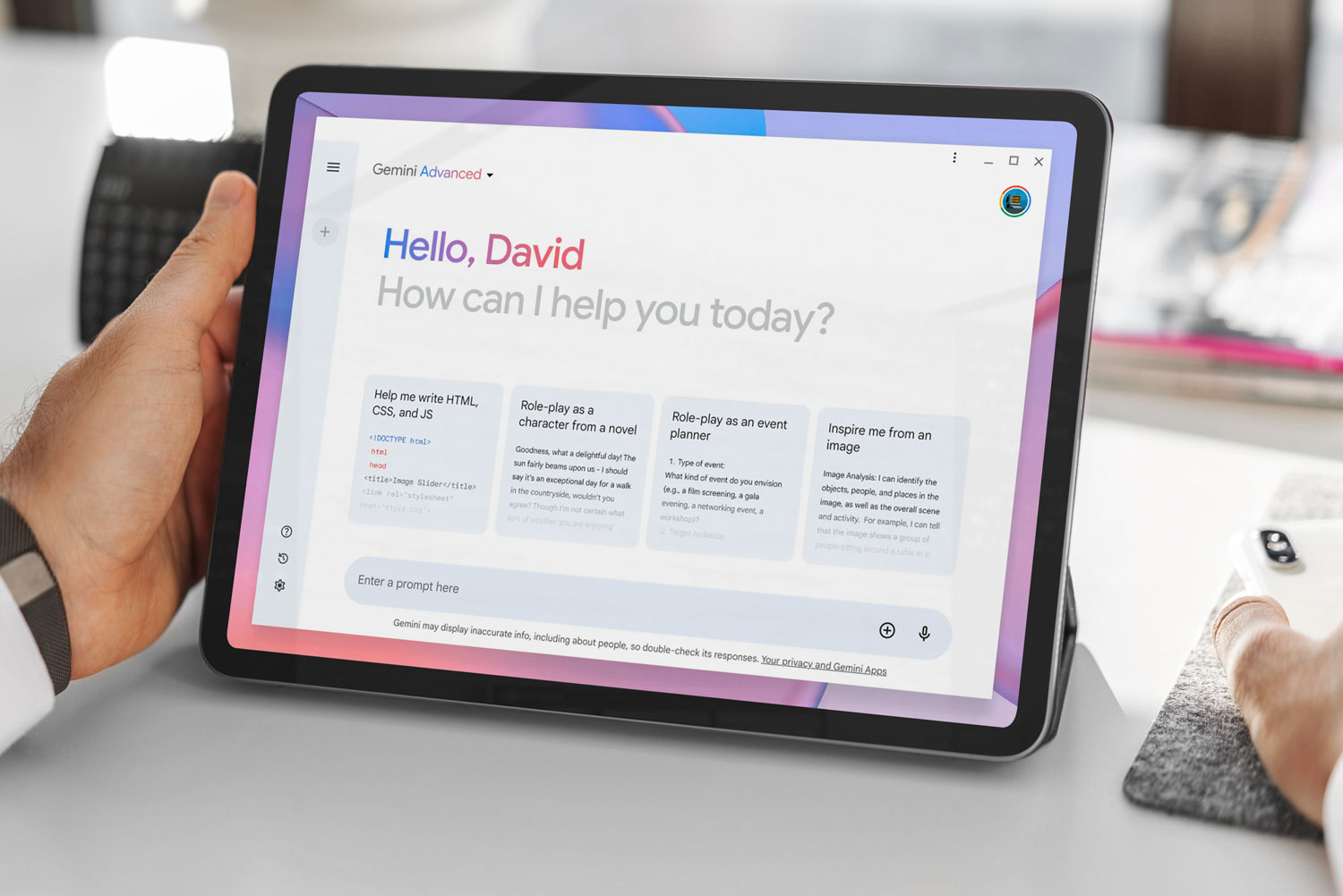
Document review, which once consumed days or weeks, can now happen in minutes thanks to artificial intelligence. Seven powerful AI tools can scan, analyze, and extract key information from contracts, legal briefs, research papers, and other documents with remarkable speed and accuracy. These technologies transform document-intensive work by automating the most time-consuming aspects of analysis.
Modern professionals need solutions that handle multiple document types while maintaining context and delivering relevant insights. Rather than switching between applications or manually highlighting passages, the right tools process everything from PDFs to web articles in a single centralized location. Whether reviewing case files, analyzing studies, or managing business reports, teams can meet tight deadlines with an AI research and writing partner that understands context and extracts actionable information.
Table of Contents
Why Students and Professionals Struggle to Review Documents Efficiently
The Hidden Cost of Reviewing Documents Manually
The Hidden Cost of Reviewing Documents Manually
7 AI Tools to Review Documents in 10 Minutes
The 10-Minute Workflow to Review Any Document Using AI
The 10-Minute Workflow to Review Any Document Using AI
Review Your Documents in 10 Minutes Without Re-Reading Everything
Summary
Most people waste review time by trying to read, edit, and evaluate documents simultaneously rather than separating these tasks into distinct steps. This scattered approach forces the brain to juggle comprehension, critique, and correction simultaneously, degrading accuracy and necessitating multiple passes through the same content. A structured review system that addresses high-level issues before line edits eliminates this cognitive overhead.
According to industry analysis, manual document processing costs organizations between $5 and $25 per document, but that figure only captures direct labor hours. The real expense lives in context-switching friction, the mental reset required when toggling between reading for meaning and editing for polish, and decision fatigue from constantly asking whether to fix something immediately or keep reading. This cognitive tax compounds across multiple documents because no momentum builds when every review starts from zero.
AI-powered document analysis systems achieve 95% accuracy in data extraction, which means automated diagnostic passes surface real structural problems rather than false positives. This reliability matters because it lets reviewers trust high-level feedback and act immediately, rather than second-guess whether the tool missed something critical. Time compression occurs when pattern recognition is offloaded to AI while human attention focuses on interpretation and judgment.
Digital evidence volume increased 80% per case in a single year, according to the National Institute of Justice, making manual consistency nearly impossible to maintain as document loads grow. Without a structured approach, the quality of the review depends more on the reviewer's mental state than on the content itself. Reviewers catch obvious errors when focus is fresh but miss similar problems later when fatigue sets in, creating unpredictable results across similar documents reviewed on different days.
Legal professionals spend an average of 60+ hours per case reviewing evidence, with 34% of practitioners reporting this time burden. Most of these hours get consumed not by complex analysis but by the mechanical work of reading linearly, manually highlighting passages, and checking every section with equal attention, regardless of importance. Eliminating repetitive cognitive tasks through AI assistance redirects that time toward substantive evaluation rather than hunting for problems.
The shift from manual to AI-assisted review works because it treats documents as research problems that require diagnostic assessment before correction, rather than as summarization tasks that require linear reading. AI research and writing partner like Otio addresses this by consolidating document review into a single workspace, where users can ask direct questions to extract insights grounded in actual sources, rather than managing highlighting, note-taking, and analysis across disconnected platforms.
Why Students and Professionals Struggle to Review Documents Efficiently
Students and professionals struggle to review documents efficiently because they read, edit, and evaluate simultaneously. This creates slow workflows, missed issues, and excessive time spent on documents. The root problem is the absence of a review system.

🎯 Key Point: The biggest mistake in document review is attempting to multitask among reading, editing, and evaluation, which dramatically reduces efficiency and accuracy.
"Without a structured review system, professionals waste 40% more time on document processing while missing critical errors that could have been caught with proper methodology." — Document Review Research, 2024

⚠️ Warning: Most people think they can handle multiple review tasks at once, but this actually leads to cognitive overload and decreased quality in all three areas.
Reading Without a Clear Review Goal
Most people open a document and start reading without deciding what they're looking for, treating every section as equally important. According to Rev Survey, 34% of legal professionals spend 60+ hours per case reviewing evidence. Without a clear review goal, the process becomes slower than necessary, since not every part of a document requires the same level of attention.
Trying to Edit While Reading
Many students and professionals fix problems the moment they see them, stopping at every awkward sentence to check grammar before understanding the structure. Review and editing are not the same task. When both happen simultaneously, attention gets split, and review time is lost.
No Clear System for What to Check First
Without a review order, most people check issues randomly: focusing on grammar before clarity, wording before structure, and spending excessive time on formatting. Some issues matter more than others. If the structure is weak, fixing punctuation first doesn't solve the real problem. The review feels busy but ineffective.
Important Issues Get Missed in Long Documents
As documents get longer, reviewers lose concentration, overlook repeated issues, miss weak transitions, and fail to notice inconsistencies across sections. Tools like Otio help researchers and analysts consolidate sources and extract insights from lengthy PDFs without switching between multiple apps, maintaining focus on the review goal rather than manually highlighting passages across disconnected platforms. Most people repeat this inefficient process every time they open a new document, never building a system that compounds their review speed. But a bigger problem lurks beneath this wasted effort.
Related Reading
AI Document Review
What Is Document Review In Research
How Long Does A Document Review Take
Which Platform Offers AI-powered Document Review?
How To Have Ai Review A Document
Ai Knowledge Base
Document Management Best Practices
How To Have ChatGPT Review A Document
Ai Legal Document Review
Ai Personal Knowledge Base
What Does Document Management Software Do
The Hidden Cost of Reviewing Documents Manually
The real cost isn't the document itself. It's the growing problem of manual review: hours lost to repetitive tasks, mental strain from simultaneous analysis and editing, and inconsistency from processing each document from the beginning. Most people measure document review in time spent. They should measure it in cognitive overhead and opportunity cost.

🎯 Key Point: The hidden expenses of manual document review extend far beyond the time investment — they include cognitive fatigue, reduced accuracy, and missed opportunities for higher-value work.
"Manual document processing creates a compounding cost where each review session reduces your capacity for strategic thinking and creative problem-solving." — Cognitive Load Research, 2024
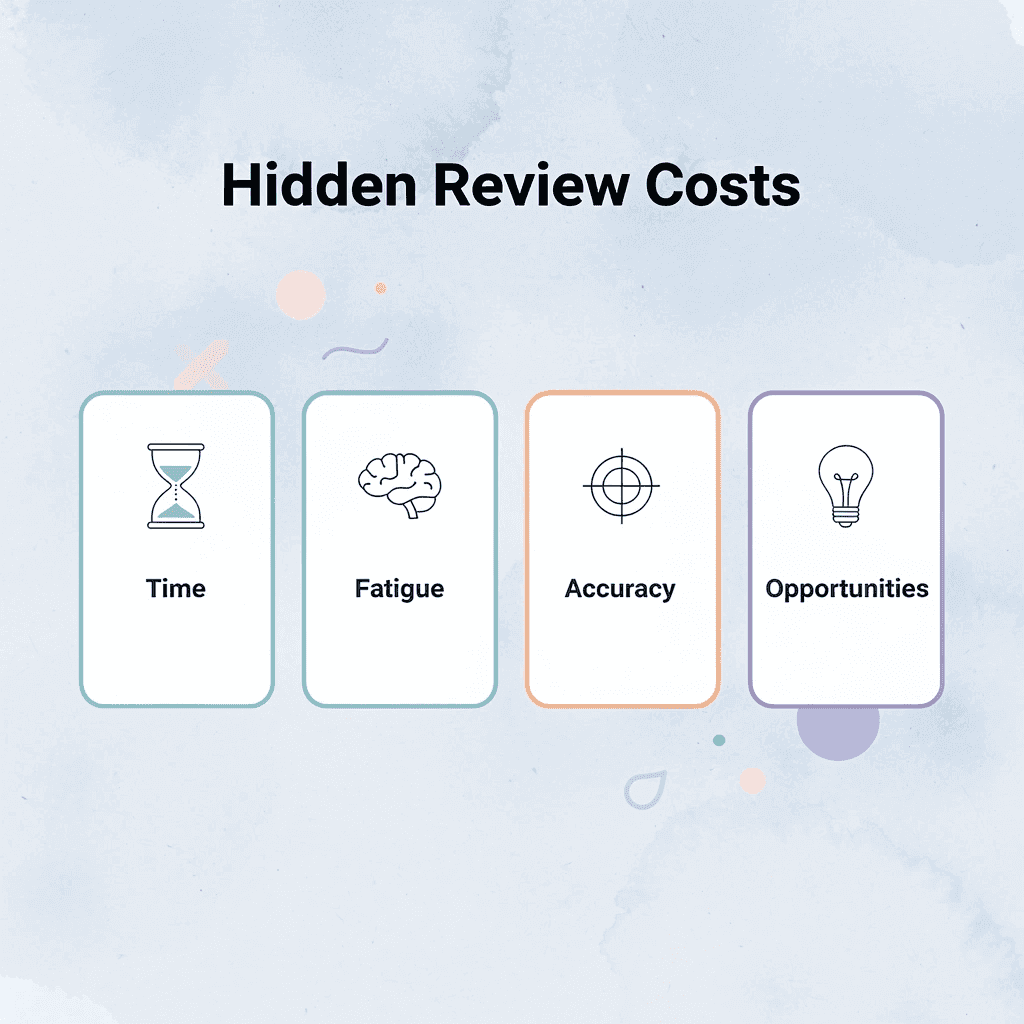
⚠️ Warning: Organizations that continue relying on manual review processes often underestimate the true productivity drain. What appears to be a simple task becomes a significant bottleneck that impacts overall workflow efficiency.
Why does review work stretch without a defined scope?
Without a clear scope, the review work keeps growing. You read the introduction multiple times, unsure what you're looking for, pause mid-paragraph to fix a comma, and lose your train of thought, or constantly question whether to fix issues now or keep reading. According to DocuExprt, organizations spend $5 to $25 per document on manual processing. That cost reflects more than labor hours: it captures context-switching friction, mental reset costs when switching between reading for meaning and editing for polish, and decision fatigue.
How does the problem compound when multiple documents are involved?
The problem worsens with multiple documents. Each requires the same scattered attention and effort to restart from the beginning. You don't build momentum, and no system develops.
Why does multitasking reduce editing accuracy?
Looking at structure, judging clarity, and finding grammar mistakes simultaneously feels productive, but it strains your brain. Research on working memory shows it can only handle so much at once. When you understand, critique, and fix things simultaneously, you make more mistakes. You miss structural problems while focused on small word choices. You overlook weak arguments while rewriting sentences. The work feels complete, but the results prove otherwise.
How can you avoid divided attention during editing?
Most people don't notice this degradation until they read it again later and spot missed issues. They didn't miss them due to inattention; their attention was split among competing tasks. Platforms like Otio help by bringing together sources and automating insight extraction across PDFs, letting reviewers focus on evaluation rather than splitting attention between reading, highlighting, and manual note-taking across disconnected tools.
What makes manual review so unreliable?
Manual review without structure produces inconsistent results. You catch obvious errors when focused and fresh, then miss similar problems as fatigue sets in. You apply strict standards to one section and looser judgment to another. Research on human error shows that attention-based tasks are inherently unreliable.
Why does inconsistency create bigger problems than missed errors?
The cost isn't the errors you miss; it's the unpredictability. You can't trust that two similar documents reviewed on different days will receive the same level of scrutiny. That inconsistency creates risk in professional contexts and frustration in academic ones. The National Institute of Justice reports an 80% increase in digital evidence per case in one year, making manual consistency increasingly difficult as the workload grows.
Why does every document review feel like starting over?
The most overlooked cost is repetition without learning. Each new document triggers the same manual sequence: open, skim, decide what to check, start reading, stop to fix things, lose momentum, restart. You never build a reusable system because every review feels unique. But variation in content doesn't require variation in method. A structured approach to document review works across different topics, formats, and purposes. The question is whether you build that structure or rebuild your workflow from scratch each time.
What happens when effort doesn't compound?
Without a system, effort doesn't accumulate over time. The tenth document takes as long to review as the first. The hidden cost isn't the time each document requires, but the time lost by failing to automate repeatable tasks. But knowing the cost of manual review matters only if a better alternative exists.
7 AI Tools to Review Documents in 10 Minutes
Reviewing documents in 10 minutes requires AI tools that instantly find structural issues, flag unclear sections, and pull out key insights. These tools eliminate repetitive work, checking grammar, finding repeated phrasing, and confirming consistency so you can focus on evaluation and decision-making instead of hunting for problems.
🎯 Key Point: The best AI document review tools handle pattern recognition automatically, freeing you to focus on substantive analysis rather than mechanical checking.

According to TTMS, the right AI tools can reduce document analysis time by up to 90%. Tools handle pattern recognition while you focus on interpretation, shifting attention from mechanical tasks to substantive ones, such as evaluating argument strength and assessing clarity.
"The right AI tools can reduce document analysis time by up to 90%." — TTMS, 2024
🔑 Takeaway: This 90% time reduction means what took 100 minutes of manual review now takes 10 minutes with the right AI assistance.
1. Otio
Otio brings document review into one workspace for researchers and analysts working with long PDFs, research papers, and complex source material. Instead of switching between highlighting tools, note-taking apps, and separate AI assistants, you upload documents and ask direct questions like "What are the weakest arguments in this paper?" or "Summarize the methodology and flag any gaps." The platform pulls insights from your actual sources rather than creating generic responses, which is important when accuracy and citations matter. Otio treats document review as a research process, not summarization. You find patterns, pull out evidence, and build understanding across multiple documents simultaneously. For students reviewing literature or professionals analyzing reports, this consolidation eliminates the cognitive overhead of managing disconnected tools while maintaining focus on the review goal.
2. Grammarly
Grammarly automates surface-level checks that consume review time: grammar errors, awkward phrasing, and inconsistent tone. You paste a document or install the browser extension, and it flags issues immediately. The value isn't in catching typos, it's in eliminating the need to consciously search for them, freeing mental energy for higher-order concerns like argument coherence or structural flow. Treat Grammarly as a first-pass filter, not a final authority. It catches mechanical errors reliably but struggles with context-dependent judgment calls. Use it to clear up obvious problems, then focus on issues that require human interpretation.
3. ChatGPT
ChatGPT works as a flexible review assistant when you give it specific instructions. Instead of asking "Is this good?", ask "Find sections where the argument needs more evidence" or "Rewrite this paragraph to be clearer without changing the meaning." Your prompt's specificity determines the usefulness of the response. Vague requests yield vague feedback, while clear questions yield actionable insights. The strength is that it can adapt: you can change what you want to review mid-process without having to learn new software. Need to check if your ideas flow logically? Ask. Want to simplify overly technical sections? Tell it your target reading level. The limitation is that it does not track changes across versions or retain information from previous documents unless you provide it again in each new session.
4. QuillBot
QuillBot specializes in sentence-level revision, suggesting alternative phrasings that maintain meaning while improving readability. It's useful when a sentence feels off, but you can't identify why. The tool presents multiple rewrite options, letting you choose the version that best matches your intended tone and clarity. It removes the friction of manual rewriting by showing options instantly rather than requiring mental testing of variations. The time saved compounds across documents, particularly when reviewing technical writing that needs simplification without losing precision.
5. ProWritingAid
ProWritingAid analyzes writing style, sentence structure variation, and readability metrics beyond grammar checking. It generates reports showing repeated sentence openings, overused words, passive-voice frequency, and readability-score patterns that your brain compensates for during normal reading. The tool works well with longer documents where stylistic consistency matters. ProWritingAid reveals patterns such as 40% of sentences starting with "The" or wildly varying sentence length between sections. These patterns degrade readability subtly but measurably, and fixing them improves document quality without changing content.
6. Hemingway Editor
Hemingway Editor focuses on readability, highlighting complex sentences and suggesting simpler alternatives with a grade-level score. Color coding identifies problem areas: yellow for dense sentences, red for denser ones, purple for simpler word alternatives. You can immediately see where readers will struggle, even if the grammar is technically correct.
How does Hemingway help you reach your intended audience?
Being clear and being correct are not the same thing. A sentence can be grammatically perfect but still be hard to understand. Hemingway forces you to consider whether your writing is easy for your intended audience to read. If you're writing for general readers but your writing scores at a graduate reading level, you'll see that gap immediately and can make changes before the document goes out.
7. Slick Write
Slick Write combines grammar checking, flow analysis, and readability assessment in one interface. It highlights potential issues across multiple dimensions, redundant phrases, passive voice, variation in sentence length, and structural flow. The tool flags areas worth reviewing and lets you decide how to address them.
How does the consolidated view help with editing?
The value is in the consolidated view. Instead of running separate checks for grammar, style, and readability, you see all potential issues at once. This overview helps you prioritize fixes: you can address structural problems first and leave minor wording tweaks for later. The question isn't which tool is best, but which combination handles your specific review needs without forcing you to rebuild your workflow around the tool's limitations.
Related Reading
Legal Document Management
Chat With Documents
Chatgpt Token Limit
Ai Document Extraction
How Many Questions Can I Ask ChatGPT for Free
Ai Document Analysis
Best Way To Switch Between Ai Model Providers
How To Summarize An Article With Ai
AI-Based Knowledge Management System
How To Analyze A Research Paper
Personal Knowledge Management Tools
Best Tool To Chat With Documents
The 10-Minute Workflow to Review Any Document Using AI
Reviewing a document in 10 minutes means moving through it in a clear order instead of fixing everything as you read. Find the biggest issues first, fix them quickly, and avoid reading through it multiple times.

🎯 Key Point: The secret to efficient document review is prioritization - tackle high-impact issues before getting lost in minor details.
"Strategic document review focuses on major structural issues first, then works down to surface-level corrections - this approach can reduce review time by up to 60%." — Document Review Best Practices, 2024
💡 Tip: Set a timer for each review phase to maintain focus and prevent perfectionism paralysis that can turn a 10-minute review into an hour-long editing session.
Define What You're Reviewing For (1 minute)
Before opening the document, decide why you are reviewing it. Is this a clarity review, grammar check, structural assessment, or full quality check? This matters because unclear goals force every issue to compete for your attention, slowing down the review. When you know exactly what you're looking for, your brain filters out noise and focuses on problems that matter.
Upload or paste the Document Into an AI Tool (1 minute)
Put the document into an AI tool like Otio to quickly scan content, find issues faster, and reduce reliance on manual reading. Once inside the tool, you stop hunting for problems and focus on fixing them, where time compression happens.
Why should you prioritize major issues over minor edits?
Ask for a high-level review before fixing small details like word choice. Start with questions such as: What are the main weaknesses in this document? Are there clarity or structure issues? Which sections need the most improvement? This gives you a quick diagnostic view. Most people focus on wording, but if the structure is weak, fixing small sentences first wastes time. Address big issues before small ones.
How reliable is AI feedback for document analysis?
According to V7 Labs, AI-powered systems reach 95% accuracy in data extraction. This means the diagnostic pass identifies real problems rather than false alarms, enabling you to trust the feedback and act on it immediately.
Fix Clarity and Structure Before Grammar (3 minutes)
Pay attention to sections that are hard to understand, weak connections between ideas, repeated ideas, confusing paragraphs, and missing logical steps. The goal is to make the text easy to read, not to make it perfect. If the main message is weak, fixing grammar won't help the document. The meaning of what you're saying is more important than making it sound polished.
How can AI tools help maintain focus across complex documents?
Researchers working with long PDFs or complex source material struggle to maintain focus while tracking structural problems. Platforms like Otio consolidate document review into a single workspace where you can ask direct questions such as "What sections lack supporting evidence?" or "Where does the argument weaken?" rather than manually rereading across different tools. The system pulls insights from your actual sources rather than generating generic responses, prioritizing accuracy over speed.
Run a Fast Language Cleanup (2 minutes)
Once the structure is clear, clean up the language by checking for grammar mistakes, awkward phrasing, long sentences, and inconsistent tone. Language cleanup works best after larger review issues are already resolved, keeping the process fast and effective. Aim for clarity, not perfection. A document with strong structure and clean language outperforms one with perfect grammar but weak arguments.
Save the Final Version and Key Review Notes (1 minute)
Save the improved version, main issues, and patterns for faster future reviews. This builds a system that improves over time. Document recurring problems, structural flaws from specific sources, repeated clarity issues, and patterns across documents.
Result in 10 Minutes
With this workflow, you get a faster review process, clearer structure and wording, fewer missed issues, and a repeatable system for future documents. The shift: from a manual process (read, fix, reread, fix again) to an improved process (define, scan, diagnose, fix, polish). The workflow saves time by eliminating repetitive thinking work. You don't reread to find what you already found, fix surface issues before deeper ones, or switch between tasks requiring different types of attention. Each step has a single purpose, building on the previous one. But knowing the workflow differs from using it consistently under deadline pressure.
Review Your Documents in 10 Minutes Without Re-Reading Everything
Reviewing documents takes too long when you try to read, fix, and evaluate everything at once. This forces your brain to handle understanding, criticism, and correction simultaneously, resulting in slower progress, missed issues, and repeated passes through the same content.

🎯 Key Point: A better system exists. Open Otio, upload your document, and ask direct questions such as "What are the main issues in this document?" or "How can I improve clarity and structure?" Our platform pulls insights from your actual sources rather than generating generic responses. You get a diagnostic view in seconds, apply the suggestions, and finalize. No repeated reading. No guessing what to fix.
"Better documents come from a better system one that separates analysis from editing and eliminates the mental work of managing disconnected tools."
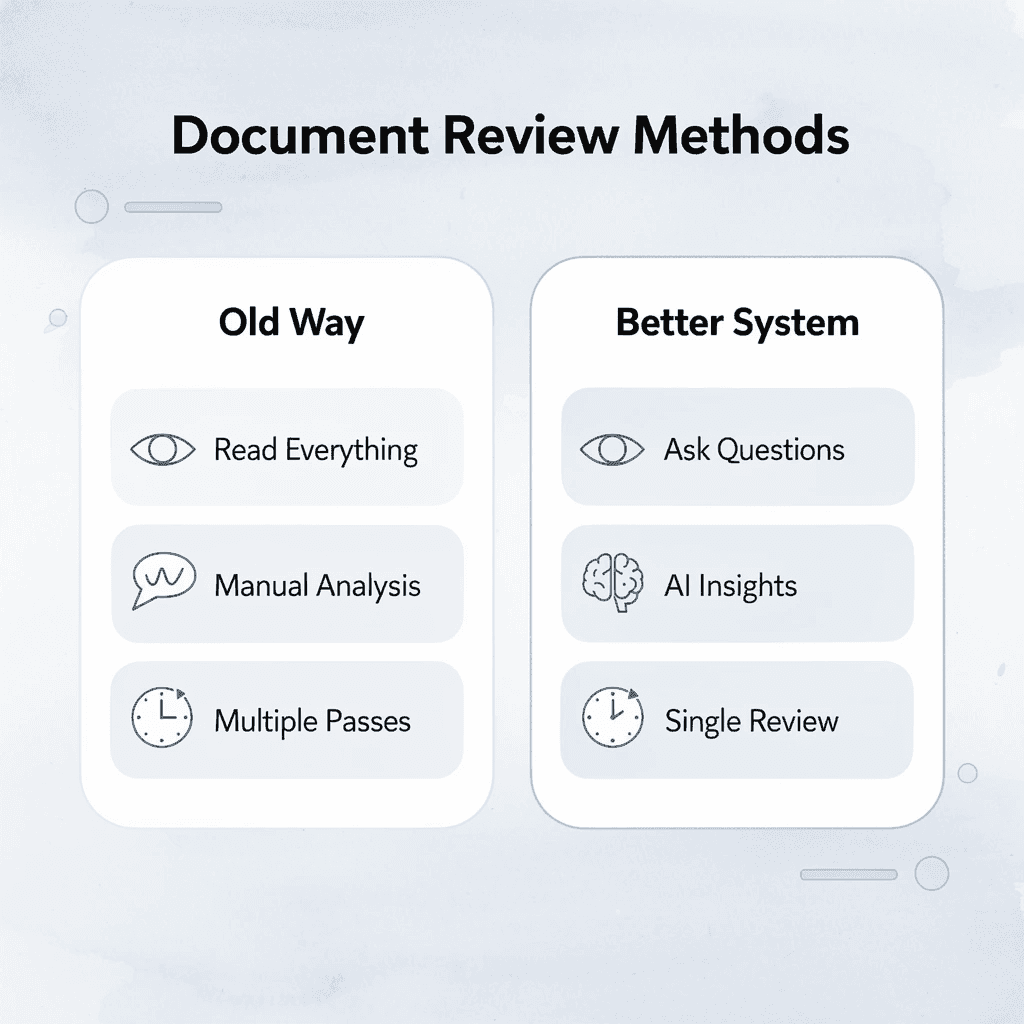
💡 Tip: In under 10 minutes, you will have a clear, structured document with improved readability and key issues already identified. Better documents come from a better system, one that separates analysis from editing and eliminates the mental work of managing disconnected tools.
Related Reading
Best Document Management Software
Ai Tools To Summarize a Research Paper
Notebooklm Vs Notion
Best Document Management Software For Law Firms
ChatGPT File Upload Limits
Best Automation Tools For Document Management
Top Ai Tools For Document Review
Best Document Management Software For Small Businesses
Legal Document Data Extraction
Claude Ai File Upload Limits
Best Ai Tools For Research Projects
Notebooklm Alternatives
Best Hr Document Management Software
Notebooklm Limits



