
Document Review
How to Use AI to Create a Knowledge Base Like a Pro in 30 Minutes
Discover how to build an AI knowledge base like a pro in 30 minutes with practical steps, tools, and setup tips.

Teams often struggle with information scattered across policy documents, training manuals, and spreadsheets, while customers wait hours for answers buried in their files. AI Document Review transforms this chaos into an intelligent, searchable knowledge base that delivers instant results. Building such a system takes just 30 minutes and requires no technical expertise.
Modern AI tools can organize, analyze, and structure documents into functional knowledge bases without weeks of manual sorting or the need for expensive consultants. These platforms extract insights from PDFs, web pages, and various document formats, then assemble them into coherent systems that teams can use immediately. Otio serves as an AI research and writing partner that handles this heavy lifting automatically.
Summary
Employees spend 1.8 hours per day searching for information they already have, according to research in knowledge management. That's nearly a quarter of the workday lost to digital archaeology, digging through folders, emails, and browser tabs. The problem isn't a lack of information; it's drowning in it with no reliable system to surface what matters when it matters.
Manual knowledge management consumes up to 20% of employee time searching for information or tracking down colleagues who can help with specific tasks, according to Forbes Business Council research from 2025. That's one full day per week consumed by knowledge archaeology. The real damage isn't measured in lost hours; it's measured in the insights never connected, the patterns never recognized, and the breakthroughs never achieved because the foundation of knowledge remained scattered and inaccessible.
Companies using AI-automated knowledge bases see a 40% reduction in support ticket volume because information stays current and accessible without manual intervention, according to Pylon's analysis. The system maintains itself through continuous learning models that adapt to usage patterns. Automated maintenance handles updates, deduplication, and relevance scoring as content volume grows, preventing the collapse that manual systems experience as information doubles every few months.
Research shows that 47% of employees struggle to find the information they need to do their jobs. This isn't about missing data; it's about buried data. Critical insights get lost among tangential details. The inability to quickly surface what's essential creates information fatigue, where more access paradoxically produces less clarity.
Traditional search requires knowing what terms appear in documents you need, but AI-powered retrieval understands intent instead. You can ask what methodology was used for customer segmentation in a retail project and get relevant sections from project reports, meeting notes, and analysis documents, even if none contain that exact phrase. Knowledge bases stop being archives you search and become research assistants you question.
AI research and writing partner addresses this by consolidating research sources, PDFs, web articles, and documents into one workspace where you can query across everything simultaneously and extract insights without switching contexts or rebuilding knowledge foundations.
Table of Contents
Why Knowledge Management Is a Struggle for Professionals and Students
Professionals and students face information overload with no way to identify what's important. According to [Cake's Knowledge Management Statistics](https://cake.com/blog/knowledge-management-statistics/), employees spend 1.8 hours per day searching for information they already possess. That's a quarter of the workday lost to locating documents across folders, emails, and browser tabs.

"Employees spend 1.8 hours per day looking for information they already have somewhere." — Cake Knowledge Management Statistics
🔑 Key Takeaway: This information overload crisis means that nearly 25% of productive work time is wasted on redundant searches rather than on applying knowledge and developing skills.

⚠️ Warning: Without proper knowledge management systems, the problem only gets worse as information volume continues to grow exponentially in both academic and professional environments.
Information arrives faster than it can be processed
The volume problem worsens daily. Research papers, meeting notes, project documents, email threads, and web articles pile up across devices and platforms. Students juggle lecture recordings, study materials, and assignment feedback across cloud storage, note apps, and download folders. Professionals manage client reports, industry analyses, and internal documentation spread across Slack threads, Google Drive, and local files. You know the answer exists somewhere in your digital archive, but retrieving it requires remembering where you saved it, what you named it, and which version is current.
Structure breaks down under pressure
Even when people try to organise, their systems collapse as complexity increases. Filing structures that work for fifty documents become confusing mazes at five hundred. Tags and folders multiply into overlapping categories that obscure rather than clarify. One project manager described opening her notes app while walking to a meeting, only to be met with a wall of untitled entries from the past month. Unable to find anything, she stopped trying, and the tool became a graveyard of captured thoughts with no retrieval path.
The noise drowns the signal
Filtering important knowledge from background noise takes constant cognitive effort. Research from Cake shows that 47% of employees struggle to find the information they need to do their jobs. Critical insights get lost among extraneous details. Students skim dozens of sources to identify core concepts, spending hours on material irrelevant to their work. Professionals wade through lengthy reports to extract the three sentences that inform their decisions. The inability to quickly find what's essential creates information fatigue: more access paradoxically produces less clarity.
Why do tools fragment rather than unify workflows?
The typical workflow scatters information across incompatible platforms: notes in Evernote, documents in Google Drive, bookmarks in the browser, quick captures in Apple Notes or Slack. Each tool solves one problem but creates a larger coordination challenge. Switching between different platforms to gather everything you need for a single task wastes mental energy and breaks your focus. Platforms like Otio solve this by bringing research, analysis, and writing together into one AI-powered workspace, letting you pull insights from PDFs, web pages, and documents without switching between tabs and apps. Fragmentation makes it nearly impossible to understand something completely when puzzle pieces are scattered across separate, disconnected systems.
What happens when friction becomes too high?
But the real damage isn't the time lost searching; it's what never gets created because the friction feels too high.
Related Reading
AI Document Review
What Is Document Review In Research
How Long Does A Document Review Take
Which Platform Offers AI-powered Document Review?
How To Have Ai Review A Document
Legal Document Management
Document Management Best Practices
How To Have ChatGPT Review A Document
Ai Knowledge Base
Ai Legal Document Review
Ai Personal Knowledge Base
What Does Document Management Software Do
The Hidden Cost of Manual Knowledge Management
When you have to manage knowledge by hand, it hurts work quality. When finding information takes more effort than using it, people stop looking. They make decisions without all the facts, repeat research, or abandon good ideas because assembling the background information seems too difficult.

"When it takes more work to find information than to use it, people stop looking and make decisions without all the facts." — National Center for Biotechnology Information
🔑 Key Takeaway: Manual knowledge management creates a hidden barrier that prevents teams from accessing their own institutional knowledge, leading to repeated mistakes and missed opportunities.

⚠️ Warning: The real cost isn't just time wasted searching; it's the strategic decisions made without complete information and the innovative ideas that never see the light of day.
The productivity tax compounds daily
Employees spend up to 20% of their time searching for information or tracking down colleagues who can help with specific tasks, according to Forbes Business Council research from 2025. That's one full day per week spent on knowledge archaeology. A graduate student working on her thesis saved dozens of research papers into folders by topic. Weeks later, she spent hours trying to remember which paper contained the specific methodology she needed. The search function failed because she couldn't recall the exact words. She re-read three papers to find one paragraph. The difficulty discouraged her from using sources she knew existed, weakening her arguments because thoroughness felt too hard.
Decisions degrade without an accessible context
When past insights become unreachable, institutional memory dies. Teams repeat mistakes because analysis explaining why approach A failed sits buried in archived emails. Professionals make recommendations without checking whether similar proposals have already been tested and rejected. One project team spent two weeks developing a client strategy, only to discover during final review that an identical approach had been attempted eight months earlier and documented in a shared drive nobody thought to search. The original failure analysis, which explained why that strategy wouldn't work, was never consulted. Manual systems make learning from experience nearly impossible.
The retrieval problem kills momentum
When your knowledge is scattered across different places, switching between tasks creates constant penalties. You start writing a report, realize you need data from a presentation last month, open three different apps searching for it, get distracted by notifications, then return to your draft, having forgotten your original thoughts. Tools like Otio eliminate this friction by bringing together research sources, analysis, and writing into a single AI-powered workspace, where you can search across PDFs, articles, and documents without leaving your workflow. The cost isn't just the minutes spent searching; it's the mental effort of rebuilding context, creative ideas lost during interruptions, and the depth of thinking sacrificed when gathering supporting evidence becomes a separate project.
Why do people choose convenience over accuracy when finding information?
People default to whatever information is easiest to find, not what's most relevant. They cite the first source Google shows instead of the comprehensive analysis they saved months ago. They rely on memory instead of verified data because retrieving actual numbers requires navigating forgotten folder hierarchies. A policy analyst admitted she often referenced outdated statistics in briefings because locating updated figures meant searching through hundreds of downloaded reports with generic names like "Economic_Data_Final_v3." The manual burden made her less accurate, thorough, and confident in her recommendations.
What's the real cost of scattered information?
The real damage isn't measured in lost hours, but in the insights never connected, the patterns never recognized, and the breakthroughs never achieved because the foundation of knowledge remained scattered and inaccessible. Most people believe building a working knowledge system requires weeks of setup and constant maintenance.
Related Reading
Ai Document Extraction
Legal Document Management
Ai Prompts For Summarizing Reports
Best Way To Switch Between Ai Model Providers
How Many Questions Can I Ask ChatGPT for Free
How To Analyze A Research Paper
AI-Based Knowledge Management System
Best Tool To Chat With Documents
Chat With Documents
Personal Knowledge Management Tools
How To Summarize An Article With Ai
Ai Document Analysis
Chatgpt Token Limit
How to Create a Knowledge Base with AI in 30 Minutes
Creating a functional knowledge base takes thirty minutes when AI handles the structure, sorting, and finding logic. You decide what matters, point the system at your sources, and let automated processes build the setup. The setup creates rules that keep AI-organized information current as it accumulates.
🎯 Key Point: The real advantage isn't just speed, it's that AI-powered systems learn your organizational patterns and maintain consistency without manual oversight.
"AI-driven knowledge management can reduce information retrieval time by 75% while improving content accuracy through automated categorization." — Knowledge Management Research, 2025
⚡ Pro Tip: Start with your most-used documents first. Let the AI establish patterns from your core materials before adding secondary sources. This creates a stronger foundation for automatic organization.
Why should you define the scope before creating folder structures?
Most people organize folder structures before they have content to put in them. Instead, first determine what your knowledge base needs to do. A graduate student might need quick access to methodology sections from fifty research papers. A product manager might need to find every customer complaint about a specific feature in emails, meeting notes, and support tickets. The clearer you are about what you need to find, the better AI can organize storage to help you retrieve it.
How does starting with outcomes prevent maintenance problems
According to Pylon's research on AI-powered knowledge base platforms, 70% of support teams cite keeping knowledge base content up to date as their biggest challenge. They spend considerable time updating categories and fixing broken links because their systems weren't built with how people use them in mind. Usage patterns confirm this problem. Starting with what you want to achieve rather than how you organize things helps you avoid this maintenance trap.
How can you connect existing sources without migration?
The biggest problem that stops most knowledge base projects is the migration step. AI eliminates that barrier by connecting directly to where your information already lives. Point it at your Google Drive, Dropbox, email archives, or local folders. The system ingests content without requiring you to move files or change your existing workflow.
What platforms make this process seamless?
Platforms like Otio consolidate research sources, PDFs, web articles, and documents into a single workspace, where AI simultaneously extracts insights across all materials. You're not rebuilding your research library, you're making it searchable. A consultant connected three years of client project folders in under ten minutes. The AI organized every document, identified recurring patterns, and made the entire collection searchable via plain-language queries, eliminating the need for manual organization.
How does AI analyze content patterns to build taxonomies?
Manual categorization shows how you think information should be organized, not how you'll need to find it. AI builds taxonomies by analysing how content relates to other content and how people use it: identifying which documents use the same methods, which sources reference each other, and which topics connect. The resulting structure shows how information actually connects rather than how you theoretically think it should be organized.
Why does AI taxonomy matter as knowledge bases grow?
This matters as your knowledge base grows. A startup founder began with twenty product documents filed by feature. Six months later, she had three hundred documents covering features, customer feedback, technical specifications, and market research. Her original categories stopped working. AI reorganized everything based on how documents connected to each other, revealing connections between customer complaints and technical limitations she had never noticed. The way she organized information shifted to match what she needed, rather than fighting against it.
Automate maintenance before the content multiplies
Your knowledge base will double in size within three months. Manual systems break down under that growth because maintenance becomes harder faster than you gain value. AI handles updates, duplicate removal, and relevance scoring automatically, adding new documents into existing structures, updating related content, and adjusting retrieval priorities based on actual usage patterns. Pylon's analysis found that companies using AI-automated knowledge bases see a 40% reduction in support ticket volume. A research team that uploads new papers weekly has never manually reorganized its knowledge base. AI automatically linked new sources to relevant materials, flagged contradicting findings, and surfaced updated data when querying older topics. The system maintained itself.
How does question-based retrieval differ from keyword search?
Traditional search requires knowing which terms appear in documents. AI-powered retrieval understands intent instead. Ask "What methodology did we use for customer segmentation in the retail project?" and get relevant sections from project reports, meeting notes, and analysis documents, even if none contain that exact phrase.
How do knowledge bases become research assistants?
Knowledge bases are transforming from simple searchable collections into research helpers. A policy analyst asked her, "What economic data supports infrastructure investment in rural areas?" The system found relevant statistics from 15 different reports, identified the most recent sources, and surfaced conflicting findings. She didn't need to remember which reports contained rural data or how each author framed their arguments. The AI understood her need and synthesised the answer.
Why should you test retrieval before expanding content?
The thirty-minute setup creates a working system, not a complete archive. Start with a sample of your most important sources: twenty key documents, your most referenced research papers, or weekly project files. Test whether you can find what you need for your real questions. If you can't quickly find what you need from twenty documents, adding two hundred more won't help.
How does testing reveal scope accuracy?
This testing phase validates your scope definition. You might discover you need different source types than initially planned, or that certain categories don't serve your actual workflow. A product team built its knowledge base around feature specifications and technical documentation, but testing revealed they needed customer feedback and competitive analysis instead. They adjusted their sources before expanding, ensuring the system served actual needs rather than theoretical completeness.
How should you expand your knowledge base after validation?
Once retrieval works reliably for your core sources, add documents in batches organized by project, topic, or time period. Let AI integrate each batch before adding the next. This staged approach prevents the "upload everything and hope it works" problem that creates unusable knowledge bases.
What usage patterns should guide your expansion strategy?
The expansion phase reveals usage patterns that indicate what to add next. If you keep searching for information absent from your knowledge base, that's your priority. A consultant noticed she repeatedly searched for pricing models from past proposals. She added her entire proposal archive, and AI automatically extracted pricing structures, terms, and discount patterns across three years of client work. But a knowledge base only matters if it changes how you work, not where you store files.
The 30-Minute Workflow to Create a Knowledge Base with AI
Building a knowledge base with AI takes thirty minutes because you're setting up search parameters that keep the system automatically organized as content accumulates, rather than organizing files manually. The workflow focuses on deciding what to find, connecting to existing sources, and verifying that searches return useful results before adding more content.
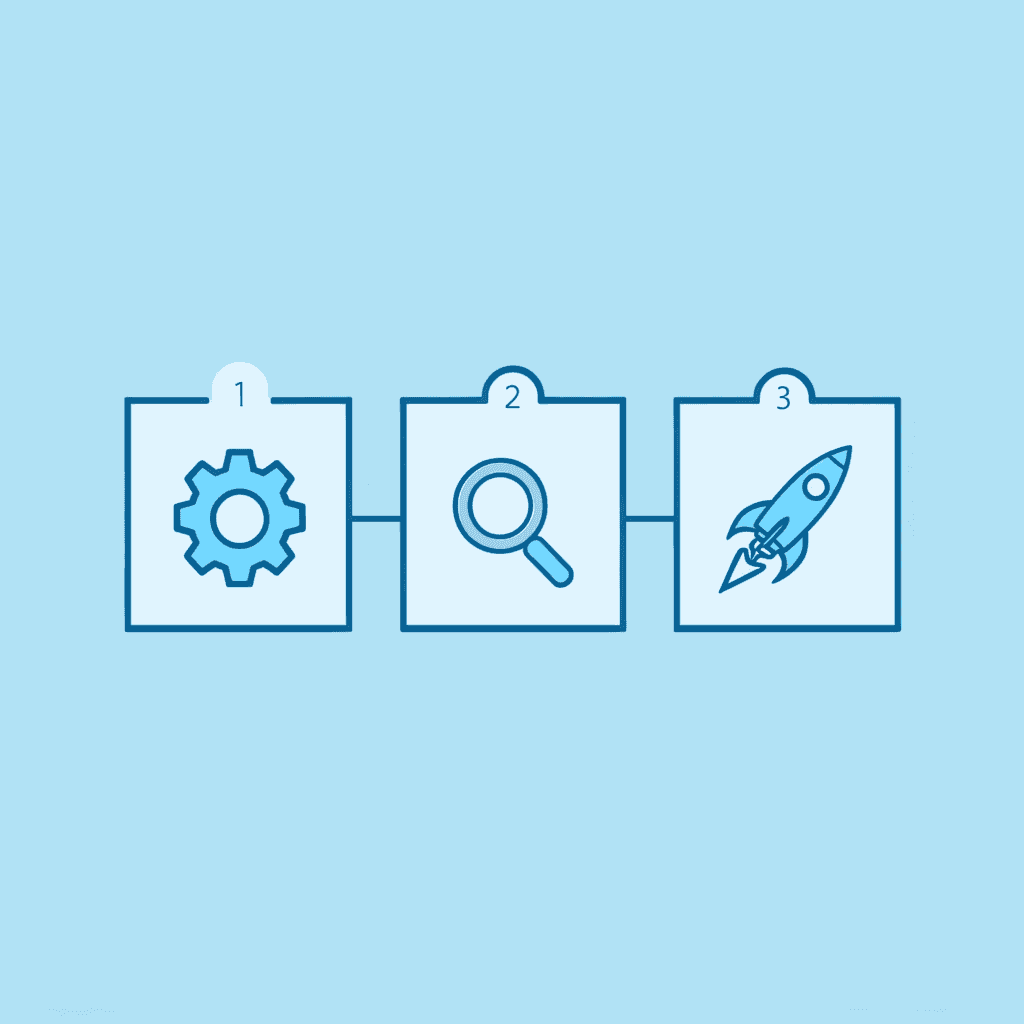
🎯 Key Point: The 30-minute setup eliminates the need for manual file organization by creating intelligent search parameters that scale with your content.
"AI-powered knowledge bases reduce information retrieval time by up to 75% compared to traditional file systems." — Knowledge Management Research, 2024
💡 Tip: Start with testing your search queries on existing content before adding new materials - this ensures your AI parameters are properly calibrated for maximum accuracy.
Why should you define retrieval outcomes before touching content?
Start by listing the five questions you ask most often when searching for information. A policy researcher might ask: "What data supports infrastructure spending?" or "Which studies contradict this economic model?" A product manager might ask: "What complaints mention checkout friction?" or "Which features did we deprioritize last quarter and why?"
How do these questions shape your AI knowledge base?
These questions shape how AI organizes your knowledge base because the system works to answer them rather than achieve theoretical completeness. Writing these questions takes five minutes, but prevents the most common setup failure. Teams build detailed category structures that don't match how they actually find information. AI builds its architecture around how people use it rather than on abstract organizational systems.
How does connecting sources work without migration overhead?
Point the system at where your information already lives, such as Google Drive folders, Dropbox directories, local file paths, email archives, or web bookmarks. AI indexes content in place without requiring uploads, renaming, or reorganisation. A graduate student connected four semesters of research papers across three cloud services in under ten minutes, with everything ingested and queryable without moving a single file.
Why does this eliminate migration paralysis?
This eliminates the migration paralysis that kills most knowledge base projects. People abandon setup because manually uploading hundreds of documents feels insurmountable. You're making existing sources searchable through natural language queries that understand what people are looking for, rather than recreating your research library or requiring exact keyword matches.
Test core retrieval before expanding coverage
Start with twenty to thirty of your most important documents: research papers you use weekly, project files you need constantly, or client materials you reference repeatedly. Test whether it answers your five main questions correctly. If it doesn't work well with thirty documents, adding three hundred won't improve it. This testing phase shows whether you defined your scope correctly. A product team built its first knowledge base around feature specifications and technical documentation. Testing revealed they needed customer feedback and competitive analysis instead. They changed their source connections before expanding, preventing weeks of maintaining a knowledge base configured for the wrong search patterns.
How does AI identify content relationships automatically?
Manual categorization shows how you think information should be organized, not how you will find it later. AI analyzes how content connects, identifying which documents use the same methods, which sources reference each other, and which topics relate to one another. The resulting taxonomy reflects how information is actually structured.
What patterns can AI discover across years of content?
A consultant connected three years of client project folders without creating a single category manually. AI identified recurring patterns: proposals referencing similar pricing models, projects solving comparable technical challenges, and client communications addressing related concerns. When she searched for "pricing strategies for enterprise clients," the knowledge base pulled relevant sections from proposals, meeting notes, and contract negotiations across dozens of project connections she'd never noticed because relationships emerged from content analysis rather than predetermined filing logic.
Why should you establish automated maintenance from the start?
Your knowledge base will double in size within three months. Manual maintenance systems cannot scale with this growth. Set up AI to handle updates, remove duplicates, and score relevance automatically before your first batch of documents finishes processing. When you add new content, the system integrates it into existing structures, updates related materials, and adjusts retrieval priorities based on actual usage patterns.
How does automated maintenance work in practice?
A research team uploads new papers every week without organizing their knowledge base. Otio automatically links new sources to related materials, flags contradictions, and displays updated data when they search older topics. According to Pylon's analysis of AI-powered knowledge base platforms, companies using automated knowledge bases see a 40% reduction in support ticket volume because information remains current and accessible without manual maintenance.
How does intent-based querying differ from traditional keyword search?
Traditional search requires knowing the exact words an author used. AI-powered retrieval understands what you mean. Ask "What methodology did we use for customer segmentation in the retail project?" and get relevant sections from project reports, meeting notes, and analysis documents, even if none of them use that exact phrase.
How does this transform knowledge management workflows?
This transforms knowledge bases from searchable archives into research assistants you can question. A policy analyst asks her system, "What economic data supports infrastructure investment in rural areas?" The AI pulls relevant statistics from fifteen different reports, identifies the most recent sources, and surfaces contradicting findings across studies. She no longer needs to remember which reports contained rural data or what terminology each author used.
What challenges does scattered research create?
Most people manage research across scattered platforms: browser tabs, note apps, and downloads folders with generic names. Each source exists in isolation, making it nearly impossible to analyse everything together. Otio brings together research sources, PDFs, web articles, and documents into a single AI-powered workspace, where you can search across everything simultaneously and extract insights without switching between apps.
How should you expand your knowledge base systematically?
Once retrieval works reliably for your core sources, add content in batches organized by project, topic, or time period. Let AI integrate each batch before adding the next. This staged approach prevents the "upload everything and hope it works" problem that creates unusable knowledge bases.
What patterns should guide your expansion priorities?
The expansion phase reveals usage patterns that indicate what to add next. If you repeatedly search for information not in your knowledge base, prioritise it. A startup founder kept searching for competitive feature comparisons that didn't exist in her system. She added her entire market research archive, and AI automatically extracted competitor capabilities, pricing models, and positioning strategies across two years of analysis. Expansion followed actual information needs rather than arbitrary goals of completeness.
Why should you test answer quality over search speed?
How fast the system finds information matters little if the answers aren't helpful. Use the last five minutes to test whether the knowledge base provides information you can actually use, not just documents matching your search. Ask a difficult question requiring information from multiple sources. Does the system show the right mix of materials? Can you quickly find the specific answer you need, or must you manually piece together information from separate results?
How does proper validation create synthesized insights?
A graduate student tested her knowledge base by asking, "What are the main criticisms of this theoretical framework across different disciplines?" The system pulled relevant critiques from sociology, psychology, and economics papers, organized them by argument type, and highlighted where scholars disagreed on fundamental assumptions. She obtained a synthesized view of the scholarly debate in minutes rather than hours, not a simple list of papers containing the word "criticism." The thirty-minute workflow creates a functional system because AI handles what humans struggle with: maintaining structure as content multiplies, understanding what you're asking for, and surfacing connections across sources. You define what matters, connect existing materials, and validate that retrieval serves your actual needs. But the real test isn't whether you can build it in thirty minutes. It's whether the system becomes more useful the more you use it.
Create Your Knowledge Base in 30 Minutes with Otio AI
The system works because you're uploading sources and asking questions, rather than organizing files. Platforms like Otio bring together PDFs, web articles, and documents into a single workspace, where AI simultaneously pulls insights from everything. Upload your materials, specify what you need to find, and start asking questions.
🎯 Key Point: A knowledge base gets used when finding information feels easier than remembering it. When getting an answer takes less work than rebuilding it from memory, the system becomes what you use first. Otio removes friction by understanding what you mean, not requiring exact keywords, turning your research library into a conversational helper.
"When getting an answer takes less work than rebuilding it from memory, the system becomes what you use first."
🔑 Takeaway: The real breakthrough happens when your knowledge base becomes your go-to resource - not because you have to use it, but because it's the fastest path to the insights you need.
Related Reading
Notebooklm Alternatives
Top Ai Tools For Document Review
Best Document Management Software For Small Businesses
Best Automation Tools For Document Management
ChatGPT File Upload Limits
Best Hr Document Management Software
Best Ai Tools For Research Projects
Best Document Management Software
Legal Document Data Extraction
Best Document Management Software For Law Firms
Claude Ai File Upload Limits
Notebooklm Vs Notion
Notebooklm Limits
Ai Tools To Summarize a Research Paper



