
Study Technology
24 Best Flashcard Apps for Medical Students and USMLE Prep
Compare 24 flashcard apps for medical school and USMLE preparation by spaced repetition, image occlusion, anatomy, pharmacology, integrations, pricing, and study stage.

Anki is the safest default for medical school and USMLE prep if you want serious spaced repetition, image occlusion, tags, add-ons, and control over your review schedule. If you do not want to build or maintain cards, start with a curated medical platform like AMBOSS, Osmosis, Sketchy, Picmonic, Lecturio, Firecracker, or Memorang instead.
The mistake is treating “flashcard app” as one category. A blank-card engine, an anatomy atlas, a mnemonic platform, and a board-prep system solve different problems. Use one main review engine, one trusted content source, and a question bank; do not subscribe to five overlapping card libraries and call it a study system.
The best flashcard app depends on your study stage and workflow
For most USMLE-focused students, the decision is not “Which flashcard app is best?” It is: Do you need maximum control, faster setup, visual learning, or curated medical content?
Best fit | Best apps | Learning method | Medical coverage | Platforms | Main limitation |
|---|---|---|---|---|---|
Custom USMLE spaced repetition | Anki, RemNote, Mochi | Spaced repetition, cloze cards, tagging | Strongest if you use vetted decks or make good cards | Varies by app | Setup and maintenance burden |
Easier daily studying | Quizlet, Knowt, StudySmarter, Brainscape, Cram | Quick cards, quizzes, shared sets | Broad but uneven | Usually web + mobile | Shared medical decks need verification |
Anatomy and image-heavy review | Complete Anatomy, Visible Body, Essential Anatomy 5, Anatomyka, Anki image occlusion | 3D models, labeling, diagram recall | Strong for anatomy; weaker for integrated boards prep | Varies | Often not a full spaced-repetition engine |
Curated medical and USMLE content | Osmosis, Picmonic, Lecturio, AMBOSS, Firecracker, Sketchy, Memorang | Videos, mnemonics, cards, quizzes, scheduled review | High, depending on plan | Usually web + mobile | Less control than custom cards |
AI-assisted card generation | RemNote, Knowt, StudyCards AI | Converts notes or documents into draft cards | Depends on your source material | Varies | Generated cards still need editing |

Flashcards are strongest for durable recall: pathways, mechanisms, diagnostic associations, anatomy labels, drug adverse effects, bugs, and “I missed this twice” facts. They are weaker for clinical reasoning unless they are paired with explanations, question-bank review, and timed practice.
How to choose a medical school or USMLE flashcard app
Start with the workflow, not the brand. A good medical flashcard system needs enough friction to prevent sloppy cards, but not so much friction that creating cards becomes the main hobby.
Use these criteria:
Review scheduling: Does the app use spaced repetition, confidence ratings, manual due dates, or ordinary reminders?
Card creation speed: Can you make cards from lecture notes, PDFs, screenshots, and missed questions quickly?
Image occlusion: Can you hide one structure, label, rash finding, histology feature, radiographic sign, or pathway step at a time?
Multimedia: Does it handle diagrams, audio, handwritten notes, video screenshots, and formulas?
Tagging and search: Can you filter by course, organ system, Step 1, Step 2 CK, shelf, resource, and weak topic?
Offline access and sync: Can you study on a commute, in the hospital, or between lectures without breaking your review history?
Analytics: Can you see retention, weak areas, review volume, and overdue cards?
Collaboration: Can classmates share decks without creating version-control chaos?
Import/export: Can you move cards out if the app changes pricing, features, or availability?
The big split is between flashcard engines and medical content platforms.
A flashcard engine, like Anki, RemNote, Mochi, Mnemosyne, or SuperMemo, gives you a system for writing and reviewing cards. The medical value comes from your notes, your source material, or imported decks.
A medical content platform, like AMBOSS, Osmosis, Picmonic, Lecturio, Firecracker, Sketchy, or Memorang, sells the content layer: explanations, videos, mnemonics, questions, review prompts, or structured board-prep material. It may include flashcard-style review, but it is not always built for the same level of custom scheduling and deck control.
The tradeoff is simple: maximum customization costs time; minimum setup costs control. Verify current pricing, device support, sync limits, cancellation terms, institutional access, and medical-content licensing on the official product pages before subscribing.
Best customizable spaced-repetition flashcard apps
1. Anki
Best for: USMLE-focused students who want the most control over scheduling, tags, add-ons, and image occlusion.
Anki remains the default serious option because it scales. You can manage thousands of cards, tag aggressively by organ system or resource, use cloze deletion, add images, and customize review behavior. It also has a large medical-student ecosystem, including widely discussed deck workflows such as AnKing, Zanki, and Lightyear; some medical flashcard guides describe these as aligned with major resources like First Aid, Pathoma, Sketchy, and UWorld, though any shared deck still needs verification against your curriculum and current clinical guidance (Transcript).
The downside is real. Anki rewards students who are willing to learn the system, prune bad cards, suspend duplicates, and avoid turning every lecture slide into five cards. It is powerful enough to create a review queue that becomes impossible to finish.
Use Anki if you want one long-term memory system from M1 through Step 2 CK. Avoid it if the setup burden will keep you from studying.
2. RemNote
Best for: Students who want lecture notes and flashcards in the same workspace.
RemNote combines hierarchical notes with flashcards, so it fits students who think in outlines: lecture topic, subtopic, mechanism, exception, clinical association. Its own medical-flashcard page describes built-in spaced repetition and AI-generated cards from notes and lectures for anatomy, pharmacology, pathology, and USMLE prep (RemNote).
The strength is conversion: notes can become review material without fully switching contexts. The weakness is the same one that affects many knowledge-management tools: the interface can feel heavier than a dedicated card app if all you want is open, answer, rate, close.
Use RemNote if your lectures are already structured notes. Do not use it as an excuse to preserve every detail forever.
3. Mochi
Best for: Minimalist spaced repetition without Anki’s ecosystem.
Mochi is a clean card-and-notes app for students who want Markdown-style cards, bidirectional linking, and a calmer interface. It is less culturally dominant in medical school than Anki, which means fewer ready-made medical deck workflows and fewer add-ons built around USMLE studying.
That may be a benefit. If Anki makes you over-engineer your review system, Mochi can keep the loop smaller: write a question, answer it, review it later.
Use Mochi if you want spaced repetition and notes without becoming a deck administrator.
4. Brainscape
Best for: Students who prefer guided review and confidence-based ratings.
Brainscape uses a confidence-based review model rather than making every student manage algorithm settings. It also offers ready-made and user-generated decks; MedSchool’s guide notes that Brainscape includes curated and user-generated decks, including certified USMLE materials, plus analytics for tracking progress and weak areas (MedSchool).
This makes it more approachable than Anki for many students. The tradeoff is less fine-grained control, and some content or features may sit behind paid plans.
Use Brainscape if you want a more guided experience and are comfortable verifying deck quality before trusting it.
5. SuperMemo
Best for: Highly committed learners who care deeply about adaptive scheduling.
SuperMemo has one of the longest histories in spaced-repetition software. It appeals to students who want an adaptive memory system and are willing to work inside a more opinionated environment.
Its limitation is fit. Many medical students want a mobile-first, deck-sharing, USMLE-specific workflow; SuperMemo can feel less natural for that compared with Anki or newer note-card hybrids.
Use SuperMemo if you like rigorous scheduling systems and do not need the medical-school community layer.
6. Mnemosyne
Best for: Lightweight, open-source spaced repetition with local control.
Mnemosyne is a simpler open-source option for students who want basic spaced repetition without a commercial platform. It is not the first choice for most USMLE workflows because the medical deck ecosystem is smaller and convenience features are thinner.
Use it if you value local control and a simple review loop. Skip it if you need image occlusion, mobile polish, or a large medical-school community.
Best accessible flashcard apps for everyday medical studying
7. Quizlet
Best for: Fast card creation, quick quizzes, and searchable shared sets.
Quizlet is often the lowest-friction way to create a card set before tomorrow’s quiz. It is good for anatomy terms, lab values, vocabulary, pharm prefixes, and quick course review.
Its main risk is false confidence. Shared medical sets can contain errors, outdated terminology, or local-course quirks that do not match your exam. Use community sets as drafts, not authorities.
Quizlet is also useful for image cards and labeling-style drills, especially when you need quick visual repetition rather than a full anatomy atlas.
8. Knowt
Best for: Turning notes into flashcards and quizzes quickly.
Knowt fits students who want a simpler notes-to-flashcards workflow. It is useful when the bottleneck is not review scheduling but getting usable cards out of lecture notes.
Check current AI limits, import formats, free-plan restrictions, and export options before committing. AI-generated cards often produce too many low-value prompts; edit them down to test one fact or mechanism at a time.
9. StudySmarter
Best for: Students managing multiple courses, notes, flashcards, and study planning.
StudySmarter combines flashcards with notes, planning, and shared study resources. That makes it useful for preclinical blocks where the challenge is juggling anatomy, physiology, biochemistry, and pathology at once.
Its limitation is depth. A general study platform may not match the USMLE-specific tagging, board-style integration, and deck culture that Anki or curated medical platforms provide.
Use it for course management and broad study organization. Pair it with a stronger board-prep source when Step studying starts.
10. Goodnotes
Best for: Tablet-first students who learn from handwritten notes, annotated PDFs, and lecture slides.
Goodnotes is not primarily a spaced-repetition app. Its value is upstream: writing notes, marking lecture PDFs, drawing pathways, and creating visual study material.
For medical students who think with a stylus, that matters. A clean annotated pathway or anatomy sketch can become the source for later flashcards in Anki, RemNote, or Quizlet.
Use Goodnotes for visual capture and annotation, not as your only memory system.
11. Notability
Best for: Lecture-heavy courses where audio, handwriting, and documents matter.
Notability is similar in role to Goodnotes but especially useful if you rely on audio-linked lecture notes. You can revisit what was said when a slide or handwritten point does not make sense later.
Do not confuse note review with active recall. Reading a highlighted lecture twice is not the same as answering a prompt from memory.
Use Notability to capture and clarify lectures, then extract only high-yield prompts into your review app.
12. Cram
Best for: Quick supplementary flashcards and searchable public decks.
Cram is straightforward: make cards, search sets, study. It can help for short-term course quizzes or quick terminology review.
It is not the strongest choice for a full medical-school memory system. Medical deck quality varies, and the workflow is thinner than serious spaced-repetition tools.
Use Cram for lightweight review. Do not build your Step plan around it.
13. StudyCards AI
Best for: Drafting cards from your own materials when card creation is the bottleneck.
StudyCards AI belongs in the “assistive” category: its value is faster card generation from notes or study materials, not replacing judgment. One comparison guide frames tools like StudyCards AI as useful for automating card creation while still pairing them with structured review systems such as Anki (StudyCards AI).
The failure mode is volume. If an AI tool generates 200 cards from one lecture, most of them are probably not worth reviewing.
Use it to draft. Then delete aggressively.
Best visual, anatomy, and image-based flashcard apps
14. Complete Anatomy
Best for: Gross anatomy, spatial relationships, and structure identification.
Complete Anatomy is closer to an interactive 3D anatomy platform than a conventional flashcard app. It helps with relationships that flat cards struggle to teach: where a nerve runs, what a muscle attaches to, how vessels branch, and what sits deep to what.
It complements flashcards well. Learn the region in 3D, then use cards to test names, innervation, blood supply, lesions, and clinical correlations.
15. Visible Body Suite
Best for: Interactive anatomy visualization and early medical training.
Visible Body Suite is useful when anatomy needs to be seen, rotated, isolated, and labeled. It supports structure identification better than a static textbook page.
The tradeoff is retention scheduling. A visual atlas can help you understand anatomy, but you may still need Anki, Quizlet, or another system to make the facts durable.
16. Essential Anatomy 5
Best for: Students who want a simpler 3D anatomy reference.
Essential Anatomy 5 is a more focused anatomy tool for students who want a visual reference without a larger learning platform. It can be enough for quick structure review and spatial orientation.
Check current device compatibility before buying or relying on it for a full course. Anatomy apps can age quickly when operating systems and hardware requirements change.
17. Anatomyka
Best for: Visual exploration and structure-location knowledge.
Anatomyka is useful for building a mental map of the body through interactive anatomy exploration. It is better thought of as a visual atlas than a complete flashcard engine.
Before subscribing or building a workflow around it, verify its quiz, export, offline, and flashcard capabilities. Not every anatomy atlas is a spaced-repetition app.
How to use image occlusion without making bad anatomy cards
Image occlusion is most valuable when it tests one decision at a time. Do not hide 20 labels on a brachial plexus diagram and count every recognition click as mastery.
A better card asks one of these:
Identify the hidden structure.
Name the lesion caused by damage here.
State the nerve root, blood supply, or action.
Explain why this structure matters clinically.
Distinguish this finding from a similar image.
Anki is the most common choice for this style because its image-occlusion workflows can turn anatomy, histology, pathology, radiology, and pathway diagrams into recall cards. Medical Anki add-on guides describe image occlusion as a way to hide parts of diagrams, maps, and images so the student must recall complex structures and relationships (MedAnkiGen).
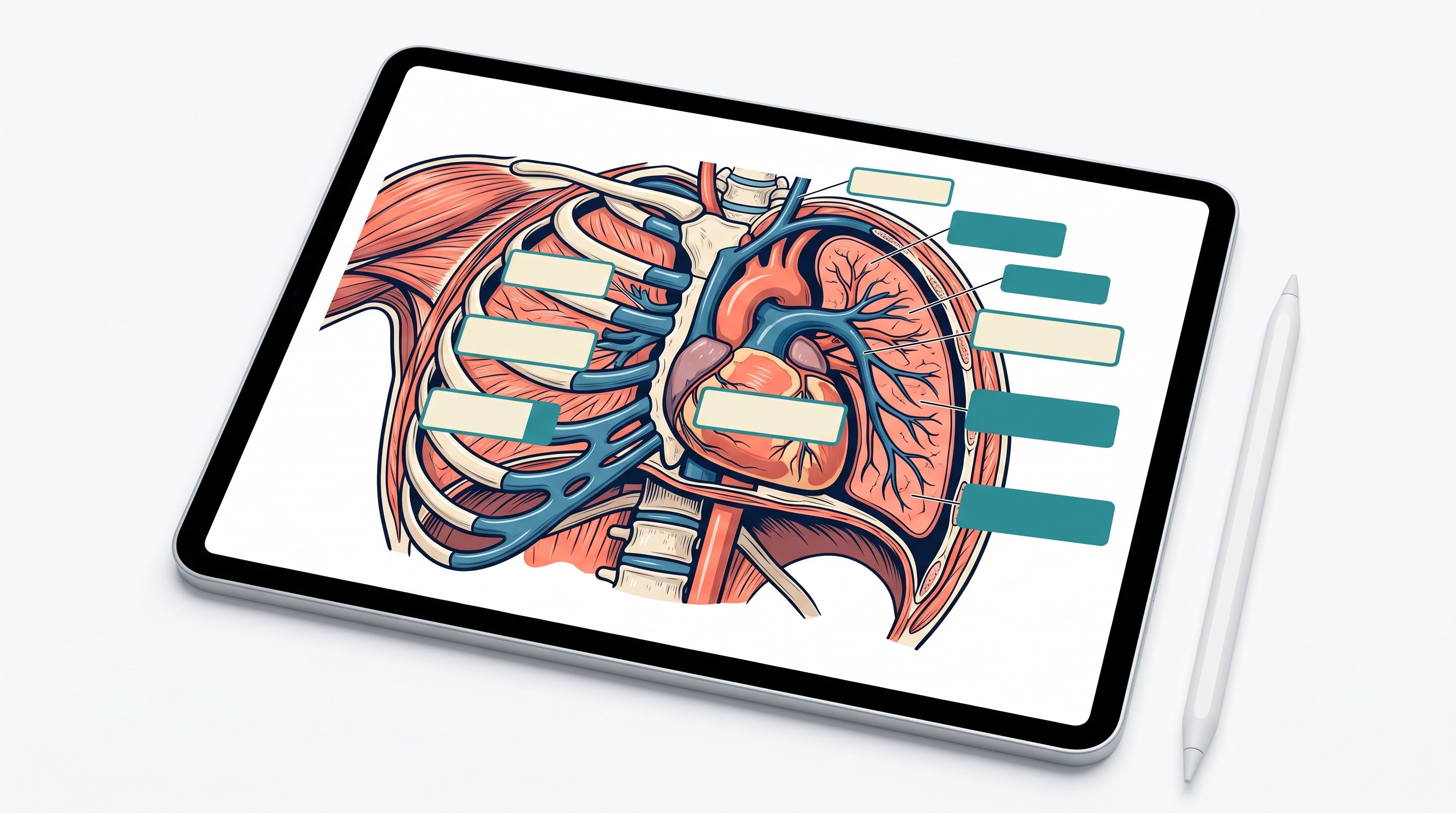
Quizlet can also handle lower-friction image cards and labeling activities. Use it for fast anatomy drilling; use a dedicated anatomy atlas for 3D understanding; use Anki or another spaced-repetition tool for long-term recall.
[[OTIO_INLINE_PROMO:%7B%22title%22%3A%22Which%20anatomy%20facts%20deserve%20a%20card%3F%22%2C%22description%22%3A%22Add%20a%20lecture%20PDF%20or%20textbook%20chapter%20to%20Otio%2C%20then%20ask%20which%20mechanisms%2C%20labels%2C%20and%20clinical%20associations%20are%20worth%20converting%20into%20recall%20prompts.%22%7D]]
Best curated medical and USMLE flashcard platforms
18. Osmosis
Best for: Students who want videos, explanations, questions, and review in one guided curriculum.
Osmosis is useful when you want a structured medical learning environment instead of a blank card engine. It fits preclinical students who need to learn a topic before memorizing it.
The limitation is control. You may get a smoother curriculum, but less flexibility than Anki for custom tags, personal missed-question cards, and long-term deck management.
Compare its coverage with your school curriculum and a dedicated question bank before relying on it for USMLE prep.
19. Picmonic
Best for: Memorization-heavy subjects such as pharmacology and microbiology.
Picmonic uses visual mnemonics and recall practice to make stubborn lists memorable: adverse effects, organisms, drug classes, toxins, syndromes. It pairs especially well with pharm and micro.
The risk is shallow recall. A mnemonic can get you to the answer, but it may not explain pathophysiology, management, or clinical nuance.
Use Picmonic for memory hooks, then reinforce with practice questions and concise mechanism cards. For more pharm-specific options, see our guide to pharmacology mnemonics for USMLE Step 1.
20. Lecturio
Best for: Students who prefer structured medical video courses with quizzes and review resources.
Lecturio works best as a curriculum support tool. If your weak point is first-pass learning, structured videos and quizzes may help more than another deck.
Check the exact plan details before subscribing: flashcard access, offline support, question access, and USMLE-specific features can vary by tier or region.
Use Lecturio when you need teaching plus review, not just cards.
21. AMBOSS
Best for: Students who want a clinical reference, learning cards, and a question-bank ecosystem in one place.
AMBOSS is especially useful once study starts to look more clinical. Its strength is connecting facts to explanations, differentials, management, and question review.
Learning cards are not the same as user-created flashcards. If you want complete control over prompts and scheduling, you may still want Anki or RemNote alongside AMBOSS.
Use AMBOSS as a study-and-reference environment, particularly for Step 2 CK, shelf exams, and clinical rotations.
22. Firecracker
Best for: Scheduled reinforcement across medical subjects.
Firecracker has historically appealed to students who want a curriculum-linked review plan rather than a self-built deck. The promise is broad coverage and recurring reinforcement.
The key issue is current availability and fit. Verify whether the platform, content updates, mobile support, and exam alignment match your study year before committing.
Use it if you want scheduled review without building the system yourself.
23. Sketchy
Best for: Visual stories for pharmacology, microbiology, and pathology.
Sketchy is strongest when visual memory beats brute force. Its scenes are designed to encode associations: organism features, drug effects, side effects, and disease patterns.
It is not a general-purpose flashcard engine. Treat it as a content-and-memory supplement, then use a review system to keep the facts alive.
If pharmacology is the main pain point, pair Sketchy-style learning with a focused pharm source from our list of pharmacology textbooks and study resources for med students.
24. Memorang
Best for: Students who want medical and exam-oriented flashcards without starting from a blank deck.
Memorang is a flashcard and study-pack platform often discussed for medical exams such as the USMLE and MCAT. A medical-student flashcard roundup describes it as offering community flashcards and professional Study-Packs with spaced repetition (SuchScience).
The fit depends on the current quality and coverage of its medical packs. As with any pre-made resource, verify whether the content matches your exam, curriculum, and current guidelines.
Use Memorang if you want a more packaged review experience than Anki but less of a full curriculum platform than Osmosis or Lecturio.
How to build a flashcard system for medical school and USMLE prep
The best system is small:
One spaced-repetition engine for durable recall.
One trusted medical content source for explanations.
One question bank or practice system for exam reasoning.
That stack beats five apps with half-finished decks.
A practical workflow looks like this:
Learn the concept first. Watch the lecture, read the explanation, or review the textbook section.
Write one focused prompt. One card should test one fact, mechanism, image feature, or decision.
Add a brief source or explanation. A card without context becomes dangerous when clinical facts change.
Tag by subject and exam stage. Example: renal, pharm, Step 1, missed-question, M2.
Review on schedule. Do not keep resetting cards because the queue looks ugly.
Suspend bad cards. If a card is vague, redundant, or never helps you answer questions, remove it.
Use different card types for different knowledge:
Knowledge type | Best card format | Example use |
|---|---|---|
Definitions and associations | Basic recall | “What organism is associated with…” |
Pathways and mechanisms | Cloze deletion | “ACE inhibitors decrease ___, causing efferent arteriole dilation.” |
Anatomy, histology, radiology | Image occlusion | Hide one structure or finding |
Drug classes and adverse effects | Mnemonic + recall | “Which toxicity limits aminoglycosides?” |
Clinical reasoning | Short vignette card | “Young patient + episodic wheeze + triggers: next best initial test?” |
Missed questions | Error card | “Why was my chosen answer wrong?” |
Separate preclinical review from Step 1 and Step 2 CK prep. During preclinical blocks, tags should map to lectures, labs, organ systems, and faculty exams. During Step prep, tags should map to board resources, weak topics, missed questions, and review priority.
For Step 2 CK and shelf exams, fewer cards may be better. Clinical exam performance depends heavily on applying patterns in timed questions. Use cards to preserve facts that repeatedly break your reasoning, not to memorize every paragraph of every explanation.
Otio can help before the flashcard step, especially when your source material is scattered across lecture PDFs, textbook chapters, web pages, and notes. It is not a spaced-repetition flashcard app, but its AI PDF reader and AI textbook summarizer can help clarify dense material before you turn only the highest-value facts into cards.
The safeguards matter more than the app:
Cap new cards so reviews do not consume the day.
Delete duplicates instead of “just keeping them.”
Prioritize missed question-bank concepts over pretty lecture-card coverage.
Use faculty, guideline, textbook, or trusted medical-platform sources for clinical facts.
Suspend cards that reward recognition rather than recall.
Do not keep a card just because it took time to make.
If you are still building the rest of your study stack, start with broader resource choices: USMLE and MCAT resources beyond Khan Academy, physiology textbooks for medical students, and anatomy resources for med students are better foundations than another flashcard subscription.
FAQ
Q: What is the best flashcard app for USMLE preparation?
A: Anki is the strongest general-purpose choice if you want customizable spaced repetition, image occlusion, and established medical deck workflows. Curated platforms like AMBOSS, Osmosis, Sketchy, Picmonic, Lecturio, Firecracker, and Memorang may be better if you want guided content and less card creation.
Q: Are flashcards enough to pass the USMLE?
A: No. Flashcards support factual recall, but USMLE preparation also requires explanations, timed question blocks, clinical reasoning practice, and careful review of incorrect answers.
Q: Should medical students make their own flashcards or use pre-made decks?
A: A hybrid approach is usually best: use a trusted pre-made deck for broad coverage, then create focused cards from lectures, missed questions, and weak areas. Always verify shared decks against authoritative course or clinical sources.
Q: How many flashcards should a medical student review each day?
A: There is no universal number. Start with a review load you can finish consistently, add new cards gradually, and protect time for question-bank practice.
[[OTIO_FOOTER_PROMO:%7B%22title%22%3A%22Build%20cards%20from%20your%20own%20medical%20sources%22%2C%22description%22%3A%22Add%20lecture%20PDFs%2C%20notes%2C%20and%20missed-question%20explanations%20to%20Otio%20to%20clarify%20the%20material%20before%20selecting%20high-value%20facts%20for%20your%20deck.%22%7D]]



