
Last Updated June 18, 2026
Webpage Summarizer
Webpage summarizer that stores every page you read
Browser extensions give you a summary then it's gone. Otio stores every webpage you summarize so you can return to it weeks later, ask new questions, and cross-reference it with other sources.



200,000+
Professionals worldwide
74
Languages supported
Every
Source you read becomes searchable
$7
Lite Tier
The problem with disposable summaries
What happens after you summarize a webpage?
Three weeks later, you need that source again. The summary is gone. The insight is lost. Starting from scratch wastes the time you thought you saved.
You get the summary, then forget it
Browser extensions are built for single-session speed. Three weeks later, you need that source again. The summary is gone. Starting from scratch wastes the time you thought you saved.
Bookmarks pile up, nothing gets absorbed
Dozens of pages sit in your "need to read" folder. The backlog grows. Nothing is actually absorbed or actionable. Bookmarking isn't a research system - it's a procrastination folder.
Web content lives in isolation
A webpage often references a PDF. Or there's a YouTube interview with the author. No browser extension handles all of them in one place. Your research stays fragmented across three tools and ten tabs.
No follow-up questions, no cross-reference
Single-use summarizers give you the summary and stop. If you need to know what that page said about a specific topic, you're re-reading it manually. No way to ask one question across five sources.
Beyond a summary - a research library
Summarize the page. Store it forever. Ask it anything.
Paste a URL. Otio summarizes the page and stores it in your workspace - permanently. Six weeks later it's still there, still queryable, still answering with citations.

Every URL becomes permanent
Not a session summary. Every webpage you add is stored in your workspace, searchable and queryable for as long as you need it.
Ask long after you've moved on
Other summarizers stop after the summary. Otio lets you keep asking. What does this say about X? How does it compare to last week's report?
Combine URLs, PDFs, videos, podcasts
A webpage links to a PDF. There's a YouTube interview. All handled in the same library, queried with one question across every source.
Choose any AI model
Switch between ChatGPT, Claude, Gemini, and Perplexity without leaving your workspace. Compare how different models interpret the same source.
How it works
Three steps from URL to insight
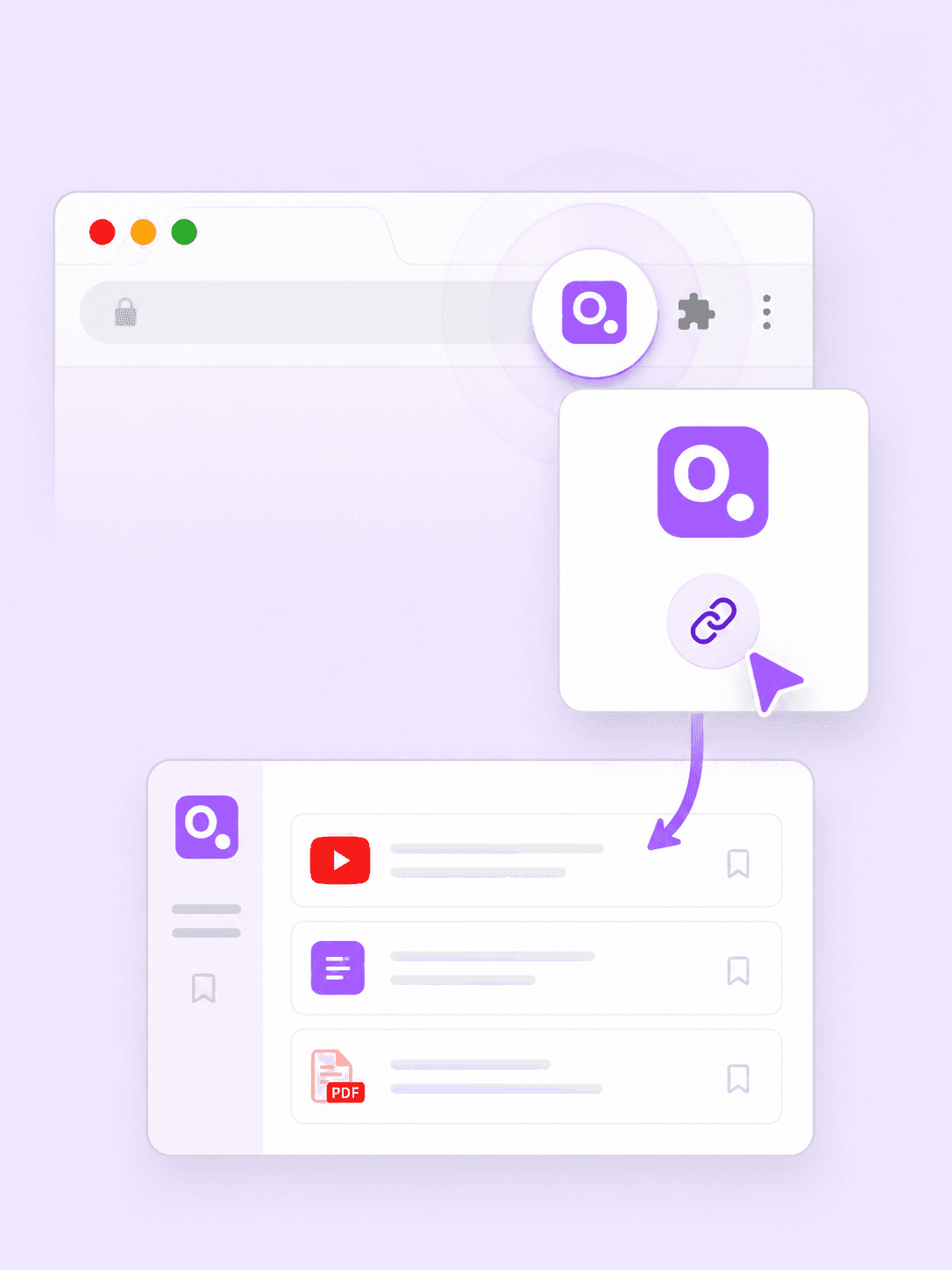
Paste any URL or use the Chrome Extension to capture pages directly. Get a structured summary with citations. Ask follow-up questions any time after.
1
Paste any URL or use the Chrome Extension
Copy the URL of any webpage and paste it into Otio. Or use the Chrome Extension to capture the page you're currently viewing. No copy-pasting text, no manual formatting.
2
Get a structured summary with citations
Otio summarizes the page and cites every key point back to the exact source. Choose your AI model: ChatGPT, Claude, Gemini, or Perplexity. Stored permanently in your workspace.
3
Ask follow-up questions any time
Come back tomorrow, next week, or three months later. Ask new questions, cross-reference with other sources. Every answer cites the exact passage. Verify in one click.
From chaos to clarity
Turn 100 tabs into one queryable library
The tab-hoarding problem isn't a focus problem - it's an organisation problem. Otio solves it structurally.
Ask one question across 20 URLs
Stop reading every page manually. Paste your URLs. Then ask: what are the key themes across these sources? Get a structured answer pulling from all 20, with every claim cited back to the exact source.
Reference web content from months ago
The page you summarize today is still useful in three months. Search your library, find the source, ask new questions. Your research compounds - every page you add makes the library smarter.
Triangulate articles, PDFs, and video
Summarize the web page. Drop in the PDF it references. Watch the YouTube interview with the author. Ask one question across all three. Otio handles every format in the same session.
Build a research trail, not a reading list
Every URL you add connects to the others. Ask how sources agree or contradict. Pull quotes that support your argument. Export when ready. Summarizing becomes the start of a research trail, not just a time-saver.
Versus the alternatives
Built for research, not just reading speed
Browser extensions are great for speed. They give you a flash summary while you're on the page, then it's gone. Otio is for what comes next.
Vs Glasp, Eightify
Extensions are fast, but the summary disappears
Glasp and Eightify give you a flash summary on the page. Excellent for on-the-fly reading. But the summary disappears when you close the tab. Otio stores what you summarize so you're not starting from scratch next time.
Vs TLDR This, NoteGPT
Single-use tools don't let you follow up
TLDR This and NoteGPT process the URL and give you the summary. Then they stop. Otio gives you the summary and then lets you keep asking - every answer cited back to the source.
Vs every other tool
URLs, PDFs, videos, podcasts in one workspace
Browser extensions only work on webpages. Document tools only work on PDFs. Video summarizers only on YouTube. Otio handles all of them in the same session, with the speed of an extension and the depth of a research tool.
For people who read for a living
Who uses Otio to summarize and store webpages
Researchers, journalists, consultants, students, analysts. Anyone managing web research at scale.
Researchers
Upload 50 web articles, preprints, and blog posts. Ask Otio to pull key themes and arguments across everything. Start your literature review from a structured synthesis, not a blank page.
Journalists
Paste URLs from news sites, press releases, investigative reports. Ask Otio to pull contradictions, timelines, and key quotes. Your fact-checking stays fast - every claim traced.
Consultants
Upload market analysis, competitor pages, industry reports. Pull trends and data points across everything. Build your deliverable on a structured summary in a fraction of the time.
Students
Paste assigned readings, supplementary articles, lecture transcripts. Ask Otio to pull key takeaways grouped by theme. Your library grows with every course.
Analysts
Upload data-heavy webpages, research reports, market analysis. Extract specific figures without reading every page. Build visualisations from your CSVs. Verify everything before it leaves your desk.
See yourself in any of these?
Try Otio free. Full access to every feature, every AI model, every source type. No credit card.
Testimonials
What our users say

@otio is really an excellent tool for understanding my papers. It is just like my personal librarian for the internet!

Feng Chun
Neuroscience PhD
I took a 2 hour YouTube video and had the AI in Otio summarise it. I then asked follow-up questions about the highlighted pieces that got my attention. All told, I was able to collect key takeaways in less than 10 mins. Amazing.

DnA
Researcher
I was fed up fighting with ChatGPT every time I wanted to do a deep dive on a library of research papers I had collected. It's the small things that made me switch - can't recommend it enough.

Karthik S.
Policy Analyst
I've been using Otio for a while now and I must say how much I like it! It’s incredibly helpful for summarizing key takeaways from research papers and long videos or podcasts, knowing from the start if the research is what I’m looking for and then allowing me to revisit important points precisely when I need them.

Dana S.
Economist
Truly loved interface: it’s very straight forward and intuitive vs other ai's. Especially vs having 100 tabs open and copy & pasting back and forth from ChatGPT

Natalya Z
Pharmaceutical Researcher
This is the exact tool I've been looking for…I've gathered an overwhelming collection of over 700 bookmarks and 190 open web browser tabs. These resources are my roadmap to research, but navigating through them has become increasingly challenging.
This has been the beacon I need in this sea of information.

Tracy
Founder
Love what you guys are doing and when I tried Otio out it really had me like *WOAH*.

Cosmo
Researcher
This is really nice. I don't have any regrets subscribing to Max version. The tool is perfect!!

Gracia
Researcher
This update 🔥🔥🔥 I have a research lab meeting later today, and we're going to be discussing the implications of AI/tech. I used Otio to generate a summary and ask a follow-up question & it absolutely delivered.
The workflow was much more user-friendly than trying to accomplish the same thing in Bard.

Ben D.
Post-doc researcher
I don't know how you do it but the gap in summary and answer quality to ChatGPT is big. And having real text citations is a game changer.

Kirsten F.
ESG Reporting Analyst
The summarize podcast feature is revolutionary and game-changing for someone like me, who has hundreds of podcasts and videos to watch but either is too busy or doesn't have enough time.

Oz
Researcher
Integrations & ecosystem
Connect your existing research tools
Import sources from Google Drive, Zotero, Mendeley, Dropbox, OneDrive, and Box. Use the Chrome Extension to capture pages from your browser. Your library doesn't start from scratch - it starts with everything you've already collected.
Frequently asked questions about webpage summarization
Can Otio summarize any webpage, or only articles?
Otio works with most web content: news articles, blog posts, research reports, landing pages, and long-form content. If the page has readable text, Otio can summarize it. Some paywalled content may have limitations — use publicly accessible URLs for best results.
Does Otio store the webpage after summarizing it?
Can I ask questions about a summarized webpage later?
Is there a Chrome Extension for capturing webpages?
What other content can I bring in alongside webpages?
How is Otio different from Glasp or Eightify?
Can I trust Otio's answers?
Which AI models can I use to summarize webpages?
Start your permanent research library today
7 days free. Every AI model. Cited answers. Every URL you summarize, stored permanently.