
7 AI models. One workspace.
Last Updated June 19, 2026
Claude, GPT, Gemini, DeepSeek, Grok, Kimi, Llama - all in one workspace, running against your uploaded research sources, with every answer cited back to the exact page.




Real research isn't one question at a time. Every tab switch starts you over.
6 Hours Per Week Lost to Tab Switching
Copy-pasting source text into ChatGPT that forgets it an hour later. Opening Claude, re-uploading the same PDF, typing the same question, switching back to compare, and losing your train of thought somewhere in the middle.
Every time you switch tools, you're starting over.
$60 to $80 Per Month on Stacked Subscriptions
ChatGPT Plus, Claude Pro, Gemini Advanced, Perplexity Pro. Four $20/month subscriptions because no single tool gives you all the models, and you need to compare outputs to trust the answer.
The cost isn't just financial. It's the context loss and the cognitive load of four workflows.
Hallucinated References You Can't Verify
ChatGPT invents authors, fake journals, and page numbers that don't match. Claude summarizes without citing. Gemini gives you an answer but no trail back to the source.
When your work depends on accuracy, you need every claim traced to the exact passage.
The 4-Tool Workaround People Are Actually Using
One popular LinkedIn post suggested running every research question through ChatGPT, then Claude, then Gemini, then Perplexity, and manually comparing the outputs. That's the workflow people have settled for.
Otio replaces all four with one workspace. Same sources, every model, cited answers.
Parallel AI Threads lets you run two models at the same time, against the same sources, with both answers side by side. No other research workspace does this.
Claude and GPT, same prompt, same sources
Both answers visible at once. No re-uploading, no re-prompting, no switching tabs. Ask one question, see two interpretations.
Compare how models read your research
Claude might catch a nuance GPT missed. GPT might structure it more clearly. Evaluate both without losing your place.
Real research holds multiple threads at once
Every other AI tool makes you wait your turn. Otio runs parallel lines of thinking so your momentum and context stay intact.
No other tool does this
Poe gives you models in a chat. NotebookLM locks you to Gemini. ChatGPT, Claude, Perplexity each lock you to one. Otio runs two at once on your sources.
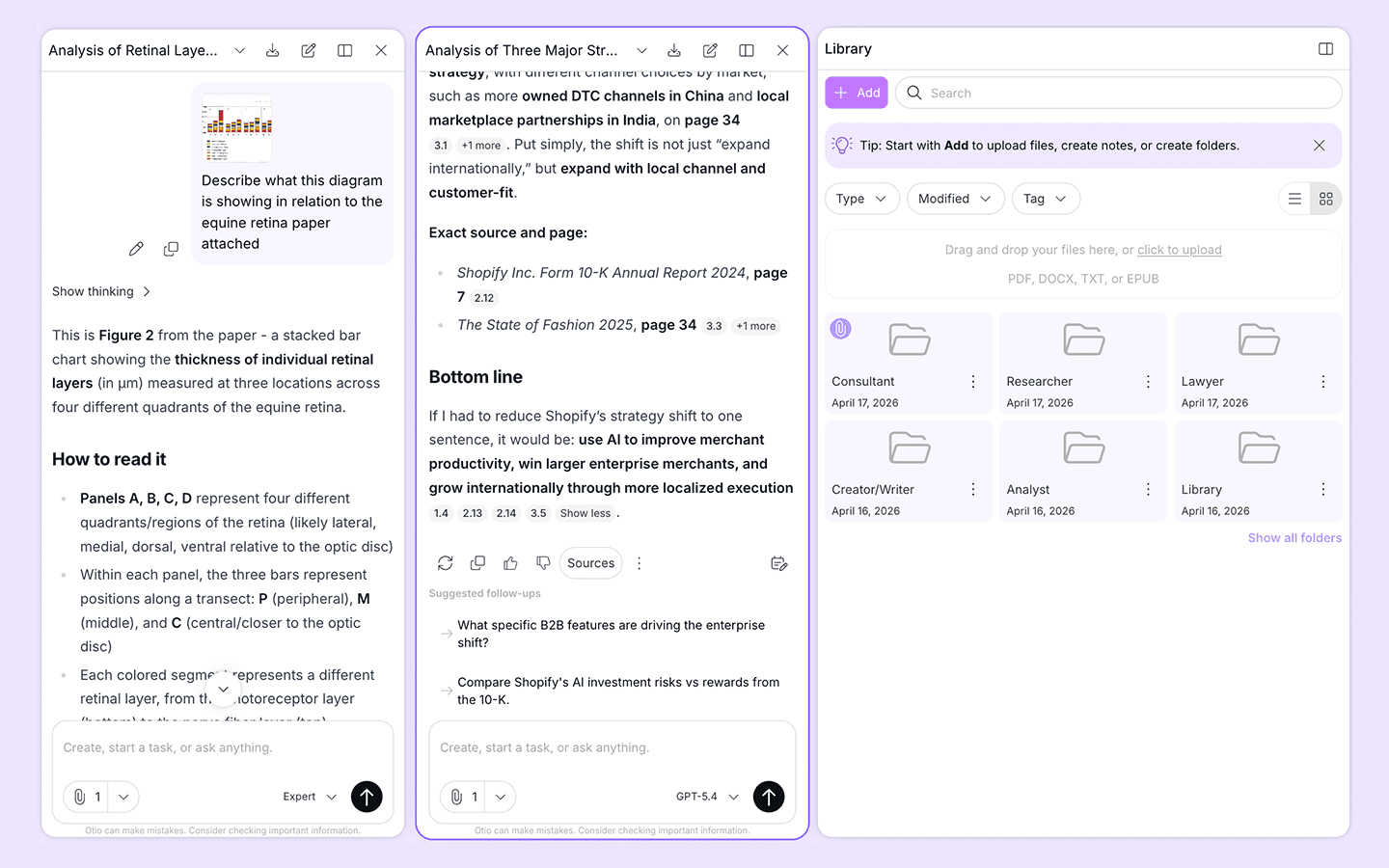
Same source. Two minds. One workspace.
Every AI Model. On Every Tier. No Gating.
Claude, GPT, Gemini, DeepSeek, Grok, Kimi, Llama. Switch between models mid-session without losing your sources or your conversation. Every model. Every plan. No upsell walls.
Research-first workspace
A Workspace Built for Research, Not for Tasks
Notion AI summarizes notes. Taskade manages tasks. Otio interrogates a permanent library of sources with cited answers traced back to the exact page.
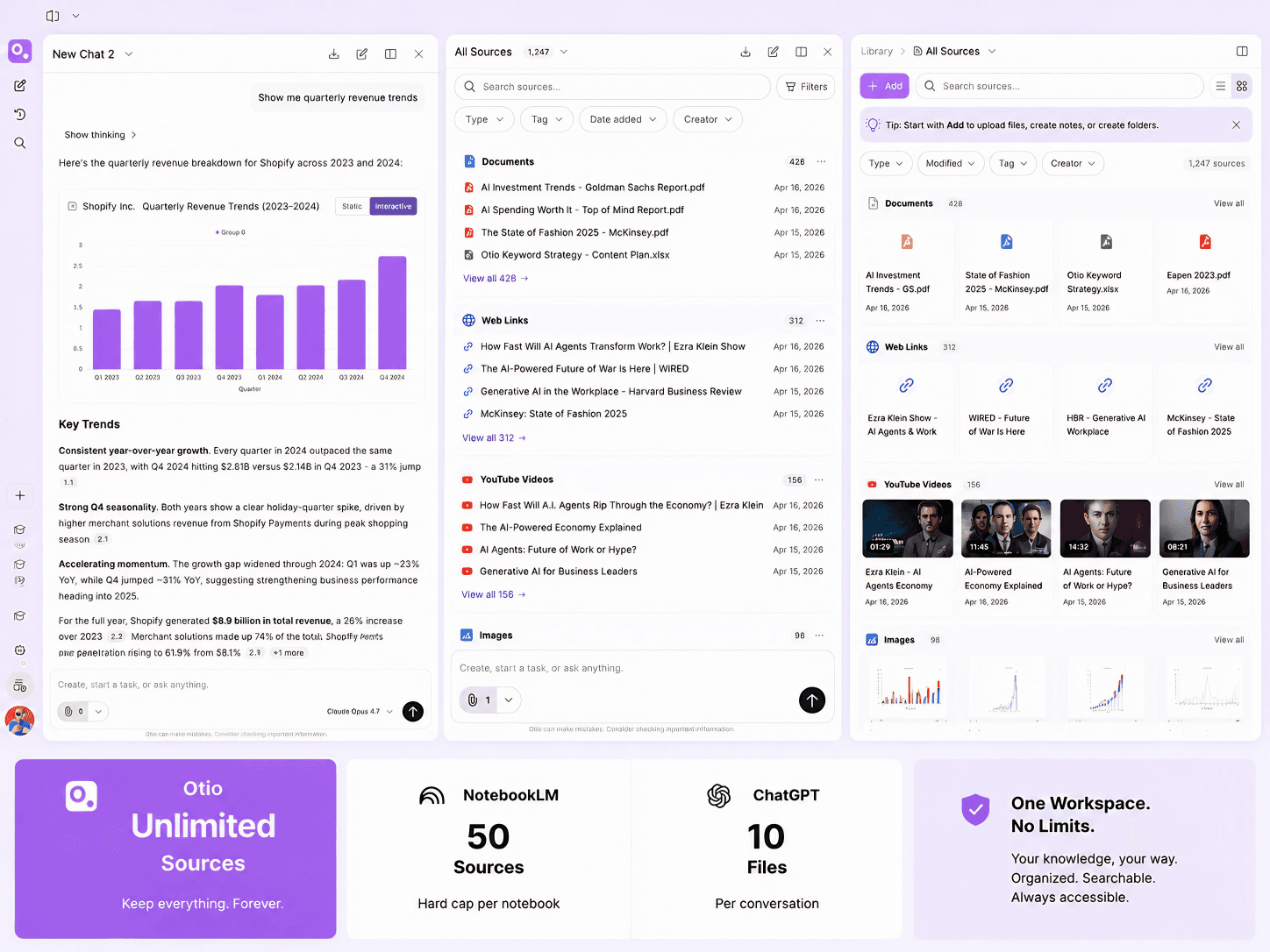
Sources live here permanently
Upload PDFs, articles, videos, podcasts, or connect Google Drive, Zotero, Mendeley, Dropbox, OneDrive, Box. Your library stays in one place.
Every answer cites the source
Otio generates answers only from your uploaded material. Click the citation to verify the exact page and passage. No hallucinations.
Query 60 papers at once
Ask Otio to pull key findings and quotes across all your sources simultaneously. Start your literature review from a structured synthesis.
Built for knowledge-intensive work
Researchers, consultants, lawyers, analysts, journalists, and policy professionals use Otio. Not for project boards. For source-heavy thinking.
Drop your sources in. Ask any AI model. Start writing from a structured synthesis instead of a blank page.
1
Upload anything
PDFs, articles, YouTube videos, podcast transcripts. Drag-and-drop or connect Google Drive, Zotero, Mendeley, Dropbox, OneDrive, Box. Your sources stay permanently.
2
Chat across them with any model
Ask Claude, GPT, Gemini, DeepSeek, Grok, Kimi, or Llama across all your sources at once. Every answer cites the exact page. Click and verify in one step.
3
Start from a structured synthesis
Get themes, quotes, and key takeaways across everything, grouped by topic. Stop losing weekends to reading. Start your literature review from a synthesis, not a blank page.
Researchers, consultants, lawyers, analysts, journalists. Five workflows. One workspace.
Researchers
Stop losing weekends to 60 papers you haven't read. Upload them all, pull key findings across everything at once, start your literature review from a structured synthesis with every claim cited.
Consultants
Stop losing Sunday night to 30 client docs. Upload transcripts, reports, and briefs. Pull the key points and themes across everything. Build your deliverable from a synthesis.
Lawyers
Stop losing billable hours to discovery piles. Upload case files, depositions, compliance docs. Pull key facts, themes, and contradictions, every answer traced back to the exact source.
Analysts
Stop losing a day to data you only needed three lines from. Upload reports and market analysis. Extract specific figures without reading every page. Generate charts from CSV when you need them.
Journalists and Writers
Stop losing hours to research that never makes the piece. Upload 50+ sources in any format. Pull arguments across everything, grouped by theme. Start writing from a synthesis, not tabs.
200,000+ professionals across 74 languages










How Otio Compares to ChatGPT, Poe, NotebookLM, and Notion AI
Honest read on what each tool does well and where Otio is the right fit.
Otio vs. ChatGPT
ChatGPT gives you GPT in a chat interface and hallucinates references. Otio gives you GPT, Claude, Gemini, DeepSeek, Grok, Kimi, Llama in a research workspace where your uploaded sources are permanent and every answer cites the exact page.
Otio vs. Poe
Poe gives multi-model access in a chat interface. Otio gives multi-model access inside a permanent research library, with cited, source-grounded answers. Poe is for general chat. Otio is for source-heavy research where accuracy matters.
Otio vs. NotebookLM
NotebookLM gives you a research library with Gemini only and a 50-source cap. Otio gives you every AI model, Parallel AI Threads to run two models at once, and no source limit.
Otio vs. Notion AI
Notion AI and Taskade are project management platforms with AI features added. Otio is a research-first workspace where uploaded sources live permanently and the AI interrogates them with cited answers.
Frequently Asked Questions
Which AI models are available in Otio?
Otio provides access to Claude, GPT, DeepSeek, Gemini, Grok, Kimi, and Llama. All models are available on every tier with no gating or upsell walls. Switch between models mid-session without losing context. Your sources stay loaded, your conversation history stays intact, and the model you choose is always your decision.
What are Parallel AI Threads and when are they available?
Can I switch between AI models mid-session?
How is Otio different from Poe for multi-model AI access?
Is Otio a project management tool or a research tool?
Can I trust Otio to give me accurate information?
Why wouldn't I just use ChatGPT?
What types of sources can I use with Otio?
Get through your sources faster.
All seven AI models. Every plan. Free to start. No credit card.