
Ask Follow-Up Questions Weeks After You Listened
Ask Otio to pull the exact quote, cited to the timestamp, from any podcast in your library. No more trying to remember which episode covered what topic.
Last Updated June 18, 2026
Get Started Free
Trusted by 200,000+ professionals across 74 languages



Built for Professionals Who Treat Podcasts as Research Sources
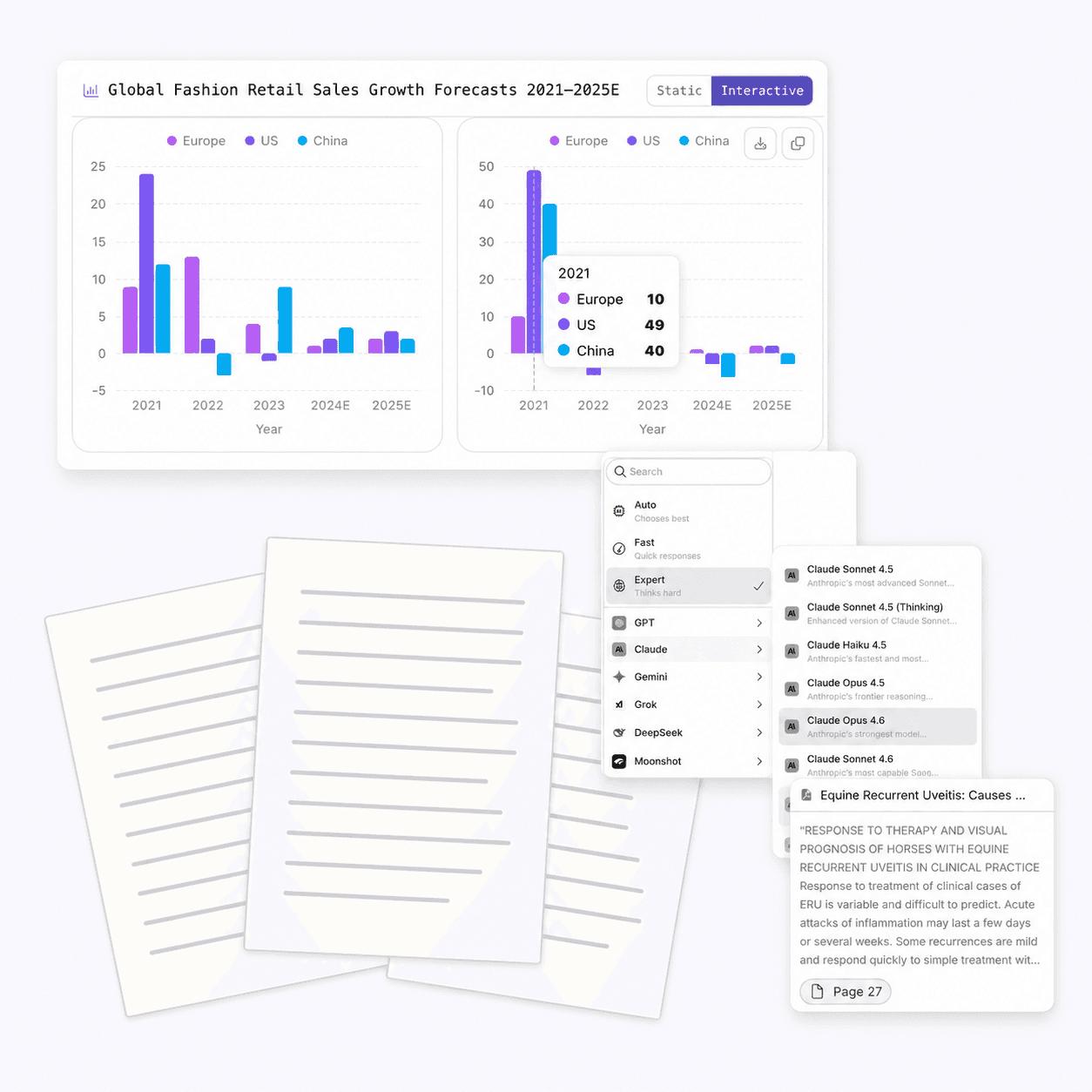
Based on Otio's onboarding data from the past 90 days, 522 of 1,750 users (30%) select 'Data & CSV analysis' as a primary use case, making chart generation one of the top 12 reasons people sign up for Otio.
Permanent Library Storage
Every podcast you add to Otio is stored permanently. Ask a specific question about it next month, next quarter, or next year.
The episode you processed six weeks ago is still answering questions today. Dedicated podcast summarizers discard the content after the session.
Targeted Follow-Up Questions With Cited Answers
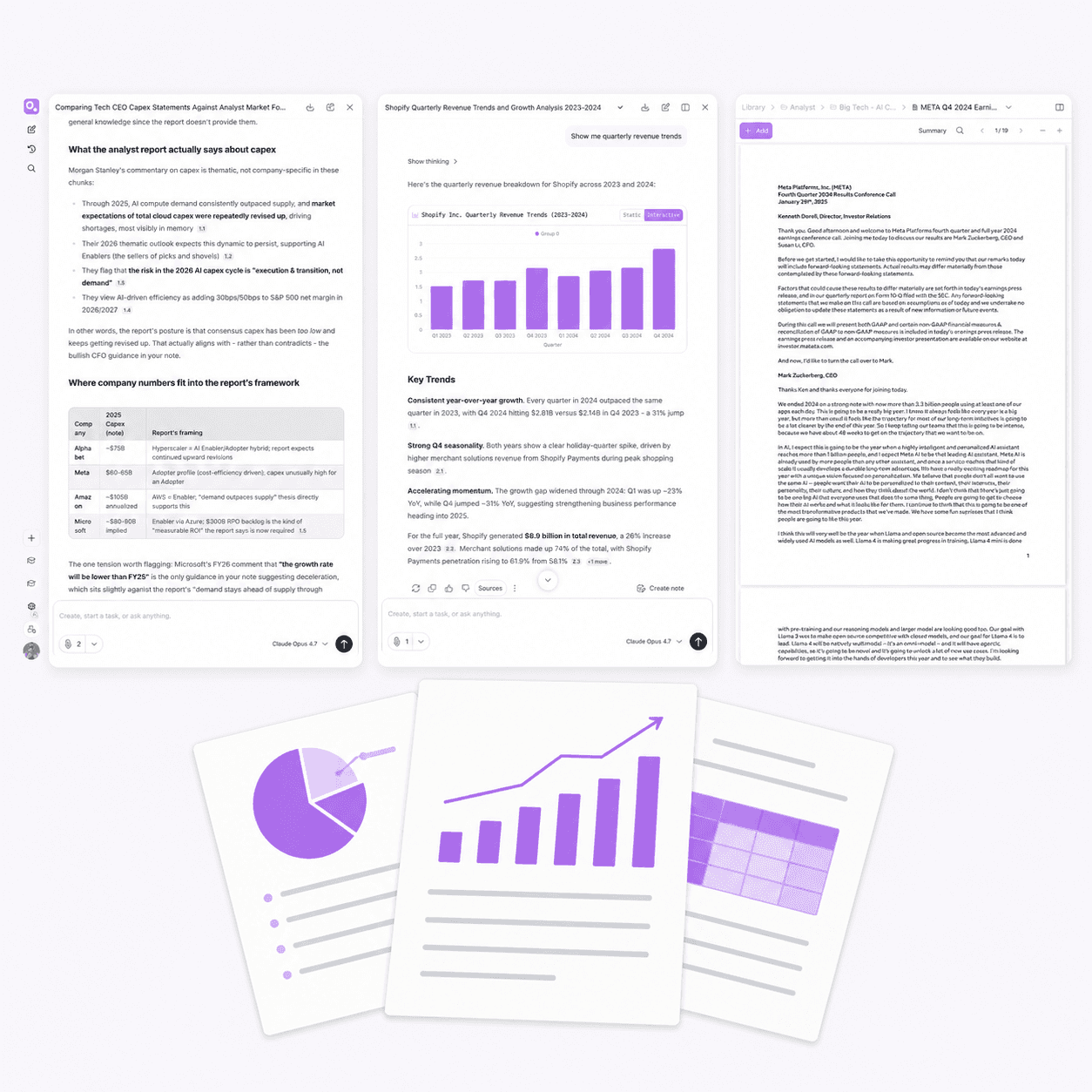
Not 'summarize this episode.' Ask: 'What did the guest say about X?' 'What recommendation did they make for Y?' 'How does their view compare to the paper I added last week?'
Otio answers these with citations to the exact timestamp. Click the citation to verify the source in one step.
Multi-Format Ingestion in One Workspace
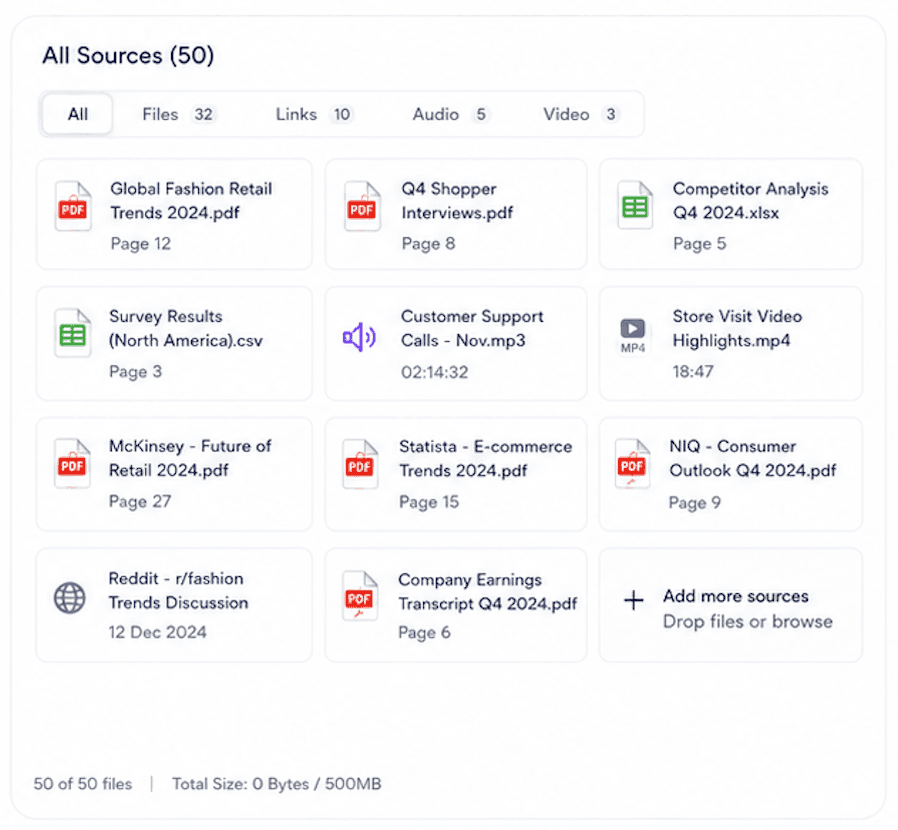
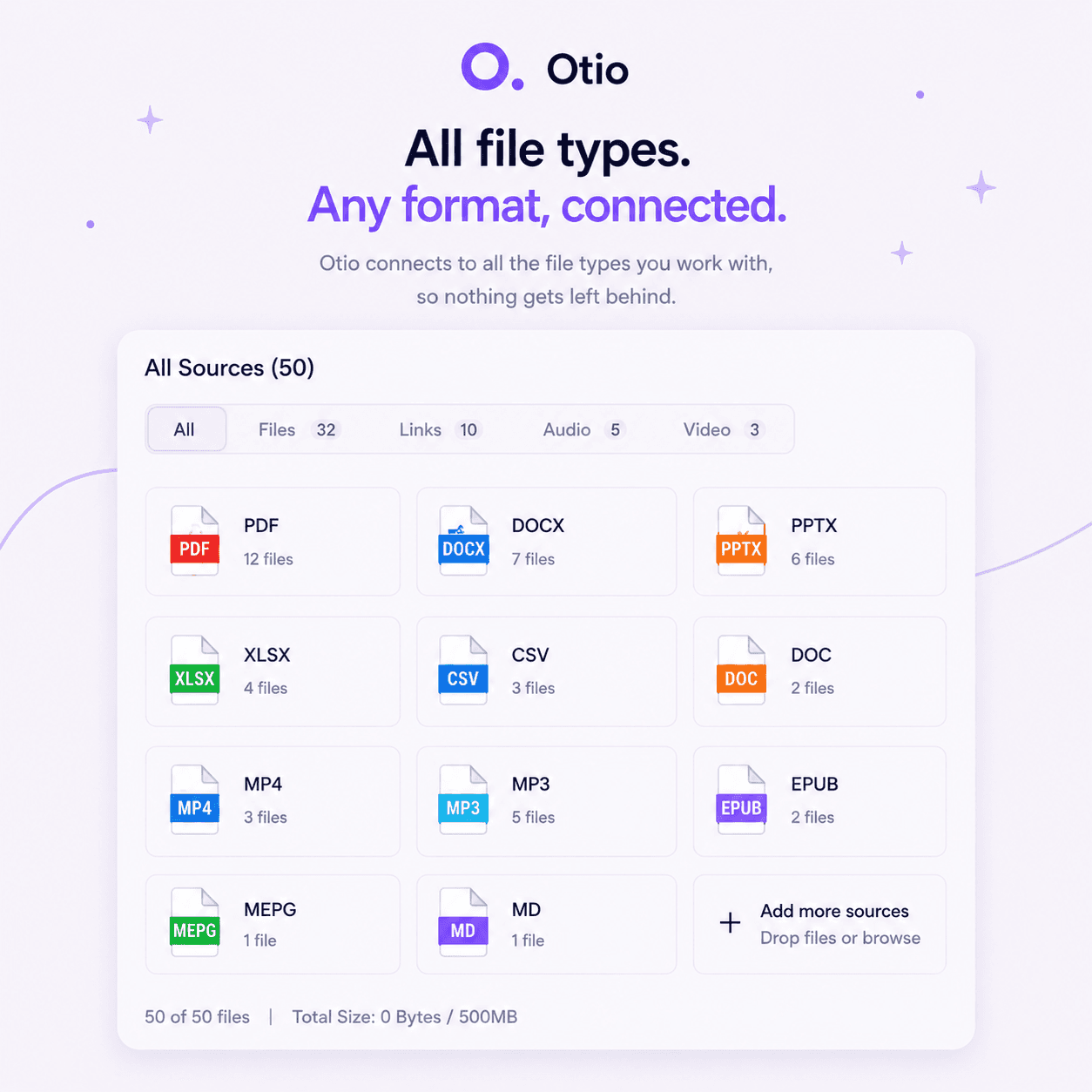
Podcasts, PDFs, articles, YouTube videos, CSVs. Upload 50+ sources in any format and interrogate them together.
The expert interview, the paper they cited, the article that covered their research. All in one Otio session.
Every AI Model Available
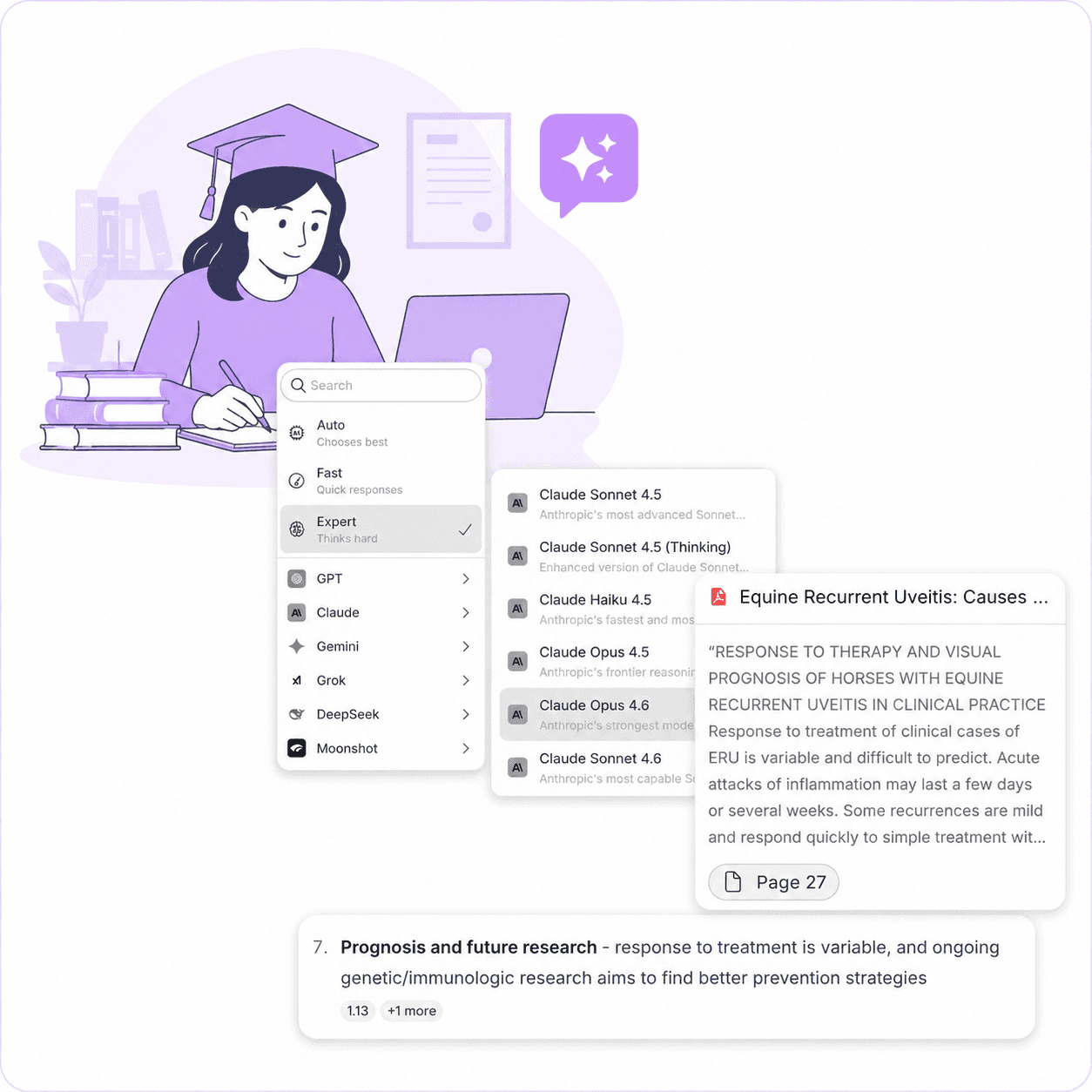
Choose the AI model best suited to your domain. GPT, Claude, Gemini, or another model in Otio's library.
Technical podcasts and niche topics get the accuracy they deserve. Not locked to a single model's interpretation.
Get Started Free
Start Building Your Podcast Research Library Today
All Features. All AI Models. Free to Start.
Try Otio free. No credit card required. Experience the full product: unlimited sources, every AI model, cross-source querying, and permanent library storage.
The podcast you summarize today is still answering questions next month. That's the workspace advantage.
Upload Your First Podcast in Under 60 Seconds
Paste a Spotify or Apple Podcasts URL, upload an MP3 file, or connect your RSS feed. Otio handles podcast content from any source.
Ask your first question and see the cited answer. The episode is stored in your workspace, queryable indefinitely.
Join 200,000+ Professionals Who Learn Faster With Otio
Researchers, consultants, lawyers, analysts, journalists, and students across 74 languages rely on Otio to automate complex research workflows.
The tool is trusted by professionals who need accuracy, reliability, and a system that scales with their research.
Summaries Disappear. Libraries Answer Questions Indefinitely.
A generic summary tells you the episode covered three topics. Six weeks later, when you need to know what the guest specifically said about one of them, the summary is useless.
Otio stores the full transcript in your workspace. Ask targeted questions months after you listened and get cited answers from the exact timestamp.
The Backlog Isn't the Problem. The Lack of a System Is.
Professionals with 100+ saved episodes don't need to get through them faster. They need what they process to be usable, not just consumed.
Otio reframes the backlog as a library. Add the episodes worth extracting from, ask questions across all of them, and build a research asset instead of clearing a queue.
Podcasts as Research Inputs, Not Just Content
The expert interview is one source among many. Researchers, analysts, and journalists need to extract specific arguments from it and cross-reference what the guest said against papers and reports.
No dedicated podcast tool can do this. Otio treats audio as a first-class research source, stored permanently alongside your other materials.
What Did They Say About This Specific Topic?
Not 'summarize this episode.' Ask: 'What did the guest say about X?' 'What recommendation did they make for Y?' 'How does their view compare to the paper I added last week?'
Otio answers these with citations. Dedicated podcast summarizers cannot.
Audio Plus Everything Else
The podcast guest cited a research paper. The paper referenced a dataset. A follow-up article covered the controversy. Bring all three into one Otio session.
Ask questions across the podcast transcript, the PDF, and the article simultaneously. Every answer cites the exact source.
No Other Podcast Summarizer Can Connect Your Audio to Your Documents
Snipd, Podwise, and BibiGPT are built for single-episode summaries. Otio is built for research workflows where podcasts sit alongside papers, reports, and videos.
The interview you listened to last month connects to the PDF you're reading today. That's the workspace advantage.
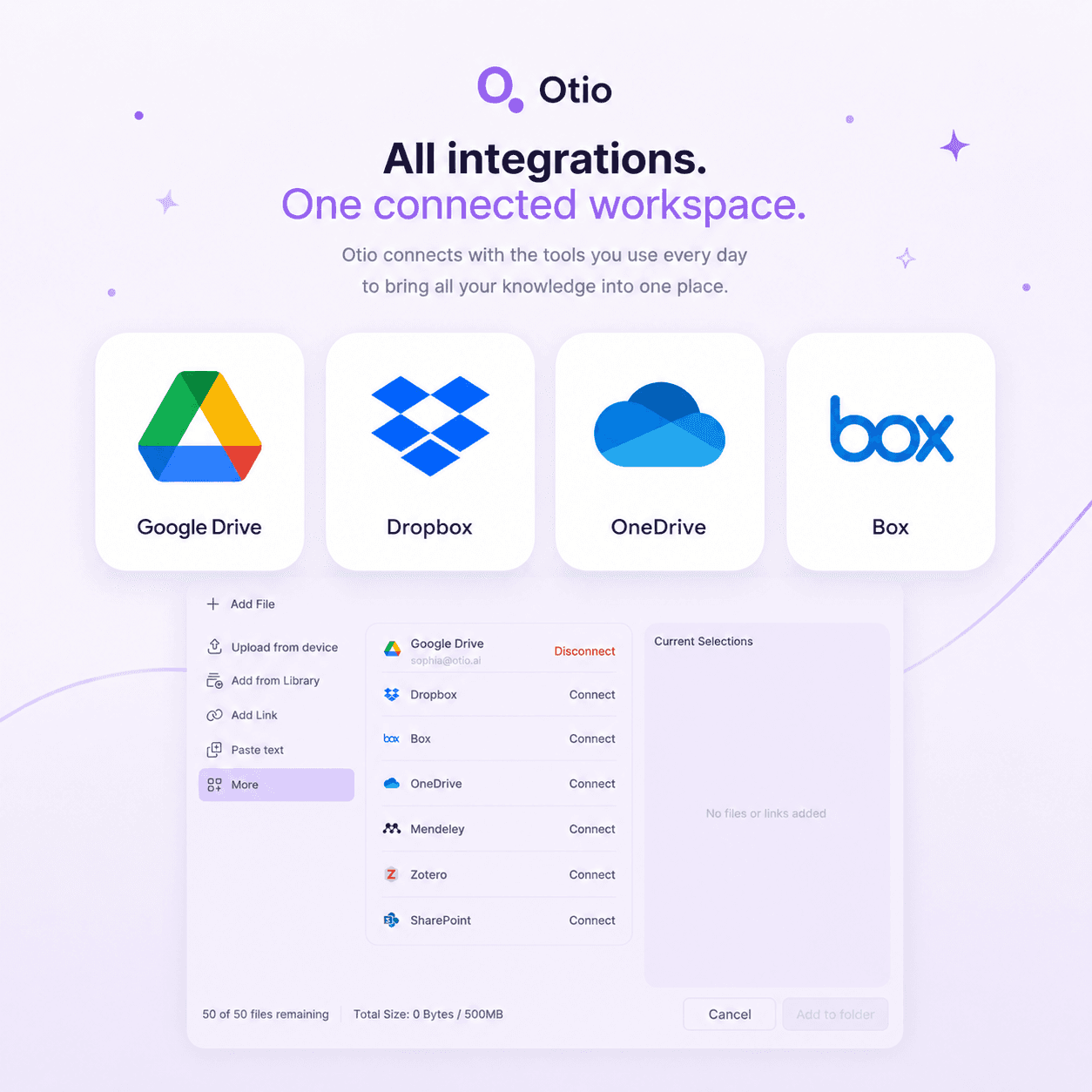
Upload PDFs, Articles, Videos, Podcasts, or Connect Your Cloud Storage
Google Drive, Zotero, Mendeley, Dropbox, OneDrive, Box. Otio integrates with the tools researchers already use.
Podcast files, MP3s, YouTube videos, PDFs, CSVs. Every format in one workspace, queryable together.
Ask Questions Across Hundreds of Sources at Once
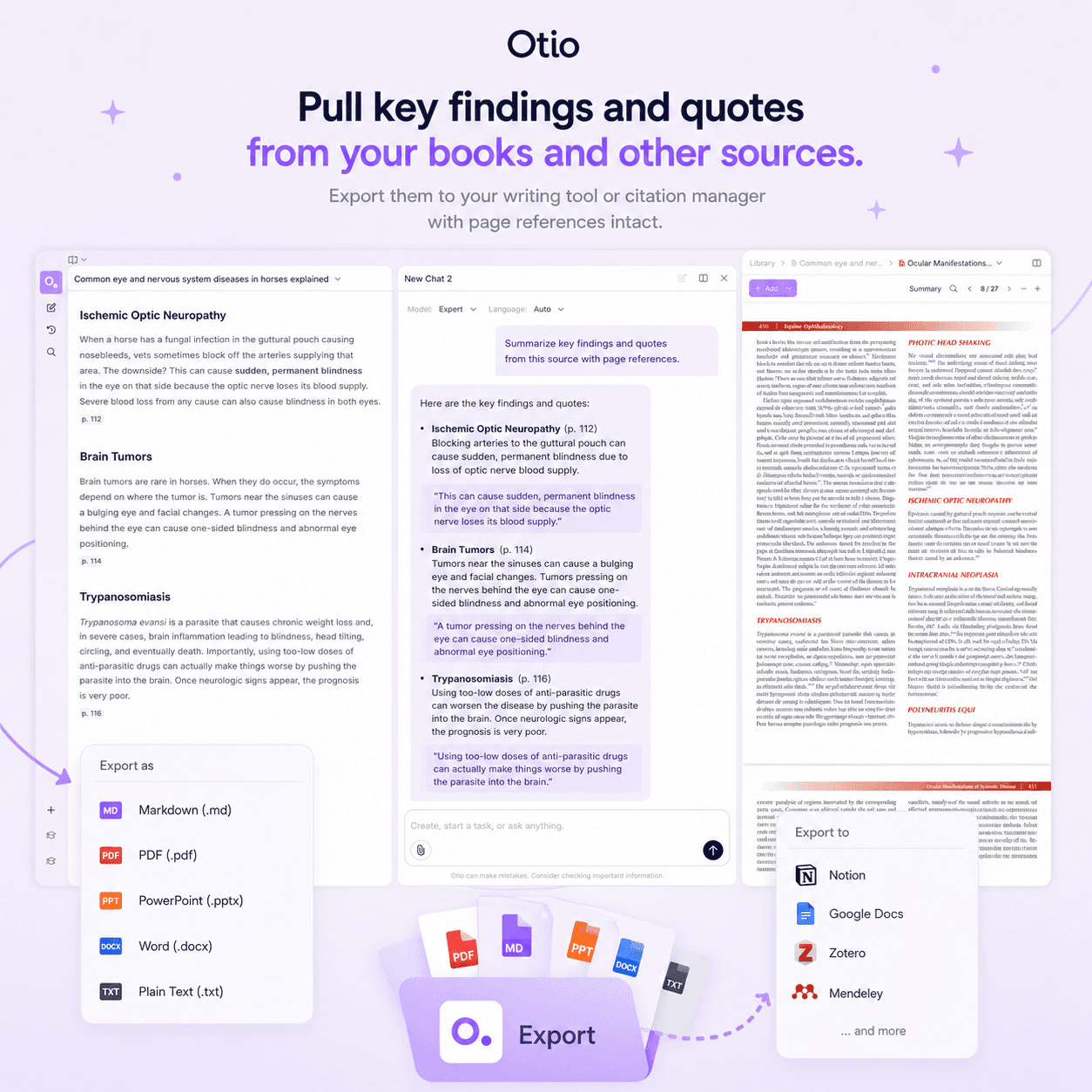
Pull key findings and quotes across 60 papers and 20 podcast episodes simultaneously. Start your literature review from a structured synthesis, not a blank page.
The content backlog problem becomes a library management problem, and Otio is built for that.
See How It Works
Four Steps From Podcast URL to Cited Answers
1
Upload Your Podcast
Paste a Spotify or Apple Podcasts URL, upload an MP3 file, or connect your RSS feed. Otio handles podcast content from any source.
The episode is transcribed and stored in your workspace. No manual copy-pasting, no switching between tools.
2
Chat Across Your Sources With Any AI Model
Ask targeted questions about what the guest said. Choose the AI model best suited to your domain: GPT, Claude, Gemini, or another model in Otio's library.
Every answer cites the exact timestamp in the transcript. Click the citation to verify the source in one step.
3
Start From a Structured Synthesis, Not a Blank Page
Otio pulls key findings and quotes across all your sources. The podcast, the paper it referenced, the article that followed up, all interrogated together.
Export your synthesis when ready. The thinking is yours. Otio gets you there faster.
4
The Episode Stays in Your Library
Ask a specific question about it next month. Get a cited answer from the transcript. The episode you processed in January doesn't disappear in February.
Hundreds of episodes. One place. Queryable indefinitely.
Who Uses Otio to Summarize and Research Podcasts
More than a third of the sources researchers added to Otio in the last 30 days were audio or video - interviews, podcasts, lectures. Spoken content is now a major research input class, and Otio treats it as a first-class source alongside written material.
Researchers Building Literature Reviews
Upload 60 papers and 20 expert interviews. Ask Otio to pull key findings and quotes across everything, grouped by theme.
Start your literature review from a structured synthesis, not a blank page. Every answer cites the exact page and timestamp.
Analysts Processing Market Intelligence
The earnings call, the analyst podcast, the market report. Upload all three and interrogate them together.
Extract specific figures without reading every page yourself. The podcast you summarized six weeks ago is still answering questions today.
Journalists Tracking Sources and Quotes
The interview you recorded last month, the follow-up article, the background report. Bring all three into one Otio session.
Ask Otio to pull the exact quote you need, cited to the timestamp. Verify everything before it leaves your desk.
Students Managing Course Materials
Lecture recordings, assigned podcasts, supplementary videos. Upload 50+ sources in any format and ask questions across all of them.
Revisit important points precisely when you need them. The content you processed in September is still queryable in December.
Consultants Synthesizing Client Research
Upload meeting transcripts, industry podcasts, and client briefs. Ask Otio to pull the key points and themes across everything.
Get a structured summary you can build your deliverable on, in a fraction of the time.
Trusted by 200,000+ Professionals Across 74 Languages
'The summarize podcast feature is revolutionary and game-changing for someone like me, who has hundreds of podcasts and videos to watch but either is too busy or doesn't have enough time.' Oz, Researcher
Professionals with heavy podcast queues finally have a system for retaining and referencing what they've listened to.
Game-Changing for Professionals With Podcast Backlogs
'I've been using Otio for a while now and I must say how much I like it! It's incredibly helpful for summarizing key takeaways from research papers and long videos or podcasts, knowing from the start if the research is what I'm looking for and then allowing me to revisit important points precisely when I need them.'
The content you processed weeks ago is still answering questions today.
Summarizing Key Takeaways From Long-Form Audio
'I don't know how you do it but the gap in summary and answer quality to ChatGPT is big. And having real text citations is a game changer.' ESG Reporting Analyst
Every answer cites the exact source. No hallucinated references, no invented page numbers.
Better Summary and Answer Quality Than ChatGPT
200,000+ professionals across 74 languages rely on Otio to learn faster, work smarter, and automate complex research workflows.
The tool is trusted by neuroscience PhDs, pharmaceutical researchers, post-doc researchers, and master's students building thesis work.
Used by Researchers, Consultants, Lawyers, Analysts, Journalists, and Students
Trusted by 200,000+ professionals across 74 languages
How Otio Compares to Dedicated Podcast Summarizers
Snipd and Podwise Are Good for Episode Triage
Listener-focused tools like Snipd and Podwise excel at helping you decide whether to listen to an episode in full. They're built for passive consumption, not research extraction.
Otio goes further. Every episode you summarize stays in your research workspace and stays queryable. If podcasts are one part of your research alongside papers and reports, Otio connects all of them.
BibiGPT Offers Broad Platform Support but No Cross-Source Capability
BibiGPT supports 30+ platforms including YouTube and has a podcast-to-article feature. It's more versatile than most podcast tools but still single-source oriented.
Otio handles podcasts, PDFs, articles, videos, and CSVs in one workspace. The interview, the paper it referenced, the article that followed up, all interrogated together.
Snipcast Has Chat Capability but No Persistent Library
Snipcast offers fast summarization in 50+ languages and lets you chat with podcast content. The chat capability is notable, but there's no persistent library or cross-format integration.
Otio stores every podcast permanently. Ask a specific question about it next month. Get a cited answer from the transcript.
Notta Is Built for Transcription, Not Research Workflows
Notta excels at enterprise transcription for meetings and recordings. It's strong for transcription accuracy but not specifically designed as a research workspace.
Otio treats podcasts as first-class research sources, stored permanently alongside your other materials and queryable with any AI model.
Your Sources Stay Private. Your Data Stays Secure.
Otio Generates Answers Only From Your Uploaded Materials
Otio is designed to work with your sources, not around them. It generates answers only from the material you've uploaded, cites every claim back to the exact source, and tells you when something isn't there.
No hallucinated references. No invented authors or fake journals. Every answer is traceable to the exact page or timestamp.
Your Research Library Is Private
The podcasts, PDFs, and articles you upload to Otio are stored securely in your private workspace. No one else has access to your sources or your queries.
Professionals handling sensitive client documents, proprietary research, or confidential materials can trust that their data stays private.
Trusted by 200,000+ Professionals Across 74 Languages
Researchers, consultants, lawyers, analysts, journalists, and students rely on Otio to learn faster and work smarter.
The tool is used by professionals in fields where accuracy and reliability are non-negotiable: neuroscience, pharmaceuticals, ESG reporting, and legal discovery.
Try Free With No Account Required
Paste a podcast URL and see how Otio works before creating an account. No credit card, no commitment.
Experience the summarization quality, citation accuracy, and workspace interface risk-free.
Try Free, No Account Needed
FAQs
What Podcast Formats and Platforms Does Otio Support?
Otio supports Spotify, Apple Podcasts, RSS feeds, and direct MP3 upload. Paste a platform URL or upload an audio file from any source. Professionals with non-platform audio, recorded interviews, or proprietary podcast content can upload MP3 files directly. Otio handles podcast files from any source, not just streaming platforms. Otio is for researchers, analysts, and students who need to generate charts from CSV data inside a research workspace, where the visualization stays connected to the documents that give it context.
Does Otio Store the Podcast After Summarizing It?
Can I Ask Specific Questions About What a Podcast Guest Said?
Can I Use Podcast Content Alongside PDFs and Other Sources in the Same Session?
How Many Podcasts Can I Add to Otio?
Will the Summary Be Accurate for Technical or Niche Topics?
How Does Otio Compare to ChatGPT for Podcast Summarization?
Is There a Free plan?
What to do next
Try Otio free
Create your first workspace and chat across your sources
Upgrade to Otio Lite - $7/mo
Unlimited sources, all AI models, citations to exact page
Get through your sources faster.
All features. All AI models. Free to start.
Try Otio free