
Otio × Box Integration
Last Updated June 19, 2026
Research across your entire Box document library
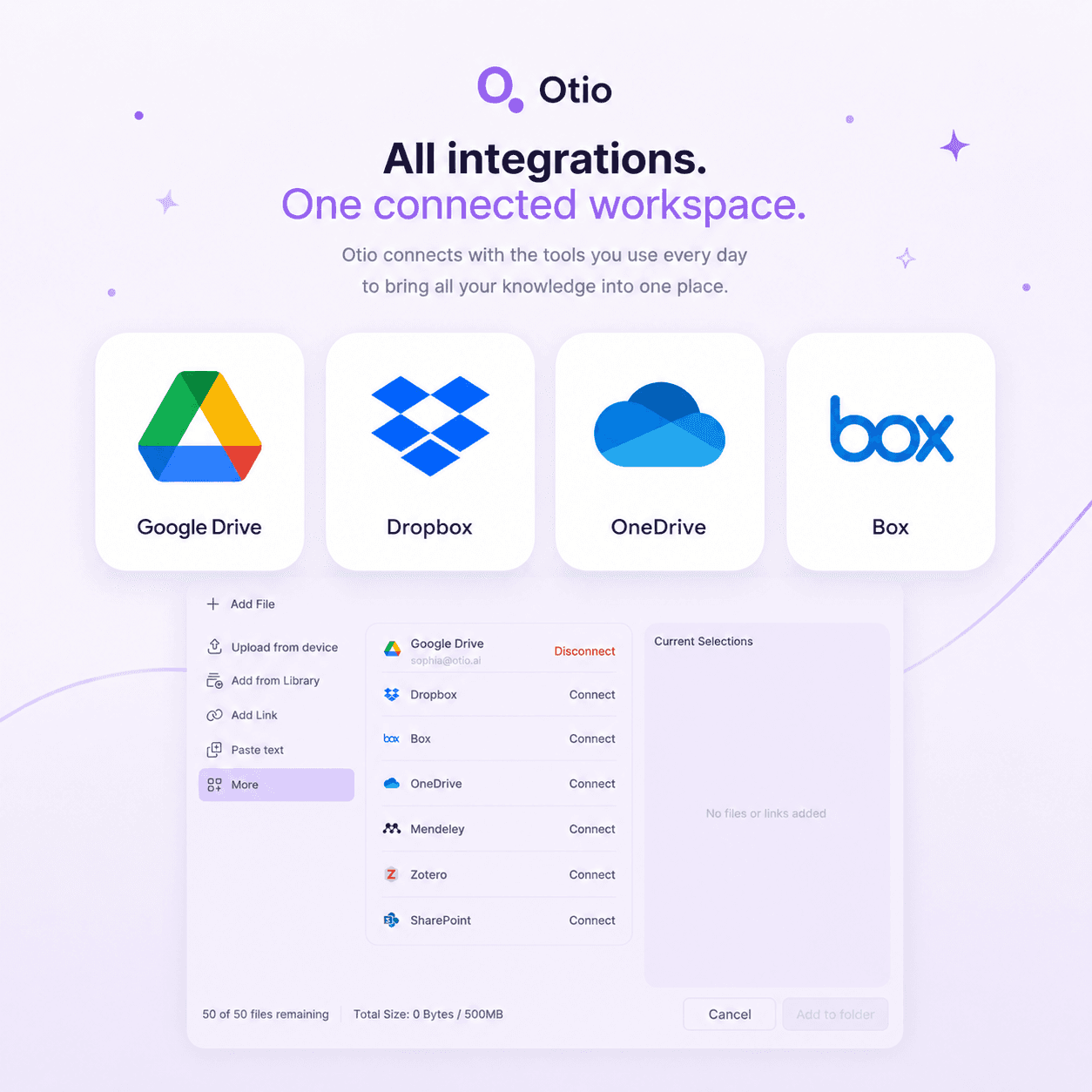
Connect Box to Otio and import what you need. Ask questions across your library with every AI model - every answer cited to the exact page. No downloads, no re-uploading, no IT approval.



200,000+
Professionals worldwide
2 mins
To connect Box, no IT needed
Every
AI model, no model lock-in
$7
Lite Tier
The download-upload problem
Your files are in Box. Your analysis tool is somewhere else.
Download 30 files. Upload them to ChatGPT. Lose context when the session resets. Start over tomorrow. The gap between Box storage and research costs hours every week.
Your institutional documents live in Box. Your research workflow lives somewhere else. The gap between them costs you hours every week — downloading, re-uploading, losing context when sessions reset.
Box AI summarises one document at a time. When you need to research across 50 case files or 100 client reports, the per-file approach breaks down. Cross-referencing themes requires a different tool.
Box AI uses one model. Claude might interpret legal language better. GPT might handle technical specs more clearly. Switching models means switching platforms and re-uploading files.
ChatGPT forgets your files after the session ends. Box AI doesn't build a persistent workspace where your documents, queries, and insights accumulate over time. Every new project starts from zero.
What Otio adds to Box
Cross-library research, not just individual file Q&A
Box AI is great for individual file summaries. Otio is built for the rest - cross-library synthesis, every AI model, page-level citations, persistent research workspace.
Cross-library synthesis
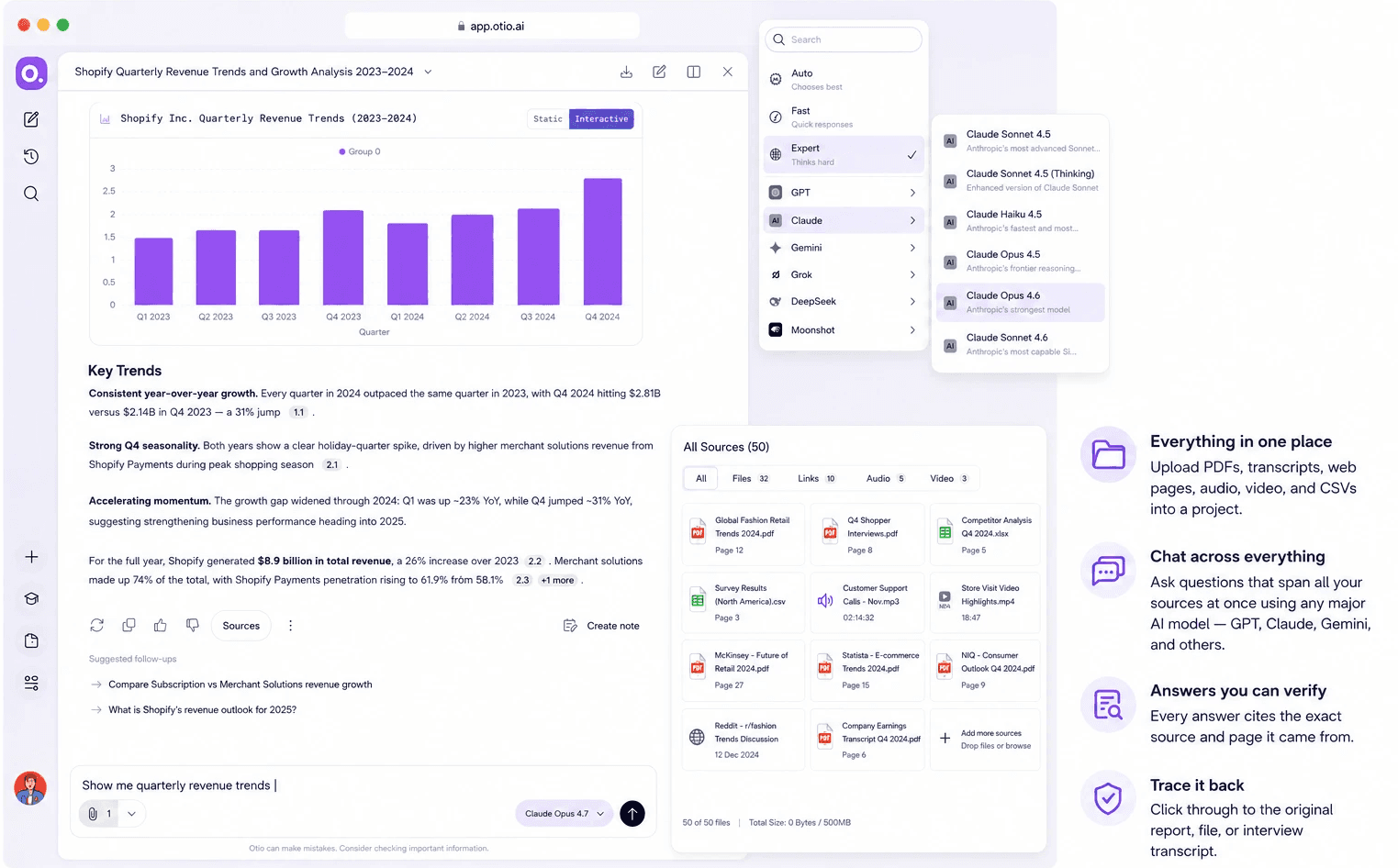
Box AI does individual files. Otio researches across unlimited files at once — 60 papers, 30 client briefs, 100 case files. Pull findings across everything.
Every AI model, no restrictions
Box AI uses one model. Otio gives you Claude, GPT, Gemini, DeepSeek, Grok, Kimi, Llama on every tier. Switch mid-research without re-uploading.
Page-level citations
Every claim cites the exact page and passage. Click to verify. No hallucinated references, no invented authors. Verification built in.
No IT approval required
Connect at the individual user level. No enterprise deployment. Respects your existing Box access controls — you only import files you can already view.
How it works
Connect Box to Otio in three steps
Individual user level, no IT approval. Files stay in Box; Otio imports them for research within your workspace.
1
Authorise Otio to access your Box library at the individual user level. No enterprise IT deployment required. Takes less than two minutes.
2
3
Query your entire Box collection simultaneously. Switch between Claude, GPT, Gemini, DeepSeek without re-uploading. Every answer cites the exact page and passage.
Use cases
How enterprise professionals use Otio with Box
Legal, consulting, analysis, policy, research - anyone whose Box library is full of documents that need cross-referencing.
Legal
Upload case files, depositions, and compliance documents from Box. Ask Otio to pull key facts, themes, and contradictions across the entire discovery pile. Every answer traced to the exact source.
Consulting
Import meeting transcripts, client briefs, and project reports from Box. Pull key points and themes across everything. Build your deliverable from a structured summary instead of a blank page.
Analysis
Upload data files, research reports, and market analysis from Box. Extract specific figures without reading every page. Create visualisations from your CSVs. Research that used to take a day takes an hour.
Policy & compliance
Import regulatory filings, policy documents, and compliance reports from Box. Query across them to identify requirements, gaps, conflicts. Compliance reviews become systematic, not scavenger hunts.
Research
Upload 60 papers from Box. Pull key findings and quotes across all of them at once. Start your literature review from a structured synthesis, not a blank page.
See yourself in any of these?
Connect Box to Otio. Try for free. Every AI model, cited answers. No credit card.
Security and data handling
Your Box files stay under your control
Documents imported from Box are used only for research within your workspace. Not used for AI model training. Not shared with third parties. Your existing Box access controls fully respected.
Documents used only for research
Files imported from Box are used only within your workspace. Not used for AI model training. Documents stay under your control.
Individual user connection
Otio connects at the individual user level. No enterprise-wide deployment. Respects your existing Box access controls - you only import files you already have permission to view.
No hallucinated references
Otio cites every claim back to the exact source. No invented authors, no fake page numbers. When something isn't in your uploaded material, Otio tells you instead of inventing an answer.
Verify every answer in one click
Click any citation to see the source passage in context. Check the exact page and verify the claim before you use it. Research accuracy made transparent.
Testimonials
What researchers and analysts say about Otio




I've been using Otio for a while now and I must say how much I like it! It’s incredibly helpful for summarizing key takeaways from research papers and long videos or podcasts, knowing from the start if the research is what I’m looking for and then allowing me to revisit important points precisely when I need them.

Dana S.
Economist
Truly loved interface: it’s very straight forward and intuitive vs other ai's. Especially vs having 100 tabs open and copy & pasting back and forth from ChatGPT

Natalya Z
Pharmaceutical Researcher
This is the exact tool I've been looking for…I've gathered an overwhelming collection of over 700 bookmarks and 190 open web browser tabs. These resources are my roadmap to research, but navigating through them has become increasingly challenging.
This has been the beacon I need in this sea of information.

Tracy
Founder
Love what you guys are doing and when I tried Otio out it really had me like *WOAH*.

Cosmo
Researcher



Common questions about Box and Otio
Does Otio replace Box?
No. Box stays your file storage and team sharing. Otio adds the research layer on top — connect Box, pull in the files you want to work with, and run AI synthesis across them. Files stay in Box, accessed via your existing permissions.
Do I need IT approval to connect Box to Otio?
Which file types in Box can Otio read?
How is this different from Box AI?
Are Box files used to train AI models?
Can I use Otio without connecting Box?
Can I try it free?
Connect Box. Start researching.
Every AI model, cited answers across your full Box library. No credit card.