
AI Tool Workflows
Claude Opus 5.5 prompting techniques: A Practical Guide for Research and Knowledge Work
Use Claude Opus 5.5 prompting techniques to improve research, document analysis, synthesis, and drafting. Includes practical prompt structures, verification steps, and failure modes for knowledge work.

Claude Opus 5.5 prompting techniques work best when the prompt behaves like a task contract: define the job, source boundaries, output format, uncertainty rules, and verification step before asking for prose. For research and knowledge work, the safest default is not “summarize this.” It is “answer this bounded question using only these sources, separate evidence from interpretation, and tell me what is not supported.”
The point is control. Claude can help plan research, analyze long documents, compare evidence, and draft readable outputs, but the prompt has to preserve traceability. The stronger workflow is staged: plan first, extract evidence second, synthesize third, draft last.
The most reliable Claude Opus 5.5 prompting technique: define the task, evidence, and output
A vague prompt asks the model to infer too much. “Summarize this research” does not say whether the reader needs a literature review, a methods critique, an executive brief, a gap analysis, or a decision memo. It also does not say whether the model may use general knowledge, only attached sources, or both.
A reliable Claude Opus 5.5 prompt has six parts:
Role: what kind of work the model should perform.
Task: the specific decision, question, or output.
Evidence boundary: which sources count and which do not.
Reasoning constraints: how to handle uncertainty, disagreement, and missing evidence.
Output format: the exact structure you want back.
Verification rule: what the model must flag before the answer is trusted.
Anthropic’s own Claude prompting guidance emphasizes clarity, examples, structured instructions, and careful handling of reasoning and agentic workflows in its Claude prompting best practices. For Opus 5.5 specifically, check the current Anthropic Claude Opus 5.5 prompting docs before assuming behavior from another Claude model. Model-specific guidance can change around effort calibration, thinking behavior, progress updates, long tasks, refusals, visual inputs, and multi-app workflows.
Use this reusable skeleton when accuracy matters:
Reusable research prompt skeleton
Role: Act as a research analyst reviewing evidence for
[audience].Objective: Answer
[specific question]so that[reader]can[decision or output].Sources: Use only
[attached files / pasted excerpts / named source list]. Do not cite or rely on sources outside this set unless I explicitly ask for background context.Scope: Include
[topics, years, jurisdictions, populations, methods]. Exclude[irrelevant areas].Decision criteria: Evaluate evidence by
[relevance, recency, sample quality, method fit, source authority, reproducibility, legal applicability, etc.].Output structure: Return
[table / memo / outline / claim ledger / annotated bibliography / checklist]with these sections:[sections].Evidence rule: For every substantive claim, identify the source and location if available. If a claim is not supported by the supplied sources, label it
not found in supplied sources.Uncertainty rule: Separate established findings, reasonable interpretations, assumptions, and open questions.
Verification step: End with a short audit list: unsupported claims, weak evidence, contradictions, and items I should verify manually.
That prompt is longer than “summarize this,” but it removes ambiguity. It tells Claude what success looks like and gives you something inspectable.
The key move is asking for an evidence object before polished language. A claim table, assumptions list, or source map is easier to audit than a fluent paragraph. Fluent prose can hide weak grounding.
Prompt Claude Opus 5.5 to turn a research question into a workable plan
When the research question is loose, do not ask for a finished answer. Ask Claude to narrow the problem first.
A broad topic like “AI in nursing education” needs boundaries: population, intervention, outcome, setting, date range, study type, and purpose. If you skip that step, the model may produce a broad outline that sounds competent but cannot guide literature search, screening, or writing.
Use a prompt like this:
Research planning prompt
Task: Turn this broad topic into a workable research plan:
[topic].Audience: The plan is for
[student / researcher / policy analyst / product team / legal team].Goal: The final output should support
[paper, literature review, grant proposal, decision memo, thesis chapter].First, ask clarifying questions if the topic is too broad. If enough information is available, proceed.
Produce:
- 3 possible focused research questions
- scope boundaries for each question
- key concepts and definitions
- inclusion and exclusion criteria
- likely evidence types
- search terms or source-gathering plan
- assumptions that may be wrong
- competing interpretations
- questions needing further investigation
Separate the output into: established background, hypotheses, and unknowns.
Do not write the paper yet.
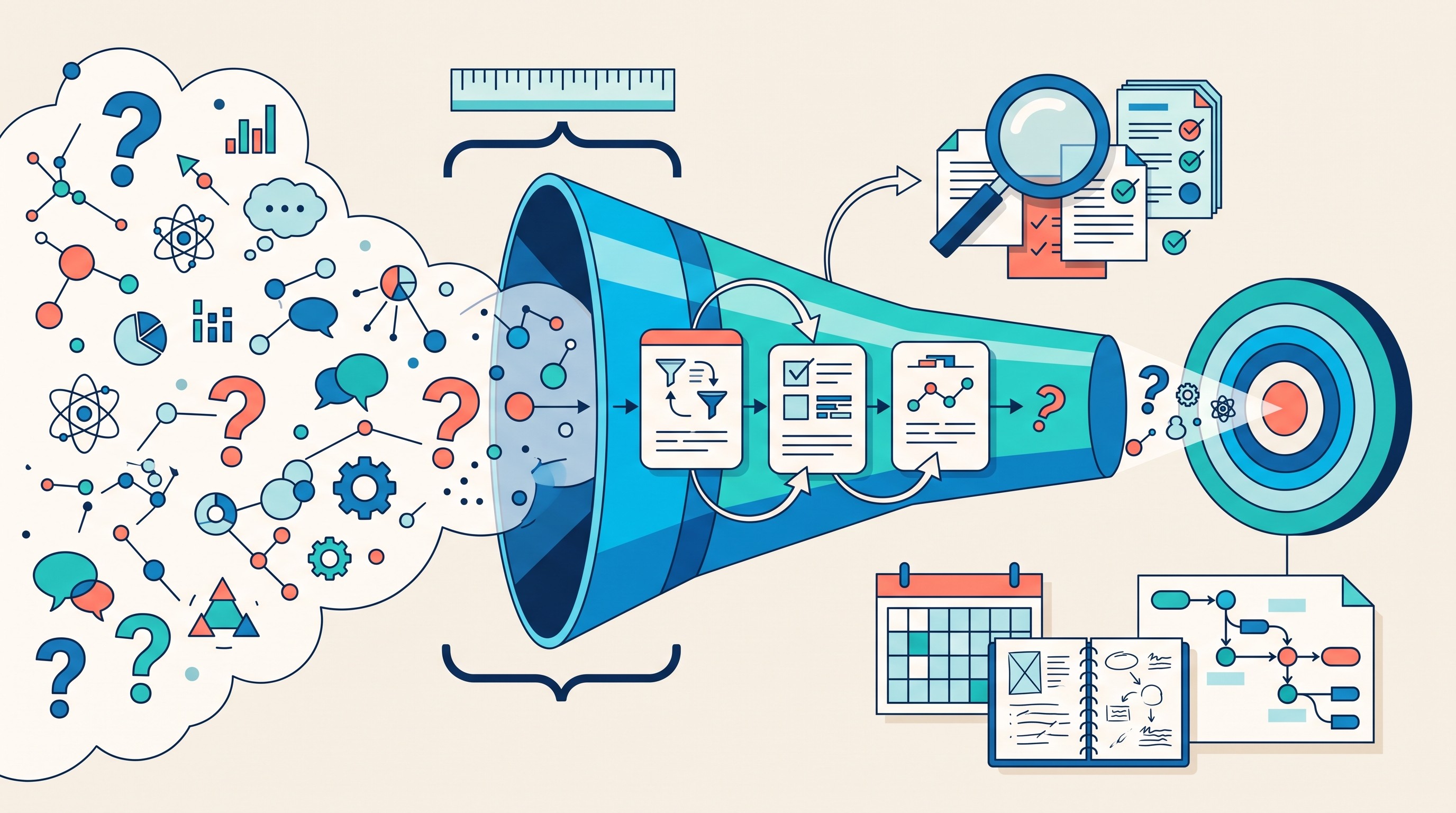
The best research-planning prompts force the model to show alternative framings. A project on “remote work and productivity” changes depending on whether productivity means employee self-report, manager evaluation, output metrics, retention, or collaboration quality. A prompt that asks for competing interpretations catches those differences early.
If the hard part is forming the question itself, use Otio’s existing guide to how to write a research question as the companion workflow. This article is about prompting Claude after you know what job the prompt needs to perform.
A useful plan should make three things visible:
Planning output | Why it matters |
|---|---|
Scope boundaries | Prevents the model from answering a different question |
Inclusion criteria | Turns reading into a repeatable evidence-gathering process |
Competing interpretations | Keeps the first framing from becoming the default truth |
Open questions | Shows what still needs source collection or expert judgment |
Do not ask Claude to “make it more academic” before the plan is stable. That only polishes uncertainty.
Use source-grounded prompts for papers, reports, and web research
For research tasks, the most important instruction is not tone. It is source control.
Tell Claude exactly which sources it may use, how to distinguish source claims from its interpretation, and what to do when evidence is missing. This matters because a model can produce confident prose even when the support is thin, contradictory, or absent.
Use this source-grounded synthesis prompt:
Source-grounded synthesis prompt
Objective: Synthesize the supplied sources to answer:
[research question].Allowed sources: Use only the attached documents and pasted excerpts. Do not use outside knowledge except to define common terms, and label any such background clearly.
Method:
1. Create a source inventory with title, author or organization if available, date if available, document type, and relevance.
2. Extract the main claims from each source.
3. For each claim, identify supporting evidence and source location if available.
4. Compare agreement, disagreement, and gaps across sources.
5. Produce a synthesis that preserves disagreement instead of forcing consensus.
Required output:
- answer in 5-8 paragraphs
- claim-by-claim evidence table
- unsupported assertions
- contradictions between sources
- missing evidence needed for a stronger answer
Citation rule: Cite only what appears in the supplied sources. If a citation or claim is not found, write
not found in supplied sources.
This is where a research workspace helps. In Otio, you can collect PDFs, web pages, notes, YouTube videos, transcripts, spreadsheets, and other research materials in one library, then ask questions against the assembled source set. The workflow still depends on good prompts, but the source boundary is less fragile than copying fragments between a browser, a PDF viewer, and a chat window.
For PDFs specifically, Otio’s AI PDF reader gives you a reader surface with highlights, search, summaries, and a text-selection toolbar for asking questions about selected passages. That is useful for grounded prompting because the prompt can start from the exact passage, section, or document set under review.
Prompting is not a substitute for verification. If the answer will go into a paper, client memo, article, or submission, use a separate fact-checking pass. Otio’s guide on how to fact-check AI-generated information covers that verification workflow more directly.
The common failure is asking for citations without supplying a source set. That can produce references that look plausible but are hard to verify. The recovery instruction is simple: “If you cannot locate the citation in the supplied sources, say so.”
For high-stakes work, request an evidence ledger:
Claim | Source | Location | Evidence strength | Interpretation | Verification needed |
|---|---|---|---|---|---|
What the answer says | Document name | Page, section, timestamp, or excerpt | Strong / moderate / weak | What Claude inferred | What you should check |
This table is slower than a summary. It is also much harder to fool yourself with.
[[OTIO_INLINE_PROMO:%7B%22title%22%3A%22Can%20you%20audit%20this%20source%20set%20before%20drafting%3F%22%2C%22description%22%3A%22Bring%20your%20PDFs%2C%20web%20pages%2C%20notes%2C%20or%20transcripts%20into%20Otio%20and%20generate%20a%20claim-by-claim%20evidence%20ledger%20before%20writing%20prose.%22%7D]]
Prompt patterns for analyzing long documents without losing the argument
Long documents fail when the model jumps straight to summary. A 70-page report, legal filing, dissertation chapter, or review article usually has structure: definitions, methods, evidence, limitations, and argument flow. A one-pass summary flattens that structure.
Use staged analysis instead:
Document map: What is in each section?
Claim extraction: What does the author assert?
Evidence extraction: What supports each claim?
Method and limitation review: How was the evidence produced?
Cross-section comparison: Do later sections support the introduction and conclusion?
Synthesis: What should a reader believe, question, or investigate next?
Start with this prompt:
Document map prompt
Task: Create a document map of the attached file.
Do not summarize the whole document yet.
For each section, identify:
- purpose of the section
- main claim or function
- key terms introduced
- evidence used
- assumptions
- limitations or caveats
- links to other sections
End with: 5 questions that should be answered before writing a synthesis.
Then run a second prompt:
Argument analysis prompt
Task: Analyze the argument of the document using the document map.
Identify:
- thesis
- major claims
- definitions the argument depends on
- evidence for each major claim
- method or data source
- assumptions
- counterarguments considered
- limitations acknowledged
- gaps not acknowledged
Output as a table with columns for source location, claim, evidence, confidence, limitation, and follow-up question.
Do not improve the author’s argument. Analyze what is present.
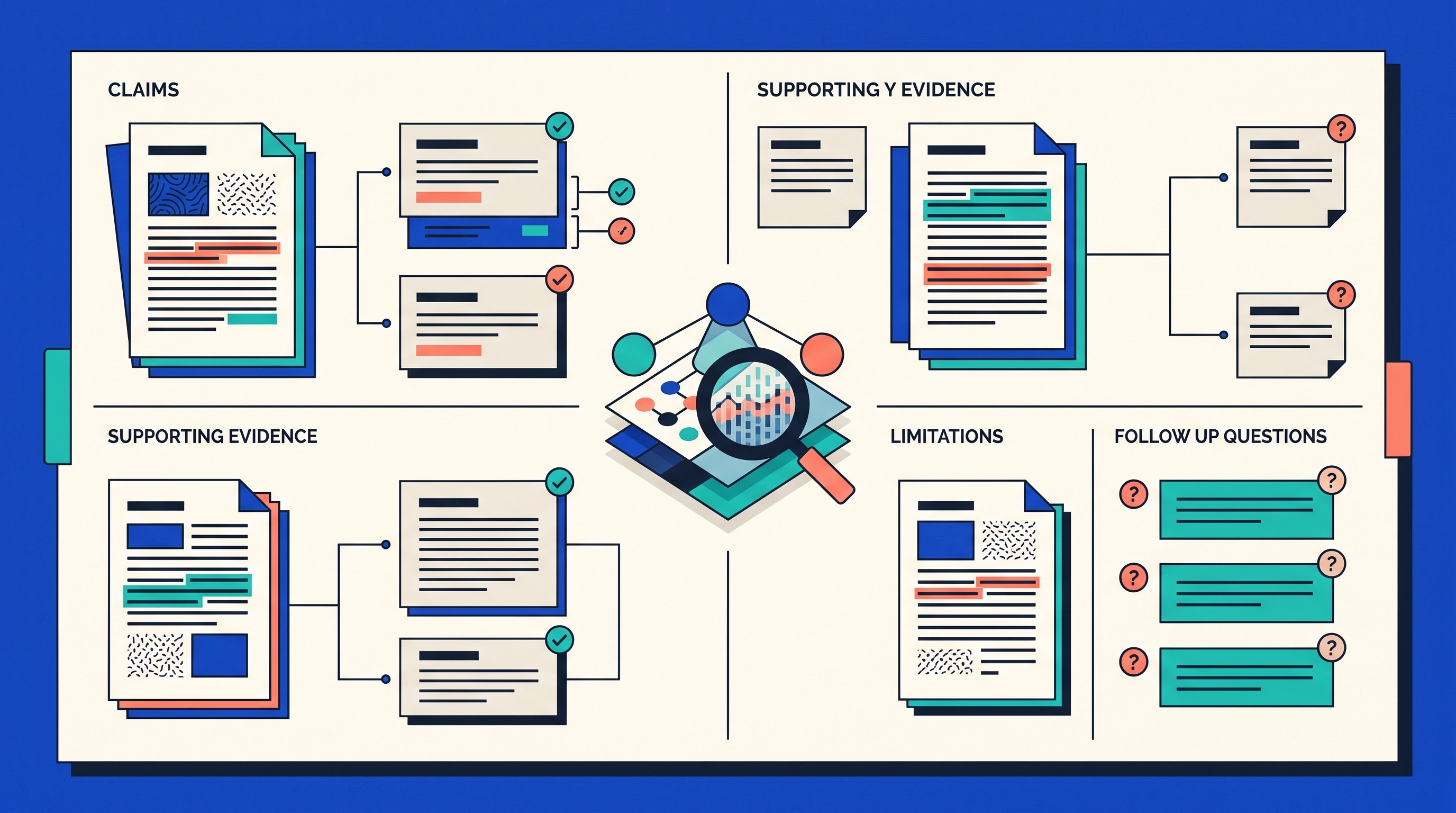
The table matters because it prevents “summary drift.” Summary drift happens when the model captures the general topic but loses the author’s specific reasoning. In academic and professional work, the specific reasoning is often the whole point.
A good long-document table looks like this:
Source location | Claim | Evidence used | Confidence | Limitation | Follow-up question |
|---|---|---|---|---|---|
Section or page | Specific assertion | Data, quote, method, example | High / medium / low | What weakens it | What to inspect next |
Do not invent Claude Opus 5.5 upload limits from memory or from another model. File size, context behavior, and upload troubleshooting change over time. If the task depends on file handling, check current constraints and use Otio’s guide to Claude file upload limits for practical fixes.
Splitting a document can help auditability. Smaller chunks make it easier to trace claims, isolate sections, and retry failed analysis. The tradeoff is that splitting can remove cross-section context, especially when definitions appear early and evidence appears later.
If you split, preserve structure:
Keep section headings and page numbers.
Tell Claude where each chunk fits in the whole document.
Ask for cross-references after all chunks are processed.
Run a final prompt that checks whether conclusions depend on earlier definitions, tables, appendices, or methods sections.
A final cross-reference prompt:
Cross-section check prompt
Task: Check whether the synthesis is faithful to the full document structure.
Look for:
- claims in the conclusion that are not supported in the methods or results
- definitions introduced early but used differently later
- limitations mentioned in one section but omitted from the summary
- tables, appendices, or footnotes that change the interpretation
Return: issues found, source locations, and recommended corrections.
Prompt Claude Opus 5.5 for comparison, synthesis, and decision support
Bad comparison prompts ask Claude to pick a winner too early. “Which tool is better?” or “Which explanation is right?” invites the model to optimize for decisiveness rather than criteria.
A better comparison prompt defines options, criteria, weights, evidence thresholds, unknowns, and conditions that would change the recommendation.
Comparison prompt
Task: Compare
[Option A],[Option B], and[Option C]for[use case].Audience:
[reader or decision-maker].Decision criteria: Use these criteria:
[accuracy, cost, implementation time, evidence quality, privacy, maintainability, learning curve, coverage, etc.].Weights: Weight the criteria as follows:
[weights]. If the weights are unreasonable, say why before scoring.Evidence threshold: Do not score a criterion unless the supplied sources contain enough evidence. Mark missing evidence as
unknown.Output:
- comparison table
- short analysis by criterion
- recommendation
- conditions that would change the recommendation
- unknowns to resolve before deciding
- anomalies or omitted considerations
Do not choose a winner until after the criteria table.

This pattern works for comparing research methods, tools, theoretical explanations, legal interpretations, policy options, or vendors. The value comes from showing why the answer changes under different priorities.
For example, a graduate student comparing interview methods, survey methods, and observational methods should not ask “Which method is best?” The answer depends on whether the study prioritizes depth, generalizability, feasibility, ethics, access, or measurement reliability.
A better prompt says:
Research-method comparison prompt
Task: Compare interviews, surveys, and observational methods for studying
[phenomenon]in[population or setting].Criteria: fit to research question, data quality, feasibility, ethics, bias risk, analysis burden, and likely limitations.
Use only the supplied methodology notes and source excerpts.
Return a recommendation only after explaining tradeoffs.
Include a section called “When this recommendation would change.”
For synthesis, the most important instruction is to preserve disagreement. Models often smooth conflict into a bland middle position. That is dangerous when sources disagree because they use different populations, definitions, methods, time periods, or incentives.
Use this prompt:
Disagreement-preserving synthesis prompt
Task: Synthesize the supplied sources without forcing consensus.
For each major issue, identify:
- where sources agree
- where sources disagree
- whether disagreement is factual, methodological, definitional, or normative
- which source has stronger support and why
- what evidence would resolve the disagreement
Write the final synthesis with explicit uncertainty.
Do not average incompatible claims into a single conclusion.
There is a tradeoff in output design. Rigid schemas improve consistency, especially when reviewing many papers or documents. They also risk hiding unexpected evidence that does not fit the columns.
Add a required section for anomalies:
Anomalies and omissions instruction
After completing the requested table, add a section titled
Anomalies and omitted considerations.Include evidence, caveats, or alternative framings that did not fit the schema but could change the interpretation.
That one line often prevents the model from over-obeying the format at the expense of judgment.
Prompt patterns for drafting and revising trustworthy knowledge-work outputs
Do not ask Claude to research, outline, draft, and polish in one step when the output needs to be accurate. That is how evidence changes silently during editing.
Separate the workflow:
Research prompt: gather and classify evidence.
Outline prompt: structure the argument.
Drafting prompt: write from the approved evidence and outline.
Revision prompt: improve clarity without adding new claims.
Fact-check prompt: audit claims, citations, and unsupported language.
Use this drafting prompt after the evidence is stable:
Source-bounded drafting prompt
Task: Draft
[memo / literature review section / abstract / report / article / briefing]using only the approved outline and evidence table below.Audience:
[audience].Tone:
[plain, technical, formal, policy-oriented, academic, executive].Structure: Use these sections:
[sections].Terminology: Use
[preferred terms]; avoid[terms to avoid].Source boundary: Do not introduce new claims, examples, citations, or statistics beyond the approved evidence table.
Qualification rule: Qualify claims marked weak, mixed, preliminary, context-dependent, or disputed.
Citation rule: Place citations only where the evidence table supports the sentence.
End with a checklist: unsupported claims, claims needing citation, overstatements, missing caveats, and terms that need definition.
For abstracts, keep the prompting focused on the genre: problem, purpose, method, result, and implication. If the task is writing the abstract itself, Otio’s guide on how to write a research abstract is the more specific workflow.
Revision needs a different prompt. “Rewrite this” gives the model permission to change structure, emphasis, and sometimes meaning.
Use this instead:
Controlled revision prompt
Task: Revise the draft for clarity and logic without changing the evidence.
Allowed changes: improve sentence clarity, remove redundancy, improve transitions, flag unsupported claims, suggest citation placement, and identify logic gaps.
Not allowed: adding new claims, new examples, new citations, new statistics, or stronger conclusions.
Return changes by category:
- clarity edits
- logic edits
- unsupported claims
- redundancy
- citation placement
- claims that need qualification
For any substantive change, explain why it is needed.
Otio’s notes editor is built for this kind of staged revision. Its AI text editor supports actions such as improving writing, fixing spelling and grammar, simplifying language, changing tone, adding summaries, and reviewing AI suggestions before accepting them. For longer student or academic drafts, the AI essay writing workflow is more relevant, but the same rule applies: separate evidence handling from prose improvement.
A good drafting system protects against two common errors:
Evidence creep: the draft adds claims that were not in the research stage.
Polish masking: smoother language makes uncertainty sound settled.
The fix is simple: make Claude show what changed and why.
Common Claude Opus 5.5 prompting failures and the recovery sequence
Most bad outputs come from a small set of prompt failures.
Ambiguous objective: The prompt asks for “analysis” but does not define the decision, reader, or output.
Too much background, no task: The prompt includes pages of context but never states what Claude should do with it.
Unsupported certainty: The answer sounds definitive even though the evidence is partial.
Citation fabrication or weak citation behavior: The model cites sources that were not supplied or fails to distinguish located evidence from plausible references.
Premature drafting: The model writes polished prose before extracting evidence.
Conflicting instructions: The prompt says “be concise” and “include every detail,” or “use only supplied sources” and “add relevant external examples.”
Over-rigid schema: The output table is consistent but misses important material that does not fit the columns.
Use this recovery sequence instead of starting over blindly:
Restate the goal. Define the question, audience, and decision.
Reduce the source set. Use only the documents needed for the failed stage.
Ask for an evidence ledger. Make claims traceable before requesting prose.
Inspect uncertainty. Ask what is unknown, contradicted, weakly supported, or inferred.
Revise the output schema. Add missing columns, remove distracting ones, and include an anomalies section.
Retry only the failed stage. Do not rerun the full workflow unless the plan itself was wrong.
Choose the recovery method based on the failure:
Failure | Best recovery |
|---|---|
Wrong task | Fresh prompt with a clearer objective |
Good task, messy output | Edited prompt with stricter format |
Missed evidence | Smaller document set or staged extraction |
Lost long-document context | Preserve structure and run cross-reference checks |
Weak reasoning for a decision | Add criteria, weights, unknowns, and recommendation-changing conditions |
Repeated poor performance | Try a different model or workflow stage, not a larger prompt by default |
Do not ask for hidden chain-of-thought as if that will make the output trustworthy. Ask for concise explanations, assumptions, evidence tables, confidence labels, and verification steps. Those artifacts are easier to inspect and safer to use in research.
The next useful action is small: choose one real research task, paste the reusable prompt skeleton, attach only the relevant sources, and audit the first answer against the requested evidence and output criteria. If the first answer is not auditable, do not polish it. Fix the prompt contract first.
FAQ
Q: What makes a good Claude Opus 5.5 prompt?
A: A good prompt states the objective, context, source boundaries, audience, output format, and uncertainty rules. For research work, it should also require the answer to separate evidence from interpretation.
Q: Should I ask Claude Opus 5.5 to show its reasoning?
A: Ask for concise explanations, assumptions, evidence tables, confidence labels, and verification steps rather than unrestricted private reasoning. Those outputs are easier to audit.
Q: How can I reduce hallucinated citations in Claude Opus 5.5?
A: Give Claude a defined source set and require citations only from that set. Add the instruction: If the claim or citation is not present in the supplied sources, say “not found in supplied sources.”
Q: Is Claude Opus 5.5 suitable for academic research?
A: It can help with planning, document analysis, synthesis, comparison, and drafting, but it should not replace primary-source checking or researcher judgment. Use source-grounded prompts and audit important claims before submission or publication.
[[OTIO_FOOTER_PROMO:%7B%22title%22%3A%22Apply%20these%20prompts%20to%20your%20own%20sources%22%2C%22description%22%3A%22Collect%20the%20documents%20for%20one%20real%20research%20task%20in%20Otio%2C%20then%20compare%20Claude%E2%80%99s%20claims%2C%20citations%2C%20uncertainties%2C%20and%20gaps%20against%20the%20originals.%22%7D]]



