
Literature Discovery
25 Google Scholar Search Strategies for PhD Students
Find stronger papers faster with 25 Google Scholar search strategies for query design, citation chaining, source verification, and a repeatable PhD literature-discovery workflow.

The fastest way to find stronger papers in Google Scholar is not to type one broad keyword and scroll. Use a repeatable sequence: define the question, search concept variants, identify seed papers, follow citations forward and backward, verify the publication record, and document why each paper belongs in your library.
That sequence matters more than any single search trick. Google Scholar is broad and forgiving, which makes it useful for discovery and noisy for evidence screening. Your job is to turn that noisy index into a controlled research workflow.
Start every Google Scholar search with a precise research goal
A PhD search usually fails for one of two reasons: the query is too vague, or it tries to do too many jobs at once. “AI education” is not a literature search. “Large language models feedback undergraduate writing randomized trial” is closer, but it may still miss papers that use “automated writing evaluation,” “generative AI,” or “formative feedback.”
Start with the claim or decision the literature needs to support. Then break it into searchable parts.

1. Convert your research question into searchable concepts
Separate the question into parts before opening Google Scholar:
Topic: What is the broad subject?
Population: Who or what is being studied?
Cause, intervention, exposure, or phenomenon: What factor matters?
Outcome: What changes, improves, declines, or gets measured?
Method: What study design or analytical approach do you need?
Setting: Country, institution type, industry, clinical environment, historical period, or discipline.
For example, “How does remote work affect early-career software engineers’ mentoring outcomes?” can become:
remote work, hybrid work, distributed teams
early-career engineers, junior developers, new hires
mentoring, onboarding, knowledge transfer
productivity, retention, belonging, skill development
interview study, longitudinal study, survey
software firms, technology companies
That list becomes the raw material for multiple searches.
2. Build a concept map before searching
A concept map prevents premature narrowing. Put the central topic in the middle, then branch into synonyms, abbreviations, spelling variants, related theories, and discipline-specific terms.
This is where many PhD searches improve quickly. A management paper might call the same issue “knowledge sharing.” A computer-supported cooperative work paper might call it “coordination.” A psychology paper might discuss “socialization” or “belonging.” If the search uses only one discipline’s vocabulary, it will miss useful work in adjacent fields.
Include:
US and UK spellings: behavior / behaviour
Acronyms and full terms: LLM / large language model
Older terms for the same construct
Newer terms introduced by recent papers
Measurement instruments, named scales, or theoretical frameworks
Adjacent constructs that might be used instead of your preferred term
3. Search the central concept first, then add one constraint at a time
Begin broad enough to learn the field’s vocabulary. Search the central concept alone, scan the first few pages, and note recurring terms, journals, authors, and methods.
Then add one constraint:
topic + population
topic + method
topic + outcome
topic + theory
topic + setting
Do not stack every constraint into the first search. A heavily constrained query can return a neat-looking result page while hiding the fact that the field uses different language.
4. Keep a search log
A search log is not busywork. It protects against duplicate effort and lets you explain how the literature was found.
At minimum, record:
exact query
date searched
filters used
useful papers found
papers rejected and why
terms discovered
follow-up searches to run
inclusion or exclusion decision
This becomes especially useful when a supervisor asks, “Did you check the education literature?” or when a reviewer questions why a particular body of work is absent.
A compact log can be a spreadsheet with columns for query, date, filters, promising results, rejected results, new terms, and next action. Keep it boring. Boring logs are easier to maintain.
5. Create separate searches for different literature jobs
One search cannot serve every purpose. A dissertation literature review usually needs at least five search modes:
Search goal | What to search for | What counts as success |
|---|---|---|
Background reading | Broad topic terms | Good orientation papers |
Theory | Frameworks, constructs, classic authors | Foundational texts |
Methods | Study design and measurement terms | Reusable designs or instruments |
Empirical evidence | Population + outcome + method | Directly relevant studies |
Gaps and debate | critiques, limitations, future research | Unresolved questions |
Keep these searches separate in your notes. A paper can be excellent background but weak evidence for a specific causal claim.
Use Google Scholar query operators to control what you find
Google Scholar search is less transparent than a specialist database, but query design still matters. Operators help you tell Scholar whether a term must appear as a phrase, whether an author matters, whether a concept should be central, and which meanings to avoid.
Use operators to test hypotheses about the literature, not to create one “perfect” query.
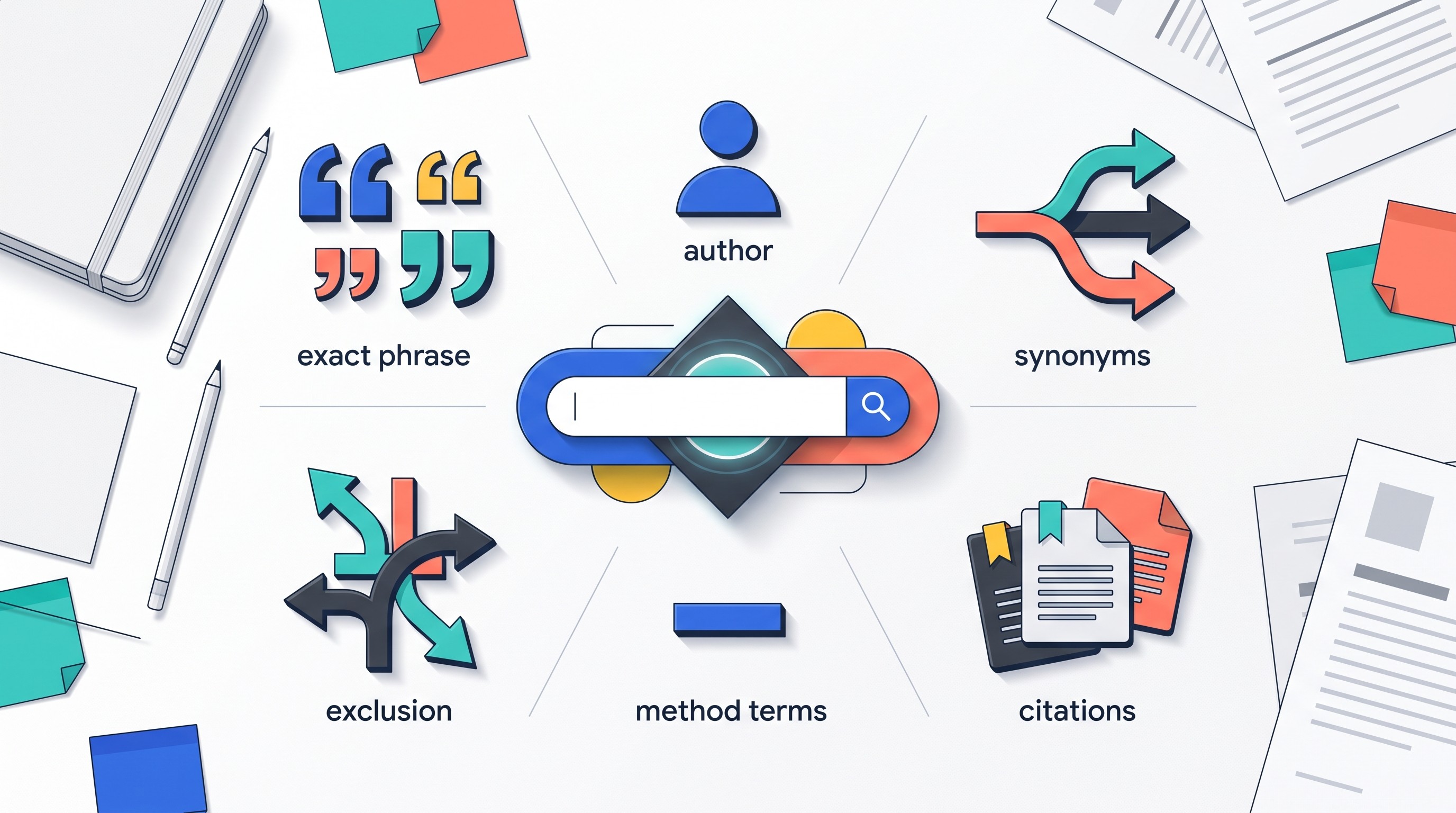
6. Put exact phrases in quotation marks when words must stay together
Use quotation marks for named constructs, methods, scales, theories, or phrases where word order matters.
Examples:
"self-determination theory""randomized controlled trial""teacher self-efficacy""difference-in-differences"
Remove the quotes when the phrase may appear in many forms. Searching "student engagement in online learning" may be too strict; student engagement online learning may catch more variants.
A useful pattern is to run both:
exact phrase search for precision
unquoted search for breadth
Compare what changes.
7. Use author search, but test name variants
If a researcher is central to the field, search their name with the relevant concept. Author names are messy: initials vary, surnames overlap, names change, and some fields cite first initials inconsistently.
Try variations:
"A Smith" remote work mentoring"Alice Smith" remote workauthor:Smith mentoringSmith "knowledge transfer" software teams
When the surname is common, add a concept, institution, method, or coauthor. Do not assume every result with the same surname belongs to the same person.
8. Search distinctive title words when the concept must be central
If a concept must be central to the paper, use title-focused searching through Google Scholar’s advanced search options or title-specific terms.
This helps when a word appears casually in many abstracts or reference lists. For example, if “burnout” must be the main topic, title-focused searching can separate burnout papers from papers that mention burnout once in the discussion.
Use this when:
the topic is overloaded across disciplines
the first results are only tangential
you need papers where a construct is not incidental
you are building a core reading list
If title-focused results are too sparse, broaden again. Sparse results may mean the field uses a different label.
9. Combine synonyms with OR, then test each group alone
Use OR for terms that mean roughly the same thing:
"remote work" OR telework OR "distributed work""large language model" OR LLM OR "generative AI"adolescents OR teenagers OR youth
Then combine major concepts with spaces or additional terms:
("remote work" OR telework) mentoring engineers("large language model" OR LLM) feedback writing education
Before combining everything, test each synonym group independently. If one term returns most of the relevant literature, it may be the field’s dominant vocabulary. If another term returns a separate cluster, keep both.
10. Exclude misleading meanings with a minus sign
The minus sign can remove irrelevant meanings:
jaguar conservation -carpython education -snake"attention mechanism" -psychology
Use it carefully. Exclusions can remove genuinely relevant interdisciplinary papers. Before applying a minus sign permanently, inspect what disappears.
A safe approach:
Run the query without exclusions.
Identify the recurring irrelevant meaning.
Add one exclusion.
Check whether relevant papers were lost.
11. Search by method when evidence design matters
Method terms are often more useful than topic terms once the field is familiar.
Use method terms such as:
qualitative interview
ethnography
randomized trial
longitudinal
cohort study
case-control
meta-analysis
systematic review
scoping review
difference-in-differences
structural equation modeling
grounded theory
This is especially useful when the literature is large. If the dissertation needs causal evidence, longitudinal or randomized trial can filter out opinion pieces and descriptive work. If the goal is theory-building, qualitative interview or ethnography may surface richer papers.
12. Add population, location, date range, or outcome only after checking breadth
Constraints are powerful, but they can make a search brittle. Add them in stages.
A good sequence:
topic
topic + synonym group
topic + population
topic + population + outcome
topic + population + outcome + method
topic + population + outcome + method + location or date range
If relevant results collapse too quickly, the constraint may be too narrow or expressed in the wrong vocabulary. Replace the term before assuming the literature does not exist.
[[OTIO_INLINE_PROMO:%7B%22title%22%3A%22Ready%20to%20organize%20the%20papers%20behind%20each%20query%3F%22%2C%22description%22%3A%22Add%20promising%20Google%20Scholar%20links%20or%20PDFs%20to%20one%20library%2C%20then%20ask%20Otio%20to%20compare%20their%20terms%2C%20methods%2C%20and%20relevance.%22%7D]]
Find foundational, recent, and directly relevant papers
Google Scholar is strongest when used for chaining: moving from one credible paper to the papers it cites, the papers that cite it, and nearby papers with similar citation patterns.
Do not treat the first page of results as the field. Treat it as a doorway.
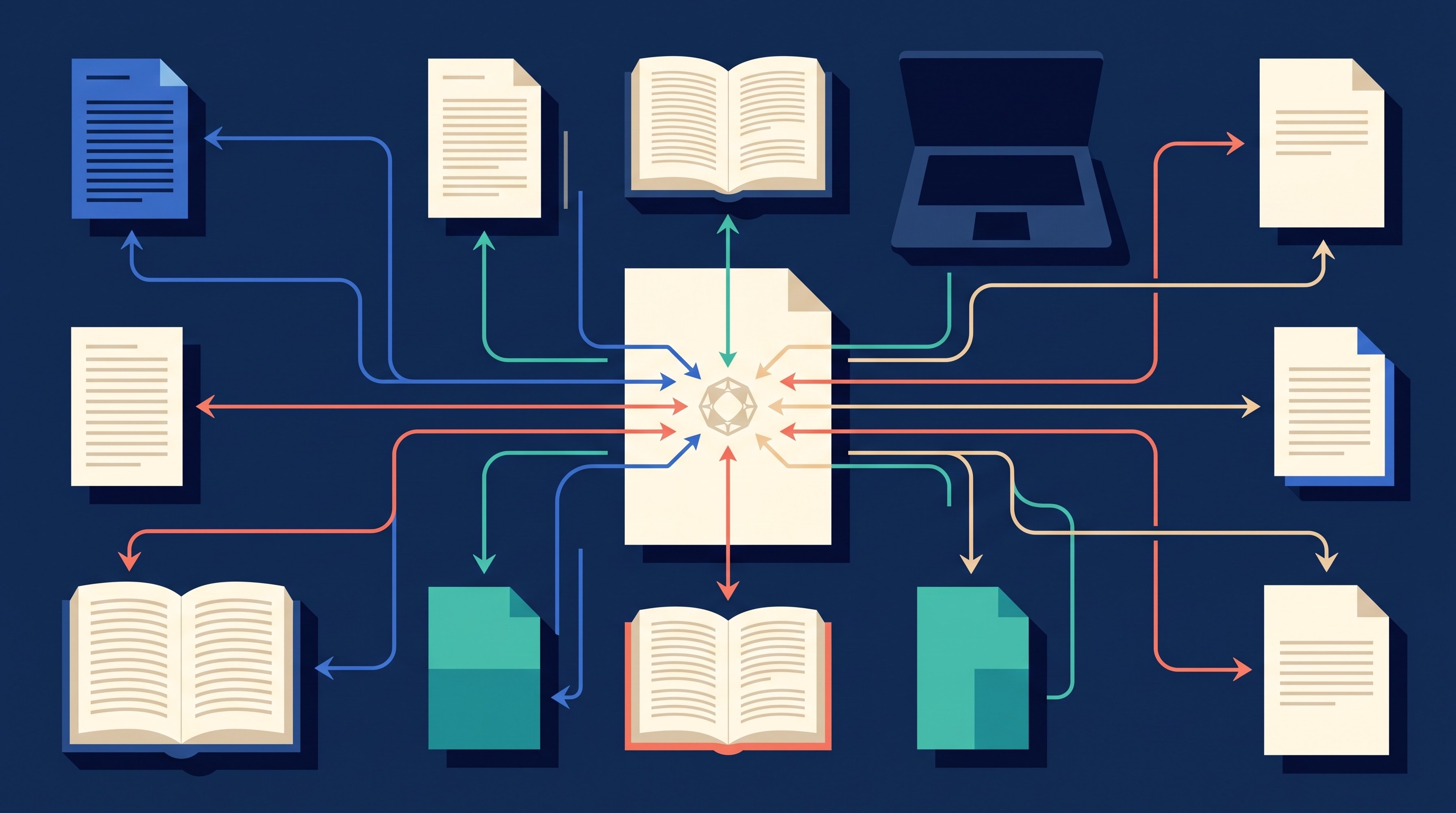
13. Use broad seed-paper searches to learn the field
A seed paper is a paper that helps you navigate the literature even if it is not the final evidence you will cite. It might be a classic theory paper, a recent review, a major empirical study, or a paper from a top journal in the field.
Search broadly enough to find seed papers:
"student engagement" online learning review"knowledge transfer" "remote work""large language models" education feedback
From each promising seed paper, extract:
recurring authors
journals
theories
methods
standard definitions
classic references
newer debates
keywords used by the authors
The first search teaches the second search.
14. Open “cited by” results for foundational papers
Forward citation chasing answers: who used this paper later?
Use it to find:
replications
critiques
extensions
applications in new settings
meta-analyses
papers that overturned or narrowed the original claim
newer methods applied to the same question
Sort or filter cited-by results by date when you need recent developments. Search within cited-by results by adding your concept, population, or method.
For example, a foundational mentoring paper may have thousands of citing papers. Searching within those results for software engineers, remote work, or onboarding can surface the relevant subset.
15. Use related articles to catch different terminology
Google Scholar’s related-articles feature can surface papers with similar topics or citation patterns even when they use different words. This helps when a field is split across terminology.
Use related articles when:
the seed paper is highly relevant
keyword searches keep returning the same narrow cluster
adjacent disciplines use different labels
you suspect a debate exists under another term
Related-article results still need screening. Similarity is not relevance.
16. Use date filters and record the cutoff
Date filters help separate the intellectual history from the current frontier.
Use custom ranges for different jobs:
Foundations: no date filter, or older classic periods
Recent developments: last 3–5 years, depending on field speed
Technology-heavy topics: narrower ranges may be necessary
Historical review: intentional period ranges
Record the cutoff date in your search log. “Search conducted on August 3, 2026, results filtered to 2021–2026” is much more useful than “recent papers searched.”
17. Search key authors alongside concepts or methods
Once you identify a recurring author, search that author with your specific concept:
"Jane Doe" "student engagement""Jane Doe" longitudinal educationauthor:Doe "online learning"
This distinguishes the author’s relevant work from unrelated publications. It also helps identify whether they have changed terminology over time.
Check coauthors too. In many fields, research groups publish clusters of related work under different first authors.
18. Use reviews and meta-analyses as maps, not shortcuts
Review articles, meta-analyses, and systematic reviews are efficient starting points. They can show the field’s boundaries, common measures, disputed findings, and reference backbone.
But do not treat one review as proof for every claim you want to make. Inspect the underlying studies when:
the claim is central to your argument
the review includes heterogeneous methods
the review’s search date is old
you need a specific population or setting
the review reports mixed evidence
the claim depends on a small number of included studies
Reviews help you find the evidence. They do not relieve you from judging whether that evidence fits your claim.
Verify papers before adding them to your research library
Google Scholar is a discovery tool, not a citation authority. Search results can contain preprints, repository copies, theses, conference versions, duplicate records, and older manuscripts. Before a paper enters your evidence base, verify what it is.
This is where PhD students can save themselves from citation errors, duplicate counting, and claims built on the wrong version of a study.

19. Check the record against the publisher or journal page
Before citing, confirm:
title
authors
journal or conference venue
year
volume, issue, and pages if available
DOI
publication status
article type
If the Google Scholar result and publisher record differ, cite the verified version unless there is a specific reason to use another version.
This is especially important for papers found through PDFs hosted on personal websites, institutional repositories, or course pages.
20. Distinguish the version shown in search results
The first accessible PDF is not always the version of record.
Common versions include:
Version | What to watch |
|---|---|
Publisher article | Usually the citable version of record |
Accepted manuscript | Peer-reviewed but may differ from final formatting |
Preprint | Not necessarily peer-reviewed |
Conference paper | May later become a journal article |
Thesis or dissertation | May contain fuller methods but is not the same as an article |
Repository upload | May be legitimate, duplicated, or incomplete |
Choose deliberately. If a preprint later became a journal article, cite the journal article unless your argument depends on the preprint’s content.
21. Read the abstract, methods, sample, and limitations before labeling evidence
Topic similarity is not enough.
A paper may mention your topic but:
study a different population
use a weak proxy for your outcome
rely on cross-sectional data when you need change over time
be a commentary rather than empirical evidence
measure attitudes rather than behavior
report exploratory findings that cannot support a strong causal claim
Screen the abstract first, then inspect methods, sample, measures, analysis, findings, and limitations. Your notes should say not only what the paper found, but what kind of claim it can support.
22. Compare multiple records for the same study
Duplicate records are common. The same work may appear as:
a conference paper
a preprint
an accepted manuscript
a journal article
a dissertation chapter
a repository PDF
Do not count these as separate studies. Match title, authors, sample, dataset, trial registration if applicable, and reported findings.
If the versions differ materially, record which one you used and why.
23. Treat citation counts and ranking as discovery signals, not quality measures
High citation counts can point you to influential work. They do not prove that a paper is correct, current, or relevant to your question.
Citation counts can reflect age, field size, controversy, methods reuse, or visibility. A flawed but famous paper may rank well. A new but rigorous paper may have few citations.
Use citation counts to decide what to inspect, not what to believe.
24. Use Semantic Scholar as a supplementary citation-context check
When Google Scholar results are noisy, Semantic Scholar can help expose related papers, authors, and citation connections. It is especially useful when you want to inspect how papers connect, not just whether they contain keywords.
For a fuller comparison, see Otio’s guide to Semantic Scholar vs. Google Scholar for literature reviews.
Still, do not let any discovery tool become the final bibliographic authority. Verify the final record with the journal, publisher, DOI page, or official repository.
25. Capture the source, version, DOI, page numbers, search path, and reason for inclusion
Every paper in your research library should be traceable back to a claim.
A useful note includes:
full citation
DOI or stable identifier
source version used
page numbers for quoted or paraphrased claims
search query or citation path that found it
reason for inclusion
claim it supports
limitations or caveats
follow-up citations to inspect
This prevents the common dissertation problem: a pile of PDFs with no memory of why they were saved.
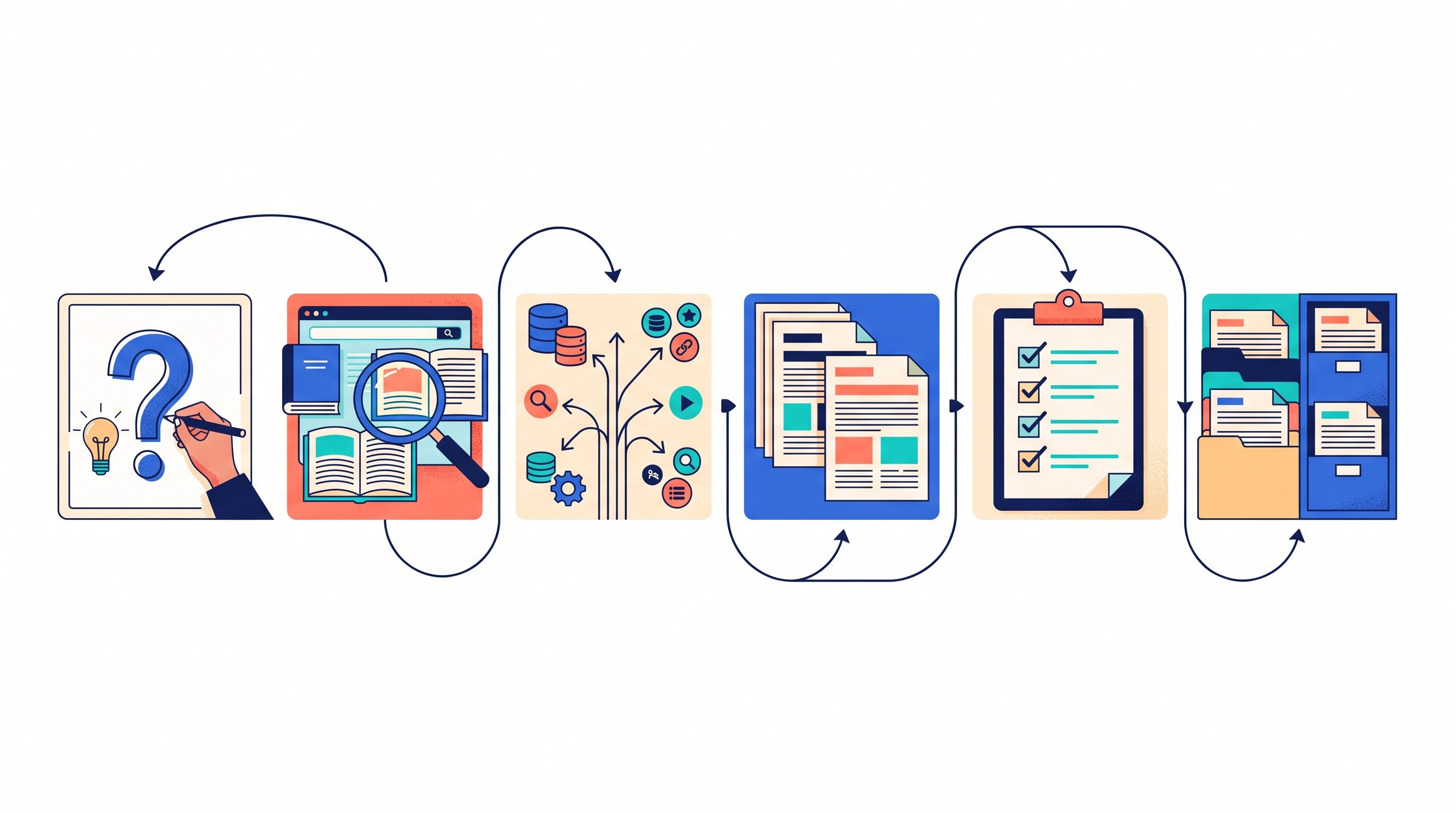
Turn individual searches into a repeatable PhD literature workflow
The best Google Scholar strategy is a system you can rerun. A dissertation topic changes as the literature teaches you better terms, sharper boundaries, and more precise questions.
Run the process in stages:
Define the research question and concept groups.
Search broad topic terms to find seed papers.
Extract vocabulary, authors, journals, theories, and methods.
Search with operators and controlled variations.
Follow references backward and citations forward.
Filter by date, method, population, and outcome.
Verify each record.
Screen consistently.
Log inclusion and exclusion decisions.
Repeat with new terms until returns diminish.
Use a screening table, not just folders
Folders alone hide reasoning. A screening table keeps the logic visible.
Use columns like:
Field | What to record |
|---|---|
Citation | Full reference or citation key |
Research question fit | Which sub-question it informs |
Method | Design, data, analysis |
Population or sample | Who or what was studied |
Main finding | Short, specific summary |
Limitations | Design limits, sample limits, caveats |
Relevance | Core, background, theory, method, or exclude |
Source version | Publisher, preprint, repository, conference |
Follow-up citations | Papers to chase next |
This table becomes the bridge between discovery and writing. It also makes supervision meetings more productive because disagreements can focus on inclusion criteria, not memory.
Separate discovery from screening
For large searches, do not decide everything while searching. Collect plausible papers first, then screen them against consistent criteria.
This prevents standard drift. If the first 20 papers are screened generously and the next 80 harshly, the final review will reflect fatigue rather than method.
A simple two-pass system works well:
Pass 1: title and abstract screening
Pass 2: methods, sample, findings, and limitations
Record exclusions at the level of detail your project requires. For an ordinary dissertation chapter, brief reasons may be enough. For a systematic or scoping review, follow the protocol’s documentation requirements.
Store PDFs, links, and notes in one research library
A strong search workflow breaks down if sources live across downloads, browser tabs, email attachments, Zotero folders, Google Docs, and half-finished notes.
Keep the source and your reasoning close together. Otio’s AI PDF reader can store PDFs and web links in a unified library, let you ask questions across collected sources, and show cited answers for later review. If you already manage citations in Zotero, Otio also has a Zotero integration for bringing research papers into the workspace.
The tool matters less than the rule: every saved paper needs a traceable note explaining what it contributes.
Repeat the search with terminology from the first batch
After screening the first batch of papers, return to your concept map. Add terms that appeared repeatedly in titles, abstracts, keywords, and theory sections.
Then run a second search cycle.
Look for:
new synonyms
named theories
measures and scales
leading authors
specialist journals
methodological terms
country-specific terminology
older labels for the same construct
Compare new results against your log. If the same core papers keep returning and new searches produce mostly irrelevant material, you may be approaching saturation for that slice of the topic.
Use Google Scholar as one source for systematic or scoping reviews
For a systematic or scoping review, Google Scholar is usually not enough by itself. It is useful for broad discovery, citation chaining, and finding grey literature or repository versions. It is weaker as the only source for a reproducible database strategy.
Use it alongside the databases appropriate to the field: for example, PubMed or MEDLINE for biomedical topics, PsycINFO for psychology, ERIC for education, IEEE Xplore or ACM Digital Library for computing, Scopus or Web of Science for broad citation indexing, and field-specific legal, business, or social science databases where relevant.
If database selection is still unsettled, this guide to research databases for students and scholars can help map sources to disciplines.
FAQ
Q: Is Google Scholar enough for a systematic literature review?
A: Usually not by itself. It is useful for discovery and citation chaining, but systematic reviews generally require a documented multi-database strategy appropriate to the field.
Q: How can I tell whether a Google Scholar result is the correct version of a paper?
A: Compare it with the journal or publisher record and confirm the title, authors, year, venue, DOI, and publication status. If several versions exist, record which one you used and why.
Q: Should PhD students use Semantic Scholar alongside Google Scholar?
A: Yes, especially for citation mapping and related-paper discovery. Use both as discovery tools, then verify final records with the publisher, journal, DOI record, or official repository.
[[OTIO_FOOTER_PROMO:%7B%22title%22%3A%22Turn%20your%20search%20log%20into%20a%20source%20review%22%2C%22description%22%3A%22Bring%20your%20own%20papers%2C%20links%2C%20and%20notes%20together%2C%20then%20use%20cited%20answers%20to%20check%20what%20each%20source%20contributes%20before%20you%20keep%20it.%22%7D]]



