
Multimedia Citation Workflows
How to Cite a YouTube Video in APA: Timestamps, Channels, and Reference Entries
Format an APA 7 YouTube citation with the channel, upload date, video title, timestamps, and URL. See reference-entry and in-text citation templates for lectures, interviews, and online talks.

To answer how to cite a YouTube video in APA: use the uploader or channel as the author, the upload date as the date, the exact video title in sentence case, the label [Video], the platform name YouTube, and the URL.
Reference entry template:
Channel or Author. (Year, Month Day). Title of video in sentence case [Video]. YouTube. URL
For quoted or closely paraphrased material, add a timestamp in the in-text citation: (Channel, Year, 12:34). The reference entry identifies the whole video; the timestamp points readers to the exact moment.
The APA 7 format for citing a YouTube video
APA 7 treats a YouTube video as an audiovisual work. The basic reference entry is:
Reference list template
Author or Channel. (Year, Month Day). Title of video in sentence case [Video]. YouTube. URL
Parenthetical in-text citation
(Author or Channel, Year)
Parenthetical citation with timestamp
(Author or Channel, Year, 12:34)
Narrative citation
Author or Channel (Year)
Narrative citation with timestamp
Author or Channel (Year, 12:34)
The source in the reference list is the YouTube upload, not just the person speaking in the video. If a university channel uploads a lecture by Professor Smith, the reference entry usually begins with the university channel, not Professor Smith, unless Professor Smith’s own account uploaded the video.
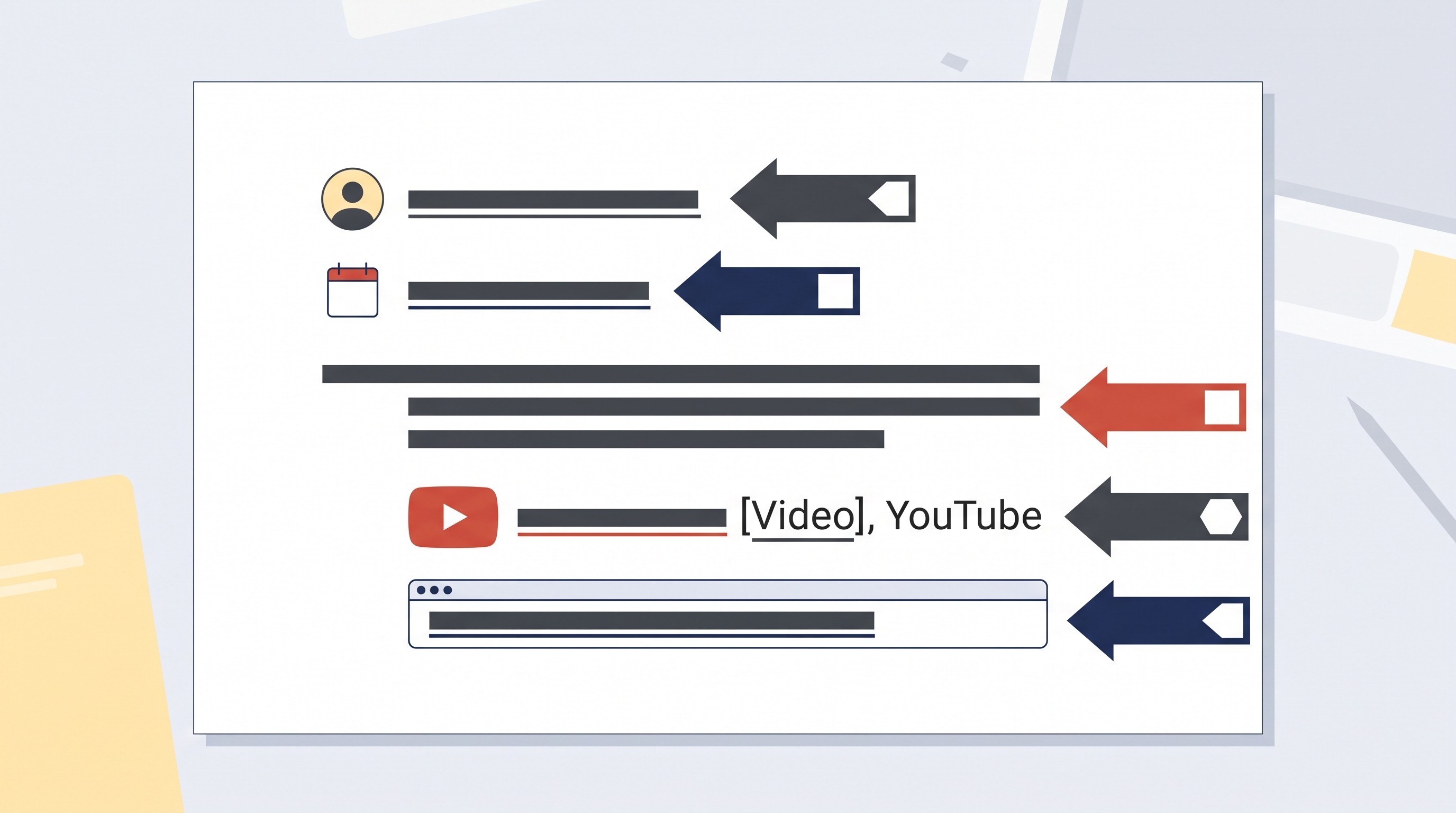
Here is the citation structure as a component checklist:
APA element | What to enter | Example placeholder |
|---|---|---|
Author | Channel, creator, or organization that uploaded the video | Channel Name |
Date | Exact upload date | (2026, March 14) |
Title | Exact title, converted to sentence case in the reference | Title of video in sentence case |
Description | Medium in square brackets | [Video] |
Platform | Site name | YouTube |
URL | Direct video URL | https://www.youtube.com/watch?v=... |
Purdue OWL’s APA 7 guide is a useful general reference for APA reference-list and in-text citation rules, including how author and date conventions work across sources: Purdue OWL APA Formatting and Style Guide.
How to identify the author, channel, date, and title
Start on the original YouTube watch page, not a search result, embed, playlist page, or shortened preview. Citation errors often happen because the writer copies metadata from Google results or a learning-management-system embed instead of the actual source page.
Record four things from the video page:
Uploader or channel name
This is the account that published the video on YouTube. It appears below the title and above or near the subscribe button.
Exact upload date
YouTube usually shows this below the title or in the expanded description area. Use the upload date, not the date the lecture, interview, or event took place.
Exact video title
Copy the title from the watch page. In the APA reference entry, format it in sentence case: capitalize the first word, the first word after a colon, and proper nouns.
Stable URL
Use the direct video URL. Remove unnecessary tracking parameters if they are not needed to reach the video.
Channel versus speaker
The most common mistake is citing the speaker as the author when the speaker did not upload the video.
Use the uploader as the reference author when:
a university channel posts a guest lecture;
a news channel uploads an interview;
a conference channel posts a speaker’s talk;
an organization uploads a public announcement;
an educational channel posts a lesson presented by one person.
Name the speaker in the sentence if the speaker matters:
In prose: In a lecture posted by the Example University channel, Professor Smith argues that...
In-text citation: (Example University, 2026, 18:42)
Reference entry:
Example University. (2026, February 9). Title of lecture in sentence case [Video]. YouTube. URL
This distinction matters because the reference list tells readers where the cited source can be found. If the cited source is the YouTube upload, the uploader is part of the source identity.
Personal creator, organization, or channel name
Use the visible channel or creator identity that best identifies the source.
If the channel is an institution, use the institution or channel name:
Template:
Organization Name. (Year, Month Day). Title of video [Video]. YouTube. URL
If the channel is a personal creator account, use the creator name when that is the account identity. If the account uses only a screen name or channel name, use that.
Template with personal creator:
Creator Name. (Year, Month Day). Title of video [Video]. YouTube. URL
Template with channel or screen name:
Channel Name. (Year, Month Day). Title of video [Video]. YouTube. URL
If the person’s real name and screen name are both clearly part of the account identity, APA examples commonly use the name followed by the screen name in brackets. For most student papers, the safer rule is simpler: cite the name that identifies the YouTube account on the source page, and do not invent a fuller author name from outside the page unless your instructor or style guide asks for it.
When the video page does not identify an individual author
Do not force an individual author if the page does not support it.
If a channel represents a lab, department, company, government office, museum, journal, nonprofit, podcast, or news outlet, the channel or organization is the author. If the page gives no reliable individual creator, use the channel name shown on YouTube.
Do not replace the uploader with:
the interviewer;
the guest;
a person mentioned in the title;
the lecturer shown on screen;
the person who originally gave the talk at an event.
Those people may belong in your prose, but the reference entry should describe the uploaded source.
When and how to include a timestamp in APA in-text citations
Use a timestamp when the citation points to a specific moment in the video. This is especially important for direct quotations, close paraphrases, claims based on a demonstration, or any detail that a reader should be able to verify without watching the whole video.
Direct quotation template:
“Quoted sentence” (Author or Channel, Year, 12:34).
Narrative quotation template:
Author or Channel (Year) states that “quoted sentence” (12:34).
Close paraphrase template:
The speaker distinguishes the original event date from the upload date (Channel, Year, 08:17).
The timestamp normally belongs in the in-text citation, not the reference entry. The reference entry points to the whole YouTube video. The timestamp points to the cited passage.
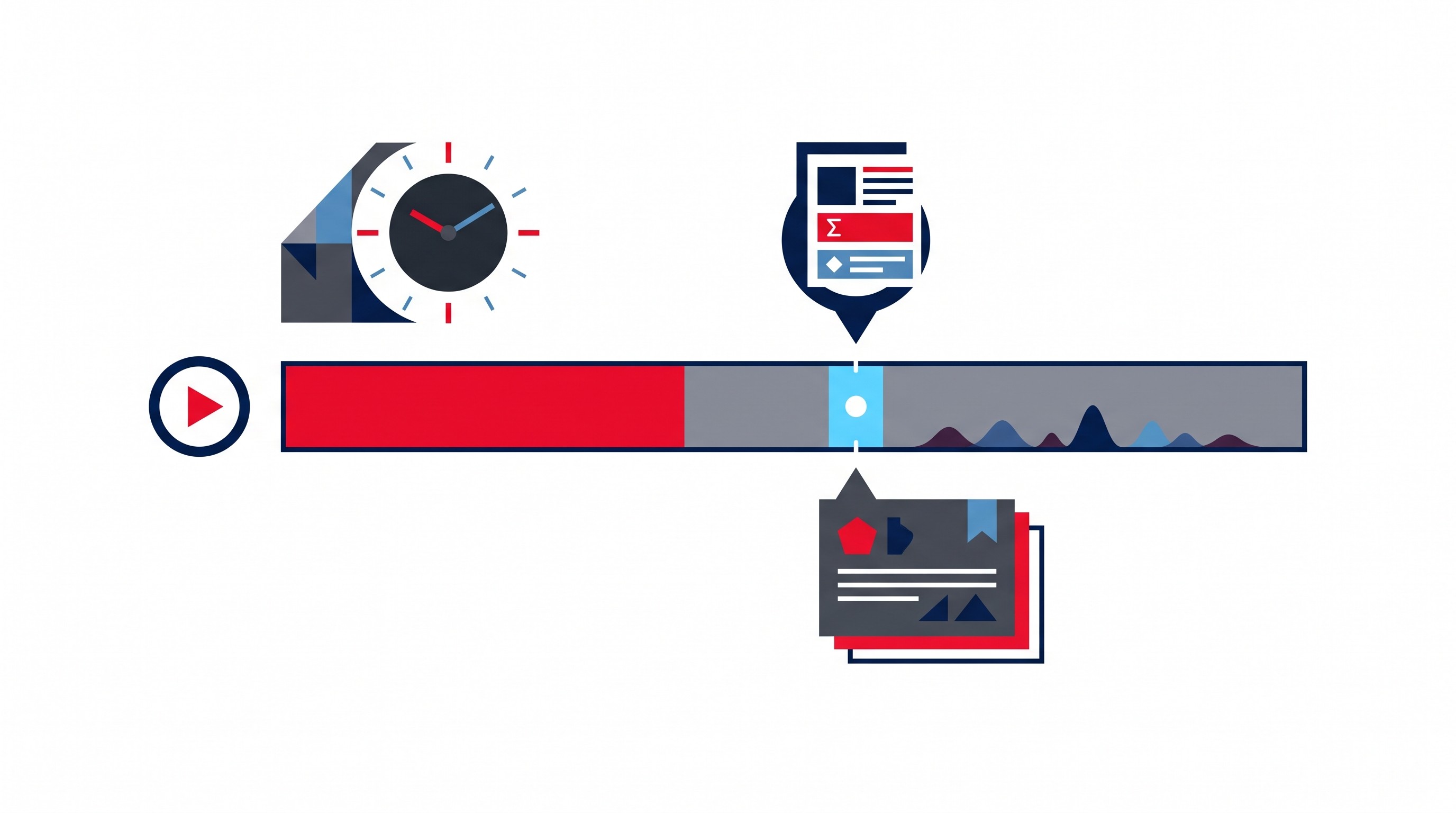
Minute-and-second versus hour-minute-second timestamps
Use the timestamp format that matches the video length and the moment cited.
For shorter videos, minute and second format is usually enough:
(Channel, 2026, 4:18)
Channel (2026, 9:02)
For long lectures, interviews, podcasts, or conference recordings, hour-minute-second format is clearer:
(Channel, 2026, 1:12:44)
Channel (2026, 2:03:05)
The goal is not decorative precision. The goal is retrieval. A reader should be able to open the video and land near the relevant statement.
Multiple moments from one video
If you cite more than one moment from the same video, use the timestamp that matches each claim.
Example:
The speaker first defines the concept near the start of the video (Channel, 2026, 03:12), then gives a contrasting example later in the lecture (Channel, 2026, 27:46).
Do not use one timestamp for a whole paragraph if the paragraph combines claims from different parts of the video. Either cite the specific moment after each claim or rewrite the paragraph so the citation clearly supports the sentence it follows.
[[OTIO_INLINE_PROMO:%7B%22title%22%3A%22Need%20to%20capture%20the%20exact%20moment%20you%20will%20cite%3F%22%2C%22description%22%3A%22Add%20the%20YouTube%20video%20to%20Otio%2C%20review%20its%20transcript%2C%20and%20save%20timestamped%20passages%20alongside%20your%20research%20notes.%22%7D]]
APA YouTube citation examples for common academic sources
The examples below are illustrative templates, not real source citations. Replace each placeholder with the metadata from the actual YouTube page.
University lecture
Reference entry:
University Channel Name. (Year, Month Day). Lecture title in sentence case [Video]. YouTube. URL
Paraphrase:
The lecture distinguishes between correlation and causation in observational research (University Channel Name, Year).
Direct quotation with timestamp:
The lecturer describes the finding as “quoted phrase from the video” (University Channel Name, Year, 22:15).
If the professor is not the uploader, mention the professor in your prose rather than making the professor the reference author.
Conference talk
Reference entry:
Conference or Organization Channel. (Year, Month Day). Talk title in sentence case [Video]. YouTube. URL
Narrative citation:
Conference or Organization Channel (Year) presents the keynote as part of the annual meeting.
Specific moment:
The speaker introduces the study design at the start of the methods discussion (Conference or Organization Channel, Year, 14:08).
The upload date may be later than the conference date. Use the YouTube upload date in the reference entry unless your assignment specifically asks for event metadata elsewhere.
Interview
Reference entry:
Channel Name. (Year, Month Day). Interview title in sentence case [Video]. YouTube. URL
Paraphrase:
The interviewee describes the policy change as gradual rather than immediate (Channel Name, Year).
Quotation:
The interviewee calls the transition “quoted phrase” (Channel Name, Year, 31:09).
The interviewer and guest are not automatically the reference author. The uploaded source is the channel’s video.
News clip
Reference entry:
News Channel Name. (Year, Month Day). News clip title in sentence case [Video]. YouTube. URL
In-text citation:
(News Channel Name, Year)
Timestamped citation:
(News Channel Name, Year, 02:44)
For news clips, verify that the YouTube page is the version you actually watched. Broadcast date, publication date on the news website, and YouTube upload date can differ.
Educational channel
Reference entry:
Educational Channel Name. (Year, Month Day). Explainer title in sentence case [Video]. YouTube. URL
Paraphrase:
The explainer uses a worked example to show how the formula changes under different assumptions (Educational Channel Name, Year).
Quotation:
The narrator defines the term as “quoted phrase” (Educational Channel Name, Year, 05:36).
If the channel has a recognizable creator, use the account identity shown on YouTube. Do not add credentials or institutional affiliations that are not part of the source metadata.
Organizational announcement
Reference entry:
Organization Name. (Year, Month Day). Announcement title in sentence case [Video]. YouTube. URL
In-text citation:
(Organization Name, Year)
Specific claim:
The organization states the effective date during the announcement (Organization Name, Year, 01:28).
This format is common for government agencies, nonprofits, professional associations, companies, and research institutions.
Reference-entry checklist
Before submitting, check these details:
The author is the uploader or channel, not necessarily the speaker.
The date is Year, Month Day in parentheses.
The title is in sentence case and italicized.
The medium label is [Video] after the title.
The platform is YouTube.
The URL opens the exact video.
The in-text citation uses the same author name and year as the reference entry.
A timestamp appears when quoting or citing a specific moment.
Scribbr’s APA formatting guide is also useful for checking broader APA paper and reference conventions: Scribbr APA Formatting and Citation.
No visible upload date, changed title, or removed video
If there is no reliable publication date, use n.d. in place of the year:
Reference entry:
Channel Name. (n.d.). Title of video in sentence case [Video]. YouTube. URL
In-text citation:
(Channel Name, n.d.)
Do not substitute the date you watched the video unless your instructor specifically asks for access dates. APA generally uses retrieval dates for sources designed to change over time, not for ordinary static source references.
If the title changed, cite the title as it appears when you use the source. If the title change matters for your argument, explain that context in the prose rather than altering the citation.
If the video is later removed, do not guess missing metadata. If you already used the source and recorded the citation details, keep the citation as documented. For high-stakes work, preserve your notes, transcript excerpt, timestamp, and source page context so you can defend the citation even if the public page changes.
Common mistakes that make YouTube citations inaccurate
The formatting is simple. The metadata is where people get into trouble.
Mistake 1: Citing the presenter instead of the uploader
If a professor appears in a university video, the professor may be the intellectual source of the lecture. But the YouTube source is the university channel’s upload.
Use the presenter’s name in prose:
Better:
In a lecture posted by Example University, Professor Lee explains the distinction between primary and secondary sources (Example University, 2026, 11:20).
Not:
Less accurate:
(Lee, 2026, 11:20) if Lee did not upload or author the YouTube source.
Mistake 2: Treating the upload date as the event date
A video posted in 2026 might record a lecture delivered in 2024, an interview conducted in 2025, or a conference held months earlier. The APA reference entry should use the date of the YouTube upload.
If the event date matters, mention it in the sentence:
Example:
The 2025 conference talk was uploaded by the conference channel in 2026 (Conference Channel, 2026).
This prevents the citation from silently turning an event date into a publication date.
Mistake 3: Copying metadata from search results
Search snippets truncate titles, rewrite descriptions, and sometimes show dates that do not match the video page. Always open the source page and check:
channel name;
full title;
upload date;
URL;
availability of transcript or captions;
exact timestamp for the cited claim.
Mistake 4: Confusing summary work with citation work
Summarizing a YouTube video and citing a YouTube video are different tasks. A summary helps you understand the source. A citation lets a reader locate the source and verify the claim.
If the hard part is extracting the content before you cite it, use a separate workflow. Otio has guides to YouTube video summarizer tools and websites that summarize YouTube videos. Use those for note-taking and review, then still verify the citation metadata on the original YouTube page.
A reliable workflow for turning a YouTube video into an APA citation
The safest workflow is boring: verify the source page, record metadata, note timestamps while watching, then assemble the citation.
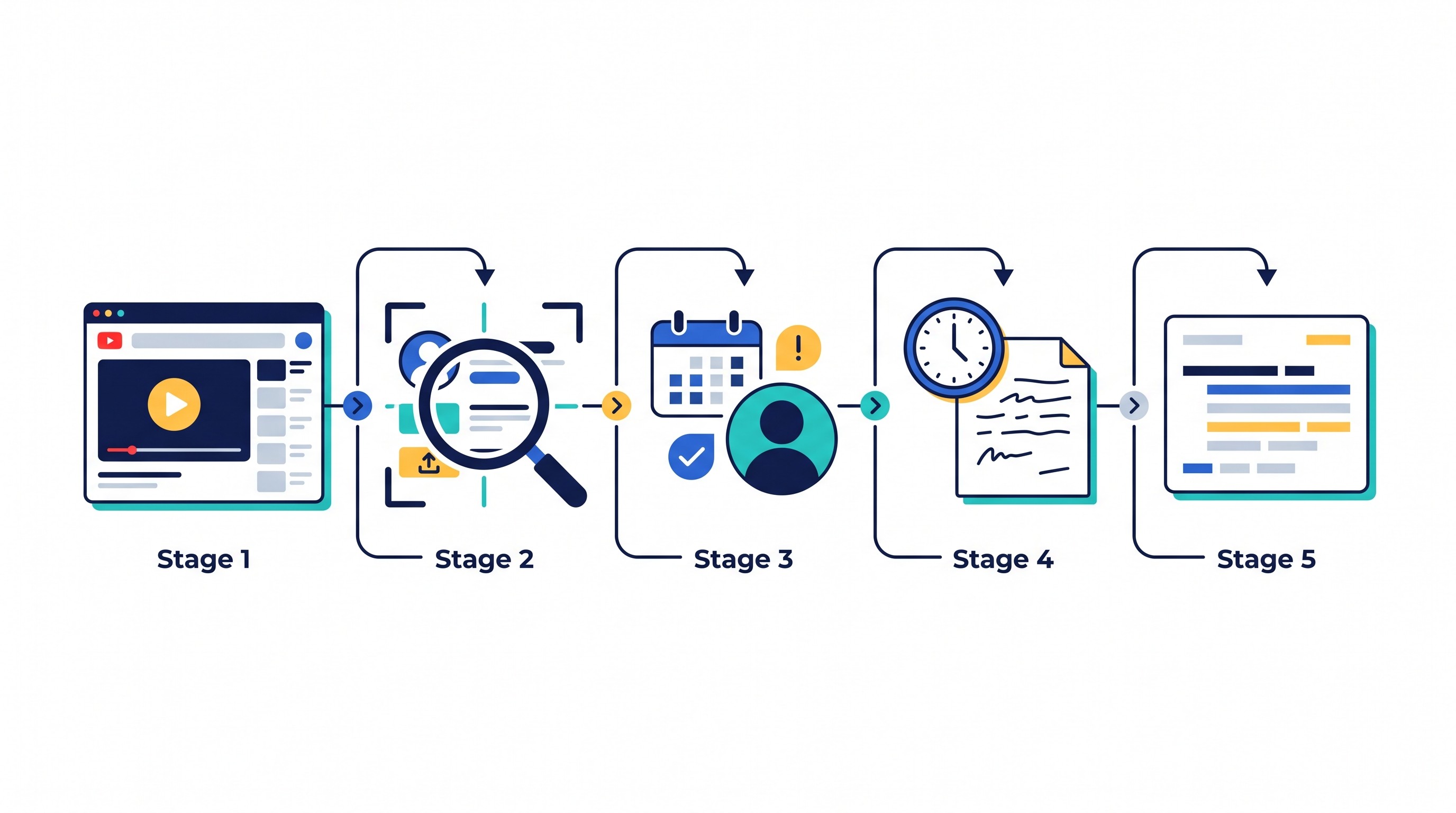
Step 1: Open the original video
Open the YouTube watch page. Avoid citing from:
a playlist page;
a search result;
an embedded player;
a downloaded transcript without source metadata;
a reposted clip when the original source is available.
If the clip is the actual source you used, cite that clip. If you used the full original talk, cite the full original talk.
Step 2: Record the uploader and date
Write down the channel name exactly as it appears. Then record the upload date.
Do this before taking notes. If you wait until the end, it is easy to mix the video’s upload date with the event date, transcript date, or the date you accessed the page.
Step 3: Copy the title and URL
Copy the title exactly, then convert it to APA sentence case in your reference list.
Copy the URL from the video page or share button. Make sure it opens the exact video, not just a channel, playlist, or search page.
Step 4: Note timestamps as you watch
When a sentence, definition, statistic, method explanation, or demonstration might become evidence in your paper, write down the timestamp immediately.
A useful note looks like this:
08:14 — speaker defines the term
17:42 — example of method in practice
32:05 — limitation or caveat
44:19 — direct quotation candidate
For a long video, this saves time later and prevents vague citations.
Step 5: Assemble and proofread the reference
Use this final template:
Reference entry:
Channel Name. (Year, Month Day). Title of video in sentence case [Video]. YouTube. URL
Then check whether your in-text citations match:
General reference: (Channel Name, Year)
Specific moment: (Channel Name, Year, 12:34)
Long-video moment: (Channel Name, Year, 1:12:34)
Preserve the source context when the citation matters
For an important research claim, keep more than the citation string. Save the URL, transcript excerpt, timestamp, and your note explaining why the moment supports the claim.
A research workspace helps here. Otio’s YouTube video summarizer can keep a YouTube URL, transcript, notes, and selected moments in one library, but the final citation metadata should still be checked against the original YouTube page before submission.
For source discovery beyond videos, see Otio’s guide to good websites for research. If the YouTube source is one part of a larger evidence base, the next step is synthesis; this guide on how to write a literature review covers that broader workflow.
FAQ
Q: Do I need a timestamp in every APA YouTube citation?
A: No. Add a timestamp when quoting, closely paraphrasing, or directing readers to a specific moment. A general reference to the whole video usually needs only the author and year in the in-text citation.
Q: What should I do if a YouTube video has no publication date?
A: Use “n.d.” in place of the year when no reliable publication date is available, and retain the original video URL. Do not substitute the date you accessed the video unless your instructor asks for it.
Q: Should I cite the speaker or the YouTube channel?
A: Usually cite the account or organization that uploaded the video as the author. Name the speaker in your prose when relevant, but do not replace the uploader in the reference entry unless the speaker is also the author of the uploaded source.
[[OTIO_FOOTER_PROMO:%7B%22title%22%3A%22Ready%20to%20check%20your%20own%20YouTube%20sources%3F%22%2C%22description%22%3A%22Keep%20each%20video%20URL%2C%20transcript%20excerpt%2C%20timestamp%2C%20and%20metadata%20together%20in%20Otio%2C%20then%20verify%20the%20final%20entry%20on%20the%20original%20YouTube%20page.%22%7D]]



