
Personal Knowledge Management
Notion for Research: How to Build a Searchable Research Workspace
Build a searchable Notion research workspace for sources, notes, tasks, and synthesis. Use a simple database structure, capture workflow, linking system, and review routine without turning your workspace into a filing project.

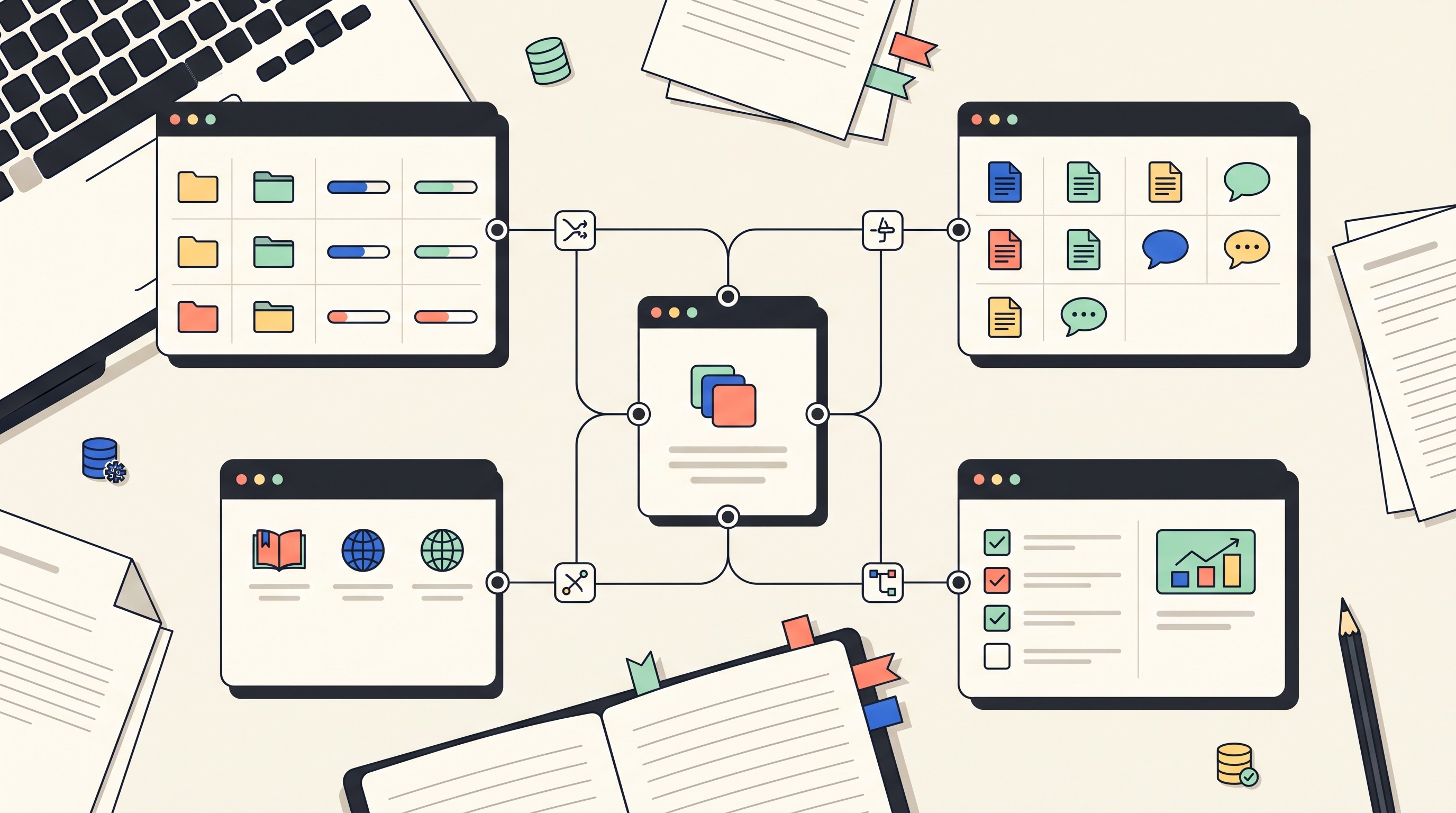
Use Notion for research as a connected workspace, not as a folder full of pretty pages. The workable setup is simple: one database for Projects, one for Sources, one for Notes, and one for Tasks, with each project page showing filtered views of the material that belongs to it.
That structure gives you what most research systems fail to provide: a way to answer, “What evidence do I have for this question, where did it come from, and what still needs checking?” Keep citation formatting and bibliography generation in a dedicated reference manager when the project demands it; use Notion to organize, retrieve, and synthesize evidence.
How to use Notion for research: Build one connected workspace
Notion works best for research when it is treated as a relational workspace. Notion describes itself as “a single space where you can think, write, and plan,” and that framing is useful: the value is not storage alone, but bringing notes, sources, tasks, and project context into one place (Notion).
A good research workspace starts with four databases:
Database | What it stores | Why it matters |
|---|---|---|
Research Projects | Papers, theses, reports, grant proposals, literature reviews, client memos | Keeps each project from becoming a loose folder |
Sources | Articles, books, PDFs, websites, datasets, videos, interviews | Separates source metadata from your interpretation |
Notes | Claims, quotations, paraphrases, definitions, methods, questions | Turns reading into retrievable evidence |
Tasks | Follow-ups, citation checks, reading assignments, draft work | Converts uncertainty into action |
The project page is the reader-facing home. A page for “Literature review on telehealth access,” for example, should show only the sources, notes, open questions, and tasks tied to that project. Avoid relying on one giant global dashboard; it becomes impressive before it becomes useful.
The main tradeoff is maintenance. Fewer databases make capture easier because there are fewer decisions to make. More properties make filtering better, but every field becomes another thing to fill, ignore, or clean up later.
Start simple. Add complexity only when a repeated retrieval problem proves that you need it. If you keep asking “Which sources challenge my third research question?” then add an evidence relationship field. If you never filter by publication venue, don’t make publication venue mandatory.
Notion should not be your only research tool. It is strong for coordination, notes, synthesis, and planning. It is weaker as a formal citation manager because academic projects often require reliable imported metadata, citation styles, deduplication, and bibliography output.
Set up the databases and properties that make research searchable
Searchable research depends less on Notion search and more on consistent properties. If every source is named differently, tagged casually, and stored without a project relation, search will return pages but not answers.
Start with the Sources database. Each record should describe the source itself, not your evolving opinion about it.
Use these properties:
Title: full source title, not a vague filename.
Author / Organization: person, lab, institution, publisher, agency, or company.
Publication date: year is enough for some projects; full date matters for policy, law, news, and fast-moving fields.
URL / DOI / stable identifier: the link you would use to find the source again.
Source type: journal article, book, report, website, dataset, video, interview, legal source, lecture.
Project: relation to the Research Projects database.
Status: To review, Reading, Extracted, Evaluated, Cited, Archived.
Topic tags: broad enough to reuse.
Credibility notes: peer reviewed, official source, preprint, advocacy organization, unknown author, method limitations.
Date added: useful for review queues.
The Notes database should capture your interaction with the source. A source can produce many notes. That is the point.
Use these properties:
Note type: claim, quotation, paraphrase, definition, method detail, statistic, question, interpretation.
Linked source: relation to Sources.
Linked project: relation to Research Projects.
Research question: the question this note helps answer.
Topic / theme: the broader concept.
Claim or idea: one sentence that says what the note is about.
Evidence status: supports, challenges, defines, contextualizes, requires verification.
Ready for synthesis: checkbox or status.
Location in source: page number, timestamp, figure, section heading, paragraph, table.
For Tasks, keep the structure plain:
Task
Project
Related source
Related note
Status
Due date
Owner, if collaborating
Task type: read, verify, cite, summarize, compare, draft, revise
The most useful status values are operational. They should answer “what should I do next?” rather than merely describe a mood.
For sources, use:
To review
Reading
Extracted
Evaluated
Cited
Archived
For notes, use:
Captured
Needs source location
Needs verification
Ready for synthesis
Used in draft
Archived
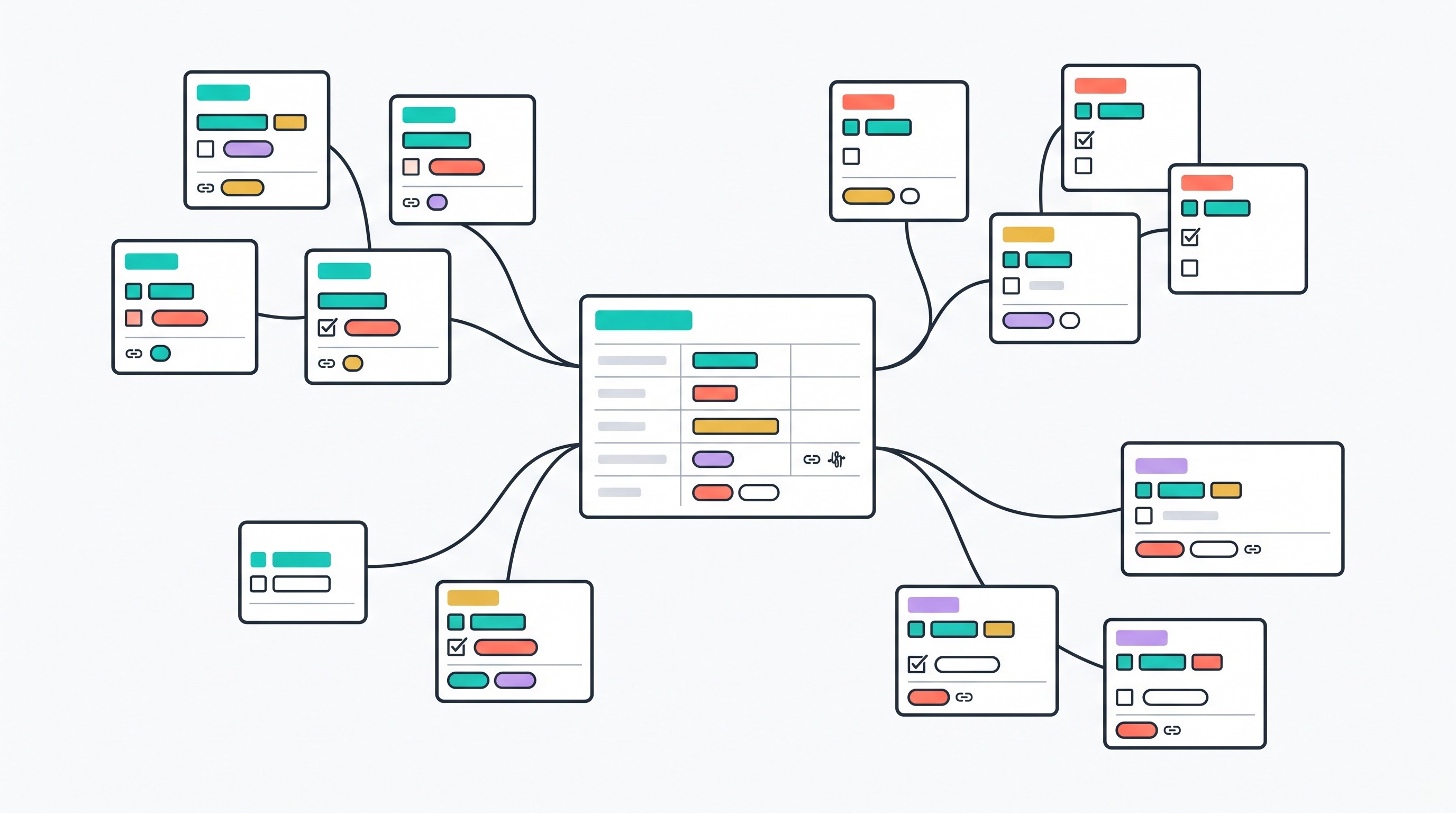
Relations are the backbone. Connect Sources and Notes to Projects. Connect Notes to Sources. Connect Tasks to Projects and, when useful, to Sources or Notes.
Do not create a separate database page for every small tag, scholar, theory, or phrase. That feels rigorous but usually turns into housekeeping. Use a relation only when the entity has its own useful metadata or recurring role. “Research question” may deserve a relation in a dissertation; “motivation” probably does not.
Create these views early:
View | Database | Filter |
|---|---|---|
Unreviewed sources | Sources | Status is To review |
Reading queue | Sources | Status is Reading |
Notes by research question | Notes | Group by Research question |
Unresolved claims | Notes | Evidence status is Requires verification |
Writing-ready evidence | Notes | Ready for synthesis is checked |
Recently added | Sources / Notes | Date added is within the recent working period |
Tasks due this week | Tasks | Due date is this week and status is not done |
Visual views can help when a project has many moving parts. A table is good for filtering, but a visual organizer can reveal missing links between questions, themes, and evidence. If that is the problem, use a research graphic organizer template alongside your Notion databases instead of forcing every relationship into a table.
Create a capture workflow for articles, books, web pages, and media
The biggest mistake is capturing notes before capturing context. A paragraph saved from a paper is hard to trust later if the source record is missing, the project is unclear, and the page number is gone.
Use this sequence:
Create the source record.
Add a stable link or identifier.
Assign the project.
Add broad topic tags.
Write one sentence on why the source matters.
Set the source status.
Create linked notes only after the source has enough context.
That last step matters. If the source has no metadata, every extracted note becomes fragile. You may remember what it meant this week. You will not remember it six weeks later when drafting.
Keep bibliographic facts separate from interpretation. The Sources database should store facts about the source: title, author, date, link, source type, method, publication context. The Notes database should store what you observed: a claim, a limitation, a useful quotation, a contradiction, a question.
A strong source template does not need to be long. It should prompt the minimum thinking that prevents lazy capture.
Use sections like these inside each source page:
Source relevance
What project does this source support?
Which research question might it answer?
Why is it worth reading now?
Is it central, supporting, background, or speculative?
Key claims
What does the source argue or show?
Which claims are directly supported by evidence?
Which claims are interpretive or speculative?
Methods or evidence
What kind of evidence does the source use?
What population, dataset, archive, experiment, or corpus is involved?
Are the methods appropriate for the claim?
Limitations
What does the source not show?
What assumptions does it make?
What context might limit its usefulness?
Quotations and paraphrases
For each quotation or close paraphrase, record:
Page number, timestamp, table, figure, section, or paragraph.
Whether the wording is a direct quote or paraphrase.
Why it matters for the project.
Which research question it supports or complicates.
Follow-up questions
What needs verification?
What source should be read next?
What contradiction or gap does this source create?
For books, page numbers are usually the best evidence location. For videos, use timestamps. For web pages, use section headings and access dates when the content may change. For PDFs, record page numbers as shown in the PDF viewer, not just the printed page number, if the file has front matter or inconsistent pagination.
Source discovery is a separate job from capture. Use academic databases, library catalogs, search engines, journal sites, government portals, and specialist indexes to find material, then evaluate and organize it in Notion. If the discovery step is the bottleneck, start with this guide to good websites for research, then bring only the useful sources into your workspace.
Scanned PDFs, videos, and unstable web pages need extra care. A Notion link does not preserve the evidence. Keep the original file in an approved storage location, save a durable citation, or store the source in a reference manager or institutional repository when the project requires an audit trail.
Turn reading notes into evidence you can retrieve and compare
A research workspace can be searchable and still analytically weak. That happens when notes are long summaries with no claim, no evidence location, and no statement of what the writer thinks.
Use atomic notes instead. One note should represent one claim, observation, definition, method detail, quotation, or question. The point is not to fragment everything for its own sake; the point is to make evidence comparable.
A weak note says:
“This article discusses barriers to telehealth adoption.”
A stronger atomic note says:
“The article identifies broadband access as a structural barrier to telehealth adoption in rural clinics. Evidence: interview findings from clinic administrators, pp. 8–10. Use: supports RQ2 on infrastructure constraints.”
Now the note can be grouped, filtered, challenged, cited, or ignored. It has a job.
Each note should label its relationship to the source. Useful labels include:
Supports: backs a claim you may make.
Challenges: contradicts or complicates another claim.
Defines: gives a definition or conceptual boundary.
Contextualizes: supplies background, history, or conditions.
Requires verification: interesting but not yet safe to rely on.
Also label the kind of text you are storing. This reduces accidental plagiarism and citation confusion.
Use explicit categories:
Label | Meaning |
|---|---|
Direct quotation | Exact wording from the source |
Close paraphrase | Same idea, substantially reworded but still source-dependent |
Summary | Condensed account of a larger section or argument |
Original interpretation | Your analysis of what the source means or implies |
Question | Something unresolved or worth testing |
This is where Notion becomes useful for synthesis. Build a project dashboard that groups notes by research question, theme, method, or position. If all notes for “RQ1: What causes the access gap?” sit together, patterns appear before drafting starts.
Create a Contradictions / Disagreements view. Filter for notes where Evidence status is Challenges or Requires verification. Group by research question.
That view is often more valuable than a chronological reading list. Strong research rarely comes from stacking sources that all say roughly the same thing. It comes from seeing where sources disagree, why they disagree, and what evidence would resolve the difference.
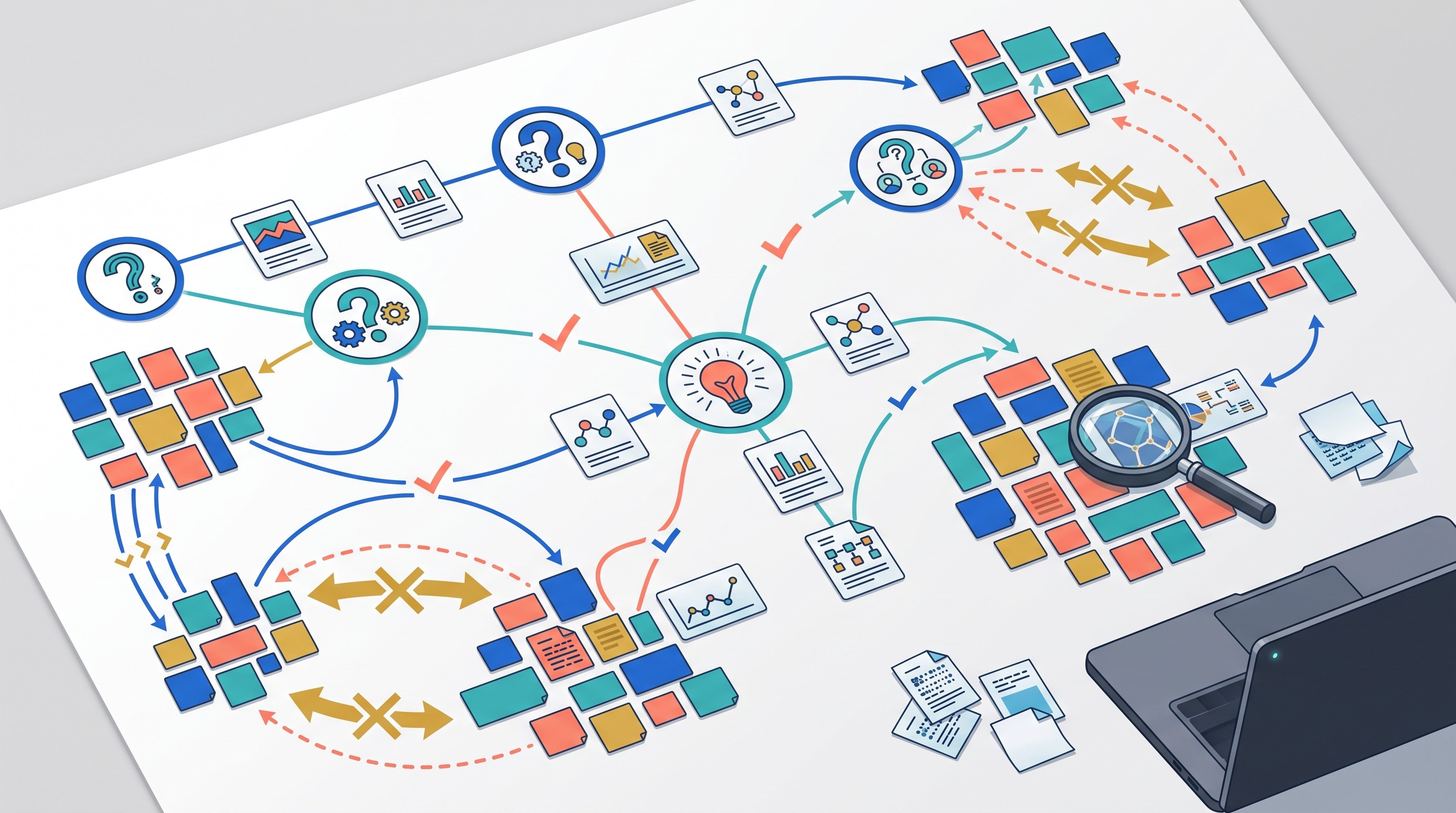
For highly conceptual projects, tables may not be enough. A research concept map can help show how theories, variables, mechanisms, and evidence clusters relate before you turn them into sections.
[[OTIO_INLINE_PROMO:%7B%22title%22%3A%22Need%20to%20compare%20claims%20across%20your%20sources%3F%22%2C%22description%22%3A%22Add%20PDFs%2C%20web%20pages%2C%20videos%2C%20or%20notes%20to%20Otio%2C%20ask%20source-based%20questions%2C%20and%20save%20useful%20selections%20as%20notes%20before%20linking%20them%20in%20Notion.%22%7D]]
Use views and review routines to find the right evidence quickly
Search is useful when you remember a term. Views are better when you remember the problem.
If you know the phrase “broadband access,” use Notion search. If you remember that there was a source challenging your second research question but not its title, use filtered views.
Set up three review views that you will actually use:
Quick-review view
Database: Sources
Filter: Date added is recent and Status is To review
Use this to process sources you captured quickly. The job is not to read everything. The job is to decide: discard, queue, skim, or extract.
Evidence-gap view
Database: Notes
Group by: Research question
Filter: Project is current project
This shows which questions have too little evidence, too much weak evidence, or mostly background material. If one research question has twenty notes and another has two, the problem is visible.
Writing view
Database: Notes
Filter: Ready for synthesis is checked
Group by: Research question or draft section
This view feeds the outline or draft. Notes in this view should have source links, evidence locations, and clear labels. If a note is missing those, it is not ready.
Use filtered project pages rather than one master dashboard. A global dashboard may feel efficient, but active research is usually project-specific. Each project page should show:
Sources linked to that project.
Notes linked to that project.
Tasks linked to that project.
Unresolved claims.
Writing-ready evidence.
Recently added material.
Open questions.
Schedule a short weekly maintenance pass. Fifteen to thirty minutes is enough for most individual projects if the system is simple.
During that pass:
Process uncategorized sources.
Merge duplicate notes.
Add missing source locations.
Update statuses.
Move weak or irrelevant sources to Archived.
Convert open questions into tasks.
Check whether any “ready” note is missing a citation detail.
Review contradictions before drafting.
Naming conventions make global search less brittle. Use names that carry context even when properties are incomplete.
For projects:
Telehealth access literature reviewGrant proposal: rural clinic staffingClient memo: EU AI Act compliance
For sources:
Author year - short titleOrganization year - report topicCase name year - issue
For notes:
Claim - broadband access limits telehealth useQuote - patient trust and remote careMethod - interview sample and recruitmentQuestion - does reimbursement explain adoption gap
A completed research record is more than a set of notes. It should show what was examined, what was excluded, what evidence mattered, and how conclusions developed. For examples of organized research material supporting a finished record, see these research journal examples.
Know where Notion fits in a complete research workflow
Notion is strongest in the middle of the research workflow. It is not the whole workflow.
Use it for:
Project coordination.
Reading queues.
Source notes.
Research questions.
Evidence grouping.
Task tracking.
Synthesis planning.
Draft section planning.
Collaboration around non-sensitive notes.
Pair it with a citation manager when the project depends on citation accuracy. If you are writing a thesis, journal article, legal memo, systematic review, or grant proposal, you will likely want a dedicated tool for importing metadata, cleaning records, formatting citations, and generating bibliographies.
Keep restricted or sensitive research data in the system approved by your institution, employer, client, or project owner. Do not copy interview transcripts, unpublished data, legal documents, medical records, or proprietary files into a general workspace without checking access, retention, and consent requirements.
AI can help with orientation, but do not treat an AI summary as evidence. Use summaries to decide what to read, identify likely sections, or generate questions. Then return to the source before making a claim.
If you want a source-grounded AI layer beside Notion, Otio’s AI PDF reader can collect PDFs, links, videos, notes, and source-based chats in one library. For web-heavy projects, a webpage summarizer can help turn pages into reviewable notes before you decide what belongs in Notion.
The handoff should stay disciplined:
Discover or upload the source.
Read or summarize for orientation.
Verify important claims in the original.
Save structured source facts.
Create linked atomic notes.
Mark evidence as ready only when the source location is clear.
Use Notion views to synthesize.
Do not build the perfect workspace first. Create one project page. Add five representative sources: a journal article, a book chapter, a report, a web page, and one source that challenges your current view. Make one source template. Extract ten atomic notes.
Then test the system with one question: Can I answer this research question from linked notes and find the original evidence quickly?
If the answer is yes, expand slowly. If the answer is no, fix the retrieval problem before adding dashboards, icons, formulas, or more tags.
FAQ
Q: Is Notion good for academic research?
A: Yes, Notion is useful for organizing projects, sources, notes, questions, tasks, and synthesis. For citation-heavy academic work, pair it with a dedicated reference manager.
Q: How should I organize research papers in Notion?
A: Create a Sources database with bibliographic fields, project relations, topics, status, and credibility notes. Connect each paper to smaller Notes records for claims, quotations, paraphrases, page locations, and your interpretation.
Q: Can Notion replace a citation manager?
A: Usually not for serious academic writing. Notion can store citation details, but citation managers are better for importing metadata, cleaning references, applying styles, and generating bibliographies.
Q: How do I stop a Notion research system from becoming too complicated?
A: Start with Projects, Sources, Notes, and Tasks. Add only fields that answer a recurring retrieval or review question, and test every change on real sources before expanding the system.
[[OTIO_FOOTER_PROMO:%7B%22title%22%3A%22Apply%20this%20workflow%20to%20your%20own%20research%22%2C%22description%22%3A%22Collect%20papers%2C%20links%2C%20and%20notes%20in%20Otio%2C%20verify%20important%20claims%20in%20the%20originals%2C%20then%20record%20the%20evidence%20in%20your%20Notion%20Sources%20and%20Notes%20databases.%22%7D]]



