
Literature Discovery Tools
ResearchRabbit: How to Use It for Literature Discovery and Citation Mapping
Use ResearchRabbit to expand a seed-paper collection, explore related literature, and trace citation connections without treating its visual map as a complete literature review. Follow a practical workflow for discovery, screening, and citation management.

ResearchRabbit is best used as a literature-discovery and citation-mapping tool: start with papers you already trust, use its visual network to find related work, then screen those papers outside the map before they enter your literature review. It is not a replacement for database searching, eligibility criteria, synthesis, or citation management.
The practical workflow is simple: define the question, add three to five seed papers, explore backward and forward citation paths, save candidates, verify metadata and quality, then move included papers into notes and references.
The mistake is treating the graph as the review. A citation map can show useful neighborhoods of scholarship, but it cannot prove that your evidence set is complete, current, or unbiased.
What ResearchRabbit is best for
ResearchRabbit sits in the discovery part of a literature review. Its own materials describe it as a tool for discovering research faster, staying organized, visualizing connections, exploring papers, and mapping connections between works (ResearchRabbit introduction, ResearchRabbit guide).
That means its strongest use is moving from known papers to adjacent papers:
Papers cited by your seed paper
Later papers that cite your seed paper
Related papers clustered around authors, topics, or citation behavior
Nearby research communities you may not have found through keyword search alone
Do not confuse that with the whole literature-review process.
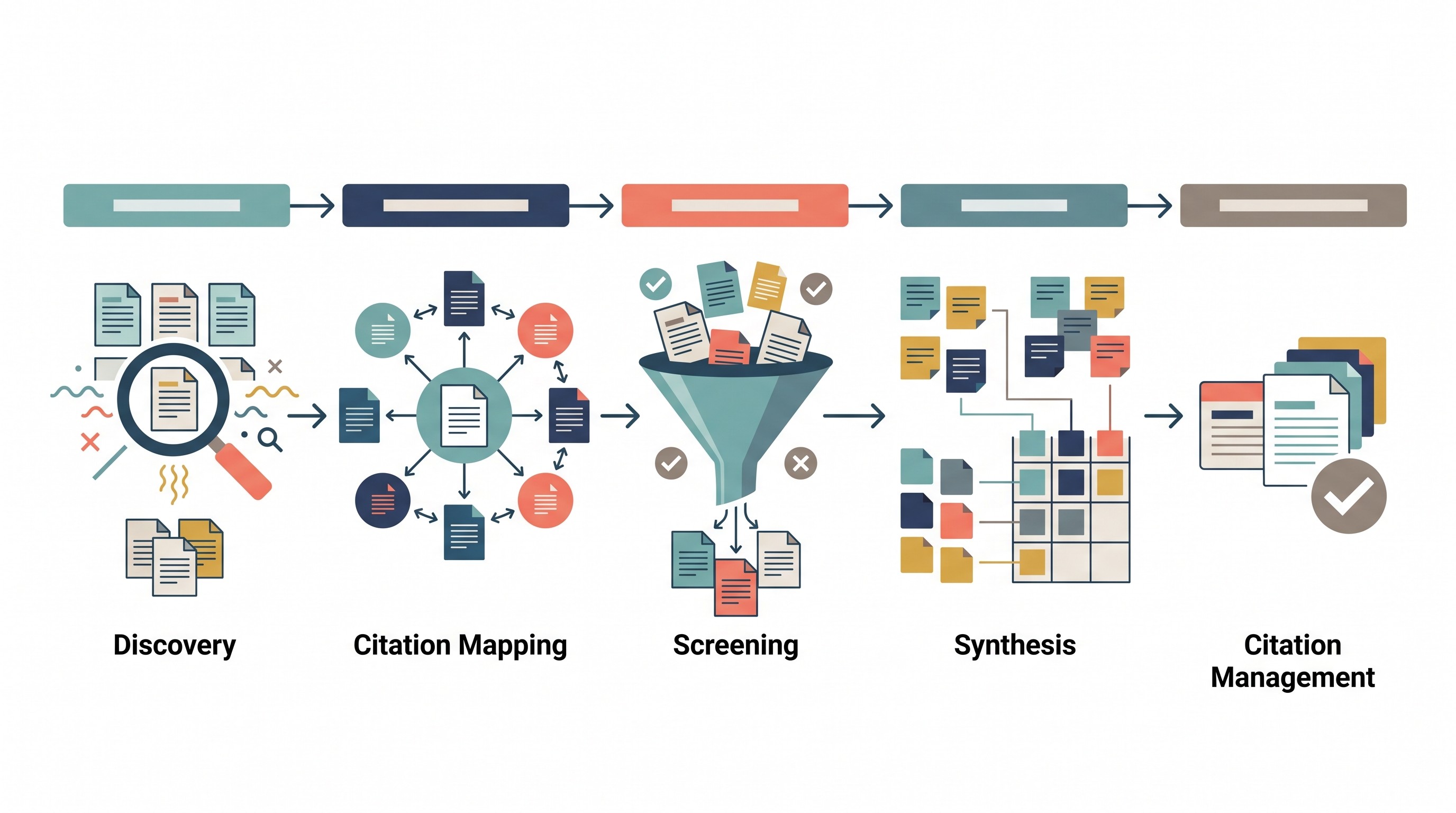
A literature review usually includes five separate jobs:
Job | What it answers | Can ResearchRabbit do it alone? |
|---|---|---|
Discovery | “What related papers should I know about?” | Partly |
Citation mapping | “How are these papers connected?” | Yes, within its indexed network |
Screening | “Does this paper meet my criteria?” | No |
Synthesis | “What does the evidence say across studies?” | No |
Reference management | “Can I cite and format this correctly?” | No |
The distinction matters most when the work needs to be defensible: a thesis chapter, systematic review, grant background, clinical review, legal-academic paper, or manuscript introduction.
A visual network can reveal clusters that keyword searching misses. It can also exaggerate what is easiest to index, most cited, or most connected. Use it as a discovery engine, then pair it with conventional database searching. For query-building, Boolean operators, date filters, and phrase searches, use a separate process like Google Scholar search rather than expecting the map to do every discovery job.
How to start a ResearchRabbit literature review
Start with the question, not the tool. ResearchRabbit works best when you feed it a tight problem and credible seed papers; it works poorly when you start with a vague topic and let the network sprawl.
A weak start looks like this:
“AI in education”
“Climate change and health”
“Social media and anxiety”
A better start looks like this:
“How do AI writing tools affect undergraduate revision behavior in first-year composition courses?”
“What evidence links urban heat exposure to hospital admissions among older adults?”
“How is short-form video use associated with anxiety symptoms in adolescents?”
If the topic is still broad, pause and create a workable question first. This guide on how to write a research question is a better starting point than opening any discovery tool too early.
Choose three to five seed papers
A seed paper is a paper you trust enough to use as a starting point. It does not need to be perfect, but it should be relevant, findable, and connected to the question.
Use a small seed set that covers different angles:
Foundational paper: often older, heavily cited, or method-defining
Recent review: useful for vocabulary, subfields, and reference trails
Method paper: important if your review turns on measurement, modeling, or design
Contrasting paper: takes a different theoretical or empirical position
Current application: shows where the field has moved recently
Do not let one famous author or one journal define the whole map. If every seed paper comes from the same lab, discipline, country, or citation circle, the recommendations will likely inherit that bias.
For each seed paper, record why it was chosen before you add it:
Field | What to capture |
|---|---|
Research question | What problem does the paper address? |
Method | Experiment, survey, ethnography, review, model, trial, case study |
Population or subject | People, organisms, datasets, jurisdictions, texts, systems |
Date | Why the publication year matters |
Relevance | Why this paper belongs near the review question |
Initial role | Foundational, current, methodological, contradictory, or review |
This small note prevents a common failure: six weeks later, you have 90 papers in a collection and no memory of why the first five were there.
Set up the collection
ResearchRabbit’s current help materials describe a workflow around getting started, searching for research, organizing literature, exploring papers, and mapping connections (ResearchRabbit getting-started guide). Interfaces change, so verify labels in the current app, but the sequence is usually:
Create or open a collection for the project.
Add the seed papers.
Inspect related works and citation relationships.
Save promising papers into the collection.
Revisit the collection after screening, not before.
Keep collections scoped. “Dissertation chapter 2: adolescent sleep interventions” is better than “sleep research.” If a map starts mixing adjacent but separate questions, create a second collection rather than letting one graph become a junk drawer.
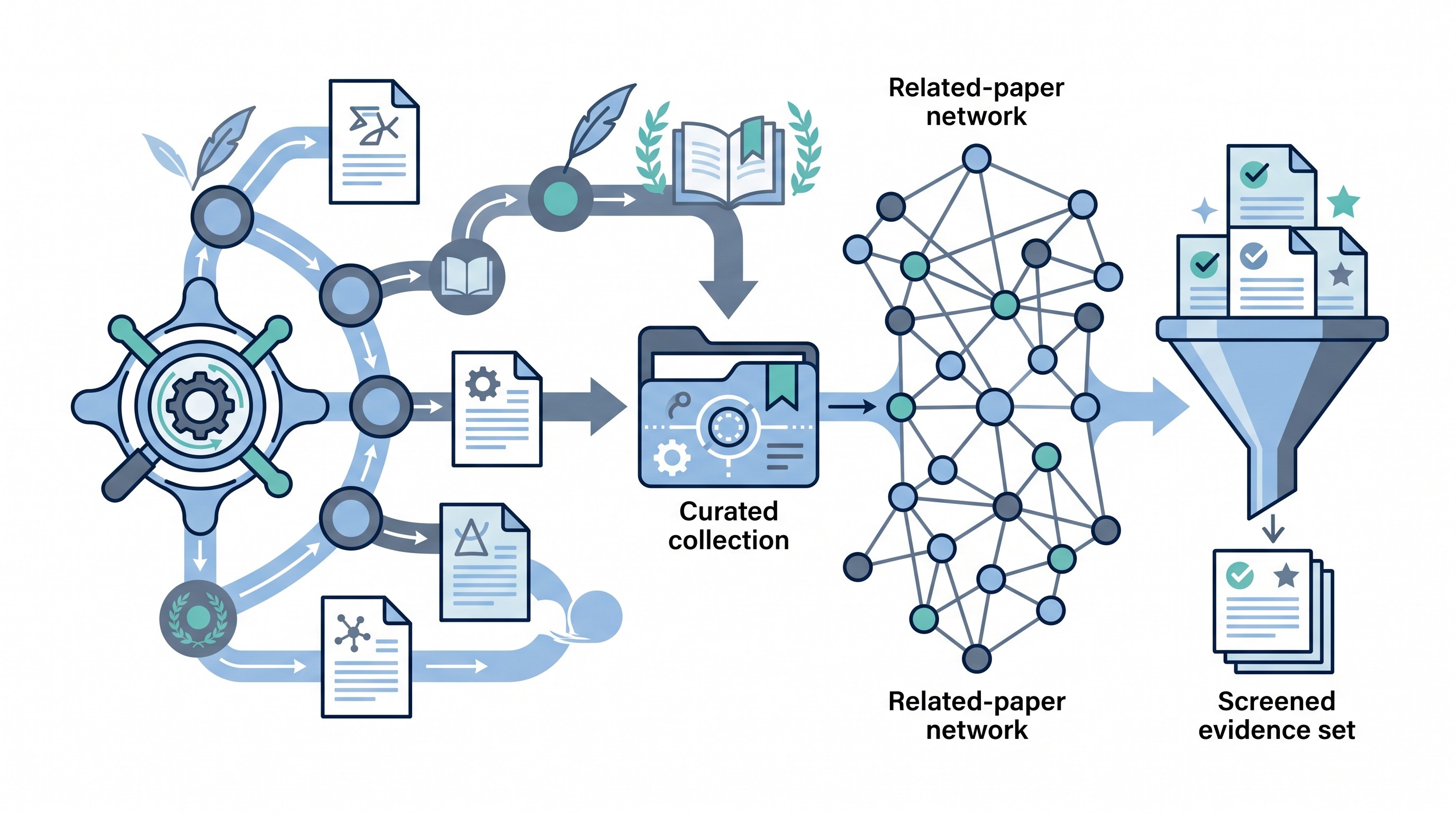
How to use citation mapping to find related papers
Citation mapping is useful because papers are not isolated objects. They cite earlier work, get cited by later work, cluster around authors and methods, and split into sub-communities.
Use those connections deliberately.
Backward citation chasing: follow the references
Backward citation chasing means inspecting the works cited by a useful paper.
This helps you find:
Foundational studies
Original definitions
Earlier datasets
Methods the paper adopted
Theoretical traditions
Competing explanations the authors positioned against
Backward chasing is especially useful when a recent paper uses a phrase as if everyone already knows it. The reference list often tells you where that phrase came from and which paper the field treats as canonical.
The risk: older cited work may be famous rather than sound. Do not assume that a paper is high quality because many later papers cite it.
Forward citation chasing: follow later citations
Forward citation chasing means looking at papers that cite your seed paper.
This helps you find:
Replications
Extensions
Corrections
Critiques
New applications
Meta-analyses or reviews
Evidence that the field changed after the seed paper
Forward citation chasing is often where ResearchRabbit becomes most useful. A paper published ten years ago may have been extended, challenged, or quietly abandoned. Later citations show what happened next.
Treat author and topic links as signals, not evidence
ResearchRabbit can help surface author clusters, paper neighborhoods, and related works. Treat those as discovery signals.
Before a paper becomes part of the review, open the original publication record. Check the abstract, publication venue, date, DOI, and full text. A map can suggest relevance; it cannot read your inclusion criteria for you.
A useful labeling system keeps the map from becoming a blur:
Foundational: established concept, field, or debate
Methodological: important for design, measurement, model, or data
Review: summarizes a body of literature
Contradictory: challenges a common claim
Replication: tests whether a result holds
Current application: applies older work to a newer context
Peripheral: interesting, but outside the review question
This is also where a complementary tool can help. Semantic Scholar is useful as another scholarly-discovery layer, especially when checking paper pages, author records, and citation trails outside a single map.
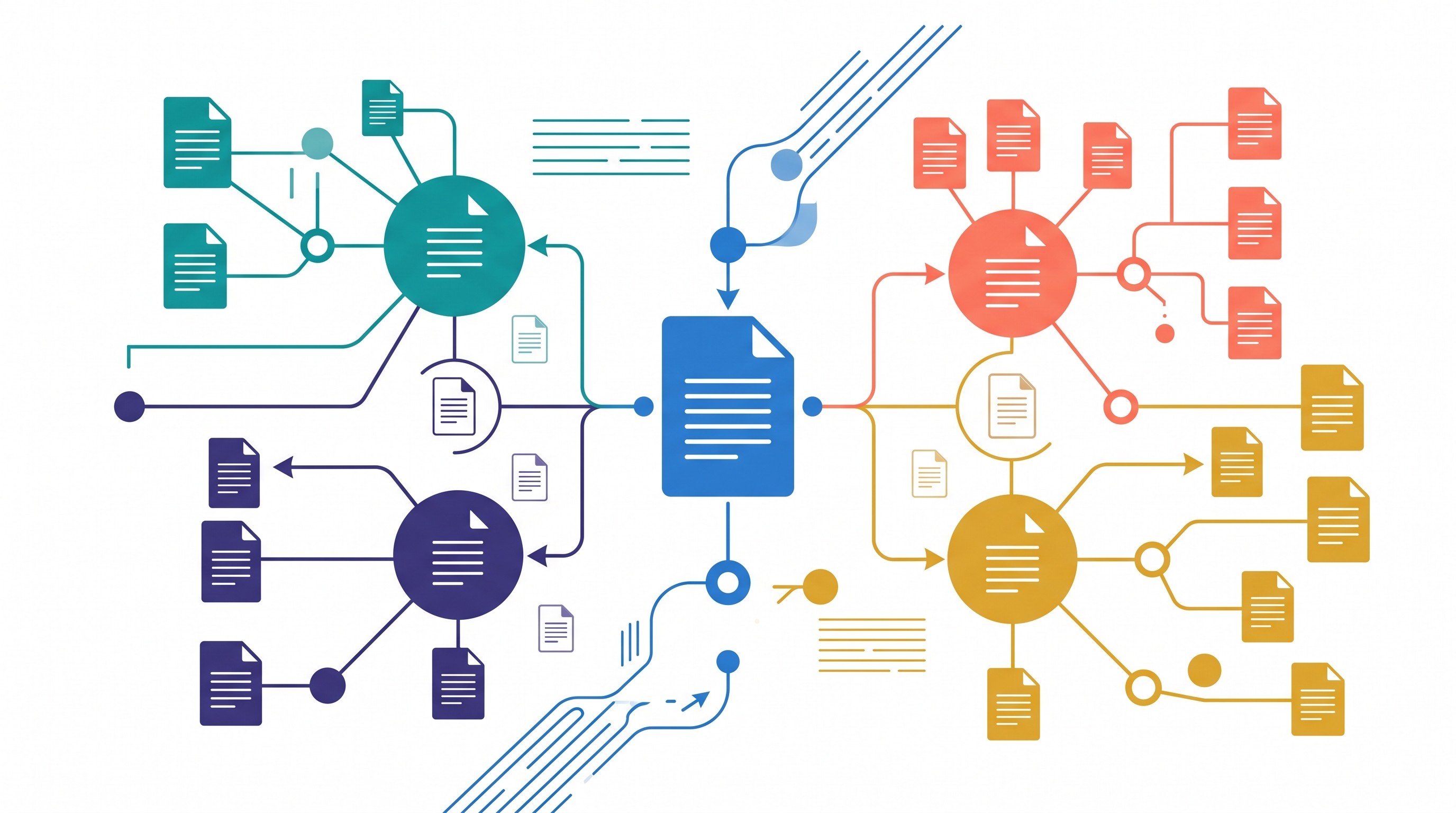
Watch for map dominance
Highly cited papers can dominate a visual network. That is useful when trying to understand the field’s center of gravity, but it can hide less connected work.
Common blind spots include:
Very recent papers with few citations
Niche subfields
Negative or null findings
Non-English literature
Disconnected disciplines using different vocabulary
Poorly indexed journals or conference proceedings
Practice-based literatures that are cited less often than theory papers
If the review must be comprehensive, do not rely on ResearchRabbit alone. Combine it with keyword searches in relevant databases and document the search path.
How to screen and verify papers found through ResearchRabbit
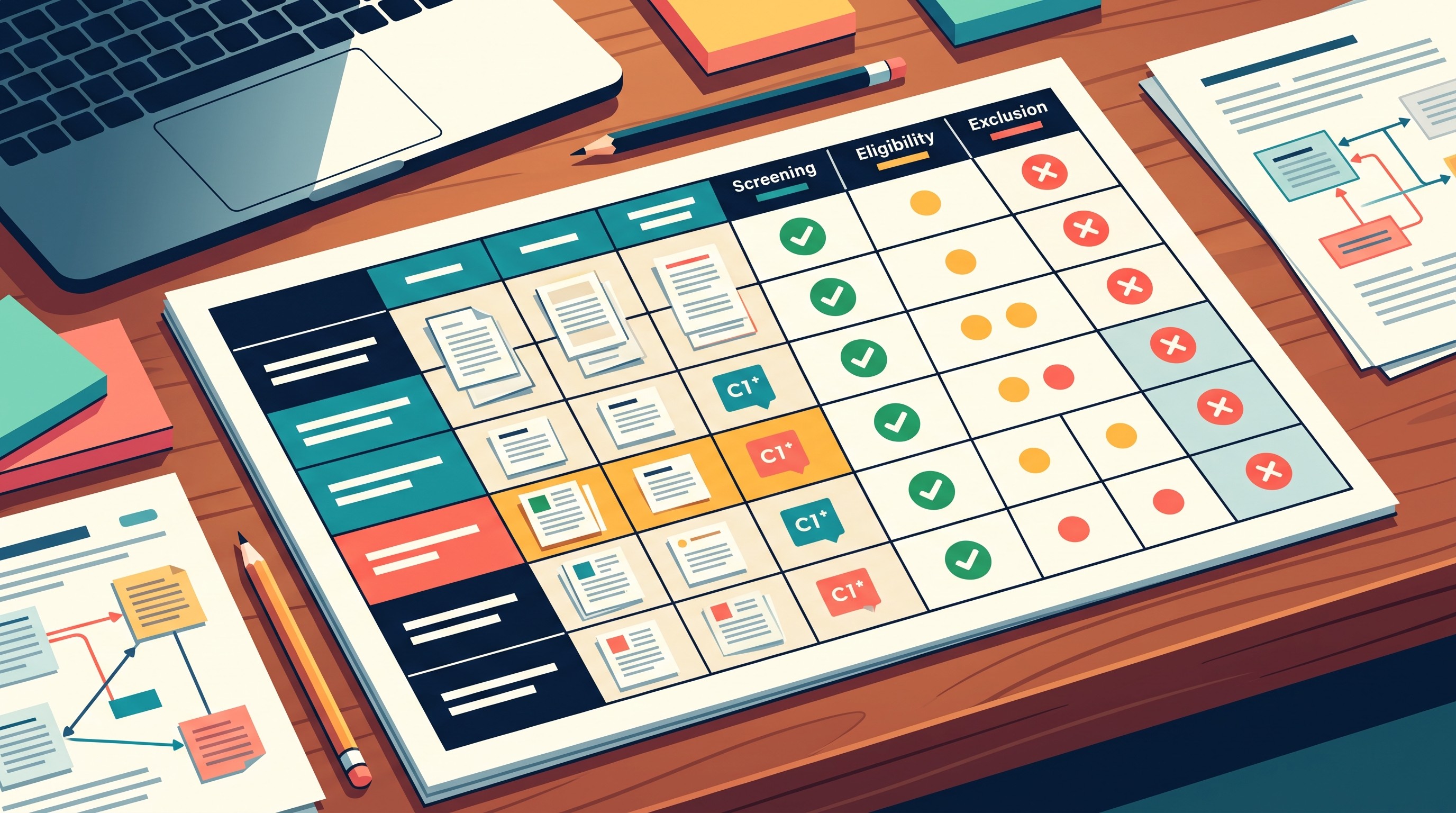
Discovery and inclusion are different decisions. A paper found through ResearchRabbit is a candidate, not evidence.
Screen every saved paper against the same checklist:
Criterion | Include if… | Exclude if… |
|---|---|---|
Population or subject | It matches the review scope | It studies a materially different group or object |
Intervention or concept | It addresses the target concept | It only mentions the concept in passing |
Method | The design fits your evidence needs | The method cannot answer your question |
Publication type | It matches your rules | It is an editorial, preprint, thesis, or abstract if excluded by protocol |
Date range | It falls inside your window | It predates or postdates your scope |
Language | It meets your language rules | It cannot be assessed under your criteria |
Relevance | It contributes to the question | It is adjacent but not useful |
For each candidate, verify the bibliographic record:
Title
Authors
Journal or venue
Publication year
DOI
Abstract
Full text availability
Retraction, expression of concern, or correction status
Whether the cited version is the final published version
Do not use citation count as a quality score. Do not use visual centrality as a quality score. Do not use repeated appearance in a network as a quality score.
A paper can be central because it is excellent, because it is controversial, because it is easy to cite, or because the field has organized around its vocabulary. Those are different things.
Track exclusions. A simple spreadsheet is enough:
Paper | Decision | Reason |
|---|---|---|
Candidate A | Include | Directly studies target population and outcome |
Candidate B | Exclude | Adjacent topic; does not address review question |
Candidate C | Uncertain | Method unclear until full text is checked |
The “uncertain” category is important. It prevents you from making a permanent decision based on an abstract, title, or map position.
When the question is not just “who cited this?” but “how did later papers treat this?”, add a citation-context check. Scite can be useful for investigating whether later work supports, disputes, or merely mentions a paper. That still does not replace reading the relevant passages yourself.
[[OTIO_INLINE_PROMO:%7B%22title%22%3A%22Ready%20to%20verify%20the%20papers%20your%20map%20surfaced%3F%22%2C%22description%22%3A%22Add%20candidate%20PDFs%20and%20links%20to%20Otio%2C%20then%20compare%20their%20claims%2C%20methods%2C%20and%20limitations%20while%20keeping%20source-backed%20notes%20together.%22%7D]]
How to turn a ResearchRabbit collection into usable research notes
A saved collection is not a literature review. It is a waiting room.
For every included paper, capture more than the citation:
Main claim: What does the paper argue or find?
Evidence: What data, cases, texts, or experiments support the claim?
Method: How was the evidence produced?
Limitations: What can the paper not show?
Relationship: Does it support, extend, contradict, or qualify other papers?
Use in review: Why might this paper appear in the final synthesis?
Keep the author’s findings separate from your interpretation. That one rule prevents a lot of sloppy literature reviews.
A simple note template works:
Note field | Example question |
|---|---|
Citation | What is the exact source record? |
Research question | What question did the authors ask? |
Method | What did they do? |
Findings | What did they find, in their terms? |
Limitations | What did they acknowledge or fail to address? |
My interpretation | How does this matter for my review? |
Links to other papers | Which papers does this support, challenge, or extend? |
Quote candidates | What exact passages may be useful later? |
Keep two sets distinct:
Discovery set: everything surfaced by ResearchRabbit that looked potentially relevant.
Evidence set: papers that passed screening and were actually read or assessed.
The final bibliography should come from the evidence set, not from the discovery set.
This is where a downstream workspace matters. ResearchRabbit is useful for discovery; notes, PDFs, links, and citation context need somewhere else to live. Otio can serve as that workspace: store PDFs, web links, notes, and citations in a project library, then ask questions across the collected source material. It should be treated as a downstream research workspace, not as a ResearchRabbit integration.
If you already manage references in Zotero, Otio’s Zotero integration can help bring research papers from your Zotero library into the reading and note workflow. For a broader source-to-notes system, use this guide to building a research paper organizer for sources, notes, and citations.
Where ResearchRabbit fits—and where it falls short
ResearchRabbit is strongest when the task is exploratory discovery through relationships. It is weaker when the task requires reproducible search reporting, full-text screening, formal synthesis, or citation formatting.
Tool type | Best for | Weakness |
|---|---|---|
Visual citation mapping | Finding related papers and research clusters | Can be hard to reproduce exactly |
Keyword databases | Auditable searching by terms, filters, and fields | Misses papers that use different vocabulary |
Systematic-review screening tools | Inclusion decisions, blinded screening, reviewer workflows | Not built for serendipitous discovery |
Reference managers | Storing citations and formatting bibliographies | Usually weak at evidence synthesis |
Research note workspaces | Reading, summarizing, comparing, and drafting from sources | Depend on the quality of imported sources |
The non-obvious tradeoff is serendipity versus reproducibility.
A map can surface a paper you would never have found through your first keyword query. That is a real advantage. But a map-based path may be harder to document than a database search string run on a known date with defined filters.
If the work needs to be auditable, record:
Starting seed papers
Date of search or mapping session
Tool used
Databases also searched
Inclusion and exclusion criteria
Filters applied
Screening decisions
Exclusion reasons
Final included set
For systematic work, ResearchRabbit belongs beside, not instead of, the protocol. If you are deciding whether your project needs systematic-review standards, start with the basics of what a systematic literature review requires.
Common failure modes
ResearchRabbit can make literature discovery feel more complete than it is. Watch for these problems:
Incomplete indexing: not every relevant paper is equally visible.
Duplicate records: the same work may appear in multiple forms.
Incorrect metadata: titles, years, authors, or links can be wrong.
Citation bias: well-known work receives more attention regardless of quality.
Disconnected literatures: fields using different terms may not connect cleanly.
Overexpansion: the reading list grows faster than your ability to screen it.
False confidence: a dense graph looks authoritative even when your search is narrow.
The fix is procedural, not technical. Decide what counts before you start saving everything.
A practical next action:
Write one specific research question.
Choose three to five seed papers from different angles.
Add them to a ResearchRabbit collection.
Explore backward references and forward citations.
Save candidates by role.
Screen each candidate against defined criteria.
Move only included papers into your notes and bibliography.
That workflow keeps ResearchRabbit in its proper place: a strong discovery layer, not the final literature review.
FAQ
Q: Can ResearchRabbit replace a systematic literature search?
A: No. It can expand and organize discovery, but a systematic search still requires documented databases, search strategies, eligibility criteria, screening, and reproducible reporting.
Q: What should I use as seed papers in ResearchRabbit?
A: Use a small set of credible papers that represent the question from more than one angle, such as a foundational study, a recent review, and a strong methodological or contrasting paper.
Q: How do I avoid citation bias when using ResearchRabbit?
A: Combine citation mapping with independent keyword searches and more than one scholarly index. Screen papers using predefined criteria rather than popularity, citation count, or position in the map.
Q: Should papers discovered in ResearchRabbit go straight into my bibliography?
A: No. Treat them as candidates until you verify their metadata, read the relevant evidence, and confirm that they meet your inclusion criteria.
[[OTIO_FOOTER_PROMO:%7B%22title%22%3A%22Turn%20your%20screened%20papers%20into%20review%20notes%22%2C%22description%22%3A%22Bring%20your%20included%20PDFs%2C%20web%20sources%2C%20and%20notes%20into%20Otio%20to%20summarize%20findings%20and%20compare%20studies%20across%20your%20evidence%20set.%22%7D]]



