
Journalism Workflow
15 Best AI Tools for Journalists for Research, Interviews, and Fact-Checking
Compare 15 AI tools for journalists across source discovery, document research, interview transcription, verification, and newsroom organization—with practical limits and verification safeguards.

The best AI tools for journalists depend on the reporting task
No single AI tool is reliable enough to handle source discovery, document research, interviews, transcription, claim review, and media verification as the final authority. The practical stack is task-based: use one set of tools to find and understand sources, another to capture interviews, and a third to check claims, images, video, and evidence.
The rule is simple: AI can speed up reporting, but it should not decide what is true, what a source said, or what gets published. Treat every model answer, transcript, summary, and extracted “fact” as a lead until it is checked against the original source.
A good journalism workflow usually looks like this:
Reporting task | Best-fit tools in this list | What still needs human review |
|---|---|---|
Organize source packets | Otio, NotebookLM, Claude, Google Pinpoint | Context, attribution, page references |
Fast background research | Perplexity, ChatGPT, Gemini | Whether cited pages support the answer |
Interview capture | Otter.ai, Descript, Trint, Whisper-based tools | Quotes, names, numbers, consent |
Claim and media checks | Google Fact Check Explorer, InVID-WeVerify, Factiverse | Verdict, context, corroboration |
Academic evidence | Elicit | Study quality, methods, conflicts, retractions |
What to check before using an AI journalism tool
Before a tool touches reporting material, check seven things.
Source visibility. Can the tool show the exact document, page, passage, timestamp, or URL behind an answer? If it cannot, it belongs in brainstorming, not verification.
Citation quality. Some tools cite sources that are relevant but do not actually support the sentence they appear beside. Open the citation. Read the passage. If the cited source only partially supports the claim, rewrite the claim or drop it.
Freshness. Web answers can lag, miss newly published records, or surface outdated explainers. For breaking news, always check primary sources directly: court dockets, agency pages, company filings, public records portals, campaign finance databases, or original posts.
Transcription accuracy. Test with the kinds of recordings your newsroom actually has: bad phone audio, cross-talk, accents, specialist names, street noise, multilingual answers, and sources who talk over each other.
Export and audit trail. A newsroom-friendly tool should let reporters export transcripts, notes, source lists, highlights, or prompt logs. If you cannot reconstruct how an AI-assisted paragraph was produced, you have a publication risk.
Collaboration and permissions. Team access, role controls, shared workspaces, and document history matter when an editor needs to review the reporting trail.
Privacy and data handling. Check whether uploaded material may be retained, reviewed, used for training, or shared with subprocessors. Confidential sources, unpublished investigations, embargoed research, and legally sensitive records may require an approved enterprise tool, local processing, or no AI upload at all.
The easiest evaluation is a small newsroom stress test: run the same source packet through each candidate tool. Include a scanned PDF, a messy interview, a paywalled or login-protected page, a spreadsheet, and specialist terminology. Then compare outputs against the originals.
1. Otio for organizing research across documents, links, and notes
Otio is best when the reporting problem is not “write me a draft” but “help me keep track of too many sources.” It gives journalists one research workspace for PDFs, web pages, YouTube videos, audio, video, notes, cloud files, and source folders.
That matters on document-heavy stories. A reporter covering a procurement scandal, local housing policy, a court case, or a scientific dispute may have public records, reports, interviews, spreadsheets, meeting videos, and background papers scattered across apps. Otio’s Library and Spaces let those materials live in one project rather than in a mix of browser tabs, downloads, transcripts, and notes.
You can chat with selected sources, ask questions about a set of PDFs, save useful excerpts to notes, and keep inline citations attached to AI-generated answers. Its reader supports web pages, PDFs, audio, video, CSVs, YouTube transcripts, and notes; its chat can use multiple model families through multiple AI models, and its connectors include Zotero, Google Drive, Dropbox, Box, and OneDrive.
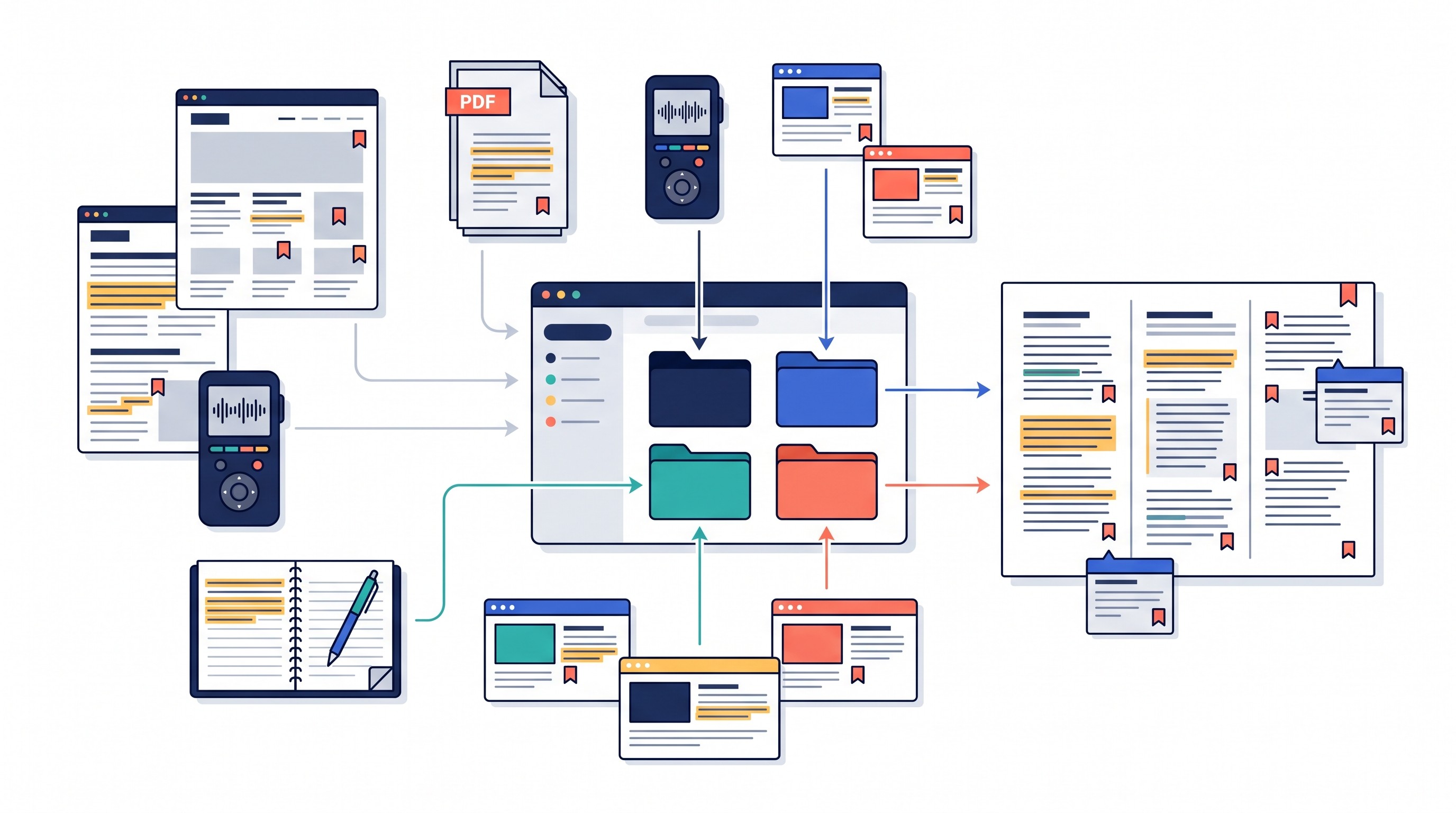
Best use: build a story folder, ask source-grounded questions, extract timelines and contradictions, and turn selected passages into structured notes.
Limit: Otio’s summaries and answers still need to be checked against the original source before publication. Inline citations are a starting point, not a substitute for reading the surrounding paragraph, page, or timestamp.
2. ChatGPT for drafting research questions and analyzing reporting material
ChatGPT is the most flexible general assistant on this list. It is useful for brainstorming interview questions, turning background reading into a source map, extracting structured facts from supplied text, comparing two statements, and generating follow-up questions after an interview.
Its best role is editorial thinking support. For example, a reporter can paste a city council agenda and ask for affected agencies, likely stakeholders, missing documents, and questions for the public information officer. A political reporter can feed in a speech transcript and ask for checkable claims separated from opinion and rhetoric.
The prompt should force separation between evidence and inference. Ask for:
Claims directly supported by supplied material
Claims that are plausible but not proven
Missing records or sources needed to verify the point
Dates, names, numbers, and quotations that require manual checking
Suggested follow-up questions for named stakeholders
ChatGPT is not an authoritative fact-checker. Verify every factual claim, quotation, citation, and date before publication. Do not upload confidential-source material until the provider’s retention, training, access, and security terms match newsroom policy.
For broader research workflows, Otio has a related guide to AI tools for researchers, but journalists should apply stricter verification standards than most academic note-taking workflows require.
3. Claude for long documents and careful source-based synthesis
Claude is strongest when a reporter needs to work through long, dense documents: legislation, policy reports, legal filings, transcripts, investigative records, technical standards, and annual reports.
A useful Claude workflow is to upload a defined packet and ask for a source-grounded memo. The structure should require page references, uncertainty labels, and a distinction between direct evidence and interpretation.
A strong request sounds like this in plain English:
Identify the five most important findings in the packet.
For each finding, give the supporting document name and page or section reference.
Separate direct evidence from your interpretation.
Mark uncertain points as “unclear,” “contradicted,” or “needs another source.”
List the questions a reporter should ask before publishing.
Claude fits reporters who need to interrogate substantial source packets without losing context. It is not a replacement for reading the source packet, especially when legal meaning, scientific nuance, or attribution matters.
Check current file limits, context limits, supported formats, pricing, and the provider’s data-handling policy before using it on unpublished reporting material.
4. Perplexity for fast web research and source discovery
Perplexity is useful at the start of a story, when the job is orientation: find relevant background pages, identify primary sources, locate prior coverage, and build an initial source list.
It is especially helpful when a reporter is entering an unfamiliar beat or developing story. A query such as “primary sources on state-level PFAS regulation in Michigan” can produce agencies, reports, statutes, and news coverage faster than a blank search session.
The weakness is also obvious: citations can create a false sense of certainty. Open every linked page and ask whether it actually supports the answer. A citation that merely mentions the same topic is not evidence.
Use Perplexity for discovery, not conclusion. Check browsing coverage, citation behavior, paywall handling, date filters, and privacy terms before relying on it in a reporting workflow.
5. Google Gemini for multimodal research and Google Workspace workflows
Gemini is worth considering in newsrooms already built around Google Workspace. Depending on plan, region, and current product access, it can help with text, PDFs, images, spreadsheets, and material stored across Google’s ecosystem.
The practical use cases are familiar: summarize a briefing packet, compare a public official’s statements across documents, identify questions raised by a chart, or turn spreadsheet columns into a reporting checklist.
The risk is source traceability. A fluent answer about a spreadsheet, PDF, or image is only useful if the reporter can inspect the underlying material and confirm that the model did not add unsupported detail.
Google’s own News Initiative frames AI as support for newsrooms rather than a replacement for editorial judgment, and that is the right stance for Gemini as well: use it to speed review, then verify the evidence in the original file via Google News Initiative.
Before using it, check current Workspace integrations, file support, model access, export options, and how confidential files are handled.
6. NotebookLM for source-bounded briefing packets
NotebookLM is designed around a defined source collection. Instead of asking a general chatbot what it “knows,” a reporter uploads or adds a set of documents, reports, transcripts, or web pages and asks questions against that packet.
That constraint is useful. It helps distinguish “what this packet says” from “what the internet says” or “what a model infers.” For briefing preparation, that difference matters.
Use it for:
Timeline extraction from a source packet
Comparing statements across documents
Preparing for an interview with a technical expert
Finding follow-up questions
Summarizing what is present and absent in a document collection
The limitation is coverage. If a relevant document is missing, NotebookLM may produce a clean answer from an incomplete record. Inspect cited passages, confirm document permissions, and do not treat an unsupported statement as established fact.
7. Google Pinpoint for searching and extracting from large document collections
Google Pinpoint is built for document collections rather than open-ended conversation. It is useful for archives, public records, research reports, scanned documents, and large batches where the first task is finding names, organizations, dates, locations, and repeated terms.
The workflow is closer to computer-assisted reporting than chatbot use. Upload or search a collection, identify entities and keywords, then manually review the surrounding context. That last step is where the reporting happens.
Pinpoint is a fit when the problem is scale: thousands of pages of records, PDFs produced through public information requests, or archives that need OCR and search before they can be analyzed. For scanned source material, compare it with other OCR tools for scanned PDFs and research documents.
Check current access requirements, OCR performance, supported formats, collaboration controls, and privacy safeguards before using it for sensitive records.
[[OTIO_INLINE_PROMO:%7B%22title%22%3A%22Ready%20to%20turn%20a%20document%20dump%20into%20a%20source%20map%3F%22%2C%22description%22%3A%22Bring%20public%20records%2C%20reports%2C%20links%2C%20and%20notes%20into%20Otio%2C%20then%20ask%20source-grounded%20questions%20to%20extract%20timelines%2C%20contradictions%2C%20and%20follow-up%20leads.%22%7D]]
8. Otter.ai for searchable interview transcripts and meeting notes
Otter.ai is useful for routine interviews, meetings, panels, and briefings where searchable text is more valuable than a court-transcript-level record. Common workflows include live transcription, uploaded interview transcription, speaker labels, highlights, and searchable notes.
A practical use: after a 45-minute interview, search the transcript for the section where the source discussed a budget number, then jump back to the audio before quoting it.
The accuracy risks are predictable: accents, overlapping speech, proper nouns, technical terms, poor microphones, and background noise. A transcript can be useful and still be wrong in the one sentence that matters.
The Journalist’s Toolbox and other journalism tool roundups consistently treat transcription as a major AI use case for reporters, with tools such as Otter and Trint appearing in newsroom-oriented lists via Journalist’s Toolbox and CognitiveFuture. The newsroom rule remains: compare important quotes against the recording and follow applicable consent law and policy.
9. Descript for editing interviews and producing searchable audio or video
Descript is best understood as a production tool, not a verification tool. It lets multimedia reporters work with audio and video through a transcript-like editing interface, making it easier to find quotes, clean rough cuts, and prepare clips.
That is useful for podcasts, video interviews, social clips, and digital features. It is less appropriate as the only evidentiary record of what a source said.
Transcript-based editing can create subtle editorial risks. Removing filler, tightening pauses, or rearranging answers may improve pacing, but it can also change meaning. Keep the original recording available for audit.
Analytics Insight describes Descript as widely used for audio and video production, including automatic transcription and voice-editing features for multimedia work via Analytics Insight. Before adopting it, check speaker accuracy, edit history, export behavior, consent requirements, and whether original recordings remain accessible.
10. Trint for newsroom transcription and multilingual reporting workflows
Trint is aimed at repeatable transcription workflows: searchable interview archives, collaboration, exportable text, and translation-related work where supported. It fits teams processing many interviews rather than reporters who need one occasional transcript.
The best use is a shared transcript workspace. A reporter can mark uncertain passages, an editor can review likely quotes, and a producer can export selected sections for scripts or captions.
Be careful with translated quotations. If a source speaks in one language and the published story quotes them in another, the transcript and translation both need review by someone competent in the language and subject matter.
CognitiveFuture describes Trint as combining transcription with team collaboration, letting reporters and editors work on transcripts together via CognitiveFuture. Verify supported languages, speaker detection, integrations, turnaround, pricing, and retention policies.
11. Whisper-based transcription for local or privacy-sensitive processing
Whisper-based tools appeal to reporters who want flexible transcription, especially when local processing is possible. The tradeoff is setup.
Hosted Whisper implementations are easier: upload audio, wait for a transcript, export text. Local Whisper tools can reduce data exposure, but they require installation, hardware, storage, and some technical comfort. Speed and accuracy vary by model size, machine, language, and audio quality.
The reporting workflow should stay the same:
Transcribe the recording.
Search and annotate the transcript.
Mark uncertain sections.
Verify every publishable quote against the original audio or video.
Do not assume Whisper is uniformly accurate. Test it on proper nouns, code-switching, crosstalk, dialect, phone audio, public-meeting microphones, and field recordings.
12. Google Fact Check Explorer for finding existing claim reviews
Google Fact Check Explorer is useful when the question is: has a claim already been checked? Search by claim wording, person, topic, organization, or a phrase associated with an image or viral post.
This is not the same as proving the claim true or false. It helps locate prior fact checks, which may point to evidence, earlier versions of the claim, and relevant context.
For a publishable verification trail, record:
The original claim wording
Where and when it appeared
The claimant
The fact check’s date and rating, if any
The evidence cited
What has changed since that review
Any geographic or contextual limits
No result does not mean no one has reported on the claim. It may mean the wording differs, the claim is new, the relevant fact check is not indexed, or the claim is circulating in another language or region. Journalist’s Toolbox maintains a broad set of verification and fact-checking resources that can supplement this step via Journalist’s Toolbox fact-checking tools.
13. InVID-WeVerify for checking images, videos, and manipulated media
InVID-WeVerify is built for visual verification work: keyframe extraction, reverse-image search workflows, metadata inspection, and other checks available through its current tools or browser extension.
The reporting use case is straightforward. A video appears to show a protest, strike, explosion, arrest, or military event. Instead of treating the clip as new, split it into searchable frames, look for earlier appearances, inspect available metadata, and compare visible details with independent evidence.
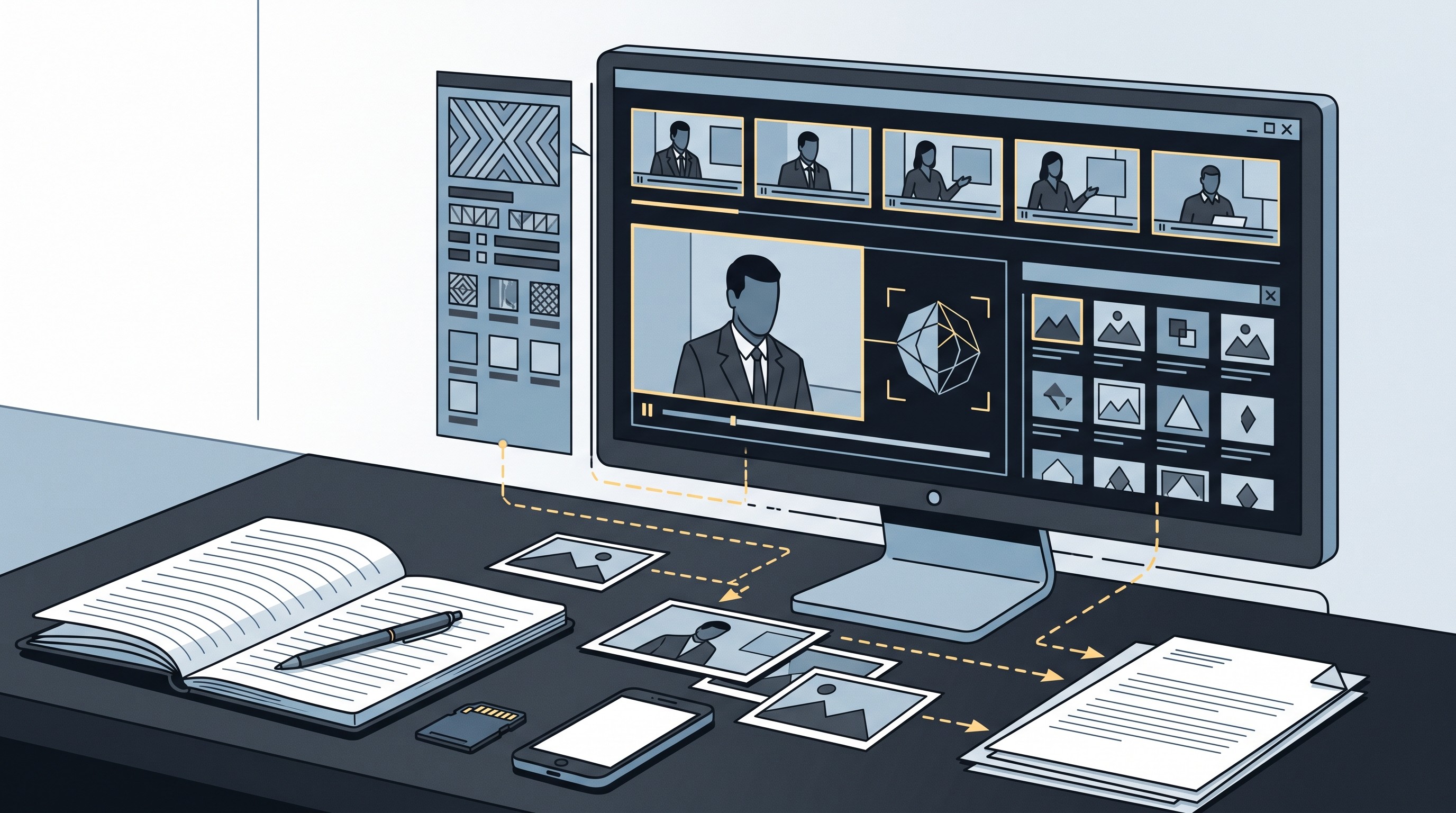
Search matches and metadata are leads, not proof. Metadata can be stripped or altered. A reverse-image match can prove that footage is old, but it does not automatically prove where or why it was first recorded.
A defensible media check asks:
Who uploaded the earliest known version?
What is the timestamp and platform history?
Do landmarks, signs, weather, shadows, license plates, or terrain match the claimed location?
Are there independent witnesses or local reports?
Is there original footage with a chain of custody?
Could the clip be cropped, mirrored, slowed, re-captioned, or taken from another event?
Use the tool to generate leads, then corroborate.
14. Factiverse for AI-assisted claim detection and verification research
Factiverse is useful for claim triage. Feed it a speech, draft article, debate transcript, social post, or press release, and use claim-detection assistance to identify statements that may require verification.
The value is prioritization. Long texts contain a mix of checkable facts, opinion, predictions, rhetoric, and vague claims. A claim-detection tool can help surface the sentences that deserve attention first.
It should not decide the verdict. A reporter still needs to inspect the underlying evidence, distinguish opinion from checkable fact, identify context, and document why a claim is supported, disputed, misleading, or unresolved.
Before using it in a newsroom process, verify language support, source coverage, integrations, pricing, and whether its output can fit your audit trail.
15. Elicit for evidence discovery when a story depends on academic research
Elicit is strongest when a story depends on scholarly evidence rather than news coverage. That includes health, science, climate, education, technology, public policy, and social-science reporting.
Use it to turn a research question into a reading list, screen papers, extract study details, and compare findings. It can help a reporter avoid building a story around the first paper that appears in a search result.
The publication work still happens in the original paper. Check:
Study design and methods
Sample size and population
Outcome measures
Publication status
Retractions or expressions of concern
Conflicts of interest
Whether the result has been replicated
Whether the AI tool represented the finding accurately
Elicit is a literature-discovery assistant, not an independent fact-checker of public claims. For adjacent options, see Otio’s guide to Consensus AI alternatives for academic research.
How to combine AI tools into a defensible reporting workflow
A safe AI-assisted reporting workflow starts with the reporting question, not the tool.
1. Collect primary sources first. Create a clearly labeled project folder for original documents, recordings, public records, datasets, screenshots, and links. Preserve originals before summarizing or editing them.
2. Use discovery tools to widen the source map. Perplexity, Google Search, Pinpoint, and academic tools can help locate leads. Move important records into the project folder rather than relying on search history.
3. Use research assistants for extraction, not judgment. Ask Otio, Claude, NotebookLM, ChatGPT, or Gemini to extract timelines, entities, contradictions, and missing information. Require page, passage, or timestamp references where possible.
4. Transcribe interviews, then verify quotes. Otter, Trint, Descript, and Whisper-based tools make recordings searchable. They do not make quotes publishable without checking the audio.
5. Run claims and media through specialized checks. Use Fact Check Explorer for prior reviews, InVID-WeVerify for visual material, and claim-detection tools for triage. Then corroborate important findings with independent reporting.
6. Audit before publication. For every AI-assisted sentence, ask: What is the source? Is attribution clear? Is context missing? Does the wording overstate the evidence? Could publication expose a source or violate consent?
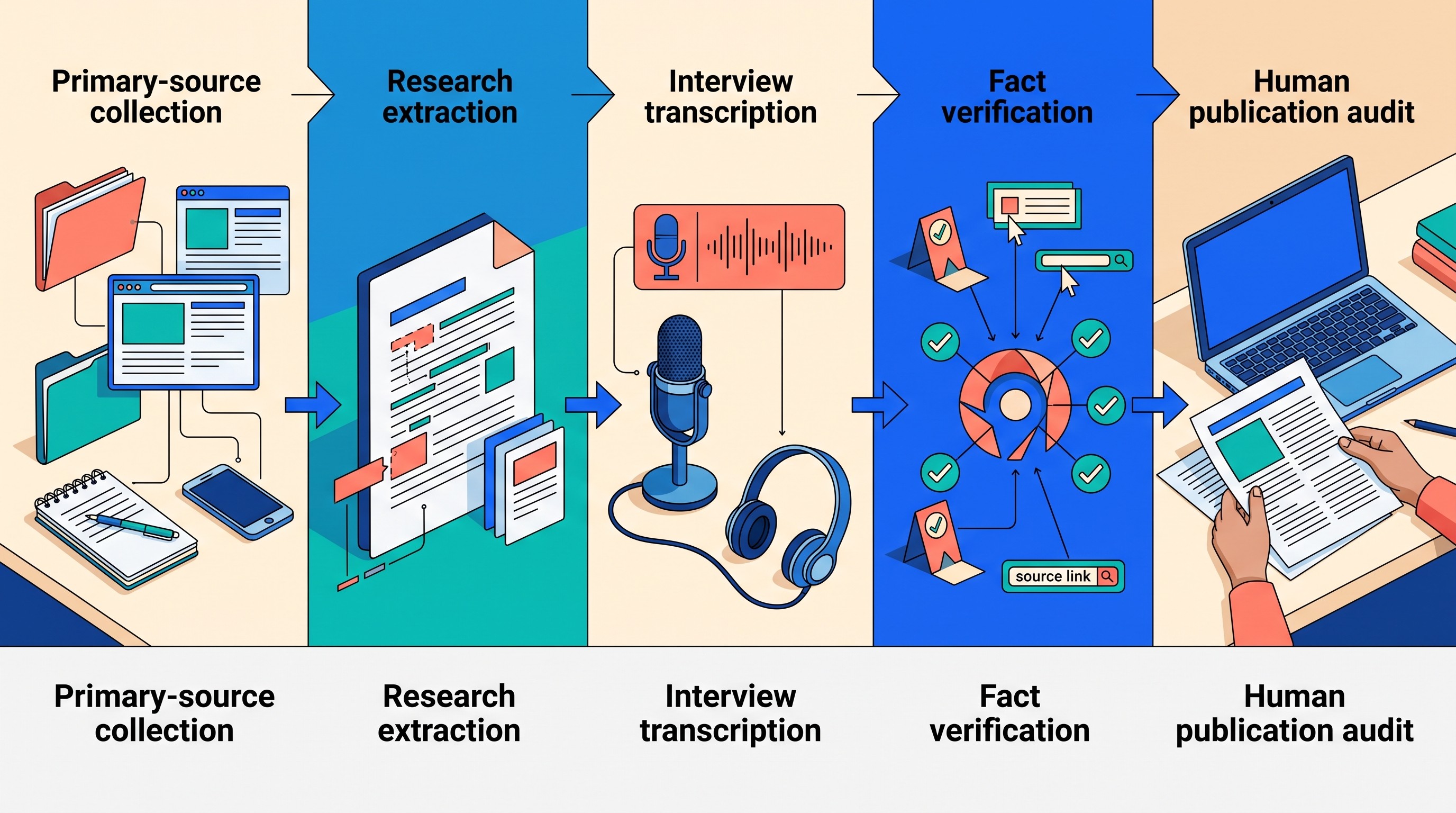
This workflow is slower than copying an AI answer into a draft. It is much faster than correcting a published error.
What AI tools still cannot safely do for journalists
Fluent output is not evidence. A model can invent sources, merge two events, misquote a speaker, misunderstand chronology, miss a caveat, or write a sentence that sounds more certain than the record allows.
Transcription has the same problem in miniature. A transcript can be useful for search and still fail on the quote that matters most: a name, number, negation, pause, or overlapping phrase.
The larger risks are not just technical. Confidentiality, source protection, copyright, consent, bias, security, and newsroom policy all come before convenience. A tool that is fine for a public press conference may be unacceptable for an unpublished investigation.
The practical rule: if a detail could change the story, verify it against the original source or an independent human source.
FAQ
Q: Can journalists use AI-generated transcripts as direct quotes?
A: Not without checking the recording. Names, numbers, wording, emphasis, and overlapping speech can be transcribed incorrectly, so publishable quotes should be verified against the original audio or video.
Q: What is the best AI tool for fact-checking?
A: It depends on the claim. Use claim-search tools for existing reviews, media-forensics tools for images and video, and source-based research tools for documents; no AI tool should be treated as the final authority.
Q: Should journalists upload confidential sources or unpublished documents to AI tools?
A: Only after checking the tool’s retention, training, access, and security policies against newsroom rules. For highly sensitive material, use an approved enterprise or local workflow, or do not upload it.
Q: How can journalists cite AI-assisted research responsibly?
A: Cite the original documents, recordings, datasets, or webpages that support the published claim, not the AI response. Keep prompts and outputs when newsroom policy requires an audit trail.
[[OTIO_FOOTER_PROMO:%7B%22title%22%3A%22Apply%20this%20workflow%20to%20your%20next%20story%22%2C%22description%22%3A%22Add%20your%20own%20documents%2C%20recordings%2C%20links%2C%20and%20notes%20to%20one%20Otio%20project%2C%20then%20verify%20every%20useful%20answer%20against%20the%20original%20source%20before%20publishing.%22%7D]]



