
Report Writing
7 Best Cloud Document Generation Platforms to Save 5+ Hours Weekly
Best Cloud-Based Document Generation Platforms save you hours. Otio centralizes research and drafting, reducing manual effort to deliver faster, more precise reports.
Use a blank screen when creating professional reports, proposals, or other documents. Doing everything by hand and repeating tasks can cost you hours each day. Finding the best AI for report writing is increasingly important, as companies want faster results without sacrificing quality. Cloud-based document generation platforms offer automated templates, intelligent content creation, and collaborative features that transform how teams create everything from financial reports to client proposals.
That's where Otio comes in as your AI research and writing partner, designed to make your document creation process easier. Whether you are gathering data from multiple sources, organizing research notes, or writing detailed reports, Otio helps you efficiently turn messy information into neat documents. The platform knows that your aim isn't just to make documents, but to make them smarter. This lets you concentrate on strategy while the technology handles the hard work of formatting, sourcing, and drafting.
Summary
Manual document processing typically takes 15 to 30 minutes per document, but the real-time bottleneck isn't the writing itself. According to research, knowledge workers spend up to 20% of their workweek (nearly one full day) searching for and consolidating information instead of analyzing it. The slowness in report generation rarely comes from the intellectual work of analysis but from the mechanical process of stitching together scattered materials across multiple platforms.
Context switching between tools causes hidden productivity loss that compounds over the document creation process. Research from the University of California, Irvine shows that after an interruption, it takes an average of 23 minutes to fully regain focus. When you multiply 20 to 40 tool switches per document across the typical workflow (PDFs, notes, drafts, browsers), this easily becomes 60 to 90 minutes of hidden time loss before a single insight is written.
Fragmented workflows cost businesses an average of $1,800 per employee annually in lost productivity, according to research from DevOpsSchool in July 2025. This figure reflects not only wasted time but also the compounding effects of context switching, manual duplication, and delayed decision-making. When workflows are distributed across multiple platforms, 68% of employees waste up to 2 hours per day switching between applications, time that disappears from their calendars but manifests as slower output and mental fatigue.
Document automation can reduce processing time by up to 80% because traditional cloud platforms store files but don't synthesize them. A typical internal audit of report workflows indicates that 30% is spent on sourcing, 40% on manual drafting, and 30% on formatting and restructuring. Only a fraction of this time is spent on analytical thinking; the rest is due to process inefficiencies that automation can eliminate without compromising quality.
The belief that quality reports must be slow confuses thinking time with duplication time. Research shows that structured templates significantly reduce drafting time by reducing decision fatigue and the cognitive load of deciding the order in which information appears. The distinction matters because automation should handle extraction, formatting, and organization, while human judgment should handle interpretation, synthesis, and decision-making. Quality requires analytical depth, not repetitive mechanical steps.
Otio addresses this by consolidating sources, extracting insights, and generating drafts within a single workspace that handles multi-format inputs and produces citation-backed outputs, compressing research cycles from hours of coordination to minutes of focused analysis.
Table of Contents
Why Document Generation Still Takes Too Long in the Cloud
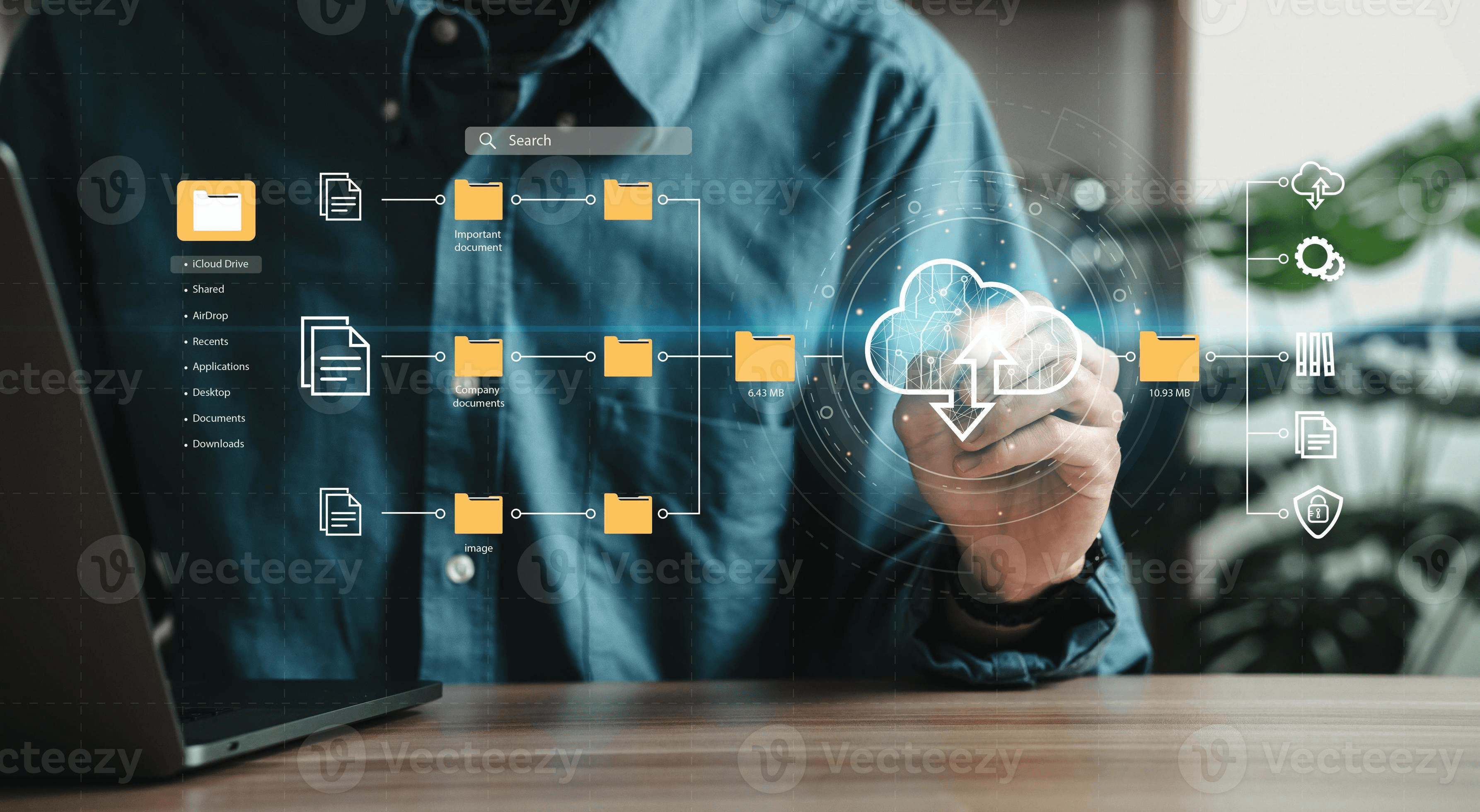
Cloud tools moved your files online, but they didn't address the underlying issue. The issue isn't how much storage you have. It's about fragmentation, constantly switching between apps, and the tiring job of manually stitching together scattered information into coherent documents. Most teams think that once documents are in Google Drive, Notion, Dropbox, or SharePoint, reporting should be faster. However, the writing process remains manual, fragmented, and mentally exhausting.
The cloud helped with access, but it didn't improve synthesis. Here's what most people really do. They store PDFs in Drive, notes in Notion, links in bookmarks, Slack discussions in threads, and drafts in Word or Docs. Everything seems organized in folders, which gives a false sense of productivity. However, when it's time to create a report, the real work starts. You open many tabs. Search for files. Reread material. Copy-paste quotes. Reformat content. Rewrite summaries. The cloud gave you better storage, but it didn't improve your thinking. That's where having an AI research and writing partner can really streamline your workflow and enhance productivity.
What is the hidden cost of document generation?
According to SenseTask Document Processing Statistics 2025, manual document processing typically takes 15-30 minutes per document. While this may seem acceptable, much of that time is not devoted to analysis or writing. Instead, it is spent dealing with scattered materials. The invisible tax that often goes unmentioned is important. Each time someone switches tabs, tools, or document types, their brain incurs a cost. Research from the University of California, Irvine shows that after an interruption, it takes an average of 23 minutes to fully regain focus. Additionally, even small task switches increase mental fatigue and reduce the depth of thinking. To alleviate this, consider how our AI research and writing partner can streamline your workflow.
How does switching affect report generation time?
Think about how documents are made. First, open the PDF, then go to your notes, then to the draft, and return to the PDF to find a citation. After that, you switch to the browser, and then back to the draft. Each small switch might take just one or two minutes, but when you have to do this 20 to 40 times for one document, it can add up to 60 to 90 minutes of lost time you may not even notice. This is why making documents can feel tiring. It's not just that writing is hard; your brain is constantly switching contexts, which adds to your overall fatigue. If you're looking to streamline this process, consider using our AI research and writing partner to reduce time spent on repetitive tasks.
Why do many professionals accept this slow process?
Many professionals quietly accept this process as inevitable. Common remarks include "Research reports take days," or "It's normal to spend half the time formatting." These statements reflect a shared sentiment across the industry. This belief may seem reasonable given that research is inherently complex. There are multiple sources, and important insights require careful consideration. The slow pace of reporting is often justified. However, having a reliable writing partner can streamline your efforts. Our AI research and writing partner helps professionals save time and enhance the quality of their reports.
What is the main cause of slow reporting?
The slowness rarely arises from the analysis itself; it arises from manually stitching scattered materials. McKinsey research on digital productivity shows that knowledge workers spend up to 20% of their workweek searching for and compiling information rather than analyzing it. This means nearly one full day is lost each week due to fragmentation. It is easy to think that creating documents is always slow. But the data show that much of the delay is due to structural issues, not just thinking. Working with an efficient AI research and writing partner can help streamline this process, making it faster and less cumbersome.
What additional time is spent after drafting?
After drafting, most professionals must revise headings, reorder sections, reinsert citations, standardize tables, and refine visuals. This work is often overlooked in project estimates, but it can add 30-60 minutes per document. A simple internal audit of report workflows often shows that 30% of the time is spent collecting sources, 40% on manual drafting, and 30% on formatting and restructuring. Do you notice something? Only part of the time involves true thinking. The rest is about process inefficiency.
How can automation improve document processing time?
SenseTask Document Processing Statistics 2025 reports that document automation can reduce processing time by up to 80%. This gap exists because traditional cloud platforms do not combine the entire workflow. They only store files and do not combine them. Platforms like Otio solve this problem by bringing together sources, extracting insights, and creating drafts in one place. Instead of changing between different formats, like PDFs, notes, and drafts, you work from a single interface that manages different types of inputs like videos, web links, and documents, while creating outputs that are backed by citations. As a result, the workflow becomes smooth rather than broken.
What happens when tools are disconnected?
When tools are disconnected, the brain becomes the integration layer. This process is costly not only in time but also in mental energy, insight quality, decision speed, and report consistency. Think about a startup analyst preparing an equity brief. They gather eight PDFs, five web links, and two YouTube interviews. They take notes in Notion and create the draft in Google Docs. The analyst spends 45 minutes collecting materials, 60 minutes switching and copying, 40 minutes formatting, and 35 minutes writing insights. The total time exceeds three hours. With the right tools, such as our AI research and writing partner, this process could be significantly streamlined, allowing for more efficient data integration and insight generation.
How much time is actually spent on analytical thinking?
Upon analysis, only about 60 to 70 minutes were spent onanalytical thinking. The rest of the time was spent on coordination. Document generation often feels slow due to a broken workflow, not because writing is inherently slow. While cloud platforms allow users to access files from anywhere, they do not provide a unified synthesis of information. Our AI research and writing partner can help streamline your workflow, making document generation faster and more efficient.
What is the next step in addressing fragmentation?
Identifying the problem is just the first step. The more challenging question is: what does this fragmentation actually cost you beyond just time? As you contemplate solutions, consider how an AI research and writing partner like Otio can streamline your process and enhance your productivity.
Related Reading
The Hidden Cost of Fragmented Cloud Workflows

Slow document generation is not just a hassle; it quietly wastes measurable hours, weakens analysis, and slows decision-making. Most teams assume long report cycles are normal and that research takes days because quality requires time. While this idea seems reasonable, equity reports, policy briefs, and investor documents require thoroughness. What often goes unnoticed is that much time is spent not on analysis but on friction.
When your workflow is spread across different tools (Drive, PDFs, Excel, Slack, Docs), your brain becomes the integration engine. Research in cognitive science examines a concept known as "attention residue." When you switch tasks, part of your attention lingers on the previous task, reducing performance on the new one. Our AI research and writing partner helps seamlessly manage your workflows, reducing friction and improving efficiency.
How does switching tools impact performance?
In practical terms, you open a PDF, switch to your notes, then to a spreadsheet, back to a draft, search for a citation, and return to the spreadsheet. Even if each switch takes only a few seconds, it can add up. A DevOpsSchool study from July 2025 found that 68% of employees waste up to 2 hours per day switching between applications. This switching cost doesn’t appear on your calendar, but it slows your writing and causes fatigue.
Most professionals still manually extract quotes, rephrase summaries, rewrite notes into structured paragraphs, and organize insights by hand. If you work 40 hours a week, about 8 hours are spent on retrieval and coordination rather than on real analysis. When you add that up across different reporting cycles, the hidden cost becomes not just time but also delays in delivering insights. Utilizing an effective tool can significantly enhance your writing efficiency; our AI research and writing partner streamlines these tasks.
What changes in workflow improve efficiency?
A small investment team checked its internal reporting process. Before they made changes, they spent 4 to 5 hours on each equity memo. They spent 60% of that time collecting and reorganizing notes and 40% on analysis. After they brought all their sources into one research space, the time needed dropped to 2 to 2.5 hours per memo. They now spend 30% of their time collecting information and 70% on analysis. The quality of their insights got better. This improvement wasn't due to faster work, but to removing friction from their process. The difference came not from intelligencebut from how they organized their workflow.
How does perception of time affect report generation?
Many analysts and researchers accept the common idea that "Good reports just take time," and "Investors expect thoroughness." They also recognize "It's risky to rush." This belief exists for good reasons. High-stakes decisions depend on reports, and mistakes can harm credibility. Complex data needs careful interpretation, so slower processes often seem safer.
However, the key is understanding that quality needs thinking time, not just time spent duplicating work. Tasks such as repeatedly formatting the same sections, manually copying references, and rebuilding structures from scratch do not increase rigor; they only cause unnecessary delays. To enhance efficiency in your report generation, consider how our AI research and writing partner can streamline these repetitive tasks and free up valuable time for deeper analysis.
What are the time implications of research delays?
In equity research and investment contexts, timing is critical. A delay in publishing analysis can lead to missed market movements. For instance, an analyst may spend three days manually putting together a research brief. However, market shifts can happen within 24 to 48 hours. While the insights may still be correct, their timing advantage is lessened. As a result, workflow delays can quietly affect overall performance. Having our AI research and writing partner can significantly streamline the process.
How can tools help streamline workflows?
Platforms like Otio help by combining sources and pulling insights into one place while creating drafts. Instead of moving between different formats such as PDFs, notes, and drafts, users work from a single interface that manages multiple types of inputs, including videos, web links, and documents, and produces outputs supported by citations. This method creates a smooth workflow rather than a broken one, reducing research cycles without sacrificing important details.
What are the consequences of procrastination in document generation?
When document generation feels overwhelming, professionals often delay starting. Research in behavioral economics shows that decision fatigue leads people to postpone difficult tasks. If creating a report feels like opening 20 tabs, searching through 10 files, and manually assembling everything, it's more likely to be delayed. This delay can accumulate across teams, creating additional pressure and complexity.
What is the actual cost of fragmented workflows?
The real cost of broken document generation includes lost hours each week, reduced depth of analysis, slower communication with investors, greater mental fatigue, and a higher risk of missed opportunities. The annoying part is that many of these problems can be avoided. The slowness is not inherent to research; it stems from the current assembly of tools. Fragmented workflows cost businesses an average of $1,800 per employee annually in lost productivity, according to research from DevOpsSchool in July 2025. This amount reflects not only wasted time but also growing issues caused by context switching, manual work duplication, and delays in decision-making across entire teams. Utilizing a comprehensive platform like Otio can streamline your processes, making collaboration and workflow management more efficient.
What tools solve workflow problems effectively?
Understanding the cost is only half the picture. The tougher question is which tools can help address these workflow problems without introducing additional complexity. Our AI research and writing partner seamlessly streamlines tasks and improves efficiency.
7 Best Cloud Document Generation Platforms
The best cloud-based document generation platforms excel at addressing specific workflow problems. They make tasks easier, such as collecting sources, assembling materials, formatting, collaborating, and tracking versions. The right tool can save you several minutes on each task, adding up to hours saved over a project. In addition, having an AI research and writing partner like our Otio can significantly enhance your document generation process. Below are seven platforms. Each one explains when it is useful, which steps it eliminates, and the realistic time saved.
1. Otio AI (Best for Centralized Research-to-Draft Workflows)
What it removes
Tab switching across PDFs, YouTube, tweets, and articles. Manual note extraction. Rewriting summaries from scratch.
How it works
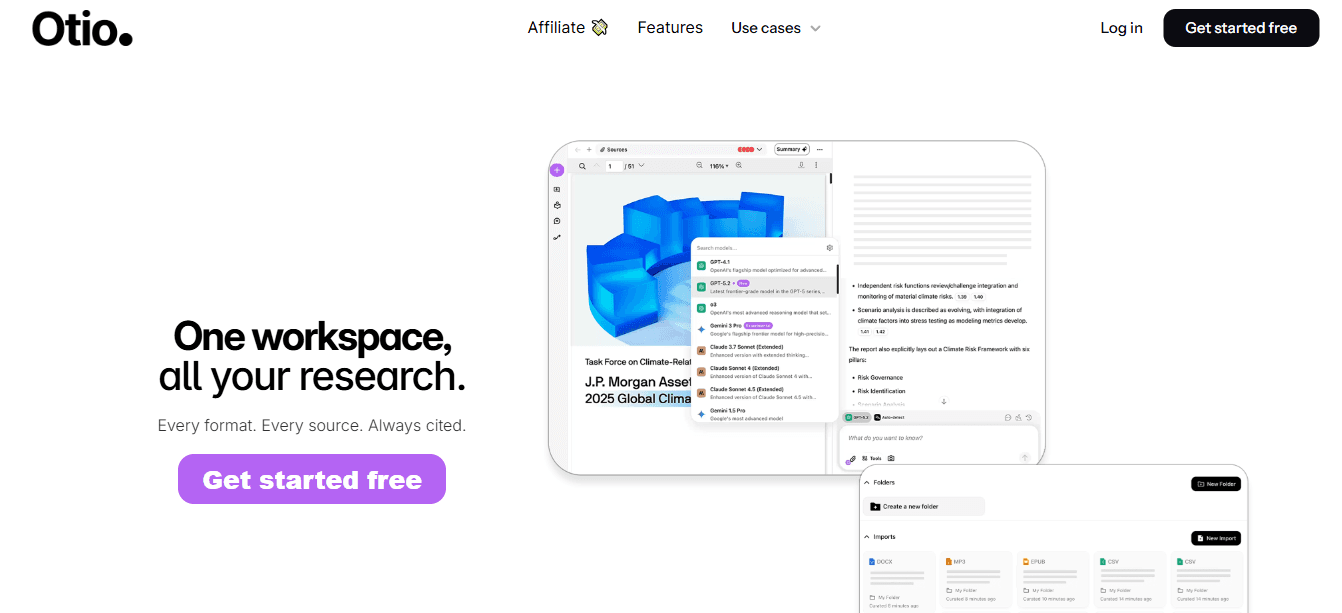
You upload links, PDFs, videos, or bookmarks to a single workspace. Otio automatically generates structured notes and supports source-grounded Q&A across individual files or the entire knowledge base.
Cause to Effect
Manual note extraction (20 to 40 minutes per report) becomes AI-assisted summarization (5 to 10 minutes).
Estimated time saved
Approximately 25 to 35 minutes per document.
Example
An equity analyst uploads 6 earnings reports and 3 news articles. Instead of manually reading and copying insights, they ask Otio: "What were the recurring risk themes?" Answer appears with citations. Instantly. That removes the information-gathering bottleneck.
2. Google Docs + Smart Compose (Best for Basic Draft Acceleration)
What it removes
Repetitive sentence construction. Manual formatting setup.
Cause to Effect
Auto-suggested phrasing reduces typing time by small increments per paragraph.
Estimated time saved
Approximately 5 to 10 minutes per short report. Good for light workflows, but not built for research synthesis across multiple sources.
3. Notion AI (Best for Structured Internal Reports)
What it removes
Manual structuring of recurring templates. Rebuilding frameworks from scratch.
Cause to Effect
Templates plus AI prompts reduce blank-page time.
Estimated time saved
Approximately 10-15 minutes per document. Works well when your knowledge is already centralized inside Notion.
4. Microsoft Copilot (Word + Excel Integration)
What it removes
Manual data summary from spreadsheets. Copy-paste between Excel and Word.
Cause to Effect
Copilot can generate summaries directly from structured datasets.
Estimated time saved
Approximately 15 to 20 minutes on data-heavy reports. Strong for financial or internal business documents where data lives inside the Microsoft ecosystem.
5. Jasper AI (Best for Marketing-Focused Documents)
What it removes
Drafting repetitive marketing language. Tone refinement.
Estimated time saved
Approximately 10 to 20 minutes for content-focused pieces. Not designed for research-heavy citation workflows.
6. PandaDoc (Best for Proposal Automation)
What it removes
Rebuilding contract templates. Manual client personalization.
Cause to Effect
Pre-built blocks plus automation eliminate repetitive formatting.
Estimated time saved
Approximately 20 to 30 minutes per proposal. Useful for sales documentation, not research-heavy reports.
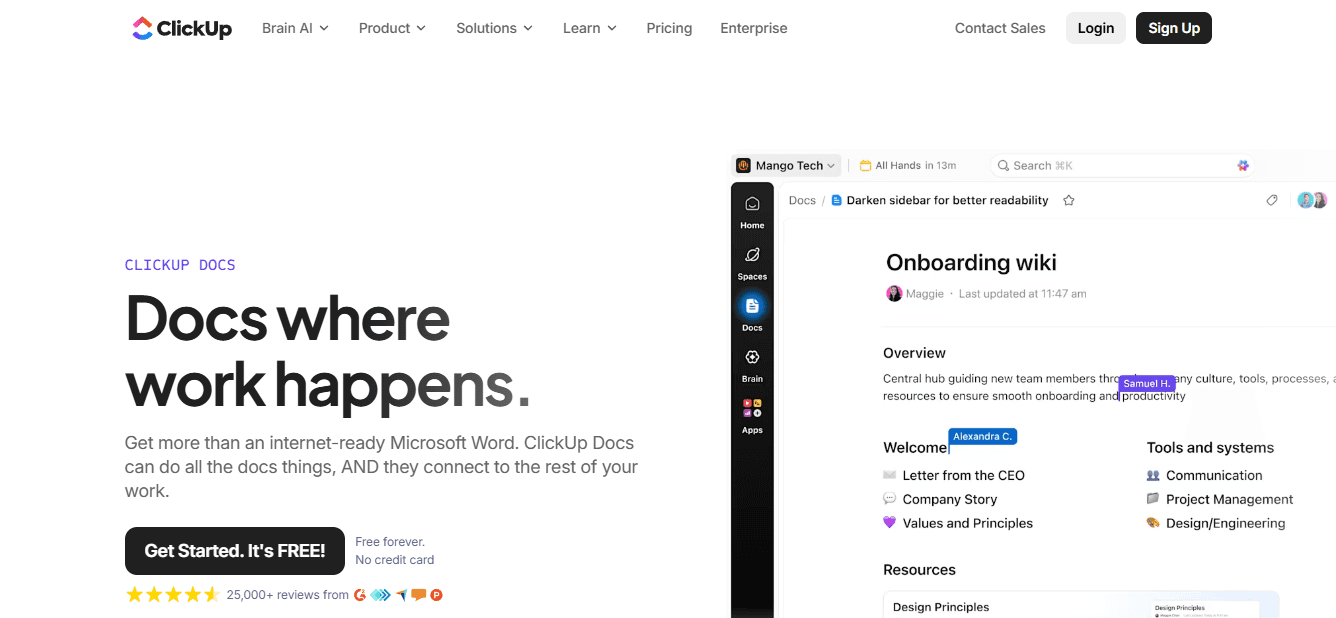
7. ClickUp Docs + Automation (Best for Team-Based Documentation)
What it removes
Version confusion. Task-document disconnect.
Cause to Effect
The integrated task-plus-doc environment reduces coordination lag.
Estimated time saved
Approximately 10-15 minutes per collaboration cycle.
Before vs After: Neutral Comparison Example
Before (Manual Workflow)
30 minutes gathering sources. 40 minutes extracting notes. 25 minutes structuring the document. 20 minutes formatting.
Total: approximately 115 minutes.
After (Centralized + Assisted Workflow)
10 minutes upload plus organize. 10-minute AI summaries. 20 minutes of structured drafting. 10 minutes polish.
Total: approximately 50 minutes.
Net savings: approximately 60+ minutes per document.
That is not speed for the sake of speed. It is friction removal.
Why Some Teams Still Don't Switch
Concerns about accuracy. Fear of over-automation. Habit comfort.
These concerns are valid. Research rigor must be preserved.
But the improvement comes from automating mechanical steps, not from analytical thinking.
You remove duplication. You keep judgment.
What makes effective platforms stand out?
Many professionals hesitate because they worry that automation might lower the quality of their insights. According to Plumsail Blog's 2025 review of document automation software, the best platforms stand out by keeping the original information intact while speeding up repetitive tasks. This difference is very important. Automation should handle extraction, formatting, and organization. In contrast, human judgment should concentrate on interpretation, synthesis, and decision-making. Our AI research and writing partner helps ensure quality while enhancing efficiency.
How do the platforms address different workflows?
The platforms above effectively handle different workflow stages. Some combine sources, while others speed up drafting, reduce formatting repetition, and shorten delays in team coordination. The question is not whether cloud-based document generation works, but which problem currently takes up most of your time. Our AI research and writing partner helps streamline this process. Finding the right tool for your workflow is just one part of the solution. The harder part is creating a repeatable process that always provides those time savings.
Related Reading
The 60-Minute Cloud Document Generation Workflow (Reproducible Plan)

You can create a clear, decision-ready document in 60 minutes by eliminating fragmentation and automating repetitive tasks. The time saved doesn’t come from thinking faster; it comes from removing the hassle of switching, rewriting, and formatting. The first ten minutes set the stage for whether the next fifty go smoothly or become disorganized. Upload all PDFs, links, bookmarks, transcripts, or datasets into one place. Give the document a clear name and group sources by topic. This isn’t merely optional preparation; it is the foundation you need.
Fragmentation creates cognitive switching costs. When your sources are spread out across email, Google Drive, browser tabs, and notes apps, you waste 5 to 15 minutes just trying to find information. That search time adds up. You open a PDF, realize you need a transcript, switch to email, download it, come back to the PDF, and forget where you were. Each small interruption resets your mental context.
Research from the American Psychological Association shows that switching between tasks can reduce productivity by up to 40% due to the time required to refocus. This cost doesn’t appear on your calendar, but you feel it as fatigue. Centralizing your materials reduces search time before you start writing, allowing you to focus on your work without the stress of remembering where things are. Our AI research and writing partner helps streamline document creation by organizing your materials effortlessly. Outcome: You save 10 to 20 minutes per project just by stopping the search for scattered materials.
What happens between minutes 10 and 25?
Between minutes 10 and 25, you move from gathering information to extracting it by creating AI summaries of each source. Ask clear questions like, What are the common risks? Or what data goes against this idea? or Summarize the financial outlook in bullet points. Instead of writing notes by hand, you get structured insights right away. Manual extraction usually takes 30 to 45 minutes. AI-assisted structured notes shorten that to 10 to 15 minutes. This isn’t because the AI writes better. It’s because it gets rid of the need for mechanical typing and reformatting. Our AI research and writing partner further simplifies the process, enhancing productivity and reducing disengagement.
Think about an equity researcher looking at four quarterly reports. In the old method, they would read 60 pages, create bullet notes, and copy financial data. With the new method, a summary is generated in minutes, and key ratios are extracted by asking, "List revenue YoY growth per quarter," with citations kept automatically. The difference comes from removing friction. You’re not skipping analysis; you’re skipping steps that repeat. Estimated time saved ranges from 25 to 30 minutes.
How do you transition from information to narrative?
Between minutes 25 and 45, you switch from information to narrative. Use a set template: Executive Summary, Findings, Risks, Conclusion. Convert AI-generated notes into organized paragraphs while maintaining citations as needed. The blank page is one of the biggest productivity killers. Research on writing productivity, particularly Boice's 1990 studies on academic writing behavior, shows that structured templates can significantly reduce drafting time. This occurs because, instead of thinking "What do I write next?" you use a fixed structure: Summary, Evidence, Implication.
This method reduces decision fatigue, the stress caused by excessive choice. You are led by a clear order, helping you sort your thoughts. The template doesn't do the thinking for you; instead, it reduces the mental load of deciding how to organize information. For those seeking to enhance their writing process, consider our AI research and writing partner, which can streamline your workflow. The estimated time saved by this method is 15-25 minutes.
What occurs during minutes 45 to 55?
Minutes 45 to 55 are reserved for judgment. You tighten logic, add interpretation, clarify implications, and remove repetition. While AI handles structure, you focus on judgment. This split is important for keeping quality. Automation doesn't replace analysis; it removes the mechanical steps that slow down analysis. You're not rushing through your thinking; instead, you're removing the obstacles that make it hard to think clearly from the outset.
Formatting often takes longer than writing. By using templates, standardizing headings, and avoiding manual styling, you can reduce layout friction. Manual formatting typically requires 15 to 20 minutes, whereas template-based formatting takes approximately 5 minutes. This time difference accumulates across all documents you create. With more than 10 reports, you save 100-150 minutes. With over 50 reports, you save 12 to 15 hours. That's important: almost two full workdays returned to actual analysis.
Why is centralization important?
Fragmentation increases cognitive load by requiring individuals to remember item locations, handle context resets, manage formatting duplication, and perform manual rewriting. Centralization effectively reduces search time, alleviates memory strain, facilitates typing, and avoids redundant editing. This is how it works. Even with new technologies, many researchers still copy notes by hand, repeatedly reformat headings, and rebuild document structures from scratch. These steps do not improve quality, but they seem necessary when tools are not connected.
When sources, summaries, and drafts are in a single workspace, those unnecessary steps are no longer required. Platforms such as Otio address these problems by integrating sources, extracting insights, and creating drafts within a single workspace. Instead of switching between PDFs, notes, and drafts, users work with a single interface that supports multi-format inputs (like videos, web links, and documents) and generates citation-backed outputs. This creates a smooth workflow instead of a broken one.
How does the workflow differ before and after?
Gather all your research in one place. Instead of copying down notes, create summaries using a set template. Save detailed formatting for the last five minutes and track the total time you spend. In the manual workflow, sourcing takes 20 minutes, note extraction 40 minutes, draft writing 45 minutes, and formatting20 minutes.
Total: about 125 minutes.
In the centralized and assisted workflow, centralizing takes 10 minutes, summarizing 15 minutes, drafting 20 minutes, and refining and formatting15 minutes. Total: about 60 minutes. This is not just theoretical speed; it shows how to remove obstacles. The time savings are real, not merely hypothetical. Instead of working faster, you are taking away the steps that slow you down. Our AI research and writing partner significantly streamlines this workflow. Understanding the workflow is only part of the answer. The real challenge is ensuring this process works well under tight deadlines.
Build Your First Research-to-Report Draft in 60 Minutes
If your documents are slow because your sources are scattered across PDFs, bookmarks, notes apps, and browser tabs, the fastest improvement isn't to write faster; it's to centralize first. Start a free Otio workspace. Upload 3 to 5 sources for one active project: PDFs, links, YouTube videos, and articles. Ask Otio to summarize each source. Then prompt: "Extract key findings," "List risks and contradictions," and "Draft an executive summary."
Follow the 60-minute structure outlined here: Minutes 0 to 10 for uploading and organizing; Minutes 10 to 25 for generating summaries; Minutes 25 to 45 for drafting from structured notes; and Minutes 45 to 60 for refining and formatting. The immediate result is a structured first draft rather than a set of scattered notes. There’s no credit card required, and no complex setup is needed; just centralized sources, AI-generated notes, and a clean draft in one session. If slow, fragmented reporting has cost you 3 to 5 extra hours per document, try this approach once and measure the time difference yourself.
Related Reading
Document Generation Tools
How To Use Ai For Literature Review
How To Write A Research Summary
How To Write A White Paper
Best Ai For Literature Review
Best Report Writing Software



