
AI Tool Comparison
15 Best Consensus AI Alternatives for Academic Research in 2026
Compare 15 Consensus AI alternatives for literature discovery, evidence checking, citation mapping, and research synthesis. Find the best fit by workflow, discipline, budget, and verification needs.

No single tool replaces every Consensus AI workflow. If the job is finding papers, start with Semantic Scholar, Google Scholar, PubMed, Scopus, or Web of Science; if the job is synthesizing a review corpus, look at Elicit or Rayyan; if the job is reading and comparing a pile of PDFs, use SciSpace, Scholarcy, or Otio.
The mistake is treating “AI research assistant” as one category. Literature discovery, citation checking, paper comprehension, review screening, and source-grounded drafting are different jobs. The best setup in 2026 is usually a stack, not a single replacement.
The best Consensus AI alternatives at a glance
Consensus AI is built around asking research questions and getting evidence-backed answers from academic literature. That is useful, but it is only one part of academic research.
Some alternatives are AI answer tools. Some are academic search indexes. Some are citation-analysis platforms. Others are mapping tools, systematic-review workspaces, or document workspaces. Comparing them as if they all do the same job leads to bad choices.
Tool | Primary use case | Search or discovery method | Full-text support | Citation / evidence features | Free access status | Best-fit researcher |
|---|---|---|---|---|---|---|
Elicit | Literature review workflows | AI-assisted paper search and extraction | Varies by paper access | Structured extraction, paper tables | Free tier plus paid plans | Researchers screening many studies |
Scite | Citation-context checking | Citation database and Smart Citations | Usually citation-context focused | Shows supporting, disputing, and mentioning citations | Limited free access; paid plans | Researchers checking how a paper is received |
Semantic Scholar | Free academic discovery | Academic search, related papers, citations | Links out when available | Citation graph, paper metadata, relevance signals | Free | Anyone starting broad paper discovery |
ResearchRabbit | Visual literature discovery | Seed-paper networks and collections | No full-text workspace focus | Citation and author networks | Free access available | Researchers expanding from known papers |
Litmaps | Field tracking over time | Citation maps and alerts | No full-text workspace focus | Literature maps, timeline-style discovery | Free tier plus paid plans | Researchers monitoring a topic |
Connected Papers | Related-work discovery | Graph from a seed paper or topic | No full-text workspace focus | Related-paper graph | Free access with limits; paid plans | Researchers finding neighboring literature fast |
SciSpace | Paper comprehension | Search plus PDF question answering | Stronger on uploaded or available papers | Explanations and answers over papers | Free tier plus paid plans | Readers unpacking dense papers |
Scholarcy | Rapid paper summaries | Uploaded papers and documents | Strong on uploaded PDFs | Summary cards and study points | Free and paid options vary | Researchers triaging papers quickly |
Google Scholar | Broad academic search | Keyword search, cited-by, related articles | Links to versions when available | Cited-by counts and related articles | Free | Researchers needing a familiar broad search layer |
PubMed | Biomedical discovery | Database search with medical metadata | Links to full text when available | MeSH, filters, publication metadata | Free | Biomedical, clinical, public-health researchers |
Web of Science | Citation indexing | Curated indexed database | Depends on institutional subscriptions | Citation tracking, research analytics | Usually institutional | Researchers with university access |
Scopus | Multidisciplinary citation analysis | Indexed database and metadata search | Depends on institutional subscriptions | Author, affiliation, citation metrics | Usually institutional | Researchers building defensible search sets |
Rayyan | Systematic-review screening | Imported records from databases | Abstract and record screening; full text depends on workflow | Inclusion/exclusion decisions, conflicts | Free tier plus paid plans | Review teams screening records |
Perplexity | Fast cited web research | Web answer engine with source links | Web pages; academic coverage varies | Cited answers, source links | Free tier plus paid plans | Early-stage source triage |
Mixed-source research workspace | User library, web links, uploaded files, connected sources | PDFs, web pages, books, videos, notes, and more | AI chat with inline citations over your sources | Free tier plus paid plans | Researchers reading and synthesizing gathered material |
The simplest decision rule: use databases and discovery tools to build the corpus, citation tools to check reception, screening tools to manage inclusion decisions, and document workspaces to read, annotate, question, and draft from the sources.
For a broader list of discovery platforms beyond this comparison, see Otio’s guide to research websites and academic databases for literature discovery.
How to choose a Consensus AI alternative
Start with the research task, not the brand. A tool that is excellent for finding related papers may be weak for full-text analysis. A tool that summarizes PDFs may not be suitable for building a systematic-review search strategy.
Use these criteria consistently:
Source coverage: Which databases, indexes, or sources does the tool search?
Citation transparency: Can each claim be traced to a specific paper, section, or passage?
Full-text access: Does the tool read the full paper, only metadata, or only abstracts?
Search controls: Can you use Boolean logic, filters, date ranges, subject terms, or database-specific fields?
Synthesis features: Does it extract methods, samples, outcomes, limitations, and disagreements?
Export support: Can results move into Zotero, Mendeley, RIS, BibTeX, CSV, or a review workflow?
Privacy: Are uploaded PDFs, notes, or unpublished drafts used safely for your context?
Cost and access: Is it free, freemium, or available only through an institution?
High-stakes suitability: Would you trust it for a thesis, grant, clinical review, legal memo, or policy brief without manual verification? If not, define the verification step.
The biggest risk is not that an AI answer is useless. It is that it is plausible and under-checked. A summary may compress conflicting findings, miss a subgroup result, or treat a weak observational study like stronger evidence.
Separate the work into four jobs:
Find relevant papers.
Understand each paper.
Check whether a claim is actually supported.
Build a defensible review corpus with documented decisions.
Most researchers need at least two tools because those jobs rarely live in one product.
1. Elicit: best for literature reviews and structured paper screening
Elicit is one of the closest Consensus AI alternatives if the goal is a structured review workflow rather than a single answer. It is useful when a researcher wants to find papers, extract recurring fields, and compare studies in a table.
Its strength is the paper-set workflow. Instead of asking one question and receiving a short synthesis, you can build a list of studies and ask the tool to extract items such as population, intervention, outcome, methodology, or limitations.
Best fit:
Early-stage literature reviews
Evidence tables
Research questions with recurring study designs
Screening papers before a slower manual read
Watch the limits. Extraction quality needs spot-checking, especially for nuanced methods, statistical findings, and limitations. Coverage also matters: if the tool does not surface the key papers in your discipline, a clean extraction table can still be incomplete.
For consequential work, pair Elicit with database searches and a documented screening process.
2. Scite: best for checking how papers are cited
Scite is not mainly a Consensus replacement for “answer my question.” Its value is citation context: how later papers cite an earlier paper, including whether the citation appears to support, dispute, or simply mention the cited work.
That matters because a paper can be highly cited for several reasons. It may be foundational. It may be controversial. It may be cited as a flawed example. Citation count alone does not tell you which.
Scite is especially useful when:
A claim rests heavily on one influential paper
You need to know whether later work challenged a finding
You are evaluating a paper’s reception before citing it
You want to find papers that engage directly with a study
The classification should not replace reading. A “supporting” citation still needs context, and a “disputing” citation may challenge only part of the original claim. Use Scite as a map of scholarly conversation, not as a final verdict.
3. Semantic Scholar: best free starting point for paper discovery
Semantic Scholar is one of the best free starting points for academic discovery. It gives you a broad surface for finding papers, authors, related work, citation links, and influential references.
Its advantage is reach and speed. For many researchers, it is the fastest way to move from a rough topic to a useful cluster of papers. Search a concept, open a promising paper, inspect references and citations, then follow related-paper suggestions.
Best fit:
Free academic paper discovery
Finding authors and labs in a field
Citation chasing
Early scoping before database-specific searches
The tradeoff is that discovery metadata is not evidence quality. A relevant paper still needs to be checked for study design, sample, methods, full text, limitations, and whether it actually supports the claim you plan to make.
Otio also has a dedicated guide to Semantic Scholar use cases for systematic reviews if that is your main workflow.
4. ResearchRabbit: best for visual literature discovery
ResearchRabbit is useful when you already have a few strong seed papers and want to expand outward. It helps you explore related works, authors, and citation relationships as a network rather than a flat search-results page.
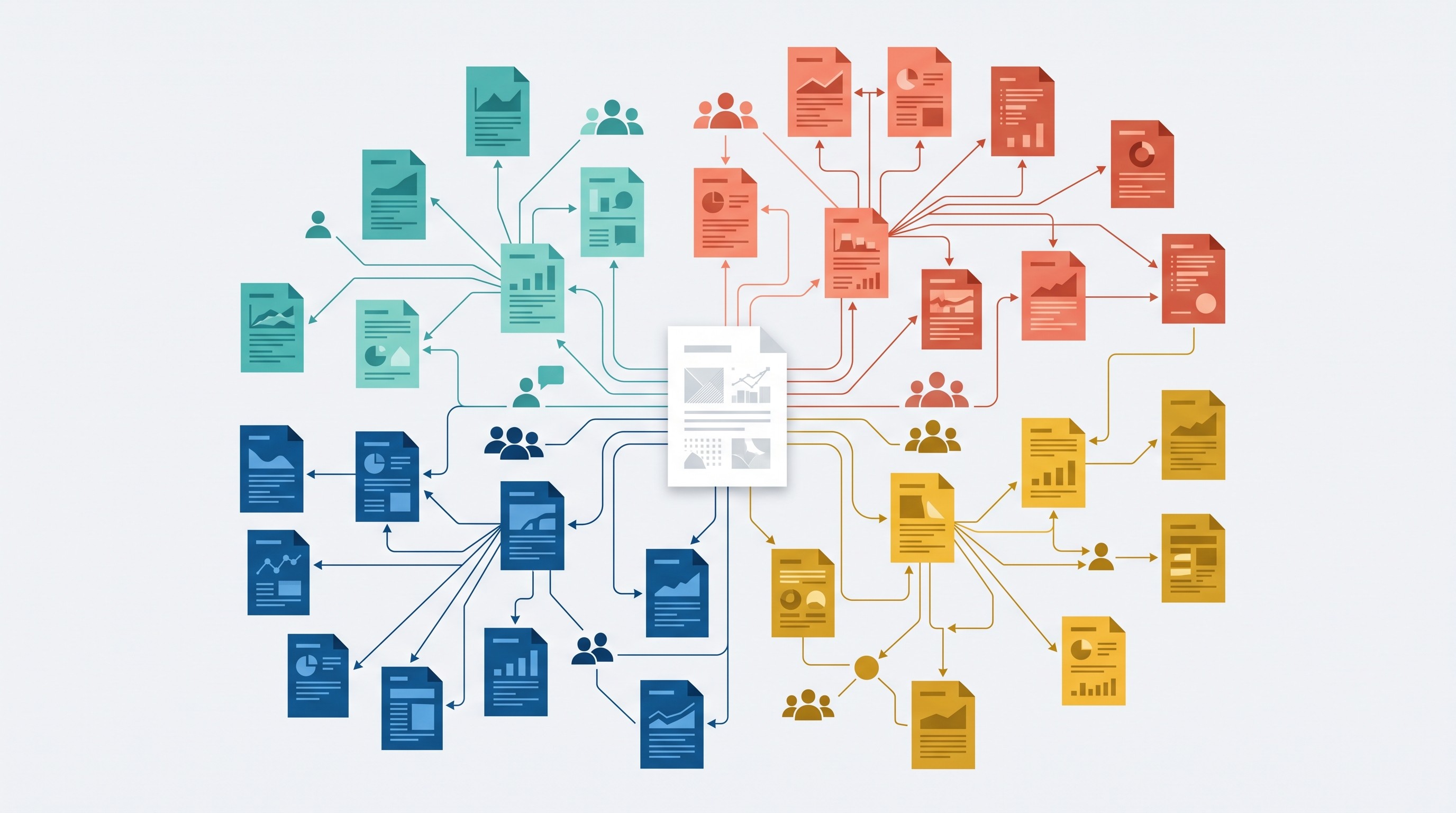
This is often better than keyword search when terminology varies. A field may use different names for the same construct, or adjacent disciplines may publish relevant work under different labels. Starting from a known-good paper can reveal that neighborhood faster.
Best fit:
Expanding from seed papers
Discovering adjacent literatures
Finding clusters of authors
Building a first-pass reading list
The failure mode is drift. Visual discovery can widen a corpus quickly, but it does not define inclusion criteria, assess study quality, or guarantee systematic-review completeness. Use it to discover candidates, then screen explicitly.
5. Litmaps: best for tracking a research field over time
Litmaps is built for mapping paper relationships and tracking new publications connected to a literature set. It is useful when the question is not just “what should I read?” but “how has this field developed, and what should I monitor next?”
Timeline and citation-network views can help identify older foundational work, newer developments, and gaps where follow-up searching is needed. That is useful for thesis chapters, grant background sections, and fast-moving topics.
Best fit:
Monitoring a research area
Mapping historical and recent papers
Tracking updates after an initial review
Seeing how paper clusters relate over time
The map is only as good as the input set and search strategy. If important papers are missing from the starting set, the map may make the field look cleaner than it is. Supplement Litmaps with database searches and recorded screening rules.
6. Connected Papers: best for finding related work from one paper
Connected Papers is a focused tool for exploring work related to a known paper. Give it a starting paper, and it builds a graph of nearby literature.
It is especially useful when conventional keyword search is awkward. Interdisciplinary topics often use inconsistent terms. A seed-paper graph can surface work that would be hard to find with one search phrase.
Best fit:
Finding related work from a single strong paper
Exploring a new field quickly
Locating neighboring papers for a literature review
Seeing where a paper sits in a broader cluster
The limitation is important: relatedness is not quality. A graph can tell you that papers are connected, but not whether the methods are sound, the population matches your question, or the evidence is strong enough to cite.
7. SciSpace: best for asking questions about research papers
SciSpace is better understood as a paper-reading and document-understanding tool than as a pure discovery index. It helps readers ask questions about academic papers, get explanations, and summarize difficult sections.
That makes it useful after discovery. Once you have found a paper, SciSpace can help unpack dense passages, clarify methods, and translate technical language into a more digestible explanation.
Best fit:
Understanding individual papers
Asking questions about sections of a PDF
Getting orientation before a detailed read
Explaining technical terms, formulas, or methods
Before relying on it, verify the details that matter for your workflow: supported file types, pricing, citation behavior, handling of tables and figures, formula support, supplementary material, and performance on scanned PDFs. A paper comprehension tool is only as useful as the parts of the paper it can accurately read.
[[OTIO_INLINE_PROMO:%7B%22title%22%3A%22Have%20several%20papers%20to%20compare%20beyond%20one%20PDF%3F%22%2C%22description%22%3A%22Add%20PDFs%2C%20web%20pages%2C%20and%20notes%20to%20Otio%2C%20then%20ask%20questions%20across%20your%20source%20library%20with%20inline%20citations.%22%7D]]
8. Scholarcy: best for rapid paper summaries and flashcards
Scholarcy is useful for triage. It extracts structured summaries and study points from academic papers, helping you decide which papers deserve a slower read.
This is valuable when the inbox is large. If you have 40 papers from a search, a condensed summary can help separate “must read” from “maybe later” before you spend time on full annotation.
Best fit:
Rapid paper triage
Creating study cards or summary notes
Orienting yourself before reading the full paper
Reviewing papers for exams, seminars, or early literature scans
The risk is compression. Short summaries can omit methodological caveats, subgroup findings, null results, and limitations. Never cite a conclusion from a summary alone. Open the original paper and check the relevant passage.
For more tools in this category, see Otio’s guide to AI tools for summarizing research papers.
9. Google Scholar: best for broad, familiar academic searching
Google Scholar remains a practical discovery layer because it is broad, familiar, and good for citation chasing. It works across disciplines, finds versions of papers, and exposes “cited by” and “related articles” paths that are useful for early exploration.
It is not a synthesis engine and not a quality-assessment system. It will help find papers; it will not tell you whether a study’s design supports your conclusion.
A repeatable Google Scholar workflow:
Search the core phrase in quotation marks.
Add one or two concept terms rather than a full natural-language question.
Try synonyms used by adjacent disciplines.
Open “cited by” for highly relevant papers.
Check “related articles” for neighboring work.
Confirm the publication venue and version.
Save the citation and PDF link if available.
Record the search date, search string, and why each paper was included or excluded.
For literature reviews, use Google Scholar as one layer, not the whole strategy.
10. PubMed: best for biomedical and health research
PubMed is the strongest fit in this list for biomedical and health-related literature discovery. It is not an AI answer engine; it is a structured database for finding biomedical records.
That distinction is the point. In medicine, nursing, public health, and life sciences, controlled vocabulary, filters, publication types, and database-specific search practices matter. A casual AI answer can miss indexing details that a proper PubMed search would expose.
Best fit:
Biomedical literature searches
Clinical and public-health topics
MeSH-informed search strategies
Publication-type filtering
The boundary: PubMed is not universal. It will not cover every field equally, and a PubMed result is not proof that the study supports your claim. It only means the record matched the search. You still need to read and appraise the paper.
11. Web of Science: best for citation indexing and institutional research
Web of Science is an institution-oriented option for citation discovery, curated indexing, and multidisciplinary literature searching. It is most useful when a university, library, or research organization provides access.
Its strength is not chat. It is structured citation work: tracing references, finding citing papers, analyzing research areas, and using a curated index for more formal search workflows.
Best fit:
Researchers with institutional access
Citation-network work
Research evaluation projects
Multidisciplinary literature searches requiring curated indexing
The tradeoff is access and interpretation. Web of Science availability often depends on institutional licensing. Citation counts and indexes can inform a search, but they are not direct measures of study quality or truth.
12. Scopus: best for multidisciplinary citation analysis
Scopus is another major option for indexed-literature discovery, author and affiliation analysis, and citation tracking. It complements AI assistants because it helps build a more defensible search corpus before synthesis begins.
Use it when you need metadata discipline: author profiles, affiliation checks, journal information, citation links, and broad subject coverage. That matters when a review needs to be reproducible or when the topic spans multiple fields.
Best fit:
Multidisciplinary literature discovery
Citation tracking
Author and affiliation analysis
Building a search corpus before AI-assisted reading
The limits are similar to Web of Science: access may be institutional, coverage varies by discipline and date, and bibliometric signals are not evidence quality. A highly cited paper can still be methodologically weak for your question.
13. Rayyan: best for collaborative systematic-review screening
Rayyan is a workflow alternative, not a direct Consensus AI replacement. Its value is helping review teams manage records, screening decisions, conflicts, labels, and inclusion criteria.
That is exactly what many systematic-review teams need. The bottleneck is often not “give me an answer,” but “help three reviewers work through hundreds or thousands of records without losing the audit trail.”
Best fit:
Collaborative systematic reviews
Title and abstract screening
Inclusion and exclusion decisions
Conflict resolution between reviewers
Rayyan does not eliminate the need for a protocol. You still need predefined eligibility criteria, duplicate checking, consistent screening rules, documented reasons for exclusion, and quality assessment. The software manages the workflow; it does not make the review rigorous by itself.
14. Perplexity: best for fast web research with cited answers
Perplexity is a general-purpose answer engine with source links. It can help orient a researcher, identify terminology, locate leads, and gather web sources quickly.
It fits best before formal academic searching or alongside it. For example, it can help identify alternate names for a concept, policy documents, datasets, organizational reports, or recent public discussion around a research topic.
Best fit:
Early exploration
Terminology discovery
Finding non-academic source leads
Web source triage
The verification requirement is strict. Inspect every linked source. Distinguish peer-reviewed research from blogs, news, preprints, company pages, and secondary summaries. Citations attached to an answer do not guarantee that the answer accurately represents those sources.
15. Otio: best for combining papers, webpages, notes, and AI models in one workspace
Otio is best when the search phase is no longer the only problem. Once a researcher has PDFs, web pages, books, videos, notes, and reference-library material spread across tools, the harder job becomes reading, comparing, questioning, and turning sources into usable notes.

Otio works as a source-grounded research workspace. You can collect PDFs, DOCX files, EPUBs, web links, YouTube videos, tweets, notes, folders, audio, video, images, CSVs, and more into a unified library. The reader supports PDFs, web pages, EPUBs, YouTube transcripts, CSVs, audio, video, Markdown, and other formats.
The most relevant features for academic research are:
AI chat with inline citations over source material
Multiple model choices, including GPT, Claude, Gemini, Grok, Llama, DeepSeek, Moonshot, and Otio Auto
PDF and web readers with highlights, search, summaries, and text selection
Text-selection toolbar for asking questions about a selected passage
Spaces for organizing projects, folders, chats, notes, and links
Notes editor with AI writing actions, tables, math, images, and track-changes-style suggestions
Connectors for Zotero, Mendeley, Dropbox, Box, OneDrive, Google Drive, and other sources, depending on plan and availability
The best fit is a researcher who already has a mixed source library and wants to read across it. For example: import papers from Zotero, add a few web reports, save notes into a project Space, ask questions across several PDFs, compare findings, and preserve cited passages for drafting.
Otio’s AI PDF reader is the most relevant feature if the core workflow is reading and questioning academic PDFs. If the source library already lives in Zotero, the Zotero integration is the cleaner starting point.
The limit is clear: Otio should support source analysis and organization, not replace database searching, original-paper verification, a systematic-review protocol, or disciplinary judgment. Use it after discovery to make the reading and synthesis phase less fragmented.
Which Consensus AI alternative should you choose?
Choose by workflow:
If you need to... | Choose... |
|---|---|
Build a literature-review table | Elicit |
Screen records with a team | Rayyan |
Check how a paper is cited | Scite |
Start free academic discovery | Semantic Scholar or Google Scholar |
Search biomedical literature | PubMed |
Work with institutional citation indexes | Web of Science or Scopus |
Explore paper networks visually | ResearchRabbit, Litmaps, or Connected Papers |
Understand individual papers faster | SciSpace or Scholarcy |
Do fast cited web research | Perplexity |
Read and synthesize a mixed source library | Otio |
For high-stakes academic work, use more than one category. A stronger workflow looks like this:
Search PubMed, Scopus, Web of Science, Google Scholar, or Semantic Scholar.
Expand from seed papers using ResearchRabbit, Litmaps, or Connected Papers.
Check citation context with Scite when a paper is central to the argument.
Screen records in Elicit or Rayyan, depending on the review type.
Read the original papers and store notes in a research workspace.
Draft only from verified passages, not from uncited AI summaries.
Before using any AI-generated synthesis in academic writing, run this checklist:
Did you open the original paper?
Is the claim based on full text, not only the abstract?
What is the study design?
Who or what was studied?
What was the sample size?
What were the main limitations?
Were there null results or subgroup findings?
Is there conflicting evidence?
Does the cited source actually support the sentence?
When did you run the search?
Could a reader reproduce your search and screening decisions?
That checklist matters more than the tool name. Consensus AI alternatives can speed up discovery and reading, but they do not remove the obligation to verify evidence.
FAQ
Q: What is the best free alternative to Consensus AI?
A: Semantic Scholar and Google Scholar are practical free starting points for academic discovery, while PubMed is especially useful for biomedical research. They help find literature but do not replace careful reading or evidence verification.
Q: Is Consensus AI suitable for systematic reviews?
A: It may help with discovery and orientation, but a systematic review still requires a documented search strategy, predefined eligibility criteria, screening decisions, quality assessment, and verification against the original studies.
Q: What is the best Consensus AI alternative for citation checking?
A: Scite is the closest fit when the main need is understanding how later publications cite a paper. Citation context is useful evidence, but researchers should still read the relevant papers and assess their methods.
Q: Can AI research tools replace academic databases?
A: No. AI tools can accelerate discovery, reading, and synthesis, but databases provide indexing, filters, metadata, and coverage that should remain part of a rigorous academic search workflow.
[[OTIO_FOOTER_PROMO:%7B%22title%22%3A%22Apply%20this%20comparison%20to%20your%20own%20sources%22%2C%22description%22%3A%22Bring%20your%20papers%2C%20database%20links%2C%20and%20notes%20into%20Otio%20to%20compare%20findings%20and%20trace%20answers%20back%20to%20the%20sources.%22%7D]]



