
Meeting Notes
25 Best Meeting Note Templates for Consultants, Executives, and Project Teams
Use these 25 meeting note templates for client calls, executive decisions, one-on-ones, project reviews, and team planning. Each format shows what to capture, who owns the next step, and when to use it.

The best meeting notes template is the one that matches the consequence of the meeting. If the meeting creates commitments, use an action tracker; if it creates a choice, use a decision log; if it manages a client relationship, use a client recap.
Most bad meeting notes fail for the same reason: they preserve conversation but lose accountability. A useful template captures purpose, attendees, decisions, open questions, owners, deadlines, and the next follow-up, without turning a 15-minute check-in into a board packet.
Below are 25 practical meeting note templates for consultants, executives, project teams, managers, and cross-functional teams.
How to choose the right meeting notes template
Start with the meeting outcome, not the calendar invite.
A client discovery call, a sprint retrospective, and an executive decision meeting all produce different artifacts. One is about understanding context. One is about improving delivery. One is about creating an auditable record of a choice.
Use this quick routing rule:
If the meeting is mainly about... | Use this template type | Why |
|---|---|---|
Approving a choice | Decision log | Keeps rationale and owner visible |
Assigning work | Action tracker | Prevents vague follow-ups |
Updating a client | Client status recap | Separates progress, risks, and asks |
Starting work | Kickoff notes | Aligns scope, roles, milestones, and risks |
Diagnosing a problem | Interview, incident, or retrospective notes | Preserves evidence before conclusions |
Coordinating teams | Cross-functional sync | Tracks dependencies and handoffs |
Every useful meeting notes template should include:
Meeting date
Purpose
Attendees
Agenda or topics covered
Key discussion points
Decisions made
Action items
One accountable owner per action
Deadline or review date
Open questions
Follow-up meeting or communication plan
Choose the lightest structure that preserves accountability. A 15-minute stand-up should not require a narrative transcript. A board or steering committee meeting should not live as a loose bullet list in someone’s private notebook.
Keep decisions separate from open questions. This is where many teams create confusion: an unresolved concern gets written near an agreed action, and two weeks later everyone remembers it as settled.
Use a shared template when multiple people need to update ownership, status, or deadlines after the meeting. If notes become the operating record for a project, keep them somewhere searchable and connected to the source materials: decks, spreadsheets, proposals, transcripts, and prior decisions. For broader template design, see Otio’s guide to creating document templates that save time per project.
Meeting note templates for consultants and client work
Consulting notes have two jobs: preserve what the client actually said, and turn the discussion into a useful next step. Do not mix raw client evidence with internal interpretation unless the template clearly separates them.
1. Client discovery meeting template
Use this for first calls, diagnostic sessions, sales-to-delivery handoffs, or early project scoping.
Capture:
Client goal or business problem
Current situation
Stakeholders and decision-makers
Existing process, tools, or constraints
Known pain points
Success criteria
Timeline pressure
Budget, staffing, or data constraints
Questions the client could not answer
Follow-up materials requested
Best field to add: “Client language worth preserving.” Write down exact phrases the client uses for the problem. Those phrases often become useful later in proposals, project charters, stakeholder updates, and executive readouts.
Do not write conclusions too early. A discovery note should show what was learned, what remains unknown, and what evidence is needed before recommending a solution.
2. Client kickoff meeting template
Use this once the work is approved and the team needs alignment on scope, communication, and delivery mechanics.
Capture:
Project objective
In-scope work
Out-of-scope work
Deliverables
Milestones
Client-side owners
Consulting team owners
Communication cadence
Preferred channels
Required inputs
Dependencies
Risks
Definition of done
Add a section called “What would make this project fail?” It may sound blunt, but it surfaces delayed data access, stakeholder disagreement, legal review, unclear approval rights, and unrealistic deadlines before they become status-report drama.
3. Consulting interview notes template
Use this for stakeholder interviews, customer interviews, expert calls, internal diagnostics, and operational research.
Capture:
Interviewee name and role
Interview objective
Questions asked
Claims made by the interviewee
Examples or incidents cited
Evidence referenced
Concerns or objections
Contradictions with other interviews
Follow-up questions
Analyst observations
Separate preliminary conclusions
The key rule: keep claims, evidence, and interpretation separate.
For example, “sales ops says lead routing takes two days” is a claim. “CRM export shows 47% of leads reassigned after 24 hours” is evidence. “Routing rules may be misaligned with territory ownership” is interpretation. Putting them in separate fields makes synthesis much cleaner later.
4. Client status update template
Use this for recurring client check-ins, weekly status calls, and project governance meetings.
Capture:
Reporting period
Work completed
Work in progress
Upcoming milestones
Progress against scope
Decisions needed from the client
Risks and mitigations
Budget or timeline changes
Open questions
Next steps
Owners and deadlines
The most useful section is “Client decisions needed.” If the client needs to approve a draft, provide data, confirm a scope tradeoff, or resolve stakeholder conflict, do not bury it in “discussion notes.”
A good client status note can be sent externally with minimal editing. Keep internal debate, staffing concerns, and commercial interpretation in a separate internal version.
5. Workshop or facilitation notes template
Use this for strategy workshops, design sessions, process-mapping meetings, prioritization exercises, and facilitated offsites.
Capture:
Session objective
Participants
Activities completed
Inputs generated
Themes that emerged
Areas of agreement
Areas of disagreement
Parking lot items
Decisions made
Actions assigned
Materials produced
Next workshop or follow-up
Workshop notes should preserve group output, not every sentence spoken. Organize notes around the activity structure: exercise 1, exercise 2, synthesis, decisions, actions.
Add “unresolved tensions” as its own section. In workshops, disagreement is often softened in the room and lost in the recap. Naming unresolved tensions prevents false alignment.
Meeting note templates for executives and decision-makers
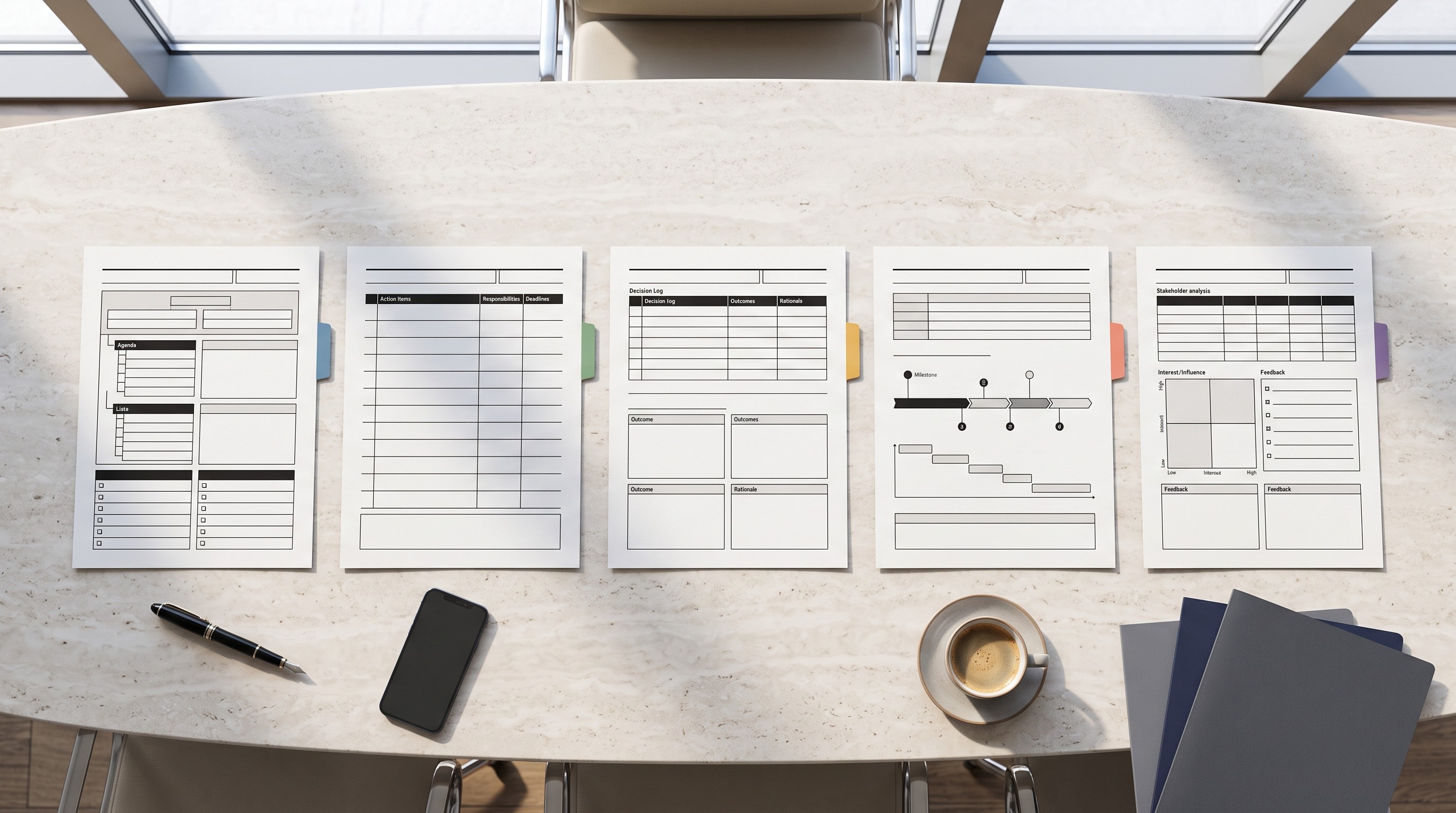
Executive meeting notes should reduce ambiguity. They should show what was decided, who owns the result, what tradeoffs were accepted, and what would cause the group to revisit the decision.
6. Executive decision log template
Use this when a leadership group approves, rejects, pauses, or revises a major choice.
Capture:
Decision statement
Date
Decision owner
Options considered
Recommendation presented
Rationale
Tradeoffs accepted
Risks
Affected teams
Implementation owner
Implementation date
Review trigger
The underrated field is “conditions that would trigger a review.” For example: “Revisit vendor choice if implementation slips by more than four weeks” or “Review pricing decision if churn exceeds target range for two consecutive months.”
This keeps a decision from becoming permanent just because no one remembers the original assumptions.
7. Leadership team meeting template
Use this for weekly or biweekly executive staff meetings.
Capture:
Strategic updates
Metrics requiring discussion
Decisions required
Cross-functional blockers
Talent or resourcing issues
Risks
Commitments by executive owner
Communications needed after the meeting
Structure the note by executive owner, not by the order of conversation. Leadership meetings often jump between topics. The final record should make ownership obvious.
A strong format:
CEO / General Manager
Product
Sales
Marketing
Finance
Operations
People
Legal or compliance
Decisions and commitments
8. Board or steering committee notes template
Use this for governance meetings, advisory boards, transformation steering committees, and formal oversight groups.
Capture:
Meeting date and attendees
Agenda items
Materials reviewed
Formal decisions
Dissenting views or reservations
Governance actions
Financial implications
Operational implications
Risks escalated
Follow-up responsibilities
Date of next committee meeting
These notes should be more formal than normal working notes. Avoid vague phrasing such as “the group discussed the budget.” Write what was reviewed, what was approved, what was deferred, and who is responsible.
If dissent matters, record it. A steering committee note that hides major reservations is not a useful governance record.
9. Executive one-on-one template
Use this for recurring meetings between an executive and a direct report, founder and operator, board member and CEO, or senior leader and chief of staff.
Capture:
Current priorities
Progress since last meeting
Obstacles
Decisions or input needed
Support requested
Feedback
People or organizational topics
Career or development topics
Commitments by both participants
Items to revisit next time
The template should support two-way accountability. Executives often leave one-on-ones with implied commitments: unblock a hire, approve budget, review a memo, make an introduction. Write those down with the same discipline as direct-report actions.
10. Crisis or incident review template
Use this during and after incidents: outages, client escalations, delivery failures, PR issues, compliance events, or operational breakdowns.
Capture:
Incident summary
Timeline
Impact
Confirmed facts
Unknowns
Immediate response
Communications sent
Current owner
Decisions made during response
Corrective actions
Preventive actions
Post-incident review date
Separate confirmed facts from unknowns. In crisis notes, premature certainty is dangerous. Write “unknown” plainly when information is incomplete.
The post-incident version should add root cause, contributing factors, what worked, what failed, and long-term corrective owners.

Meeting note templates for project and delivery teams
Project notes should make delivery visible. The best ones show what changed since the last meeting, what is blocked, what decision is needed, and what happens next.
11. Project kickoff notes template
Use this at the start of a delivery project, implementation, campaign, research initiative, or internal program.
Capture:
Project objective
Business context
Scope boundaries
Roles and responsibilities
Milestones
Timeline
Dependencies
Assumptions
Risks
Communication cadence
First-week actions
The most important kickoff field is “scope boundaries.” Many projects fail because the kickoff captures what will be done but not what will not be done.
Add explicit exclusions: “No dashboard rebuild in phase one,” “No migration of historical records before launch,” or “No executive training until pilot results are reviewed.”
12. Weekly project status template
Use this for recurring project delivery reviews.
Capture:
Reporting period
Completed work
Work in progress
Upcoming milestones
Blockers
Risks
Decisions needed
Scope changes
Timeline changes
Budget or capacity changes
Forecast confidence
Actions for next week
A weekly status note should be comparable over time. Keep the same sections every week so changes stand out.
Use status labels sparingly: green, yellow, red can help, but only if the note explains why. “Yellow due to delayed legal review; launch date still recoverable if approval arrives by Friday” is useful. “Yellow” alone is theater.
13. Daily stand-up notes template
Use this for delivery teams that need fast coordination.
Capture:
Person
Yesterday’s progress
Today’s planned work
Blocker
Help needed
Follow-up owner
Keep it short. The stand-up note is not a diary.
A good stand-up template avoids long narrative and captures only information that affects delivery. If someone says, “I’m still working on the API integration,” the useful note is not the full explanation. It is whether the work is on track, blocked, or needs help.
14. Sprint planning notes template
Use this for agile teams planning a sprint or fixed delivery cycle.
Capture:
Sprint goal
Selected work
Capacity assumptions
Acceptance criteria
Dependencies
Risks
Items intentionally deferred
Owner or team for each workstream
Review date
The important section is “items intentionally deferred.” This prevents the common post-planning argument: “I thought that was included.”
Capacity assumptions also deserve a field. Holidays, support load, onboarding, incidents, and part-time availability can all make a sprint plan look realistic on paper and fail in practice.
15. Sprint retrospective template
Use this after a sprint, launch, project phase, or recurring work cycle.
Capture:
What worked
What did not work
Evidence behind each observation
Root causes
Experiments to try
Owners
Review dates
Items not being changed
Retrospectives get weak when they become opinion lists. Add an “evidence” field.
Instead of “handoffs were bad,” write “three tickets waited more than two days for design clarification.” Evidence makes the improvement specific enough to test.
For personal and team operating rhythm templates, Otio’s weekly review templates for knowledge workers can pair well with project status and retrospective notes.
[[OTIO_INLINE_PROMO:%7B%22title%22%3A%22Have%20a%20project%20recording%20to%20turn%20into%20clear%20notes%3F%22%2C%22description%22%3A%22Import%20the%20audio%20into%20Otio%2C%20then%20use%20its%20transcript%20to%20structure%20decisions%2C%20action%20items%2C%20owners%2C%20deadlines%2C%20and%20open%20questions.%22%7D]]
Meeting note templates for team coordination and people management
People-related notes need more care than project notes. They should be specific, fair, and useful later, without turning every conversation into a legal memo.
16. Team planning meeting template
Use this for weekly planning, monthly team planning, quarterly operating plans, or capacity reviews.
Capture:
Team goals
Priorities
Available capacity
Responsibilities
Dependencies
Tradeoffs
Work that will not be done
Risks
Decisions
Actions
The field most teams skip is “work that will not be done.” Planning is not only choosing priorities; it is creating permission to ignore lower-priority work.
If everything remains implicitly active, the meeting has not created a plan.
17. Cross-functional sync template
Use this when multiple teams need to coordinate: product and sales, marketing and legal, finance and operations, customer success and engineering.
Capture:
Updates by team
Shared dependencies
Handoffs
Decisions needed
Risks
Open questions
Actions requiring coordination
Escalations
Organize by dependency, not by status monologue. Cross-functional syncs often waste time because each function reports activity. The useful note shows what one team needs from another.
A simple format:
Dependency
Owning team
Waiting team
Due date
Risk if delayed
Escalation path
18. Manager one-on-one template
Use this for recurring manager-direct report meetings.
Capture:
Wins
Current workload
Priorities
Obstacles
Feedback for the manager
Feedback for the employee
Development goals
Wellbeing or sustainability
Decisions
Follow-ups from both people
One-on-one notes should not be only manager-owned. A strong template leaves room for the employee’s agenda and the manager’s commitments.
Keep sensitive commentary factual. “Alex missed three client follow-ups this month” is better than “Alex seems disengaged.”
19. Performance or feedback conversation template
Use this for formal feedback, performance concerns, coaching conversations, and expectation resets.
Capture:
Observed behavior
Specific examples
Impact
Employee perspective
Expectations
Support offered
Agreed next steps
Timeline for improvement
Follow-up date
Separate observation from judgment. “The client report was submitted two days late” is an observation. “You are unreliable” is a judgment and usually not useful.
This template should be especially precise about expectations. If the desired change is vague, the follow-up will be vague too.
20. Hiring interview notes template
Use this for candidate interviews, panel interviews, case interviews, and structured hiring debriefs.
Capture:
Candidate
Role
Interviewer
Competency assessed
Question asked
Evidence from answer
Follow-up questions
Strengths
Concerns
Recommendation
Confidence level
Do not write only impressions. Hiring notes should preserve evidence: what the candidate said, built, solved, clarified, misunderstood, or asked.
A useful recommendation is tied to the role: “Strong hire for analytical strategy role; weaker evidence on people management” is better than “good candidate.”
Meeting note templates for review, planning, and follow-through
These templates are less about the meeting type and more about what happens after the meeting. Use them when the biggest risk is that useful discussion disappears into scattered documents, chat threads, and private notebooks.
21. Decision and action tracker template
Use this as the operating layer across projects, leadership meetings, client work, and team planning.
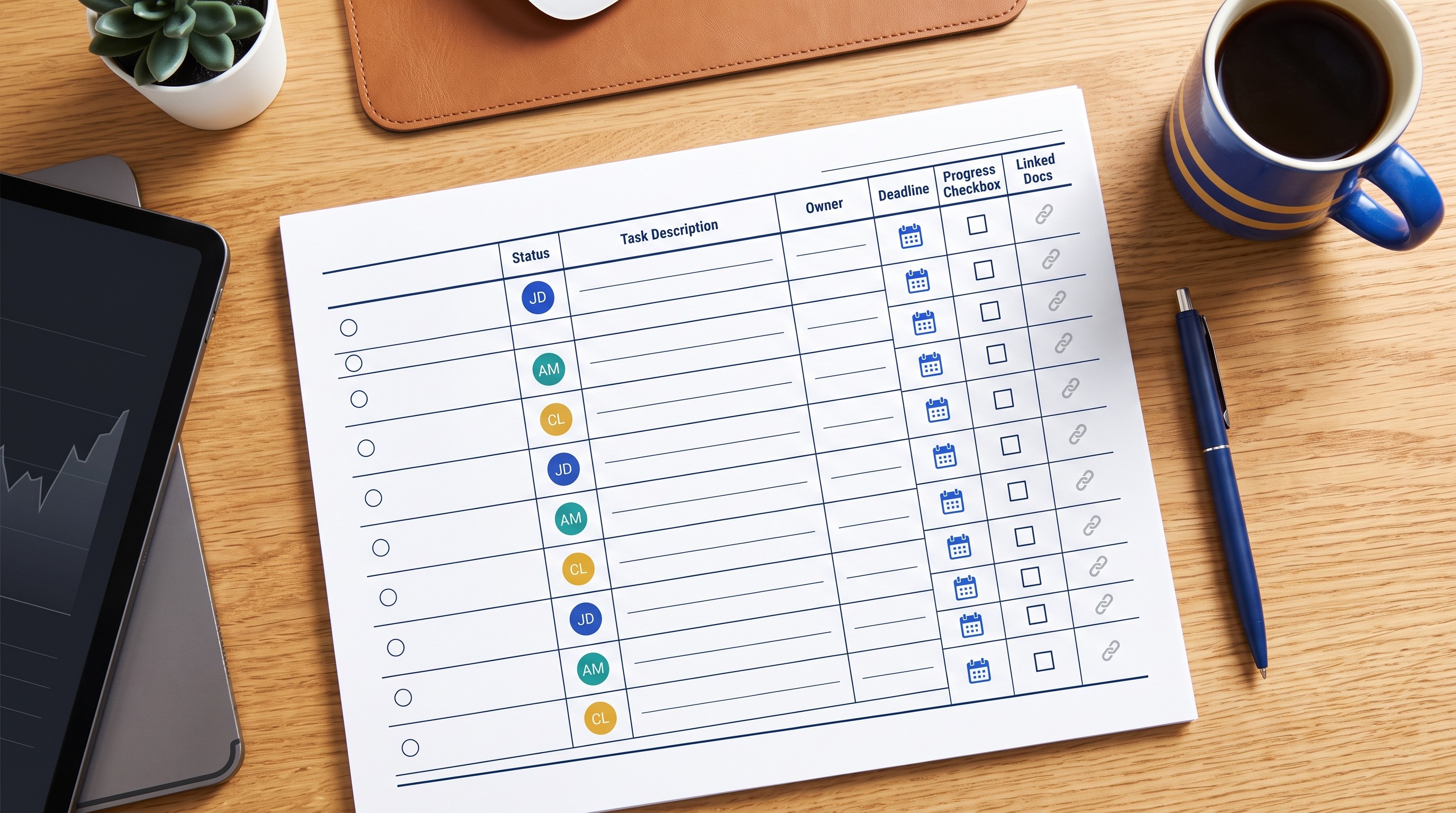
Capture one row per decision or task:
Type | Description | Owner | Due date | Status | Dependency | Source |
|---|---|---|---|---|---|---|
Decision | What was decided | Decision owner | Review date if needed | Final / revisiting | Related dependency | Meeting, doc, or deck |
Action | What must happen | One accountable owner | Deadline | Not started / in progress / done | Blocker or input needed | Supporting context |
Keep decisions and actions in the same tracker only if the “type” field is clear. Otherwise, decisions can get mistaken for tasks.
A decision needs a rationale and review trigger. An action needs an owner and due date.
22. Brainstorming notes template
Use this for idea generation, campaign planning, product concepts, research directions, naming sessions, and problem-solving workshops.
Capture:
Prompt or problem statement
Raw ideas
Assumptions
Evaluation criteria
Grouped themes
Selected concepts
Rejected options
Reasons for rejection
Experiments to validate next
Owners
Do not clean up brainstorming notes too aggressively. Preserve rejected options and why they were rejected. Teams waste time rediscovering discarded ideas when the archive only shows the final shortlist.
The best field is “experiment to validate.” A brainstorming meeting should usually end with a test, not a prettier list.
23. Risk review template
Use this for project risk reviews, operational reviews, compliance planning, vendor management, and executive governance.
Capture:
Risk
Probability
Impact
Early warning sign
Mitigation
Contingency
Owner
Next review date
Current status
The early warning sign matters. “Vendor delay” is a risk. “Vendor misses second test-data delivery date” is an early warning sign. That difference helps teams act before the risk becomes the status.
Risk reviews should be recurring. A risk without a review date is just a concern.
24. Post-meeting summary template
Use this after almost any meeting when the notes need to become a shareable recap.
Capture:
One-sentence meeting purpose
Short summary
Decisions made
Action items
Open questions
Risks or changes
Next meeting purpose
Attachments or source links
This is the template to use when raw notes are too messy to send. It turns conversation into a readable artifact.
A strong post-meeting summary is short. If someone needs the full transcript, link it separately. The recap should tell them what changed and what they need to do.
25. Meeting archive and knowledge template
Use this when notes need to remain useful months later: client programs, research projects, legal or compliance work, product decisions, and long-running internal initiatives.
Capture:
Meeting date
Meeting type
Participants
Project, client, or team
Related documents
Transcript or source links
Decisions
Reusable insights
Risks
Tags
Follow-up record
This template is about retrieval. Six months from now, someone will search for why a decision was made, where a requirement came from, or which client stakeholder raised an objection.
Archive notes by project, client, or team. For more durable knowledge systems, Otio’s guide to Zettelkasten and atomic note templates is useful when meeting notes need to feed a broader research or knowledge base.
How to turn raw meeting notes into a useful follow-up
Raw notes are not the deliverable. The useful follow-up is shorter, clearer, and more accountable than the conversation that produced it.
Before sending a recap, clean the notes in five passes:
Remove repeated discussion. Keep the final point, not every path that led there.
Label uncertainty. Use “open question,” “assumption,” or “needs confirmation” where needed.
Separate decisions from actions. A decision records a choice. An action records work.
Assign one owner per action. “Team to follow up” is not ownership.
Add dates. If there is no due date, add a review date.
For recorded meetings, Otio’s AI summarizer can import audio files into the Library, transcribe them, and help turn the transcript into a structured note with decisions, action items, and open questions. Review the output before sharing, especially when the meeting includes sensitive client, hiring, legal, or performance topics.
Link decisions to their supporting context. If a pricing decision came from a spreadsheet, link the spreadsheet. If a client changed scope based on a workshop, link the workshop output. If an executive approved a plan based on a deck, link the deck.
This matters because meeting notes often become the only memory of a decision. Without source links, future readers have to reconstruct context from inboxes, chat threads, and half-remembered conversations.
Send the summary while the discussion is still fresh. The longer the delay, the more likely people are to disagree about what was decided.
Start the next relevant meeting by reviewing:
Overdue actions
Unresolved questions
Decisions due for review
Changed assumptions
New risks
Archive completed notes by project, client, or team. The goal is not to create a beautiful note library. The goal is to make the next meeting start with context instead of rediscovery.
If meeting notes are part of a broader consulting or knowledge-work system, connect them to workflow automation carefully. The useful boundary is simple: automate capture, formatting, reminders, and retrieval; keep human judgment for decisions, sensitive interpretation, and external communication. For adjacent tooling, see AI workflow automation tools for consultants and knowledge workers.
FAQ
Q: What should every meeting notes template include?
A: At minimum, include the date, purpose, attendees, key discussion points, decisions, action items, owners, deadlines, and follow-up date. Add risks, dependencies, and source links when the meeting affects a larger project.
Q: What is the best meeting notes format for a client meeting?
A: Use a client recap or status-update format with objectives, progress, decisions, risks, questions for the client, and clearly assigned next steps. Keep internal interpretation separate from the version shared externally.
Q: How are meeting notes different from meeting minutes?
A: Meeting notes are flexible working records that may include observations, questions, and informal context. Meeting minutes are usually a more formal record of attendees, proceedings, decisions, and resolutions.
Q: How can I make meeting notes actionable?
A: Convert vague follow-ups into specific actions with one owner, a due date, and a clear outcome. Review the action tracker at the start of the next relevant meeting and update status immediately.
[[OTIO_FOOTER_PROMO:%7B%22title%22%3A%22Apply%20these%20templates%20to%20your%20meeting%20sources%22%2C%22description%22%3A%22Bring%20your%20recordings%2C%20transcripts%2C%20decks%2C%20spreadsheets%2C%20and%20prior%20decisions%20into%20Otio%20to%20keep%20each%20recap%20connected%20to%20its%20supporting%20context.%22%7D]]



