
AI Tool Comparison
18 Best Scholarcy Alternatives for Academic Reading and Source Summaries
Compare 18 Scholarcy alternatives for summarizing papers, grounding answers in sources, capturing citations, and organizing a research library. Find the best fit for quick PDF reading, literature discovery, or end-to-end academic workflows.

The best Scholarcy alternative depends on your research bottleneck
If Scholarcy feels too narrow, the replacement depends on what is actually slowing you down. Use ChatPDF-style tools for one-off paper questions, Elicit or Consensus when the job starts with finding literature, and a connected research workspace like Otio’s source-linked AI summarizer when summaries need to stay tied to PDFs, web pages, notes, citations, and later synthesis.
Scholarcy is built around academic paper summarization: it turns papers, PDFs, book chapters, and articles into structured summaries, according to Scholarcy’s own product description. That is useful for triage. It is less complete when the project involves a growing source library, mixed formats, citation-network discovery, or repeated questions across many documents.
Evaluate alternatives on eight things:
Article-summary quality: Does it capture research question, method, evidence, findings, and limitations?
Source grounding: Does each answer point back to the document, page, passage, or source?
Citation capture: Does it preserve references, metadata, DOIs, BibTeX, or citation exports?
Supported formats: PDF only, or also DOCX, EPUB, web pages, videos, audio, images, and notes?
Library organization: Can you search, tag, folder, revisit, and compare sources later?
Collaboration: Can a lab, class, or team share source sets and notes?
Privacy and access controls: What happens to uploaded papers and unpublished drafts?
Export: Can summaries, notes, annotations, citations, and source links leave the tool?
Treat every AI summary as a reading aid. Before citing a claim, check the original paper’s methods, figures, tables, limitations, and cited evidence.
Scholarcy alternatives at a glance
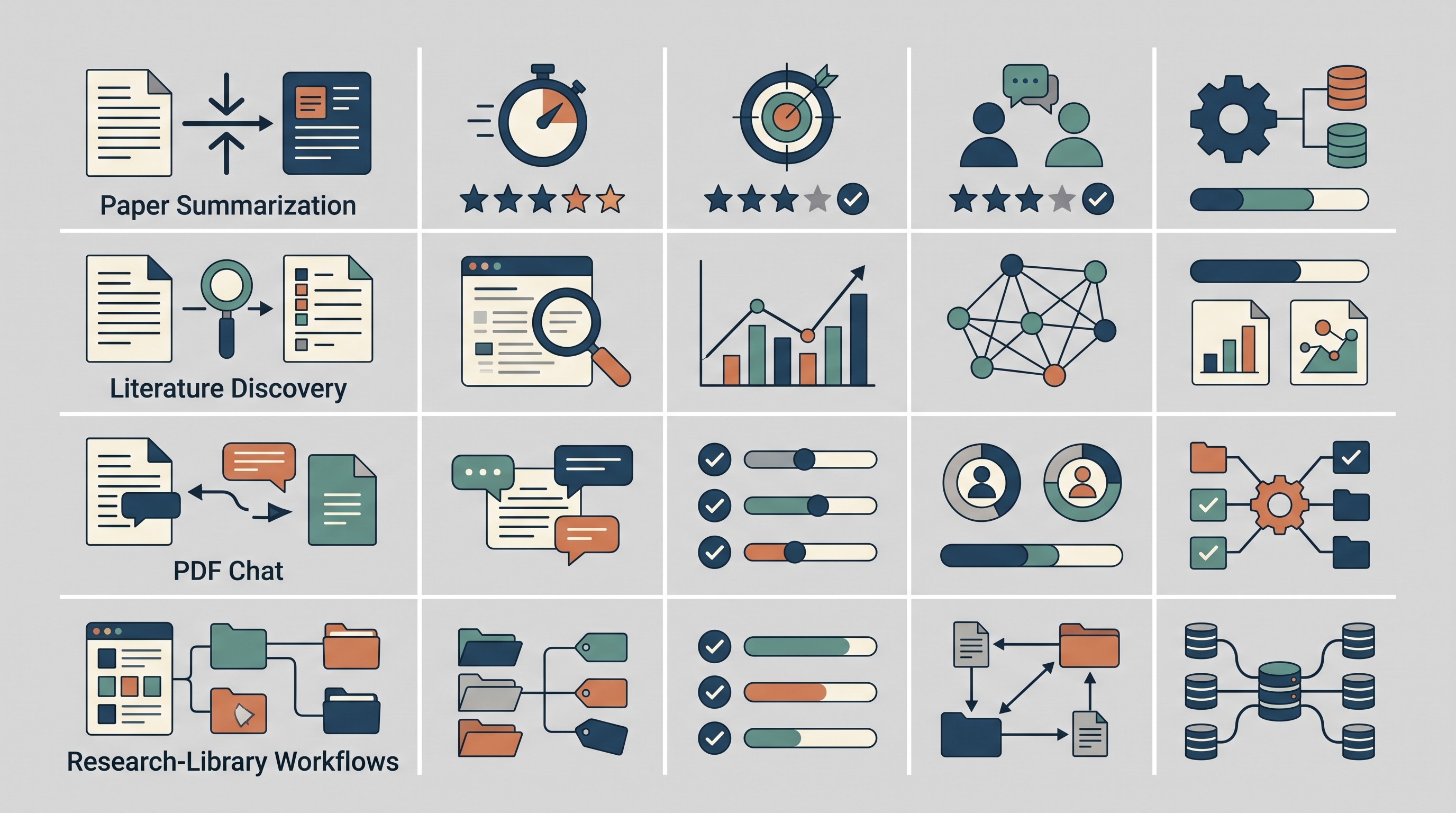
The fastest way to choose is to group tools by workflow, not by a universal ranking. A single-document PDF chatbot and a literature-review discovery engine solve different problems.
Tool | Best use case | Article / file support | Source-grounded answers | Citation / reference handling | Library features | Main limitation |
|---|---|---|---|---|---|---|
Otio | Unified research library and source-linked summaries | PDFs, EPUBs, DOCX, web, YouTube, audio, images, notes | Yes, with inline citations and source previews | Useful for source-linked notes; integrates with reference workflows | Folders, Spaces, search, multi-item chat | More setup than instant single-paper summarizers |
Elicit | Literature-review discovery and structured extraction | Academic papers and review workflows | Yes, for discovered papers; verify details | Structured extraction; citation handling varies by workflow | Project-style research workflows | AI extraction still needs paper-level verification |
Consensus | Question-led evidence discovery | Academic literature search | Source-linked evidence summaries | Basic source inspection; not a full citation manager | Search-oriented | Not a substitute for study-quality appraisal |
NotebookLM | Asking questions across a defined source set | Uploaded docs and selected sources | Strong within notebook source set | Source references inside notebook context | Notebook-based organization | Best after sources are already assembled |
ChatPDF | Quick questions about one PDF | PDF-focused | Usually document-grounded | Limited citation management | Minimal | Weak for long-term research libraries |
Humata | Conversational PDF analysis | PDF/document-focused | Varies; check page references | Limited | Document collections vary by plan | Dense tables, equations, and scans may fail |
AskYourPDF | Straightforward document Q&A | PDFs and common document formats | Varies by parsed content | Limited | Basic document handling | Parsing and citation detail can be thin |
SciSpace | Explaining difficult academic papers | Academic papers and PDFs | Passage-oriented explanations | Paper metadata support; verify exports | Reading and discovery features | Simplification can blur precise meaning |
Semantic Scholar | Paper discovery and citation context | Scholarly search, metadata, papers | Abstracts, metadata, citation context | Strong paper metadata and citation graph context | Saved-library features vary | Not primarily a document summarizer |
ResearchRabbit | Visual literature exploration | Seed papers, author networks, collections | Discovery-oriented | Citation-network context | Collections and maps | Does not replace close reading or extraction |
Connected Papers | Related-work discovery from a seed paper | Seed-paper graph exploration | Discovery-oriented | Graph-based citation context | Graph/project features | Not a systematic-review search strategy |
Perplexity | Web research with cited links | Web pages, files depending on plan | Cited web answers | Source links, not full reference management | Thread/search history | Citations may not support every sentence |
ChatGPT | Flexible reading and transformation workflows | Files and text depending on plan | Varies by prompt and source setup | Citation accuracy requires checking | Chat/project features vary | Source persistence and citation reliability vary |
Claude | Long-document analysis and synthesis | Files and long text depending on plan | Varies by supplied context | Must verify quotes and references | Project features vary | Not a dedicated citation manager |
Gemini | Google-centered document workflows | Google ecosystem files and web context vary by plan | Varies by connected sources | Check current citation and export support | Google ecosystem convenience | Academic source control may need extra tooling |
Zotero | Reference management beside AI reading tools | PDFs, references, metadata | No, not primarily an AI summarizer | Strong reference management | Collections, tags, notes, attachments | Needs companion AI tool for summaries |
Readwise Reader | Saving and revisiting highlights | Articles, newsletters, PDFs, web content | Not primarily source-grounded AI Q&A | Highlight-focused, not citation-first | Read-later library and review | Not enough for formal literature reviews alone |
Mendeley | Reference organization and PDF workflows | PDFs and academic references | Not primarily an AI summarizer | Reference management and exports | Library, PDFs, annotations, sync | Needs companion summarizer for AI reading |
A simple decision path:
Choose Otio if the project includes many source types, repeated follow-up questions, notes, and source-linked retrieval.
Choose Elicit or Consensus if the first problem is finding and screening relevant studies. The University of Florida Business Library describes Elicit as “purpose-built for literature review and data synthesis,” unlike general conversational AI tools (UF Business Library).
Choose ChatPDF, Humata, or AskYourPDF if you need a quick conversation with one document.
Choose Zotero or Mendeley if the priority is citation management rather than AI summarization.
Choose ResearchRabbit, Connected Papers, or Semantic Scholar if the bottleneck is finding adjacent papers and citation relationships.
Best Scholarcy alternatives for connected academic reading
A connected workspace matters when a paper is not the end of the task. Most academic reading becomes cumulative: summarize one paper, compare it with five others, save a quote, check a method, revisit a limitation, and turn the verified pieces into a literature review or memo.
Single-purpose summarizers are fast, but they often leave work scattered. The summary sits in one tab, the PDF in another, highlights in a PDF reader, citations in Zotero, and synthesis notes in Notion or Google Docs. That fragmentation becomes expensive when you need to defend a claim later.
For connected academic reading, look for:
Library search across all saved sources.
Folders, projects, or spaces for classes, chapters, papers, and grant proposals.
Multi-document chat for comparing sources.
Inline citations or source previews so generated answers can be checked.
Notes tied to source material, not detached prose.
Support for non-PDF inputs, because real research includes web pages, books, transcripts, datasets, and slides.
The tradeoff is setup. A broader workspace asks you to organize sources and decide what belongs in a project. For a single abstract before journal club, that may be overkill. For a thesis chapter, it is usually the point.
[[OTIO_INLINE_PROMO:%7B%22title%22%3A%22Need%20to%20compare%20more%20than%20one%20paper%3F%22%2C%22description%22%3A%22Add%20PDFs%2C%20web%20pages%2C%20notes%2C%20or%20videos%20to%20one%20library%20and%20ask%20source-linked%20questions%20across%20them%20instead%20of%20summarizing%20each%20document%20in%20isolation.%22%7D]]
1. Otio — best for a unified research library and source-linked summaries
Otio fits researchers who do not only read academic PDFs. Its library accepts PDFs, DOCX, EPUB, TXT, Markdown, PPTX, CSV, audio, video, images, web links, YouTube videos, tweets, notes, and folders. That makes it closer to a research workspace than a paper-only summarizer.
The useful difference is that the reader, library, chat, and notes live together. You can open a PDF, view an AI-generated summary overlay, select a passage, ask a question about that passage, quote it into chat, and save a useful answer or selection into a note. For projects with many sources, Otio also supports multi-item conversations, folders, and project Spaces.
For traceability, Otio’s AI chat can respond with inline citations and source previews. It also lets you choose between multiple AI models, including GPT, Claude, Gemini, Grok, Llama, DeepSeek, Moonshot, and Otio Auto, so a careful synthesis task does not have to use the same model as a quick summary.
Otio is especially useful when the research set is mixed: a stack of PDFs, a methods textbook chapter, a recorded lecture, a YouTube seminar, a CSV, and a few web pages. The AI PDF reader is the Scholarcy-adjacent part; the broader value is that the summary can stay connected to the rest of the project.
The tradeoff: if you only want an instant flashcard-style summary of one article, a narrower tool may feel lighter.
2. Elicit — best for literature-review discovery and structured synthesis
Elicit is a better Scholarcy alternative when the task starts with a research question rather than one uploaded article. Its own site says it can support systematic literature review work, including screening and data extraction (Elicit).
That changes the workflow. Instead of asking “summarize this paper,” you ask something like, “What studies evaluate retrieval practice in undergraduate STEM courses?” Then you screen candidate papers, extract fields, and compare studies.
Elicit is most useful for:
Finding candidate papers from a question.
Screening abstracts and study relevance.
Extracting structured fields such as population, intervention, outcome, or finding.
Comparing multiple studies in a table-like workflow.
The limitation is not trivial. Structured extraction can look authoritative while missing context, misreading methods, or flattening conflicting outcomes. A 2025 academic comparison of Elicit and traditional searching examined its role in systematic review workflows and reinforces the right posture: use AI to speed parts of the process, not to remove human verification (PMC).
For a broader comparison of tools in this category, see Otio’s guide to Elicit alternatives for literature reviews.
3. Consensus — best for question-led evidence discovery
Consensus is for readers who want to ask an evidence question and inspect what the academic literature appears to say before choosing papers for close reading. It is not mainly a PDF summarizer. It is closer to a question-led discovery and evidence-inspection tool.
This makes it useful early in a project:
Testing whether a question has a research base.
Finding papers that address a claim.
Seeing whether results appear consistent or contested.
Moving from a broad question to papers worth reading carefully.
The risk is over-trusting the synthesized answer. A clean answer to a messy evidence base can hide differences in population, study design, measurement, and statistical power. Use Consensus to identify evidence, then inspect the studies.
For nearby options, see the comparison of Consensus AI alternatives for academic research.
4. NotebookLM — best for asking questions across a defined source set
NotebookLM works well when you already have a bounded collection of papers, lecture notes, book chapters, or course materials and want to query that collection. It is strongest when the source set is deliberate.
Compared with Scholarcy, the key difference is orientation. Scholarcy is built around summarizing academic documents. NotebookLM is built around a notebook of selected sources that can be queried conversationally.
Use it for:
A course packet.
A qualifying-exam reading list.
A small set of policy reports.
A lab’s shared background folder.
A project where the boundaries are clear.
The tradeoff is discovery. NotebookLM is not the first place to go when you need to search the wider literature from scratch. It is better after you have assembled the materials.
5. ChatPDF — best for quick questions about one PDF
ChatPDF is the simple choice when the job is “I have this PDF, tell me what it says.” It is useful for a quick overview, section lookup, or targeted question-answering session.
That narrowness is the appeal. Upload a PDF, ask about the methods, locate a definition, or request a plain-language explanation of a section. If the paper is cleanly parsed, the workflow is fast.
The limitation is persistence. A one-document chat tool usually does not replace a research library, citation manager, or long-term note system. It may also struggle with scanned PDFs, dense tables, equations, complex figures, or questions that require information outside the uploaded document.
If this is your main workflow, Otio has a fuller guide to ChatPDF alternatives for students and researchers.
6. Humata — best for conversational PDF analysis
Humata is a fit when you want to interrogate a document instead of receiving a fixed summary. Conversational follow-up matters when the paper is difficult: first ask for the argument, then ask where the authors define a construct, then ask what the main limitation is.
This is better than a one-click summary for:
Locating definitions.
Clarifying methods.
Checking inclusion and exclusion criteria.
Asking how results relate to the hypothesis.
Finding stated limitations.
As with every PDF Q&A tool, verify the answer against the source. Page references, quotes, equations, and numerical findings are the places where a plausible answer can become dangerous.
7. AskYourPDF — best for straightforward document Q&A
AskYourPDF is best treated as a direct upload-and-ask tool. If you need a quick answer from a document and do not want to build a research system around it, this category makes sense.
It is less compelling when you need structured notes, stable citation capture, multi-document comparison, or long-term source organization. Those requirements push you toward a connected library.
Failure cases are familiar: poor parsing, long documents, scanned files, missing page anchors, and limited citation detail. If the output matters, ask the tool where in the document the claim appears, then check the passage manually.
8. SciSpace — best for explaining difficult academic papers
SciSpace is useful when the paper itself is hard to read. It is oriented toward explaining academic text: terminology, passages, sections, and paper structure.
That makes it especially helpful for students crossing into a new field. A biomedical methods section, economics identification strategy, or machine-learning architecture may need explanation before summarization is useful.
The tradeoff is simplification. A simplified explanation can be directionally helpful while losing the author’s precise claim. For technical reading, compare the explanation with the original paragraph before using it in notes or writing.
9. Semantic Scholar — best for paper discovery and citation context
Semantic Scholar is a complement to Scholarcy, not a direct clone. Use it when you need to find what to read next.
It helps with paper search, citation relationships, related work, author trails, and identifying papers that sit near a topic. That matters when one good paper opens a literature but does not define it.
Semantic Scholar’s role is discovery and context. Summaries, metadata, and citation signals should still be checked against the publisher version or full text, especially when a detail will appear in a manuscript, dissertation, or grant application.
For more discovery options, see Otio’s guide to research websites and academic databases.
10. ResearchRabbit — best for visual literature exploration
ResearchRabbit is useful when you have a seed paper and need to see the surrounding neighborhood: related papers, authors, citation links, and clusters. It solves the “what else is connected to this?” problem.
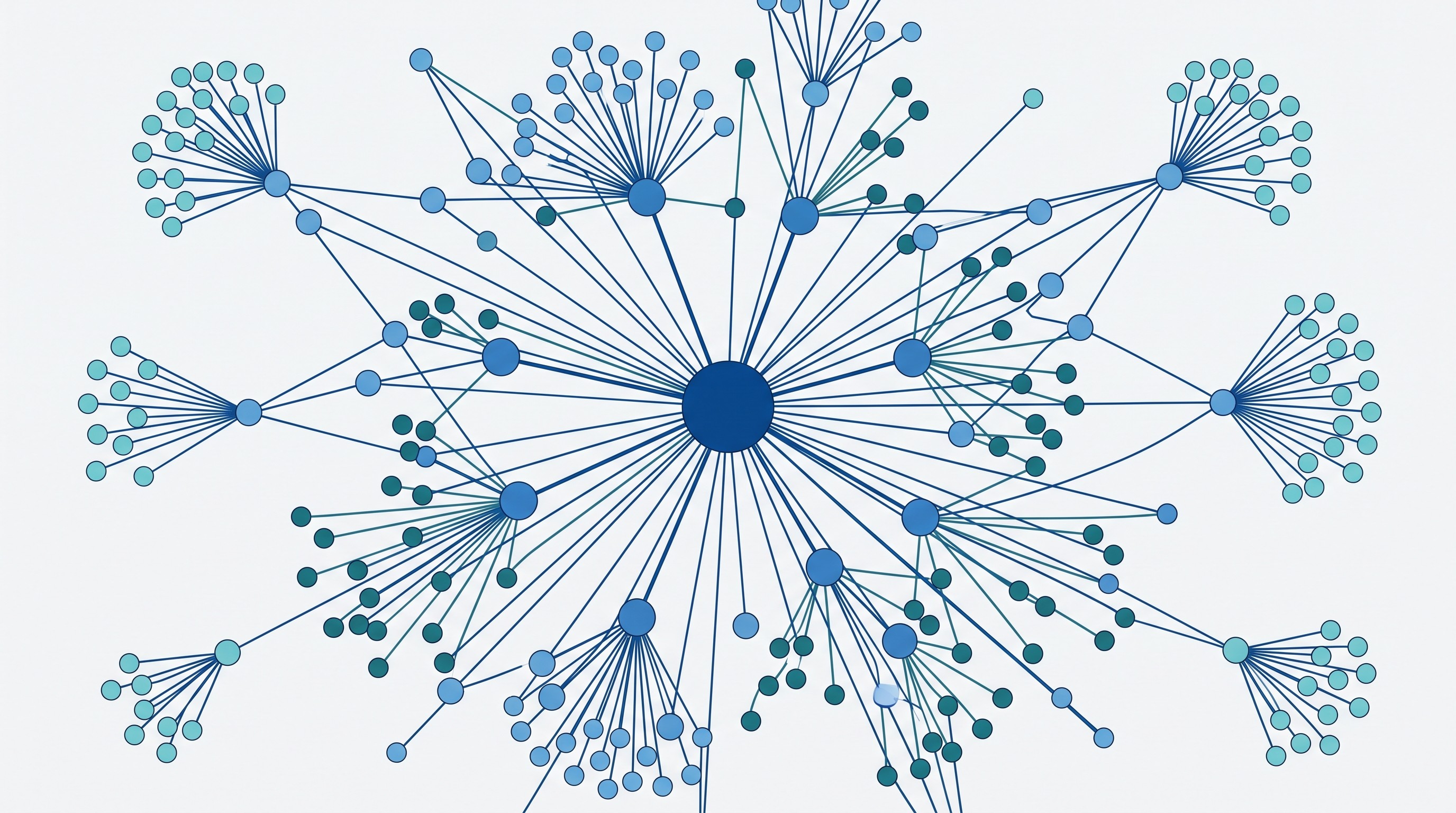
This is different from summarization. A visual citation map can expose adjacent subfields, recurring authors, and older foundational work that a keyword search might miss.
The limitation is that maps can feel complete when they are not. Citation-network exploration does not replace close reading, structured extraction, database searching, or a reliable reference manager.
11. Connected Papers — best for finding related work around a seed paper
Connected Papers is another strong option when you begin with one known paper and want to find nearby work. It helps identify similar, prior, and later papers around a research area.
This is especially useful when a supervisor, syllabus, review article, or recent preprint gives you one anchor source. The graph can help broaden or narrow the search before committing to full-text reading.
Do not treat the graph as a systematic-review strategy. It is a discovery layer, not a reproducible database search with documented queries, inclusion criteria, and screening decisions.
12. Perplexity — best for web research with cited source links
Perplexity is useful for fast web-based research questions where you want a synthesized answer with linked sources. It is often better than a general search engine for getting an initial map of a topic.
For academic work, the distinction matters: web citations are not the same as stable scholarly source control. A Perplexity answer may point to papers, institutional pages, reports, or secondary sources, but you still need to inspect the linked source.
Use it for orientation, not final evidence. Check whether the cited page actually supports the sentence, whether the source is primary or secondary, and whether a more authoritative version exists.
13. ChatGPT — best for flexible reading and transformation workflows
ChatGPT is useful when you want control over the output format. You can ask for a plain-language summary, a methods table, a limitation checklist, a comparison across papers, or draft reading notes from supplied text.
That flexibility is the advantage over a fixed academic summarizer. If the output is wrong shape, ask for a different shape.
The limitations are source persistence and citation reliability. Keep a separate evidence record. For every quote, statistic, page number, and citation, return to the original paper before using the output.
14. Claude — best for long-document analysis and careful synthesis
Claude is a strong option for readers who need extended document analysis, comparative summaries, and structured synthesis from substantial source material. It is a general-purpose assistant, not a dedicated Scholarcy clone.
Use it when the document work is more analytical than extractive:
Compare two theoretical frameworks.
Turn a paper into a methods-and-findings table.
Identify tensions across several papers.
Rewrite dense notes into a literature-review outline.
Stress-test whether a conclusion follows from the evidence provided.
The verification rule is the same: check quotations, page references, numerical claims, and conclusions against the source text. A polished synthesis can still misstate the underlying paper.
15. Gemini — best for readers already working in Google's ecosystem
Gemini is most attractive when your reading, files, email, notes, and writing already sit inside Google’s ecosystem. Convenience matters if your sources are in Drive and your outputs are in Docs or Slides.
That does not automatically make it the best academic reading system. Before relying on it, check the current availability of:
File types supported on your plan.
Whether connected sources are actually included in the answer.
Citation or source-link behavior.
Sharing and privacy controls.
Export options for notes, tables, and citations.
The risk is assuming ecosystem convenience equals research traceability. For serious academic projects, make sure the source record survives outside the chat.
16. Zotero — best for reference management alongside AI reading tools
Zotero is not a one-click Scholarcy replacement. It is a reference manager: collect sources, store metadata, organize references, attach PDFs, annotate, and preserve citation records.
That makes it valuable precisely because AI summarizers are not citation managers. Zotero can hold the bibliographic record while another tool helps summarize, question, or compare papers.
A good paired workflow looks like this:
Save the paper and metadata in Zotero.
Read and annotate the PDF.
Use an AI reader for first-pass summary and targeted questions.
Save only verified claims and quotes into durable notes.
Cite from Zotero, not from the AI answer.
Otio also supports a Zotero integration, which is useful if you want reference workflows connected to a broader AI research library.
17. Readwise Reader — best for saving and revisiting reading highlights
Readwise Reader is for people whose research includes more than journal PDFs: web articles, newsletters, essays, reports, PDFs, and saved links. Its strength is keeping highlights and reading material retrievable.
Compared with Scholarcy, the center of gravity is different. Scholarcy helps condense documents. Readwise Reader helps preserve and revisit what you read.
For formal academic work, it may need companions: a citation manager for references, a discovery tool for literature search, and an AI reader for source-grounded document questions. It is strongest as the memory layer for broad reading.
18. Mendeley — best for reference organization and PDF workflows
Mendeley is best considered a reference-library and PDF-workflow tool. It helps organize academic references and associated PDFs in a familiar research environment.
It is not primarily an AI summarizer. If the job is to generate structured summaries, explain a methods section, or compare several papers, you may still need a companion AI tool.
Evaluate Mendeley on practical criteria:
Metadata quality.
PDF import and storage.
Annotation workflow.
Sync reliability.
Citation export.
Collaboration features.
Compatibility with your writing environment.
For alternatives in this category, see Otio’s guide to Mendeley alternatives for reference management.
How to choose a Scholarcy alternative for your workflow
Start with four questions.
1. Are you summarizing one paper or many?
For one paper, use ChatPDF, Humata, AskYourPDF, SciSpace, ChatGPT, Claude, or Gemini. For many papers, prioritize library search, folders, multi-document chat, and durable notes.
2. Do answers need source-level citations?
If the output will support an essay, thesis, manuscript, memo, or systematic review, source grounding matters more than prose quality. Look for page references, inline citations, source previews, and easy return to the original passage.
3. Must notes persist in a searchable library?
If yes, avoid workflows where summaries disappear into chat history. Use Otio, Zotero, Mendeley, Readwise Reader, or another system that keeps sources organized.
4. Do you need discovery, annotation, or reference management too?
No single tool is best at every stage. Literature discovery points toward Elicit, Consensus, Semantic Scholar, ResearchRabbit, and Connected Papers. Citation management points toward Zotero or Mendeley. Connected reading points toward Otio or NotebookLM.
Test each tool with representative material before committing:
A clean text-based PDF.
A scanned PDF.
A paper with tables and figures.
A paper with equations or technical notation.
A multi-paper comparison task.
A document whose methods you know well enough to catch errors.
Then check whether the tool preserves page numbers, quotations, references, and source links. Separately test uncertainty: ask what the paper does not prove, what limitations the authors state, and whether the evidence conflicts with another source.
For high-stakes academic work, build a human verification step into the workflow. Every important claim, number, quotation, and citation should be checked against the original file.
A practical AI-assisted academic reading workflow
The safest way to use AI for academic reading is to treat it as an index into the literature, not a replacement for reading.
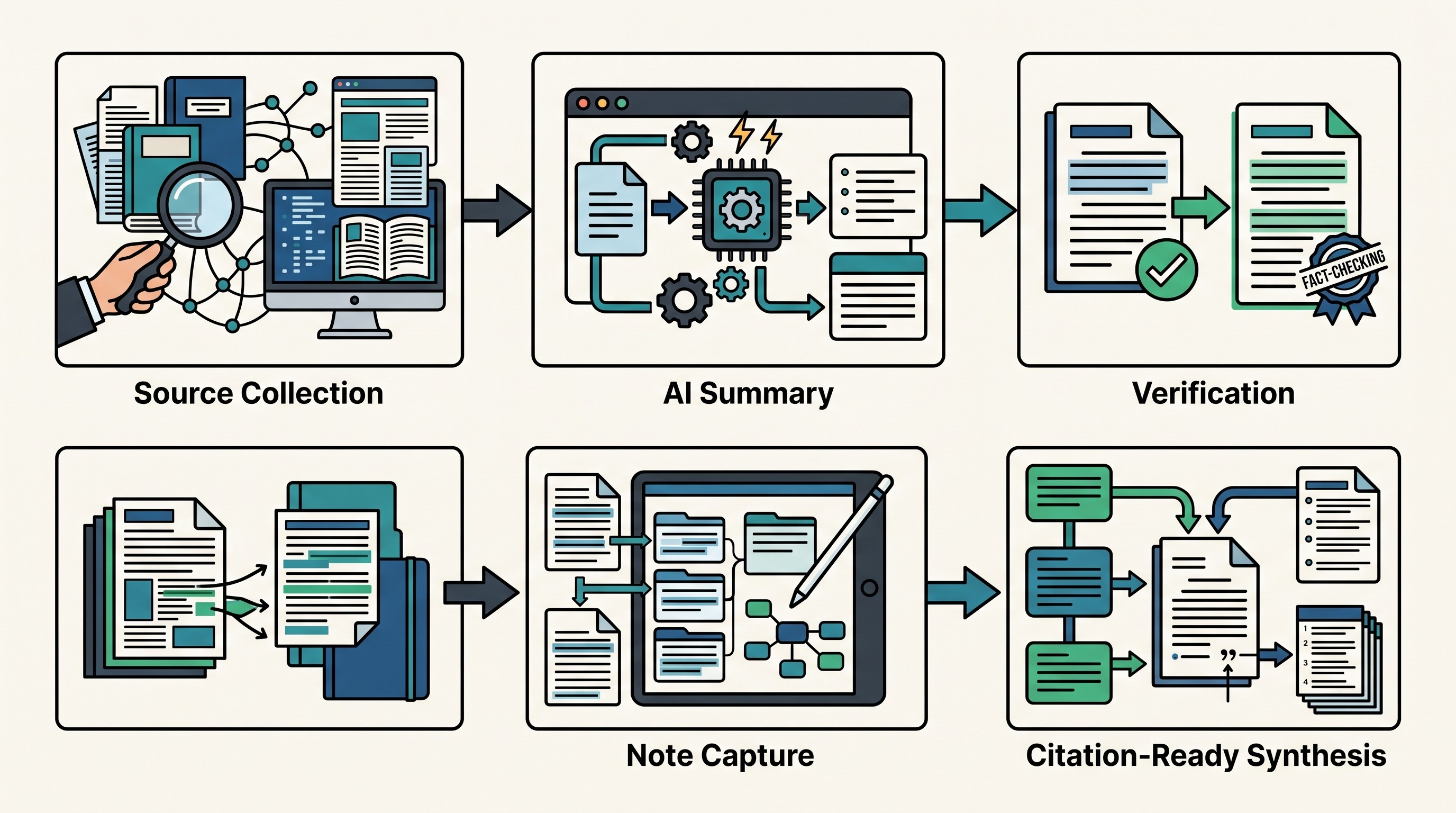
Use this sequence:
Collect the paper from a trusted source. Save the PDF and bibliographic record before asking an AI tool to summarize it.
Generate a short orientation summary. Ask for the research question, method, sample, main finding, and stated limitation.
Ask targeted questions. Good prompts focus on methods, measures, assumptions, results, limitations, and relation to prior work.
Verify before saving. Check the passage, page, table, or figure. Do not save AI-generated claims as facts until verified.
Separate quote, paraphrase, and interpretation. A direct quote needs page context. A paraphrase needs accurate meaning. Your interpretation should be clearly marked as yours.
Normalize before comparing papers. Align population, intervention, outcome, study design, definitions, and measurement windows before synthesizing.
Write from verified notes. Use AI to help organize or rephrase, but cite the original sources.
A connected library is useful when the project includes mixed formats, repeated follow-up questions, and source-linked retrieval. A fast PDF chatbot is enough when the question is temporary.
FAQ
Q: What is the best free alternative to Scholarcy?
A: It depends on the task. A general AI assistant may handle occasional document questions, while Semantic Scholar is better for finding papers; check current free-plan limits and verify important answers against the original sources.
Q: Which Scholarcy alternative is best for literature reviews?
A: Elicit, Consensus, Semantic Scholar, ResearchRabbit, and Connected Papers cover different literature-review stages, from discovery and screening to citation-network exploration. A connected workspace such as Otio is better when you also need to store, compare, and revisit source-linked notes.
Q: Can AI summarizers accurately summarize academic papers?
A: They can provide a useful first-pass overview, but accuracy varies with parsing quality, technical density, tables, figures, and ambiguous findings. Verify methods, results, limitations, quotations, page references, and citations in the original paper.
Q: What should I use instead of Scholarcy for multiple PDFs?
A: Choose a tool that supports a persistent library and multi-document conversations rather than only one-file summaries. Compare source grounding, search, folders, citation capture, export, and support for scanned or mixed-format documents before committing.
[[OTIO_FOOTER_PROMO:%7B%22title%22%3A%22Try%20this%20workflow%20with%20your%20own%20sources%22%2C%22description%22%3A%22Bring%20together%20a%20few%20papers%2C%20notes%2C%20and%20web%20sources%2C%20then%20use%20source-linked%20answers%20to%20build%20verified%20comparisons%20for%20your%20next%20review%20or%20research%20memo.%22%7D]]



