
Named Research Tools
Perplexity Alternatives for Research: What to Use After Web Discovery
Compare research workspaces, AI assistants, reference managers, and specialist discovery tools for the stage after Perplexity. Learn how to collect sources, compare evidence, verify citations, and continue a project across PDFs, web pages, video, audio, and notes.

Updated October 29, 2026.
The best Perplexity alternative for research depends on what happens after discovery
The practical answer to perplexity alternatives for research is not “pick another answer engine.” If Perplexity helped find useful sources, the next tool should usually be a durable research workspace where those sources can be collected, compared, cited, and revisited.
That distinction matters. Perplexity is useful for web discovery and fast, cited summaries. A continuing research project needs something different: a persistent corpus, source organization, cross-source questioning, citation review, notes, and drafts that still make sense when the project resumes next week.
The best setup is often a stack, not a replacement: a discovery tool to find material, a reference manager for bibliographic records, a specialist evidence tool for focused questions, and a multi-source workspace for synthesis. AI summaries and citations can speed up investigation, but they are not evidence by themselves. Important claims still need to be checked against the underlying source.
What Perplexity can do after web discovery—and where the workflow may stop
Perplexity has moved beyond a simple search-and-answer interface. As of October 2026, Perplexity Projects support saving, organizing, searching, uploading, and importing files through File Connectors for subscribers, including Pro, Max, Enterprise Pro, and Enterprise Max. Perplexity says each Project supports up to 10,000 files, 5 GB total storage, and 100 MB per file, with no stated limit on the number of Projects in that documentation (Perplexity Help Center).
That is enough for many bounded research jobs. If the work is a short web question, a scoped market scan, or a small Project with a manageable set of source files, Perplexity may be the only tool needed.
The important caveat is that “you can add a file” is not the same as “the system can search, parse, cite, and reason over every format in the way a researcher expects.” Perplexity’s file-limit documentation says any file type may be added to Projects, but only supported or parsable formats are searchable or actionable (Perplexity Help Center).
Perplexity File Connectors currently support connected files from Google Drive, Microsoft OneDrive, SharePoint, Dropbox, and Box. The supported connector content includes Google Docs, Slides, and Sheets; Microsoft Office files such as DOCX, XLSX, PPTX, and XLS; plus PDF, CSV, RTF, ODT, Markdown, JSON, and TXT files. Perplexity’s connector documentation says images, audio, and video are not supported through File Connectors, though local session uploads are handled separately (Perplexity Help Center).
There is also a practical distinction between Project files, connector imports, and temporary session uploads. Connected-app files are one-time copies, so the latest version has to be fetched again through the connector or re-added. Enterprise Pro and Enterprise Max session uploads have their own file-count, size, retention, and weekly limits separate from Project storage (Perplexity Help Center).
Perplexity’s model access also depends on plan and product state. As of October 2026, Perplexity’s Pro documentation lists extended access to Perplexity Research, Pro Search, file and app creation, and models including GPT-5.2, Claude Sonnet 4.6, Gemini 3.1 Pro, Sonnet 4.6 Thinking, and Grok 4; it also says Max users get additional access to o3-Pro and Claude 4.5 Opus (Perplexity Help Center).
For a cap-by-cap breakdown, use the separate guide to the Perplexity file upload limit for research. The point here is broader: Perplexity can support more research work than a simple search engine, but the switch becomes useful when the project spans formats, repeated review, several models, or a source library that must remain useful beyond one answer.
Four categories of Perplexity alternatives for researchers
The right alternative depends on the job that is breaking. “Research” can mean finding papers, managing references, drafting a memo, comparing legal documents, synthesizing interview transcripts, or checking evidence in a medical guideline. Those are not the same workflow.
A useful evaluation starts with four categories.
Multi-source research workspace. Best when the project combines web pages, PDFs, notes, YouTube or other video, audio or podcasts, transcripts, spreadsheets, and structured files in one persistent library. This is the post-discovery category: the workspace becomes the place where sources are read, compared, cited, and turned into deliverables. Its limit is also clear: it complements discovery tools rather than replacing specialist search engines, evidence databases, or systematic-review platforms.
General AI assistant. Best for drafting, brainstorming, coding, summarizing a small supplied set of material, and transforming notes into different formats. ChatGPT, Claude, Gemini, and similar tools can be useful here. The stopping point is that a general chat history is not automatically a stable, organized source corpus with durable provenance and source-level structure.
Reference manager. Best for bibliographic metadata, deduplication, folders, citation styles, manuscript workflows, and maintaining a source-of-record library. Zotero, Mendeley, and EndNote solve real problems. But managing references is not the same as analyzing a mixed corpus that includes web pages, transcripts, media, notes, and competing claims.
Specialist discovery or evidence tool. Best when the bottleneck is finding papers, mapping a field, checking citation context, or locating focused evidence. For literature discovery, see the guide to Semantic Scholar. For evidence-search context, see the review of Consensus AI. These tools help with discovery and triage; the researcher still needs somewhere to collect, read, compare, and synthesize the sources afterward.
The category fit changes by profession. Academics often care about papers, methods, and citation context. Analysts care about mixed evidence and repeatability. Legal researchers care about document comparison and page-level verification. Medical and pharmaceutical teams care about primary-source checking, guidelines, and controlled handling of sensitive material. Consultants often need to combine interviews, market reports, spreadsheets, and client documents without losing the thread.
That is why a universal “best alternative” list is less useful than a workflow decision. The tool should improve the stage that is actually failing.
The post-discovery workflow: from saved web sources to cited synthesis
After Perplexity finds a promising set of sources, the next risk is context loss. A useful answer may cite five pages, but the generated answer is not the research record. The record should preserve the source, the relevant passage, the reason it mattered, and what still needs to be checked.
A practical post-discovery workflow looks like this:
Preserve the useful discoveries. Save the relevant Perplexity result pages, source URLs, quoted passages, and search context. Do not rely on the generated answer alone. Capture why a source entered the project, not just that it appeared.
Build the project corpus. Add the discovered web pages alongside PDFs, DOCX files, notes, spreadsheets, YouTube videos, interviews, podcasts, transcripts, and other evidence. The corpus should match the real project, not the file types supported by the first tool used.
Organize by research question. Use project spaces, folders, tags, or equivalent structures to separate background material, primary sources, competing evidence, and unresolved questions. A folder called “Sources” is rarely enough. A folder called “Regulatory definitions — conflicting interpretations” is more useful.
Ask cross-source questions. Move beyond isolated summaries. Ask how definitions differ, which methods conflict, what dates matter, which population a finding applies to, or where a policy claim is contradicted by the underlying record.
Inspect citations. Open the cited passage, page, transcript segment, or source document. Check whether it actually supports the claim. Record uncertainty, disagreement, and missing evidence rather than forcing a false synthesis.
Draft from the evidence. Create a brief, memo, literature synthesis, case analysis, or report whose claims remain traceable to the collected sources. A good draft is not just fluent; it is reviewable.

This workflow is slower than copying an answer into a document. It is also the difference between a useful AI-assisted search and a defensible research process.
For narrow paper discovery, a tool like Semantic Scholar or Elicit can be a good starting point. For a broader catalog of databases and discovery sources, see the guide to research websites and academic databases. The next step is preserving what was found in a working corpus that supports comparison.
[[OTIO_INLINE_PROMO:%7B%22title%22%3A%22Ready%20to%20turn%20saved%20sources%20into%20a%20research%20corpus%3F%22%2C%22description%22%3A%22Bring%20web%20pages%2C%20PDFs%2C%20videos%2C%20audio%2C%20and%20notes%20into%20one%20library%2C%20then%20ask%20cross-source%20questions%20with%20citations%20you%20can%20inspect.%22%7D]]
Why format coverage matters more than another search box
The common failure mode of a web-only workflow is not that a researcher finds nothing. It is that the relationship between sources disappears.
A policy analyst may discover a government report, then need to compare it with a hearing recording, a ministerial statement, an NGO briefing, and internal notes. A medical researcher may need papers, clinical guidelines, conference videos, and supplementary files. A legal researcher may need pleadings, statutes, contracts, deposition excerpts, and recorded testimony. A consultant may need market reports, interview transcripts, decks, spreadsheets, and web evidence.
If those formats live in separate tools, the project becomes a set of fragments. The AI answer may be polished, but the evidence trail is scattered.
Evaluate alternatives by the formats a real project contains:
PDFs, including long reports and scanned documents where OCR may be needed
Web pages and saved URLs
YouTube or other video, especially when the transcript contains evidence
Audio and podcasts, including interviews and recorded meetings
Notes and annotations
DOCX, PPTX, CSV, TXT, Markdown, JSON, and other structured files
Images or exhibits, where visual evidence matters
This is where Otio fits as a multi-source workspace after discovery. Its library supports PDFs, web links, YouTube videos, audio, video, notes, DOCX, PPTX, CSV, and other research materials. Its readers and source-linked chat are designed for working across that mixed library rather than treating each file as a one-off upload.
For document-heavy projects, an AI PDF reader is useful only if it stays connected to the rest of the source set. A single PDF summary can help with triage. A research workflow needs the PDF, the web sources, the notes, and the draft to remain connected.
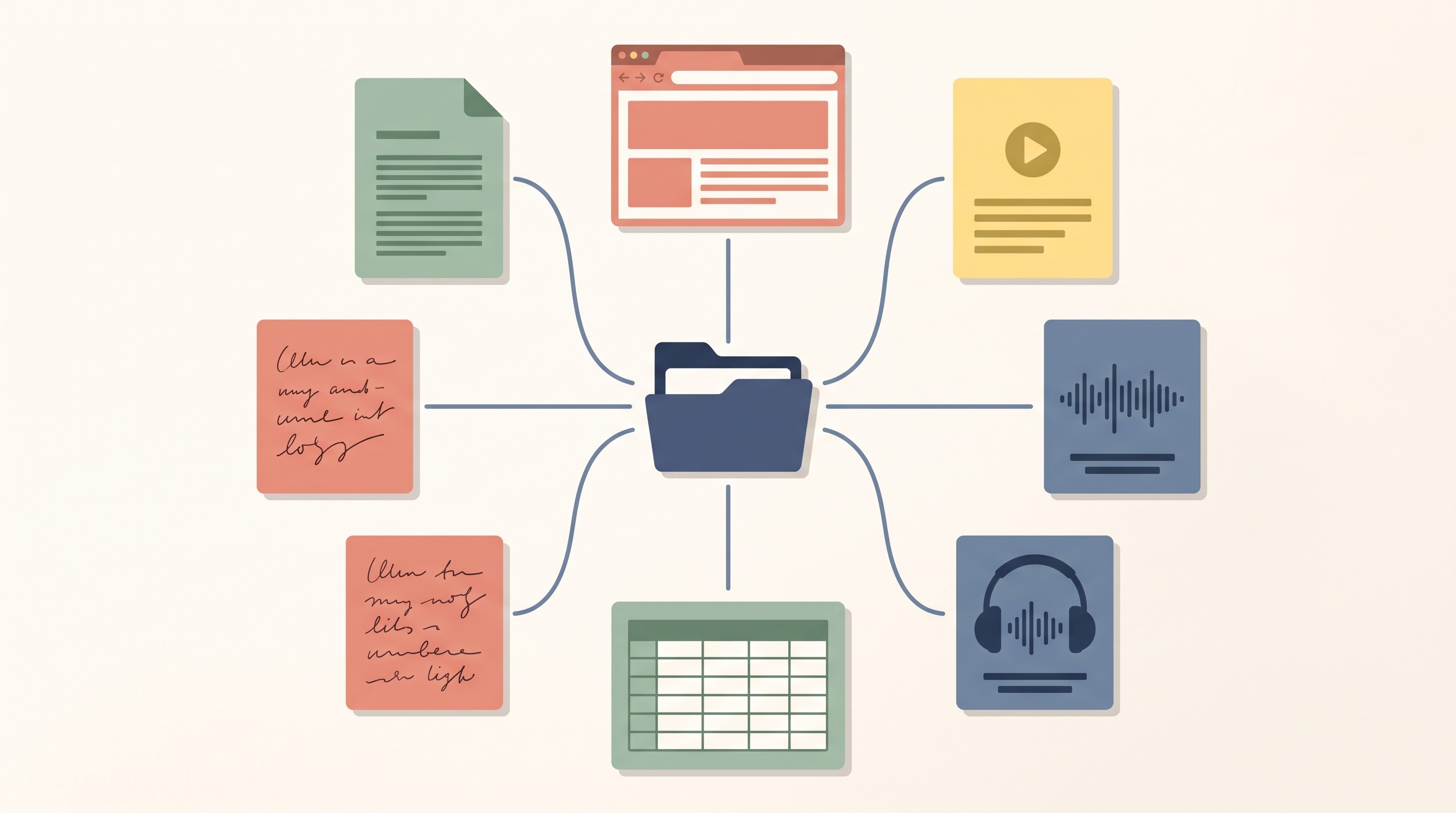
The same rule applies to video and audio. A transcript summary can be useful, but professional work often needs a cited note tied to a moment in the recording, then compared against written sources. Format coverage is not a convenience feature. It determines whether the project can be reconstructed.
The case for using multiple AI models on the same research corpus
Model choice matters less than source control, but it still matters. One model may produce a concise outline. Another may surface contradictions. Another may be better at turning verified notes into a structured memo. The value comes from applying different models to the same stable corpus, not from scattering the same project across disconnected chats.
The right mental model is review, not truth by committee. If three models agree on a claim, the claim is still not verified. Agreement can suggest where to look, but the researcher still needs to inspect the primary source, method, date, quotation, or page reference.
A multi-model workflow is useful when:
A first answer feels plausible but too smooth
The source set contains conflicting evidence
The task changes from extraction to synthesis to drafting
The project needs both concise summaries and detailed reasoning
A reviewer wants to test whether the conclusion depends on one model’s phrasing
Otio supports multiple AI models across GPT, Claude, Gemini, Grok, Llama, DeepSeek, Moonshot, and an in-house Otio Auto router. It also supports retrying a response with a different model while keeping the evidence library as the project context.
That reduces single-model lock-in. It does not remove the need for verification. The stable object should be the source library; the model is one lens used to interrogate it.
How to choose the right alternative for your research job
Choose based on the broken step, not the brand name.
Choose a multi-source workspace when the project is ongoing, the evidence is mixed-format, and the same sources, notes, questions, and drafts need to remain accessible over time.
Choose a general AI assistant when the main task is writing, ideation, coding, or transformation, and the source corpus is small, temporary, or already well organized elsewhere.
Choose a reference manager when citation metadata, deduplication, manuscript insertion, and long-term bibliographic library maintenance are the central problems.
Choose a specialist discovery or evidence tool when the immediate bottleneck is finding papers, mapping a field, checking citation context, or locating focused evidence. For systematic review screening specifically, a specialist screening workflow may be needed rather than a general research workspace.
Then check the practical criteria before switching:
Source persistence: Will the project still be usable after the initial answer?
Supported formats: Does it handle the actual source types in the project?
Citation traceability: Can claims be traced back to passages, pages, transcript segments, or source files?
Connector behavior: Are connected files live, copied once, or imported into a library?
Export options: Can notes, drafts, and source records leave the tool?
Collaboration and privacy controls: Can the workflow match the sensitivity of the material?
Model choice: Can the same corpus be reviewed with more than one model?
Fit by research stage: Is the tool for discovery, reading, synthesis, citation management, drafting, or review?
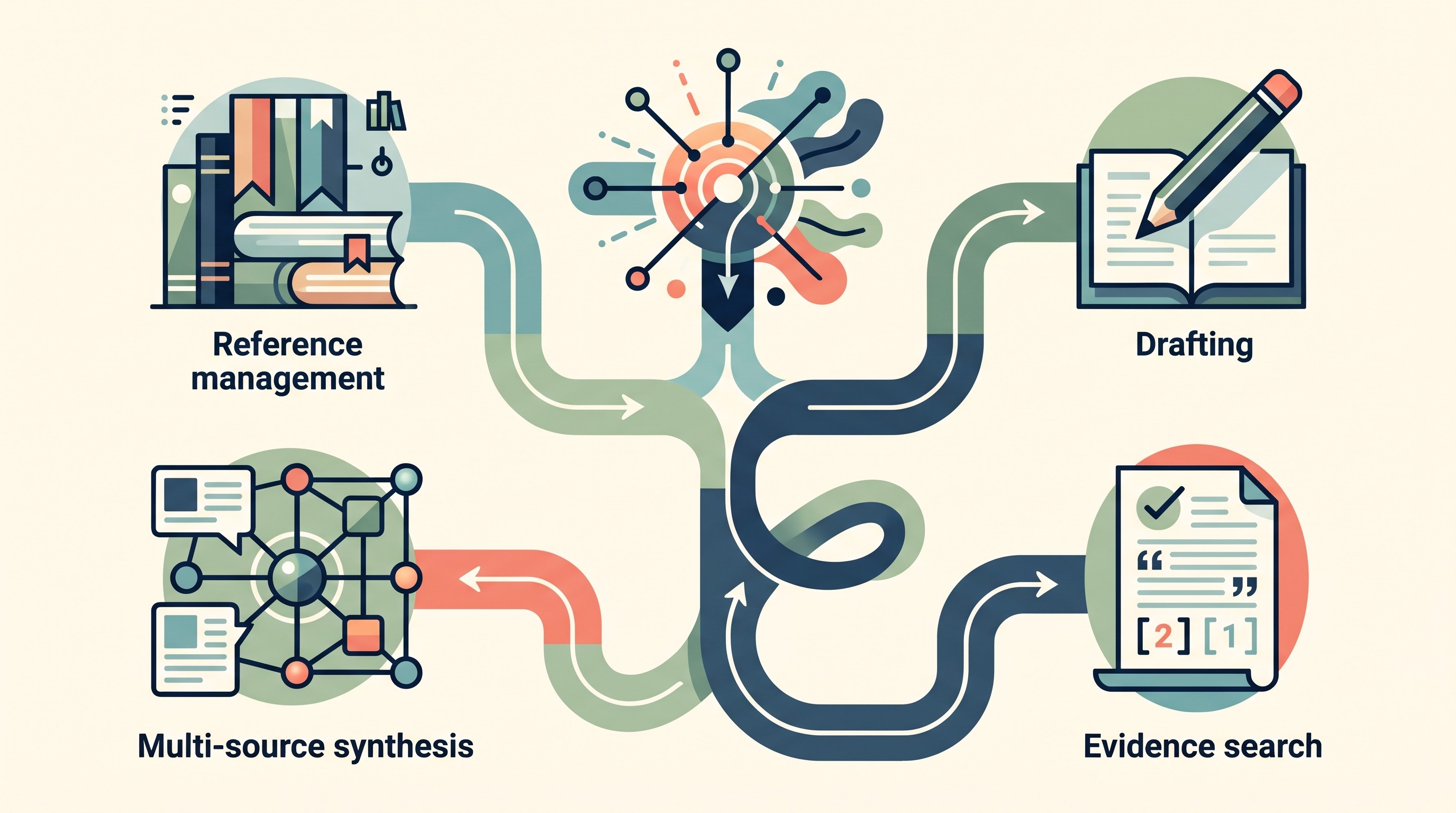
For academics, the key question is whether the workflow preserves source context from discovery through synthesis; Otio’s academic research workspace is built around that use case. For medical and pharmaceutical work, the test should include primary-source checking and sensitivity of the material. For policy and legal projects, the test should include document comparison, cited claims, and reviewability; for legal work, the relevant workflow is closer to AI for legal research than general web search.
Do not migrate everything at once. Pick one live project and import a representative set of sources: a few web pages from Perplexity, several PDFs, one media source, one structured file, and your notes. Ask the same three cross-source questions in the current workflow and the candidate workflow. Then inspect the citations and judge whether the new setup preserves context better.
A practical next step after using Perplexity
Use Perplexity or another discovery tool to find material. Then move the useful sources into a research workspace where the project can continue.
The next step is not to abandon discovery. It is to stop treating discovery as the whole research process. Bring the discovered web sources, PDFs, videos, audio, and notes into one library; ask cross-source questions; inspect citations; and draft from evidence that remains traceable.
If that is the stage you are trying to improve, start with Otio pricing and test one real project before moving a whole library.
FAQ
Q: What is the best Perplexity alternative for serious research?
A: For ongoing multi-source work, a durable research workspace is usually the most useful next step because it keeps web pages, PDFs, media, notes, citations, and project questions together. Discovery tools and reference managers can remain part of the workflow rather than being replaced.
Q: Can Perplexity replace a research workspace?
A: Sometimes, for a bounded project or short web-based question. For research that requires mixed formats, repeated review, source comparison, persistent notes, or multiple AI models, a dedicated workspace provides a clearer continuation after discovery.
Q: Should researchers use Perplexity and Otio together?
A: Yes. Perplexity can help discover web sources, while Otio can preserve those sources alongside PDFs, videos, audio, and notes for cross-source synthesis. Important claims should still be checked against the underlying sources.
Q: Are AI-generated citations from research tools reliable?
A: They can help locate supporting material, but they are not automatically correct. Open the cited source, inspect the relevant passage or page, and verify important claims against primary or authoritative evidence before using them.
[[OTIO_FOOTER_PROMO:%7B%22title%22%3A%22Apply%20this%20workflow%20to%20your%20own%20sources%22%2C%22description%22%3A%22Test%20one%20live%20project%20with%20your%20web%20discoveries%2C%20PDFs%2C%20media%2C%20structured%20files%2C%20and%20notes%2C%20then%20compare%20the%20evidence%20trail%20before%20migrating%20more.%22%7D]]



