
AI Search Comparison
Perplexity vs ChatGPT for Research: Which Tool Should You Use?
Perplexity and ChatGPT support different research jobs. Compare source discovery, document analysis, synthesis, citations, verification, and privacy concerns to choose the right tool—or combine both.

Perplexity vs ChatGPT for research: the short answer
Perplexity vs ChatGPT for research is not a winner-take-all choice. Use Perplexity when the immediate job is web-based source discovery with visible citations; use ChatGPT when the job is reasoning through supplied material, drafting, explaining, outlining, or revising.
Neither tool is a research method by itself. A cited AI answer is not the same as a verified claim, and a fluent synthesis is not proof that the source was read correctly. For consequential work, open the original source, check the passage, judge the method, and record the evidence location.
Perplexity describes itself as an AI answer engine that researches the open web and returns cited answers; its own product hub frames it around real-time web research and concise cited responses (Perplexity). ChatGPT is usually better treated as a flexible reasoning and writing assistant, especially when the source set is already chosen. If the task is a database-centered academic search, start with a conventional search workflow such as Google Scholar advanced search, then use AI only after you have real sources in hand.
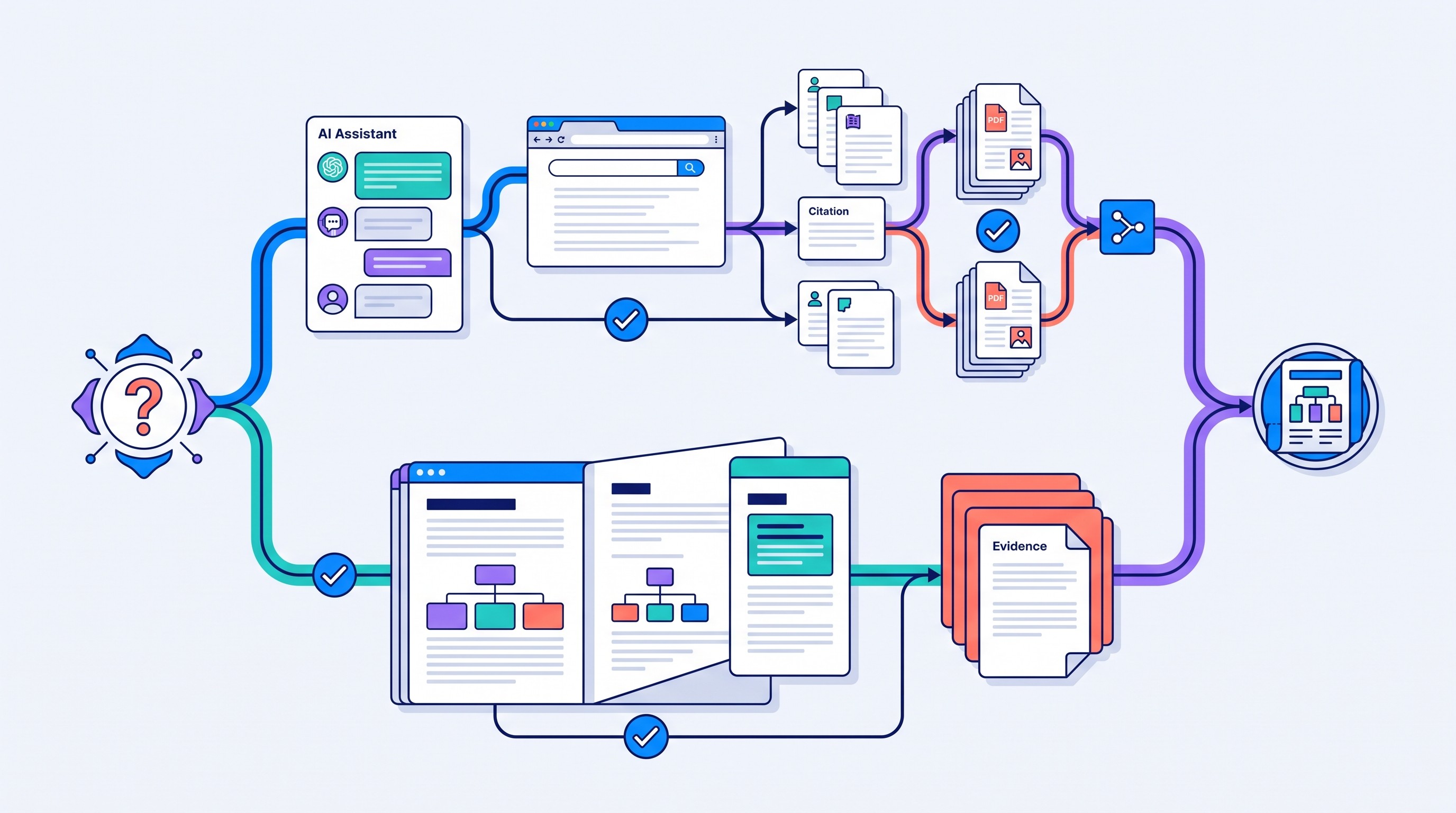
How the two tools differ across a real research workflow
The cleanest comparison is not “Which AI is smarter?” It is “Where in the research workflow does each tool reduce work without hiding too much?”
A real research workflow has at least seven stages:
Define a research question.
Find candidate sources.
Open and read the sources.
Extract evidence.
Compare findings across sources.
Draft or revise the output.
Verify every consequential claim.
Perplexity is strongest near the top of that chain: query expansion, web discovery, recent-source scanning, and cited answer generation. ChatGPT is often more useful in the middle and end: turning notes into outlines, explaining difficult passages, comparing interpretations, and revising prose after evidence has been collected.
That division is not absolute. Perplexity can answer follow-up questions, and ChatGPT can search the web in some modes and plans. Product capabilities change by model, plan, region, and settings, so the durable rule is simpler: use the tool whose output is easiest to audit for the job at hand.
Research need | Perplexity | ChatGPT | Verification burden |
|---|---|---|---|
Source visibility | Usually front-and-center for web answers | Varies by mode and whether sources are supplied | Open every important source |
Citation handling | Useful for quick source trails | Strong when you provide sources and ask for claim-source mapping | Check whether the citation supports the sentence |
Document inputs | Useful if the workflow supports uploaded files or pages | Useful for long conversations over supplied text and files, depending on plan | Confirm page, section, table, or quote |
Follow-up questioning | Good for narrowing a web search | Good for iterative reasoning and drafting | Watch for drift from the original evidence |
Output control | Strong for concise answers | Strong for outlines, transformations, style, and revision | Require structured outputs |
Reproducibility | Web results may change | Conversations may change by model/settings | Save queries, sources, dates, and notes |
Best use | Discover and triage sources | Analyze, explain, synthesize, draft | Human review remains mandatory |
The main trap is mistaking fluency for evidence. A paragraph can sound careful while hiding a weak source, a missing method, an outdated statistic, or a citation that supports only part of the claim.
A safer workflow looks like this:
Start with a broad question: “What are recent systematic reviews on X?”
Use Perplexity to surface candidate sources, especially official reports, primary studies, review papers, and standards.
Open the sources. Save the original URLs or PDFs.
Narrow to sources that actually match your scope.
Use ChatGPT to extract structured notes from source text you provide.
Draft only after the evidence table is complete.
Verify every claim against the original passage.
That is slower than pasting a topic into an AI tool and accepting the answer. It is also the difference between AI-assisted research and AI-shaped guessing.
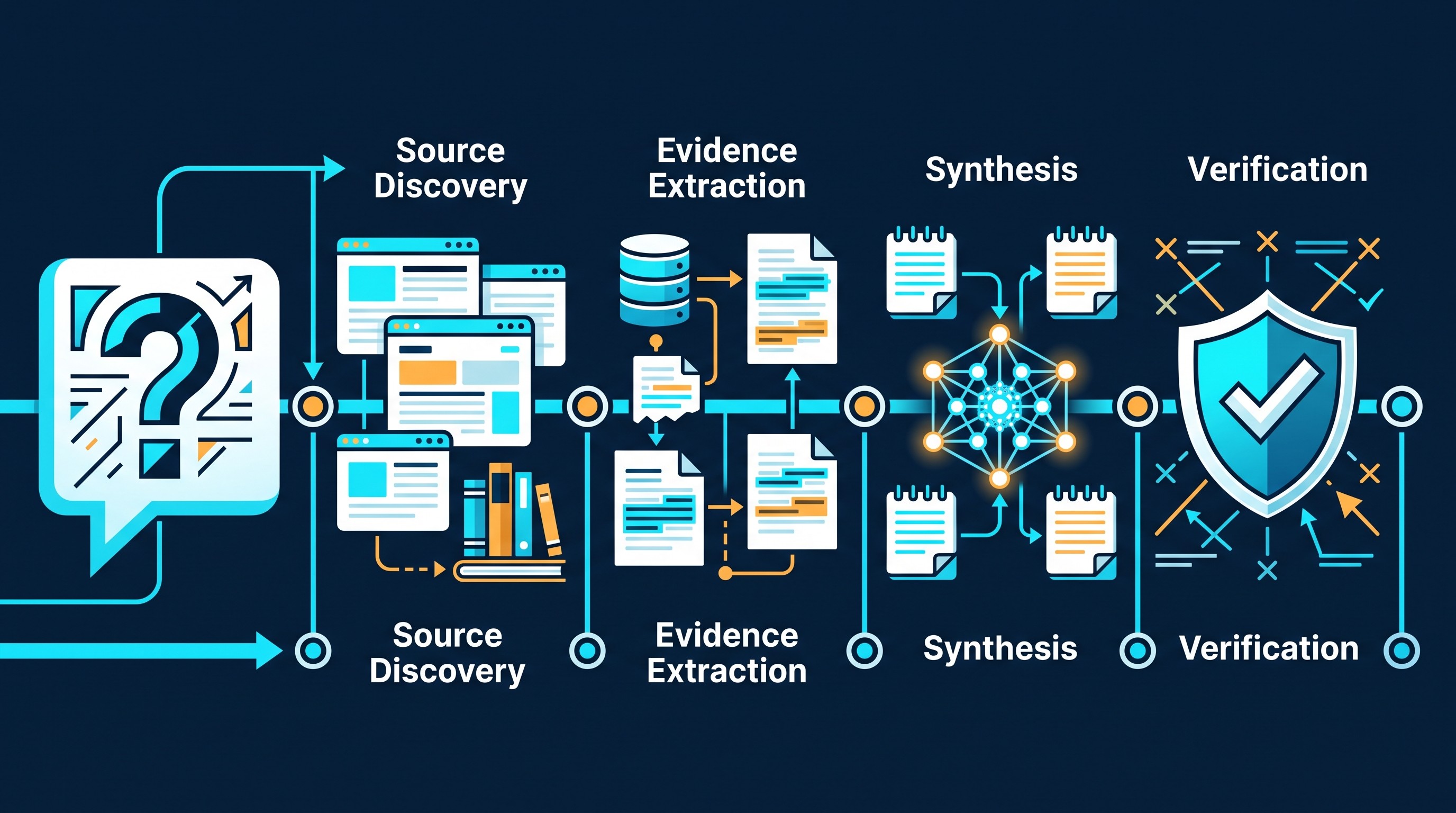
Which tool is better for finding research sources?
Perplexity is usually the better first stop for finding web sources because citation visibility is part of its core product pattern. Perplexity’s documentation describes real-time, web-wide research and Q&A for its API platform (Perplexity docs), and its user-facing materials emphasize researching the open web with cited answers (Perplexity getting started).
That does not mean it is automatically better for academic source discovery. Finding a webpage is not the same as finding the right paper.
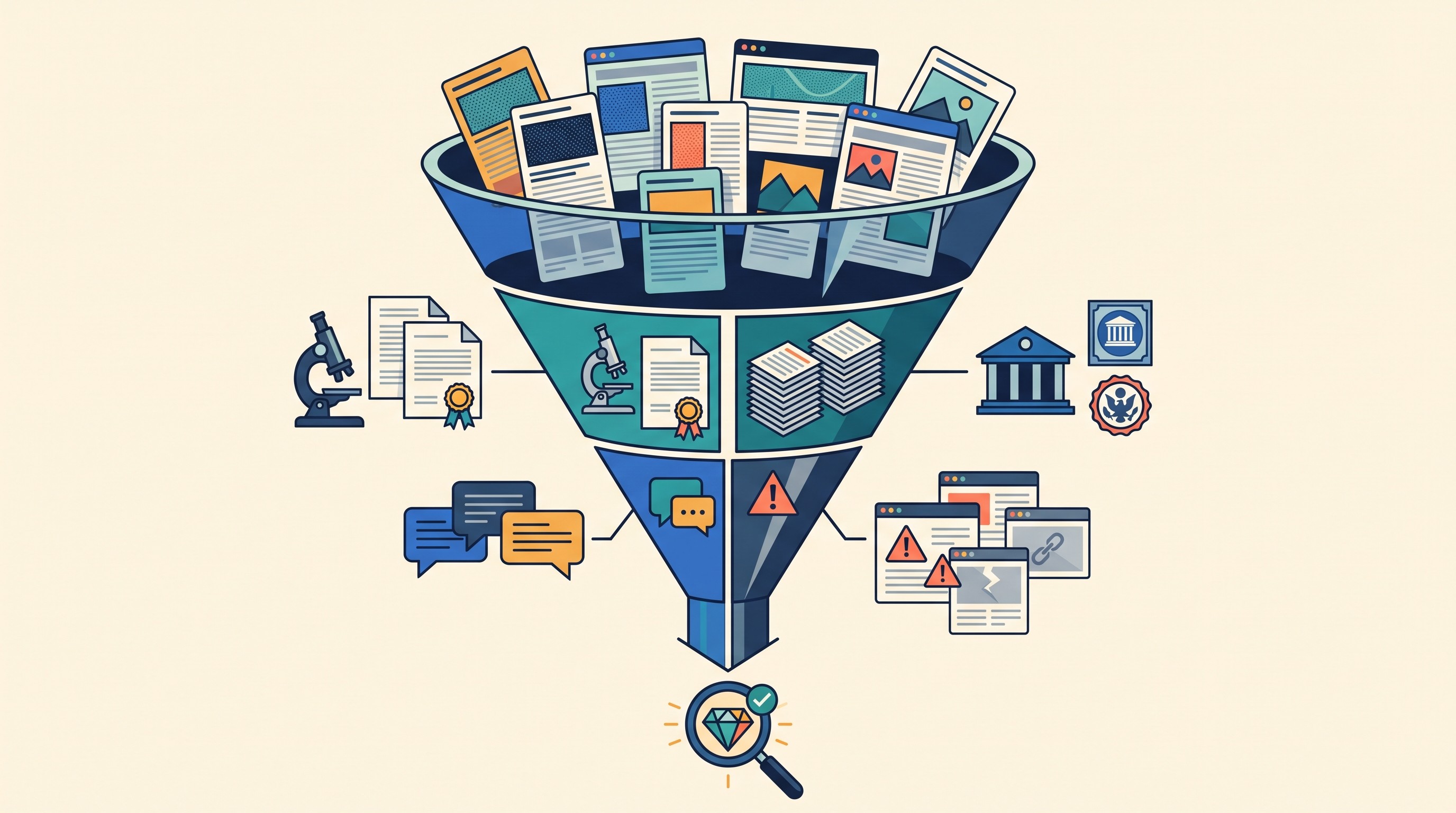
For any AI-discovered source, classify what you found:
Primary research: original empirical paper, trial, experiment, dataset, field study.
Systematic review or meta-analysis: useful for mapping evidence, but still check inclusion criteria.
Official source: government dataset, institutional report, standards body, court, regulator.
Secondary commentary: useful for context, risky as the main evidence.
Unverifiable page: avoid unless it leads to a stronger source.
A good test is to run the same question in both tools and record the result quality instead of relying on reputation. Use a small evaluation sheet:
Criterion | What to record |
|---|---|
Number of sources | How many distinct sources are returned? |
Relevance | Do they answer your actual question or only match keywords? |
Source type | Primary study, review, official dataset, commentary, blog? |
Recency | Are the dates appropriate for the field? |
Traceability | Can you reach the original publication, not just a summary? |
Support | Does the cited passage support the AI’s claim? |
For example, if the question is “Does retrieval practice improve long-term retention in undergraduate STEM courses?” do not stop at a cited AI answer. Ask which sources are primary studies, which are reviews, which populations they studied, and whether the outcome was exam performance, delayed recall, course grade, or self-reported confidence.
Then follow the citation trail:
Backward: inspect the sources cited by the paper or report.
Forward: look for later papers that cite it.
Sideways: search for reviews, replications, critiques, and related datasets.
Database check: repeat the search in Google Scholar, Semantic Scholar, PubMed, SSRN, IEEE Xplore, ACM Digital Library, JSTOR, HeinOnline, or another field-specific database.
For scholarly discovery beyond general web search, use a dedicated academic index. Otio’s guide to Semantic Scholar is a better next step if you need citation graphs, related papers, and academic metadata. For evaluating whether a source should be trusted at all, use a source-quality checklist such as reliable sources for research.
The practical verdict: Perplexity is better for getting a fast, cited starting set. It is not a substitute for a literature search.
Which tool is better for reading papers and synthesizing evidence?
ChatGPT is often stronger once the sources are already chosen, especially when the work requires patient back-and-forth: explain this section, compare these two findings, turn these notes into a matrix, identify conflicting assumptions, rewrite without changing the claim.
The important distinction is extraction versus interpretation.
A faithful extraction asks: “What does this paper say?” An interpretation asks: “What does this paper mean in relation to other evidence?” AI tools blur that boundary unless the prompt forces separation.
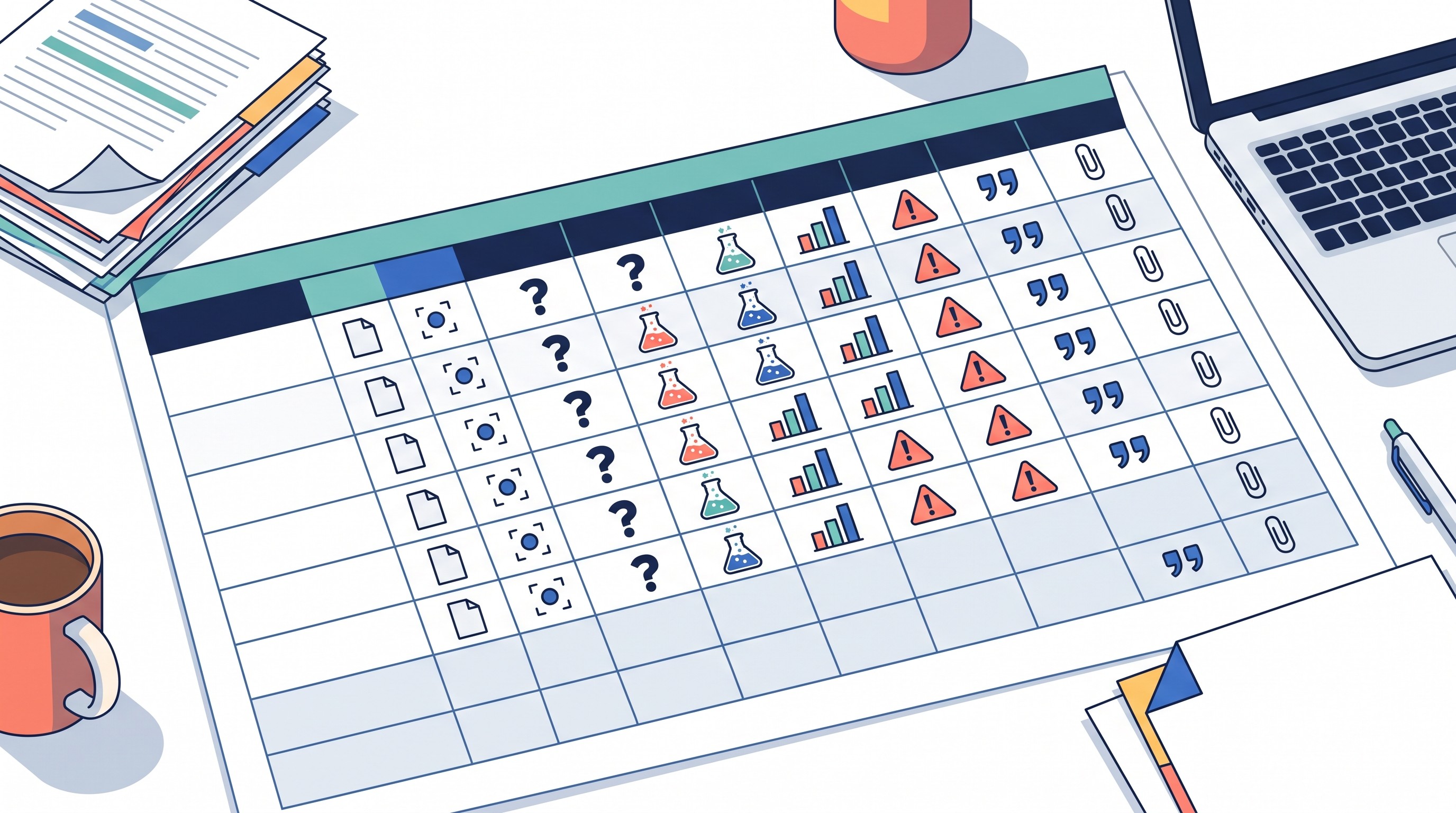
For a reader-supplied PDF or pasted passage, ask for a structured extraction before any summary:
Field | What the assistant should extract |
|---|---|
Research question | The exact question or objective |
Population/sample | Who or what was studied |
Method | Design, data, model, intervention, or analytic approach |
Main result | The finding, with measurement detail |
Evidence location | Page, section, table, figure, or quoted passage |
Limitation | Stated limitation or obvious boundary |
Confidence | High, medium, or low, with reason |
This format is safer than a paragraph summary because it makes omissions visible. A summary can compress away the most important caveats: a small sample, a short follow-up period, a correlational design, a subgroup effect, a preregistration issue, or a result that was statistically significant but practically small.
The non-obvious failure mode is summary compression. An assistant may merge findings from different studies, flatten uncertainty, or turn “associated with” into “caused by.” This is especially risky when a tool is synthesizing several sources at once.
A safer multi-paper workflow:
Upload or paste one source at a time.
Extract the evidence table for each source separately.
Add a “do not infer beyond the text” instruction.
Ask the assistant to identify disagreements across tables.
Draft a synthesis only from the table, not from memory.
Verify the final paragraph against the original sources.
This is where an AI PDF workflow can be useful, but only if it keeps the document close to the conversation. Otio, for example, has an AI PDF reader that lets researchers work with PDFs in a reader and ask questions from the same workspace. That kind of setup is valuable when it reduces tab-switching and keeps the passage available for checking; it does not remove the need to read the source.
A good synthesis output should preserve disagreement. Bad synthesis says: “The literature shows X.” Better synthesis says: “Three small studies in undergraduate samples found X under short follow-up conditions, while two later studies using delayed testing found weaker effects.”
The second version is less punchy. It is also more honest.
[[OTIO_INLINE_PROMO:%7B%22title%22%3A%22How%20will%20you%20tie%20each%20paper%20to%20its%20evidence%3F%22%2C%22description%22%3A%22Upload%20your%20PDFs%20to%20Otio%2C%20extract%20each%20paper%E2%80%99s%20method%2C%20findings%2C%20limitations%2C%20and%20page%20references%2C%20then%20compare%20the%20evidence%20before%20drafting.%22%7D]]
Which tool is better for drafting, explaining, and revising research?
ChatGPT is usually the better drafting partner. It is useful for explaining difficult concepts, reorganizing notes, generating outlines, comparing interpretations, and revising paragraphs while preserving the claim.
That does not make it a source of evidence. The safe boundary is this: AI can help express and structure research; it should not invent the research.
Legitimate uses include:
Turning verified notes into an outline.
Explaining a difficult methods section in plain English.
Suggesting alternative structures for a literature review.
Identifying where a paragraph makes a stronger claim than the source supports.
Revising for clarity without changing the meaning.
Creating a claim-to-evidence map.
Unacceptable substitutions include:
Inventing sources.
Fabricating quotations.
Producing citations that were not checked.
Presenting generated prose as if it came from verified reading.
Paraphrasing so aggressively that the original meaning changes.
Use a prompt pattern that forces evidence before prose:
Source material: paste the relevant passage, table, or notes.
Task: define the exact output, such as “make an evidence table” or “draft one synthesis paragraph.”
Constraint: “Do not use outside sources unless I provide them.”
Uncertainty labels: require “supported,” “partially supported,” or “not supported.”
Evidence map: require every claim to point to a source, page, section, or quoted passage.
Drafting rule: “Only draft after the claim-to-evidence map is complete.”
A practical prompt:
Task: Create a claim-to-evidence map from the supplied notes before drafting.
Rules: Do not add outside facts. Label each claim as supported, partially supported, or unsupported. Include source, page or section, exact supporting phrase, limitation, and confidence. After the table, draft one paragraph using only supported claims.
This pattern works with either tool, but ChatGPT tends to be more useful when the interaction becomes iterative: “make the causal language weaker,” “separate mechanism from outcome,” “keep the limitation in the topic sentence,” “turn this into a seminar handout,” or “revise for a non-specialist audience.”
For academic prose examples, see Otio’s guide to academic writing examples. If the task is paraphrase rather than drafting from notes, use a process that preserves meaning and citation context; the guide on how to paraphrase a research paper covers those safeguards.
Otio can also help in this later stage through its notes editor: selections from chat can be saved into notes, and AI suggestions can be reviewed before accepting changes. That is useful for keeping drafting separate from verification, which is the habit that matters most.
When using both tools—or neither—is the better choice
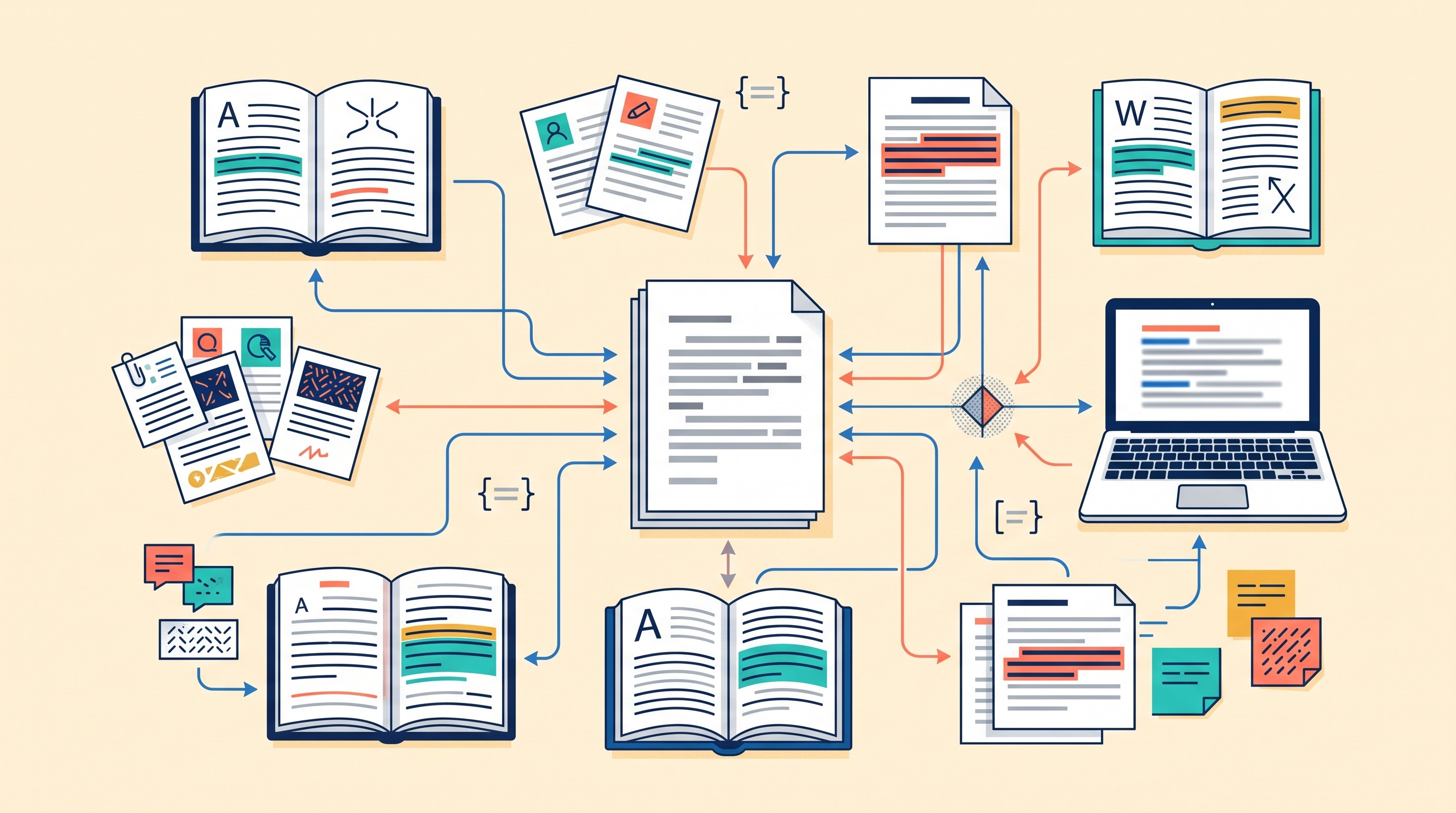
The best workflow is often not Perplexity or ChatGPT. It is Perplexity, then ChatGPT, then manual verification.
Use both when each tool has a distinct job:
Perplexity: generate a cited starting set from the open web.
Manual step: open sources, remove weak ones, save originals.
Database step: repeat the search in scholarly databases where needed.
ChatGPT: analyze the chosen source set, extract evidence, explain difficult parts, draft from notes.
Manual step: verify every claim, citation, quote, number, and limitation.
This combined workflow reduces duplicated work only if the handoff is disciplined. If Perplexity gives ten sources and ChatGPT drafts from an unscreened list, the workflow is faster but weaker. If you screen first, then ask ChatGPT to work from the accepted sources, the output is easier to defend.
A unified workspace can help when the bottleneck is not the model but the mess: PDFs in one folder, web links in another, notes in a doc, and chats scattered across tools. Otio’s research workspace supports a library of PDFs, web links, notes, media, and documents, plus multiple AI models in chat. That is useful when you want one place to compare source-grounded answers, not because it proves one model is more accurate than another.
Privacy can change the decision entirely. Do not upload unpublished data, participant information, proprietary client material, embargoed manuscripts, legal files, medical records, or sensitive interview transcripts until you have checked the provider’s current data-use, retention, and training policies. Institutional review board rules, funder terms, journal embargoes, client contracts, and data protection laws may matter more than convenience.
There are also projects where neither Perplexity nor ChatGPT is sufficient as the primary workflow:
Systematic reviews: need documented search strings, databases, screening criteria, exclusion reasons, and reproducibility.
Regulated decisions: clinical, legal, financial, safety, compliance, and policy work require controlled evidence review.
Exhaustive searches: AI search can miss sources or overrepresent easy-to-index pages.
Source-critical legal research: primary authority, jurisdiction, currency, and citator treatment matter.
Confidential research: sensitive or unpublished material may require approved tools and controlled environments.
For legal work specifically, use a legal research method first, not a general AI answer. Otio’s guide to methods of legal research is a better starting point for that workflow.
A final checklist before trusting an AI-assisted research output:
Define the research question before asking the tool.
Save the original sources, not just AI citations.
Record evidence locations: page, section, table, figure, timestamp, or URL.
Separate extraction from interpretation.
Use evidence tables for multi-source synthesis.
Verify every consequential claim.
Keep uncertainty and limitations in the final draft.
Disclose AI assistance where your institution, journal, client, or instructor requires it.
Retain a human-reviewed final version.
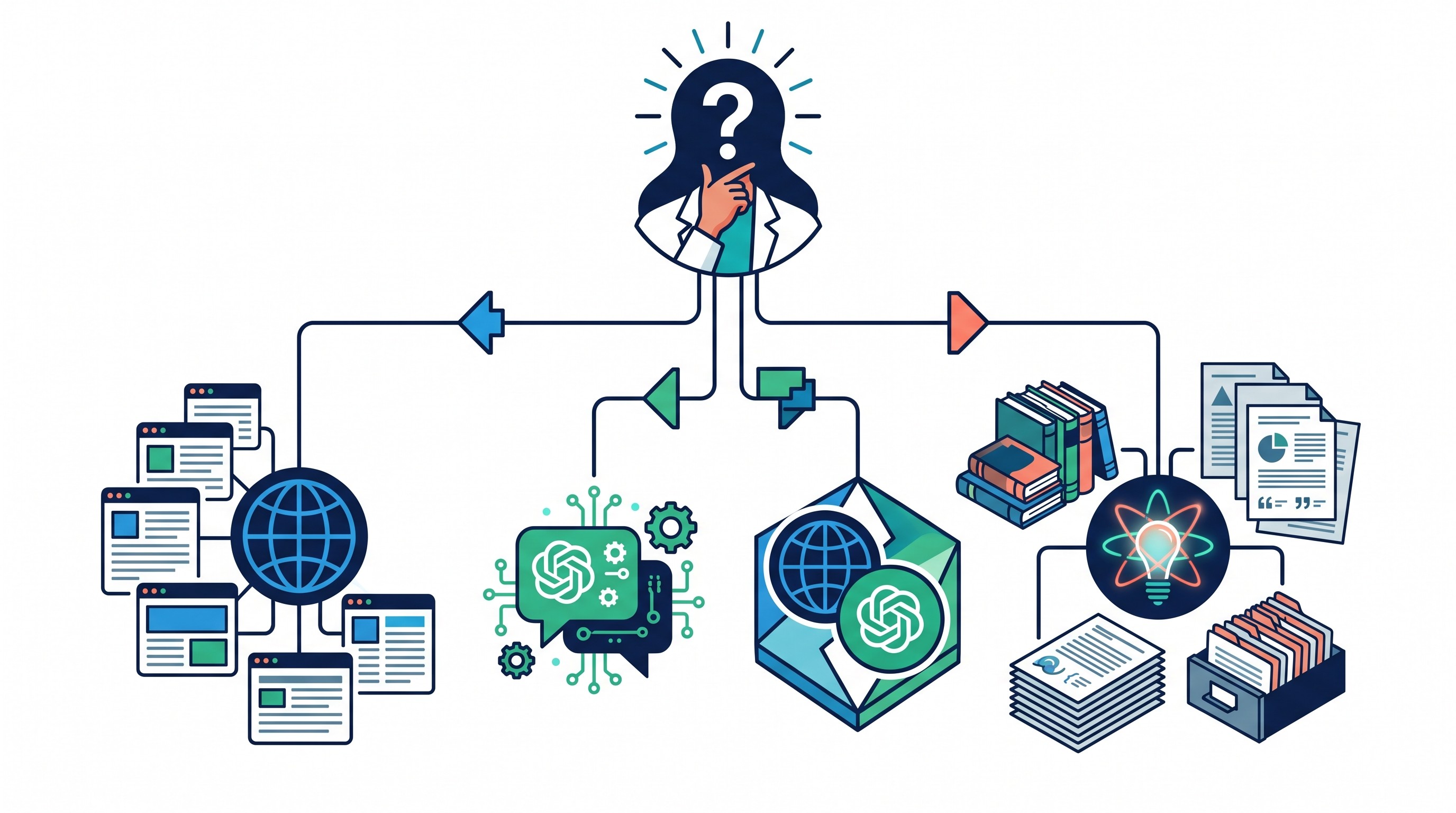
The decision rule is simple: use Perplexity to find and triage; use ChatGPT to reason and draft from sources you control; use neither as the final authority.
FAQ
Q: Is Perplexity or ChatGPT better for academic research?
A: Neither is universally better. Perplexity is often better for quick cited web discovery; ChatGPT is often better for working through supplied sources, drafting, and revision.
Q: Can Perplexity and ChatGPT be used for literature reviews?
A: They can assist with discovery, screening questions, note organization, and synthesis, but they should not replace a documented search strategy, eligibility criteria, source management, or human review of every included study.
Q: Which tool has more reliable citations for research?
A: Citation reliability depends on whether the linked source exists and actually supports the claim. Inspect the original page or paper, the relevant passage, publication details, and omitted qualifications.
Q: Should I upload unpublished research data to Perplexity or ChatGPT?
A: Not before checking the provider’s current privacy, retention, and training policies and obtaining any required institutional approval. Sensitive, identifying, embargoed, or proprietary material may require a controlled research environment instead.
[[OTIO_FOOTER_PROMO:%7B%22title%22%3A%22Apply%20this%20workflow%20to%20your%20own%20sources%22%2C%22description%22%3A%22Bring%20your%20PDFs%2C%20web%20links%2C%20and%20notes%20into%20Otio%20to%20organize%20source%20evidence%2C%20ask%20questions%20across%20documents%2C%20and%20keep%20claims%20tied%20to%20passages.%22%7D]]



