
Research Organization
Research Paper Organizer: How to Manage Sources, Notes, and Citations
Build a research paper organizer that connects every source to its notes, claims, and citations. Use a simple source record, evidence workflow, and final citation audit to keep your draft accurate.

A research paper organizer is not a prettier folder of PDFs. It is one system that connects every source to its metadata, notes, evidence, claims, draft sections, and citation status.
The payoff is simple: when a paragraph needs support, you can find the source, check the exact page, confirm the claim, and cite it without reconstructing your reading history from bookmarks and half-labeled notes. Build the organizer before the next source, not after the bibliography becomes a cleanup project.
What a research paper organizer should do
A useful research paper organizer has six jobs:
Collect sources in one place.
Record bibliographic details while the source is open.
Separate evidence from your interpretation.
Connect notes to claims or outline sections.
Track whether each source has been cited correctly.
Make verification faster before submission.
That last point is the difference between organization and storage. A folder called “Research Paper PDFs” may preserve files, but it does not tell you which source supports your second claim, whether the page number is recorded, or whether a quotation in the draft still matches the original.
Separate systems create predictable gaps. Browser bookmarks remember where you found something, but not why it mattered. Loose notes preserve thoughts, but often lose page numbers. A bibliography stores references, but not whether the source was actually used. By the time the draft is due, those gaps become citation errors, weak evidence, and accidental overclaiming.
The minimum workflow is:
Capture the source.
Evaluate whether it belongs in the paper.
Record usable evidence with exact location details.
Connect the evidence to an outline section or claim.
Add the citation while drafting.
Verify every source before submission.
University writing guides tend to frame note organization the same way: grouping and reviewing notes helps shape the major sections and paragraphs of a paper, rather than treating notes as a passive archive (University of Texas at Arlington Libraries). That is the standard to aim for.
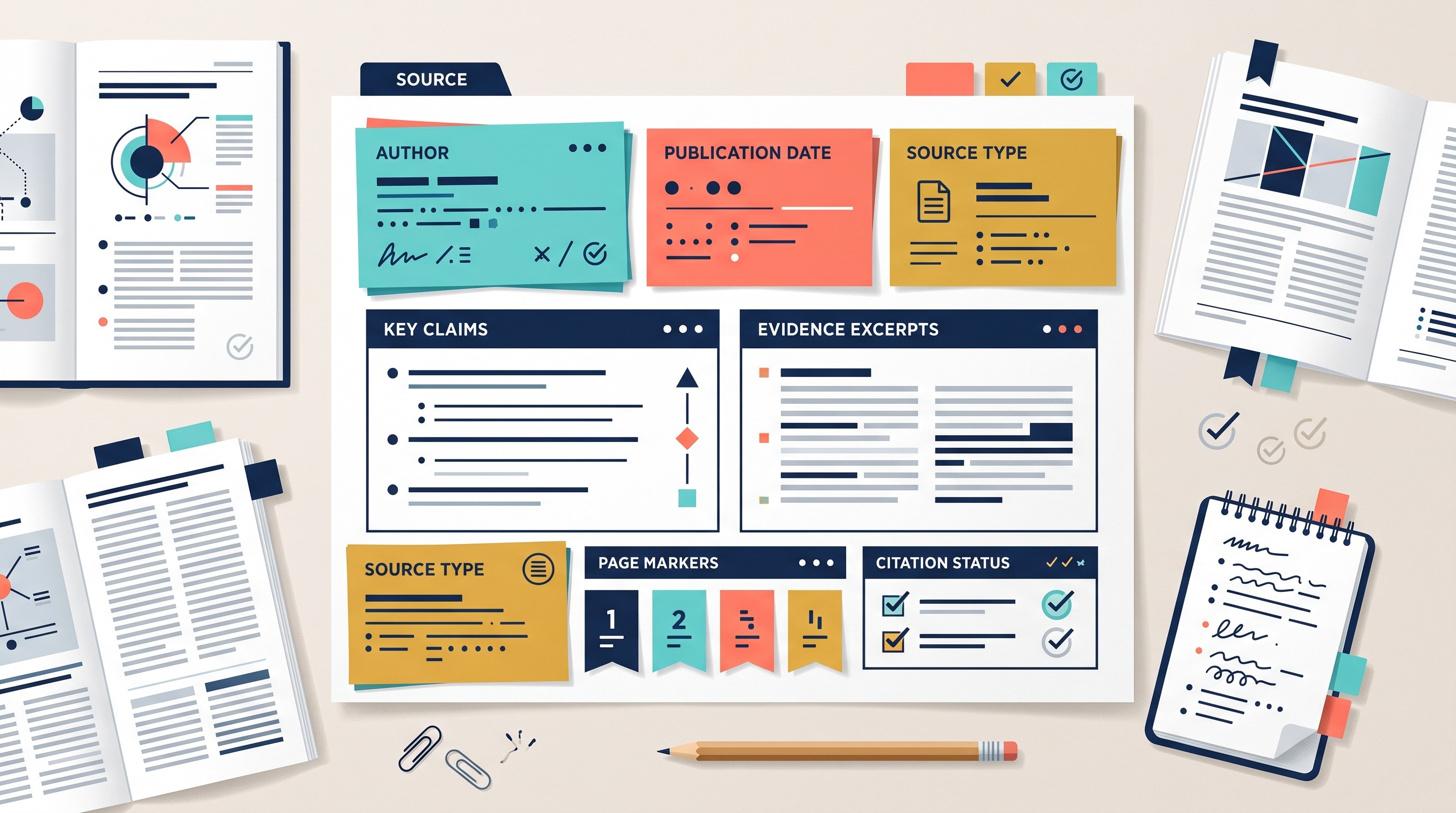
Set up one source record for every paper, book, or website
Create one source record for every item you read seriously: article, book chapter, report, dataset, website, lecture transcript, interview, or legal source. The record is the anchor. Notes can move around the paper map, but attribution stays attached to the original source.
Use this structure:
Field | What to record |
|---|---|
Title | Full title as it should appear in your reference list |
Author / organization | Individual authors, institution, agency, publisher, or corporate author |
Publication date | Year, full date for web sources, edition date for books |
Source type | Peer-reviewed article, book, government report, website, dataset, news article, primary document |
URL / DOI / stable link | DOI, permalink, database link, archive link, or full URL |
Access date | Especially for web pages or changing online documents |
Research question | Which part of your project this source helps answer |
Key argument | The source’s main claim, not your claim |
Relevant pages / sections | Exact pages, chapters, tables, figures, timestamps, or headings |
Source role | Background, theory, method, primary evidence, counterargument, statistics, quotation |
Reliability note | Why this source is appropriate, and what its limits are |
Citation status | Unread, read, noted, assigned to outline, cited in draft, verified |
Do not postpone metadata. Kansas State University’s writing guide tells students to include citation information, URLs, and access dates while organizing research, because those details become harder to reconstruct later (Kansas State University Libraries). The same applies to page numbers, editions, translators, database names, report numbers, and table titles.
Add a reliability field
A source record should include a short reliability note. Not a vague label like “credible.” Write why the source is usable for this assignment.
Examples:
Peer-reviewed empirical study; useful for method and findings, but sample is limited to one country.
Government statistical report; useful for official population-level data, but categories differ from my paper’s framing.
Primary text; useful as direct evidence, but requires interpretation and historical context.
Recent literature review; useful for background and source discovery, but should not replace reading the primary studies.
News article; useful for public reaction or chronology, not for technical claims.
This field prevents a common mistake: treating all sources in the organizer as equally strong. A blog post, a systematic review, and a primary dataset can all belong in a paper, but they should not carry the same evidentiary weight.
If source discovery is still the problem, start with a vetted source list before building the organizer. Otio’s guide to good websites for research papers and academic articles is a better starting point than saving whatever appears first in a general web search.
Label each source by role
A paper becomes easier to draft when every source has a job. Use role labels such as:
Background: explains the topic or context.
Theory: defines a framework, model, or concept.
Method: supports how the research was conducted or evaluated.
Primary evidence: provides the core text, data, case, or artifact.
Counterargument: challenges your claim or complicates the evidence.
Statistics: supplies numerical context.
Quotation: contains language you may quote directly.
A source can have more than one role. A report might provide background and statistics. A journal article might supply theory and counterargument. The label is not a taxonomy exercise; it tells you how the source can enter the draft.
Use a research notes organizer that separates evidence from interpretation
Your research notes organizer should make one distinction visible at all times: what the source says versus what you think it means.
Use separate fields for:
Direct quotation: exact copied language, inside quotation marks.
Paraphrase: the source’s idea fully rewritten in your words.
Summary: condensed version of a larger section or argument.
Your interpretation: your analysis, objection, connection, or question.
Possible use: where this note may fit in the paper.
Location: page, paragraph, table, figure, chapter, timestamp, or section heading.
Purdue University Northwest’s library guidance gives a clean version of this system: label exact words as quotations, restate paraphrases in your own words, and clearly mark your own ideas so they are not confused with source material during drafting (Purdue University Northwest Library Guides).
That distinction matters most when the draft is moving quickly. If copied language sits in your notes without quotation marks, it can slide into a paragraph as if it were your own phrasing. If a paraphrase lacks a page number, it becomes hard to verify. If your interpretation is not labeled, you may accidentally cite a source for a claim it never made.

A structured note example
Here is the format, using a generic source rather than a real quotation:
Note field | Example |
|---|---|
Source label | Chen 2022, pp. 41–43 |
Source role | Counterargument / method |
Direct quotation | “Exact copied sentence from the source.” |
Paraphrase | Chen argues that the measured effect is weaker when the sample is separated by age group. |
Interpretation | This limits my broad claim. I should narrow the claim to adult participants or acknowledge mixed effects. |
Possible draft use | Literature review, paragraph on conflicting findings |
Claim it supports | Evidence is not uniform across demographic groups. |
Limitation | Study uses a regional sample; do not generalize globally. |
Citation status | Not yet cited |
The key is restraint. Do not turn one passage into proof of more than it says. If a study measured first-year college students, do not cite it as evidence about “students” in general unless the source itself supports that scope.
The compression tradeoff
Short notes save time, but they can erase qualifications. A note that says “Study proves X” may hide the fact that X was true only under specific conditions.
Long copied excerpts preserve context, but they make synthesis harder. If every note is a half-page quotation, drafting becomes a hunt through pasted text rather than an argument-building process.
A good note is usually somewhere in the middle: enough context to preserve the source’s meaning, enough structure to make the note usable, and enough location detail to audit it later.
Organize sources around the paper's argument, not just by publication
Most students start with a source list. Better: start with a paper map.
Build the map before collecting more sources:
Thesis or working answer
Major sections
Claims in each section
Evidence needed for each claim
Opposing views or limitations
Unresolved questions
Sources already assigned
Sources still needed
This changes the organizer from a reading archive into a drafting system. The question is no longer “What have I read?” It becomes “Which claim does this source help me make, test, limit, or reject?”

Attach each note to one or more outline sections while preserving the source record. For example, one article might appear in the background section, the methods discussion, and the counterargument paragraph. The source record stays singular; the notes can be reused where relevant.
This is also where evidence gaps appear. A chronological or alphabetical bibliography can look full while the paper is weak. A claim-based map exposes the problem earlier:
Claim | Assigned evidence | Status |
|---|---|---|
Claim A | Two peer-reviewed studies, one report | Strong enough |
Claim B | One textbook summary only | Needs primary source |
Claim C | Three sources saying the same thing | Redundant |
Claim D | No opposing view | Needs counterargument |
Claim E | Statistics found, no date or table recorded | Metadata incomplete |
If the paper structure keeps changing, the research question may be too broad. Use a separate process for narrowing it; Otio’s guide on how to create a research question is the better place to solve that problem. If you are still choosing a topic, use examples of research topics for idea generation, then return to the organizer once the paper has a working direction.
Use a literature matrix when sources overlap
When several sources address the same issue, add a literature matrix. This is especially useful for literature reviews, policy papers, medical topics, law review notes, and research proposals.
Use columns such as:
Source | Method | Population / material | Main finding | Limitation | Relevance to my claim |
|---|---|---|---|---|---|
Source 1 | Survey | Undergraduate students | Finding A | Self-report data | Supports claim with caution |
Source 2 | Experiment | Adult participants | Finding B | Small sample | Complicates claim |
Source 3 | Review | Prior studies | Mixed findings | Depends on included studies | Useful for background |
The matrix helps prevent source-by-source writing, where each paragraph simply summarizes one author. It pushes comparison: where authors agree, where they diverge, what methods explain the difference, and how much confidence your claim deserves.
Choose a practical tool stack for sources, notes, and citations
The best tool stack depends on the assignment. A five-page paper does not need the same system as a dissertation chapter.
Approach | Best for | Strength | Weakness |
|---|---|---|---|
Spreadsheet or document | Small assignments with 5–15 sources | Fast setup, transparent fields | Manual citation work, limited PDF handling |
Citation manager | Papers with many references | Bibliographic control, citation export, duplicate handling | Does not judge whether evidence supports a claim |
Integrated research workspace | Mixed PDFs, web pages, notes, chats, and project folders | Keeps reading, notes, and source retrieval closer together | Requires discipline in naming, tagging, and audit habits |
Citation managers are valuable, but they solve only part of the problem. Modesto Junior College Library describes reference managers as tools for organizing research, collecting and citing sources, creating bibliographies in different styles, adding notes and keywords, and linking PDFs to citation records (Modesto Junior College Library). That is useful bibliographic infrastructure.
It does not replace judgment. A citation manager will not tell you whether your paraphrase preserved the original meaning, whether your claim overgeneralizes the study, or whether a source belongs in the counterargument rather than the evidence paragraph.

Selection criteria
Choose tools against the workflow, not the feature list. Look for:
Searchable metadata
Stable source links
Page-level or location-level notes
Tags, folders, or project spaces
Easy export or backup
Duplicate detection or duplicate review
Support for PDFs and web pages
A clear path from evidence note to draft citation
Compatibility with required citation style
A way to mark citation status
For a small class paper, a spreadsheet may be enough. Use one row per source and one linked notes document per source. Keep the fields simple and complete.
For a longer academic project, use a citation manager such as Zotero or Mendeley for reference control, then add a notes and argument-mapping layer. This prevents the reference library from becoming a dumping ground.
For mixed-source projects, an integrated workspace can reduce switching. Otio can store PDFs, web links, notes, and other research files in one library; Spaces can group materials by project; and the Zotero integration can connect the workspace to an existing reference-management workflow. That is useful when the problem is not just making a bibliography, but keeping the PDF, note, source discussion, and project context together.
If most of the work is reading and checking PDFs, an AI PDF reader can also help with source retrieval and question-answering across documents. Still, the same rule applies: AI can assist with finding and summarizing material, but the writer remains responsible for checking the original source and citing accurately.
[[OTIO_INLINE_PROMO:%7B%22title%22%3A%22Can%20your%20tool%20connect%20evidence%20to%20each%20claim%3F%22%2C%22description%22%3A%22Add%20your%20PDFs%2C%20web%20pages%2C%20and%20notes%20to%20one%20library%2C%20then%20use%20AI%20chat%20to%20compare%20sources%20and%20save%20useful%20passages%20to%20structured%20notes.%22%7D]]
Move from organized notes to a citation-ready draft
A citation-ready draft is built paragraph by paragraph. Do not write first and “add citations later.” That approach creates unsupported claims and forces you to reverse-engineer your own argument.
Use this sequence:
Write the claim.
Attach the supporting note.
Open the original source.
Check the page, paragraph, table, figure, or timestamp.
Paraphrase or quote accurately.
Add the required in-text citation or footnote.
Mark the source as used.
Update the reference list entry.
Keep placeholders consistent while drafting. A placeholder like (Garcia 2021, p. 18) is much safer than [cite this]. Even if the final style changes, the placeholder preserves author, year, and location.
Carleton College’s research-note guidance emphasizes the same basic safeguard: keep notes organized in one place and record source and page number details for direct quotes (Carleton College Gould Library). For citation-heavy writing, that habit matters more than the app.
Citation completeness is not citation correctness
A paper can cite every paragraph and still misuse sources.
Completeness asks: Is there a citation?
Correctness asks harder questions:
Does the cited source actually support the sentence?
Is the claim too broad for the evidence?
Is the quotation exact?
Does the paraphrase preserve the original meaning?
Is the page number correct?
Is the source primary or secondary?
Is the reference-list entry accurate?
Does the style match the assignment?
This is why the organizer needs citation status fields. “Cited” is not the same as “verified.”
Run a final source-to-draft audit
Before submission, audit from both directions.
Draft to source:
Every in-text citation or footnote appears in the reference list.
Every quotation matches the original wording.
Every paraphrase has an accurate location.
Every claim is supported by the cited source.
Every statistic has date, scope, and source context.
Every web source has a stable link and access date if required.
Source to draft:
Every reference-list entry is cited in the paper, unless the assignment allows bibliography-only sources.
Every source marked “used” appears in the draft.
Every source marked “important” has a clear role.
Every source with missing metadata is fixed or removed.
Every duplicate source record is merged.
Failure modes to check:
Duplicate records for the same article
Missing page numbers
Orphaned references not cited in the draft
In-text citations missing from the reference list
Reference-list entries not used in the paper
Outdated web pages
Claims supported only by a secondary summary
Quotations copied into notes without quotation marks
Paraphrases that stay too close to the original wording
Sources assigned to a section but never used
Strong claims backed by weak background sources
The next action: create the organizer before reading the next source
Do not reorganize the entire project first. Create the system, then process the next source completely.
Set up one project folder, spreadsheet, citation library, or workspace. Copy the source-record fields into a reusable template. Then process three sources:
One background source to define the topic.
One central evidence source that supports a major claim.
One disagreement or limitation source that complicates the argument.
For each source, complete the record, add at least one structured note, connect the note to an outline section, and mark citation status. If a source cannot be connected to a paper claim, method, context, or counterargument, mark it as unassigned. Do not let it disappear into a general reading pile.
That single rule keeps the organizer honest: every source either has a job, needs a job, or should leave the paper.
FAQ
Q: What is the best way to organize sources for a research paper?
A: Use one record per source with complete metadata, a clear role in the paper, page-specific evidence, notes on limitations, and a linked outline section. This keeps discovery, reading, drafting, and citation verification connected.
Q: Should research notes be organized by source or by topic?
A: Keep the source record by publication so attribution and metadata remain clear, then organize the evidence by topic, claim, or outline section for synthesis. Using both views prevents source details from being separated from the argument.
Q: Can a citation manager replace a research paper organizer?
A: A citation manager is useful for reference metadata and bibliography tasks, but it does not replace a system for evaluating evidence, recording interpretations, mapping claims, and tracking how sources enter the draft.
Q: How do I avoid losing track of citations while writing?
A: Add a citation placeholder as soon as a source supports a draft claim, record the exact page or location, and audit every in-text citation against the reference list before submitting. Never rely on memory or a bibliography assembled at the end.
[[OTIO_FOOTER_PROMO:%7B%22title%22%3A%22Ready%20to%20test%20your%20organizer%20on%20three%20sources%3F%22%2C%22description%22%3A%22Apply%20this%20workflow%20to%20your%20own%20background%2C%20evidence%2C%20and%20limitation%20sources%2C%20tracking%20metadata%2C%20notes%2C%20outline%20placement%2C%20and%20citation%20status%20in%20Otio.%22%7D]]



