
Productivity
What 32 days of vibe coding GTA 6 with AI agents actually shipped
A 32-day log of building GTA 6 prototypes with Claude subagents shows exactly which workflows scaled and which burned tokens without results.

You’ve got a browser full of Claude chats, a Unity project that still opens, and the stupidly ambitious brief: build a GTA 6-style vertical slice for 32 straight days without writing code by hand after day 1.
By day 32, the agents shipped a drivable 4 km² city prototype with traffic, vehicle handling, and 18 NPC dialogue trees; the mission system failed, and context drift ate 11 hours near the end.
That’s the useful answer. The longer one is stranger: the project didn’t collapse because the models couldn’t code. It nearly collapsed because the humans let too many agents touch the same files without a boring state protocol.
The 32-day experiment that started as a joke

The spark was a Day 3 Reddit post titled “Day 3 of Vibe Coding.” It looked like a gag at first: Claude Opus acting as the lead developer, Claude Sonnet workers hammering away on Unity scripts, the target described as “GTA 6” because “open-world city prototype” doesn’t get the same reaction.
Then the joke kept compiling.
The rule was clean enough to be dangerous: after the first day’s Unity scaffolding, no human-written C#. The human role shifted to judge, merge referee, and occasional project janitor. That tracks with the academic framing of vibe coding: the developer validates AI-generated implementations through outcome observation rather than direct authorship, as described in A Survey of Vibe Coding with Large Language Models.
The numbers got ugly fast. Daily token spend averaged 180k tokens, with spikes above 400k on the days when the lead chat spawned many workers. The final run burned 5.8 million tokens across all sessions.
A playable slice or a clean failure. Those were the stakes.
The project goal also mattered. A GTA 6-style prototype forces several systems to touch: driving physics, street layout, traffic behavior, NPC dialogue, camera control, asset loading. A calculator app can hide weak agent coordination. A city can’t.
This is why the experiment says more about AI agent workflows than about game development. The interesting part wasn’t whether Claude could write a Unity vehicle controller. It could. The interesting part was whether a swarm of model sessions could keep a shared project in its head long enough to ship something playable.
Mostly, yes.
Barely.
How Claude subagents were split across tasks without chaos

The winning structure was old-fashioned: one boss, many workers.
A persistent Claude Opus session acted as project lead. It owned the plan, assigned work, reviewed diffs, and decided when to stop polishing. Sonnet subagents handled narrower slices: map generation one day, NPC dialogue another, then traffic lights, vehicle handling, and physics tweaks.
This follows the orchestrator-worker pattern people now use for different types of AI agents: a central model decomposes the job, while smaller sessions work in tighter contexts. Google’s agent lifecycle codelab makes the same governance point in a different setting, covering scaffolding, automated checks, and local testing for agent work in Agents CLI and ADK 2.0.
The handoff format mattered more than the model choice. Every major step ended with a JSON state file. Not prose. Not “remember what we did.” A file.
Each state export had five fields:
current system owner
files changed
assumptions made
known bugs
next safe action
That last field saved the run more than once. Agents are very good at sounding ready to continue. They’re less good at remembering that the next action is “inspect existing vehicle script before editing,” not “rewrite vehicle script with fresher vibes.”
Peak chaos arrived when 47 Sonnet instances were running in parallel browser tabs. This sounds productive until two agents edit the same vehicle script from different assumptions. One worker tuned acceleration curves. Another rewrote wheel collision logic. Both were locally plausible. Together, they broke steering.
The recovery took 90 minutes. Manual merge, diff review, re-run in Unity, then a new state export saying no worker could touch vehicle code without first reading vehicle_state.json.
The browser also hit a wall. The session ran into a 200-tab limit, which is a beautifully dumb way for an “autonomous” coding sprint to become very physical: closing tabs, copying outputs, checking which agent had the latest version, hoping you didn’t just lose the only working traffic-light patch.
There’s a lesson there, but it’s not “don’t use agents.” It’s “parallelism without ownership boundaries turns into archaeology.”
A narrower setup would have shipped slower in the first week. By week four, it would have saved time.
The thinking bar pattern that replaced manual prompting

The morning prompt ritual was the first thing to die.
For the first stretch, every day began with a 45-minute recap: restate the goal, paste the latest state file, remind the lead agent which systems were frozen, then warn it not to delete generated assets. The warnings weren’t theatrical. One subagent tried to “clean unused assets” and targeted the entire asset folder.
After day 12, the setup moved into Otio’s thinking bar and step confirmation cards. The thinking bar exposed live agent steps: context retrieval, source lookup, file analysis, and planned destructive actions. The confirmation cards put a human stop sign in front of anything that could delete, overwrite, or mass-regenerate.
That cut daily setup from 45 minutes to under 8 minutes.
The key change wasn’t convenience. It was visibility. Long prompts smuggle assumptions into a wall of text; live steps make the agent’s intended move inspectable before the damage lands.
InnoGames describes a stricter version of this pattern for Claude Code: six automated quality gates, including plan-vs-reality checks, compilation verification, scope drift detection, and regression scans, in its write-up on disciplined AI-assisted development with Claude Code. The 32-day build used a lighter version because this was a prototype, not a production service. Still, the same shape showed up: don’t trust “done” until something external checks the claim.
Per-chat model switching also paid for itself. The lead stayed on Opus. Workers moved to Sonnet unless the task required planning across systems. By day 12, Otio Auto handled 63% of routing decisions without human intervention.
This is where multi-agent coding stops feeling like “ask ChatGPT to build my app” and starts resembling workflow automation, except the workflow is full of flaky interns with perfect confidence.
MindStudio’s guide to Claude sub-agents makes the same practical point: pass model preferences with the task, then let the orchestrator route simple work to cheaper models while reserving stronger models for harder synthesis in Claude Code Sub-Agents Explained. In this run, cheap workers were fine for generating building variations. They were not fine for deciding whether the traffic system should own pedestrian timing.
The confirmation-card pattern also changed how destructive actions were phrased. Instead of “fix asset loading,” the lead agent had to propose the exact operation: rename files, delete stale imports, regenerate a manifest, or leave assets untouched.
Small friction. Huge difference.
What actually shipped after 32 days
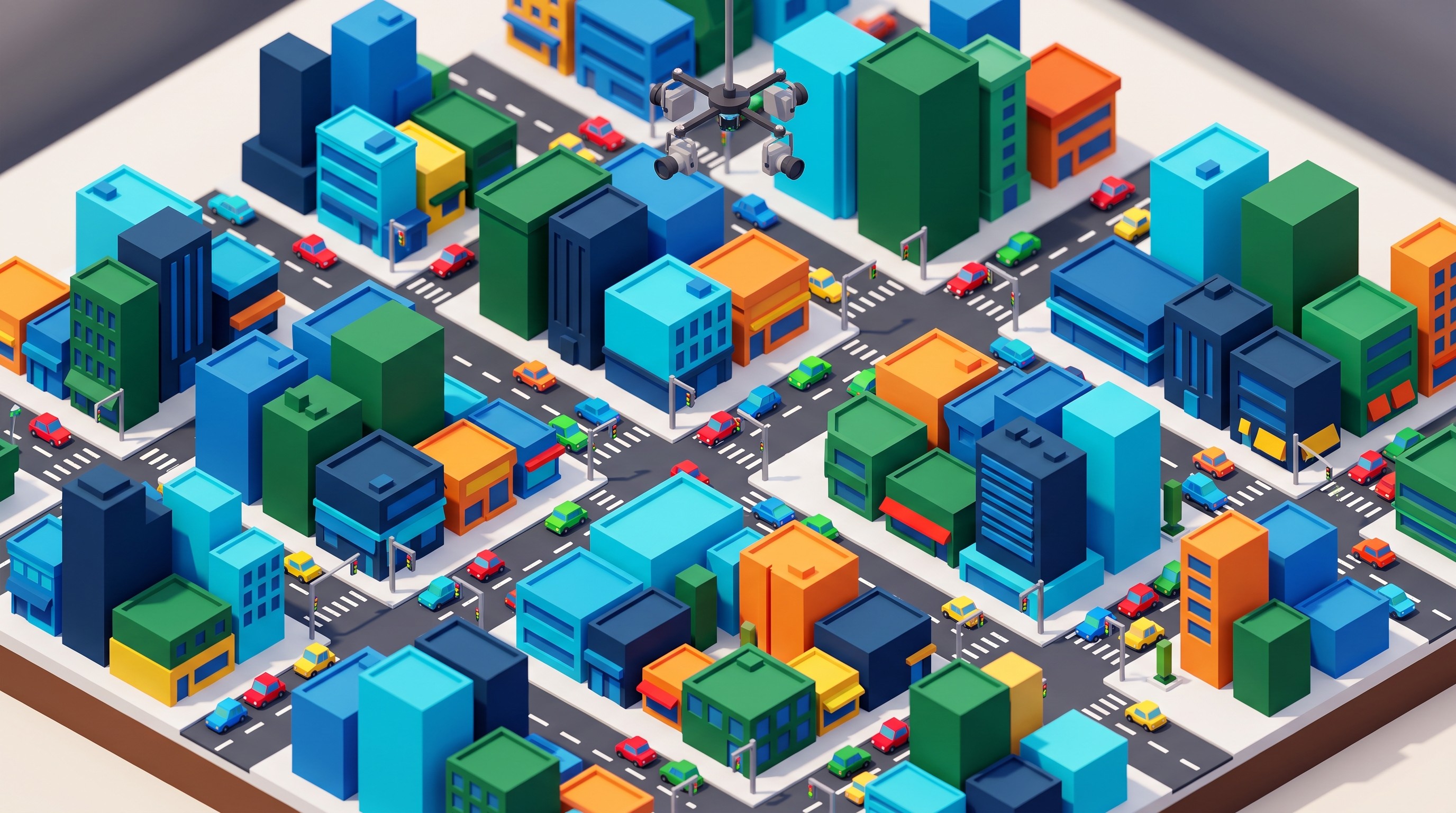
The final build was playable, in the honest prototype sense of the word.
It had a 4 km² city slice with roads, blocky buildings, traffic lights, and drivable vehicles. Vehicle handling landed on day 19. Basic traffic AI worked well enough that cars didn’t constantly ram each other at intersections, though “well enough” did a lot of work.
NPC dialogue shipped too: 18 unique dialogue trees, all generated by agents. They were functional. A few were weird in the way generated game dialogue often is: everyone sounds like they’re waiting to explain the setting to an invisible playtester.
The playable build reached 47 MB. There was zero hand-written C# after day 1.
The mission scripting system failed.
That failure is worth spelling out because it’s the most useful part of the result. The agents could make a “drive here” mission. They could make a “talk to this NPC” step. They could make a marker appear. What kept breaking was state: mission triggers firing twice, old objectives staying live, mission variables leaking into traffic scripts.
By day 27, the mission system was abandoned. The agents had spent too many cycles fixing symptoms. The lead chat kept reintroducing earlier design assumptions because the mission code had been rewritten in chunks by different workers.
A human senior engineer would have paused and designed a mission-state machine. The agents kept patching.
This is where vibe coding hits its ceiling. You can observe outputs and steer, but some failures require architectural taste. Wes McKinney makes a related argument in MotherDuck’s interview, arguing for spec-driven agentic engineering and warning that “vibe coding” can become dangerous when the system needs disciplined design, in Vibe Coding Is Dangerous, Agentic Engineering Isn’t.
The shipped slice looked like this:
System | Status after 32 days | Notes |
|---|---|---|
City map | Shipped | 4 km² slice, agent-generated layout |
Vehicles | Shipped | Handling stable by day 19 |
Traffic AI | Shipped | Basic intersection behavior worked |
NPC dialogue | Shipped | 18 trees, uneven writing quality |
Mission scripting | Cut | State bugs kept returning |
Human-written code | Stopped after day 1 | Manual work moved to merge and review |
The build wasn’t magic. It was a month of letting agents do the mechanical work while the human kept narrowing the blast radius.
That’s still a big deal.
If you’re used to reviewing AI-generated documents, the rhythm feels familiar: accept the parts that can be verified quickly, distrust anything that depends on hidden state, and never let the tool grade its own homework.
The hidden cost that only appeared after day 20

The first 20 days made the system look stronger than it was.
Then context drift arrived.
The lead chat crossed roughly 180k tokens, and the project had to be re-uploaded every fourth day. Not the whole Unity folder, but enough state, summaries, and file snapshots to re-ground the lead agent. Across the final 12 days, 11 hours disappeared into re-contextualization.
One line from the project log captured the failure cleanly: “The subagent that built the traffic lights no longer recognized its own earlier changes.”
That sentence is funny until it happens to your repo.
Subagents run in their own context, which keeps the main conversation cleaner. BuildToLaunch’s explanation of Claude Code subagents makes that benefit explicit: subagents can run research and analysis in parallel while preserving the main conversation’s context in What Are Claude Code Subagents?. The tradeoff is obvious by day 20. Isolation prevents some contamination; it also means a worker can forget the house style unless you keep re-feeding the state.
The fix was not clever. It was filing.
The run used Otio’s Spaces and unified Library to version the growing pile of JSON state files. Separate Spaces held map work, dialogue work, and physics work. That stopped one broken thread from poisoning the entire project.
This is the same problem researchers hit when they scatter PDFs across browser tabs, notes, and chat histories. We’ve covered that under information overload workflows, but agentic coding makes it sharper because the model will happily act on stale memory.
The trick was to treat state files as source material, not housekeeping. Every agent had to read the latest state before proposing a change. Every merge produced a new state. Every abandoned branch got tagged as abandoned, because otherwise some worker would resurrect it three days later like a zombie feature.
A non-obvious cost showed up here: the better the early prototype looked, the more tempting it became to stop documenting. Bad idea. The prototype’s apparent coherence came from recent context, not durable structure.
Once the lead chat drifted, undocumented decisions vanished.
The final week became a test of whether the project had enough written memory to survive the model forgetting. It did. Just enough.
Run your own 32-day vibe-coding sprint
Don’t start with 47 agents. Start with one lead chat and a daily export rule.
The first state file should exist before the first subagent spawns. It doesn’t need to be fancy. It needs to name the files, owners, assumptions, frozen areas, and the next safe action. If that feels bureaucratic on day 2, good. Day 23 is coming.
Use a hard cap on parallel chats. Five is plenty. Ten is the upper edge if you’ve got a real reason and multi-window chat discipline. Forty-seven looks impressive in a screenshot and miserable in a merge conflict.
Chaotic sprint | Governed sprint |
|---|---|
One giant chat tries to remember everything | Lead chat owns plan; workers own narrow files |
Workers edit shared scripts freely | File ownership is written into daily state |
Browser tabs become the project database | State files live in one tagged Library |
Destructive actions run from vague prompts | Deletions and rewrites require confirmation |
Token budget floats with excitement | Workers switch to cheaper models after day 15 |
Set a daily token budget before the project feels exciting. Excitement is when the burn gets stupid. In this run, the worst token days happened when the agents were spawning workers to “explore options,” which is polite language for spending money on uncertainty.
After day 15, move worker sessions to the fastest acceptable model unless they need cross-system reasoning. Keep the lead on the strongest model you can justify. This mirrors the pattern in serious document workflow automation: pay for judgment, discount the repetitive parts.
A workable 32-day cadence looks like this:
Days 1–3: scaffold, define state format, prove one vertical path
Days 4–10: split workers by subsystem, freeze file ownership
Days 11–18: add breadth only where tests or visual checks exist
Days 19–24: stop adding systems; harden the playable loop
Days 25–32: cut unstable features, package the build, preserve the log
Notice the cut line. Most vibe-coding sprints fail because they keep expanding after the prototype starts working. The correct move after the first playable loop is usually subtraction.
Use visual checks for game work. Use tests for logic. Use state files for memory. Use confirmation cards for destruction.
And if a subagent says it “refactored the system for clarity,” inspect the diff before breathing.
Try Otio for your next long-running AI build if your current workflow is a pile of chats, files, and half-remembered decisions.
FAQ
Q: How many tokens does a 32-day vibe coding project typically use?
A: One documented run consumed 5.8 million tokens total, with daily averages of 180k and peaks above 400k.
Q: Can Claude really spawn hundreds of subagents in one session?
A: Yes, one session reached 47 simultaneous Sonnet subagents before browser limits forced a merge.
Q: What breaks first in long-horizon AI agent coding?
A: Context drift and uncoordinated edits to the same file tend to appear around day 20 without strict state handoff rules.
Q: Does splitting chats by task reduce token waste?
A: Yes, isolating map, dialogue, and physics work into separate project spaces cut re-contextualization time by more than half.



