
Citation and Library Workflows
Zotero AI: How to Use AI With Zotero Without Losing Citation Context
Use AI with Zotero to summarize, question, and organize research while preserving the source, page, claim, and citation context you need to verify every note.

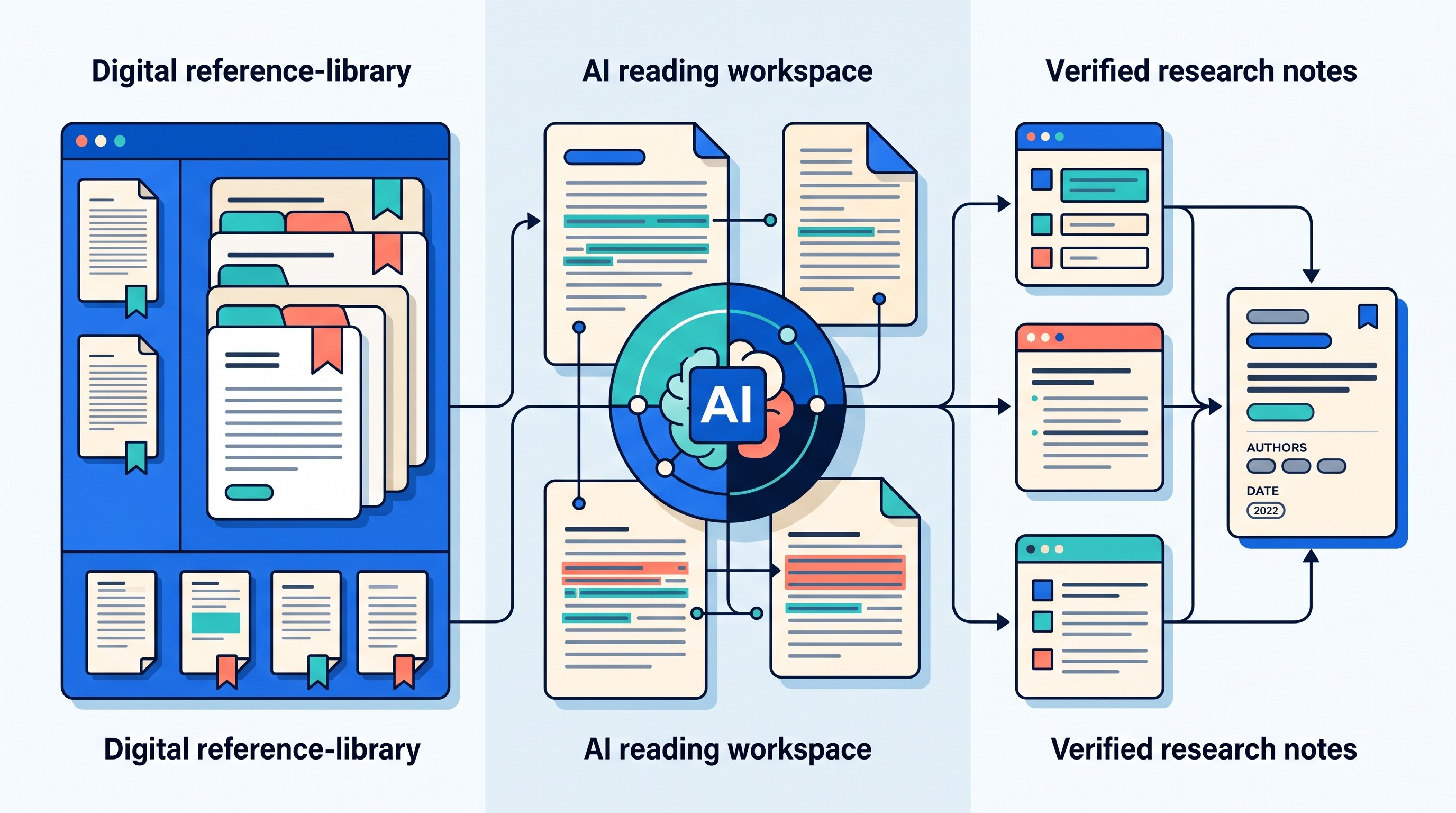
If you searched for zotero ai, the safe answer is this: keep Zotero as the source-of-record for your library, and use AI only as a reading, extraction, and synthesis layer. Do not let an AI tool become the authority for author names, dates, page numbers, quotations, DOIs, or whether a source supports a sentence.
The working loop is simple: collect and clean the source in Zotero, ask AI a bounded question about the relevant document or passage, save the useful response beside the source, then verify every important claim against the original page before citing it.
That last step is the difference between AI-assisted research and citation laundering.
The safest way to use Zotero AI
Zotero is built for durable source management. Zotero describes itself as a tool to “collect, organize, cite, and share research,” and its own site notes that it can create references and bibliographies inside Word, LibreOffice, and Google Docs (Zotero). Harvard Library similarly describes Zotero as free, open-source citation management software for managing research materials (Harvard Library).
AI is not durable in the same way. It can summarize a paper, extract themes, compare findings, translate a section, or turn verified observations into notes. It can also omit a qualifier, blend two findings together, or attach a plausible claim to the wrong source.
Citation context means the chain that connects:
the claim you plan to make
the exact source
the page, section, figure, table, timestamp, or stable web location
the quotation or faithful paraphrase
the reason that source supports the claim
That chain is what AI summaries often weaken. A model can preserve the broad meaning of a paper while losing the population studied, the comparator, the intervention conditions, or the authors’ own limitation statement.
A safe Zotero AI workflow treats the AI answer as a draft reading note, not as evidence. Evidence remains in the original source.
What Zotero does and what AI should do
The cleanest setup separates library work from interpretation work.
Zotero should handle the tasks that need persistence: references, attached files, collections, tags, annotations, metadata, citation styles, and bibliography output. AI should handle tasks that benefit from language processing: summarizing, questioning, comparing, translating, extracting limitations, and drafting from already verified notes.
This distinction matters because bibliographic facts are brittle. A wrong edition, duplicate record, missing DOI, preprint version, or scraped title error can travel from Zotero into the AI response and then into your manuscript if nobody checks it.
Research job | Best system of record | What AI can safely help with | What still needs human verification |
|---|---|---|---|
Reference management | Zotero | Find likely duplicates, suggest organization labels | Author, title, year, journal, DOI, edition |
Document reading | Original PDF or webpage | Summarize sections, explain methods, extract limitations | Page location, exact wording, scope of claim |
Source discovery | Search tools and databases | Generate search terms, identify adjacent concepts | Source existence, relevance, quality |
Synthesis | Verified notes | Compare methods, group themes, surface tensions | Whether each source actually supports each synthesis point |
Drafting | Your verified notes and manuscript | Turn notes into prose, simplify wording | Citation support, quotation accuracy, paraphrase fidelity |
If the problem is getting sources into Zotero cleanly, use a reference-import workflow before adding AI. Otio already has a separate guide to Zotero add-ons and reference import tools, so this post will not repeat extension recommendations.
For finding sources, start with search technique rather than AI-generated references. The guide to Google Scholar search tips is the better place for discovery tactics. For final manuscript checks, use a dedicated citation checking workflow after the writing is done.
The rule is blunt: AI can help read and reason over sources. Zotero should remain the place where sources are stored, cleaned, cited, and inspected.
A citation-preserving AI workflow with Zotero
Use this workflow when reading a paper, chapter, report, case, or dataset documentation with AI assistance.
1. Select the exact Zotero item
Start in Zotero, not in chat. Open the item you plan to read and confirm that the attached PDF, snapshot, or link is the version you intend to use.
Check for obvious problems:
missing author or editor
wrong publication year
imported abstract instead of full text
duplicate records
conference version attached to journal metadata
preprint metadata attached to publisher PDF
scanned PDF with unreliable text extraction
If the source record is wrong before AI touches it, the AI-assisted note can look polished while carrying the wrong citation context.
2. Give AI a bounded task
Do not ask, “Summarize this paper for my literature review” as the main task. That invites a smooth answer with weak traceability.
Ask for something bounded:
“Extract the research question and where the authors state it.”
“Identify the study population, comparator, and outcome measures.”
“List the limitations the authors explicitly name.”
“Compare the methods section with the limitations section.”
“Find whether this paper supports the claim that X improves Y under condition Z.”
A bounded task makes it easier to verify the answer because each output should point back to a specific part of the source.
3. Require location markers and uncertainty flags
Every extracted point should include a location marker. For PDFs, that usually means page number plus section. For web pages, it may mean heading, paragraph context, publication date, or archived/stable location when available.
Ask AI to mark uncertainty instead of filling gaps. A useful reading assistant says “not stated directly” more often than a weak one invents a bridge.
For each important point, require:
claim
supporting passage or close paraphrase
page, section, figure, table, or other location
whether the point is directly stated or inferred
confidence level
what must be checked manually
4. Save the response as a note linked to the Zotero item
A useful AI answer should not float in a chat history detached from the source. Save it as a note connected to the Zotero item or in a research notebook that names the Zotero item clearly.
Include:
source title
citation key if you use one
date of the AI-assisted reading
document version if relevant
prompt or task type
verification status
This is not bureaucratic overhead. It prevents a common failure: finding a good summary three weeks later and being unable to tell which PDF, version, or page it came from.
5. Check important statements against the original source
Before using an AI-assisted note in a manuscript, open the original PDF or webpage. Locate the passage. Read the surrounding paragraph.
Reject unsupported inferences. Do not ask AI to “make this sound more certain.” If the source does not support the sentence, the right move is to soften the sentence, find a better source, or remove the claim.
6. Draft from verified notes, then insert the citation
Draft from notes that have already been marked verified. Insert the citation from Zotero only after confirming that the source supports the sentence in your manuscript.
That order matters. If you insert citations first and verify later, the citation starts to feel legitimate merely because it is formatted correctly.

Prompts that keep the source attached to the answer
Good prompts do not make AI “more truthful” by themselves. They make the answer easier to audit.
The prompt should name the source, restrict the task to the attached material, and force the model to keep claims separate from evidence.
A source-bound extraction prompt
Use wording like this:
Task: Read only the attached source. Extract the points relevant to my research question: “[insert research question].”
For each point, provide:
Claim: one sentence only
Supporting passage: exact quotation if possible, otherwise close paraphrase
Location: page, section, figure, table, or heading
Interpretation: why this matters for the research question
Confidence: high, medium, or low
Verification needed: what I should check in the original document
Add this instruction: If the source does not state something directly, say “not stated directly” instead of inferring.
A comparison prompt that keeps studies separate
Comparisons are where context often collapses. AI can merge two papers into one generalized finding, especially when abstracts sound similar.
Use wording like this:
Compare Source A and Source B only. Keep them separate. For each source, list population, method, comparator, outcome, and stated limitations. Then identify similarities and differences. Do not combine their findings into one conclusion unless both sources support the same claim under comparable conditions.
This prompt is useful for literature reviews because it blocks a common overclaim: turning “two related studies found something under different conditions” into “the literature shows X.”
A quotation-checking prompt
AI can help locate candidate passages, but the document remains the authority.
Use wording like this:
Find the passage in the attached document that most directly supports this sentence: “[insert sentence].” Provide the surrounding context and likely page or section. Do not rewrite the quotation. I will verify the exact wording and page number in the original document.
That last sentence matters. AI-generated quotations and page numbers should be treated as leads, not final citation data.
A prompt to avoid
Avoid prompts like:
“Find sources for this paragraph.”
“Add citations to this claim.”
“Give me papers proving this point.”
“Format this with real references.”
Those requests ask the model to solve discovery, source support, and citation verification in one step. That is exactly where hallucinated or irrelevant citations slip in.
If you use AI to suggest sources, independently verify every suggested paper, title, author, year, and claim before adding it to Zotero.

Using Otio alongside Zotero for document reading and notes
If Zotero is the source-of-record, an AI workspace can be the reading layer. Otio’s Zotero integration is one option for bringing a Zotero-centered collection into an AI research workspace, while still keeping Zotero responsible for your reference library.
Otio’s unified library can hold PDFs, webpages, notes, documents, videos, audio files, and other research materials. That matters when the task is not just “summarize one PDF,” but “compare the methods across eight papers and keep the source trail visible.”
For PDF-heavy work, Otio’s AI PDF reader supports source-focused reading: open a document, select a passage, use Ask Otio for passage-level questions, quote a selection into chat, and save useful selections to notes. Inline citations and source references in AI responses are navigation aids. They help you get back to the document; they do not prove that the generated interpretation is correct.
A practical Otio-plus-Zotero workflow looks like this:
Keep the cleaned reference and final citation in Zotero.
Bring the relevant document or collection into Otio.
Ask questions against selected documents, not an unbounded chat.
Save useful passages and AI-assisted observations as notes.
Mark each note as verified only after checking the original source.
Return to Zotero for citation insertion and bibliography generation.
The tradeoff is real. Moving documents into an AI workspace can make cross-source reading and synthesis easier, but it adds a second system. Imports, parsing, permissions, note organization, and document versions still need checking.
Use AI workspaces for reading speed and synthesis. Do not outsource source custody to them.
[[OTIO_INLINE_PROMO:%7B%22title%22%3A%22Need%20to%20trace%20passages%20across%20several%20papers%3F%22%2C%22description%22%3A%22Bring%20selected%20Zotero%20documents%20into%20Otio%2C%20ask%20passage-level%20questions%2C%20save%20useful%20observations%20as%20notes%2C%20and%20verify%20each%20one%20against%20the%20original%20page.%22%7D]]
Failure modes that make AI-assisted Zotero work unreliable
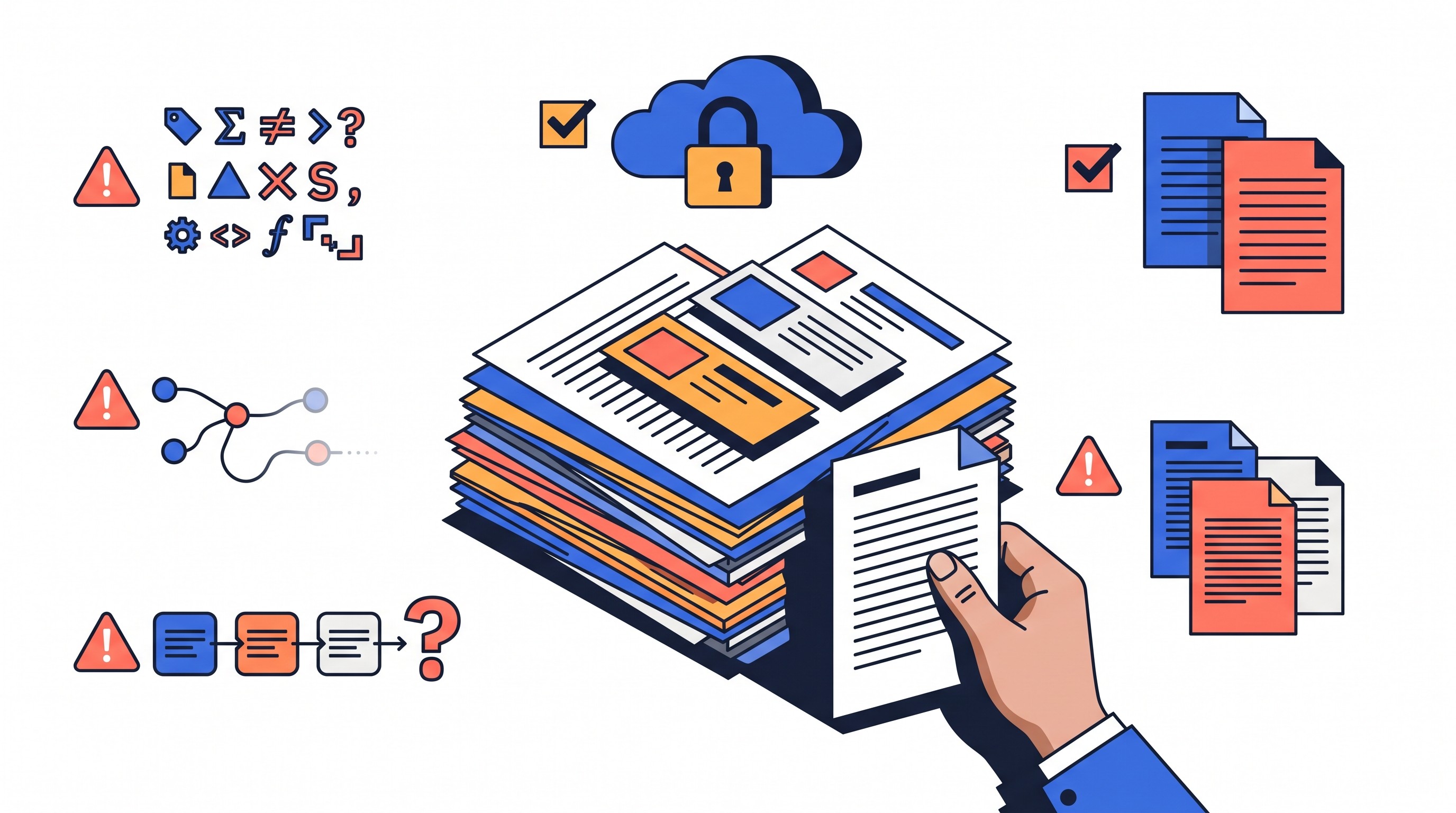
Most failures do not look dramatic. They look like a polished paragraph with a citation attached.
Metadata failure
A correct-looking AI answer can inherit bad metadata from Zotero. If the Zotero record has the wrong year, title, edition, or author order, downstream notes can repeat the error.
This is especially risky with imported PDFs, preprints, book chapters, edited volumes, conference papers, and institutional reports. Clean the Zotero item before asking AI to interpret it.
Context collapse
AI often compresses a document into its most salient claims. That is useful for orientation and dangerous for citation.
The model may combine the abstract, introduction, and conclusion while losing:
study population
sample restrictions
comparator or control group
measurement conditions
time period
exclusion criteria
limitations
uncertainty language
If those details matter to your sentence, do not cite from the summary. Cite after reading the relevant passage.
Citation laundering
Citation laundering happens when a generated citation points to a real source that does not support the sentence. This is worse than a fake citation because it can pass a shallow check.
The reference exists. The authors are real. The journal is real. The unsupported sentence is the problem.
The fix is to check support, not existence. Open the source and ask: “Would a careful reader agree that this passage supports this sentence?”
Version confusion
Preprints, accepted manuscripts, publisher PDFs, revised editions, translations, and database records can differ. Page numbers move. Wording changes. Claims get added, softened, or removed.
Record which version was read. If you cite a publisher PDF, verify against that PDF. If you read a preprint, do not silently cite the later article unless you checked the later article.
Privacy and integrity risk
Do not upload unpublished data, confidential manuscripts, identifiable participant information, restricted legal documents, or embargoed material to an AI service unless the applicable policy permits it.
Public availability is not the same as permission to submit material to a third-party AI tool. Institutional rules, publisher contracts, funder requirements, ethics approvals, and data-protection obligations can all matter.
Over-automation tradeoff
The faster AI produces a literature matrix, the more disciplined the verification process needs to be.
Speed is not the enemy. Detached notes are. A fast summary with page-linked evidence can be useful. A fast summary with no source trail is a liability.
A final verification checklist before citing an AI-assisted note
Before a sentence with an AI-assisted note becomes a cited sentence, run this checklist.
Source and metadata
The source exists in Zotero.
The Zotero metadata matches the document actually read.
The source type is correct: article, book chapter, report, preprint, webpage, dataset, legal source, or other.
The author, year, title, journal or publisher, DOI or URL, and edition are correct where applicable.
Version
The attached PDF or webpage is the version being cited.
Preprint, accepted manuscript, publisher version, translation, and revised edition are not being mixed.
Page numbers or section markers correspond to the cited version.
Location
The supporting passage has been opened in the original source.
The note records page, section, figure, table, timestamp, or stable web location when relevant.
The surrounding paragraph does not narrow or contradict the note.
Wording
Direct quotations are exact.
Paraphrases do not strengthen the claim.
Paraphrases do not broaden a finding beyond the study’s population, method, or conditions.
Negative, null, uncertain, or qualified findings have not been turned into positive claims.
Support
The note distinguishes what the source says from what the AI inferred.
The cited sentence is supported by the source, not merely related to it.
Competing evidence or author-stated limitations are preserved where they matter.
Citation output
Zotero generates or inserts the citation.
The citation style output is inspected manually.
Any final bibliography entry is checked for obvious formatting or metadata errors.
End with a status label before drafting from the note:
Verified: source, location, wording, and support checked.
Needs review: potentially useful, but not ready to cite.
Rejected: unsupported, misleading, unverifiable, or not relevant.
That label is simple, but it changes behavior. It stops “AI said this” from becoming “the literature says this.”
FAQ
Q: Can Zotero generate AI summaries by itself?
A: Zotero is primarily a reference and library-management tool. AI summaries generally come from a connected AI tool or workflow that can access the relevant Zotero documents or notes.
Q: Should I cite the AI tool or the original paper?
A: For a claim taken from a paper, cite the original paper after verifying that it supports the claim. Follow your institution or publisher’s policy for disclosing or citing AI assistance separately.
Q: How do I stop AI from inventing citations in a Zotero workflow?
A: Limit the model to documents you provide, ask it to distinguish evidence from inference, and verify every reference, quotation, page number, and claim against the original source before adding it to your notes.
Q: Is it safe to upload research papers to an AI tool?
A: Check the paper’s copyright, confidentiality, data-protection, funder, and institutional requirements before uploading it. Never assume that a source is safe to submit merely because it is publicly available.
[[OTIO_FOOTER_PROMO:%7B%22title%22%3A%22Apply%20this%20workflow%20to%20your%20own%20sources%22%2C%22description%22%3A%22Test%20the%20process%20on%20a%20few%20cleaned%20Zotero%20PDFs%2C%20mark%20notes%20verified%20after%20checking%20their%20locations%2C%20and%20return%20to%20Zotero%20for%20final%20citations.%22%7D]]



