
Financial Analysis
20 Best AI Tools for Budget Planning and Financial Analysis in 2026
Compare 20 AI-enabled tools for budgeting, forecasting, budget variance analysis, reporting, and financial workflows. Find the best fit by company size, data model, integrations, and automation needs.

The best AI budgeting tool depends on your finance workflow
The right AI budgeting tool is not the one with the longest AI feature page. Small businesses usually need accounting-led budgeting and cash visibility; complex companies need an FP&A platform; spreadsheet-heavy teams often need AI-assisted analysis around existing models before they replace anything.
AI should help with forecasting, variance explanations, scenario modeling, data preparation, and report drafting. It should not approve budgets, bypass reconciliations, or become the system of record for financial controls.
Use this list by workflow:
If your main problem is... | Start with... | Tools to review first |
|---|---|---|
Basic budgets tied to accounting data | Accounting-led tools | QuickBooks, Xero |
Expense control and departmental spend | Spend-management tools | Ramp, Brex |
Forecasts, scenarios, and planning governance | FP&A platforms | Planful, Pigment, Anaplan, Workday Adaptive Planning, Vena |
Spreadsheet models that need structure | Spreadsheet-connected planning tools | Datarails, Cube, Aleph |
Startup runway and hiring plans | Lightweight modeling tools | Causal, Mosaic, Runway, Finmark |
Close, reporting, and enterprise analysis | Reporting and EPM tools | Fathom, Truewind, Oracle EPM, IBM Planning Analytics |
Pricing, integrations, AI features, data residency, and plan limits change often. Treat this as a shortlist guide, then verify every required feature against current first-party product documentation before purchase.
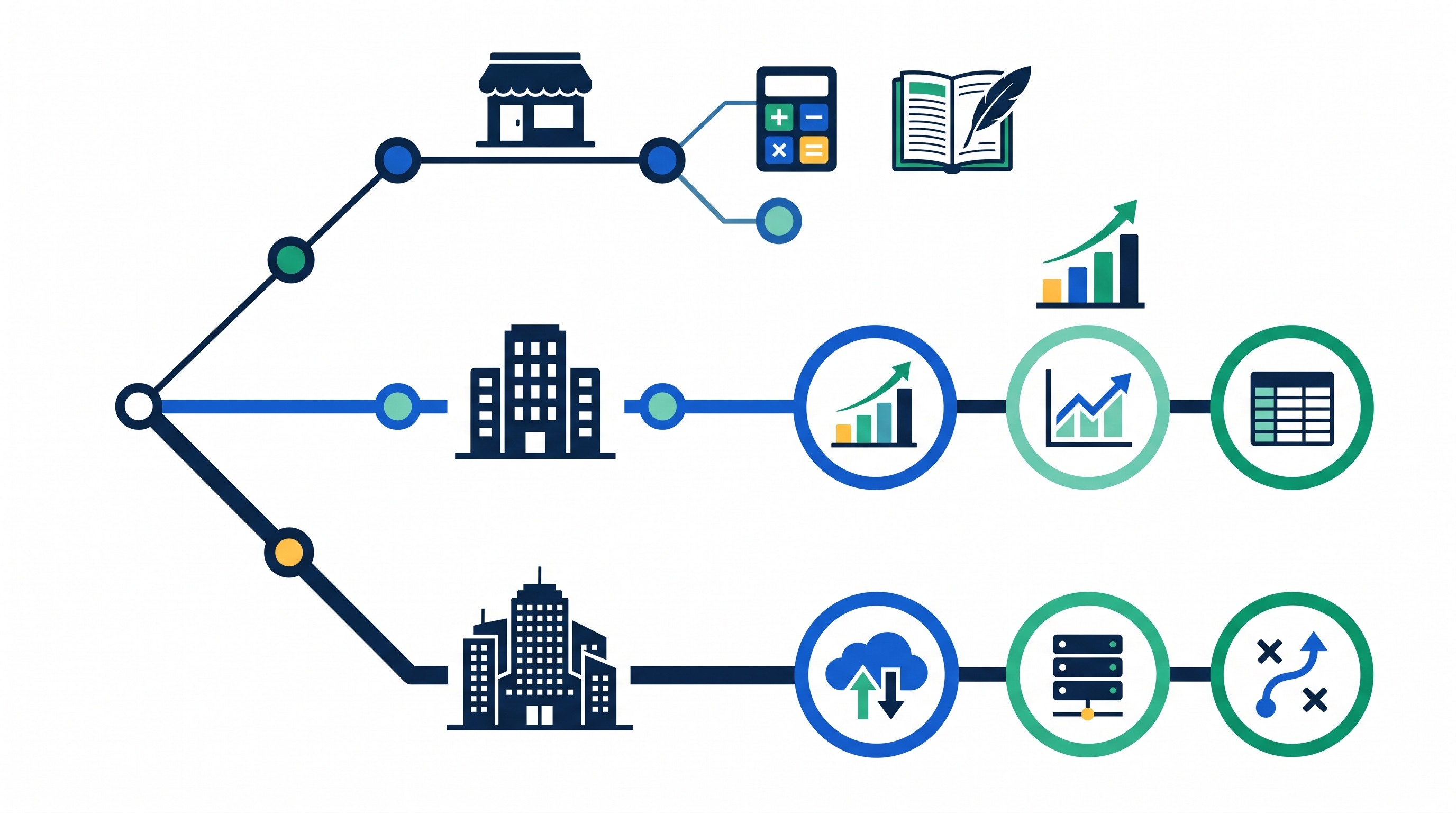
How to choose AI software for budgeting and financial analysis
Budget planning software gets expensive when it solves the wrong problem. Before comparing demos, define the finance job in plain terms: annual budget, rolling forecast, variance commentary, board reporting, cash planning, headcount planning, consolidation, or all of the above.
A useful evaluation should cover seven areas.
1. Core planning coverage
Look for the specific planning motions your team runs:
Annual budgeting
Rolling forecasts
Scenario planning
Budget variance analysis
Management reporting
Dashboards
Natural-language analysis
Consolidation across entities or departments
Workflow approvals
Version control
If the tool only produces charts after actuals are imported, it may be a reporting layer rather than a planning system. That can still be valuable, but it should not be confused with FP&A software.
2. Data connections
Budgeting tools are only as useful as the data they can reconcile. Check whether the product connects directly to accounting systems, ERP platforms, payroll systems, banking feeds, CRM tools, spreadsheets, and data warehouses.
Distinguish native integrations from CSV imports. CSV support is useful for pilots and one-off analysis, but repeated finance workflows usually need governed connections, field mapping, refresh schedules, and reconciliation checks.
3. Model flexibility
A basic budget can work with accounts and departments. A real operating model often needs entities, currencies, headcount, projects, recurring revenue, cost centers, products, customers, vendors, and business drivers.
Ask whether finance can modify the model without vendor help. If every new department, scenario, or planning dimension requires a consultant, the implementation cost can exceed the software subscription.
4. AI explainability
AI-generated commentary is only useful if finance can inspect it. Require the tool to show source data, calculation logic, forecast assumptions, and confidence limits where available.
For variance analysis, the minimum standard is traceability: every explanation should connect back to actuals, budget, forecast, and the driver behind the movement. “Revenue increased because sales improved” is not analysis. “Enterprise subscription revenue was above plan because seat expansion exceeded the budget assumption in two named accounts” is closer to useful.
5. Controls and approvals
AI can draft, but finance still owns the numbers. Look for role-based permissions, approval workflows, audit trails, locked versions, and exportable reports.
This matters most when budget changes affect headcount, compensation, hiring, procurement, or board reporting. Any tool that makes changes hard to review should be treated as a risk, not a productivity win.
6. Implementation effort
Some tools can be piloted with a spreadsheet and accounting export. Others require model design, data mapping, user permissions, training, and a multi-week implementation.
That is not a flaw. Enterprise planning is complex. The mistake is buying an enterprise platform when the team only needs cleaner variance commentary, or buying a lightweight modeler when the company needs governed planning across entities.
7. Total cost
Do not compare tools only by subscription price. Include implementation, admin time, integration work, consultant support, data warehouse costs, training, and the cost of maintaining parallel spreadsheets.
A cheaper tool that requires weekly reconciliation can become expensive quickly.
Best AI budget tools for small businesses and accounting-led teams
These tools fit teams where accounting data, spend control, and basic budget tracking matter more than complex multi-year operating models.
1. QuickBooks
QuickBooks is the default starting point for many small businesses because the accounting system already contains the chart of accounts, actuals, vendors, customers, and cash activity. If the budget is mostly an extension of bookkeeping, starting inside the accounting workflow reduces reconciliation work.
Best fit: owner-operators, small finance teams, and accounting-led businesses that need budgets, reports, and cash visibility without a separate FP&A system.
Watch for: advanced forecasting, scenario modeling, and detailed variance commentary may require higher-tier plans, add-ons, or connected apps. AI-assisted features can also vary by region and subscription tier, so verify current availability before relying on them.
Validation test: import or create the current-year budget, compare it with actuals by account and department, and produce a monthly budget-versus-actual report without exporting to a spreadsheet.
2. Xero
Xero is another strong accounting-led option, especially for businesses already using its bookkeeping and reporting ecosystem. It works best when the finance workflow is close to the general ledger and the team wants budget tracking, cash-flow visibility, and clean accounting reports.
Best fit: small businesses and advisory-led finance teams that want accounting data to remain central.
Watch for: deeper forecasting, driver-based planning, or complex variance analysis may depend on marketplace apps or external FP&A tools. That is fine if the business is still small; it becomes limiting once planning needs move beyond accounting reports.
Validation test: connect the accounting file, build a budget, review department or tracking-category reporting, and test whether the output supports your monthly management pack.
3. Ramp
Ramp is strongest when the finance problem is controlling spend before it happens. For many companies, budget pain starts with card spend, expense policy violations, subscriptions, procurement requests, and department-level visibility.
Best fit: startups and growing companies that need spend controls, expense categorization, budget monitoring, and policy enforcement.
Watch for: spend management is not the same as full financial planning. Ramp can help control and analyze expenses, but companies needing integrated revenue forecasts, headcount models, multi-year scenarios, or consolidation may still need a dedicated FP&A platform.
Validation test: run a sample department budget through card spend, reimbursements, vendor expenses, and approval rules. Confirm whether budget owners can see the right level of detail without finance manually rebuilding reports.
4. Brex
Brex is also centered on corporate spend, expenses, cards, reimbursements, and finance controls. Its value is strongest when the company wants budget visibility tied to employee and department spending behavior.
Best fit: venture-backed startups, tech companies, and distributed teams that need expense governance and department-level spend reporting.
Watch for: companies looking for detailed operating models should not confuse spend visibility with complete budget planning. Brex can support budget discipline, but it is not usually the place to build a full P&L forecast from drivers.
Validation test: give department owners a budget, simulate card spend and expense submissions, and check whether finance can identify over-budget categories before month-end close.
5. Datarails
Datarails fits teams that want to keep Excel at the center of FP&A while adding structure around consolidation, reporting, and variance analysis. This is a common middle ground: finance trusts its spreadsheets, but the spreadsheet process has become too manual.
Best fit: small and mid-market finance teams with established Excel templates, recurring reporting packs, and manual consolidation pain.
Watch for: spreadsheet-connected systems still require model discipline. If every department uses a different template, implementation will require standardization before AI-assisted reporting or variance explanations are reliable.
Validation test: use last quarter’s actuals, budget, and forecast templates. Measure whether the tool can consolidate files, preserve formulas where needed, and produce a repeatable variance report.

Best AI FP&A platforms for forecasting and scenario planning
These tools are better suited to companies where planning spans departments, entities, revenue lines, workforce plans, and board reporting. They usually require more setup than accounting-led tools, but they provide stronger planning governance.
For a broader finance-tool view, see Otio’s guide to financial analysis tools and its separate list of AI financial modeling tools.
6. Planful
Planful is built for structured FP&A: budgeting, forecasting, reporting, planning workflows, and finance-owned processes. It is a better fit when the company has outgrown spreadsheet-only planning and needs repeatable cycles.
Best fit: mid-market finance teams that want formal planning workflows, reporting packages, and finance control without moving to the heaviest enterprise EPM stack.
Watch for: implementation matters. Smaller teams should confirm how much model setup, administrator training, and template design are required before committing.
Validation test: build a rolling forecast with department inputs, approval steps, and management reporting. Check whether AI-generated commentary can be reviewed and traced to source data.
7. Pigment
Pigment is a collaborative planning platform for driver-based models, scenarios, dashboards, and cross-functional planning. It is often considered when finance wants flexible modeling without managing everything in spreadsheets.
Best fit: companies that need scenario planning across finance, sales, operations, and workforce planning.
Watch for: Pigment is not an accounting system. It should connect to systems of record rather than replace them. Finance still needs clear reconciliation between accounting actuals and planning outputs.
Validation test: model a hiring slowdown, revenue miss, and gross-margin change. Compare how easily the tool updates downstream forecasts, dashboards, and budget-owner views.
8. Anaplan
Anaplan is built for connected planning at scale. It is best suited to complex organizations that need models spanning finance, sales, supply chain, workforce, and operations.
Best fit: large or complex companies with planning processes that cross multiple business functions and require sophisticated scenario modeling.
Watch for: breadth brings configuration effort. Anaplan can be powerful, but it often requires skilled model builders, strong governance, and clear ownership.
Validation test: map one end-to-end planning process before the demo. For example: sales forecast changes revenue, revenue changes support staffing, staffing changes payroll, and payroll changes cash. Test whether the model handles the chain cleanly.
9. Workday Adaptive Planning
Workday Adaptive Planning is a natural shortlist candidate for organizations already invested in the Workday ecosystem. Its strengths are financial planning, workforce planning, forecasting, reporting, and integration with enterprise HR and finance workflows.
Best fit: companies using Workday or organizations that want workforce and financial planning closely connected.
Watch for: companies outside the Workday ecosystem should still compare implementation effort, integration needs, and model administration against alternatives.
Validation test: connect headcount planning to compensation, departments, hiring dates, and forecasted operating expenses. If workforce planning is the main budget driver, this test matters more than generic dashboard quality.
10. Vena
Vena is built around Excel-centered planning with workflow, reporting, and controls layered around familiar spreadsheets. It is a strong fit when finance wants governance but does not want to abandon Excel.
Best fit: finance teams with mature Excel models that need budget submissions, approvals, reporting packs, and repeatable variance analysis.
Watch for: Excel familiarity is a benefit only if the underlying templates are disciplined. Broken formulas, inconsistent account mappings, and uncontrolled workbook versions will still create problems.
Validation test: run a full budget-submission cycle with department templates, approvals, consolidation, and variance commentary. Confirm how the AI features interact with existing spreadsheet logic.
Best spreadsheet-connected and no-code tools for financial models
Spreadsheet-connected tools are often the right first step when finance has a working model but too much manual work around it. They help teams reduce copying, pasting, version drift, and repetitive reporting without forcing a full planning-platform migration.
11. Cube
Cube is designed for spreadsheet-native planning, budgeting, forecasting, and reporting. It appeals to teams that want to work in Excel or Google Sheets while connecting data from finance systems.
Best fit: finance teams that trust their spreadsheet models but need better integration, refresh, and reporting workflows.
Watch for: version management and permissions. If budget owners can overwrite formulas or change mappings without review, the process remains fragile.
Validation test: refresh actuals into an existing forecast model, update assumptions, and publish a report without manual copy-paste.
12. Causal
Causal is useful for visual modeling, assumptions, scenarios, and collaborative planning. It is most attractive when the team wants a lighter, more understandable way to model business drivers.
Best fit: startups, founders, and finance teams that need fast scenario modeling and clear assumptions.
Watch for: governance depth. Lightweight modeling is valuable, but teams with strict approvals, audit trails, entity consolidation, or complex reporting requirements may need a more controlled FP&A system.
Validation test: build three scenarios: base case, hiring freeze, and revenue downside. Check whether non-finance users can understand the assumptions without damaging the model.
13. Mosaic
Mosaic is oriented toward strategic finance, forecasting, SaaS metrics, headcount planning, and business performance analysis. It is a good candidate for companies where recurring revenue, hiring plans, and operating metrics drive the forecast.
Best fit: SaaS and recurring-revenue companies that want financial planning tied to business metrics.
Watch for: business-model fit. A tool optimized for SaaS metrics may be less compelling for project-based, manufacturing, retail, or services businesses unless the data model fits.
Validation test: model ARR, churn, expansion, hiring, burn, and runway. If those are the core planning objects, Mosaic belongs on the shortlist.
14. Runway
Runway focuses on connected financial models, collaboration, forecasts, and scenario planning. It is built for finance teams that want the model to be more accessible to operators without losing control.
Best fit: growing companies that need collaborative planning across finance and department leaders.
Watch for: complex consolidations or statutory reporting requirements. Runway may support the planning layer well, but larger finance organizations should verify whether it covers every governance and reporting requirement.
Validation test: give budget owners a scenario to update, then measure whether finance can review changes, preserve assumptions, and publish a coherent forecast.
15. Finmark
Finmark is aimed at startup financial planning: budgeting, hiring plans, runway analysis, scenario modeling, and investor-ready forecasts. It can be useful when the biggest question is “How long does our cash last under this plan?”
Best fit: early-stage and growth-stage startups building hiring plans, burn forecasts, and fundraising scenarios.
Watch for: as the company grows, finance may need deeper consolidation, audit controls, and multi-entity planning than a startup-focused tool provides.
Validation test: create a headcount plan, revenue assumption set, expense budget, and runway forecast. Then change the fundraising date and hiring plan to see how quickly the forecast updates.
Best AI tools for close, reporting, and enterprise financial analysis
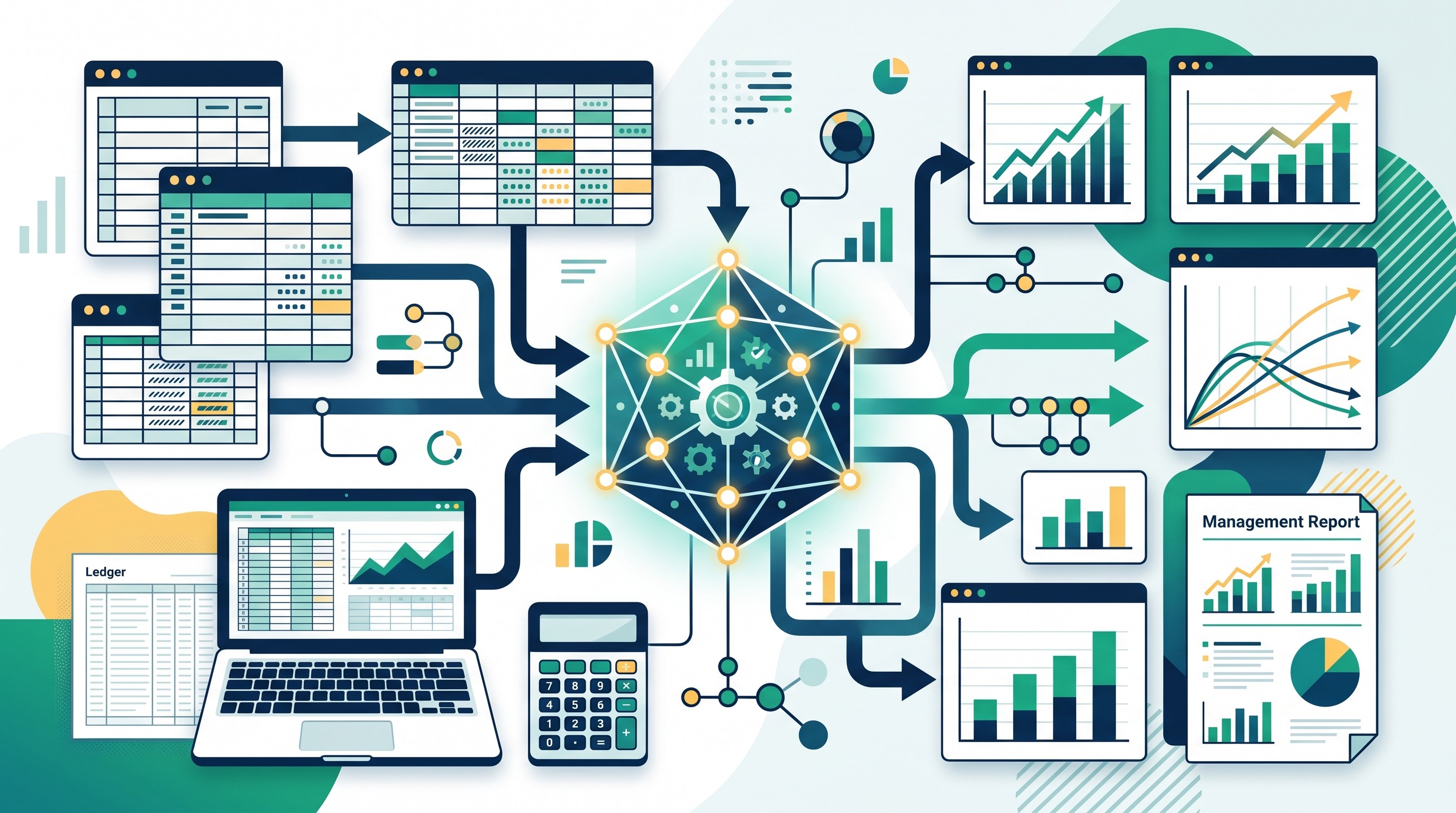
These tools are not all budget-planning systems. Some are better for management reporting, close support, or enterprise performance management. They belong in the comparison because budget analysis often fails at the handoff between actuals, close, reporting, and forecast updates.
For adjacent reporting workflows, compare Otio’s guides to financial reporting tools and automated reporting tools.
16. Fathom
Fathom is strongest as a management reporting, KPI dashboard, and financial analysis layer connected to accounting data. It is useful when leaders need clearer reports and financial insight, not a full planning suite.
Best fit: small businesses, accountants, advisors, and management teams that need better reporting from accounting data.
Watch for: forward-looking budgeting depth. If the main requirement is multi-scenario planning or department-level forecast ownership, verify whether Fathom covers that need or whether it should sit beside another planning tool.
Validation test: connect accounting data, produce a management report, review KPIs, and test whether the budget-versus-actual view supports decision-making.
17. Truewind
Truewind is best evaluated as an accounting automation and close-support tool rather than a complete budgeting platform. Its value is in bookkeeping workflows, reconciliations, close support, and financial reporting.
Best fit: startups and finance teams that need help improving close quality and accounting operations before adding complex FP&A.
Watch for: close automation is not budget planning. Cleaner actuals help forecasts, but they do not replace driver-based modeling, approvals, or scenario planning.
Validation test: test the tool on reconciliations, close tasks, and monthly reporting. Then check how easily the cleaned actuals can feed your forecast.
18. Aleph
Aleph is a spreadsheet-connected planning and reporting tool for finance teams that want to keep spreadsheet workflows while improving data connectivity and collaboration.
Best fit: teams that build models in spreadsheets but need better governed reporting and planning processes.
Watch for: source-system coverage and governance features. Larger finance teams should verify permissions, audit trails, refresh controls, and how changes flow through shared models.
Validation test: connect core financial data, rebuild one recurring report, and run a budget update with multiple collaborators.
19. Oracle Enterprise Performance Management
Oracle Enterprise Performance Management is an enterprise option for budgeting, forecasting, consolidation, scenario planning, analytics, and financial close workflows. It is most relevant when finance operates across entities, regions, currencies, and strict reporting requirements.
Best fit: large enterprises, Oracle-heavy environments, and finance organizations that need deep EPM functionality.
Watch for: implementation complexity and licensing structure. Enterprise EPM tools are rarely “plug in and go.” They require planning architecture, governance, administrator skills, and integration work.
Validation test: run a proof of concept using a real consolidation and planning scenario, not a simplified demo model. Include entities, currencies, approvals, and reporting outputs.
20. IBM Planning Analytics
IBM Planning Analytics is built for multidimensional planning, forecasting, scenario analysis, reporting, and enterprise data integration. It is relevant when the model itself is complex and the organization has the skills to administer it.
Best fit: enterprises with sophisticated planning models, large data volumes, and specialist finance or analytics administrators.
Watch for: administrative overhead. Modeling depth is valuable only when the team can maintain it. Smaller finance teams may find a lighter FP&A platform faster to adopt.
Validation test: model the dimensions that actually matter: entities, products, departments, currencies, versions, scenarios, and time periods. If the tool handles the complexity cleanly, its depth may justify the setup.
A practical AI workflow for budget variance analysis
Budget variance analysis is where AI can help quickly, but only if the data is structured first. If actuals, budgets, and forecasts are messy, AI will produce confident commentary on bad inputs.
Use this workflow before trusting any AI-generated variance explanation.
1. Standardize the dataset
Create consistent fields for:
Actuals
Budget
Forecast
Date or period
Entity
Account
Department
Cost center
Currency
Budget owner
Variance threshold
Define materiality before analysis begins. For example, a variance may need review if it exceeds a dollar threshold, a percentage threshold, or both.
2. Connect or load source data
Pull data from the accounting system, ERP, planning tool, or approved spreadsheet. Then validate totals against the system of record.
This is the step teams skip when they are excited about AI. Do not. If the trial balance does not tie out, the commentary is already compromised.
3. Calculate variance types
At minimum, calculate absolute variance and percentage variance. Where possible, separate drivers:
Price
Volume
Mix
Timing
Headcount
One-time items
FX
Vendor rate changes
Revenue churn or expansion
Hiring delays
AI performs better when it is explaining pre-calculated drivers rather than guessing from raw totals.
4. Ask AI to draft explanations
Use AI to identify material variances and draft the first version of commentary. Require links to source rows, assumptions, supporting documents, or the calculation path.
This is where a research workspace such as Otio’s AI for financial analysis can support the workflow: upload CSVs, spreadsheets, PDFs, notes, or source documents into a library; ask questions across them; and generate cited summaries or charts for review. It should sit beside the FP&A system of record, not replace it.
5. Route to budget owners
Variance commentary should go to the person who owns the budget. They can confirm whether the variance came from timing, demand, pricing, staffing, procurement, or an accounting correction.
AI can draft the sentence. The budget owner should validate the business reason.
6. Save the final version
Store the final commentary, assumptions, approvals, report version, and source files. Next month’s forecast cycle should be able to reproduce the analysis.
If the tool cannot show how the answer was produced, it should not be used for board reporting.

For a narrower tool list focused only on this workflow, see Otio’s guide to AI tools for budget variance analysis. If your analysis starts with messy CSV exports, the guide to AI tools for CSV analysis and data-heavy workflows is also relevant.
[[OTIO_INLINE_PROMO:%7B%22title%22%3A%22Ready%20to%20test%20variance%20analysis%20on%20your%20data%3F%22%2C%22description%22%3A%22Upload%20your%20budget%2C%20actuals%2C%20and%20forecast%20files%20to%20Otio%2C%20then%20ask%20it%20to%20identify%20material%20variances%20and%20explain%20them%20against%20the%20source%20data.%22%7D]]
AI budgeting safeguards finance teams should require
Finance teams should treat AI budgeting like any other financial system: useful only when controls are clear.
Start with vendor documentation. Check whether the vendor explains encryption, access controls, tenant isolation, data retention, deletion, subprocessors, and training-data policies.
Then test the workflow itself.
Require role-based permissions. Budget owners should see what they need, not the full company payroll file. Finance admins should control model changes, published reports, and assumptions.
Use approval workflows. AI-generated budget changes, forecast assumptions, journal-related outputs, and published variance commentary should be reviewed before distribution.
Demand traceability. Every AI-generated explanation should map back to source data. If the model says travel expense is above plan, finance should be able to see the account, department, period, transaction set, and budget baseline.
Protect sensitive data. Keep payroll, customer, banking, vendor contract, and unreleased financial data out of tools that lack suitable contractual and security protections.
Run a historical pilot. Use a closed period where finance already knows the answer. Compare AI explanations with finance-approved explanations and record the gaps.
Measure operational outcomes. Track time to produce the forecast, time to explain material variances, correction rates, reconciliation effort, and adoption by budget owners. Generic “AI accuracy” is less useful than whether the process produces defensible analysis faster.
Which AI budgeting tool should you shortlist first?
Start with the smallest category that matches the workflow.
If the company needs basic budgets tied to bookkeeping, shortlist QuickBooks or Xero before buying a full FP&A platform. If the pain is uncontrolled spend, start with Ramp or Brex. If the budget process spans departments, entities, headcount, revenue drivers, and approvals, look at Planful, Pigment, Anaplan, Workday Adaptive Planning, or Vena.
If finance already has a trusted spreadsheet model, evaluate Datarails, Cube, Aleph, Runway, or Causal before forcing a full rebuild. If the need is enterprise consolidation and performance management, Oracle EPM and IBM Planning Analytics belong on the list.
Shortlist no more than three products. Test each with the same chart of accounts, budget file, variance scenario, reporting requirement, approval process, and source-system data.
The best tool is the one that produces defensible analysis with the least reconciliation and governance risk. Not the one with the flashiest AI demo.
FAQ
Q: Can AI tools create a reliable budget without historical financial data?
A: They can help build a starting model from assumptions, benchmarks, and business drivers, but forecasts are less reliable without clean historical actuals. Treat the first budget as an assumption-led model that requires finance review.
Q: What is the difference between AI budgeting software and FP&A software?
A: AI budgeting software may automate forecasting, reporting, or variance commentary, while FP&A software typically adds structured models, scenarios, approvals, consolidation, and planning governance. Many modern FP&A platforms now include AI features, but the depth varies by product and plan.
Q: How should a finance team test an AI financial analysis tool?
A: Use a representative historical dataset and repeat the same tasks across shortlisted tools: import data, create a forecast, identify material variances, explain drivers, and produce a management report. Reconcile every output to the source system and record time saved, corrections, and missing controls.
Q: Is it safe to upload financial data to an AI budgeting tool?
A: Safety depends on the vendor’s security controls, contracts, retention policy, access model, and whether customer data is used for model training. Review those details before uploading payroll, banking, customer, or unreleased financial information.
[[OTIO_FOOTER_PROMO:%7B%22title%22%3A%22Compare%20the%20shortlist%20with%20your%20finance%20setup%22%2C%22description%22%3A%22Save%20vendor%20documentation%2C%20pricing%20pages%2C%20and%20evaluation%20notes%20in%20Otio%2C%20then%20compare%20shortlisted%20tools%20against%20your%20requirements%20in%20one%20cited%20chat.%22%7D]]



