
Multilingual Writing
18 Best AI Translation Tools for Academic Writing and Bilingual Notes
Compare 18 AI translation tools for academic prose, terminology, editing, and bilingual notes, with practical guidance on accuracy, privacy, formats, and workflow fit.

The best AI translation tool depends on the task
If you need a faithful first draft, start with a dedicated translation engine such as DeepL, Google Translate, or Microsoft Translator. If the problem is academic English after translation, use Paperpal, Writefull, Trinka, Grammarly, or LanguageTool; if the problem is keeping translated passages tied to PDFs, citations, and notes, use a research workspace such as Otio.
Do not treat any AI translator as authoritative for quotations, technical claims, citations, consent forms, legal text, or publication-ready manuscripts without human review. The main failure is not bad grammar. It is a quiet shift in meaning: a softened causal claim, a lost negation, a mistranslated term of art, or a quotation that no longer matches the source.
Use four tests when choosing among these 18 tools:
Need | Prioritize | Good fit |
|---|---|---|
Quick understanding | Speed and language coverage | Google Translate, Microsoft Translator, ChatGPT |
Polished translation draft | Sentence quality and document handling | DeepL, Claude, ChatGPT |
Academic English | Grammar, hedging, discipline style | Paperpal, Writefull, Trinka |
Repeatable terminology | Glossaries, translation memory, review | Smartcat, memoQ, Matecat |
Bilingual research notes | Source retention, notes, citations, AI chat | Otio |

Best general-purpose AI translation tools
1. DeepL: best starting point for polished sentence-level translation
DeepL is often the first tool to try when the goal is a readable translation draft rather than a rough gist. It tends to be strongest when sentence flow matters: abstracts, introductions, cover letters, grant summaries, and correspondence with collaborators.
Its limitation is that polished prose can feel more confident than the source. Academic writing often depends on hedging: “may indicate,” “is associated with,” “suggests,” “not significantly different.” After using DeepL, compare those qualifiers against the original before reusing the passage.
Check three practical details before committing a manuscript to it: whether your language pair is supported well, whether the plan handles your document length and file type, and whether glossary or terminology controls are available for your workflow.
2. Google Translate: best for speed and broad everyday coverage
Google Translate is the fastest practical option for short passages, web snippets, email triage, travel-level understanding, and checking a phrase in an unfamiliar language. It is also useful when working with languages that smaller translation tools may not handle.
For academic writing, treat it as a comprehension tool before a writing tool. It can miss nuance in argument structure, discipline-specific terminology, citations, and culturally loaded phrasing. A sentence that sounds “fine” may still be wrong in the way a method, result, or limitation is framed.
Avoid uploading confidential manuscripts, participant data, unpublished reviewer comments, or embargoed material unless your institution permits the workflow and the provider’s data terms are acceptable.
3. Microsoft Translator: best for Microsoft-centered workflows
Microsoft Translator is a sensible choice if most of the work already happens inside Microsoft’s ecosystem: Word, PowerPoint, Teams, Outlook, or enterprise-managed accounts. Its value is less about being the single best translator and more about reducing friction in familiar document and conversation workflows.
It works well for quick bilingual communication, meeting-adjacent translation, and document review where the formatting context matters. For longer academic passages, test whether technical terms survive consistently across sections. A term translated one way in the introduction and another way in the discussion can create serious ambiguity.
If the document has references, tables, tracked changes, or captions, check formatting after translation rather than assuming the file came through intact.
4. ChatGPT: best for translation plus explanation
ChatGPT is useful when translation is only the first step. You can ask it to translate a paragraph, explain difficult terms, compare two possible translations, identify ambiguous phrases, or rewrite the target-language version for a specific reader.
That flexibility is also the risk. General chatbots can add context, smooth over uncertainty, or “fix” a passage by changing the argument. For academic work, ask for conservative translation first, then separate editing in a second step. Do not ask for translation, paraphrase, and improvement in one instruction if fidelity matters.
Verify citations, quotations, terminology, and any generated explanations. Also check privacy settings and institutional rules before uploading unpublished or sensitive documents.
5. Claude: best for long-form bilingual editing
Claude is a strong option when the task involves longer passages, context-aware rewriting, or comparing a translation against the original. It is well suited to workflows where you want to preserve the author’s meaning while improving clarity.
Its best use is not “translate this whole paper and trust it.” A safer pattern is to work section by section: translate, ask for a list of possible meaning changes, then review terms and claims manually. This is especially useful for introductions and literature reviews, where argument structure matters more than literal word order.
Before using it for a large project, check document limits, supported languages, model access, and data-use settings. For more on choosing between AI assistants for research work, see Otio’s guide to AI tools for academic research.
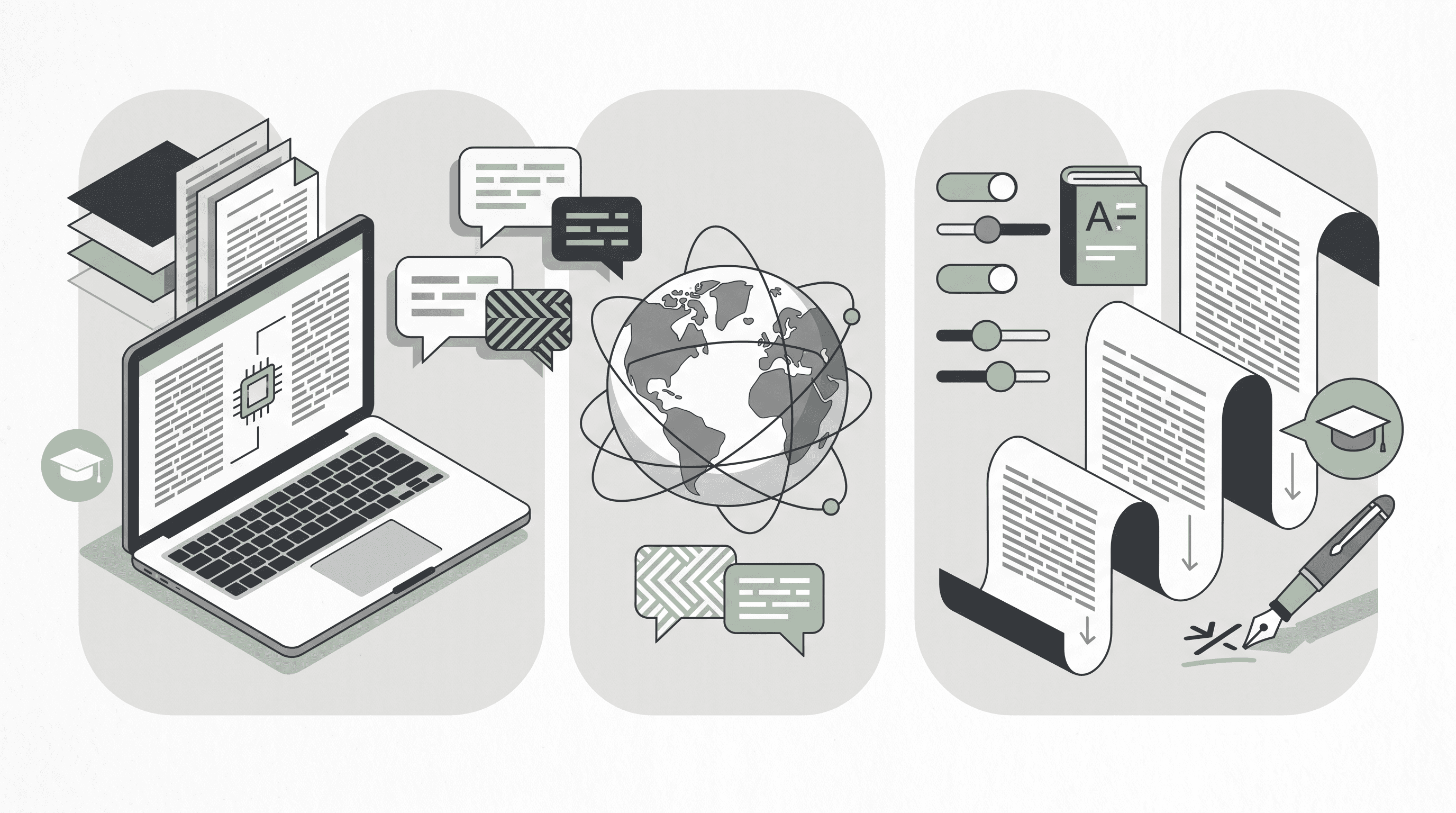
Best AI tools for academic rewriting and proofreading
6. Paperpal: best for non-native academic English polishing
Paperpal is built around academic-language improvement, which makes it more relevant than a generic grammar checker for many non-native English writers. Use it after translation, not as the primary source of truth for translation accuracy.
It is useful for tightening grammar, improving phrasing, and making prose sound closer to journal-style academic English. The risk is accepting a fluent edit that changes technical meaning. Watch for changes to certainty, scope, and causality: “demonstrates” is not the same as “suggests.”
Paperpal fits best when you already understand the target-language content and need help expressing it in a publication-appropriate register.
7. Writefull: best for corpus-informed research writing refinement
Writefull is better understood as a research-writing refinement tool than a general translator. Its value is in improving academic phrasing, usage, and sentence-level fit after a draft exists in English.
This distinction matters. Translating a passage into English and then running it through Writefull can improve readability, but it cannot guarantee that the translation preserved the source meaning. The author still needs to check discipline-specific terms, statistical language, and references.
Use it for abstracts, cover letters, response-to-reviewer drafts, and paper sections that need clearer academic phrasing. Do not use it to launder a weak translation into a confident one.
8. Trinka: best for technical and academic grammar checks
Trinka is positioned around academic and technical writing, which makes it useful for fields where grammar tools often mishandle formal register. It can help with grammar, style, and subject-sensitive writing issues after translation.
Its best role is quality control on the target-language draft. For example, after translating a methods section, Trinka may catch awkward phrasing or grammar problems, while a human reviewer checks whether the experimental procedure still matches the original.
Before choosing it, verify the available integrations, supported language workflows, and whether it can handle the document format you actually use.
9. Grammarly: best for general clarity, with academic caution
Grammarly is an editing and clarity tool, not a specialist academic translator. It is useful for emails, application materials, class assignments, and general academic drafts where readability matters.
The problem is over-editing. Academic writing often needs careful uncertainty: “partly explains,” “is consistent with,” “did not exclude.” A clarity suggestion may flatten that uncertainty into a stronger claim. For research manuscripts, accept suggestions selectively.
Use Grammarly when you want surface-level polish. Use an academic editor, fluent collaborator, or field expert when the text carries technical meaning.
10. LanguageTool: best multilingual grammar support for drafts and notes
LanguageTool is useful when you work across multiple languages and need grammar or style checking rather than full translation. It can help clean bilingual notes, draft emails, and translated passages that need basic correction.
Its value depends on the language. Some language checks are mature; others are more limited. If privacy matters, look closely at the available processing options and whether your workflow depends on cloud-based checking.
LanguageTool should be treated as a correction layer. It can catch mistakes, but it does not solve terminology consistency or verify whether a translated passage is faithful to the original.
For broader academic-writing support beyond translation, see Otio’s guides to writing in academic style and using AI in academic writing.
Best tools for paraphrasing and multilingual academic style
11. QuillBot: best for paraphrasing and readability experiments
QuillBot is useful when a translated sentence is technically correct but awkward. Its paraphrasing and readability tools can help generate alternative phrasings for notes, summaries, and student drafts.
The boundary is citation. Paraphrasing a translated source does not remove the need to cite the original. It also does not create permission to reuse protected text. In academic work, paraphrasing should clarify your own writing, not disguise borrowed language.
Use QuillBot for options, not final authority. Compare any rewritten sentence against the source and keep the citation attached.
12. Wordvice AI: best for academic proofreading and rewrite review
Wordvice AI fits the proofreading-and-revision part of the workflow. It is relevant for essays, manuscripts, statements of purpose, cover letters, and academic documents that need a more formal target-language version.
The key question is whether you can distinguish editing suggestions from substantive changes. A useful academic proofreading tool should help improve expression without silently changing the argument, method, or finding.
Before using it for a full manuscript, test a page with technical terminology, citations, and a dense paragraph. If the tool makes the prose sound better but changes claims, use it only for low-risk passages.
13. Gemini: best for translation with surrounding research context
Gemini is useful when you want to translate a passage and reason about surrounding context: a table, a related excerpt, an outline, or notes from several sources. It can help explain what a passage means before converting it into target-language prose.
That is valuable for bilingual research, but it introduces factual-drift risk. The model may add a plausible explanation that was not in the source or merge context from nearby materials into the translated passage. Keep translation, explanation, and synthesis as separate outputs.
For sensitive documents, check data-use terms and institutional policy before uploading. For technical work, verify terms and claims against the original text.
14. Microsoft Copilot: best for translation inside productivity work
Microsoft Copilot is worth considering if the main need is translation and rewriting inside documents, email, slides, or team collaboration spaces. It can reduce context switching for people already working in Microsoft tools.
Its strength is workflow fit. Its weakness is the same as other assistant-style tools: the output can be more polished than faithful. If you use it on a paper draft, inspect references, captions, tables, and formatting after the edit.
Copilot makes the most sense when the translation task is part of document production. It is less compelling if you need dedicated terminology management or segment-by-segment translation review.
Best tools for terminology, glossaries, and professional translation workflows
15. Smartcat: best for collaborative translation projects
Smartcat is for repeatable translation work, not just one-off AI translation. Its appeal is workflow: translation memories, glossaries, reviewer collaboration, and project management across multiple files.
This matters for academic teams translating surveys, consent forms, training materials, grant documents, multilingual reports, or repeated terminology across a project. A glossary can prevent the same concept from appearing under several target-language names.
The tradeoff is setup. If you are translating three paragraphs for personal notes, Smartcat may be more process than you need. If several people will review the same terminology across dozens of documents, the setup becomes useful.
16. memoQ: best for translators and teams managing terminology memory
memoQ is a professional translation environment. It is strongest when a translator, lab, or research group needs translation memory, term bases, quality checks, and collaboration over time.
It is probably excessive for a student translating occasional readings. The learning curve and project setup make sense only when consistency matters enough to justify the overhead.
Use memoQ when the same terms recur across manuscripts, protocols, interview guides, or policy documents. The payoff is not a single better sentence; it is fewer inconsistencies across the project.
17. Matecat: best for segment-level translation review
Matecat is useful when you want a translation environment with segment-level review rather than a single block of AI output. Segment review forces you to inspect each source sentence against its translation, which is safer for academic material.
This is particularly helpful for documents with technical terms, repeated phrases, and citations. It also makes it easier for a bilingual reviewer to comment on specific segments rather than rewriting the whole document.
Before using it, check supported file types, privacy terms, and how much manual setup the project requires.
How to test a terminology tool before using it on a manuscript
Do not test terminology tools on a clean abstract. Use a deliberately messy sample from the actual project.
Include:
Abbreviations: “RCT,” “CI,” “HR,” “OR,” “IRB”
Proper nouns: author names, institutions, datasets, laws, instruments
Latin or field-specific terms
Units and symbols
One table or figure caption
One quotation
One sentence with negation
One sentence with uncertainty: “may,” “could,” “is associated with”
Create a small glossary first. Put in 20 to 50 terms that must remain consistent. Translate the sample, inspect the output, then decide whether to scale.
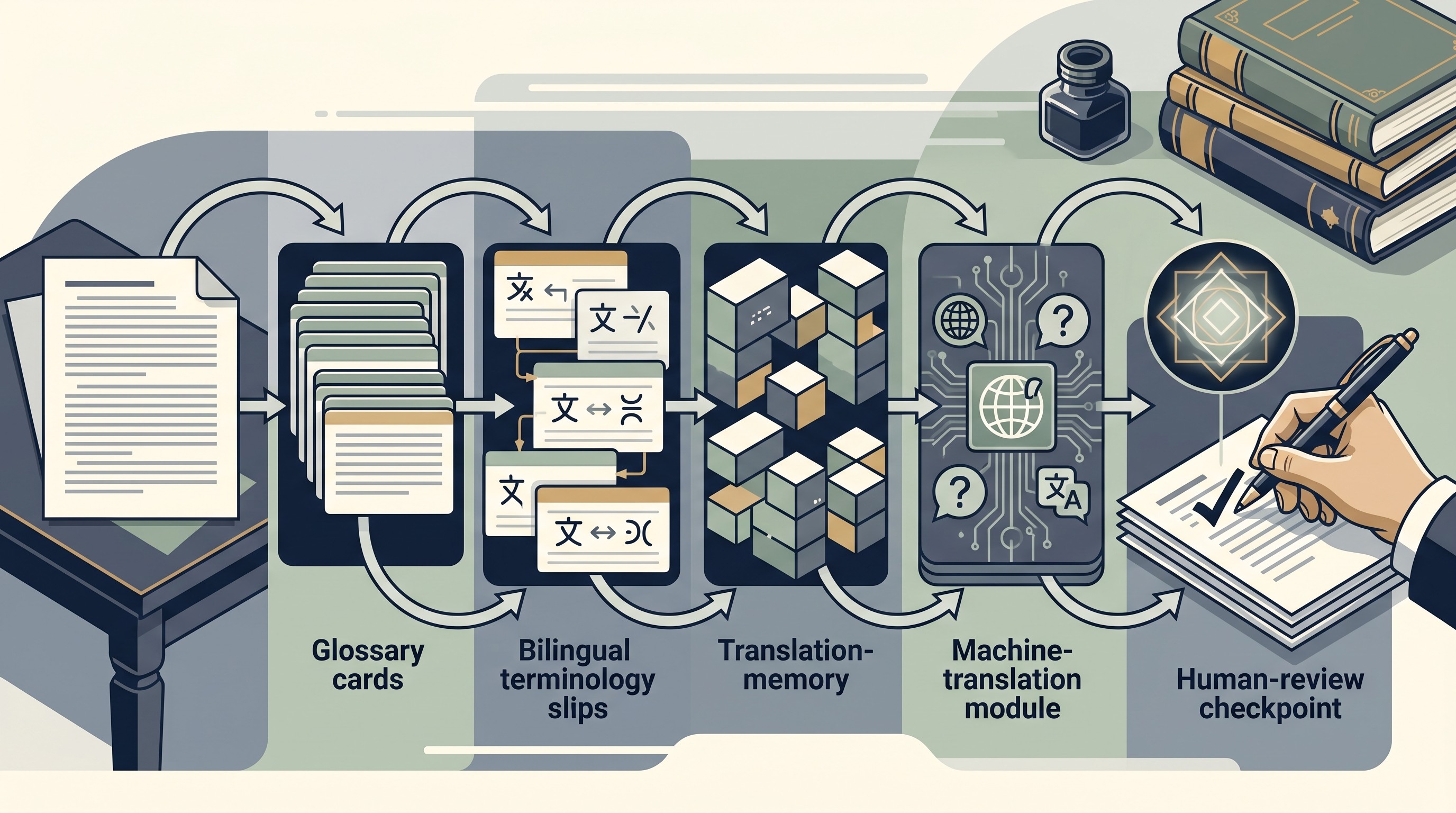
Best research workspace for translated passages and bilingual notes
18. Otio: best when translation is part of research, not the whole job
Otio is not a standalone translation engine like DeepL or Google Translate. It is a research workspace for keeping PDFs, web pages, notes, chats, and source materials together while using AI to ask questions, summarize, explain, and draft in many languages.
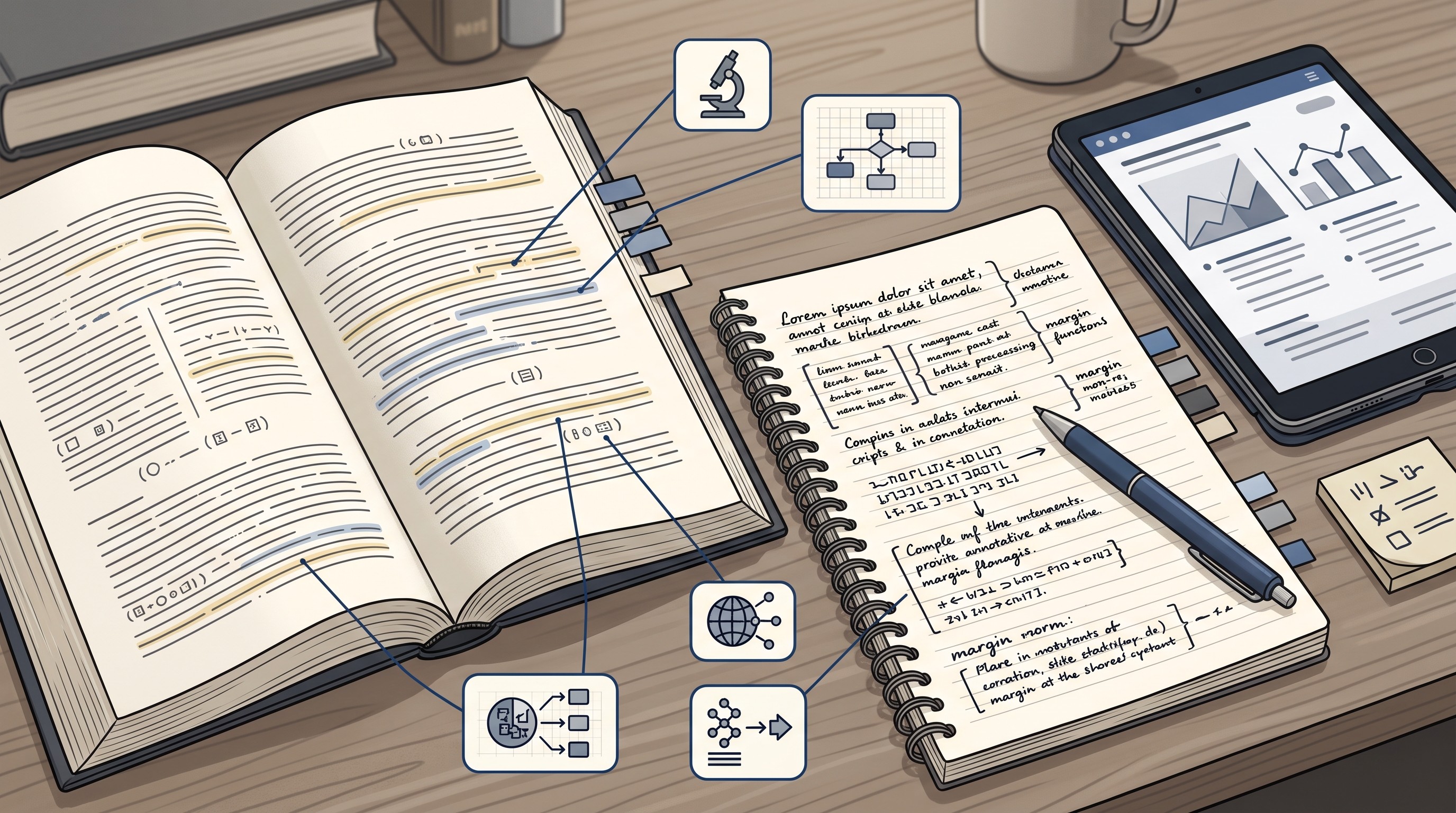
That makes it useful for bilingual notes. A common workflow looks like this:
Import the source document into the library: PDF, DOCX, web page, EPUB, YouTube transcript, or another supported file.
Open the source in the reader.
Select a passage and ask Otio to translate or explain it.
Save the translation into a note while preserving the original passage nearby.
Add your own interpretation separately, so the AI output is not confused with a source quotation.
Return later to compare the source, translation, and note in the same workspace.
Otio’s AI chat supports 70+ output languages, including right-to-left languages. Its note editor includes AI actions such as Translate across 15 languages, grammar correction, simplification, tone changes, and an accept-or-discard review flow for AI suggestions. That review step is useful because translation is often iterative: keep the source, inspect the suggestion, then decide whether to accept it.
The product fit is strongest for students, PhDs, and researchers who currently bounce between a PDF reader, ChatGPT, a translation tab, and Notion. Otio’s AI PDF reader and AI text editor make the translation step part of the research-writing environment rather than a disconnected copy-paste loop.
The limitation is important: Otio can help translate, explain, and organize passages, but it does not remove the need to verify target-language quality. For specialist terminology, quotations, citations, and journal submissions, use a fluent reviewer or subject expert.
For more workflow patterns, see Otio’s guide to translation workflows for bilingual document analysis.
[[OTIO_INLINE_PROMO:%7B%22title%22%3A%22Need%20to%20keep%20the%20source%20beside%20the%20translation%3F%22%2C%22description%22%3A%22Add%20the%20PDF%20or%20web%20source%20to%20Otio%2C%20compare%20translated%20passages%20in%20chat%2C%20and%20save%20reviewed%20excerpts%20with%20their%20citations%20in%20your%20notes.%22%7D]]
How to choose among the 18 tools
The right tool is the one that protects the part of the workflow where failure is most expensive.
If the task is quick understanding, prioritize speed and language coverage. Google Translate, Microsoft Translator, ChatGPT, or Gemini may be enough.
If the task is a manuscript draft, prioritize document handling, terminology controls, edit traceability, and human review. DeepL, Claude, Smartcat, memoQ, or Matecat become more relevant.
If the task is non-native academic writing, separate three jobs:
Translation: moving meaning from source language to target language.
Correction: fixing grammar, spelling, and syntax in the target language.
Academic style: improving register, hedging, structure, and discipline fit.
One tool rarely does all three safely. A practical sequence might be DeepL for the first draft, Paperpal or Writefull for English academic style, then a fluent subject expert for claims and terminology.
If the task is bilingual note-taking, the minimum requirement is different. The tool must let you retain:
The original passage
The translated passage
The source document or citation
Your own interpretation
A clear label separating AI output from source text
If the project is collaborative or repeated, use professional workflow criteria: glossaries, translation memory, reviewer roles, version history, comments, and export formats.
Compare free and paid plans only after checking the limits that affect the actual job: characters, file size, supported formats, language pairs, model access, privacy, retention, and collaboration. A cheap plan is not cheap if it breaks citations, strips formatting, or forces you to split a manuscript into unusable fragments.
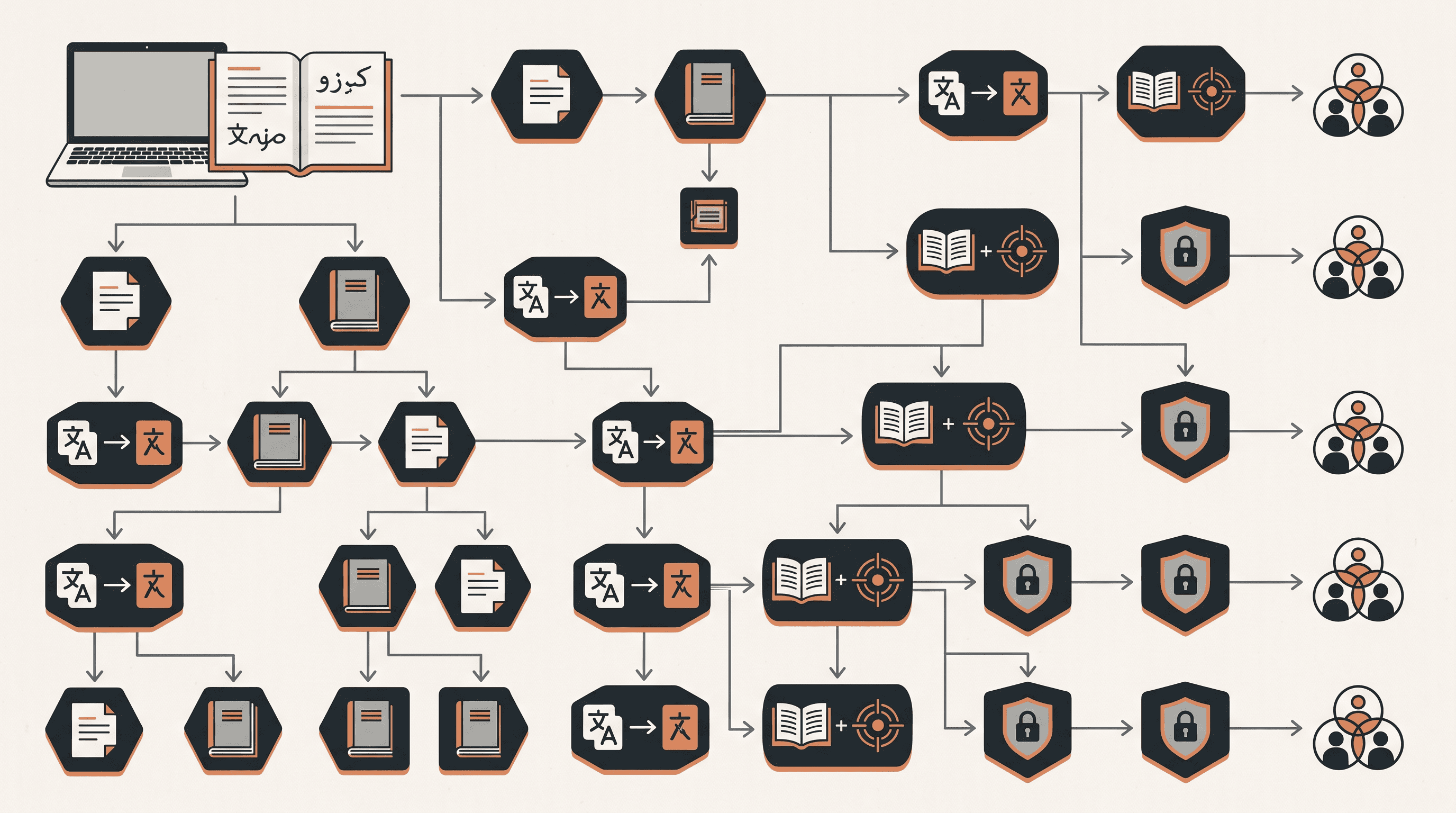
A safer workflow for academic translation and bilingual notes
Start with a sample, not the full document. Choose a passage that includes technical terms, hedging, passive voice, citations, a table or figure reference, and at least one quotation. If a tool fails on that sample, it will not magically improve on page 27.
Create a terminology list before translating the full text. Include key concepts, names, abbreviations, instruments, units, datasets, and field-specific phrases. For repeated projects, put this list into a glossary or term base.
Keep the source text and AI output visibly separate. Label translated text as a draft until a fluent reader or subject expert reviews it. This matters most for bilingual notes, where it is easy to mistake a polished translation for a verified quotation.
Check meaning, not only grammar. Compare:
Negation: “did not increase” versus “decreased”
Certainty: “may suggest” versus “shows”
Causality: “associated with” versus “caused by”
Numbers and units
Statistical terms
Scope qualifiers
References and citation placement
Quoted text
For publication, check the target journal’s rules before uploading or submitting AI-translated material. Journals, universities, funders, and professional bodies may differ on AI disclosure, authorship, confidentiality, and machine-translation use.
Do not upload unpublished, identifiable, embargoed, proprietary, or otherwise sensitive material until the provider’s privacy, training, retention, deletion, and enterprise terms are acceptable. When in doubt, use an approved institutional workflow or remove sensitive content first.
FAQ
Q: What is the best AI translation tool for academic writing?
A: There is no universal winner. Dedicated translators are a practical starting point for faithful drafts, academic writing tools are often better for polishing the target-language version, and terminology platforms are better for repeated or collaborative work.
Q: Can AI translate a research paper accurately enough for publication?
A: AI can produce a useful draft, but publication-ready translation requires human review for technical meaning, terminology, quotations, numbers, citations, and discipline-specific style. Check the target journal’s policy before using AI on a manuscript.
Q: How can I create reliable bilingual research notes with AI?
A: Keep the original passage, translation, source citation, and your own interpretation together but clearly labeled. Test terminology on a small sample first, and review every passage that contains specialized claims, qualifiers, or quotations.
Q: Is it safe to upload an unpublished paper to an AI translation tool?
A: Only after checking the provider’s privacy, retention, training, and deletion terms. For confidential, embargoed, or personally identifiable material, use an approved institutional workflow or remove sensitive content before uploading.
[[OTIO_FOOTER_PROMO:%7B%22title%22%3A%22Apply%20this%20workflow%20to%20your%20own%20sources%22%2C%22description%22%3A%22Add%20your%20papers%2C%20web%20sources%2C%20and%20bilingual%20notes%20to%20Otio%2C%20then%20keep%20translations%2C%20source%20passages%2C%20and%20citations%20together%20for%20review.%22%7D]]



