
AI Tool Comparison
18 Best Elicit AI Alternatives for Literature Reviews and Academic Research
Compare 18 Elicit alternatives by literature-review task, including discovery, evidence synthesis, citation tracking, source mapping, and research organization. Find the best fit for your workflow, field, and source coverage needs.

The best Elicit alternative depends on your literature-review bottleneck
If Elicit is not fitting your workflow, do not look for “the same tool, but better.” Pick by bottleneck: Consensus for evidence-oriented questions, Semantic Scholar or Google Scholar for broad discovery, Scite for citation context, ResearchRabbit or Connected Papers for citation-network exploration, and Otio when the problem is organizing sources, notes, and AI-assisted synthesis in one workspace.
The mistake is treating paper search, evidence extraction, citation checking, source mapping, PDF reading, and reference management as one job. They are separate jobs. Most serious literature reviews need a stack, not a single replacement.
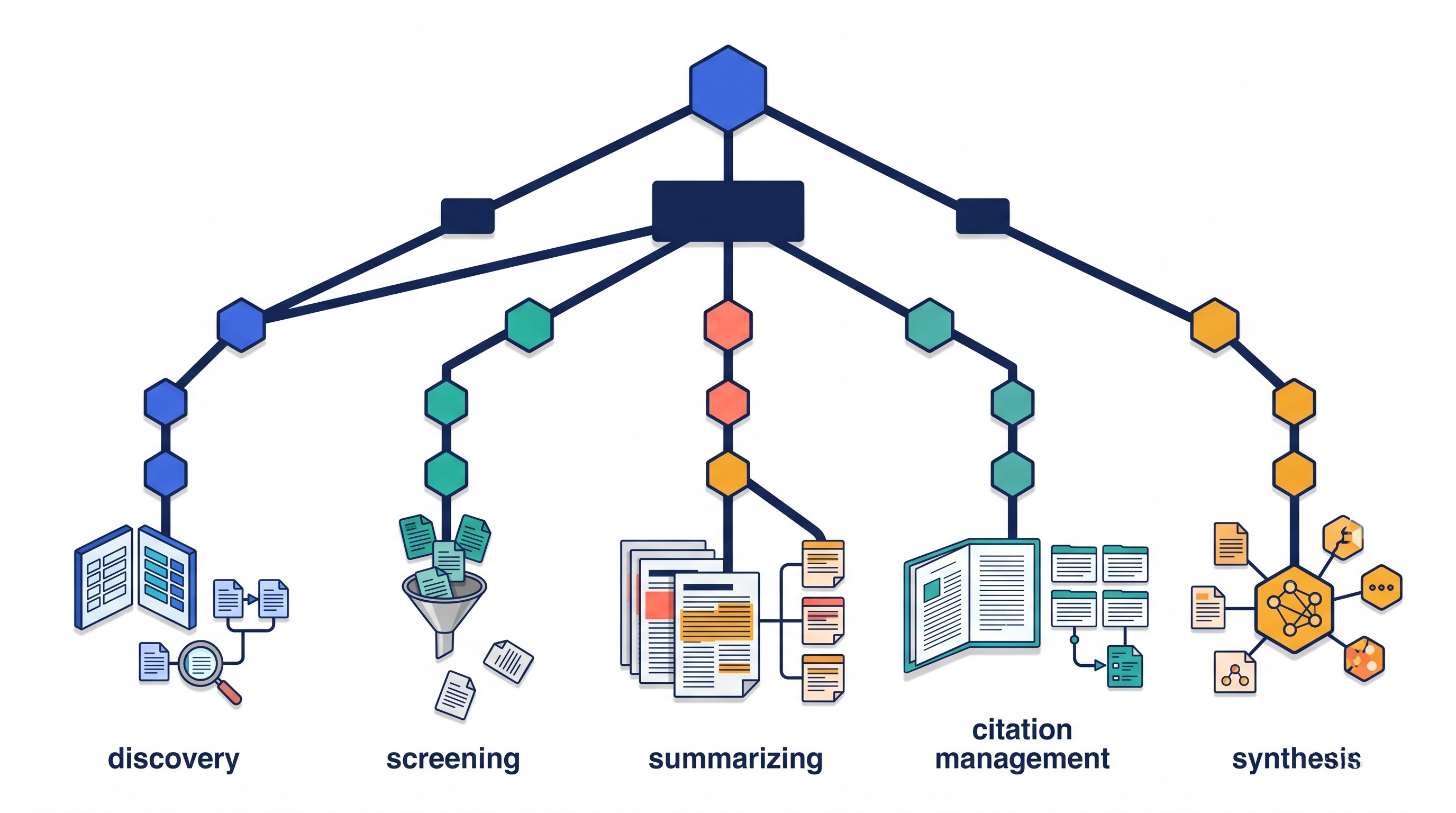
A simple decision rule:
If your main problem is... | Start with... | Why |
|---|---|---|
Getting an evidence-backed answer to a research question | Consensus | Fast question-first search across papers |
Building a broad reading list | Semantic Scholar or Google Scholar | Wide discovery and citation trails |
Checking how a paper is cited | Scite | Citation context: supporting, contrasting, or mentioning |
Finding adjacent or foundational papers | ResearchRabbit, Connected Papers, Litmaps | Visual and network-based discovery |
Reading, organizing, and synthesizing a source set | Otio, Zotero, NotebookLM | Source library, notes, document Q&A, citation management |
Screening studies for a systematic review | Rayyan | Inclusion/exclusion workflow |
AI summaries should shorten the path to the right papers. They should not replace reading the original article, checking the methods, verifying the population and sample, or confirming that every cited claim actually appears in the source.
For a fuller review of Elicit itself, see Otio’s Elicit AI review. For broader discovery sources beyond AI assistants, Otio also has a guide to academic databases and research websites.
Best Elicit alternatives for finding relevant papers
1. Consensus — best for evidence-oriented questions
Consensus is the closest Elicit alternative if the research task begins as a question: “Does X improve Y?”, “Is there evidence that A is associated with B?”, or “What do studies say about this intervention?”
Its strength is the answer-first workflow. Instead of starting with a keyword list and manually scanning abstracts, Consensus tries to retrieve relevant papers and summarize what they say. That makes it useful for early scoping, especially when a topic has enough empirical literature to support a direct answer.
Compared with Elicit, Consensus is usually less about building a structured extraction table and more about getting a readable evidence answer. That is a real difference. If the work requires comparing population, intervention, method, outcome, limitations, and study type across many papers, Elicit’s table-style workflow may be a better fit.
Use Consensus when:
The question is narrow enough to answer from existing studies.
You want fast orientation before deeper screening.
You need leads into the literature, not a final synthesis.
You are comparing claims that should be evidence-backed.
Be cautious when the topic is new, theoretical, qualitative, or poorly indexed. A confident answer from a small or skewed source set can make a weak evidence base look cleaner than it is.
If Consensus is high on your shortlist, Otio’s comparison of Consensus AI alternatives is a useful next read.
2. Semantic Scholar — best for broad academic discovery and citation exploration
Semantic Scholar is a strong Elicit alternative when the problem is not synthesis but finding the literature in the first place. George Mason University’s library guide describes Semantic Scholar as “a free, AI-powered academic search engine developed by the Allen Institute for AI” for discovering and understanding scientific literature more efficiently (George Mason University InfoGuides).
Its advantages are breadth, speed, paper metadata, author pages, citation links, and related-paper discovery. It is especially useful when starting with one known paper and expanding outward through citations and references.
Semantic Scholar is not a full replacement for Elicit’s structured literature-review workflow. It helps build the corpus. It does not usually do the full job of extracting comparable variables from a set of studies and turning them into a review matrix.
Use Semantic Scholar when:
You need a broad reading list quickly.
You want author, venue, reference, and citation trails.
You are exploring a field before deciding inclusion criteria.
You want a free discovery layer before moving papers into Zotero, Otio, or another workspace.
The failure mode is over-collection. Semantic Scholar can help surface many plausible papers, but a literature review improves only when the next step is explicit screening.
3. Google Scholar — best for widest general-purpose academic discovery
Google Scholar remains hard to beat for breadth. It is useful for finding articles, books, theses, preprints, conference papers, institutional PDFs, and odd copies of work that a cleaner academic database may not surface.
Its strength is also its weakness. Google Scholar can return duplicates, citation noise, non-peer-reviewed material, outdated versions, and access links of uneven quality. For a quick scan, that is acceptable. For a defensible literature review, it needs cleanup.
Use Google Scholar when:
You are checking whether a paper exists outside paywalled routes.
You need citation chasing across disciplines.
You are looking for books, reports, theses, or grey literature.
You want to see how a term is used outside one database’s indexing rules.
For better results, combine exact phrases, author names, publication years, and targeted terms. Otio’s guide to Google Scholar search strategies for literature reviews covers this in more detail.
4. PubMed — best for biomedical and health research
PubMed is the better starting point when the review is biomedical, clinical, public health, pharmacological, or life-sciences adjacent. It is not an AI answer engine, but it is more appropriate than a general AI tool when authoritative biomedical indexing and controlled filters matter.
The main advantage is discipline fit. PubMed supports subject-specific search habits, including MeSH terms, study-type filtering, date filters, and journal metadata. Those matter in medical and health reviews because the difference between an animal study, observational cohort, randomized trial, and review article changes the strength of the evidence.
Use PubMed when:
The review is clinical, biomedical, or health-related.
You need reproducible search strings.
Study type matters.
You expect a supervisor, librarian, reviewer, or committee to inspect your search method.
The limitation is that PubMed does not solve synthesis on its own. You still need a process for exporting records, removing duplicates, screening papers, extracting evidence, and writing from verified notes.
5. ResearchRabbit — best for expanding from seed papers
ResearchRabbit is useful when you already have a few good papers and need to discover what surrounds them: related work, cited papers, citing papers, authors, and clusters.
This is a different mental model from asking Elicit a question. Network-based discovery starts from known sources and expands through relationships. It is especially helpful when keywords are unreliable because different disciplines use different terms for the same idea.
Use ResearchRabbit when:
You have three to ten strong seed papers.
The field has recognizable citation clusters.
You want to find adjacent work you would miss by keyword search.
You are mapping authors, labs, or recurring paper families.
The risk is citation bias. Citation networks can over-represent established or highly cited work and under-represent newer, local, non-English, or less conventional research. Use it as a discovery aid, not as your complete search strategy.
Best alternatives for synthesizing evidence from academic papers
6. Scite — best for examining citation context
Scite is strongest when the question is not “What does this paper say?” but “How has this paper been used by later papers?”
Its key idea is citation context. Scite categorizes citation statements, commonly around whether later work supports, contrasts with, or merely mentions a source. The University of Arizona’s AI literacy guide describes Scite’s assistant as a conversational tool that returns answers backed by current references (University of Arizona LibGuides).
This is valuable because raw citation counts are blunt. A paper can be cited often because it is foundational, controversial, methodologically flawed, or simply unavoidable. Citation context gives you a better inspection point.
Use Scite when:
You are relying heavily on a particular article.
You need to see whether later literature supports or disputes it.
You are writing a section on debate, replication, or disagreement.
You want to avoid treating all citations as endorsements.
Still read both sides of the citation. A citation sentence can be misleading without the surrounding paragraph, the cited study’s design, and the citing paper’s purpose.
7. Scholarcy — best for structured reading aids
Scholarcy is useful after retrieval, when you have PDFs and need a fast first pass. Its value is not broad discovery; it is turning a paper into structured reading aids such as summaries, key points, and extracted sections.
Compared with Elicit, Scholarcy is more document-centered. Elicit helps compare across papers; Scholarcy helps make one paper faster to understand. That distinction matters. A literature review requires both document-level comprehension and cross-paper synthesis.
Use Scholarcy when:
You are triaging PDFs.
You need quick orientation before close reading.
You want a structured summary to decide whether a paper deserves full attention.
You are working through dense empirical articles under time pressure.
The failure mode is mistaking a summary for understanding. A summary may skip design weaknesses, measurement problems, subgroup details, or contradictory findings buried in the discussion.
8. ChatPDF — best for asking questions about individual PDFs
ChatPDF is a practical tool for asking questions about a single uploaded PDF. It is useful when you already have the paper and want to locate methods, definitions, assumptions, limitations, or specific claims.
It is not a discovery engine. It does not solve whether the PDF belongs in your review, whether better papers exist, or whether the study is representative of the field.
Use ChatPDF when:
You need to interrogate one document.
You want help finding a passage quickly.
You are reading a long report, thesis, or technical paper.
You need a plain-language explanation of a section.
For literature reviews, ChatPDF fits best after search and screening. Build the paper set elsewhere, then use document Q&A to speed reading.
9. SciSpace — best for guided paper reading
SciSpace is useful when the bottleneck is understanding dense passages, unfamiliar terminology, equations, or methods sections. It is closer to a guided reading companion than a pure literature discovery database.
Compared with Elicit, SciSpace is more helpful at the paper-reading stage. Elicit is better known for question-led discovery and table-style extraction across papers. SciSpace helps when a paper is already in front of you and the issue is comprehension.
Use SciSpace when:
The paper is technically difficult.
You need explanations of terms, formulas, or methods.
You are reading outside your home discipline.
You want help moving from abstract-level understanding to section-level understanding.
The same verification rule applies: if a tool explains a passage, read the passage. If it interprets a result, check the table, figure, and methods.
10. NotebookLM — best for source-grounded conversations across your own document set
NotebookLM is strongest when you supply the source collection yourself and want to ask questions across it. That makes it useful for projects where you already have a curated set of PDFs, notes, reports, or web sources.
Compared with Elicit, NotebookLM starts later in the workflow. Elicit can help find papers; NotebookLM depends on what you put into the notebook. That gives you more control over the source set, but it also means source selection remains your responsibility.
Use NotebookLM when:
You already have a defined corpus.
You want to ask questions across uploaded sources.
You need answers tied to source material.
You are organizing notes for a class, thesis chapter, or research memo.
The risk is corpus blindness. If the notebook excludes key papers, the answers may sound coherent while missing important literature.
[[OTIO_INLINE_PROMO:%7B%22title%22%3A%22Have%20a%20paper%20set%20ready%20to%20compare%3F%22%2C%22description%22%3A%22Add%20your%20PDFs%2C%20links%2C%20and%20notes%20to%20Otio%2C%20then%20ask%20focused%20questions%20across%20the%20source%20set%20while%20keeping%20answers%20tied%20to%20the%20material.%22%7D]]
Best Elicit alternatives for citation mapping and research discovery
11. Connected Papers — best for visualizing relationships around a starting paper
Connected Papers helps map a neighborhood of related papers around a seed article. The University of Arizona guide notes that it can show how literature connects between selected papers (University of Arizona LibGuides).
This is useful when a field has a hidden structure that keyword search does not reveal. You can find foundational papers, adjacent clusters, or older work that explains where a current article came from.
Use Connected Papers when:
You have one important seed paper.
You want a visual map of nearby work.
You need to identify foundational or adjacent literature.
You are trying to understand a field’s shape before writing.
A graph is not a search protocol. It is a map of relationships around what you fed it. Bad seed papers produce bad maps.
12. Litmaps — best for monitoring citation relationships over time
Litmaps is useful for living reviews, thesis projects, and long-running research where new papers can change the picture. Its value is mapping and monitoring, not only one-time discovery.
Start with strong seed papers, then use the map to trace related literature and monitor updates. This is especially helpful when a field is moving quickly or when a thesis chapter will be revised over months.
Use Litmaps when:
You need alerts for new related papers.
You are maintaining a living bibliography.
You want to see citation relationships over time.
You are tracking a field during a long project.
The main limitation is setup quality. If your seeds are too narrow, the map may reinforce a small corner of the literature. If they are too broad, the map becomes noisy.
13. Inciteful — best for exploring citation networks and influential connections
Inciteful is another citation-network tool for exploring relationships among papers. It can help identify connected work, influential nodes, and papers that bridge clusters.
Compared with Elicit, Inciteful is not primarily an evidence extraction tool. It is better for discovery and mapping. Elicit asks, “What do these papers say about this question?” Inciteful asks, “What literature surrounds these papers?”
Use Inciteful when:
You want to expand from seed papers.
You need to find influential or bridging work.
You are checking whether your reading list misses a citation cluster.
You prefer graph-style exploration over answer-style search.
As with any metadata-based tool, check the records. Titles, author data, citation links, and coverage can vary by field and source.
14. OpenAlex — best for structured scholarly metadata
OpenAlex is best for researchers who want a structured, programmatic view of scholarly works, authors, institutions, venues, and concepts. It is not a like-for-like Elicit replacement because it does not exist mainly to summarize papers for a literature review.
Its value is metadata. That makes it useful for bibliometric exploration, corpus building, institutional analysis, topic mapping, and custom research tools.
Use OpenAlex when:
You need structured scholarly metadata.
You are building a dataset of works, authors, or institutions.
You want to analyze publication patterns.
You are comfortable working with APIs or exported data.
OpenAlex is powerful but less friendly for a student who simply wants to ask, “What does the literature say?” Use it when the review has a data or mapping component.
Best alternatives for organizing, reading, and turning sources into a review
15. Otio — best for a unified research workspace
Otio is the best Elicit alternative when the real problem is not finding one more paper. It is the downstream mess: PDFs in a folder, web pages in browser tabs, Zotero records, scattered notes, YouTube lectures, article drafts, and AI chats that are not tied to the source library.
Otio is built as an AI research workspace. You can store PDFs, DOCX, EPUB, TXT, Markdown, PPTX, CSV, audio, video, images, web links, YouTube videos, tweets, notes, and folders in one library. You can open documents in reader views, ask questions, use inline citations, save useful selections into notes, and keep work grouped by project spaces.
Compared with Elicit, Otio is broader. Elicit is focused on literature-review discovery and extraction. Otio is better suited to the full “read, annotate, ask, save, synthesize, write” loop once sources start piling up.
Use Otio when:
You already have many sources and need one searchable workspace.
You want to chat with PDFs, web pages, videos, notes, and other files together.
You need inline citations while asking questions about source material.
You want to save useful passages directly into project notes.
You use multiple models and want model choice inside the same research workspace.
Two features matter for literature reviews in particular. First, Otio’s AI PDF reader lets you read and ask questions inside the document workflow instead of bouncing between a PDF viewer and a chatbot. Second, the Zotero integration helps researchers pull papers from an existing reference library rather than rebuilding a corpus from scratch.
Otio does not replace source judgment. You still need inclusion criteria, careful reading, and citation verification. Its advantage is reducing the number of places where the review can fragment.
16. Zotero — best for citation management and source organization
Zotero is the foundation tool many literature reviews still need. It collects sources, stores PDFs, supports annotations, organizes libraries, and generates citations and bibliographies.
It is not a like-for-like replacement for Elicit. Zotero does not primarily answer research questions or extract evidence across a paper set. It manages the source library so your review remains citable and organized.
Use Zotero when:
You need reliable citation management.
You are collecting PDFs from databases and journals.
You need folders, tags, notes, and bibliographies.
You are writing in Word, Google Docs, or another citation-supported editor.
Zotero pairs well with AI tools. A common workflow is: discover in PubMed, Semantic Scholar, Google Scholar, or Elicit; save and cite in Zotero; read and synthesize in Otio, NotebookLM, Scholarcy, or another document workspace.
17. Rayyan — best for systematic-review screening
Rayyan is built for screening. That makes it especially useful for systematic reviews, scoping reviews, and evidence reviews where inclusion and exclusion decisions must be documented.
This is a different job from Elicit’s discovery and extraction. Rayyan helps manage candidate records, screen titles and abstracts, apply criteria, and support collaboration among reviewers.
Use Rayyan when:
You have explicit inclusion and exclusion criteria.
You need to screen many records.
More than one reviewer is involved.
You need a reproducible decision trail.
Screening discipline matters because systematic reviews are judged by process, not just prose. A review that uses AI summaries but cannot explain how studies were found, included, excluded, and extracted is weak.
18. Perplexity — best for fast exploratory web research with citations
Perplexity is useful for quick exploratory research, especially when you are trying to formulate a question, identify terminology, locate background sources, or find leads across the web.
It is not a dedicated academic literature-review tool. Its cited responses can be helpful, but the cited sources may include web pages, news articles, institutional pages, or secondary summaries rather than scholarly studies. That is fine for orientation. It is not enough for evidence synthesis.
Use Perplexity when:
You are learning the language of a topic.
You need background leads quickly.
You want to compare how a question is framed across sources.
You are not yet ready for database-level searching.
For academic work, verify every useful lead in the original source. If the final review depends on peer-reviewed literature, move from Perplexity leads into PubMed, Semantic Scholar, Google Scholar, Scite, or your library databases.
How to choose an Elicit alternative without weakening your review
A tool can make a literature review faster and still make it worse. The danger is not AI itself; it is letting the tool decide the corpus, the quality threshold, and the interpretation without a visible method.
Use this checklist before changing tools or paying for a subscription:
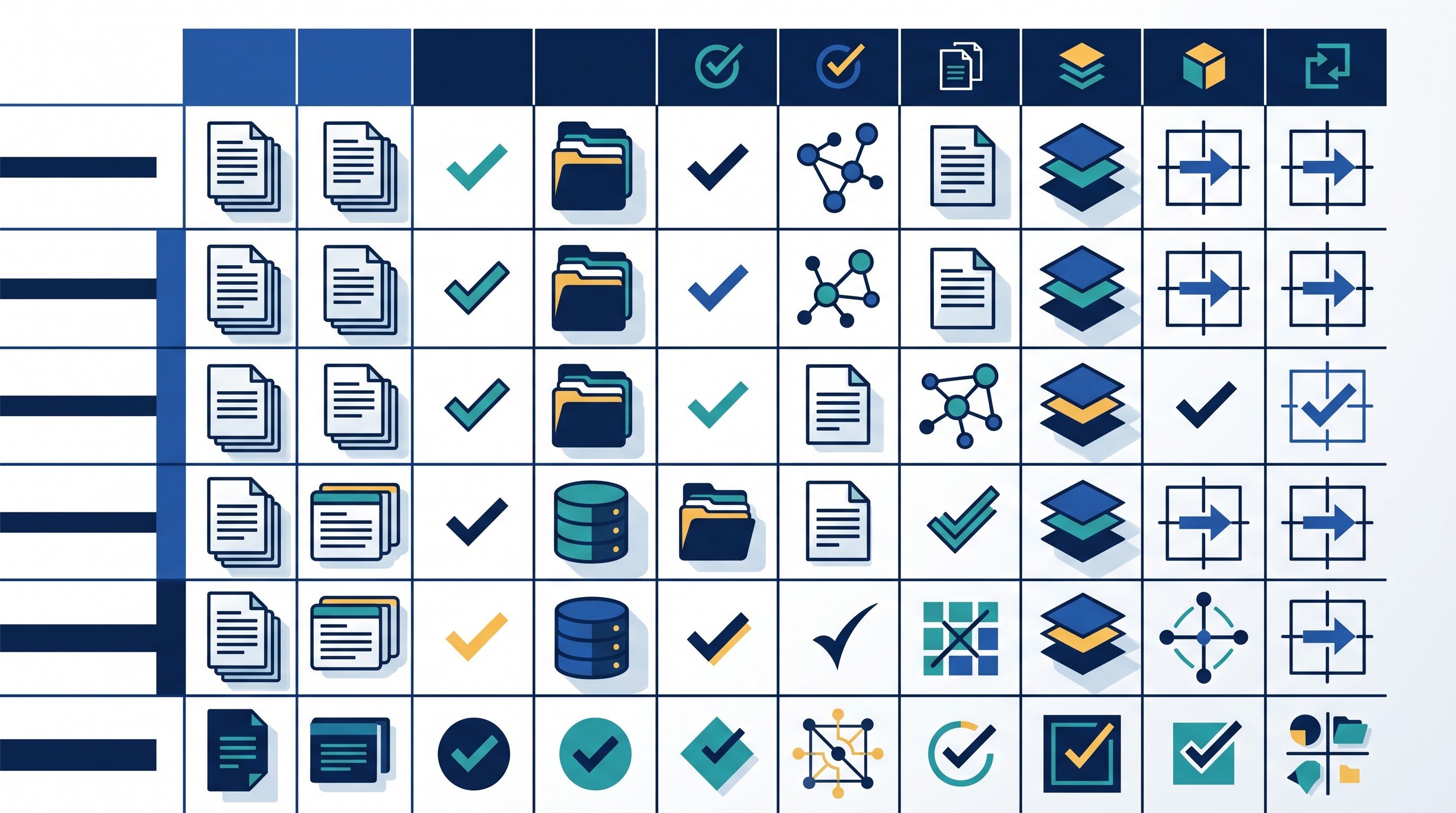
Criterion | What to check |
|---|---|
Source coverage | Does it index your field, study type, and publication venues? |
Full-text access | Can it read full papers, or only titles and abstracts? |
Citation transparency | Can you trace claims to specific papers and passages? |
Duplicate handling | Can you export and deduplicate records elsewhere? |
Extraction format | Can you compare methods, samples, outcomes, and limitations? |
Citation context | Can you see how later papers cite a source? |
Mapping | Can you find adjacent, foundational, and citing papers? |
Exports | Can you move records into Zotero, CSV, RIS, BibTeX, or notes? |
Privacy | Are uploaded PDFs, notes, and unpublished drafts handled appropriately? |
Collaboration | Can multiple reviewers work with the same project? |
Pricing | Does the paid plan match the volume of papers you actually review? |
Separate discovery from evidence appraisal. Finding a relevant paper is not the same as confirming the methods, sample, population, intervention, comparator, outcomes, limitations, or contribution.
A repeatable workflow is safer:
Define the research question. Write the scope, population, concepts, dates, and exclusion rules before searching too widely.
Search broadly. Use field databases, Semantic Scholar, Google Scholar, PubMed, Consensus, or Elicit depending on the discipline.
Save candidate records. Put papers into Zotero, Otio, or another library before reading deeply.
Screen explicitly. Use title/abstract screening first, then full-text screening against written criteria.
Extract evidence. Capture methods, sample, measures, findings, limitations, and relevance in a matrix. If you need a dedicated structure, see Otio’s guide to literature matrix generator tools.
Inspect citation context. Use Scite, citation trails, and manual reading to see whether key papers are supported, disputed, or merely repeated.
Write from verified notes. Draft from passages and extracted claims that can be traced back to the source.
Test two or three tools with the same question before committing. Use the same seed papers, the same search terms, and the same inclusion criteria. Then compare what each tool retrieves, misses, mislabels, or overstates.
The best Elicit alternative is not the one with the longest feature list. It is the one that removes your actual bottleneck without hiding the evidence trail.
FAQ
Q: What is the closest alternative to Elicit?
A: Consensus is one of the closest options for asking research questions and reviewing evidence from academic papers. The better match depends on whether you need discovery, citation context, visual mapping, screening, or source organization.
Q: Is Consensus better than Elicit for literature reviews?
A: Neither is universally better. Test both with the same research question and paper set, then compare retrieval quality, citation accuracy, extraction format, source coverage, and export options for your field.
Q: Can ChatGPT or another general AI replace Elicit?
A: General AI can help summarize supplied papers and draft research notes, but it does not replace scholarly discovery, structured extraction, or citation traceability. Always verify claims against the original papers.
Q: Which Elicit alternative is best for a systematic review?
A: A systematic review usually needs several tools: a discovery source such as PubMed or Semantic Scholar, a screening platform such as Rayyan, a citation manager such as Zotero, and a documented extraction process. No single AI tool should be treated as a complete systematic-review method.
[[OTIO_FOOTER_PROMO:%7B%22title%22%3A%22Turn%20your%20shortlisted%20papers%20into%20a%20review%20workspace%22%2C%22description%22%3A%22Bring%20your%20own%20candidate%20papers%20into%20Otio%20to%20organize%20sources%2C%20question%20documents%2C%20and%20draft%20notes%20from%20verified%20evidence.%22%7D]]



