
AI Research Tool Limits
Claude Project Limits: What to Do When a Research Workspace Stops Scaling
As of October 2026, Claude Projects allow free users up to five projects, with 30MB files and paid-plan RAG expansion up to 10x. Learn which limit is blocking your research and how to build a durable multi-source workflow.

If you searched for Claude project limits, the blocking constraint is probably not one single limit. As of October 2026, Anthropic says free Claude users can create a maximum of five Projects, each uploaded file can be up to 30MB, and Project files are “unlimited” only if the total content fits within Claude’s context window.
Paid Claude plans can expand Project knowledge capacity by up to 10x through retrieval-augmented generation, but that does not make a Project a permanent research archive. The practical move is to identify which limit is failing, clean or split the Project if that is enough, and keep the long-term source record in a durable multi-source workspace outside any one chat.
Updated October 22, 2026.
Claude Project limits at a glance
Here are the Claude Project limits that matter most for research work, verified against Anthropic documentation as of October 2026:
Number of Projects: Free users can create a maximum of five Projects, according to Anthropic’s What are Projects? help page. That page does not state a maximum for paid-plan Projects.
Project knowledge capacity: Paid Claude plans, including Pro, Max, Team, and Enterprise, can expand Project knowledge capacity by up to 10x through retrieval-augmented generation, or RAG, according to Anthropic’s Projects documentation. Anthropic does not state a numeric maximum for free-plan Project knowledge on that page.
Per-file upload size: Each uploaded file can be up to 30MB, according to Anthropic’s Upload files to Claude page.
Number of files: Anthropic describes Project files as unlimited in number, provided the total content fits within Claude’s context window, on the same file upload page.
Supported formats: Claude Project uploads support PDF, DOCX, CSV, TXT, HTML, ODT, RTF, EPUB, JSON, XLSX, plus JPEG, PNG, GIF, and WebP images, according to Anthropic’s upload documentation.
Those bullets describe different constraints. A Project can be under the five-Project free limit and still struggle because the source set is too large, the conversation is too long, a single file is over 30MB, or usage limits stop a work session.
Treat the October 2026 figures as a planning baseline, not a permanent guarantee. Before making a plan or capacity decision, recheck Anthropic’s current help pages.
Which Claude limit is actually stopping your research?
The first mistake is treating every Claude failure as “the Project limit.” For source-heavy research, at least five constraints can look similar from the user’s side.
Project count is the simplest one. If you are on the free plan and already have five Projects, Anthropic’s documentation says you have reached the maximum number of Projects available to free users.
Per-file upload size is different. A 35MB report can fail even if the Project itself is otherwise small. For file-specific fixes, such as splitting PDFs, compressing files, or converting formats, use the dedicated guide to Claude file upload limits rather than treating this as a Project architecture problem.
Project knowledge capacity is the reusable source collection attached to the Project. This is where reports, briefing notes, CSVs, statutes, policy memos, or paper sets live so Claude can use them across conversations inside that Project.
Conversation context is what Claude has to work with during a specific exchange. It includes the current instructions, retrieved Project content, previous messages, and any files or text added directly to the chat. A Project may contain many sources, but Claude does not necessarily place every source into every response.
Anthropic says Projects use RAG, which loads relevant content into the context window rather than stuffing the whole source library into the active conversation. Its context-window help page also notes that rare edge cases can still hit context limits.
Usage or message limits are a separate operational bottleneck. The documentation cited here does not establish plan-specific message caps for sustained research work, so check Anthropic’s current usage limit best practices and plan documentation before assuming the issue is storage or context.
A useful diagnosis sequence:
Did the upload fail? Check file size and format first.
Can you not create another Project? Check Project count and plan.
Are answers missing relevant sources? You may be dealing with retrieval, source labeling, or Project knowledge capacity.
Does the conversation degrade or stop mid-task? You may be hitting conversation context pressure.
Are you blocked from continuing for a period? Treat it as a usage-limit issue, not a source-library issue.
The fix depends on which one is true. Upgrading a plan will not repair a messy source register. Splitting a Project will not help if the immediate failure is one oversized file. Summarizing everything will not preserve evidence if the summaries cannot be traced back to original passages.
What Claude Projects support for source-heavy research
Claude Projects are useful when the evidence set is coherent and the work benefits from reusable context. A policy researcher, for example, might keep a Project for one regulatory question: agency guidance, consultation responses, statutes, legislative history, interview transcripts, and internal notes.
The format coverage is broad enough for many professional research tasks. Anthropic’s upload documentation lists PDF, DOCX, CSV, TXT, HTML, ODT, RTF, EPUB, JSON, XLSX, plus JPEG, PNG, GIF, and WebP images.
The important caveat is extraction. Anthropic says Project content is text-extracted only, except for multimodal PDFs, in its file upload documentation. That matters when the evidence is visual: charts, scanned exhibits, page layout, tables embedded as images, marginal notes, or handwritten annotations may need separate checking.
Context behavior also matters. Anthropic’s context-window documentation says paid-plan model context windows are generally 200K tokens outside listed exceptions, with up to 1M tokens for some models, but that should not be read as one universal Project capacity. A model’s context window, a Project’s knowledge store, and a conversation’s active context are related but not identical.
Claude can also use automatic context management in some settings. Anthropic says that with code execution enabled, Claude may summarize earlier messages as a conversation approaches its limit, according to the context-window help page. That can keep a task moving, but a summary is not the original evidence.
For research, that distinction is not academic. If a legal analyst asks Claude to compare two versions of a regulation, a compressed memory of the earlier conversation may preserve the gist, but the citation still needs to come from the original clause, page, date, and version. If a pharma analyst is extracting adverse-event language from a PDF, the answer needs to point back to the relevant table or passage, not merely to a chat summary.
A single Project becomes fragile when it tries to do too many jobs at once:
It stores discovery notes, source files, rough summaries, draft arguments, and administrative planning in one place.
It mixes unrelated research questions because creating a new Project feels inconvenient.
It contains revised versions of the same report without clear labels.
It relies on long chat history as the memory of record.
It includes web pages, videos, podcasts, or notes that are not preserved with stable metadata elsewhere.
Claude can still be useful in that workflow. The issue is whether the Project remains an auditable research workspace as the corpus grows.
Four ways to reduce pressure without losing traceability
The cheapest fix is usually not a new tool. It is source hygiene.
1. Archive sources without deleting the record
Move completed, irrelevant, or low-priority sources out of the active Project when they no longer need to be retrieved. Do not just delete them and hope the chat history is enough.
Keep a source register with:
Title
Author or issuing body
Publication date
URL, DOI, docket number, or repository link
File name
Version or access date
Research question supported by the source
Notes on why it was archived
This lets you reduce active retrieval pressure without losing the audit trail.
2. Deduplicate and label the authoritative version
Duplicate files create noise. Near-duplicates are worse: the AI may retrieve a superseded version without making that obvious.
Keep one authoritative version when the duplicates are genuinely identical. When they are not identical, label them clearly: “preprint,” “accepted manuscript,” “final report,” “revised guidance,” “2024 consultation draft,” “2026 final rule,” or whatever the distinction requires.
Do not silently replace a revised report, preprint, transcript, or legal document with a summary. Preserve the original and record the version.
3. Split Projects by real research boundaries
Splitting can help when the evidence sets are genuinely different. Good boundaries include:
Research question
Client matter
Jurisdiction
Phase of work
Confidentiality level
Evidence type
Review workstream
Bad boundaries are arbitrary: “old files,” “miscellaneous,” “stuff Claude forgot,” or “sources that made the Project feel slow.”
Splitting Projects does not create one automatically shared knowledge base. If the work must remain connected, maintain an external source register or source map that shows which sources live where and why.
4. Use summaries as navigation, not evidence
Summaries are useful for orientation. They are poor substitutes for original evidence.
A good summary should tell you where to go next: page 14, section 3.2, timestamp 00:42:10, appendix B, paragraph 78, table 4. Before citing a claim, return to the original source and check the relevant passage.
This is the basic discipline:
Extract the relevant passage or finding.
Label the source and location.
Check the output against the original.
Record provenance.
Move the verified finding into the draft or evidence matrix.

A durable workflow after one Claude Project stops scaling
When one Claude Project stops scaling, the answer is not “put everything into a bigger chat.” It is to separate discovery, source storage, analysis, and drafting.
Step 1: Discover candidate sources
Start with the right discovery channel for the field. That might be Google Scholar, PubMed, Semantic Scholar, legal databases, government repositories, company filings, internal document systems, or Claude itself for brainstorming and query refinement.
Discovery tools are good at finding candidates. They are not always good long-term research workspaces. If the bottleneck is finding papers, compare tools like Semantic Scholar, Consensus AI, or other domain databases. If the bottleneck is what happens after you have the sources, the workspace matters more.
Step 2: Collect the actual source materials
Bring the PDFs, web pages, transcripts, videos, podcasts, spreadsheets, and notes into a persistent library. Preserve the original links, publication details, access dates, file versions, and timestamps.
This is where many AI workflows fail. A chat answer may be useful, but if the underlying source is not saved, named, and recoverable, the research record is brittle.
Step 3: Build a source map
Organize sources by the way the work will be argued or checked. Depending on the project, that might mean:
Research question
Claim
Evidence type
Jurisdiction
Population
Method
Date range
Stakeholder
Strength of evidence
Draft section
The source map makes tool splits auditable. If one Claude Project holds regulatory text and another holds interviews, the map explains the split. If a video briefing supports a claim in the final report, the map points to the timestamp.
Step 4: Use Claude for bounded tasks
Claude works best when the task has a defined evidence set and a checkable output. Examples:
Extract variables from five study PDFs.
Compare two versions of a policy document.
Summarize objections across consultation responses.
Draft a memo section using only specified sources.
Identify contradictions between an interview transcript and a published report.
Ask for source-linked reasoning where possible, then verify each important claim against the original. For model-choice decisions across Claude, ChatGPT, and Perplexity, see the guide to when to use Claude vs ChatGPT vs Perplexity for research.
Step 5: Keep the durable record outside a single chat
The permanent record should include:
Source files
Source metadata
Notes
Citations
Verified extracts
Decisions
Draft sections
Open questions
Checked AI outputs
That record should remain accessible if a plan changes, a model changes, a context window changes, or a Project gets split.
If the same problem is happening in ChatGPT rather than Claude, the parallel guide to ChatGPT Project limits covers the same workspace problem from the ChatGPT side.
[[OTIO_INLINE_PROMO:%7B%22title%22%3A%22What%20should%20leave%20your%20Claude%20Project%20first%3F%22%2C%22description%22%3A%22Move%20original%20PDFs%2C%20web%20pages%2C%20transcripts%2C%20and%20notes%20into%20a%20persistent%20library%20before%20splitting%20projects%20or%20relying%20on%20summaries.%22%7D]]
Where Otio fits beside Claude Projects
Otio’s AI PDF reader fits when the research record has outgrown one model-specific Project but still needs AI assistance. It is not a replacement for Claude, search engines, academic databases, evidence engines, or systematic-review platforms. It is the persistent workspace after or beside them.
The practical fit is format coverage and continuity. Otio can keep PDFs, DOCX files, web pages, YouTube videos, audio, video, and notes in a unified library, organized into project spaces and folders. That matters when the evidence set is not just papers: a policy review may include PDFs, agency pages, stakeholder interviews, recorded briefings, spreadsheets, and analyst notes.
A typical workflow looks like this:
Import the paper set and key reports.
Save important web sources with Otio’s webpage summarizer so they remain part of the same research library.
Add a podcast, video, or recorded briefing where the evidence is time-based.
Write working notes in the same project space.
Ask focused questions over selected sources and require citations.
Retry or compare an answer with another model when the task benefits from a second perspective.
That last step is where model flexibility matters. Otio provides multiple AI models, including Claude and other model options, so the research record is not locked to one chat workspace or one model choice.
For academics, the same pattern applies to literature reviews, dissertation chapters, grant background sections, and article revisions: keep the source library stable, use AI for bounded analysis, and cite from the original material. Otio’s page for academic researchers explains that use case in more detail.
When to keep Claude, split a Project, or move to a permanent workspace
Use this decision rule before migrating anything.
Keep one Claude Project when the evidence set is coherent, the files fit the documented constraints, and the conversation can still be checked against original sources. This is the right choice for a bounded memo, a single paper set, a compact client question, or one regulatory issue with a manageable source base.
Split a Claude Project when the corpus contains distinct research questions, confidential matters, unrelated evidence sets, or completed phases that do not need to be retrieved together. Splitting is especially useful when old context is contaminating new answers or when Claude keeps retrieving sources from the wrong workstream.
Maintain a shared external source register if the split Projects still belong to one larger assignment. Otherwise, the split solves context pressure by creating a new provenance problem.
Move to a permanent cross-source workspace when the project spans PDFs, web pages, videos, podcasts, spreadsheets, and notes; when citation metadata needs to survive beyond the chat; or when the work will use more than one AI model over time.
Do not move merely because a summary feels shorter. Do not move just because another tool advertises a larger context window. Move when the research record, provenance, format coverage, or model flexibility is becoming harder to maintain inside Claude Projects alone.
The next step is simple: audit the current Claude Project. List every source, its file size, provenance, version, research question, and current failure point. Then choose one of three actions: clean it, split it, or build the durable source library beside it.
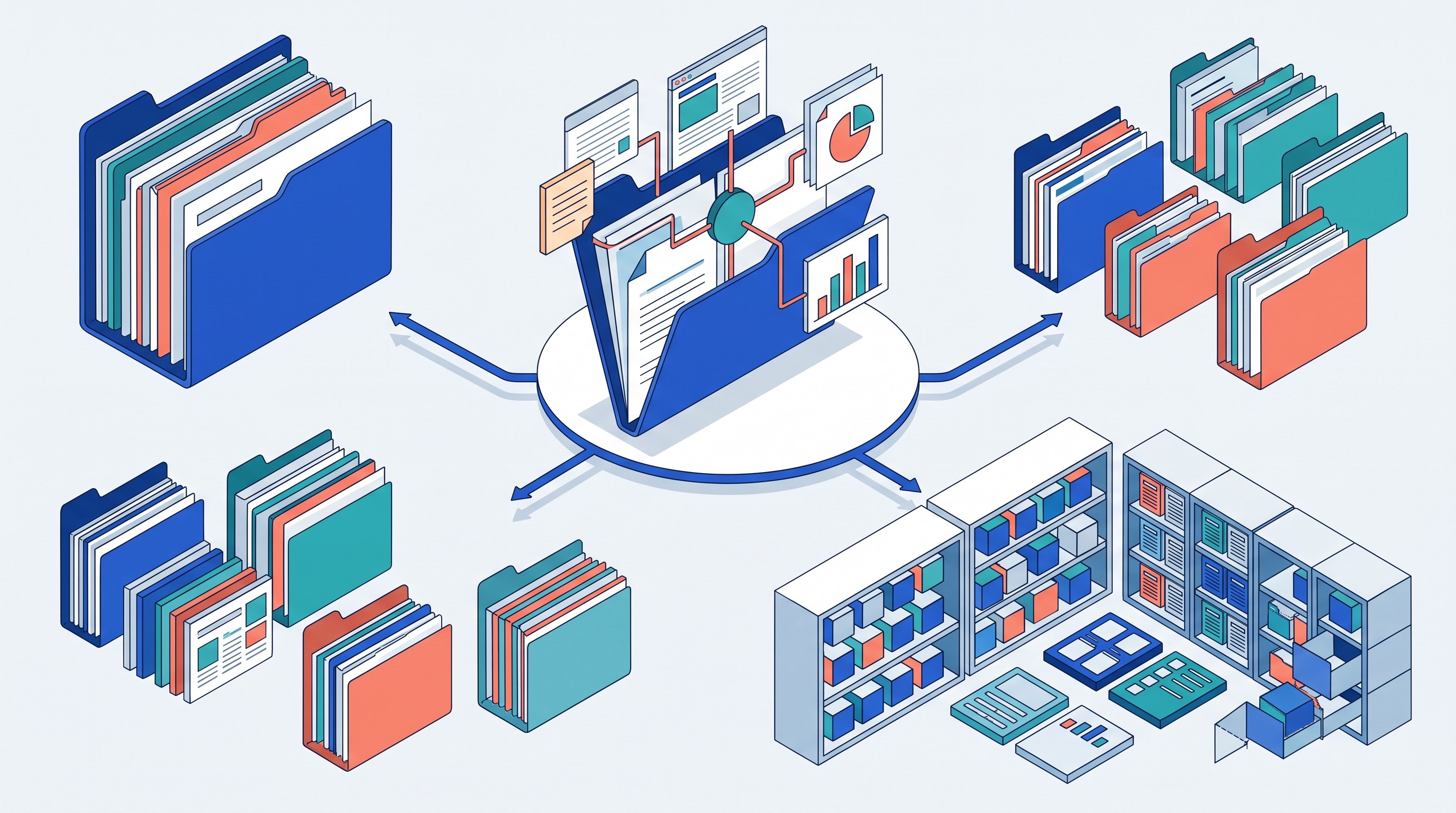
Build a durable multi-source research workspace in Otio so your sources, notes, and cited AI answers remain organized when a Claude Project no longer scales.
FAQ
Q: How many Claude Projects can a free user create?
A: Anthropic’s Projects help page states that free users can create a maximum of five Projects. It does not establish a maximum for paid plans on that cited page.
Q: Does Claude have an unlimited number of files in a Project?
A: Anthropic describes Project files as unlimited in number, provided the total content fits within Claude’s context window. Each individual uploaded file can be up to 30MB.
Q: Is Claude Project knowledge the same as the conversation context window?
A: No. Project knowledge is the reusable source collection, while conversation context includes the current instructions, retrieved material, and conversation history. RAG can load relevant Project content, but a long conversation or unusual request can still encounter context constraints.
Q: Should I replace Claude Projects when my research corpus grows?
A: Not automatically. First remove duplicates, preserve source metadata, and split genuinely different research questions; use a permanent multi-source workspace when you need durable access to mixed formats, citations, notes, and multiple models alongside Claude.
[[OTIO_FOOTER_PROMO:%7B%22title%22%3A%22Keep%20your%20research%20record%20beyond%20Claude%20Projects%22%2C%22description%22%3A%22Bring%20your%20own%20PDFs%2C%20web%20pages%2C%20videos%2C%20podcasts%2C%20and%20notes%20into%20Otio%2C%20then%20use%20Claude%20or%20another%20model%20for%20cited%20analysis.%22%7D]]



