
Named Research Tools
Elicit AI for Literature Reviews: What It Finds and Where to Work With the Papers Next
Use Elicit to find and initially screen literature, then move the papers into a durable workspace for source-grounded reading, comparison, organization, and cited synthesis.

Updated October 21, 2026.
What Elicit is useful for in a literature review
Elicit AI for literature reviews is most useful as a discovery and early-screening layer: it helps find potentially relevant academic papers, extract initial information, and narrow a candidate set. It should not be treated as proof that the search is comprehensive, unbiased, or ready to cite without reading the original papers.
That distinction matters. A literature-review result page can help you decide which papers deserve attention, but the review itself still depends on full-text reading, method appraisal, inclusion decisions, citation context, and researcher judgment.
Elicit fits the first part of the job: turning a research question into a structured set of candidate papers and preliminary extractions. The University of Michigan Library describes Elicit as a tool that “will show relevant papers and summaries of key information about those papers in an easy-to-use table” in its guide to AI in literature reviews (University of Michigan Library).
The risk is stopping there. A defensible literature review is not a ranked list of papers with generated summaries. It is a documented argument about what the sources say, where they agree, where they conflict, how strong the methods are, and what remains uncertain.
As of October 2026, Elicit is not limited to metadata and outbound source links. Its Library documentation says uploaded PDFs are saved in the Library and that Elicit “fetches metadata and full text for the saved papers in the background” (Elicit Library documentation). That makes Elicit more useful for handling saved papers than a search-only interface, but it still does not remove the need to inspect the source text.
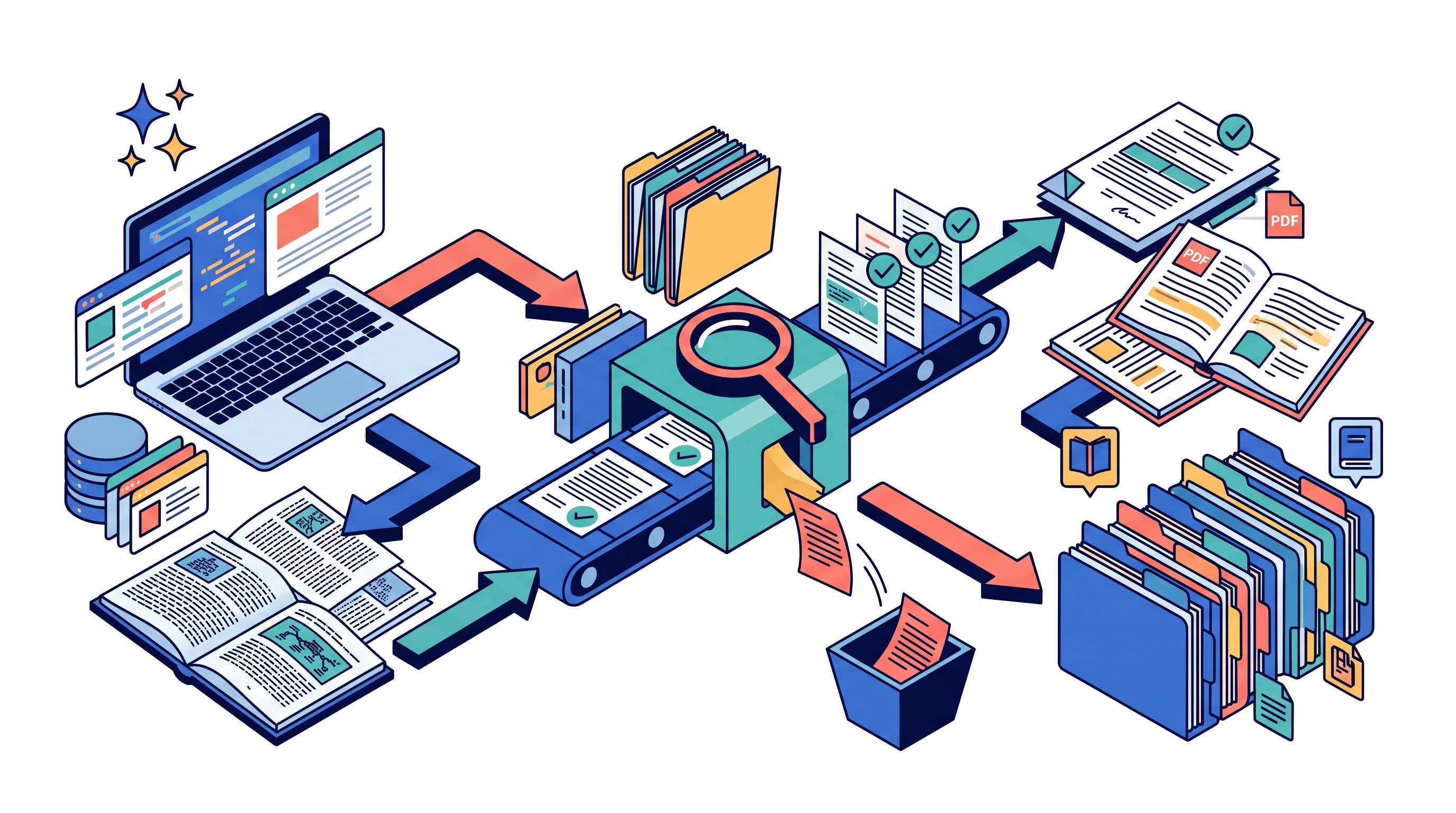
Use Elicit for:
Finding candidate papers when keyword searching is too brittle or when you are exploring a new area.
Initial screening by title, abstract, metadata, and generated extraction fields.
Structured comparison starters such as population, intervention or exposure, outcome, method, and reported finding.
Identifying papers to read next, not deciding what the literature proves.
Do not use Elicit as a stand-alone replacement for database searching, citation chasing, reference management, systematic-review software, or expert methodological review. For broader review structure, Otio’s guide to how to write a literature review covers the standard parts of the review itself; this workflow focuses on the handoff from Elicit discovery to source-grounded synthesis.
How to use Elicit for literature review discovery and initial screening
Start with a bounded research question. If the question is vague, Elicit can still return plausible-looking papers, but the screening decisions will drift.
Before searching, define the concepts that determine whether a paper belongs in the candidate set:
Population or context: Who or what is being studied?
Intervention, exposure, phenomenon, or variable: What is the review centered on?
Comparator, if relevant: What is the intervention or finding compared against?
Outcome or construct: What counts as evidence?
Study type or method: Randomized trial, cohort study, ethnography, policy analysis, review article, modelling paper, legal analysis, and so on.
Date range and geography: Especially important in fast-moving fields, policy research, medical evidence, and technology adoption.
Publication type: Peer-reviewed articles, preprints, reports, guidelines, conference papers, or grey literature.
Then run the Elicit search and inspect the initial results. The point is not to accept its ranking as your inclusion list. The point is to record why each paper appears relevant.
A practical first pass looks like this:
Run the research question in Elicit. Keep the exact wording and date of the search in a log.
Scan the first result set. Note recurring terms, methods, authors, journals, and missing subtopics.
Mark likely includes, excludes, and uncertain papers. Use short reasons, not just labels.
Revise the search question if the results show concept drift. If the papers are about adjacent constructs rather than your actual question, tighten the wording.
Export or save promising papers before deeper reading. Do not rely on the visible result page as the project record.
For the first screening pass, title and abstract are usually enough to remove obviously irrelevant papers. The second pass should move to the full text for papers that look relevant or ambiguous.

The screening log should capture:
Include, exclude, or uncertain.
One-sentence reason.
Whether the decision was made from title, abstract, full text, or citation context.
Whether the paper was found through Elicit, database search, citation chasing, or another route.
Any missing full text or unresolved bibliographic detail.
Use multiple discovery routes when coverage matters. Elicit can support discovery, but it should not stand in for a documented search strategy. Academic databases, subject-specific indexes, citation chasing, reference lists, expert suggestions, and established search strings still matter, especially in medical, legal, policy, and formal evidence-review work.
If the question is closer to systematic-review screening than a narrative literature review, treat the software as one part of the process. The protocol, eligibility criteria, duplicate handling, blinded screening decisions, and audit trail remain methodological requirements. Otio’s overview of systematic literature review structure is a better starting point for that level of rigor than a general AI search workflow.
Move the relevant papers out of a discovery results page
The biggest mistake in AI-assisted literature reviews is letting the discovery interface become the research archive. A search result is temporary, filtered, and hard to audit later. The paper, citation record, notes, and screening decision need to live somewhere more durable.
For each included or promising paper, preserve four things:
The source record: title, authors, journal or venue, year, DOI or stable URL.
The source text: PDF or stable full-text link where available.
The screening decision: included, excluded, or uncertain, with a reason.
The provenance: how the paper was found, when it was found, and which query or route surfaced it.
As of October 2026, Elicit supports several export routes, but the available format depends on the artifact and plan. Elicit’s export documentation says Research Reports can be exported as PDF or Word on all plans; Research Agent tables can be exported as CSV or Excel for Plus and higher subscribers; Systematic Review tables can be exported by Pro, Scale, and Enterprise subscribers; some source tables support RIS and BIB; and the Elicit Library exports as RIS (Elicit export documentation).
That means there are two separate handoffs:
Research-content handoff: reports, tables, extracted fields, and screening information.
Citation-library handoff: references in RIS or BIB for a reference manager.
Do not assume those two handoffs are identical. A citation export may help populate Zotero, Mendeley, EndNote, or another reference manager, but it may not preserve your screening rationale or the full source context. A table export may preserve useful extraction fields but still require citation cleanup.
Elicit also describes a monthly usage pool shared across Research Agent, Reports, and Systematic Literature Reviews on Pro and Scale plans, with higher-tier plans including more usage and optional extra usage controls. Its public usage-limit post does not state prices or numeric quotas in the cited text, so check Elicit’s current plan documentation before building a review schedule around usage assumptions (Elicit usage update).
Treat the export as a handoff, not the finished research record. After export:
Confirm the citation maps to the correct paper. Similar titles, preprints, and revised versions can create errors.
Open the PDF or full-text source. Make sure it is the paper you screened.
Preserve the Elicit extraction separately from your own notes. AI-assisted extraction should be labeled as such.
Attach the screening reason. The future reader should know why the paper was kept.
Save the source file or stable link beside the notes. A citation without recoverable context is weak evidence.
Organize the literature-review corpus for retrieval and comparison
Once the relevant papers leave Elicit, the job changes. Discovery gives way to retrieval, comparison, and synthesis.
Create one project space for the review rather than scattering papers across downloads, browser tabs, a reference manager, and chat transcripts. A strong corpus structure lets you answer questions later without rerunning the same searches.
Organize by research logic, not by the order Elicit returned the papers. Useful dimensions include:
Research question or subquestion: useful when the review has several strands.
Theme: mechanism, intervention type, policy domain, theoretical position, implementation barrier.
Method: randomized trial, observational study, qualitative interview, case study, review, legal analysis, economic model.
Population or sample: age group, profession, country, institution type, disease group, market segment.
Date or evidence period: especially when the literature changes quickly.
Evidence type: primary study, review article, guideline, report, editorial, preprint, dataset, protocol.
In a durable evidence matrix, each paper should have fields for:
Citation.
Research question or theme.
Population, sample, or jurisdiction.
Study design or method.
Intervention, exposure, phenomenon, or claim.
Outcome or object of analysis.
Main finding.
Important limitation.
Relevance to your review.
Page, section, table, or figure location.
Your interpretation.
Confidence or unresolved questions.
This is where a permanent workspace earns its keep. Otio for academic research is designed as a multi-source research workspace for PDFs, web pages, notes, and related evidence in one library. The key distinction is permanence: the corpus remains available for reading, questioning, comparison, and cited drafting after discovery is over.
Keep source-of-record information separate from interpretation. The PDF, bibliographic data, DOI, and page location are source facts. Your judgment about the paper’s strength, relevance, and relationship to other studies is analysis. Mixing those too early makes it harder to audit the synthesis later.
A clean note for each paper might include:
Source record: full citation, DOI or URL, PDF version.
Screening status: included, excluded, uncertain, awaiting full text.
Extraction fields: population, method, outcome, finding, limitation.
Evidence notes: quotations or paraphrases with page context.
Analytical notes: how the paper relates to the review question.
Open questions: missing data, unclear method, unresolved contradiction.
AI-assisted fields: clearly marked if generated or extracted by software.
That last label is not bureaucracy. It keeps later drafting honest. If an extraction came from AI, verify it before building an argument on it.
Read and compare papers with source-grounded questions
Once the corpus is organized, stop asking broad questions like “What does the literature say?” Too much is hidden inside that question. Ask source-grounded questions that force the answer to stay close to the papers.
Good first questions include:
What population or sample was studied?
How was the outcome measured?
What intervention, exposure, or phenomenon is being examined?
What method did the authors use?
What assumptions drive the result?
What limitation do the authors identify?
What limitation is visible from the design even if the authors do not emphasize it?
Which paper uses the closest population to my review question?
Which studies report conflicting findings?
Which disagreements are about data, method, definition, or interpretation?
Compare methods before findings. Two papers can reach similar conclusions with very different evidentiary weight. A small qualitative study, a large administrative-data analysis, and a randomized trial may all speak to the same question, but they do not support the same kind of claim.
When papers disagree, avoid asking AI to decide which one is “right.” A better workflow is to place the claims side by side with citations, then inspect the original passages.
For each disagreement, compare:
Population: Are the samples actually comparable?
Setting: Are country, institution, market, or time period differences doing the work?
Definition: Do the papers define the key construct in the same way?
Measurement: Are they using the same outcome measure?
Design: Is one study causal, descriptive, interpretive, or exploratory?
Follow-up period: Are short-term and long-term findings being conflated?
Controls or covariates: Did one analysis account for confounders the other ignored?
Author limitation: What do the authors say should not be inferred?

Use a claim-to-source workflow:
Write the claim in plain language.
Attach the supporting paper or papers.
Record the page, section, table, or figure.
Note whether the evidence is direct or inferential.
Add uncertainty.
Check whether another source complicates the claim.
For example, “Intervention X improves outcome Y” is a stronger and riskier claim than “Three included studies reported improvements in outcome Y after intervention X, but the studies used different follow-up periods and measurement instruments.” The second version is less elegant, but it is closer to the evidence.
If the review depends heavily on source comparison, a literature matrix helps prevent false synthesis. Otio’s guide to the literature review matrix covers the matrix format as a reusable structure; the important part here is that every comparison field should trace back to a paper and location.
[[OTIO_INLINE_PROMO:%7B%22title%22%3A%22How%20do%20these%20papers%20actually%20disagree%3F%22%2C%22description%22%3A%22Add%20your%20literature-review%20PDFs%20to%20Otio%20and%20compare%20methods%2C%20samples%2C%20findings%2C%20and%20limitations%20with%20source-grounded%20questions.%22%7D]]
Where Otio fits after Elicit
Use Otio after Elicit as the durable workspace for the papers and related evidence. Do not use it as a replacement for Elicit’s discovery layer, academic databases, reference managers, systematic-review software, or expert review.
A practical Elicit-to-Otio workflow looks like this:
Use Elicit to find and initially screen candidate papers.
Save or export the relevant records and obtain PDFs or stable links where available.
Bring the source material into Otio’s library.
Group the review in a dedicated project space.
Read the papers in context, asking questions about specific passages.
Extract methods, samples, findings, limitations, and disagreements with citations.
Save important selections and interpretations into notes.
Draft the synthesis only after the evidence structure is built.
Otio’s AI PDF reader is useful at the reading stage because the PDF stays available for inspection while you ask questions about the paper. That matters when the question is narrow: “What exclusion criteria did this study use?” or “Where do the authors define the outcome variable?” is a better task than asking for a free-floating summary.
For multi-source review work, keep questions small and repeatable:
Extract the study design from every included paper.
Identify the population and sample size where stated.
Pull the outcome definition and measurement instrument.
List author-stated limitations.
Compare two papers’ methods before comparing their findings.
Identify which claims are supported by full-text evidence rather than only abstracts.
Save key passages into notes with provenance.
Otio also supports multiple AI models, which can be useful when a difficult extraction deserves a second pass. Model variation is not proof of accuracy. It is a way to surface ambiguity, compare readings, and decide what to inspect in the original paper.
The workflow is strongest when the notes separate four layers:
What the paper says.
What the paper supports.
What several papers collectively suggest.
What remains uncertain or contested.
That separation prevents the common AI-writing failure where a synthesis sounds coherent but quietly flattens differences between methods, populations, and levels of evidence.
If the original source set includes more than PDFs, Otio’s library can also hold web pages, notes, documents, audio, video, and other files. That is useful for policy reviews, legal research, market analysis, medical background work, and interdisciplinary projects where peer-reviewed papers sit beside guidelines, reports, transcripts, or webpages.
The most useful next action is simple: bring the papers and source material from the Elicit search into Otio, organize them in one research library, and compare them with cited answers across multiple AI models.
Quality control before citing the synthesis
AI-assisted literature review work fails in predictable ways. The answer looks plausible, the citations look reassuring, and the underlying sentence is not actually supported by the paper.
Before citing any synthesis, verify every important claim against the original source. Pay special attention to:
Numerical results.
Causal language.
Sample characteristics.
Inclusion and exclusion criteria.
Follow-up periods.
Outcome definitions.
Limitations.
Claims derived from tables or figures.
Statements that combine multiple papers into one conclusion.
A citation is not enough if the context is unrecoverable. Preserve the page number, section name, table or figure number, DOI or URL, and exact source version used. If quoting, preserve the exact passage and check it against the PDF.
Look for common AI errors:
Conflation: attributes one paper’s finding to another paper.
Abstract overreach: treats an abstract summary as full evidence.
Unsupported inference: states a conclusion the authors did not make.
Citation mismatch: cites a paper that is related but does not support the sentence.
Method flattening: treats studies with different designs as equivalent.
Scope creep: answers a broader question than the review actually asks.
False agreement: smooths over contradictory findings to produce a cleaner narrative.
Maintain the review audit trail if the work needs to be reproducible. That means keeping search dates, query variations, databases or tools used, inclusion and exclusion decisions, duplicate handling, full-text availability, and reasons for uncertain decisions.
For formal systematic reviews, follow the relevant protocol, reporting guidance, screening process, and specialist review methods. Neither Elicit nor Otio independently guarantees comprehensive retrieval, unbiased screening, or publication-ready conclusions.
A good final pass asks:
Can every major claim be traced to a source and location?
Are methods compared before findings?
Are disagreements explained rather than erased?
Are AI-assisted extractions labeled and checked?
Are excluded papers documented when the review requires it?
Are limitations stated in proportion to the evidence?
Would another researcher understand how the source set was built?
That is the line between a faster literature-review workflow and a weaker one. Elicit can help find and structure candidate evidence. The review becomes credible only when the papers are preserved, read, compared, and cited in context.
FAQ
Q: Can Elicit replace database searching for a literature review?
A: No. Elicit can help find and initially screen potentially relevant papers, but it does not guarantee comprehensive or unbiased coverage. Use additional databases, citation chasing, documented criteria, and researcher judgment when coverage matters.
Q: Does Elicit work with full-text PDFs?
A: Yes. As of October 2026, Elicit’s Library documentation says uploaded PDFs are saved and that Elicit fetches metadata and full text for saved papers in the background. Check the original paper before relying on any generated extraction or summary.
Q: How can I export papers or results from Elicit?
A: As of October 2026, Elicit supports different export routes by artifact and plan, including PDF or Word reports, CSV or Excel tables, and RIS or BIB references. Confirm the current options in Elicit’s export documentation before planning a handoff.
Q: Why move Elicit papers into another research workspace?
A: A discovery tool’s result page is not always a durable project record. A workspace such as Otio can keep PDFs, web pages, notes, provenance, cited answers, and comparisons together as the review develops.
[[OTIO_FOOTER_PROMO:%7B%22title%22%3A%22Apply%20this%20workflow%20to%20your%20own%20sources%22%2C%22description%22%3A%22Bring%20your%20Elicit%20papers%2C%20PDFs%2C%20links%2C%20and%20screening%20notes%20into%20Otio%20to%20organize%20evidence%20and%20draft%20a%20cited%20synthesis%20you%20can%20verify.%22%7D]]



