
Personal Knowledge Management
Personal Knowledge Management for Researchers: A Source-to-Notes Workflow
Build a personal knowledge management system that turns papers, webpages, and annotations into searchable research notes. Follow a practical source-to-notes workflow with clear evidence, context, and retrieval steps.

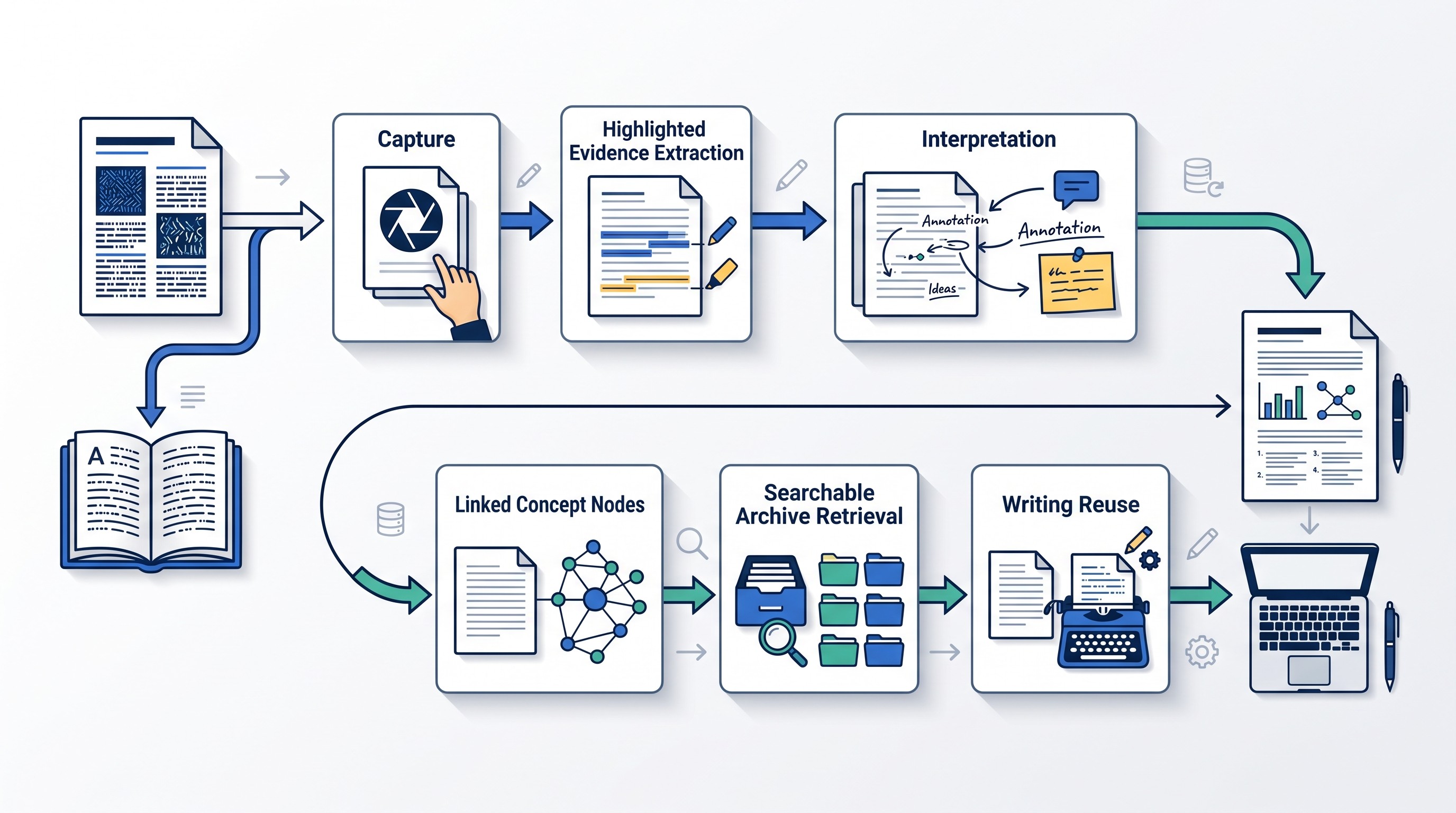
Personal knowledge management is the repeatable system a researcher uses to turn sources into usable knowledge: collect the source, preserve context, extract evidence, write an interpretation, connect it to a research question, and retrieve it when drafting.
The failure point is rarely “not enough notes.” It is having highlights, PDFs, links, and AI summaries scattered across tools with no record of why a passage mattered or how it supports a claim.
The practical fix is to build a source-to-notes workflow before choosing software. Start with one active research question, process each source into evidence and interpretation, then review only the notes that help answer the question.
What personal knowledge management means for researchers
For researchers, personal knowledge management is not a prettier notes folder. It is a system for collecting, interpreting, connecting, and retrieving knowledge for future research decisions and writing.
That distinction matters. A folder stores files. A note-taking app stores text. A personal knowledge management system preserves source context, records your interpretation, and makes ideas findable later.
The core loop looks like this:
Source discovery: find papers, reports, books, webpages, datasets, transcripts, or primary materials.
Capture: save the source and its citation details.
Processing: read with a question, extract evidence, and note limitations.
Synthesis: connect evidence across sources.
Retrieval: search by question, concept, method, or project.
Reuse: turn verified notes into literature reviews, memos, grant sections, articles, or decisions.
That loop is also why the best personal knowledge management system is not the most elaborate one. It is the one a researcher can maintain across projects without losing provenance.
Provenance is the chain that tells you where a claim came from: source, author, date, page or location, method, context, and your reason for using it. Once provenance disappears, notes become risky. You may remember the idea but not whether it came from a peer-reviewed study, a preprint, a textbook, a blog post, or your own inference.
A paper hosted by the American Society for Engineering Education makes the same broad point: academic PKM goes beyond merely organizing research notes and becomes useful when notes are connected to larger ideas and writing (ASEE conference paper).
If you are mainly comparing categories of apps, see the separate guide to personal knowledge management software. This article is about the workflow: how to move from source to note to draft without breaking the evidence trail.
Start with a source-to-notes workflow, not an app
The recommended sequence is simple:
Save the source.
Preserve citation details.
Read with a question.
Capture evidence.
Write an interpretation.
Connect it to an active research problem.
Schedule retrieval or review.
Do not begin by designing a complex “second brain.” Begin with the path a source must travel before it becomes useful in writing.
For every important source, keep three separate records:
Record | What it contains | Why it matters |
|---|---|---|
Source metadata | Author, title, date, publication, DOI or URL, access date if needed | Prevents citation cleanup from becoming detective work |
Evidence notes | Claim, passage, page or location, method/context, limitations | Preserves what the source actually supports |
Researcher synthesis | Your interpretation, connection to questions, comparison with other sources, possible use | Turns information into knowledge you can reuse |
The separation prevents a common failure: treating an extracted passage, an AI summary, and your own conclusion as if they were the same thing. They are not.
A useful source note should answer five questions:
What claim is being made?
What passage, page, figure, or section supports it?
What is the method, setting, population, genre, or evidentiary context?
What are the limitations or conditions?
Why does this matter to the current project?
A paper might be valuable because it defines a concept, uses a method worth adapting, contradicts a dominant claim, supplies historical context, or gives language for a literature review. Capture that reason. Future-you will not remember it.
The template tradeoff: structure versus friction
Templates help when they prevent missing information. They hurt when they turn reading into data entry.
Too little structure produces unusable notes:
“Good point about trust.”
“Useful for intro.”
“Contradicts Smith.”
“Interesting method.”
Those notes feel efficient while reading, then fail during drafting.
Too much structure creates a different problem. If every source requires twenty fields, you will delay note-making until later. Later becomes never. The inbox grows, the reading context fades, and the system becomes a warehouse.
Use the smallest template that preserves evidence and interpretation. Add fields only after a real retrieval failure. If you could not find the method, add a method field. If you forgot whether a claim was verified, add a confidence field. If tags proliferated, remove most of them.
A working minimum looks like this:
Field | What to write |
|---|---|
Claim | The source’s claim, not your conclusion |
Evidence | The supporting passage, figure, table, or section |
Location | Page, paragraph, timestamp, section heading, or URL fragment |
Context | Method, population, jurisdiction, discipline, genre, or assumptions |
Limitation | What the source does not show |
Interpretation | Your reading in your own words |
Connection | Question, concept, source, or project this relates to |
Possible use | Literature review, methods section, counterargument, background, decision |
Confidence | Verified, needs checking, weak support, strong support |
For a narrower setup focused on sources, notes, and citations, see the companion workflow for a research paper organizer.
Use note types that preserve evidence and interpretation
A research PKM system works better when different notes do different jobs. The goal is not to create taxonomy for its own sake. The goal is to keep raw material, interpretation, and synthesis from collapsing into one ambiguous blob.
Use five note types.
1. Source notes
A source note records what one document says. It should stay close to the document.
Use it for:
Bibliographic details
Main argument or purpose
Evidence excerpts
Page numbers or locations
Methods and limitations
Terms the author uses
Your immediate reading questions
A source note is not the place to settle the entire debate. It is the place to keep the source accountable.
2. Concept notes
A concept note records a durable idea that may outlive one project.
Examples:
“Algorithmic accountability”
“Retrieval practice”
“Procedural justice”
“Ecological validity”
“Citation context”
“Public trust in institutions”
A concept note should link to sources that define, support, challenge, or apply the concept. It should also state where the concept is being used differently across fields.
3. Question notes
A question note holds an unresolved research problem.
Examples:
“When do AI summaries distort methodological limitations?”
“Which interventions improve retention without increasing study time?”
“How do courts distinguish contribution from authorship?”
“What counts as reliable evidence in this policy debate?”
Question notes are useful because they organize uncertainty. They prevent premature synthesis.
If the research question itself is still vague, use a formal question-building process first. Otio has a separate guide on how to write a research question.
4. Synthesis notes
A synthesis note connects multiple sources.
Use it when you can say:
Source A supports Source B under similar conditions.
Source A contradicts Source B because the population differs.
Source C defines a concept that Source D applies.
Several papers use the same method but reach different conclusions.
One source supplies the mechanism, another supplies the boundary condition.
A synthesis note is where writing begins. It should contain your argument, not just a bundle of excerpts.
5. Project notes
A project note is temporary and practical. It holds deliverables, deadlines, collaborators, draft structure, next actions, and decisions.
Project notes are allowed to be messy because projects are messy. The mistake is using project folders as the only organizing layer. When the project ends, the useful ideas should still be reachable through questions and concepts.
Mark quotations visibly and write interpretations yourself
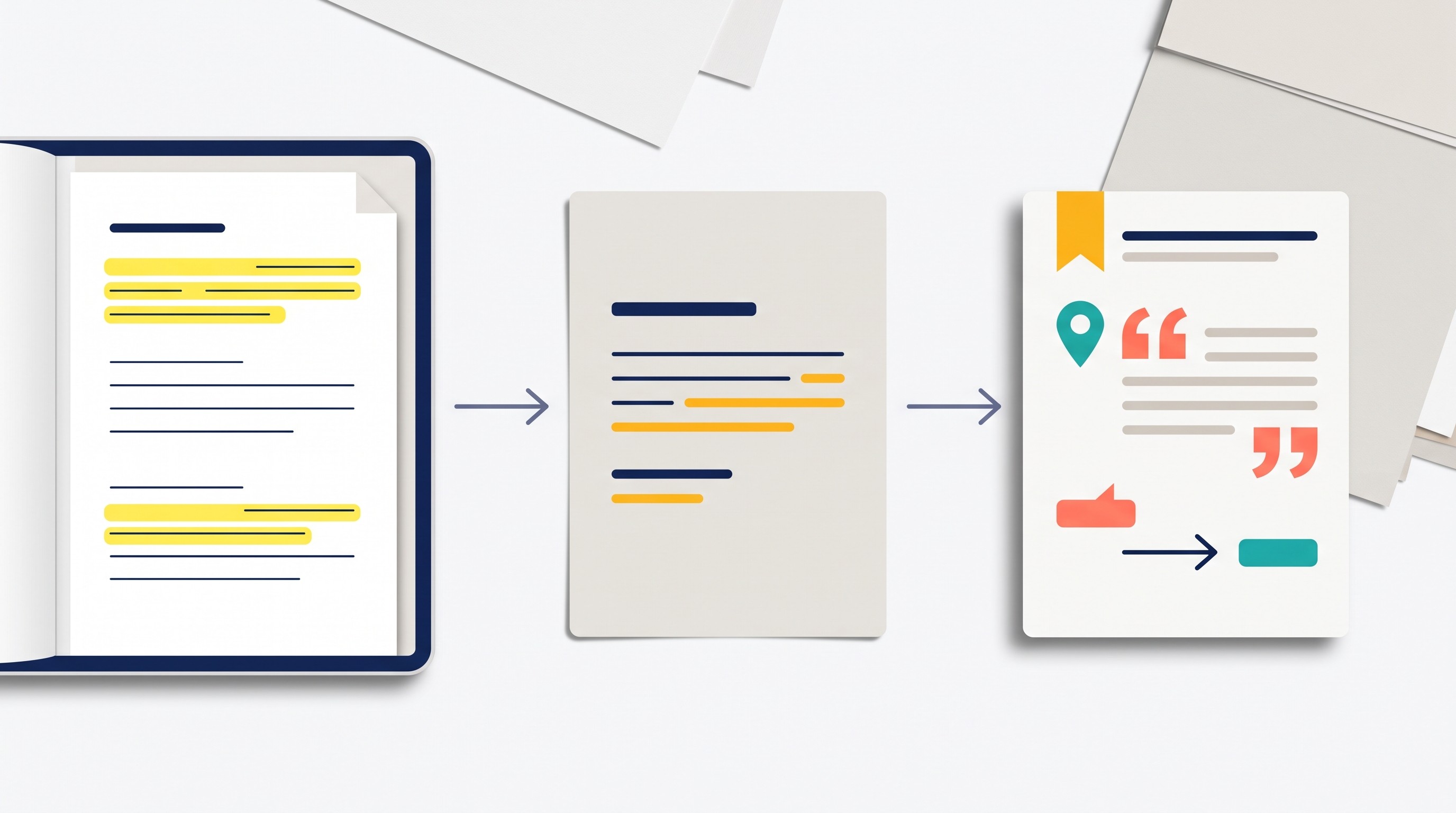
Exact quotations should be visibly marked and tied to page numbers or stable locations. Paraphrases and interpretations should be written in your own words.
That discipline prevents two problems. First, it reduces accidental plagiarism. Second, it makes retrieval more meaningful because the note records how you understood the source, not only what the source said.
An isolated summary is weaker than a contextual evidence note. “This article says remote work improves productivity” is not enough. Future retrieval requires the conditions: whose productivity, measured how, in what setting, compared with what, and with what limitations.
A reusable evidence-note schema
Use this schema for sources that might appear in writing:
Field | Example entry |
|---|---|
Claim | The source argues that a structured review process improves consistency in research decisions. |
Evidence | The relevant discussion appears in the methods or recommendations section. |
Source | Author, title, publication, year, DOI or URL. |
Location | Page, section heading, paragraph, timestamp, or figure/table number. |
Context | Type of study or document; discipline; population or materials; assumptions. |
Limitation | Does not test all possible settings; may apply only to the studied context. |
Interpretation | This supports the need for a repeatable review routine, but not a specific software choice. |
Related concepts | Evidence management; review workflow; reproducibility; citation context. |
Confidence | Medium until checked against the original passage during drafting. |
Possible use | Methods rationale or workflow design section. |
Here is a worked example using a hypothetical literature claim:
Field | Filled example |
|---|---|
Claim | Structured annotation helps researchers return to evidence more reliably than unstructured highlighting. |
Evidence | The source discusses annotation categories and later retrieval duringfólio analysis. |
Source | Placeholder: article on annotation practices in graduate research. |
Location | Methods discussion, page range to be filled after checking the PDF. |
Context | Qualitative study of graduate researchers’ reading workflows. |
Limitation | Does not measure long-term writing outcomes; based on self-reported workflow behavior. |
Interpretation | Useful for arguing that annotation should capture purpose and context, not only interesting passages. |
Related concepts | Annotation; literature review workflow; source provenance. |
Confidence | Needs verification before citation. |
Possible use | Section explaining why raw highlights are insufficient. |
Notice what the example does not do. It does not invent a quotation, statistic, author, or page number. If the location is missing, the note says so. That is better than allowing uncertainty to harden into a claim.
[[OTIO_INLINE_PROMO:%7B%22title%22%3A%22Can%20you%20turn%20each%20excerpt%20into%20an%20evidence%20note%3F%22%2C%22description%22%3A%22Capture%20a%20passage%20from%20a%20PDF%20or%20webpage%2C%20ask%20about%20its%20context%2C%20and%20save%20the%20result%20to%20a%20note%20alongside%20the%20source.%22%7D]]
Connect notes around questions, concepts, and projects
Research notes should be connected by relationships that help answer questions. The useful relationships are usually verbs:
Supports
Contradicts
Defines
Applies to
Raises
Limits
Extends
Uses the same method as
Depends on
Is evidence against
A tag that says “AI” or “history” may help broad filtering, but it rarely explains the relationship. “Contradicts because the population differs” is more useful than another broad tag.
Use questions and concepts as durable anchors. Use projects as temporary workspaces.
For example, a project might be “conference paper on AI note-taking.” Its durable anchors might include “citation context,” “AI summarization risk,” “researcher interpretation,” and “source verification.” When the conference paper is done, those concept notes remain useful for a grant proposal, class lecture, or article.
Keep contradictory evidence separate
Do not force competing findings into one conclusion too early.
When evidence conflicts, preserve each source’s:
Population or sample
Method
Data source
Definition of the key concept
Time period
Assumptions
Outcome measure
Scope
Contradiction is often where the research value is. Two sources may disagree because one studies undergraduate learning and the other studies expert performance. Or because one measures immediate recall and the other measures long-term transfer. Or because one is theoretical and the other empirical.
A good synthesis note can say: “These sources appear to conflict, but the disagreement may come from differences in method and outcome definition.” That is a stronger note than pretending the literature has one clean answer.
Use a controlled vocabulary, not a tag explosion
Tags become useless when every interesting phrase becomes a tag. A small controlled vocabulary works better.
Start with four tag families:
Tag family | Example tags |
|---|---|
Project |
|
Method |
|
Discipline or domain |
|
Evidence status |
|
Use links for meaning and tags for filtering. A link should help answer a future question, compare evidence, or locate material for a draft. If a connection cannot do one of those jobs, it is probably decorative.
When a missing connection reveals that you need more literature, return to discovery. The guide to Google Scholar search tips is useful at that stage, especially for moving from a known paper to related work.
Make retrieval part of the system
Retrieval is not passive search. It is an active research step:
Search by concept, question, method, or project.
Review related notes.
Inspect the original source.
Compare evidence across notes.
Verify citation context.
Record how the material was used in the draft.
The last step is easy to skip and expensive to lose. If a note influenced a paragraph, argument, coding decision, or literature review section, record that use. Later revisions become much easier.
Use a weekly or project-based review
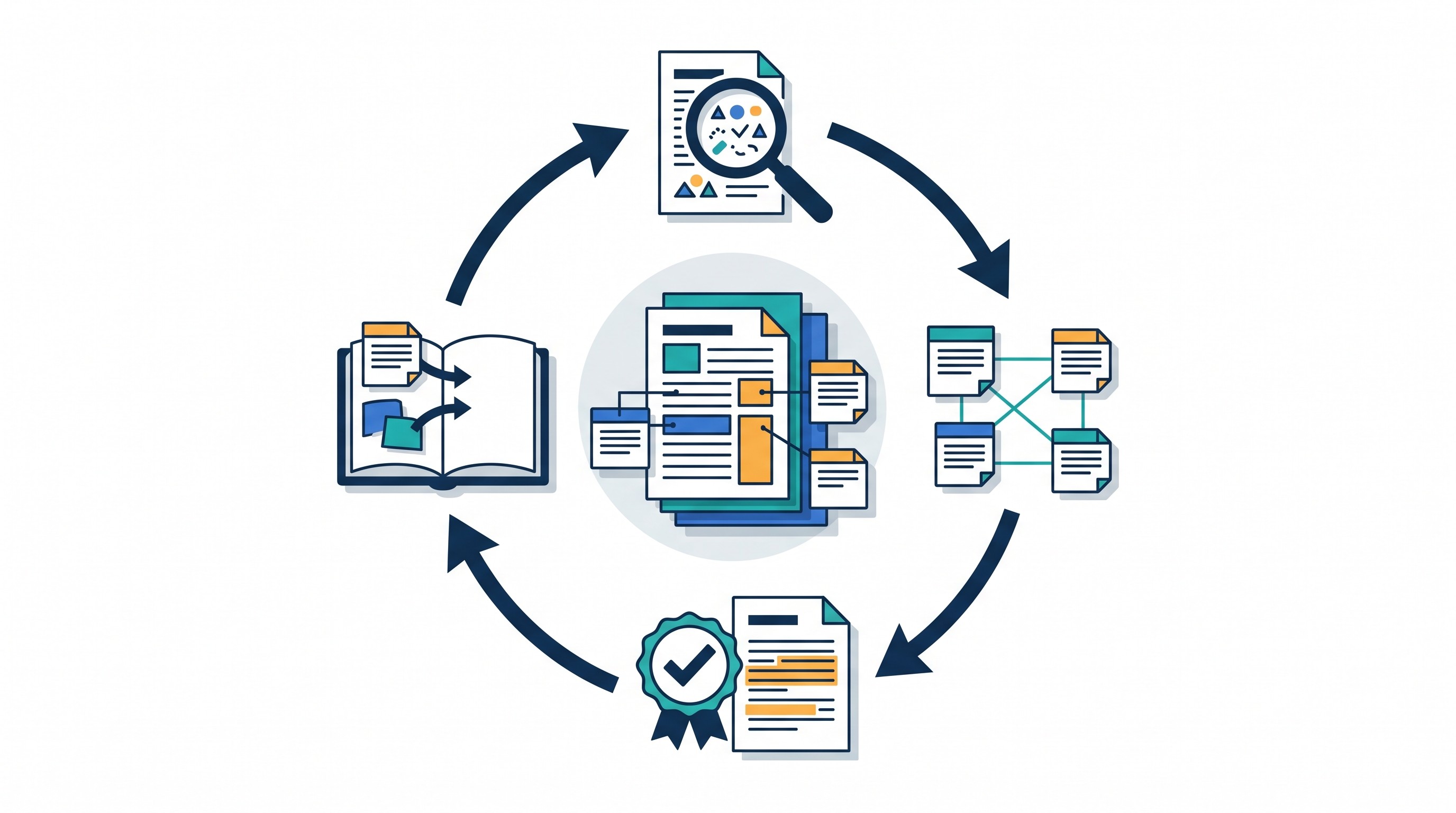
A review is where the system stays alive. It does not need to be long. It does need a stopping rule.
During review, process only what helps current research questions:
Empty the source inbox for the active project.
Convert raw highlights into evidence notes.
Resolve orphan notes with no project, question, or concept.
Verify citations for notes likely to enter a draft.
Move uncertain claims into a “needs verification” queue.
Identify evidence gaps before writing.
Do not reorganize the entire archive. That is procrastination with a better interface.
A project-based review is often better than a weekly review when deadlines are real. Before drafting a literature review, review only the notes connected to that review’s research questions. Before submitting a manuscript, review only the claims that appear in the draft.
Treat AI summaries as triage, not evidence
AI-generated summaries and classifications can speed reading triage. They can help identify sections, produce a rough map of a document, or suggest related concepts.
They cannot replace checking the original passage.
The failure mode is subtle. A summary may correctly capture the gist while flattening the method, overstating the conclusion, dropping caveats, or blending the paper’s claim with background material. That is dangerous because the output looks clean.
Use AI outputs as provisional. Before citing or relying on a claim, inspect:
The original passage
The page or section
The author’s exact wording
The method or evidentiary basis
The limitation or scope condition
Whether the claim is the author’s finding or someone else’s cited background
Keep a short needs-verification queue. That queue protects the system from silent drift, where uncertain material becomes confident prose simply because it has been copied into a clean note.
If you are evaluating automated source-summary tools, the separate guide to Scholarcy alternatives for academic reading and source summaries covers that product category. The workflow here stays the same no matter which summarizer is used: verify before reuse.
Choose tools that reduce handoffs without hiding provenance
Choose tools by workflow requirements, not feature count.
A research PKM setup needs:
Reliable source import for PDFs, webpages, books, transcripts, and notes
Readable document views
Searchable notes
Citation context and source locations
Easy capture from reading surfaces
Export options
Privacy and access controls
Low-friction review
A way to separate raw source material from your own synthesis
The right tool depends on the bottleneck.
If the priority is... | Use this as the center of gravity |
|---|---|
Formal bibliographic control | Reference manager |
Synthesis and retrieval | Note system or PKM workspace |
Heavy PDF reading | PDF reader with annotations and export |
Source-grounded AI triage | AI research workspace with citations and document access |
Collaboration | Shared project workspace with permissions |
Long-term archive | Exportable, portable notes and source files |
Reference managers such as Zotero, Mendeley, and EndNote are strong when citation metadata, bibliographies, and library organization are the main risk. They are not always enough for synthesis because they are built around sources more than evolving ideas.
A note system such as Obsidian, Logseq, Notion, Tana, or Roam can be strong for concepts and links. The risk is that citations and source locations may require discipline or plugins.
An all-in-one research workspace is useful when handoffs are the bottleneck. If reading happens in one place, AI triage in another, notes in a third, and citations in a fourth, each copy-paste step creates loss. Page numbers disappear. Quotes detach from sources. Draft notes become unverified.
Otio is one implementation of the combined approach. Its Library accepts PDFs, DOCX files, EPUBs, webpages, YouTube videos, audio, video, images, notes, and links. Its reader views support text selection, and selected text can be copied, quoted into chat, or saved into notes. Spaces can group chats, notes, folders, and links by project.
That can reduce the handoff between reading, asking questions, and writing durable notes. It does not remove the researcher’s responsibility. A unified library does not automatically create good knowledge connections. The researcher still needs to write interpretations, preserve source locations, and review AI outputs.
Otio also connects with Zotero and Mendeley on paid tiers, which can support a combined workflow: keep the reference manager as the citation source of truth, and use the research workspace for reading, extraction, synthesis, and project notes. If Zotero is already central to your library, the Zotero integration is the relevant path to evaluate.
A useful decision rule:
Use a reference manager when formal bibliographic control is the priority.
Use a note system when synthesis and retrieval are central.
Use a combined workflow when both matter and handoffs are causing lost context.
For a broader tool comparison, use the guide to personal knowledge management software. Do not let tool comparison become a substitute for processing the next source.
Build the smallest personal knowledge management system you can sustain
Start with the smallest system that can survive a busy week:
One inbox for unprocessed sources.
One source record template for metadata and citation context.
One evidence-note template for claims, passages, locations, interpretation, and confidence.
A small set of project spaces for active deliverables.
A weekly or project-based verification review.
Process one active research question first. Do not migrate your entire archive.
A good first setup looks like this:
Create a project space or folder for one current question.
Add 5 to 10 relevant sources.
For each source, write at least one complete evidence note.
Link each evidence note to the question it helps answer.
Create one synthesis note comparing the sources.
During review, verify the claims most likely to appear in writing.
Draft one paragraph using only verified evidence notes.
Record which notes were used.
The first review should be ruthless. Remove fields that create friction. Remove tags that do not help retrieval. Add only the structure that prevented a real failure.
For example:
Could not find the page number? Add a required location field.
Could not tell whether a note was your idea or the author’s? Separate quotation, paraphrase, and interpretation.
Could not find counterevidence? Add an evidence-status tag.
Could not resume after two weeks away? Add a project decision log.
Could not cite cleanly? Tighten the source metadata record.
Success is not the number of notes collected. Success is whether the system helps answer a question, support a claim, find a source, compare evidence, or resume work after time away.
The next action is deliberately small: choose one current research question and convert the next source you read into a complete evidence note using the schema above. If that note can be retrieved, verified, and used in a draft, the system is working.
FAQ
Q: What is the difference between personal knowledge management and note-taking?
A: Note-taking records information. Personal knowledge management adds interpretation, connections, retrieval, and reuse, while preserving the source context needed to verify claims later.
Q: What should a research knowledge management system contain?
A: It should contain source metadata, evidence notes with locations, researcher-written interpretations, links to related questions or concepts, project context, and a review process for verification and reuse.
Q: Do researchers need a complex second-brain system?
A: No. A small system with an inbox, consistent evidence notes, searchable project spaces, and regular review is usually more sustainable than a complex architecture that creates capture and maintenance friction.
Q: Can AI replace the researcher’s note-making process?
A: AI can help summarize, search, and organize documents, but it should not replace checking the original source or recording your own interpretation. Preserve provenance and verify any claim before using it in research writing.
[[OTIO_FOOTER_PROMO:%7B%22title%22%3A%22Apply%20this%20workflow%20to%20your%20next%20research%20source%22%2C%22description%22%3A%22Add%20a%20PDF%2C%20webpage%2C%20or%20transcript%20to%20Otio%2C%20preserve%20its%20context%2C%20and%20turn%20selected%20evidence%20into%20notes%20you%20can%20retrieve%20while%20drafting.%22%7D]]



