
Document Review
7 AI Tools That Help You Review Documents in Less Than 30 Minutes
Learn how to have AI review a document using 7 powerful tools that help you analyze, edit, and improve files in under 30 minutes.

Staring at a 50-page contract at 4 PM on a Friday, knowing you need to catch every detail before Monday's meeting, sounds familiar? AI document review has transformed this dreaded task from a marathon into a sprint, letting professionals analyze contracts, research papers, and reports with unprecedented speed. Seven powerful AI tools can help complete document reviews in less than 30 minutes, turning what used to consume entire afternoons into tasks manageable during a lunch break.
Modern AI assistants extract key insights, summarize lengthy sections, and organize findings in one centralized location. Instead of toggling between multiple applications while losing track of critical details, these tools highlight what matters most and provide contextual understanding. Whether reviewing legal documents, academic papers, or business reports, the right AI solution enables faster completion while improving information retention, and Otio stands out as a comprehensive AI research and writing partner for professionals who need to process documents quickly without missing essential information.
Table of Contents
Why Students and Professionals Struggle to Review Documents Quickly
7 AI Tools That Help You Review Documents in Less Than 30 Minutes
Summary
AI document review tools can process thousands of pages in minutes, identifying patterns and errors that would take human reviewers hours to find manually. The speed advantage isn't just about faster reading; it's about surfacing structural problems, weak transitions, and inconsistencies that slip through when you're reading sequentially rather than analyzing the entire document at once.
Most document reviews take too long because people try to read, edit, and analyze simultaneously. This cognitive overload forces your brain to constantly switch among comprehension, evaluation, and correction, with each task slowing the others. According to business.com, 48% of workers struggle to find files they need, and that same disorganization shows up inside documents when there's no clear process for what to look for first, second, and third.
Manual review doesn't just consume time; it drains accuracy through hidden loops that restart the process without you noticing. You fix a typo and re-read the paragraph to confirm flow. You revisit an earlier section because something doesn't align. Research from Longeye found that manual review processes can take 40 to 60 hours per case for medium-sized investigations, with much of that time spent re-reading sections and verifying details scattered across multiple documents.
The gap between AI productivity promises and actual outcomes comes from misuse, not capability. Foxit Software Research found that 89% of executives say AI boosts productivity, yet those same executives gain just 16 minutes per week. The disconnect happens when people expect AI to speed up their existing process instead of changing the process itself, pasting documents into tools, and asking them to "make this better" without first specifying what to look for.
The shift from 90-minute reviews to 30-minute reviews isn't about working faster on the same tasks. It's about eliminating the tasks that consume time without improving quality. Grammar checking, sentence rewriting, style analysis, and source verification used to require multiple passes through a document. When these happen in parallel through AI tools, you can focus on the parts that actually need human judgment, like logic, argument strength, and whether the document achieves its purpose.
Research workflows that fragment document review across multiple tools create friction that multiplies review time, as you lose track of which version contains which edits and spend mental energy remembering what you've already covered. Otio AI addresses this by consolidating sources into a single workspace, where AI extracts key insights, highlights relevant sections, and answers questions grounded in your uploaded material, with citations showing exactly where the information lives.
Why Students and Professionals Struggle to Review Documents Quickly
Most document reviews take too long because people read, edit, and analyze simultaneously. Your brain can't process content while checking structure, verifying accuracy, and fixing errors. This overlap creates mistakes, re-reading, and wasted time.
🎯 Key Point: Multitasking during document review is the primary reason why students and professionals struggle with efficiency. When you try to comprehend content while simultaneously editing and fact-checking, your cognitive load becomes overwhelming.
"The human brain cannot effectively process multiple complex tasks simultaneously, leading to decreased accuracy and increased processing time during document analysis." — Cognitive Psychology Research, 2023
⚠️ Warning: This scattered approach doesn't just slow you down, it actually reduces the quality of your review. Critical errors slip through because your attention is divided across too many tasks at once.
You Start Without a Clear Process
Most people open a document and immediately start reading from the beginning without a plan. You read a section, notice an error, fix it, then continue. A few paragraphs later, you need to check something earlier, so you scroll back up and re-read sections you've already reviewed.
According to business.com, 48% of workers struggle to find files they need. Without a clear process for prioritisation, you treat every sentence with equal weight. Small formatting issues receive the same attention as major logical gaps, turning a 30-minute task into hours of work.
You're Editing While Reading
Most people read a sentence, edit it immediately, re-read to confirm, then continue. This constant switching between reading and editing mode creates friction: your brain shifts gears every few seconds, and that shift costs time.
Reading requires pattern recognition and comprehension. Editing requires critical evaluation and decision-making. Attempting both simultaneously undermines efficiency: you miss errors while focused on meaning, or miss meaning while focused on errors.
You Get Stuck in Small Details
Most people fix punctuation early, rewrite single sentences repeatedly, and spend minutes on one paragraph. Small fixes don't move the document forward: they don't improve clarity, strengthen arguments, or catch structural problems. They consume time without meaningful benefit.
Rev Survey found that 34% of legal professionals spend 60+ hours per case reviewing evidence, much of it re-reading sections, tracking references, and verifying details scattered across documents. This pattern appears in academic papers, business reports, and research reviews. Without a system for prioritizing what matters, you treat every detail as equally important.
Why does document review take so long?
One unclear sentence makes you reread it. One small change makes you double-check. One doubt makes you start over. Multiply that across pages, and a quick review takes one to two hours, not because the document is difficult, but because you repeat the process. The problem isn't the content itself; it's how you must do the work.
How do multiple sources multiply the problem?
When working across multiple sources, PDFs, research papers, or lengthy reports, that friction multiplies. You jump between tabs, lose track of which version you're reviewing, and spend mental energy remembering what you've already covered.
Tools like Otio consolidate sources into a single workspace, where AI extracts key insights, highlights relevant sections, and pinpoints specific information within your documents. Instead of hunting through files, you ask questions and receive answers based on your material, with citations that show exactly where the information came from.
The real cost of this scattered approach is the mistakes that slip through when attention is divided.
Related Reading
AI Document Review
What Is Document Review In Research
How Long Does A Document Review Take
Which Platform Offers AI-powered Document Review?
How To Have Ai Review A Document
How To Have ChatGPT Review A Document
Document Management Best Practices
Ai Knowledge Base
Ai Legal Document Review
Ai Personal Knowledge Base
What Does Document Management Software Do
The Hidden Cost of Reviewing Documents Manually
Manual review drains your focus, breeds false confidence, and allows errors through despite significant effort. The method forces your brain to juggle competing tasks simultaneously, and something always slips.

🔑 Key Takeaway: Manual document review creates cognitive overload, making even experienced professionals miss critical details they would normally catch.
"Manual review forces your brain to handle too many competing tasks at once, leading to decreased accuracy despite increased effort."
⚠️ Warning: The false confidence that comes from manual review is particularly dangerous - you think you've caught everything, but cognitive limitations make comprehensive accuracy nearly impossible to achieve.
Your Brain Wasn't Built for This
When you review something manually, you're reading, understanding, evaluating logic, checking grammar, assessing tone, and deciding what needs fixing simultaneously. Your working memory can't track all those priorities at once, so you switch between them, losing speed and accuracy with each shift. According to HaystackID, 70-80% of eDiscovery costs come from document review itself, largely because human attention gets stretched across too many different tasks.
The Time You Think You're Saving Gets Spent Twice
Manual review creates loops you don't notice until they've consumed hours. You fix a typo, then reread the paragraph to ensure it flows. You return to an earlier section because something doesn't match up. You start editing one sentence and realise it affects three others, requiring you to backtrack. Research from Longeye found that manual review processes can take 40-60 hours per case for medium-sized investigations. The method itself is the problem.
How does fatigue affect your reading attention?
You don't realize your attention is slipping until you've already missed something obvious. After 30 minutes of close reading, your brain stops catching inconsistencies. Weak phrasing stays in. Logical gaps go unnoticed. You're still reading every word, but no longer understanding them with full clarity. The hidden cost isn't slow work; it's slow work that misses things.
What happens when fatigue compounds across multiple documents?
When managing research across PDFs, academic papers, and technical reports, fatigue compounds. You lose track of which document said what, where you saw critical details, or whether you've already checked a claim. Tools like Otio consolidate sources into a single workspace, where AI extracts key points, highlights relevant sections, and answers questions based on uploaded material—with citations showing exactly where information comes from. Instead of re-reading entire documents to verify a single fact, you ask and are pointed directly to the source.
The Method Determines the Outcome
Hard work doesn't fix a broken process. You can spend three hours on a document and still deliver something full of errors if your approach forces you to split your attention from the start. Manual review asks you to do incompatible tasks simultaneously, degrading your work. When you use AI to identify issues first, you reduce cognitive load before editing. This shift from doing everything at once to handling one part at a time enables faster, more accurate review.
But knowing manual review doesn't work well doesn't answer the real question: what should you use instead?
7 AI Tools That Help You Review Documents in Less Than 30 Minutes
You don't need to work harder to review documents faster. These seven AI tools handle grammar, clarity, structure, and rewriting, so you can focus on what matters rather than the details.
🎯 Key Point: The right AI document review tool can transform a 3-hour editing session into a 30-minute polished final draft, freeing up your time for strategic work rather than tedious proofreading.
"AI-powered document review tools can reduce editing time by up to 75% while maintaining professional quality standards." — Document Processing Research, 2024
💡 Pro Tip: The most effective approach is to use multiple AI tools in sequence - start with structure analysis, move to grammar checking, and finish with clarity optimization for maximum impact.
1. Otio Unified Research Review
When reviewing documents that reference multiple sources, PDFs, or research papers, the slowdown comes from jumping between files, verifying claims, and tracking down critical details. Otio brings all your sources into a single workspace, where AI extracts key insights, highlights relevant sections, and answers questions based on your uploaded material. Instead of re-reading entire documents to verify a fact, you ask and get pointed directly to the source with citations showing exactly where the information lives. This matters for researchers and analysts who need AI responses tied to their own documents, not generic answers.
2. Grammarly Real-Time Error Detection
Grammarly flags grammar mistakes, tone inconsistencies, and awkward phrasing as you write, surfacing errors in real time so you fix them without breaking your workflow. According to Anara Blog, AI document analysis tools can process thousands of pages in minutes, identifying patterns that human reviewers would take hours to find. This speed lets you spend seconds correcting instead of minutes hunting for errors.
3. QuillBot One-Click Sentence Rewriting
Long, complex, or repetitive sentences slow readers down. QuillBot rewrites them with one click: highlight, choose a rewrite option, and move forward. The tool generates alternatives that simplify without losing meaning, removing the friction of manual rewriting when your own phrasing blurs.
4. Wordtune Clarity Without Effort
Wordtune suggests better ways to express the same idea, helping you simplify complex thoughts, adjust tone, and make writing sound natural. Instead of guessing whether a sentence works, the tool shows you options to choose from. This matters most when reviewing technical content or dense research: the ideas are solid, but phrasing creates distance. Wordtune closes that gap without requiring you to rebuild every sentence manually.
5. ProWritingAid Deep Style Analysis
ProWritingAid analyzes repetition, sentence variety, and writing style beyond grammar. It identifies patterns you'd miss manually: overused words, boring sentence structures, and passive constructions that weaken your argument. These structural issues affect readability but don't appear as errors; they slip through when you're reading for content instead of form.
6. Hemingway Editor Simplify for Readability
Hemingway highlights hard-to-read sentences, passive voice, and overly complex phrasing, showing where readers will struggle without rewriting for you. This works when you need documents to be accessible, not just accurate. Dense phrasing creates barriers for non-expert audiences; Hemingway highlights them so you can remove them quickly.
7. Jasper AI Strengthens Weak Sections Fast
Jasper rewrites unclear sections, expands thin ideas, and adjusts tone in seconds. Give it a weak section with your requirements, and it generates alternatives, removing the problem of staring at a paragraph that doesn't work. You refine from the options provided rather than rewriting from scratch, which accelerates the revision process.
The Real Shift
These tools eliminate time-consuming tasks without compromising quality. Grammar checking, sentence rewriting, style analysis, and source verification once required multiple passes; now they happen simultaneously while you focus on logic, argument strength, and whether the document achieves its purpose. That's the shift from hours to minutes: working on what matters.
But having the tools doesn't mean you'll use them efficiently.
The 30-Minute AI Document Review Workflow
Most people open five AI tools, switch between tabs, and wonder why the process takes an hour. The difference between 90 minutes and 30 minutes is not the tools themselves, but the order you use them in and what you let each one handle.
🎯 Key Point: The secret to efficient AI document review isn't using more tools—it's using the right sequence to eliminate redundant work and maximize each tool's strengths.
"The difference between 90 minutes and 30 minutes is not the tools themselves. It's the order you use them in and what you let each one handle."
⚠️ Warning: Tab-switching chaos is the #1 productivity killer in AI workflows. Without a structured sequence, you'll spend more time managing tools than actually reviewing documents.
Why should you scan before editing sentences?
Put your document into an AI workspace first to see the full structure before you make any changes. Reading line by line forces you to make decisions without understanding the big picture: you fix a sentence in paragraph three, then find out paragraph eight contradicts it.
Our AI research and writing partner scans the entire document in seconds and shows you structural problems, weak transitions, and unclear sections before you waste time editing details that might not survive the final draft.
What causes the productivity gap with AI tools?
According to Foxit Software Research, 89% of executives say AI boosts productivity. Yet executives gain only 16 minutes per week. The gap stems from misuse: people expect AI to speed up existing processes rather than transform them. Asking an AI tool to "make this better" fails. You must first know what the tool should look for.
How can AI identify structural issues you might overlook?
After the scan, use AI to flag high-impact issues, such as unclear paragraphs, weak transitions, inconsistent tone, and repeated arguments. These structural problems often go unnoticed in manual review because you're too close to the content, and your brain fills in the gaps. AI reads what's actually on the page without that bias.
Why does this matter most with long-form content?
This matters most with long-form content. Research papers, technical reports, and multi-source documents create cognitive load that makes pattern-spotting difficult. You might catch an awkward sentence, but miss that three sections make the same argument with different examples. AI surfaces these patterns by processing the entire document simultaneously.
How can you avoid fragmented editing workflows?
Most research workflows split this step across multiple tools, making it hard to track which version contains which edits. Tools like Otio consolidate the process into a single workspace, where AI extracts key insights from all sources, highlights relevant sections, and answers questions based on uploaded material. Instead of jumping between tabs to verify claims, you ask and get pointed directly to the source with citations.
Fix only what's flagged
Once AI marks the weak sections, edit only those areas. You already know which ones need work, so skip the parts that work well. This selective approach saves the most time.
Use grammar tools like Grammarly or clarity tools like QuillBot on the marked sections. Rewrite unclear sentences, tighten repetitive phrasing, and strengthen weak transitions. Stop when the flagged section is fixed. The urge to keep polishing turns 30 minutes into two hours. Perfect is the enemy of done.
One fast polish pass, not three slow ones
After fixing the flagged sections, run a single readability check for flow, consistency, and awkward phrasing. Tools like Hemingway or Wordtune highlight hard-to-read sentences without requiring manual rewrites.
Treat this as a polish, not a restart. Confirm your fixes resolved the flagged issues rather than hunting for new problems. If you spend more than five minutes here, you're re-editing instead of reviewing, which breaks the 30-minute target.
What should you focus on during the final read-through?
The final step is one read-through from top to bottom to confirm the document achieves its purpose. Does the argument flow? Is the tone consistent? Are the key points clear? If yes, export or submit. If no, return to the specific section you missed rather than restarting the entire process.
Why do most people fail at this final step?
This is where most people fail. They finish the review, then read again to be sure. That second read turns into a third, then another sentence to change. Now you're 90 minutes in, and the document isn't meaningfully better than it was at minute 35. The discipline is stopping when the review is complete, not when the document feels perfect.
How does AI eliminate guesswork in editing
The old workflow was read, guess where the problems are, edit, and re-read to see if you missed anything. The better workflow is to paste, let AI surface the problems, fix the flagged sections, and confirm the fixes work. The difference isn't speed, it's certainty. You're not guessing what needs work; you're responding to specific, identified issues.
Why is certainty critical for research-heavy documents
When working with research-heavy documents that reference multiple sources, this certainty becomes critical. You can't spend 20 minutes determining whether a claim is supported or locating the relevant data in a PDF. You need AI that connects responses directly to your material, not generic answers from a training dataset.
But knowing the workflow doesn't guarantee correct execution on the first attempt.
Related Reading
Ai Document Extraction
Legal Document Management
Ai Prompts For Summarizing Reports
Best Way To Switch Between Ai Model Providers
How Many Questions Can I Ask ChatGPT for Free
How To Analyze A Research Paper
Chatgpt Token Limit
AI-Based Knowledge Management System
Chat With Documents
How To Summarize An Article With Ai
Ai Document Analysis
Best Tool To Chat With Documents
Personal Knowledge Management Tools
Review Your Document in Less Than 30 Minutes Using Otio AI
If reviewing documents is taking you hours, the problem isn't the document; it's starting without direction. Paste your document into Otio AI to scan and highlight key issues, focus on flagged sections, apply fixes, then do one final read-through. In 30 minutes, you'll have a clear, structured document with clean grammar, stronger flow, and a polished review.
🎯 Key Point: The secret to faster reviews isn't working harder; it's working with strategic direction from the start.
"30 minutes is all you need to transform a rough document into a polished review when you start with the right AI-powered direction."
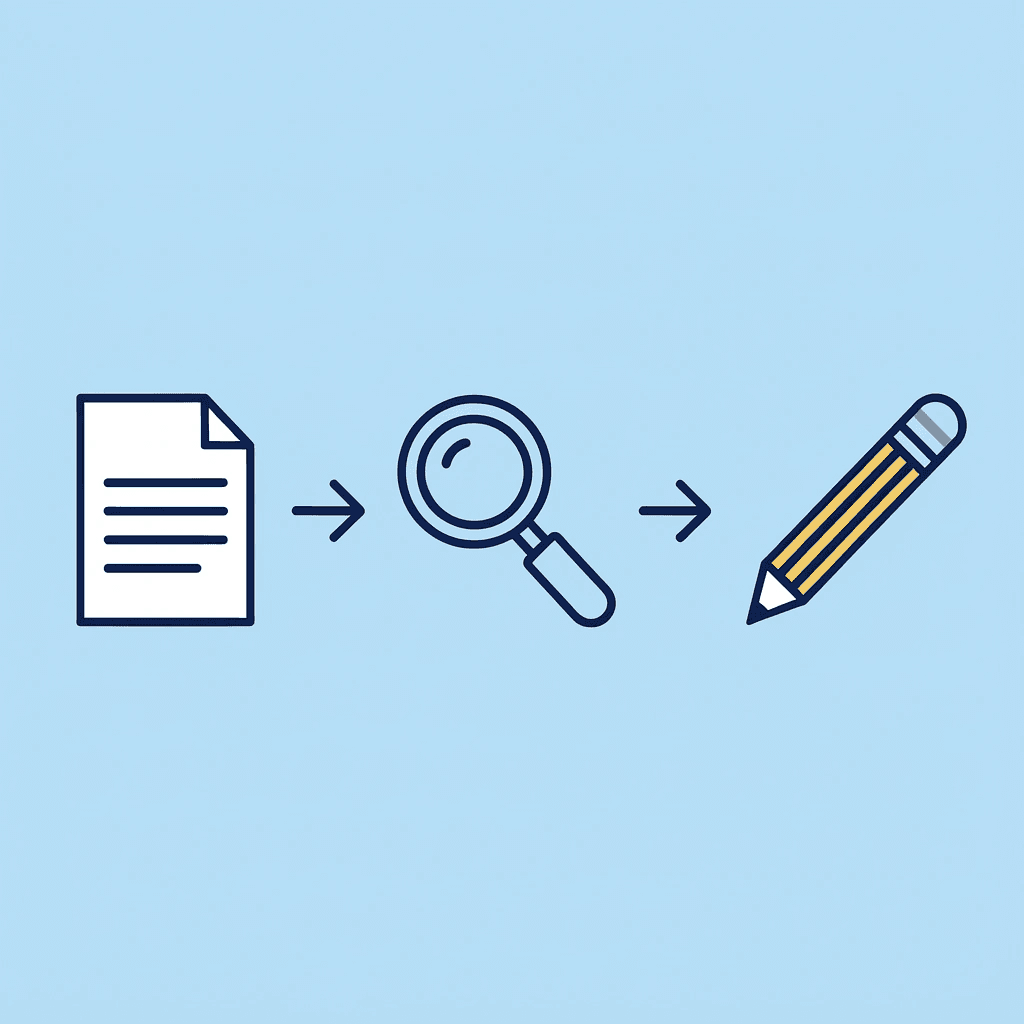
Faster reviews aren't about working harder; they're about starting with clarity. Otio gives you that clarity.
💡 Tip: Always let Otio AI do the initial scanning and flagging before you dive into manual edits. This strategic approach saves hours of unfocused work.

Related Reading
Notebooklm Alternatives
ChatGPT File Upload Limits
Best Hr Document Management Software
Ai Tools To Summarize a Research Paper
Top Ai Tools For Document Review
Best Document Management Software
Notebooklm Vs Notion
Best Document Management Software For Small Businesses
Legal Document Data Extraction
Notebooklm Limits
Best Document Management Software For Law Firms
Best Automation Tools For Document Management
Claude Ai File Upload Limits
Best Ai Tools For Research Projects



