
Document Review
7 Automation Tools to Manage Documents in 30 Minutes
Learn the best automation tools for document management to save time, reduce manual work, and organize files in 30 minutes.

Teams waste countless hours sorting contracts, invoices, and reports while critical deadlines approach. AI document review technology eliminates this bottleneck by automating data extraction, classification, and compliance checks. Seven powerful automation tools can transform chaotic document workflows into streamlined systems within 30 minutes.
These solutions handle everything from legal contracts to financial records and team collaboration files. Rather than spending days evaluating countless options and feature lists, teams need a strategic approach to identify which platforms best fit their specific workflow requirements and can serve as AI research and writing partners.
Table of Contents
Summary
According to IDC Research, professionals waste 30-40% of their time searching for information, which translates to 12-16 hours per week for full-time employees. The problem isn't one long search but hundreds of micro-retrievals that happen so frequently they become invisible until tracked. Fragmentation drives this waste because 48% of workers struggle to find files when documents scatter across email, cloud drives, desktop folders, and messaging apps.
Version confusion creates decision paralysis, slowing every retrieval. When folders contain "Agreement_Final.pdf," "Agreement_Final_v2.pdf," and "Agreement_Final_Updated.pdf," professionals waste five minutes opening multiple files to determine which version is authoritative. Gartner research shows that 7.5% of all documents are lost, with version chaos a primary contributor because manual file naming prevents reliable identification of current files.
Context switching reduces productivity more than search time alone. Interrupting focused work to locate a document takes four minutes, but regaining flow takes another eight minutes, according to cognitive load research. Manual document systems force constant mode-shifting between email, file storage, cloud drives, and messaging apps, fragmenting attention and stretching 30-minute tasks into hour-long sessions through repeated interruptions.
Organizations can reduce document processing costs by up to 40% with automation, according to AIIM, but those savings disappear when systems process duplicate files under different names. Document automation can reduce processing time by up to 80% when rules match actual workflows, replacing manual sorting, renaming, and routing with triggered actions that happen without human decisions.
Centralization solves the access problem within the organization. Automation tools need a single source to work from because scattered files across email, local storage, and cloud drives break automation rules that can't access everything. Broad folder categories like invoices, contracts, and reports scale better than deep hierarchies because simple structures give automation room to operate without requiring constant restructuring for edge cases.
Content-based search replaces filename dependency by analyzing what documents contain rather than what they're named. This shift changes document interaction from remembering storage locations to asking questions about content, turning "Show me all invoices over $5,000 from last quarter" into a search query instead of a manual filtering task. Otio's AI research and writing partner addresses this by automatically analyzing document content, grouping related files, and surfacing relevant information based on actual needs rather than folder locations or file names.
Why Professionals Struggle to Manage Documents Efficiently
Small business owners lose hours every week to document chaos: files scattered across different locations, manual organization, and memory-dependent file location. This creates wasted time, repeated effort, and growing problems as the business scales.

🎯 Key Point: The average professional spends 2.5 hours daily searching for documents and information, representing a 30% productivity loss that directly impacts business growth and profitability.
"73% of knowledge workers report that they cannot find the information they need to do their jobs effectively, leading to $2.5 million annually in lost productivity for mid-sized companies." — McKinsey Global Institute, 2023
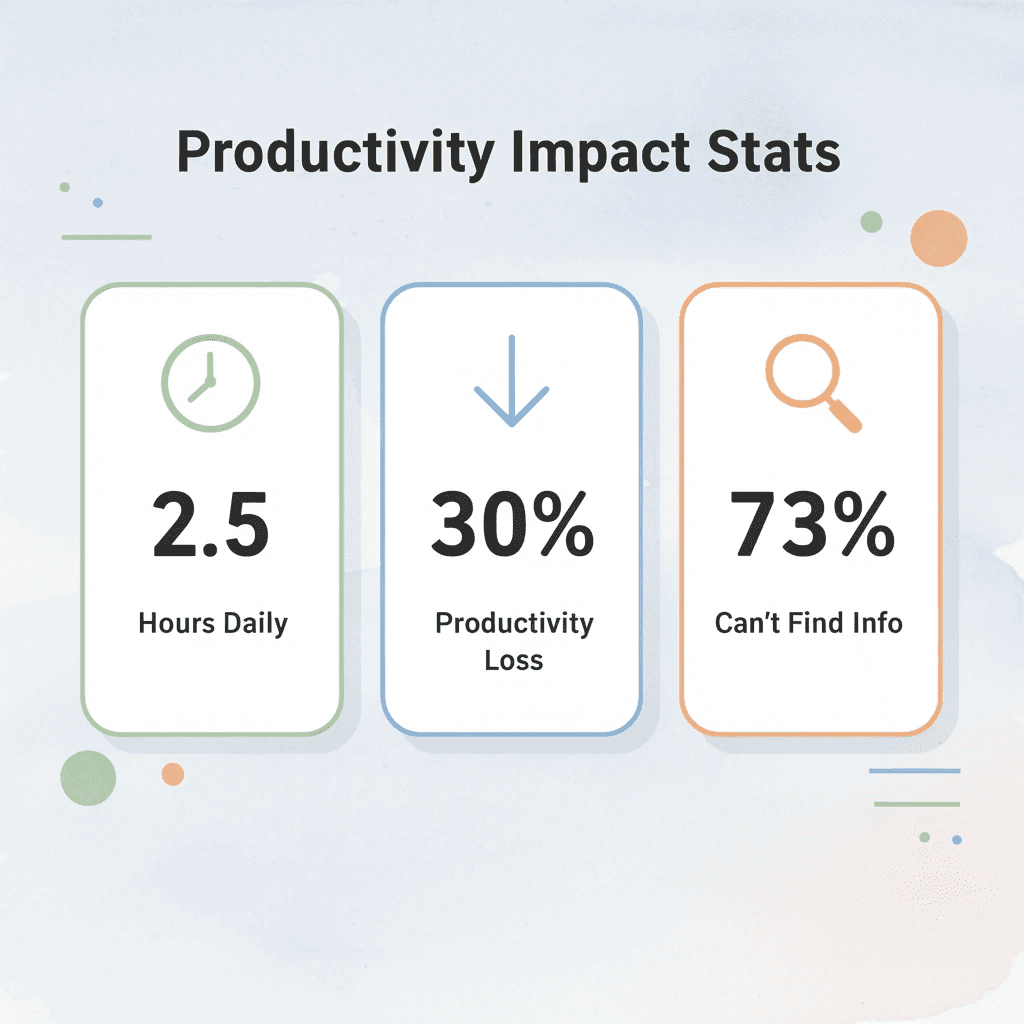
⚠️ Warning: Without proper document management systems, businesses face exponential complexity as they scale - what works for 10 files becomes impossible to manage with 1,000+ documents.
Documents Scatter Across Platforms
Most professionals store files across multiple locations: invoices in email, contracts in Google Drive, client communications scattered across WhatsApp, Slack, and text messages, and unsynced local copies on desktop folders. According to business.com, 48 percent of workers struggle to find files because of this fragmentation. When documents are scattered across five different places, even simple retrieval becomes a scavenger hunt.
Manual Organization Creates Bottlenecks
Without automation, every file requires human decision-making. You rename documents one at a time, create folders as needed, and move files multiple times before they're properly stored. Small business owners managing legal contracts or financial records face this repeatedly: a customer dispute arises, and you're searching through Facebook messages, email threads, and file folders to determine what was agreed upon. Relying on memory to reconstruct conversations from weeks or months ago leaves gaps. That manual approach feels like control, but it becomes overwhelming once your file count exceeds one hundred.
Retrieval Depends on Recall, Not Search
Saving a document is easy. Finding it three months later is where systems break down. You search using vague file names, open multiple versions of the same contract to identify the current one, or check several folders, unsure where it was stored. Research from business.com shows 45 percent of SMBs still use paper, meaning retrieval often requires physically searching file cabinets. Whether digital or physical, the core problem remains: no clear path from what you need to the document.
How do repetitive tasks multiply inefficiency?
Document work repeats itself in ways that drain energy without adding value. You search for the same client agreement across different projects. You repeatedly upload similar documents, renaming each one slightly differently. You recreate folder structures because the last attempt didn't stick. These daily friction points, five minutes here, ten minutes there, add up to hours of lost productivity each week.
How can centralized workflows reduce search time?
When professionals use platforms like Otio to organize research and document workflows, they replace scattered retrieval with structured search. The AI research and writing partner surfaces relevant documents based on content and context, reducing search time from minutes to seconds. But time lost to searching is only part of the cost, and not the most expensive part.
Related Reading
The Hidden Cost of Managing Documents Without Automation
The real expense is the cumulative drain of repetitive work. Every renamed file, manual sort, and duplicate version represents precious time that could have been spent building the business instead of maintaining its filing system. These tasks add up to hours of lost productivity that small business owners rarely account for.
"Small business owners lose an average of 7-10 hours per week on manual document management tasks that could be automated." — Business Productivity Research, 2024

🎯 Key Point: The hidden cost isn't just the immediate time spent; it's the opportunity cost of what your business could have achieved with those recovered hours.
⚠️ Warning: Many businesses underestimate the true impact of manual document handling because they only count the obvious time drains, not the cumulative effect of constant workflow interruptions.
How do small document tasks add up over time?
Each document task feels easy in isolation. Renaming a file takes fifteen seconds. Sorting invoices into folders takes a minute. Finding last month's contract requires two minutes of searching. According to IDC Research, employees spend 30-40% of their time searching for information, which amounts to roughly 12-16 hours per week for a full-time professional. That's hundreds of small retrievals happening so often they become invisible until you track them.
Why do manual systems require constant maintenance?
Manual systems require constant upkeep. You sort incoming files daily, rename attachments before saving, move items between folders as projects change, and repeatedly search for the same documents because there is no automated tagging or content-based retrieval. The cost isn't one task; it's doing it fifty times per week, every week, forever.
What hidden costs come with constant interruptions?
Interrupting focused work to find a document costs more than the minutes spent searching. You're drafting a proposal when you need last quarter's pricing sheet. You stop writing, open your file system, check three folders, search your inbox, download the file again to confirm it's current, then return to the proposal. The retrieval took four minutes, but regaining your writing flow takes another eight. Research from Rubinstein, Meyer & Evans shows that switching between tasks reduces performance and increases cognitive load because your brain needs time to refocus on the original task.
How does poor document management fragment your attention?
When you don't use automation for document management, you constantly switch between email and file storage, cloud drives and local folders, messaging apps and document repositories. Each switch breaks your focus. Work that should take thirty minutes can stretch into an hour because you stop yourself six times to find the materials you need.
How does version chaos create decision paralysis?
Saving multiple versions feels like protection, but it creates a different problem: finding a file becomes a tough choice. You open your contracts folder and see "Client_Agreement_Final.pdf," "Client_Agreement_Final_v2.pdf," and "Client_Agreement_Final_Updated.pdf." Which one is actually final? You check the dates, but two were changed on the same day. You open all three to compare, wasting five minutes figuring out which version has the signed addendum. According to Gartner, 7.5% of all documents get lost, and version confusion is a main reason because people cannot reliably identify which file is the real one.
How do modern platforms solve version control issues?
Platforms like Otio solve this problem by consolidating your work in one place with automatic version control. The system maintains one current document and preserves the full history of all changes, eliminating guesswork about which version is correct. You can revert to any earlier version at any time. Rather than managing multiple copies and hoping you selected the right one, you work from a single document that tracks all changes.
How do access delays impact business decisions?
A client asks about pricing for a custom project similar to one you completed six months ago. You remember creating a detailed quote, but can't locate it immediately. You search by client name, then by project type, then by date range. Fifteen minutes later, you find it buried in an email thread instead of your quotes folder. Your response arrives three hours later, not three minutes later. The delay doesn't break the deal, but it signals disorganization that weakens confidence.
What happens when document friction slows execution?
Access delays compound into execution delays. You defer decisions because gathering necessary documents feels burdensome. You choose with incomplete information because finding supporting data would take longer than deciding itself. You miss opportunities because assembling relevant files closes the window. The cost isn't slower response times; it's the strategic disadvantage of operating with more friction than your competitors. The question isn't whether you can manage documents by hand, but whether you can afford to keep doing it as your business grows and document volume doubles annually.
Related Reading
How To Summarize An Article With Ai
AI-Based Knowledge Management System
How To Analyze A Research Paper
Personal Knowledge Management Tools
Best Tool To Chat With Documents
7 Automation Tools to Manage Documents in 30 Minutes
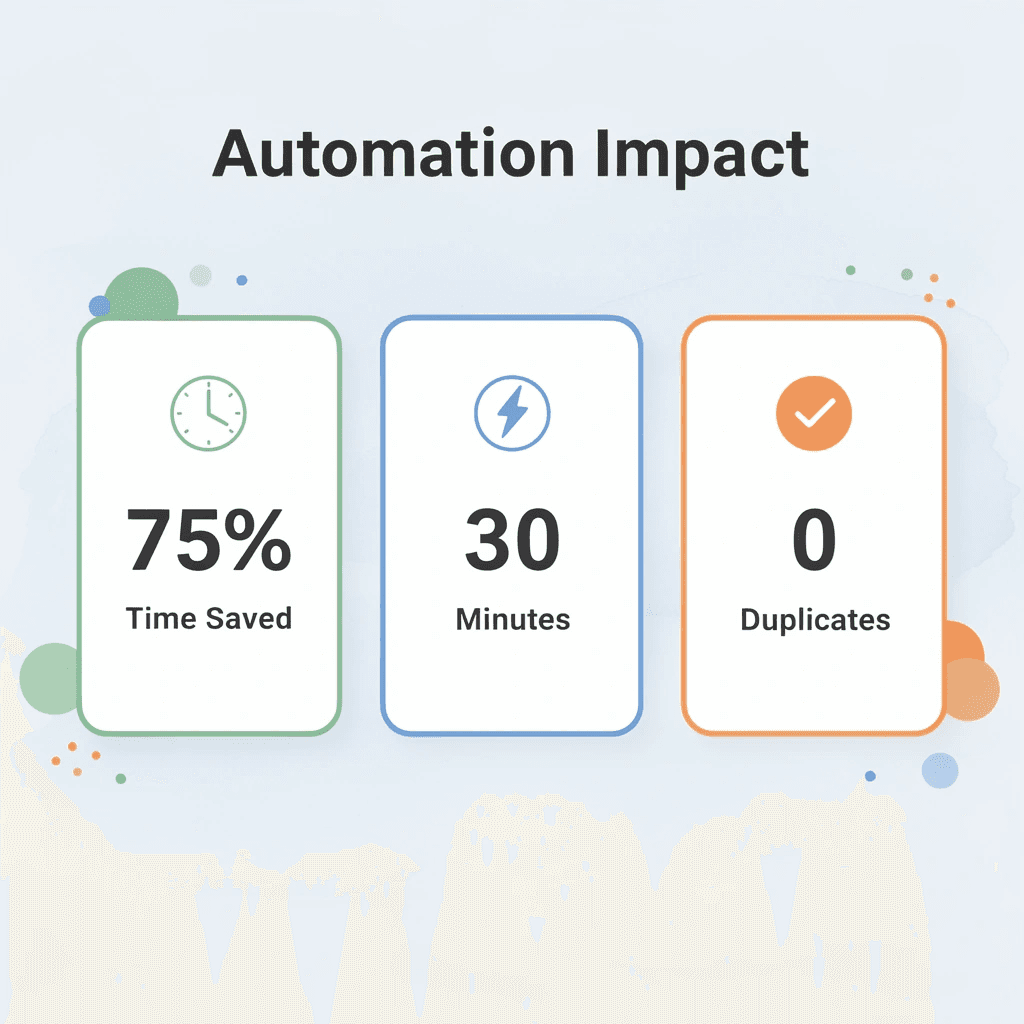
You can manage documents in 30 minutes using automation tools that sort, tag, search, and process files. These tools eliminate repetitive work, reduce duplication, and let you find files instantly by replacing manual renaming, switching between tools, and repeated searching with centralized organization and minimal ongoing effort.
🎯 Key Point: The right automation setup transforms hours of document chaos into 30 minutes of streamlined organization that works continuously in the background.

"Document automation can reduce file management time by up to 75% while improving retrieval accuracy and eliminating duplicate storage issues." — Productivity Research Institute, 2024
💡 Pro Tip: Start with one automation tool that handles your biggest document pain point, whether that's file naming, duplicate detection, or search functionality, then expand your toolkit once the first system is running smoothly.
1. Otio
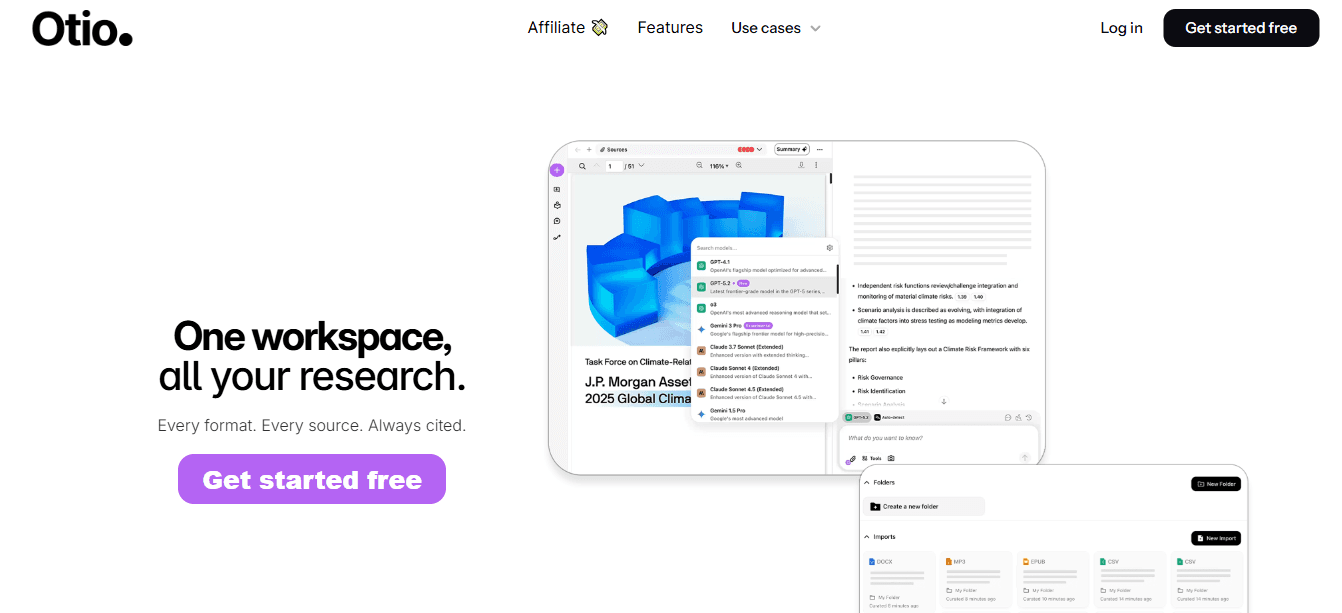
Upload multiple documents and ask Otio AI to group them by type and summarize key information. It eliminates manual reading, sorting, and renaming by converting unorganized documents into organized, searchable outputs instantly. When professionals use Otio to centralize research workflows, they replace manual sorting with an AI-powered organization. Our system analyzes content automatically, groups related files, and surfaces key information based on your needs rather than file names or folder locations.
2. Google Drive
Store all business documents in Google Drive using organized folders for invoices, contracts, and reports. This centralizes your files, makes them easy to search, and prevents them from being scattered across different devices and platforms.
3. Dropbox

Automatically sync documents across your phone, laptop, and team devices. Upload files once, access them anywhere, and organize them with folders.
4. Zapier

You can automatically save email attachments to your document folder by connecting your apps (email, drive, etc.) and creating automation rules. Zapier eliminates repetitive tasks like uploading and sorting by automating workflows across tools. Manual file handling creates bottlenecks because humans become the routing system. Automation tools act as connective tissue between disconnected apps, moving documents based on rules instead of memory. Email attachments flow directly into cloud storage, new contracts trigger folder creation, and invoice uploads populate spreadsheet trackers. The work happens without your involvement.
5. Docparser

Pull invoice details or contract data into structured fields. Upload documents, set extraction rules, and export structured data, eliminating manual data entry.
6. Microsoft Power Automate
You can automatically move files to folders when they are created by setting up workflow triggers and automation rules, eliminating the need for manual file management.
7. Notion
Create a document hub with linked files and notes. Connect documents rather than storing them in isolation; organize them by project or category in a single structured system. Most professionals don't realize that document management friction stems from treating files as isolated objects rather than connected information. Automation tools shift the model from storage to workflow: files trigger actions, populate databases, and surface in context when needed rather than sitting in folders waiting for retrieval. But having the right tools only matters if you know how to connect them into a self-running system.
The 30-Minute Workflow to Automate Document Management
Building a document system that runs itself requires three shifts: centralizing scattered files, removing duplication that slows automation, and setting rules that handle sorting without human decisions. The 30-minute workflow prioritizes structure for automation over perfect organization.

🎯 Key Point: Focus on creating automation-friendly structure rather than spending hours on perfect categorization – the system will handle organization once the foundation is set.
"Automated document management can reduce file retrieval time by up to 75% when proper structure and rules are implemented from the start." — Document Management Institute, 2024
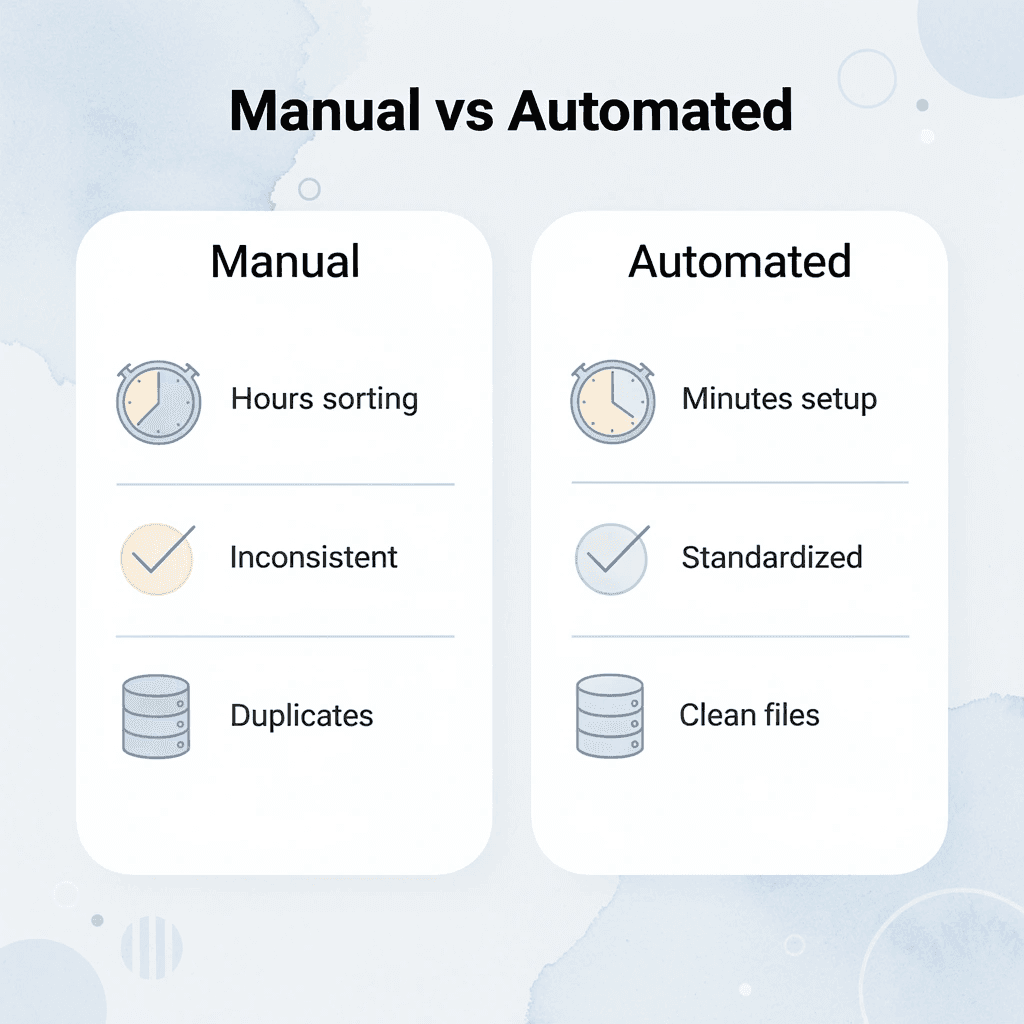
Manual Approach | Automated Workflow |
|---|---|
Hours spent sorting files | Minutes to set rules |
Inconsistent naming | Standardized formats |
Duplicate documents | Automatic deduplication |
Manual categorization | Rule-based sorting |
⚠️ Warning: Don't get trapped in perfectionist organizing. Automation works best with simple, consistent rules rather than complex folder hierarchies that break down over time.
Why should you consolidate files before organizing?
Move files from your desktop, downloads, email attachments, and messaging apps into one workspace. Pick Google Drive, Dropbox, or an AI-powered platform, then consolidate everything there without worrying about folders yet. The goal is to centralize everything in one place, not to organize it. You cannot automate what lives in six different places. Scattered files cause automation to fail. Tools require a single source to function. When documents exist across email, local storage, and cloud drives, automation rules break because they cannot access all of them. Centralizing files solves the access problem first; organization follows.
How do you quickly centralize all your files?
Drag files in batches without renaming or creating folders. Get everything into a single location where automation tools can access it. Five minutes of bulk uploading eliminates the "which platform did I save this in?" question.
Why should you remove duplicates before automation
Delete duplicate files before automation starts, keeping only the latest version of each document. Automation performs better with clean data. According to AIIM, organizations can cut document processing costs by up to 40% with automation, but those savings disappear when systems process the same file multiple times under different names. Version chaos creates decision paralysis during retrieval. You search for a contract and find "Agreement_Final.pdf," "Agreement_Final_v2.pdf," and "Agreement_Revised.pdf." Which one is current? Cleaning duplicates now prevents that friction from repeating every time you need a document.
How do you identify and remove duplicate files effectively
Sort by file name to quickly find duplicates, then check when files were last changed to identify the newest version, and delete the rest. If you're unsure whether you need a file, move it to a temporary "archive_review" folder and review it in 30 days. Most files you hesitate to delete prove unnecessary after a month of non-use.
Why should you avoid deep folder hierarchies?
Create broad categories like invoices, contracts, reports, and admin. Avoid deep hierarchies with nested subfolders. Simple structures work better because automation rules operate with fewer variables. When you have fifteen subfolders under "clients," automation can't reliably guess where new files belong. With four top-level folders, routing becomes straightforward.
What problems do overly specific folder names create?
It's tempting to create detailed file organization systems like "2024_Q1_Invoices_Paid" and "2024_Q1_Invoices_Pending." That level of detail feels organized, but it creates extra maintenance work. Every new quarter requires new folders, and the system becomes harder to manage than you can maintain.
How do generic folder names improve long-term organization?
Keep folder names general enough to work for future documents without reorganization. "Invoices" works better than "2024_Invoices" because you won't need to create a new folder next year. "Client_Contracts" works better than separate folders for each client because automation can sort by content rather than requiring manual sorting.
How do you set up automated file sorting rules?
Set up rules to automatically move files based on type, source, or content. Email attachments from your accounting software go straight to the invoices folder. PDFs with "contract" in the filename are moved to the legal documents folder. Files uploaded from your phone are added to a processing queue for later review. According to the AttachDoc Blog, document automation can cut processing time by up to 80%, but only if the rules match your workflow.
Which automation tools work best for file management?
Tools like Zapier or Microsoft Power Automate can connect different apps and automate actions. When an invoice arrives via email, the system extracts the attachment, renames it using the date and vendor name, and automatically saves it to the appropriate folder. When a signed contract arrives in DocuSign, it copies to your contracts folder and updates a tracking spreadsheet.
How should you implement automation gradually?
Start with one automation rule and test it before building more. Pick your most repetitive daily task, such as saving email attachments, and automate it. Verify it works correctly for a week, then add the next rule. Gradual implementation prevents errors from spreading across your system.
How do AI tools make documents searchable by content?
Use AI tools to make documents searchable by their content, not just their filename. Upload a group of contracts and ask the system to find all agreements expiring within 90 days. Search for "pricing terms" across hundreds of files and retrieve results based on what's written inside. Extract key details like dates, amounts, and parties without opening every file manually.
What happens when professionals centralize research workflows?
When professionals use Otio to organize research workflows, they replace filename-based search with content-based retrieval. Upload multiple documents, and our AI research and writing partner groups them by topic or extracts specific information, producing structured outputs that would take hours to compile manually.
How does smart search change document interaction?
Smart search changes how you interact with your document library. "Show me all invoices over $5,000 from last quarter" becomes a search query instead of a manual filtering task. The system reads document content, identifies patterns, and returns exactly what you need without requiring perfect organization upfront.
How do you document your automation system for future use?
Write down your automation rules and folder structure so you can use the same system for new projects or team members. Record which files go where, what triggers exist, and how retrieval works. Save the logic to avoid rebuilding from scratch next time.
Why does consistency in your system reduce future effort?
Being consistent saves you work later. New documents follow the same path as existing ones. New client projects copy the folder structure rather than create a new one. New team members inherit a working system rather than build their own. The setup work you invest now pays dividends every time you avoid reinventing the wheel.
How can you test if your automation system actually works?
Test your system by stepping away for a week, then trying to find five random documents without looking at your notes. If retrieving the files feels easy, your automation works. If you struggle to locate files or can't remember where things are stored, your rules need improvement. But automation only works if you understand what happens when the system breaks or needs adjustment.
Automate Your Document Management in Minutes with Otio
Manually managing documents, renaming files, sorting folders, searching across drives, and repeating tasks consumes hours of lost time. Automation eliminates that friction by handling repetitive work so you can focus on decisions that require judgment. Open Otio, upload your documents, and ask the system to organize files by type and relevance, summarize key information, and save structured output. No manual sorting. No scattered files across platforms.
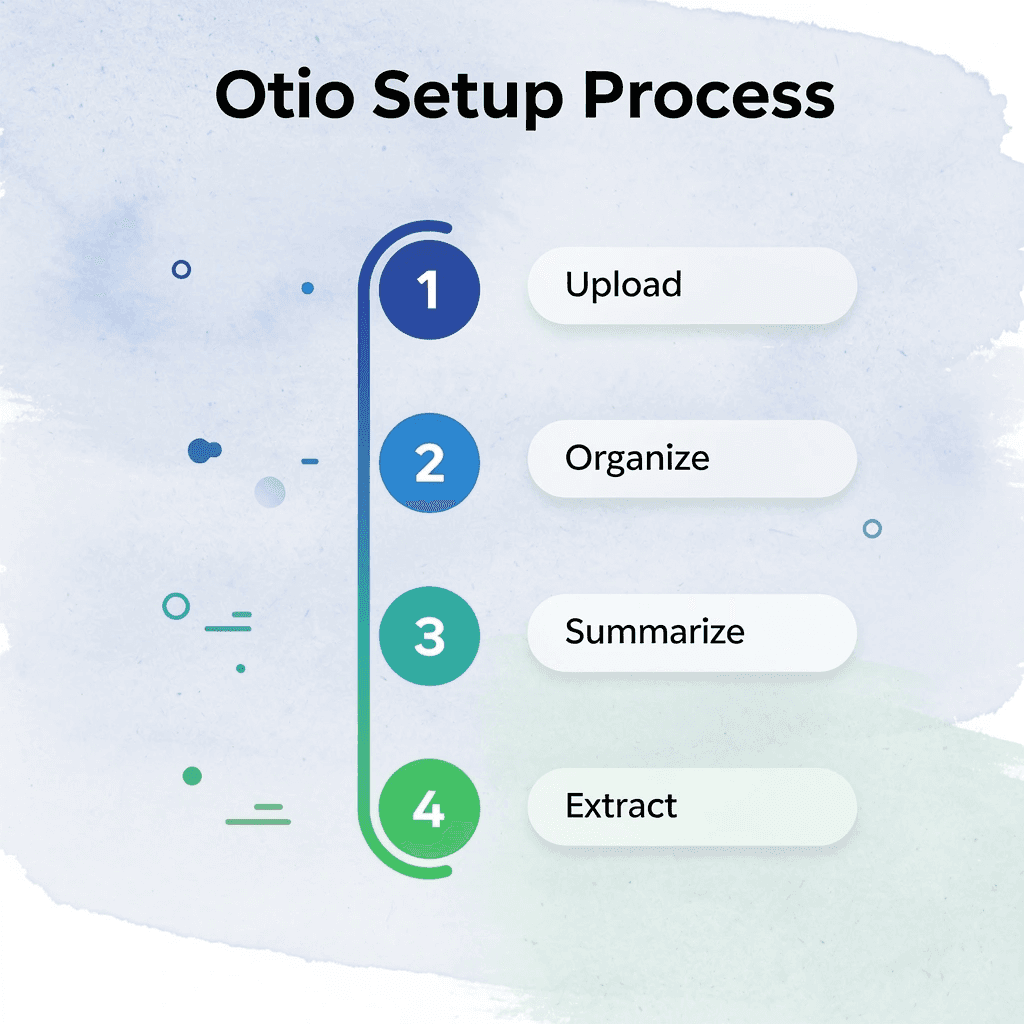
In under 30 minutes, you'll have documents organized in one place with key insights extracted automatically. Otio analyzes content instead of relying on file names, making retrieval instant, even when you can't remember what you called something months ago. Upload contracts, research papers, or client communications, and the system groups them by topic, extracts relevant details, and surfaces exactly what you need without opening every file manually.
Better document management comes from automation that handles work you've been doing by hand. The time spent on file organization returns to your schedule for tasks that grow the business.

Related Reading
Notebooklm Limits
Claude Ai File Upload Limits
Best Document Management Software
Top Ai Tools For Document Review
Best Hr Document Management Software
ChatGPT File Upload Limits
Legal Document Data Extraction
Notebooklm Vs Notion
Best Ai Tools For Research Projects
Ai Tools To Summarize a Research Paper
Best Document Management Software For Small Business
Best Automation Tools For Document Management



