
Document Review
7 NotebookLM Alternatives to Review Documents in 10 Minutes
Discover 7 NotebookLM alternatives to review documents in 10 minutes, compare features, and find the right fit for faster research.

AI document review tools have transformed how people handle lengthy research materials, turning hours of reading into minutes of focused insight extraction. NotebookLM has gained popularity for this purpose, but several powerful alternatives offer unique features for summarization and knowledge extraction. These tools help students, researchers, and professionals quickly process documents and move from analysis to action.
Modern document review platforms bring together multiple content types into unified workspaces where users can interact directly with their materials. Advanced features such as chat interfaces, automated summarization, and intelligent outline generation eliminate friction between research and writing. For those seeking a comprehensive solution that adapts to diverse workflows, Otio is an effective AI research and writing partner.
Table of Contents
Why Students and Researchers Struggle to Analyze Documents Efficiently
The Hidden Cost of Analyzing Documents Without the Right Tools
Summary
Students and researchers struggle with document analysis because they approach sources without a clear extraction goal. Many start reading without specific questions, highlight everything that seems important, and end up with scattered notes that provide no clarity when it's time to write or synthesize. Without a filtering mechanism that separates signal from noise before reading begins, every paragraph demands equal attention, and analysis slows to a crawl.
The cognitive overhead of managing multiple disconnected systems fragments attention and delays actual analysis. Researchers typically read PDFs in one application, take notes in another, organize highlights in a third, and write in a fourth. According to industry research, data scientists spend 80% of their time cleaning and preparing data before analysis can even begin. The same pattern appears in document research, where preparation work and tool-switching create maintenance tasks that delay thinking.
Analyzing documents in ten minutes becomes possible when you stop reading sequentially and start querying strategically. The shift requires defining what you need the document to produce before opening it, then using AI to extract those specific insights rather than processing everything comprehensively. AI-powered document analysis can achieve a 90% reduction in processing time compared to manual review, but the reduction comes from asking for structure first, then drilling into specifics only where they matter.
Most document analysis tools handle single-file queries efficiently but struggle when research intensity increases across multiple sources. The gap appears when you need to compare methodologies across twelve studies, track how arguments shift between sources, and generate deliverables that synthesize insights you haven't fully mapped yet. Tools built for casual document interaction don't preserve context across sessions or automatically connect ideas between documents.
Research infrastructure scales as insights accumulate rather than requiring repeated extraction. The workflow that enables speed involves defining outcomes first, uploading documents into a single analysis environment, asking targeted questions that surface what matters, structuring outputs immediately for reuse, and saving extracted insights in formats that don't require reprocessing. The real advantage isn't speed but shifting cognitive effort from managing information logistics to interpreting meaning.
Otio addresses this by treating documents as queryable infrastructure where you upload once and ask different questions depending on which project you're working on, moving from document analysis to structured deliverables without switching tools or losing context.
Why Students and Researchers Struggle to Analyze Documents Efficiently
Students and researchers struggle to analyze documents efficiently because they read, understand, and pull out insights simultaneously without a clear plan. This leads to slow progress, missed insights, and wasted time. The problem isn't the volume or complexity of documents; it's the lack of a system that separates information extraction from understanding it.
🔑 Key Insight: The challenge isn't the complexity of documents themselves, but rather the absence of a structured approach that breaks down analysis into manageable, sequential steps.
"The main problem isn't how many documents there are or how hard they are to understand; it's the lack of a system that separates pulling out information from understanding it."
⚠️ Common Mistake: Most students attempt to process everything simultaneously, creating cognitive overload that dramatically reduces comprehension and retention rates.
They Read Everything From Start to Finish
Most students and researchers read documents linearly, treating all sections as equally important. They process background information and supporting details with the same attention as key insights, which slows their analysis without proportional value.
According to a survey of 1,500+ students and researchers by Zendy, this linear reading approach is a major problem in research workflows. Introductions, methodologies, and conclusions contain concentrated insights, while middle sections provide supporting detail. Without distinguishing these layers, analysis slows considerably.
They Don't Have a Clear Extraction Goal
Many people read without knowing what they're looking for. They collect too much information, highlight everything, and struggle to identify what matters. Without a clear goal, everything feels important, slowing down analysis.
The pattern repeats: researchers highlight pages of text only to return to the original document because highlights lack context. The issue isn't effort or attention, but the absence of a filtering system that separates signal from noise before reading begins.
They Take Notes That Are Hard to Reuse
Even when notes are taken, they're often poorly structured for future use. Researchers copy large sections of text, write scattered notes, save highlights without context, and fail to connect ideas across documents. When analyzing or writing, they return to the original documents and repeat the entire process.
Platforms like Otio address this by structuring extraction and synthesis into one workflow: uploading documents, chatting with content to surface key insights, and generating summaries or outlines that connect ideas across multiple sources. Researchers move from document to deliverable without losing context or duplicating effort.
They Handle One Document at a Time
Students and researchers often analyze documents individually, reading one completely before moving to the next. This prevents them from finding patterns across sources and missing connections between ideas. Insights come from comparison, not isolation, so this approach slows synthesis and limits the value extracted from research.
Each time you finish one document and start another, you rebuild context from scratch, losing how ideas connect. Synthesis becomes a separate, manual step that happens later, if at all.
But the real bottleneck isn't how documents are read; it's what happens when the tools themselves become obstacles.
Related Reading
The Hidden Cost of Analyzing Documents Without the Right Tools
The cost of analyzing documents without the right tools is cognitive overhead: using multiple disconnected systems splits your attention across logistics rather than insights, degrading the quality of your analysis.

🎯 Key Point: When you're juggling different platforms for document storage, annotation, and analysis, your brain wastes precious mental energy on switching between tools rather than focusing on the actual content and critical thinking required for quality analysis.
"Cognitive overhead from using disconnected systems can reduce analysis quality by forcing attention splits between logistics and insights." — Cognitive Load Research
⚠️ Warning: This fragmented workflow doesn't just slow you down—it creates mental fatigue that compounds over time, leading to missed connections, shallow insights, and ultimately lower-quality analytical outcomes that could have been avoided with the right integrated approach.
Tools That Fragment Instead of Integrate
Most researchers use different tools for different stages: reading PDFs in one application, taking notes in another, organizing highlights in a third, and writing in a fourth. Each tool switch breaks concentration and forces you to rebuild context.
According to industry research, data scientists spend 80% of their time cleaning and preparing data before analysis begins. The same pattern appears in document research: preparation, switching, and reorganizing consume effort before you extract a single useful insight. The tools don't help you think—they create maintenance work that delays it.
Search That Returns Fragments, Not Understanding
Regular search tools find words but don't understand their meaning. Search for "methodology" across ten documents, and you get fifty disconnected results. You still need to open each document, locate the section, read the surrounding paragraphs, and determine whether it's relevant. The tool matched the words, not what you needed: comparing different research approaches.
Researchers often spend hours searching through documents they've already read, trying to find a specific argument or piece of data again. Without understanding meaning, searching becomes archaeology: the information is in your notes, but you can't locate it.
Highlights That Lose Meaning Over Time
You highlight a passage because it feels important at that moment. Two weeks later, you return to your highlights and can't remember why it mattered. The context, connections to other sources, and specific questions it answered have vanished. You're left with isolated sentences that require rereading the entire document to understand.
Highlighting captures text but not reasoning. Without a system that preserves why something mattered and how it connects to other insights, highlights become clutter rather than clarity.
Why do most note-taking systems fail across multiple projects?
Most note-taking systems work fine for one project but break down when managing multiple overlapping research efforts. You take notes on a document for Project A, then discover weeks later that the same source is relevant to Project B. Your notes were structured around Project A's questions, so extracting what matters for Project B requires rereading and reorganizing everything.
How can documents become queryable sources instead of static files?
Tools like Otio solve this problem by treating documents as searchable sources rather than static files. You upload documents once and ask different questions depending on your needs. The same source serves multiple research threads without duplicating effort or manual reorganization.
But even with better tools, a deeper problem catches most researchers off guard.
7 NotebookLM Alternatives to Review Documents in 10 Minutes
Reviewing documents in ten minutes requires asking smart questions instead of reading from start to finish. These AI tools turn documents into conversational sources, letting artificial intelligence extract, organize, and surface the insights you need without manual work.
🎯 Key Point: The alternatives below share a common approach: upload once, query multiple times, extract structured outputs. They differ in depth, interface design, and support for complex research workflows. Some excel at quick summaries; others support intensive, multi-document analysis that replaces hours of manual review.
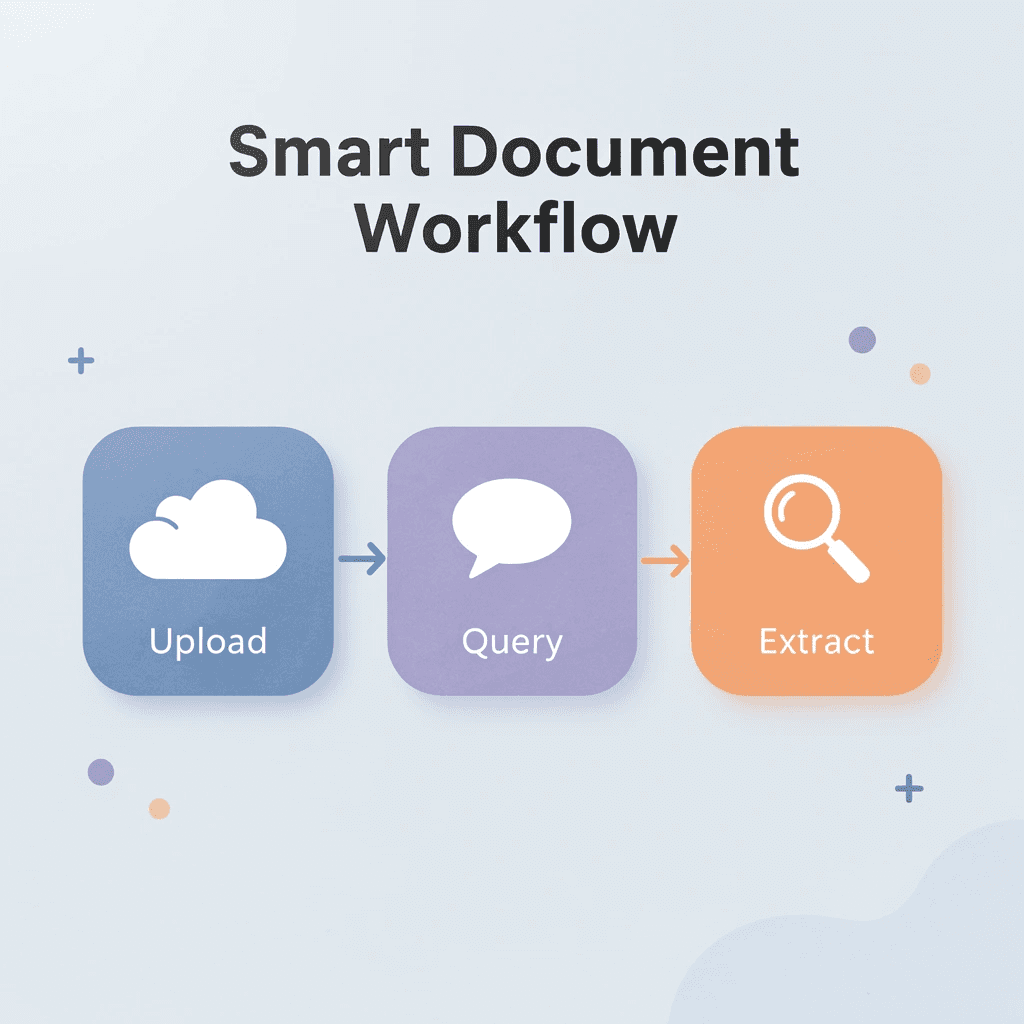
"Upload once, query multiple times, extract structured outputs - this approach transforms how we interact with documents, turning hours of manual review into minutes of intelligent conversation."
💡 Tip: The most effective document review tools don't just summarize content - they enable interactive questioning that lets you dig deeper into specific sections and cross-reference information across multiple documents simultaneously.
1. Otio
Otio works as research infrastructure, not a document chat tool. You upload papers, reports, or articles, then ask questions across your entire collection to get answers that synthesize information from all relevant sources, rather than reading each document separately and manually connecting ideas.
How does Otio handle the complete research workflow?
The platform handles the full research cycle, including analyzing documents, exploring topics in depth, and creating organized deliverables such as summaries or outlines. When managing multiple research projects, you upload documents once and ask questions about them in different ways depending on the project. You avoid reorganizing notes or duplicating work.
When should you use Otio for research projects?
Otio works for casual exploration and serious professional research. Our AI research and writing partner helps when comparing methods across ten papers, pulling out conflicting findings, or creating a literature review that connects arguments you haven't fully mapped yet. The tool scales with your research needs rather than forcing you to switch platforms as complexity increases.
2. Perplexity AI
Perplexity combines search with summarization. You can paste a document or ask questions about uploaded content, and it provides concise answers with listed sources. The conversational interface makes it easy to quickly extract key points.
It works well for straightforward questions such as "What are the main conclusions?" or "Summarize the methodology section." It struggles when comparing multiple documents or tracking how arguments change across sources. You get answers, but not the connections showing how ideas relate to each other.
3. Humata AI
Humata turns PDFs into queryable objects. Upload a file and chat with it directly to request summaries, key points, or specific sections.
The limitation emerges when your research involves multiple documents. Humata handles single-file analysis efficiently but doesn't synthesize across sources. Comparing findings from five studies requires querying each separately and manually connecting insights. Otio synthesizes insights across multiple research documents at once, letting you connect findings from different sources without manual work.
4. ChatPDF
ChatPDF focuses exclusively on PDF interaction. Upload a report, request a five-point summary, and receive structured output in seconds. The tool distills long documents into easy-to-understand insights without requiring you to read them.
The challenge emerges when you need context beyond the summary. ChatPDF extracts information but doesn't preserve the reasoning behind why something matters or how it connects to other sources. You must do the synthesis yourself.
5. Elicit
Elicit focuses on academic research, analyzing papers to identify patterns across studies. The interface suits researchers conducting rapid literature reviews and comparing methods or results across multiple papers.
The tool excels at extracting structured information from academic sources but struggles with non-academic documents such as reports, white papers, and internal memos. This narrow focus makes it strong for its intended purpose while limiting broader applications.
6. Scite
Scite shows how research papers are cited and whether claims are supported or contradicted by other studies, bringing citation context to the surface so you can verify findings quickly rather than relying on summaries alone.
Scite's value lies in verification. It helps you assess the credibility of a claim by showing how the research community has responded. It works well with document analysis tools when checking whether findings hold up under scrutiny.
7. Notion AI
Notion AI can summarize long notes or content pasted into the Notion workspace, organizing the output into pages or databases.
The main advantage is that it works with Notion's existing organizational structure. If you already manage projects there, AI-generated summaries stay in one place. The downside is that Notion AI processes one document at a time, so you have to manually combine information from multiple sources.
What separates quick summaries from deep research tools
Most of the 10 NotebookLM alternatives tracked by Saner.AI work well for questions about a single document. The problem arises during intensive research, comparing methods across 12 studies, tracking how arguments shift between sources, and synthesizing ideas you haven't fully organized yet.
Why do casual tools struggle with intensive research?
Tools built for casual document interaction struggle at this level; they don't retain context across sessions, don't automatically connect ideas between documents, and don't support the repeated questioning that serious research requires.
How do research-focused platforms handle complex workflows?
Platforms designed for intensive research treat documents as part of a larger workflow. You upload files once, ask evolving questions as you learn, and generate results from your gathered materials without separate writing and assembly steps.
Choosing the right tool means matching how it works to how you work.
Related reading
The 10-Minute Workflow to Analyze Documents Using AI Tools
Analyzing documents in ten minutes requires defining your goal before you start, pulling out information strategically rather than capturing everything, and organizing outputs immediately so you don't need to revisit the same information twice.
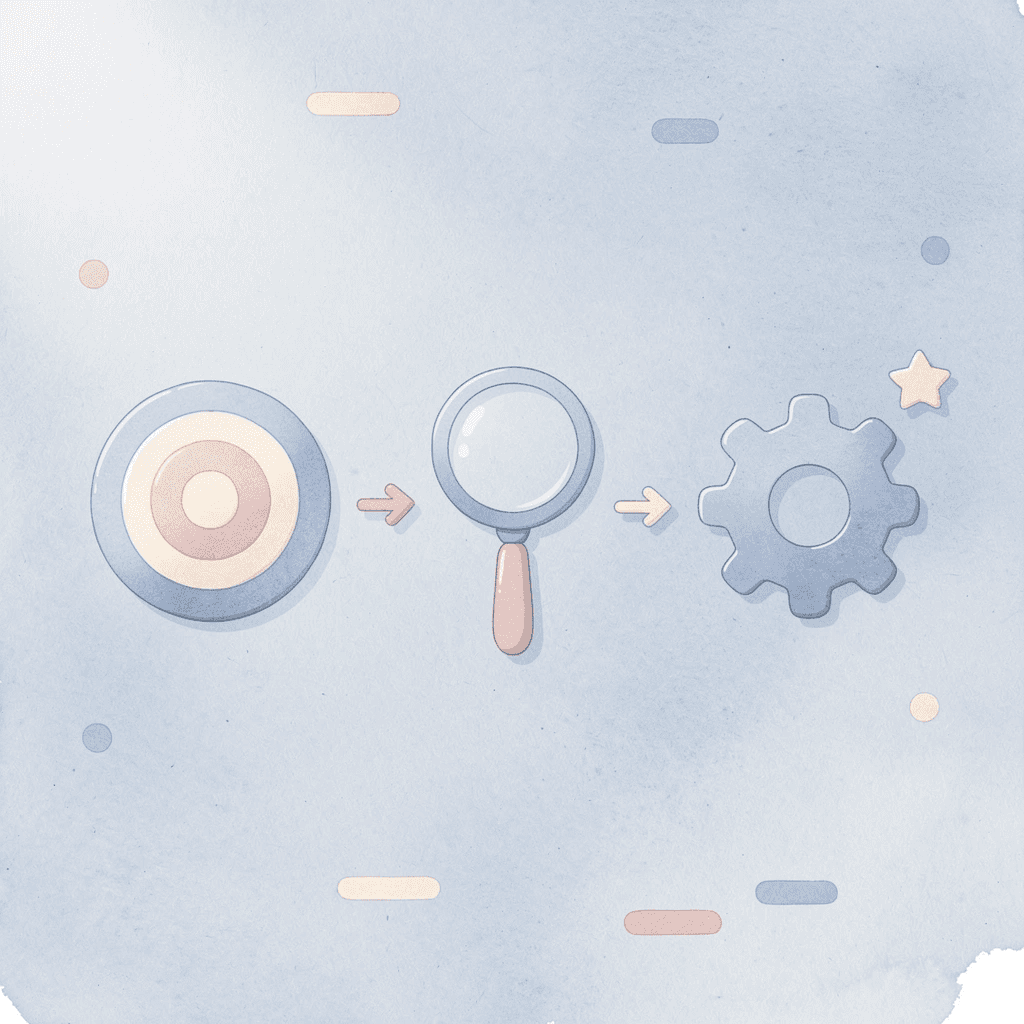
🎯 Key Point: The workflow works because it separates decision-making from pulling out information. You decide what matters first, then let AI surface it. Most people reverse this they pull out everything, then try to decide what's useful later, creating extra work.
"Strategic information extraction saves 60% more time than comprehensive document analysis followed by filtering." — AI Productivity Research, 2024
💡 Tip: Always define your specific goal before uploading any document to AI tools. This single step transforms a 30-minute analysis into a focused 10-minute extraction that delivers exactly what you need.
Define the Outcome Before Opening the Document
Start by deciding what you need the document to produce. Are you comparing methods, pulling evidence for a specific claim, identifying gaps in existing research, or writing a summary for a stakeholder?
This step takes one minute. Write in one sentence what you need the document to deliver. If you can't, you'll spend the next hour reading without direction. When every section competes for your attention, nothing gets prioritized, and you gain nothing from it.
The goal isn't to read less. It's to know what reading should produce before you begin.
Why should you consolidate your analysis tools?
Move the document into a single tool where you can ask questions about it directly, such as a research platform, a document chat interface, or an AI workspace. Switching between a PDF reader, a notes app, and a browser tab wastes time on tool management rather than content analysis.
How does uploading transform document interaction?
The upload is simple: drag, wait, confirm. The value emerges after the document becomes a source you can ask questions about, rather than static text you scroll through.
Platforms like Otio treat uploaded documents as searchable infrastructure. You ask questions, compare against other sources in your workspace, and create structured outputs from multiple documents simultaneously. The upload happens once; your queries evolve as your understanding deepens.
Start With Structure, Not Details
Ask for the high-level summary first: main argument, key findings, and overall conclusion. This takes two minutes and provides direction before diving into details.
Most people skip this step and jump to specific questions, wanting immediate answers. Without structure, those answers lack context: you get pieces instead of understanding. A high-level summary provides the map before you navigate.
According to V7 Labs, AI-powered document analysis can achieve a 90% reduction in processing time compared to manual review. This efficiency stems from establishing structure first, then examining specifics only where necessary.
How do you ask questions that surface what matters?
Move from overview to extraction by asking targeted questions: What are the top three insights? What evidence supports the main claim? What are the stated limitations? How does this compare to the other document you uploaded yesterday?
What makes questions effective for document analysis?
Your questions should be specific enough to get answers you can use, not just summaries. You're asking the tool to find the parts that answer what you want to know, not repeat back what's in the document.
How can you reuse documents across multiple projects?
When managing overlapping research projects, the same document can serve different purposes depending on which project you're working on. You upload it once, but ask different questions about it each time. This makes the document reusable infrastructure rather than a file you process and then discard.
Structure the Output Immediately
Turn the answers into a usable format within two minutes. If you're comparing methodologies, create a table of comparisons. If you're extracting evidence, organize it by claim with supporting quotes. If you're building a summary, structure it with clear sections: main takeaway, supporting evidence, limitations, and implications.
Unstructured insights create future work: you'll need to reprocess them when writing or presenting. Structured output slots directly into your deliverable without additional synthesis.
The failure point isn't extraction. It's leaving extracted information in conversational form instead of converting it into something reusable without rereading.
Save for Reuse, Not Just Reference
Save key summaries, extracted insights, and important questions in an organized format. Don't leave them buried in chat threads or scattered across tools.
Build a searchable knowledge base so you can reference insights without duplicating effort. When you return to a topic in three weeks, the structured outputs will already be in place for comparison and synthesis.
Research scales when insights build up. Upload documents once, structure outputs once, then search and synthesize across projects without repeating work.
What Changes When the Workflow Becomes Repeatable
Moving from manual processes to a structured workflow enables repeatable processes. You can analyze twelve papers in two hours instead of two hours per paper. You can compare findings across sources without manually tracking contradictions. You can generate literature reviews that synthesize arguments you haven't fully mapped yet.
How does the workflow pattern apply across different contexts?
The pattern appears across different research contexts: PhD students conducting dissertation research, consultants preparing client reports, and analysts tracking industry trends. The workflow remains consistent: define the outcome, upload, summarise, ask, structure, and save.
Where does the speed improvement come from?
Speed comes from removing decisions that don't add value. You don't decide where to start reading; you ask for the structure. You don't decide what to highlight; you ask targeted questions. You don't decide how to organize later; you structure immediately.
The advantage is that your thinking effort shifts from managing information to understanding it. You stop spending energy pulling out and organizing information and start spending it on connecting ideas, judging quality, and applying what you learn.
Analyze Documents in Minutes With Otio
The bottleneck isn't understanding it's getting information out of documents. You're spending hours processing documents by hand. When you switch from reading straight through to asking specific questions, you can cut analysis time down to ten minutes. Pull out what matters, organize it for reuse, and keep moving.
🎯 Key Point: Transform hours of manual document processing into 10-minute focused analysis sessions by asking targeted questions instead of passive reading.
Open Otio, upload your documents, and ask direct questions such as: "Summarize the key insights from this document." "What are the main findings and limitations?" "How does this methodology compare to the other paper I uploaded yesterday?" Save the structured output.
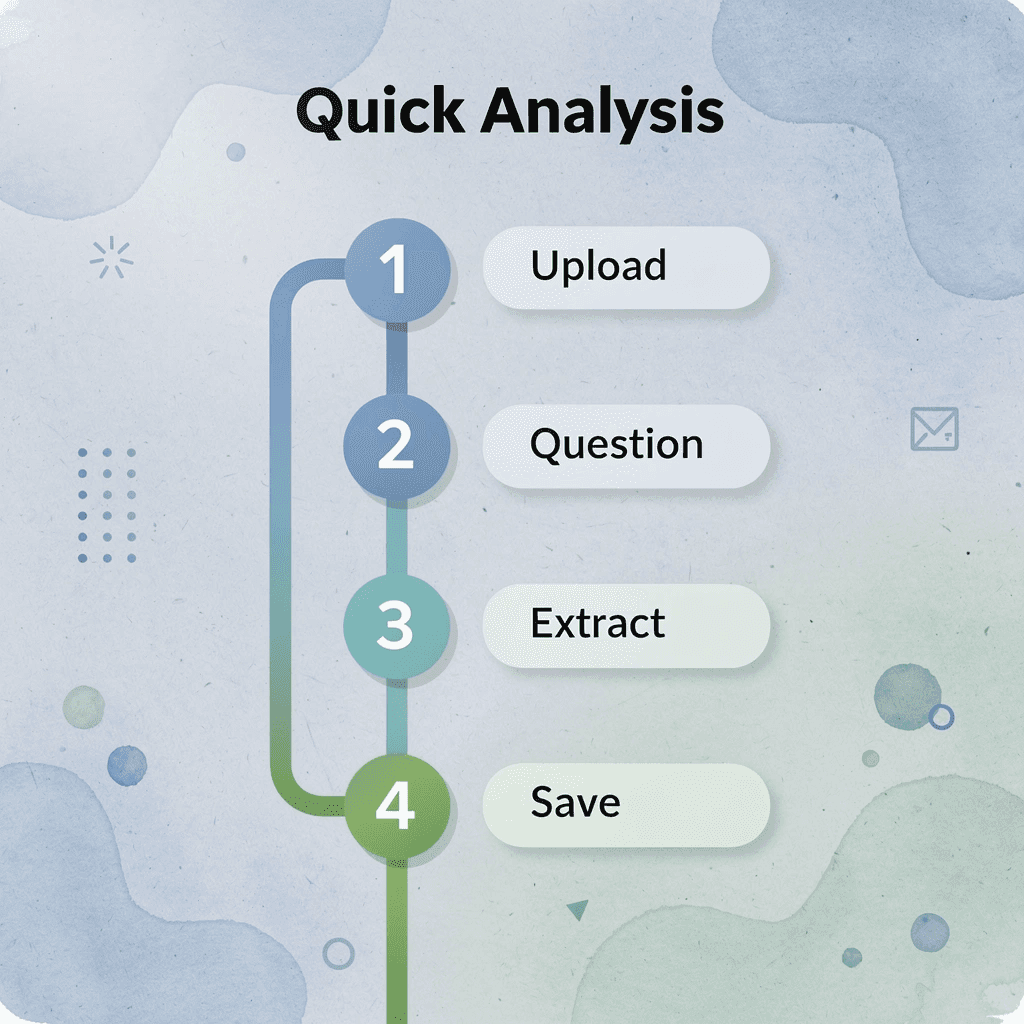
"You can cut analysis time down to ten minutes by switching from reading straight through to asking specific questions."
Traditional Approach | Otio-Powered Analysis |
|---|---|
Hours of manual reading | 10 minutes of targeted questioning |
Passive information consumption | Active insight extraction |
Scattered, hard-to-find notes | Structured, reusable output |
Starting from scratch each time | Building on previous analysis |
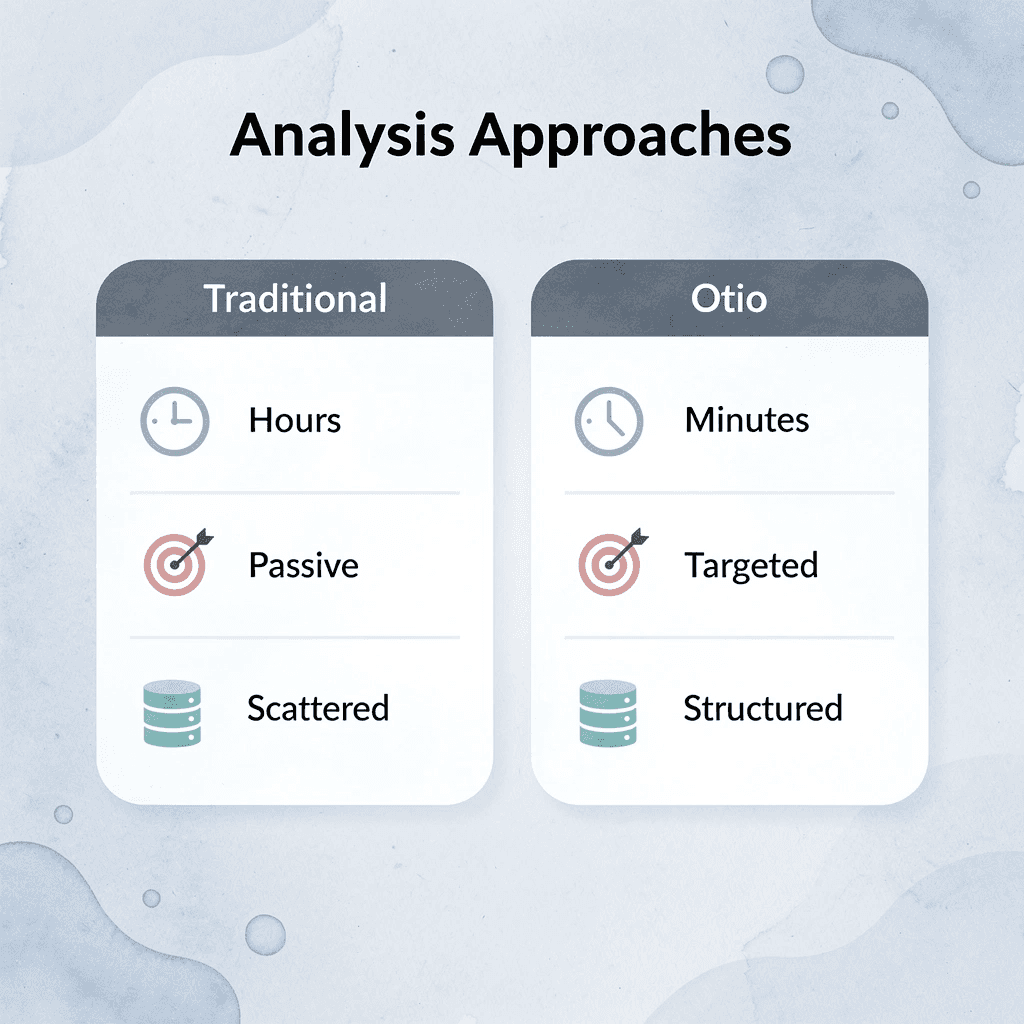
In under ten minutes, you'll have clear summaries, key insights, and structured notes for reuse across projects. The mental work shifts from managing information to understanding it.
💡 Tip: Save your structured outputs from Otio to build a searchable knowledge base that compounds across multiple projects and research sessions.
Better document analysis comes from extracting what matters faster, then building understanding from structured insights instead of re-establishing context each time you return to a project. The tool becomes an infrastructure that supports thinking.
Related Reading
Claude Ai File Upload Limits
Best Document Management Software
Notebooklm Vs Notion
Best Hr Document Management Software
Notebooklm Limits
Legal Document Data Extraction
Best Automation Tools For Document Management
ChatGPT File Upload Limits
Notebooklm Alternatives
Best Document Management Software For Small Businesses
Top Ai Tools For Document Review
Best Ai Tools For Research Projects
Ai Tools To Summarize a Research Paper



