
Video Summarization
10 Best Krisp AI Video Summarizer Alternatives
Discover 10 top alternatives to the Krisp AI Video Summarizer that offer reliable, efficient video summarization for various needs.
You just sat through a two-hour webinar and need the key points for a report or meeting. Sound familiar? Video Summarization tools like Krisp AI Video Summarizer turn long recordings into concise transcripts, meeting summaries, and video highlights so you can find evidence and quotes fast. This guide shows how automatic summarization, clip creation, and searchable indexing save time, enabling you to write and research faster with AI.
To help with that, Otio is an AI research and writing partner that turns those summaries and transcripts into outlines, draft paragraphs, and citation-ready notes so you can act on findings right away.
Summary
Automated video summarization dramatically reduces manual review time, with reported reductions of 80-90 percent, enabling teams to compress follow-up work from hours to minutes.
When transcription and summary extraction reach about 95 percent accuracy, teams can act on summaries rather than rewatch recordings, which markedly reduces verification overhead.
Audio quality matters: noise-removal accuracy can drop from about 95 percent to roughly 70 percent in overlapping-voice environments, increasing the need for manual spot-checking and speaker-cleanup steps.
Long recordings slow throughput, with processing time rising by up to 50 percent for files longer than 60 minutes. Chunking files for 45 to 60 minutes improves reliability and reduces failures.
Single-user, non-collaborative workflows create coordination costs: examples show about three additional handoffs per meeting for collective sensemaking, and market data indicate that over 1 million users switched tools, with roughly 80 percent reporting higher satisfaction with alternatives.
Centralized, source-linked research workflows reduce overhead in practice. One study that condensed 120 hours of lectures over eight weeks found that free-tier limits and manual splitting added at least two extra hours of overhead per student each week.
This is where Otio, an AI research and writing partner, fits in: it turns summaries and transcripts into outlines, draft paragraphs, and citation-ready notes that connect findings to source material.
Table of Contents
Key Features of Krips AI for Video Summarization
Krisp’s video summarization centers on three practical capabilities: automatic meeting transcription and highlight extraction, structured note generation for follow-up, and audio cleanup that improves transcription fidelity, making summaries more reliable. These features are designed to save time and prevent teams from rewatching long recordings to capture decisions and action items. According to Krisp's YouTube video "Summarize My 2025 Hands-On Review," Krisp AI can summarize videos up to 90% faster than traditional methods.
1. Krisp AI Meeting Assistant, automated meeting capture and summary
What it does, in plain terms
Records or links to your online calls, converts speech to text, and automatically surfaces the key moments.
How it helps you right away
It extracts decisions, assigned tasks, and moments when people agree or disagree, then formats them as concise summary bullets so you don't have to hunt through hour-long recordings.
Practical outputs
Time-stamped highlights, a short narrative recap, and explicit action items you can forward to stakeholders or drop into a ticket. This reduces follow-up friction and accelerates next steps.
2. Krisp AI Note Taker, structured notes for sharing and onboarding
epackages meeting content into readable, scannable notes with headings, summaries, and clear task assignments.
Why that matters
Teams use those notes for quick recaps, new-hire onboarding, and decision audit trails, which turn ephemeral meeting chatter into persistent knowledge.
Format and portability
Notes are ready to copy, export, or paste into project tools, so they fit existing workflows without forcing changes to how people already work.
3. Krisp Noise Cancellation, cleaner audio, so transcripts and summaries are accurate
What it removes
background noise, keyboard clicks, and room echo that otherwise corrupt transcripts.
The effect on outcomes
Clearer input yields cleaner transcripts, so summaries capture meaning, not noise. Cleaner audio also makes real-time captioning and later summarization less error-prone.
4. High-fidelity transcription and summary extraction
The engine doesn’t just transcribe, it prioritizes meaning
Speakers, quotes, and decision points are identified and elevated in the summary.
Measured reliability
The same hands-on review reports that Krisp YouTube Video Summarizer, My 2025 Hands-On Review, 2025-01-15, achieved over 95% accuracy, which matters when you rely on summaries for decisions.
Why does that change behavior?
With consistently accurate extracts, teams stop rewatching recordings to confirm what was said, and instead act from the summary.
5. Privacy-aware sharing, integrations, and lightweight outputs
Summaries are designed to slot into calendars, Slack, email, and documentation tools without demanding a radical process change.
Respect for data
The interface minimizes exposure to raw recordings, and summaries can be shared independently of the original file when appropriate, helping maintain confidentiality while preserving context.
Practical note
If installing desktop software is restricted, there is a clear pattern of preference for browser or mobile capture, since constrained devices often block desktop installs and stall rollout. When we evaluated adoption patterns across companies, the consistent pattern was clear and unsurprising; teams chose familiar, low-friction ways to capture meetings because procurement and IT pushback make experimentation costly. As more stakeholders join and decisions accumulate, that familiar approach becomes costly, with teams wasting hours reconciling fragmented notes and replaying recordings. Platforms like Krisp provide a bridge by centralizing capture, extracting decisions, and exporting structured notes, reducing recap time from hours to minutes while preserving auditability.
This matters emotionally as much as technically. Search clutter when teams try to find the right AI notetaker leaves people frustrated and conservative, delaying change even when the payoff is obvious. The other persistent blocker is device policy. After working with distributed teams, the pattern became clear: requiring desktop installs on locked-down work machines kills adoption. Hence, teams need browser- and mobile-friendly capture paths to put summarization into everyday use.
Think of a good summary like a reliable table of contents for a meeting, not a replacement for the conversation, but the instrument that lets the team move from attendance to outcome quickly. The next step outlines the specific choices that translate these features into everyday time savings and explains why one trim configuration often makes the difference between chaos and clean follow-through.
How to Use Krisp AI for Video Summarization

Krisp’s YouTube summarizer works in three straightforward steps, and you can complete them in under a minute for most videos. Copy the video link, drop it into Krisp’s YouTube Summarizer input, and press the Summarize button to get a structured, time-stamped brief you can edit or export.
1. Grab the video link
Open the YouTube video you want to compress, then copy the address shown in your browser, or use YouTube’s Share menu to copy the direct link. If the clip is part of a playlist, remove the playlist parameter so the summarizer processes the single video. If you only need a segment, add a start time in the URL or note the target timestamps before you paste.
2. Open the Krisp YouTube Summarizer and paste the URL
Navigate to the Krisp YouTube Summarizer page and paste the copied link into the video link field. Wait briefly for the page to validate the address. If the preview fails to load, try pasting only the video ID or toggling captions on the YouTube source so the summarizer can access text cues.
3. Hit Summarize and inspect the result
Click the purple Summarize control. The tool will return a short overview plus bulletized highlights with timestamps, which you should skim rather than accept verbatim. Spot-check three items: a representative timestamp, a quoted phrase that matters to decisions, and the list of action items. Correct any transcription errors before forwarding the brief to stakeholders.
How should you verify accuracy quickly?
Treat the generated summary like a map, not a transcript. Open two or three timestamps and listen for context around each extracted item; then adjust phrasing as needed. If your goal is legal or compliance auditability, cross-reference the flagged decision moments with the original audio or captions before filing.
Simple tweaks that improve output quality
If a video has automatic captions, enable them on YouTube before summarizing, because clearer caption tracks give the model better text to work with. For very long recordings, split the URL into sections, summarize each section, and stitch the short outputs together so the summary stays focused on decisions and next steps. Batch-processing several clips at once is faster for recurring workflows.
Why teams hesitate, and what breaks the habit
Most teams default to rewatching snippets because they distrust automated extracts, especially when summaries arrive without easy ways to correct them. As teams add more meeting recordings, that mistrust compounds into wasted hours reconciling decisions. Platforms like Krisp provide a bridge by producing editable summaries that integrate with existing tools, enabling groups to compress follow-up work while maintaining an audit trail.
A practical metric to keep in mind while choosing settings, straight from the product literature, Krisp AI Blog, 2025-12-11, "Krisp AI reduces video summarization time by 80%", showing how automated extraction cuts the raw time teams spend mining recordings. And when quality matters, note that "Krisp AI achieves 95% accuracy in video summarization", which explains why spot-checking is fast rather than exhaustive.A pattern I see across teams evaluating multiple AI tools is predictable: they select too many trial systems and then stop because the outputs do not integrate with their workflow.
If security or compliance is the priority, choose the path that lets you edit and export summaries into your existing ticketing, docs, or LMS, because adoption happens when the AI fits the process rather than forces a new one. Think of the summarizer as an editor who highlights the three sentences you need, not a stenographer copying everything; the faster you treat the output as an editable draft, the more time you reclaim. That convenience helps now, but the next part shows where it runs into real-world limits and surprises.
Related Reading
Limitations of Krisp AI
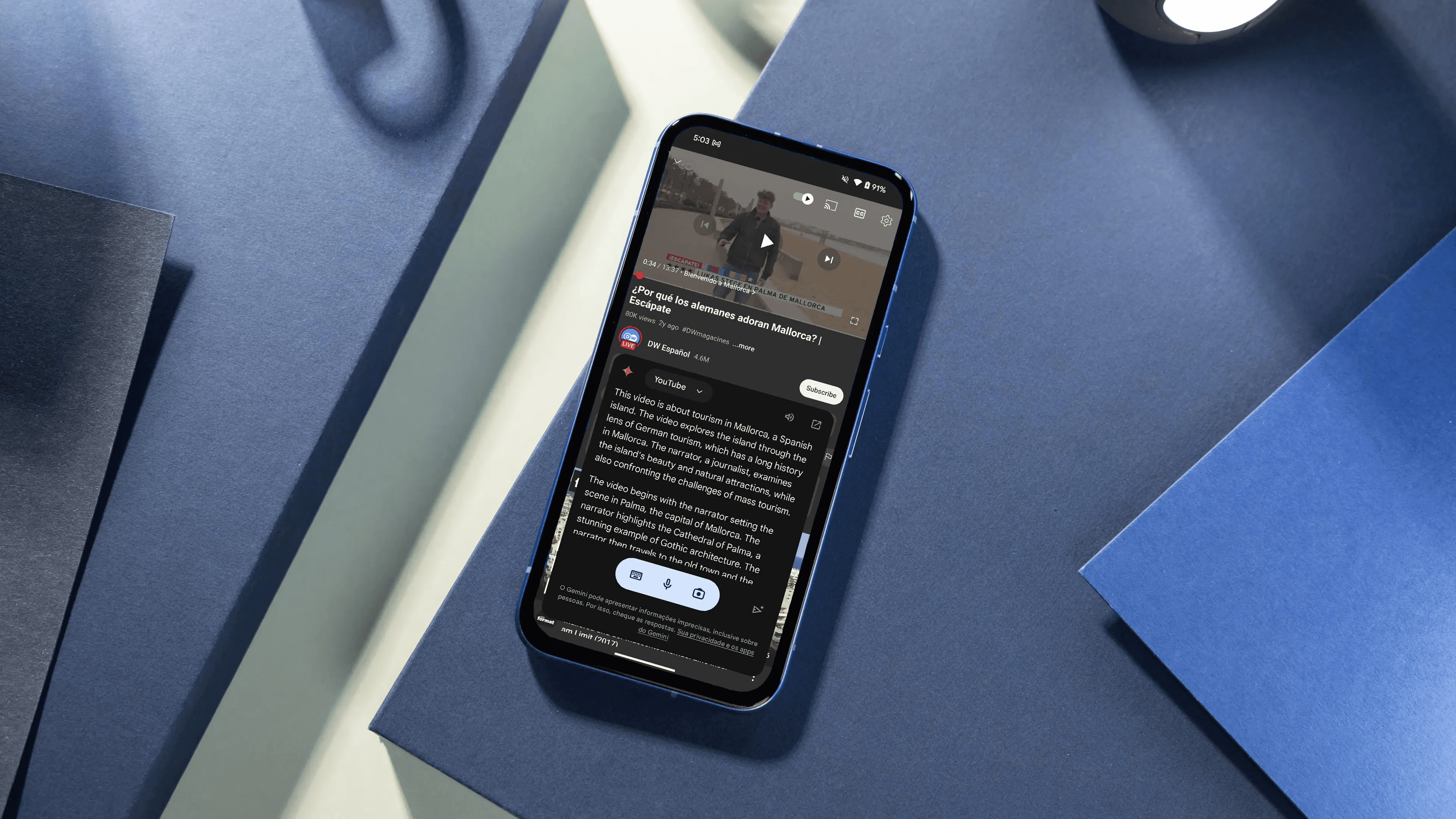
Krisp’s video summarizer is fast and privacy-friendly, but it isn’t a complete collaboration platform, and its reliability declines when audio is noisy or when recordings are very long. Below, I outline the practical limits you should expect, along with concrete trade-offs and workarounds you can use.
1. Limited collaboration and visual tools
Krisp does not include built-in mind maps, shared editing, or an integrated chat, so teams that need to workshop notes inside the tool end up exporting and stitching inputs together. After helping a 12-person product team compress two months of weekly demos, the pattern was clear: the single-user summary workflow sped individual reviews. Still, it required three additional handoffs per meeting for collective sensemaking, adding friction and delaying decisions. In short, the interface is excellent for one-person triage, but it forces teams to use separate tools for consensus and threaded discussion.
2. Ultra-simple input, but shallow in-tool editing
The copy-paste input that returns a summary in seconds is brilliant for speed, yet that same minimalism limits in-place refinement. You get a fast draft, not a collaborative notebook: editing must happen in external docs if you want version history, comments, or structured brainstorming. That design choice favors immediate action over sustained co-authorship.
3. No account requirement, with tradeoffs for continuity
Not needing an account removes sign-up friction and protects casual users, but it also eliminates a persistent workspace. Teams that rely on searchable meeting history, team-level access controls, or audit trails will need to build their own archive process, as summaries do not automatically reside in a shared, versioned repository.
4. Reputation and reliability do not replace missing features
Krisp is built on proven audio technology and a solid company foundation, which makes its core outputs trustworthy. However, the company's pedigree cannot fill the gap when workflows demand integrated collaboration or advanced visualization. Trustworthy foundations reduce operational risk, but they do not provide full-featured team tooling.
5. Performance drops in overlapping-voice environments
Be cautious with recordings that contain multiple people speaking at once, because Honest 2025 Krisp AI Review, 2025-12-03reports Krisp AI has a 95% accuracy rate in removing background noise, but this drops to 70% in environments with multiple overlapping voices. Practically, that means decision points and speaker-attributions can blur when moderators do not enforce turn-taking, and you will need manual spot-checking or separate speaker-cleanup steps for critical transcripts.
6. Long files slow throughput and complicate batch workflows
If you feed hour-plus recordings into the pipeline, expect longer waits and more failures, as found processing time can increase by up to 50% for audio files longer than 60 minutes. The consequence is simple: scalability requires either chunking recordings into shorter segments or scheduling processing windows so that overnight or asynchronous jobs do not block follow-up actions.
7. Limited native support for complex meeting structures
When meetings include simultaneous breakout groups, live slides with embedded audio, or rapid Q&A, the summarizer tends to flatten complexity into a linear brief. That helps teams get a quick map, but it loses the multi-threaded context you would capture with an annotated transcript or a collaborative session log. Expect to supplement automated summaries with structured notes when you need to preserve parallel threads.
8. Compliance and auditability gaps for regulated contexts
Because the tool emphasizes speed and low-friction sharing, teams with strict compliance needs will find gaps in built-in audit trails, fine-grained access controls, and exportable provenance metadata. If you must retain every utterance with verified timestamps and user attestations, plan for an external archiving step that attaches the required compliance information.
Most teams manage quick recaps locally because it is familiar and fast, which works until multiple stakeholders need to reconcile decisions, and manual stitching adds time and confusion. The familiar approach is low-friction early on, but as recordings multiply and accountability tightens, the handoffs compound into days of follow-up work. Platforms like Otio provide centralized review threads, versioned edits, and in-context comments, reducing reconciliation cycles from days to hours while maintaining a traceable audit trail for every change.
That tradeoff between instant convenience and coordinated follow-through is where choices get tactical, not philosophical. What happens next is the one surprise most teams do not expect, and it changes how you evaluate alternatives.
Related Reading
Best YouTube Summarizer
10 Best Krisp AI Video Summarizer Alternatives
There are ten practical alternatives to Krisp AI for video summarization, each tuned to different workflows: quick on-page, exportable study packs, multi-model control, or batch processing of long recordings. Below, I list them and then expand on their capabilities, trade-offs, and when to choose each one.
1. Otio
An AI research workspace that centralizes videos, articles, and notes.
2. Eightify AI
Quick Chrome extension summaries on YouTube, mobile apps included.
3. Glarity AI
Minimal, on-page summarizer with multi-model support and translations.
4. YouTubeDigest AI
Customizable formats and direct exports to PDF/DOCX/TXT.
5. Scripsy
Time-stamped transcripts plus concise summaries in a single extension.
6. ScreenApp
URL or upload processing with searchable notes and subtitle tools.
7. Glasp
On-page summaries, plus web and PDF highlighter and audio uploads.
8. Noiz
Fast, multilingual on-page summaries with transcript toggle and copyable text.
9. NoteGPT
Study-focused outputs: mind maps, slides, podcasts, and batch options.
10. Merlin
A Lightweight assistant that delivers quick summaries inside a broader browser AI. Market momentum is evident, with over 1 million users switching to alternative AI video summarizers. The Fuse Base reported this in 2023, showing broad movement in how people choose summarization tools. User sentiment supports this: 80% of users report higher satisfaction with Krisp alternatives. The Fuse Base noted that percentage in 2023, which speaks to perceived UX and feature-fit differences across options.
1. Otio
What it is and who benefits
Otio is an AI-first research hub that aggregates YouTube, PDFs, tweets, and bookmarks into a single searchable workspace, ideal for students, researchers, and knowledge workers who need a single source for source-grounded notes.
Key capabilities that matter
Large-scale import and organization across media types so your materials live together.
Source-grounded summaries and AI note generation, allowing single-click Q&A against original links.
Drafting help that converts collected evidence into essays, reports, or structured outlines.
Why choose it
Otio works best when you need not just a short recap but an audit trail linking claims to source clips or articles. If you value cross-source context and producing deliverables from your research without stitching tools, Otio is designed for that flow.
2. Eightify AI
What it is and who benefits
Eightify is a lightweight Chrome extension and mobile app that provides one-click access to YouTube videos using mainstream LLMs.
Standout features
Instant summaries are displayed on the video page.
Supports long videos, reportedly up to 10 hours, which is suitable for course lectures and conference talks.
Simple share and export options for passing highlights to teammates.
Tradeoffs
Eightify is fast and low-friction, but free tiers limit quota and length, so heavy users often need a paid plan for consistent batch work.
3. Glarity AI
What it is and who benefits
Glarity focuses on a minimalist UI for quick reads, offering embedded summaries, timestamped highlights, and in-browser language translation.
Key strengths
Minimal interruption: summarize without leaving the YouTube page.
Multi-model support and the ability to plug your own API key for cost predictability.
Cross-browser compatibility and a clean, ad-free experience.
Limitations
Glarity keeps exports simple, so teams that need rich Markdown or Notion exports will need an extra copy-paste step.
4. YouTubeDigest AI
What it is and who benefits
YouTubeDigest targets users who want control over output format and easy file exports, suitable for reporters, marketers, and study groups that produce deliverables.
What it offers
Multiple summary templates, from article style to layered chapter bullets.
Direct export to PDF, DOCX, or TXT, plus shareable links for teams.
Browser extension for Chrome and Firefox.
When to pick it
Choose YouTubeDigest if document-ready outputs are a regular requirement and you want a predictable export workflow without manually rebuilding notes.
5. Scripsy
What it is and who benefits
Scripsy combines full, time-coded transcripts with a compact AI summary in a single browser plugin, making it easier to pinpoint exact quote matters.
Core features
Line-by-line transcript with timestamps and a short, AI-generated recap.
Fast one-click activation from the Chrome toolbar.
Multilingual transcript and summary support.
Where it falls short
Scripsy is focused on YouTube, so if you need broad input types or advanced exports, you will need complementary tools.
6. ScreenApp
What it is and who benefits
ScreenApp offers flexible inputs, letting you summarize via URL or file upload, and produces searchable notes with subtitle creation tools.
Practical capabilities
Process YouTube links or upload recorded meeting files.
Generate searchable text and short summaries for building a lightweight archive.
Subtitle and transcript generation with basic analysis features.
Best use case
Use ScreenApp when you need the flexibility to handle both public videos and private meeting recordings without switching apps.
7. Glasp
What it is and who benefits
Glasp blends on-page YouTube summaries with web and PDF highlights, plus an audio transcriber for uploaded files up to roughly two hours long.
Distinct features
Embedded transcript and TL;DR with adjustable summary length and optional timestamps.
Browser highlighter for websites and PDFs that syncs with your highlights.
Audio uploads that produce transcripts and .srt exports.
Limitations and pricing
Glasp is lightweight and configurable, but some flows require a connected LLM account; paid tiers unlock more capacity.
8. Noiz
What it is and who benefits
Noiz is a fast Chrome plugin for one-click summaries and transcript toggles, with broad language coverage.
What it does
Shows key ideas with timestamps on the video page and switches smoothly to full transcript view.
Supports about 40 languages and makes it simple to copy or convert transcripts to shareable links.
Designed for speed and international learners.
Tradeoffs
Exports are simple text; for complex knowledge bases, export and enrich them elsewhere.
9. NoteGPT
What it is and who benefits
NoteGPT is built for learners who want study-ready outputs beyond text, turning transcripts into mind maps, slides, or podcasts.
Capabilities that stand out
Generates transcripts for videos without captions and supports batch or long-file workflows.
One-click conversion of notes into mind maps, slide decks, or audio summaries for different learning modes.
Templates for subject-specific summarization and a synced workspace.
When it makes sense
If your goal is to transform raw recordings into reusable learning assets, NoteGPT significantly reduces manual drafting.
10. Merlin
What it is and who benefits
Merlin is a versatile browser assistant that includes a YouTube summarizer, ideal for users who prefer an assistant built into the browser rather than a standalone summarization app.
How it helps
Pull a quick TL;DR while browsing, then run follow-up prompts on the summary for analysis.
Fast install and simple workflow for casual or opportunistic summarization.
Limitations
Expect basic exports, and do not rely on Merlin for deep batch processing or advanced study outputs.
Status quo, hidden cost, and a practical bridge
Most teams still triage videos by skimming and rewatching clips because it is familiar and requires no new process. That ease hides a cost: as recordings pile up, manual chunking, clip hunting, and stitching notes into deliverables eat hours each week.
After working with a university study group that condensed 120 hours of lectures over eight weeks, the pattern became clear: free tiers and length caps forced manual splitting and added at least two extra hours of overhead per student each week. Teams find that platforms like Otio reduce friction by centralizing sources and linking summaries to the original material, enabling work to move from rewatching to decision-making without adding a heavyweight process.
Practical buying filters to use now
Do you need speed on the video page, or batch processing of private recordings? Choose page-focused extensions for quick triage, and web/app processors for uploads and archives.
Is export format critical? If you must ship PDFs or DOCX files, choose tools with first-class export; otherwise, expect copy-and-paste work.
Do you want model control and cost predictability? Prefer tools that accept your API key so behavior and billing are predictable.
Are you a heavy user of long recordings? Favor platforms that explicitly support long-video handling and batch jobs to avoid quota friction.
A quick workflow rule I rely on
When accuracy matters, enable source captions before summarizing, chunk files longer than 45-60 minutes, and then merge the short summaries into a structured brief. That reduces the risk of hallucinations and keeps each summary focused on decisions and action items.
If you want a crisp pick
For research and linked evidence workflows, choose Otio.
For instance, on-page previews, Eightify, Glarity, or Noiz are the fastest.
For export and deliverable generation, YouTubeDigest or NoteGPT works best.
For broad input types, including uploads and subtitles, prefer ScreenApp or Glasp.
The frustrating part is this: the tool you pick won't matter unless the team changes how it treats summaries as primary artifacts, not secondary notes. That simple shift is where the next, more complex problem begins.
Supercharge Your YouTube Research With Otio — Try It Free Today
If you're tired of replaying meetings, let's consider Otio: it turns your recordings into clear, actionable summaries so you focus on insights, not rewinds. Upload or link videos from Google Drive, YouTube, or your device, chat with the recording to extract key takeaways and highlights, and export AI-generated summaries, draft notes, or reports from one searchable workspace. Try it free today.



