
Video Summarization
10 Best Video Summarization Tools
Compare 10 top tools, including Otio for fast, accurate summaries and actionable insights that streamline your workflow.

Faced with a stack of video files and a tight deadline, professionals can efficiently extract essential quotes, scenes, and evidence. Video summarization transforms long clips into concise highlight reels by using key frames, scene change detection, transcripts, and audio-visual cues. This streamlined approach highlights impactful moments and minimizes the need for manual review.
Integrating these techniques simplifies content creation and speeds up the research process. Otio's AI research and writing partner converts summaries, highlights, and timestamps into organized notes, drafts, and citations, making it easier to stay on track and meet deadlines.
Summary
Short highlight clips make social and paid creative production far faster, and dynamic video ads can increase engagement by up to 50%, making highlight-first editing a reliable way to amplify reach.
Embedding summarized clips into newsletters or conversion-campaign links content drives outcomes, and brands using dynamic video ads see about a 30% increase in conversion rates.
There are three primary summarization methods: speech-to-text, automated distillation, and visual clip assembly. A practical workflow is to generate extractive bullets for 5- to 10-minute blocks before producing executive digests.
Tradeoffs matter: favor extractive, timestamped outputs when you need strict traceability, or allow more abstractive summaries for speed, but require a 24-hour human verification loop to prevent drift.
Evaluate tools with real samples, for example, run three representative videos, including a noisy call, a slide-driven demo, and an interview, and beware free plan caps that can be as low as 300 minutes monthly.
The market is expanding rapidly, with growth projected at roughly 25% annually. Add simple governance, such as a 24-hour spot check on the first 10 summaries, to maintain trust as vendors proliferate.
Otio's AI research and writing partner addresses this by converting source-grounded summaries, highlights, and timestamps into organized notes, draft outputs, and citation-linked references to shorten review cycles and preserve auditability.
Table of Content
Use Cases of Video Summarization

Video summarizers enable many practical applications in marketing, learning, and support. They convert long recordings into short, searchable pieces that can be used immediately. Here are some specific ways teams can reuse summaries and highlight clips, along with valuable details for each case. For those looking to enhance their efforts in this area, partnering with an AI research and writing partner can provide significant advantages.
What are short videos for social media?
Short videos for social media are brief highlight clips that include timestamps. This allows creators to jump directly to the moments that interest viewers. This method helps create Reels, Shorts, LinkedIn posts, and TikToks without hours of footage.
Short-form creative content helps both organic growth and paid creative tests. This is very important because, according to Outbrain, dynamic video ads can increase engagement by up to 50%. Because of this, highlight-first editing is a reliable strategy for increasing reach.
How do captions and post descriptions work?
Creating captions and post descriptions involves effectively summarizing content. Summaries that break a video into timestamped bullets can be turned into ready-made captions, social copy, or micro-posts. Instead of making up new lines, you can take the summary bullets, tighten each one into a caption, and keep voice consistency across platforms. This method significantly reduces drafting time.
What are YouTube chapters?
YouTube chapters are automatically created chapter markers that save hours when handling many uploads. They improve findability and enhance the watch experience for viewers seeking specific answers. For channels that regularly post long videos, auto-chapters eliminate a repetitive, low-value task that can consume project time.
How can I use threads for Twitter and Instagram?
Twitter and Instagram threads. Turn summary bullets into multi-post threads that take an audience through an idea step by step. For a more conversational teaching style, record yourself explaining a concept. You can then import the video and export the summarizer’s split ideas as a thread-ready sequence.
What are quotable soundbites and text highlights?
Quotable soundbites and text highlights can be pulled effectively through summarization techniques. This process brings out sharp, standalone sentences that are worth sharing as quote cards or tweet-sized insights. These highlights serve as salt-and-pepper content sprinkled across feeds and help maintain audience attention between larger releases.
How do show notes for podcasts and webinars work?
Show notes for podcasts and webinars can make the note-taking process easier. A summary with timestamps helps creators make accurate show notes and promotional copy for the episode pages. This method saves editorial time and improves discoverability.
What are blog post outlines from video takeaways?
Summaries give the basic structure for a written article. In this structure, each main idea becomes a paragraph or a subheading. You can use video clips to enhance the post.
Combine the summarized outline with a few video clips to create posts that are both scannable and vivid. See our blog post outlines for more insights.
How to extract keywords and SEO meta?
Extracting keywords and SEO meta is vital for being seen online. Summarized text makes it easier to take out valuable keywords, create meta titles, and write descriptions that match what users are searching for. An AI assistant can effectively convert bulleted lists into SEO-ready text, ensuring video pages remain discoverable.
How to create training and product tutorials?
Create training and product tutorials by capturing short, task-focused clips from demos or calls. Assemble these clips into step-by-step tutorials. This approach makes it easier for learners and accelerates onboarding by focusing on the specific actions users need to take. When clips are reused in courses and help centers, they keep attention and make the learning process smoother.
What are video FAQs?
Video FAQs make customer support easier by turning common call questions into short, titled clips that answer each question. This method helps educate customers by providing a single repository of timestamped answers, reducing the need for repeated live support.
As a result, teams can focus more on edge cases rather than routine questions, improving efficiency in client interactions. For more on the impact of automation, see our discussion on edge cases.
How do e-learning course chapters and summaries work?
E-learning course chapters and summaries are essential for organizing learning materials.
Summaries help outline course modules and create study guides that link short clips to main notes.
For remote learning programs, this method helps students retain information more effectively by providing a clear study path, significantly reducing the need to rewatch entire lessons.
How to create audiograms with captions?
When you upload audio, auto-generated audiograms and a summary help you find the most shareable minute.
This process includes pre-captured captions, which accelerates the transition from raw audio to a social-ready clip.
How to use carousel graphics for feeds?
Carousel graphics for feeds can be beneficial. Summaries broken into short bullet points can easily be converted into carousel card text for Instagram and LinkedIn.
Designers can turn each bullet into a slide, creating a clear story that helps viewers understand the idea without additional editing. For those looking to streamline their content creation, our AI research and writing partner can provide valuable assistance.
What are customer support guides and knowledge base videos?
The customer support guides and knowledge base video index provide summary clips organized by problem. This allows for a searchable library that customers can access directly.
Public URLs to these clips help teams reference specific moments during troubleshooting, reducing lengthy email exchanges. With our AI research and writing partner, you can enhance the quality and effectiveness of your support documents.
How to harvest customer testimonials?
To successfully gather customer testimonials, look through summaries for positive feedback. Get the timestamp and save the related clip as a testimonial. Over time, this process helps you create a tagged collection of customer endorsements that can be prepared for landing pages or sales decks.
How to enrich email newsletters with video clips?
Enrich email newsletters with video clips. Embed summarized clips or links into newsletters, so readers can watch highlighted moments without leaving the message. This slight reduction in friction increases click-through rates and helps the newsletter feel less like just another text digest. Also, it supports conversion-focused campaigns, which is essential. A study shows that Brands using dynamic video ads see a 30% increase in conversion rates.
What problems arise from manual editing?
Many teams start with manual editing and informal repurposing because it seems simple when the content volume is low. However, as content volume grows, this method can cause serious problems: clips can get lost, the message can change, and teams often spend hours trying to find moments again instead of working on production.
Platforms like Reduct help address these issues by providing centralized, timestamped summaries, search highlights, and exportable clips. This feature lets teams shorten the repurposing process from days to hours while keeping accuracy and context.
How does this pattern affect creators and training teams?
This pattern affects both creators and training teams. When organizations convert backlog recordings into timestamped summaries, they can reduce planning time, ensure consistent messaging, and support multichannel campaigns more effectively, all without hiring additional staff.
What questions arise regarding the method and trade-offs?
While that efficiency is powerful, it raises an essential question about method and tradeoffs that most teams never resolve.
How to Summarize a Video in 3 Ways
There are three reliable ways to turn a long video into something helpful: convert speech to clear text, use AI to create easy-to-understand summaries, or cut the footage into short highlight clips. Each method addresses a different need, so choose the one that best fits your goal. You can then combine the other techniques into a repeatable process. If you're looking for an efficient way to manage this, consider partnering with our AI research and writing service to streamline the process.
When should you pick speech-to-text engines?
Speech-to-text engines are essential for effective communication and content creation. When deciding when to use these tools, keep the following points in mind, such as using automatic transcription as the primary layer in every summarization process.
Searchable text includes accuracy, timestamps, and attribution. Look for tools that provide speaker separation, punctuation, and timecodes. These features let you match statements to frames without rewatching the content.
For proper setup, use the same microphone each time, enable noise reduction, and run a one-minute test recording to verify speaker labels before processing longer sessions.
Export both a plain transcript and a timestamped JSON file so that other tools can automatically segment the audio.Post-transplant care is critical. Normalize filler words, fix run-on sentences, and apply simple rules for names, acronyms, and technical terms. This helps ensure that AI models correctly understand domain vocabulary. This single cleaning step reduces time spent on subsequent rewriting and ensures quotes remain accurate.
How to extract meaning using AI?
Treat AI summarizers as synthesis engines, not oracles. Provide them with structured inputs: a short context string, the cleaned transcript, and a list of roles or audiences (e.g., "product manager" or "legal reviewer"). That framing forces outputs to be action-focused instead of generic.
Use a two-stage approach: first, generate extractive bullets for each 5- to 10-minute block; then ask the model to produce an executive digest and an action-item list with timestamps. This avoids the standard failure mode where a single prompt misses low-frequency but necessary decisions.
Guard against hallucination by keeping links to source timestamps and by asking the model to surface exact-quote segments with links back to the transcript. When you need verification, run the summary through a source-grounding pass. Practical tradeoff: abstractive summaries read cleaner but require stronger grounding checks; extractive work is clunkier but more verifiable.
When to use visual editing and clip assembly?
Visual editing and clip assembly are essential when you want to convey a message rather than just read it.
Here are some key considerations:
Use editing tools to create assets that are ready to play where motion, tone, or demo steps are essential.
You can automate selection using scene detection and audio energy markers, but be sure to refine the clips for pacing and clarity manually. Also, choose an export format and naming convention that your CMS or knowledge base can index automatically.
Design clips for reusability: keep each clip focused on one idea, include the first sentence burned into captions for quick scanning, and save metadata tags that describe the topic, speaker, and decision type.
These tags help make clips easier to find in search and programmatic workflows without needing extra manual tagging.Be careful of possible failure modes: automated cutting can lose context between sentences or cut necessary demo steps. Always check clips against the transcript and add a 15- to 30-second pre-roll when a clip has an action that depends on prior setup.
What issues arise with transcription alone?
This pattern appears in enterprise learning and researcher workflows: teams start with transcripts because they are easy to use, but soon find that transcripts alone are insufficient. As recordings increase, teams spend hours rewatching parts to see decisions and next steps. This problem makes recordings feel like archival dead weight instead of valuable tools.
Most teams try to fix this by creating files, notes, and ad hoc folders because it feels familiar and requires no new rules. But as video volume grows, this habit fragments knowledge.
Context is lost, search results are misleading, and necessary action items are buried in raw files, slowing decision-making. Platforms like Otio, the AI research and writing partner, bring together transcripts, create source-based summaries, and link clips to exact timestamps. This method cuts review time from days to hours while keeping everything easy to track.
What tradeoffs should teams consider?
A practical trade-off to consider, based on how teams actually operate, is scale versus control. If strict traceability and audit trails are necessary, prefer extractive summaries with clear timestamp links and human review.
For speed and quick insights, allow a higher level of abstraction, but create a fast verification loop where someone confirms key actions within 24 hours. This decision rule stops summaries from becoming unreliable advice as volume increases.
When improving a workflow, measure two critical signals: time-to-first-insight and how the summary is used later, like whether someone acted on it or ignored it. These simple metrics distinguish documentation from operational output and indicate whether your summarization process is saving attention or just creating another unread item.
For many teams that use structured summaries, this change turns meetings from memory exercises into effective, forward-looking checkpoints; summaries become the main source people check before making decisions. Consider employing an AI research and writing partner to enhance your workflow.
How does Otio enhance these processes?
Otio brings these features together in a single workspace. It lets users collect bookmarks, tweets, PDFs, and videos. You can create notes from your sources and discuss the links you collected.
Let Otio be your AI research and writing partner. Try it for free to see how it changes recordings from a burden into a helpful tool.
This method looks neat, but the next choice people often face shows a surprising tradeoff that can change everything.
Related Reading
10 Best Video Summarization Tools

Here are the top video summarizers that we recommend. Each is evaluated for accuracy, speed, integration, and the trade-offs you should be aware of.
Below is a brief profile, along with separate pros and cons for each tool. Choose based on the results you need the most, as some tools focus on speed, others on fidelity, and a few on searchable knowledge management.
1. What does Otio offer for video summarization?
Otio\rotio gives researchers a single AI-native workspace to gather links, scrape the web, and convert those sources into notes, searchable questions and answers, and draft outputs that speed up writing. It focuses on converting a reading list and a pile of videos into a first draft and tracks connections between summary claims and their original timestamps or links. By leveraging our AI research and writing partner, you can further streamline your process.
2. What are the features of Recall?
Recall helps you create short summaries and build a knowledge graph that connects information. This means summaries are not just separate pieces; they link and reappear as you work. It runs in the background and provides quick summaries and flashcards when needed.
Auto summaries make quick, easy-to-read overviews for videos, articles, and PDFs in just seconds.
The knowledge graph automatically connects related content, saving you time when seeking insights across projects.
Built-in spaced repetition turns summary points into flashcards, helping you remember better.
The offline-first design allows you to go over material without an internet connection.
The free tier limits you to 10 AI summaries a month, which can be a problem for heavy users.
To access advanced integrations and team-level API access, you need to purchase the Business plan.
It primarily works in the browser, so teams that want desktop apps may find it restrictive.
3. How does Summarize.tech simplify video summarization?
Summarize.tech is the easiest tool for turning a YouTube URL into a quick summary, with summary lengths ranging from a three-sentence summary to a detailed breakdown. It works well when speed and simplicity are essential, especially for recorded talks and podcasts.
A fast paste-and-summarize workflow that creates key points in under a minute.
An adjustable summary length that helps match the output to different situations.
No login is required for quick, ad hoc summarization.
It is primarily designed for English, making it less useful for multilingual teams.
Accuracy may dip when understanding relies on visual aids or slides.
Free usage is limited by daily rate caps, which can affect heavy workflows.
4. What advantages does Otter.ai provide?
Otter.ai is the best choice when you need reliable live transcription with speaker labels. It automatically extracts action items and highlights from meetings and recorded sessions.
Otter.ai works well with conferencing tools and supports follow-up through AI chat and search.
Real-time transcripts and captions that make meetings easy to access and search.
Automatic highlights and action-item detection convert conversations into tasks that can be tracked.
Speaker identification removes confusion in recordings with multiple people.
Broad integrations with calendar and storage tools enable fast distribution.
The Basic free plan limits transcription to 300 minutes per month, which may be insufficient for users with frequent meetings.
Pre-recording requires side-by-side recording, which feels awkward compared to importing files directly.
Some enterprise features are available only on paid plans.
5. How does ScreenApp facilitate video summarization?
ScreenApp focuses on quick transcription and timestamped highlights from pasted URLs or uploaded files. It offers flexible export options for team sharing. This tool is ideal for anyone who needs clickable timestamps and fast exports without complex setup.
Instant transcripts, along with timestamped highlights, let users skip to the exact moment they want.
It supports many platforms, like YouTube, Facebook, Instagram, and MP4 uploads.
One-click export options to Slack, email, or PDF make sharing much easier.
Accuracy may decline with noisy audio or strong accents.
Advanced features, such as API access and unlimited summaries, are available only in paid plans.
It works best in English, so it provides limited support for other languages.
6. What unique features does NoteGPT offer?
NoteGPT pairs summarization with study tools. It produces mind maps, flashcards, and searchable notes. This changes passive watching into active learning. It is invaluable for students and trainers who want to move quickly from simply consuming information to actually remembering it.
It converts videos into short summaries and full transcripts, along with visual mind maps.
It automatically creates flashcards and helps with follow-up Q&A in the workspace.
It supports multiple content types, including YouTube videos, MP4 files, PDFs, and articles.
Free access is limited. It is often restricted to .edu addresses or has low quotas, which affects trial usage for regular users.
There is no live meeting transcription or speaker separation available.
It lacks collaboration and enterprise-grade compliance features.
7. How does Eightify enhance YouTube summarization?
Eightify lives in your browser and mobile device, delivering instant, timestamped summaries directly on YouTube for fast skimming. It is the go-to tool when you need immediate context without leaving the player.
One-click summaries that are integrated into your browser and iOS for immediate access.
It supports over 40 languages, which helps global teams.
It only works with YouTube, so it does not support local files or other platforms.
Some regions offer short, free trials that limit extended evaluation.
The tool may miss nuance in very technical content.
8. What does MyMap AI Video Summarizer provide?
MyMap AI Video Summarizer creates both text summaries and interactive mind maps that link back to timestamps in the video. This feature mixes visual navigation with text extraction, making it useful for teams that want to see how ideas connect while keeping a direct link to the source.
Instant summaries along with editable mind maps that connect ideas to specific moments in the video.
Real-time collaboration and encrypted cloud storage, which support team workflows.
No sign-in is required, allowing for quick evaluations.
The free tier limits daily summaries and exports.
Higher-end AI modes and API access are only available with a paywall.
A browser-only experience may leave desktop app users feeling restricted.
9. What challenges do users face with video summarization tools?
What people actually struggle with and what matters when you choose. After working with academic and product teams for six months, I noticed a common issue: overloaded knowledge workers and students often end up piecing together bookmarks and note apps. This keeps them busy but not really productive.
This method can work until things get more complex or the number of people involved increases. Then you see the hidden costs: review time increases, searches fail, and institutional knowledge can break down. Choose a tool that meets the limit you cannot handle, whether it's strict traceability, offline access, language coverage, or fitting into your current workflows.
10. What checklist can help weigh tradeoffs?
A practical checklist can help you make decisions. First, if your main goal is speed and you can tolerate some loss of detail, choose a lightweight summarizer that delivers fast results. If auditability matters to you, select outputs that show exact text with timestamp links and provide a way for humans to verify them. If you want to retain information longer, choose platforms that create study materials, such as flashcards and spaced-repetition systems.
For teams that work offline or in areas with slow internet, use offline-first tools or export data locally. Lastly, make sure the tool fits the specific problem you want to solve.
What is essential to consider about adoption?
Practical note on adoption: Most groups underestimate free plan limits until they need to scale summaries. Expect quotas to affect you as you move from a pilot to production. Treat a free plan as a functional prototype for your workflow.
In the first 30 days, measure two key factors: the time it takes to take the first action from a summary, and if anyone reused the summary in a follow-up task. These metrics will show whether summaries are saving attention or adding to unread work.
What do users prefer about video summarization tools?
Usage reality in two sentences\rOver 70% of users prefer video summarization tools for quick content consumption. Video summarization tools can reduce video-watching time by up to 50%.
This last point is crucial because it shows that summaries provide measurable time savings, not just convenience.
What detail should influence your tool choice?
The detail that often goes unmentioned will significantly affect your choice of tool.
How to Choose a Video Summarizing Tool
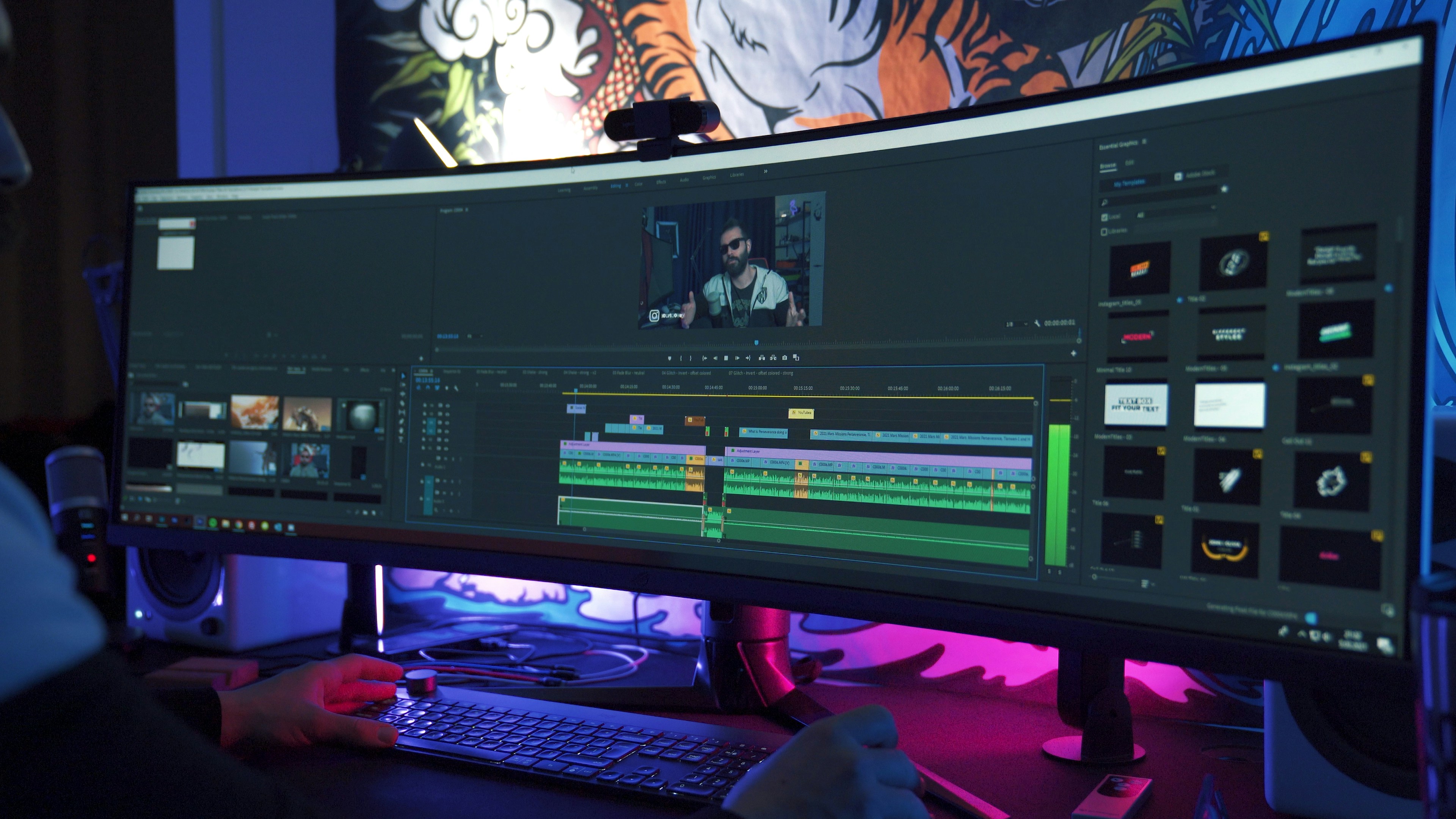
Choose a tool that aligns with your goals. Ensure transcription and summary accuracy are top priorities. After that, check whether it fits your workflows, supports the languages you need, and scales without unexpected costs. Test it with actual videos your team uses, not just sample clips.
In the end, evaluate the tool by whether its summaries encourage action rather than just being easy-to-read notes. Consider how an AI research and writing partner can streamline your process and enhance productivity.
What factors should you consider for accuracy and transcript fidelity?
Accuracy and transcript fidelity are essential. Look for clear speaker separation, correct punctuation, and handling of names, acronyms, and technical terms that show understanding of the subject. This ensures the summary aligns with the original intent.
Test the process by using three representative videos: one noisy call, one slide-driven demo, and one interview. Compare the timestamps and quoted lines from the tool to the actual content. If the model often adds claims that cannot be linked to a timestamp, it is creating liability, not value.
How do integration capabilities and automation play a role?
Integration capabilities and automation are essential for efficiency. Verify native connectors, a usable API, and compatible export formats that your stack can ingest without manual work.
Consider whether the tool can push summaries to your knowledge base, add chapters in your CMS, or post clips to Slack with a single click.
With our AI research and writing partner, you can streamline these processes.
A platform that requires copy-paste for each record will require hours of work per week as usage scales.
It's better to prefer webhooks, OAuth SSO, and prebuilt connectors to ensure that summaries flow seamlessly to where decisions are made.
Why is language coverage and accent robustness necessary?
Language coverage and accent robustness are essential for effective communication. Don't think that just because a model is 'multilingual,' it means it is ready for your specific markets. It's essential to check the supported languages and how well it handles different dialects.
Also, please verify whether the model was trained on accented speech similar to your users' accents. Run a 5-minute sample in the primary non-English language to identify any incorrectly transcribed words that could change the meaning.
When depth in language is essential, you should ask for speaker labels and the ability to provide glossaries to keep specialized vocabulary intact.
What should be evaluated regarding speed, latency, and live capabilities?
Decide whether you need near-real-time capture or fast post-session processing. For live webinars and meetings, confirm caption latency, and if the system drops parts when the network is busy. For urgent workflows, measure time-to-summary: if it takes longer than your decision cycle, the summary becomes archival instead of operational.
It's also essential to test how the service performs under load; a slow but steady pipeline is usually better than a ‘real-time’ promise that isn't reliable.
How does customization and output control affect usage?
Customization and output control are essential features in any effective tool. Look for controls that let users adjust length, tone, and structure, such as bulleted action lists, executive summaries, or role-specific overviews.
The best tools support template settings or provide role-specific context, enabling the same recording to generate a QA checklist for engineering or a one-paragraph brief for executives. Additionally, it is vital to have options for producing extractive outputs with linked timestamps when auditability is essential, and for creating abstractive outputs when speed and readability are more important. As an AI research and writing partner, our platform offers critical features that help you tailor content to your specific needs.
What should you consider regarding the pricing model and predictable scaling?
Examine per-minute costs, API call pricing, seat fees, and overage rules. Free tiers can hide the actual cost of scaling; model your expected monthly minutes and run a 30-day test to uncover hidden costs. For teams, check if there are volume discounts, committed usage, or batch-processing rates. Also, consider whether enterprise features such as SSO, audit logs, and data retention come with a high price tag.
How to assess usability, onboarding, and support?
To assess usability, onboarding, and support, check the real learning curve. Can a teammate create a usable summary within 15 minutes of first use? Focus on tools with clear UI flows, good documentation, and responsive support that understands your area.
When usability fails, teams often go back to manual notes. This friction can stop adoption faster than accuracy gaps.
Why do teams rely on stitching together transcriptions?
Most teams handle summarization by piecing together transcriptions, manual notes, and shared folders. This method appears straightforward and requires no policy changes. However, it can create issues as more decisions are made and context becomes fragmented. Relying on this approach can make rewatching clips a frustrating weekly job, which can lead to essential action items being missed.
Tools like Otio offer fast and accurate extraction of action-focused insights, clear timestamp links, and export connectors. This new technology shortens review cycles from several days of replays to instant, searchable items that teams can act on.
How to evaluate your selection checklist?
This selection checklist saves time during evaluation by using three real-world tests. These tests include checking time-to-first-action, confirming a single language and a single loud audio sample, and ensuring an automated export works in your main workflow. If a trial fails any of these checks, the costs of redoing the work will exceed the time saved.
What governance steps enhance tool adoption?
A helpful tip for adoption, based on what we've seen, is that when new tools are added without a way to verify their accuracy, teams tend to trust the summaries less and keep going back to the original videos. A 24-hour human spot-check on the first 10 summaries can be helpful. By publishing a single verified summary as the primary reference, this small governance step can shift the view from 'maybe useful' to 'trusted source.'
What is the growth expectation for video summarization tools?
The market for video summarization tools is expected to grow by 25% each year. This level of growth is essential because it signals that more vendors will compete on convenience rather than on the core needs users care about. Therefore, it is crucial to complete the checks outlined above before establishing a workflow standard.
What immediate signal indicates successful tool usage?
A practical signal to track right away is whether summaries reduce repetitive meeting follow-ups within the first month. Achieving this demonstrates a good balance of fidelity, integration, and usability.
What is the deeper question regarding video summarization?
That convenient improvement sounds final, but the next question people often ask goes deeper.
Related Reading
Best YouTube Summarizer
Supercharge Your Research Ability With Otio. Try Otio for Free Today
Long recordings often go unused because extracting actionable insights can take hours. Otio AI turns those moments into searchable, reliable resources, making summaries useful tools instead of just clutter in archives.
Run a short test on a real project to see how much time you save and how quickly you can get first drafts. Discover how Otio can change your workflow by trying it for free today.



