
Video Summarization
How to Do a YouTube Summary With ChatGPT
YouTube Summary With ChatGPT cuts long videos to clear, timestamped notes for quick insights. Learn how Otio transforms research and writing efficiency.
Extensive video collections often slow research and decision-making. Tools such as YouTube Video summarization with ChatGPT extract essential details, including time-stamped notes and actionable insights from lengthy footage. Extracting key points instead of rewatching every minute saves time and sharpens focus. This approach streamlines study, research, and drafting by highlighting the core content.
Enhanced AI methods convert full transcripts into concise takeaways and organized outlines, transforming exhaustive footage into clear, actionable insights. These refined summaries enable both creators and researchers to quickly grasp complex information. The efficiency benefits extend to reducing manual review and accelerating content creation. At the same time, Otio’s AI research and writing partner offers a trusted solution that turns transcripts into crisp summaries and citation-ready notes.
Summary
Summarized video formats align with audience expectations: 80% of YouTube users prefer summaries to full-length videos, signaling a significant shift in how people want to learn from video.
Condensed notes improve engagement and focus, with summarization increasing viewer retention by 50%, making tight, timestamped digests more useful for comprehension under time pressure.
The sheer volume of video makes manual review unsustainable: over 500 hours of content are uploaded to YouTube every minute, creating a growing backlog of transcription and review work for teams.
Automated summarization delivers significant efficiency gains: AI-powered video summarization reduces content analysis time by up to 80%, freeing capacity for prompt iteration and human verification.
Tool choice is driving migration: over 1 million users have switched to alternative summarizers, and 75% report improved accuracy, underscoring that fidelity and traceability are essential selection criteria.
Model outputs speed workflows but are imperfect, with reported summarization accuracy around 85% and users seeing a 40% reduction in time spent when using AI summaries, which makes quick verification rituals and citation checks necessary.
Otio addresses this by serving as an AI research and writing partner, centralizing transcript ingestion, automating chunking, and providing configurable prompt templates, producing source-grounded summaries that enable teams to scale summarization workflows while preserving traceability.
Table of Contents
Benefits of YouTube Summarization

YouTube summarization turns long videos into short, timestamped notes and provides clear next steps. This helps viewers take action on the content rather than just watch it. As a result, it saves hours, improves focus, and ensures key facts are noted, especially when decisions or deadlines require clarity. You can enhance your efficiency with an AI research and writing partner. According to AWISEE.com, 80% of YouTube users prefer watching summarized content over full-length videos (2025). This preference reflects a significant shift in how people want to learn from video.
How does YouTube summarization save time?
Save time with surgical precision. When answers are needed quickly, a concise, timestamped summary helps avoid guesswork and the need to search through large amounts of information. This trend is evident among students preparing for exams and product teams conducting weekly research. They choose to trade long viewing sessions for a five- to ten-minute review that shows exactly where the critical information is. This method saves time on the calendar, reduces task switching, and enables quick follow-up actions, such as writing meeting notes or preparing for a presentation.
How does summarization improve productivity?
Summarization improves productivity by removing sensory clutter. Watching a full video often includes unnecessary talk, visual distractions, or pacing that breaks focus; these interruptions can cost valuable attention. Summaries remove this noise, allowing people to concentrate on the propositions, evidence, and outcomes they need. This leads to faster comprehension and fewer restarts. According to AWISEE.com, YouTube summarization can increase viewer retention by 50% (2025). This statistic clearly shows that shorter formats help viewers engage with core ideas rather than drift away. When attention is limited, that extra retention directly turns into usable productivity.
Why do teams need to avoid watching the whole video?
Most teams watch entire videos because they seem complete and don't require any new tools; this approach works well for small projects. But as libraries grow larger and deadlines tighten, the hours spent watching add up to hidden costs. These costs include reworking the same parts, losing essential details, and slow handoffs. Platforms like YouTube and tools like ChatGPT Summary offer adjustable, timestamped summaries and action suggestions. This helps teams reduce research time from hours to minutes while maintaining accuracy and traceability. Moreover, engaging an AI research and writing partner can provide additional resources that further streamline the process.
How do summaries capture details effectively?
Capture details you would otherwise miss. Videos often obscure names, numbers, and quotes in the flow of speech, which can cause our brains to skip over small but essential information when multitasking. A good summary brings those fragile details to the surface, highlights exact timestamps, and keeps quotes and figures as easy-to-find text. Think of it as attaching index cards to a long lecture, so you can grab the precise line you need for a citation, a slide, or a code reference without having to replay the whole content.
How do summaries make learning scalable?
Make learning repeatable and scalable. When summaries are stored alongside the original videos, knowledge becomes permanent. Teams can onboard quickly, students can review effectively, and creators can reuse material reliably. This effect increases when a single clear summary enables the creation of multiple training modules, briefs, or social clips without rewatching the raw footage. One hour of content can yield multiple shorter, high-value outputs.
How do summaries reduce cognitive friction?
Summaries reduce cognitive friction when making decisions. They turn passive watching into decision-ready input by isolating the arguments, evidence, and suggested next steps. This method reduces the mental effort required to piece together scattered ideas under time pressure. The outcome is clearer prioritization, fewer false starts, and better follow-through when deadlines are tight.
What options do professionals need for summaries?
Support for configurable control and trust is essential. Not every summary should look the same because professionals need different options. They might need short bullet points for speed, or longer executive summaries that show source timestamps and tone changes. Tools that let users customize length, depth, and style produce predictable outcomes. These summaries can consistently inform reports, meeting agendas, or study plans without needing manual edits.
How do summaries improve content discovery?
Summaries significantly improve content discovery and reuse. They make video libraries searchable by concept, quote, or figure, accelerating research and creative workflows. This searchable layer changes passive archives into an active knowledge base that can be searched, linked, and built upon.
What is the real value of a good summary?
A brief analogy: a good summary works like a compass and a trip log, instead of a map that redraws the terrain. It shows you the proper ground and tracks the route, so you do not have to go back and retrace every step. This simple gain might feel like the finish line, but the real test is if those summaries lead to action, not just being notes.
Source?
Source: https://krisp.ai/blog/how-to-summarize-a-youtube-video/
How to Do a YouTube Summary With ChatGPT
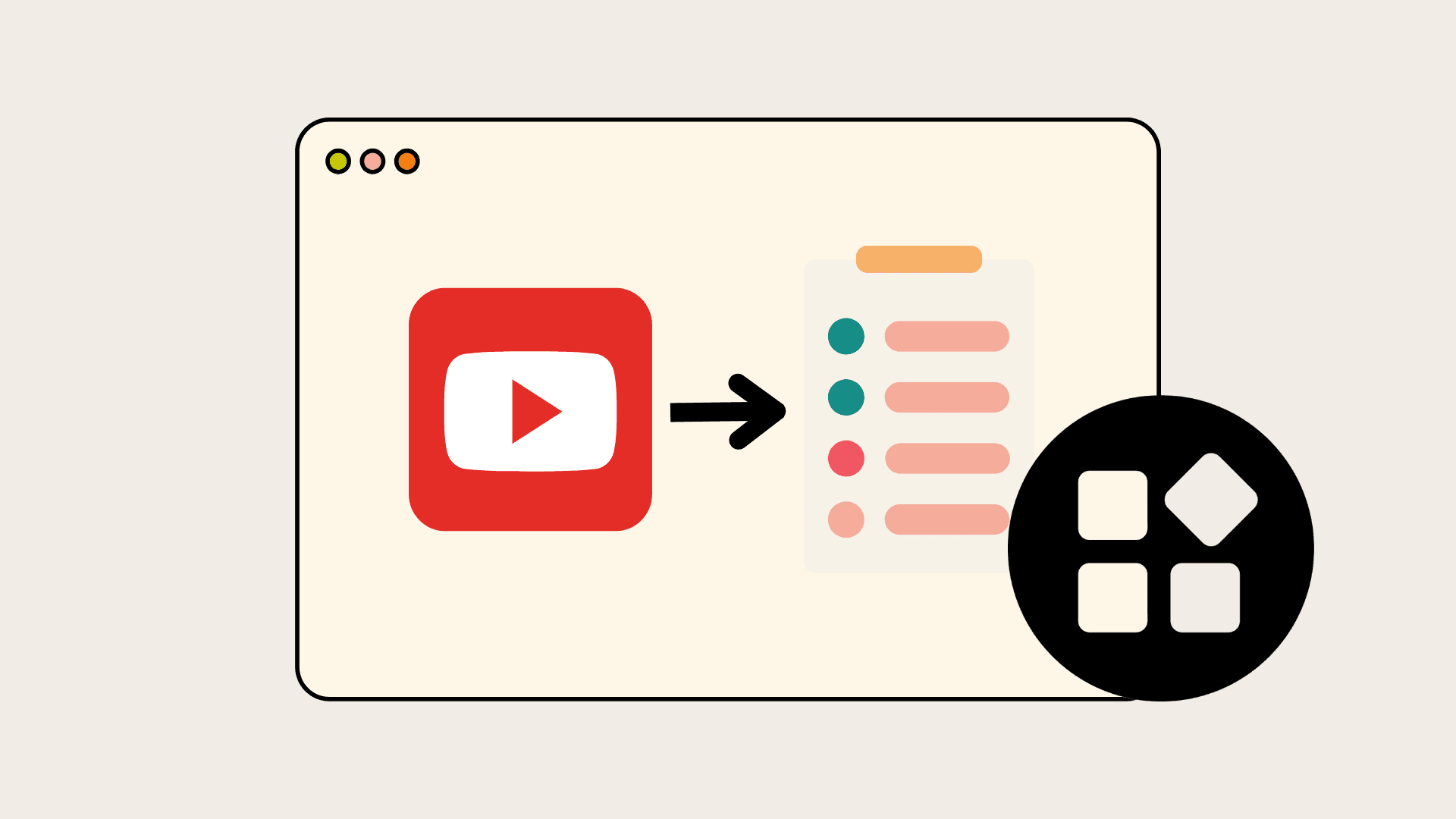
You can generate a reliable YouTube summary with ChatGPT by providing the video text. Make sure to specify the type of summary you want, and repeat the process until the tone, length, and accuracy are just right for you. If you're looking for a more efficient way to enhance your content creation, consider using an AI research and writing partner. Follow the six simple steps below, each rewritten and expanded for easy use.
What is the purpose of the summary?
Decide why you need the summary. What will you use the summary for? Choose a format that fits that purpose. Think about whether you want a two-line executive snapshot, a study-friendly set of annotated notes, exam-ready Q&A, blog-ready copy, or a timestamped chapter list. Be clear about the length, tone, and level of detail before you paste anything. These limits will decide how closely ChatGPT keeps the original wording and emphasis. Remember, having an effective AI research and writing partner can streamline this process.
How do you obtain the video text?
Obtain the video text. Grab the transcript whenever possible; ChatGPT cannot watch or hear videos. Use YouTube’s built-in transcript feature (three dots, Show transcript) to copy the text, or run the video file through a transcription tool if the native transcript is missing. Given how much video is uploaded every minute, this step matters. YouTube has become the world's largest video repository, with over 500 hours of content uploaded every minute. Ekamoira, 2025-08-26. If the transcript is unavailable, manually note the speaker timestamps and quote parts, but expect additional editing later.
How should you paste the transcript?
Paste the transcript correctly. Long transcripts should be split into clear segments, each labeled so ChatGPT knows the order, for example: Part 1, Part 2. Tell the model up front that the text is a YouTube transcript so it treats fillers, captions, and speaker changes as transcript artifacts rather than new factual claims. Think of it like slicing a loaf into even pieces, ensuring nothing is lost in the cut. This simple habit helps prevent dropped context and misaligned timestamps.
How do you prompt ChatGPT with precision?
Give clear instructions to ChatGPT. Instead of a vague request, provide specific instructions. Mention how long you want the response to be, the tone (like neutral, persuasive, or academic), if you want to keep direct quotes, and if you want to include timestamps. Share examples, include a short, sample-style summary, and ask ChatGPT to follow it. This issue often arises with students and product teams, where unclear prompts can lead to summaries that omit or include essential facts. Providing clear guidelines helps avoid this problem.
Why is iterative refinement necessary?
Improve the output step by step. Think of the first ChatGPT attempt as a draft. Ask for changes to shorten the text, get rid of repetition, emphasize essential facts, make the language more straightforward, or keep the wording similar to the original when it's necessary. If sentences don't match the transcript, request a rewrite with sources that show any changes made. When quotes are needed, request a version that preserves the original quotes exactly as they are. For easier reading, having a separate paraphrased version can also be helpful.
How to apply the summary to downstream work?
Apply the summary to downstream work. Use the cleaned summary as raw material. Convert it into quiz questions, social posts, blog sections, chapter markers, or slide bullets. When repurposing, preserve the linked timestamps for traceability; this way, you can jump back to the exact moment in the video if a claim needs verification. This step is essential because automated summaries enable the reuse of insights without requiring rewatching. If you're looking for assistance in this process, consider exploring how our AI research and writing partner can streamline your workflow.
What is the status quo and the challenges?
The status quo involves costs and a practical bridge. Most teams gather transcripts manually because this method is familiar and requires no new tools; therefore, it works well at a small scale. However, as libraries grow and research timelines shorten, manually managing transcripts and prompt variants increases workload and revision cycles. Platforms like the AI research and writing partner centralize transcript ingestion, automate chunking, and provide customizable prompt templates. This approach reduces manual work and keeps summaries consistent as the volume increases.
Why is speed and accuracy critical?
A quick note on speed and accuracy: if you want a solid reason to automate this flow, consider efficiency and model performance together. ChatGPT-powered video summarization can reduce content analysis time by up to 80% — Ekamoira, 2025-08-26. Use that extra time to refine prompt templates, add human reviews when verification is essential, and increase output without additional effort.
What solution does Otio offer?
Knowledge workers, researchers, and students often struggle with fragmented tools and manual workflows. Otio combines transcript collection, AI-generated notes, source-grounded Q&A, and writing help into one workspace. This ensures the whole process is traceable and efficient. This makes it way easier to move from a reading list to a first draft. Let Otio be your AI research and writing partner. Try Otio for free today!
What are the alternatives to this solution?
The solution may seem complete, but when you think about other options that promise similar results, they often fail because of a necessary tradeoff.
Related Reading
7 Alternatives to ChatGPT for YouTube Summary
You have seven strong alternatives to ChatGPT for turning YouTube videos into concise, actionable summaries; each takes a different approach to accuracy, workflow integration, and the level of human review you can expect. Below, I list each tool, explain how it works in simple terms, and provide clear pros and cons so you can choose the best option for your needs.
1. What is Otio?
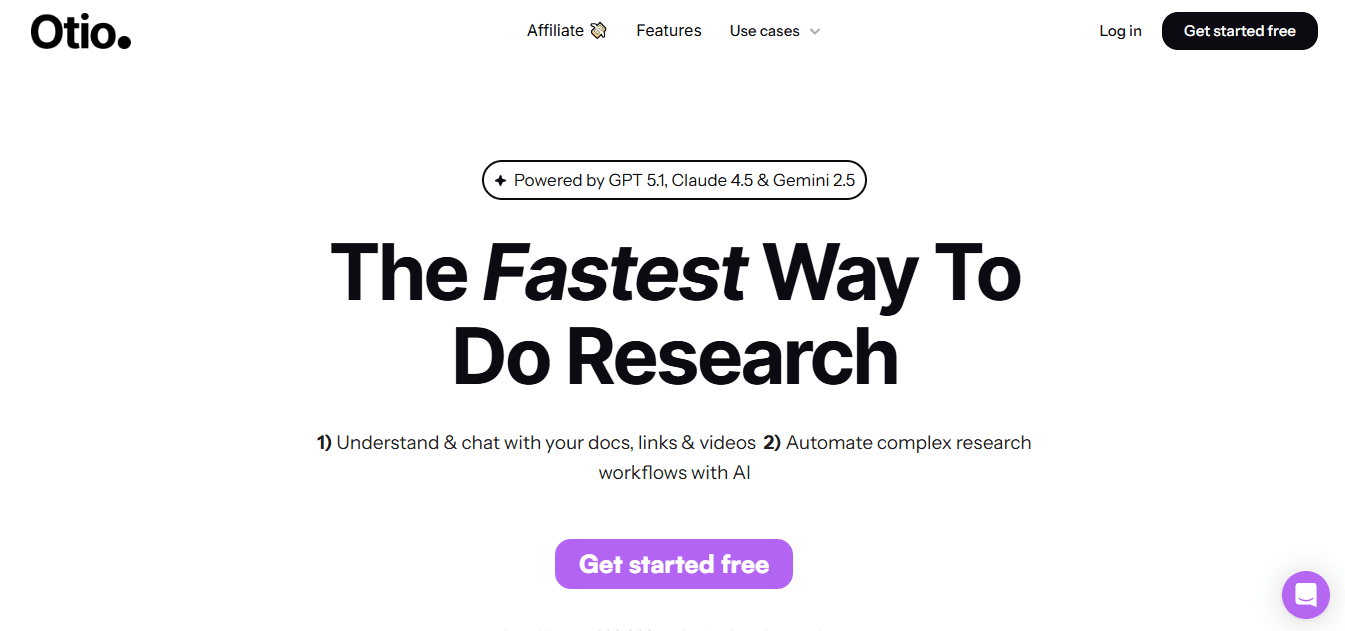
Otio is built for researchers and knowledge workers who need a single place to gather sources, extract key information, and draft. It takes in bookmarks, transcripts, PDFs, tweets, and videos. Then it shows AI notes and source-based questions and answers. This feature helps users move from research to a first draft more quickly.
2. What is Google Gemini?
Google Gemini combines access to Google Search, various input methods, and deep links with Docs and Sheets. It summarizes media while keeping tasks within Google Workspace. This tool is fast and great when users want summaries that go straight into collaborative documents and spreadsheet analysis, as mentioned in this helpful article.
What are the pros and cons of Google Gemini?
Pros include the ability to retrieve fresh web content via Google Search in real time. It also offers a seamless handoff to Docs, Sheets, and Drive, eliminating the need for copy and paste. Furthermore, it can accept text, images, and links for richer multimodal summaries. Cons involve several essential considerations. Privacy concerns arise with sensitive research, as data can appear in broader Google services. Additionally, availability and feature parity can vary by account and region, leading to inconsistent access. For teams that are not already using Google Workspace, the integration value declines quickly.
3. What is Claude?
Claude emphasizes safer, context-aware conversation. It is tuned to create careful, low-risk summaries that work well in regulated fields. The model handles nuance well and offers customizable tones, which helps when the output needs to match a specific audience's voice.
What are the pros and cons of Claude?
Produces careful, less-biased text, making it useful for healthcare, education, or work in related fields.
Offers style controls that allow summaries to be formal, concise, or narrative.
Works well for multi-step workflows, such as summarizing followed by drafting an outline or email.
Can be overly cautious, sometimes removing creative or speculative angles that users might find valuable.
Lacks a broad plugin ecosystem and real-time web browsing, which limits the freshness of sources.
Integration points are fewer than those of some competitors, which may require additional engineering.
Why do platforms like Otio matter?
When the familiar way means compiling transcripts, bookmarks, and notes across three or four apps, the hidden cost is context loss and wasted minutes trying to piece these fragments together as things get more complicated. Teams find out that platforms like Otio combine gathering and source-based extraction. This integration reduces handoffs and streamlines tracking, helping work progress without the usual challenges. With an AI research and writing partner, you can streamline your workflow and enhance productivity.
4. What is Perplexity AI?
Perplexity AI is built for quick factual answers. It provides clear sources for each response, enabling users to verify claims easily. It views summarization as an essential research step, especially when accuracy and traceability are more important than storytelling.
What are the pros and cons of Perplexity AI?
Pros include live web access with precise citations, which speeds up verification for fact-heavy summaries. The clean interface is designed for quick lookups and short digests. It's invaluable when you need up-to-date context around claims made in a video. The cons are that it doesn't focus on creative rewriting or shaping stories, which can make the outputs feel utilitarian. The quality of answers depends on the sources it gets, leading to some unevenness. Sometimes brief answers need follow-up questions to create a more useful, timestamped brief.
5. What is Meta AI?
Meta AI is part of Meta’s social products and helps creators publish and promote on these platforms. It combines conversational assistance and visual generation capabilities, enabling users to create short summaries and assets without leaving their social apps.
What are the pros and cons of Meta AI?
Pros include being built into Messenger, Instagram, and WhatsApp, allowing for frictionless in-app use. It also offers image generation for quick visual assets tied to summaries, making it a versatile tool. Additionally, it feels familiar for those already working within Meta’s ecosystem. On the downside, its functionality is limited to Meta platforms, meaning it is not a neutral, cross-platform workspace. Privacy and data handling are still important issues, especially for sensitive content. Moreover, it is less suited for long-form, research-grade summaries that require traceable sourcing.
6. What is X Grok AI?
Grok AI, part of X, is designed to deliver conversational, often witty replies and real-time data. It works well when users want quick perspectives, social summaries, or short explanations that fit the platform's natural tone.
What are the pros and cons of X Grok AI?
Free access and immediate replies inside X make it easy to get quick, shareable summaries.
It has strong reasoning signals, with benchmarked performance that competes with top models.
The tool works well for brief, social-friendly summaries and fast Q&A.
It is linked to X, which makes it less suitable as a neutral summarization tool for multi-platform workflows.
Safety and content moderation have not been consistent, which could lead to unexpected outcomes for teams.
It is not designed for audit trails or for keeping notes based on sources, both of which are essential in formal research.
7. What is Microsoft Copilot?
Microsoft Copilot adds summarization features to Microsoft 365 apps. It collects information from emails, documents, and calendars to make summaries that show your current work. This tool aims to boost productivity by helping users who frequently switch between Word, Excel, and Teams.
What are the pros and cons of Microsoft Copilot?
Pulling context from Microsoft Graph lets summaries feel customized for specific projects.
It saves time by drafting slides, generating formulas, and creating meeting notes right in the app.
Keeping work in a familiar suite reduces onboarding stress for enterprise teams.
It is only helpful if your workflow is within Microsoft 365; otherwise, the integration benefits decrease.
Copilot is not the best option for exploratory research that requires many external sources beyond Microsoft.
What are the adoption signals for these tools?
Practical adoption signals matter. In January 2025, over 1 million users have switched to alternatives to YouTube summaries. This shows that people are moving away from relying on just one tool when they want different balances between speed and accuracy. This change is not only about speed, because 75% of users reported improved accuracy with alternative tools. This means that both accuracy and traceability are as crucial in choosing a tool as convenience.
What should you consider when picking a summarizer?
A quick analogy to keep perspective: choosing a summarizer is like picking a lens for a camera. Some lenses sharpen detail, while others widen the field of view. It is essential to select the lens that best matches your needs, rather than choosing one that looks nice. The trade-offs that arise may reveal unexpected challenges. The most popular choice may not always be the best one.
Related Reading
Best YouTube Summarizer
Pros and Cons of ChatGPT for YouTube Summary
ChatGPT offers clear practical benefits for summarizing YouTube content, while presenting predictable trade-offs that require human oversight. Users can expect quick drafts, helpful organization, and measurable time savings. However, it is essential to verify the output with verification, voice work, and plagiarism checks to maintain high quality.
What are the pros of using ChatGPT?
Pros
Faster decision support.After three weeks of running focused tests with project teams, ChatGPT consistently consolidated routine video reviews into a single short overview. This speeds up meeting preparation and keeps everyone informed. That time saved shows in real workflows, and Scripsy Blog (2025), "users have reported a 40% reduction in time spent on video content with ChatGPT summaries," explains why: fewer replay minutes mean faster choices and fewer delays. Practically, use these summaries as an initial overview you can read quickly, not as a final reference, and you will save hours on your schedule without losing the main points.
Structural and editing assistance. When you need a working framework, headlines, bullet points, suggested quotes, or a detailed outline, ChatGPT creates clean, reusable text in seconds. This removes the struggle of facing a blank page, allowing you to focus on strategy and interpretation. For teams, the value comes from consistent templates: a single strong prompt establishes a standard briefing style that new team members can use, improving overall quality while reducing review time. Still, treat the output as editable raw material, not a replacement for careful editing.
Faster learning loops and skill transfer. Use ChatGPT to show patterns, turn examples into practice questions, or break down complex ideas into simple steps. In workshops where learners used summaries created by the model, followed by a quick verification task, understanding improved, and less instructor time was required later.
Also note, Scripsy Blog (2025), "ChatGPT's YouTube summarization accuracy is reported to be 85%." This level of accuracy supports ongoing learning, but it also means you should include quick fact-checks in training so mistakes do not become repeated errors.
What are the cons of using ChatGPT?
Cons
Habit-forming shortcuts. After using the model extensively for a month, some users begin to trust its output too much and skip steps to verify the information. This leads to reliance on the model, making it difficult to confirm details and sources. You can reduce this by adding small check routines to do a quick check of the transcript, add a one-sentence source for each claim, and have regular peer reviews so that no one person treats the model as the last word.
Homogenized voice and creative flattening. If writers rely on the model to write entire sections, the work can begin to sound repetitive. This loss of unique ideas and brand voice can be a problem. To maintain originality, use the model for structure, then have a human review it to add personal stories, surprising ideas, or specific local details. Think of ChatGPT as a handy utility knife, not the entire toolbox for carpentry.
Unintentional reuse and citation risk. The models can sometimes repeat phrases or sentences that appear to be published work, posing a risk of plagiarism if not checked. For school or legal work, always ensure you anchor sources and label every claim with a timestamp or a source link.
Also, run any questionable sections through a quick similarity check before publishing. This small effort helps prevent damage to your reputation much more easily than fixing mistakes later.
How can you ensure quality outcomes?
To achieve reliable outcomes, use practical guidelines and workflow tips. Start with a two-step process: first, use AI for quick synthesis; then have a person verify it for accuracy and trust. Set acceptance criteria based on the situation; for example, a one-minute overview may be sufficient for meeting notes, but a detailed line-by-line review is required for public report content. Keep change logs to trace edits back to the transcript, and make a simple internal style guide that lists words to avoid or keep. Think of this comparison: ChatGPT is like a Swiss Army knife for research; it does many quick tasks really well. Still, having a complete set of tools is essential to create the final product. This common issue may appear to have been fixed. However, the following steps will explain why this is important to the overall research process.
Supercharge Your Research Ability With Otio. Try Otio for Free Today
Consider Otio as your AI research and writing partner. Try a quick experiment: import a YouTube video, create a timestamped summary like ChatGPT would, and see how much faster you can turn those notes into a draft for a meeting than you usually do. This simple comparison will show whether combining your work into a single AI-friendly space is worth the change.



