
Document Review
5 NotebookLM Limits for Document Analysis in 10 Minutes
Discover 5 NotebookLM limits for document analysis in 10 minutes, so you can spot gaps faster and choose the right workflow.
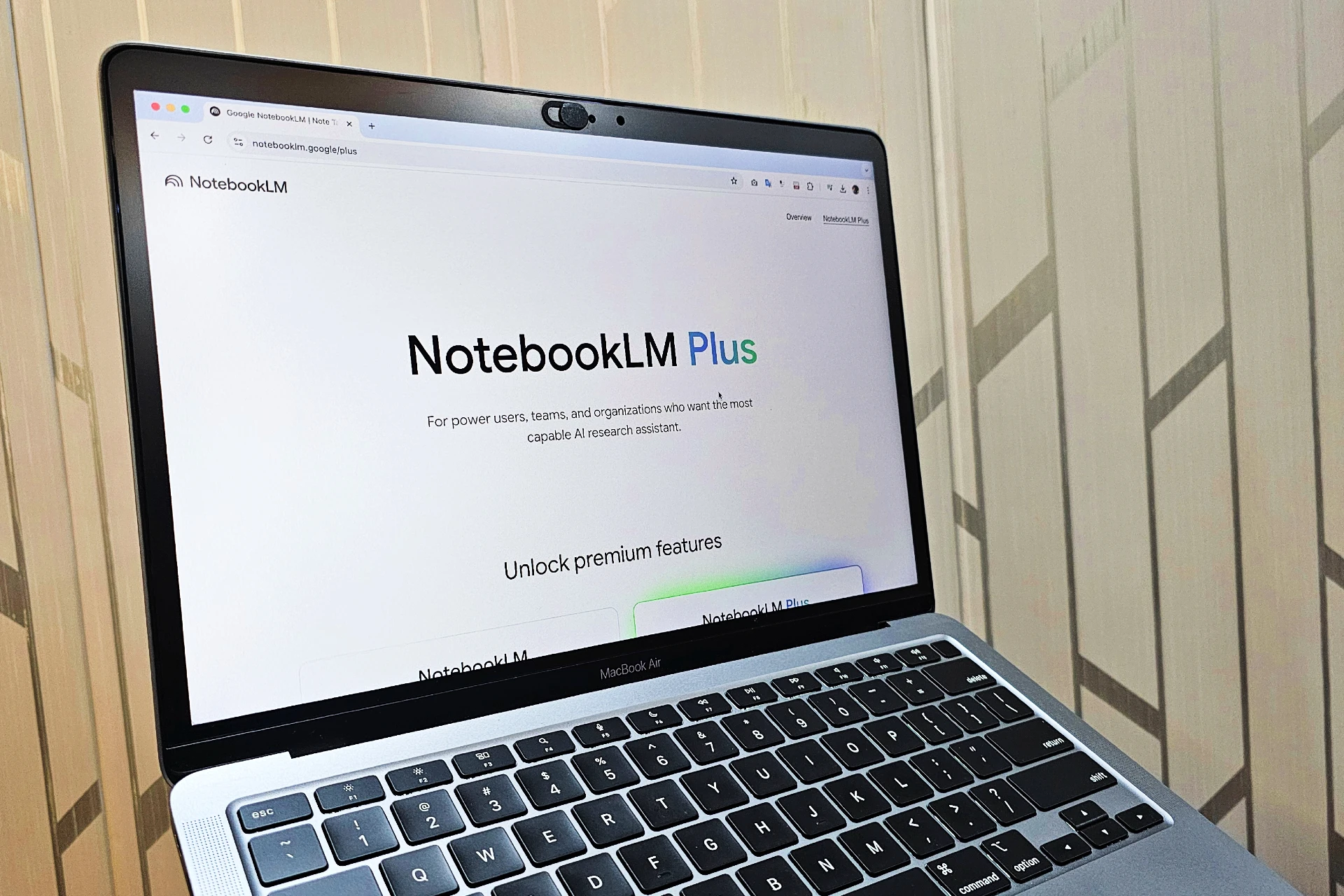
Professionals who upload research papers, contracts, and meeting notes to NotebookLM often encounter unexpected barriers that disrupt their workflow. File size restrictions, source limitations, and processing delays can transform what should be seamless document analysis into a series of frustrating roadblocks. Understanding these constraints, including upload capacity, processing speed, file format compatibility, source count caps, and output boundaries, determines whether analysis proceeds smoothly or stalls repeatedly.
Five specific NotebookLM limits affect document analysis workflows, each creating distinct challenges for users managing large document sets or complex research projects. These restrictions become particularly problematic when analyzing dozens of academic papers or reviewing extensive reports that exceed platform thresholds. For those seeking to overcome these barriers and streamline their research process, Otio offers an AI research and writing partner designed to handle what NotebookLM cannot.
Table of Contents
Why Students and Researchers Struggle to Analyze Documents Efficiently
The Hidden Cost of Using NotebookLM for Document Analysis
5 NotebookLM Limits for Document Analysis in 10 Minutes
The 10-Minute Workflow to Analyze Documents Without NotebookLM Limits
Analyze Documents Without Hitting NotebookLM Limits Using Otio
Summary
NotebookLM imposes a daily limit of 50 chat queries and 3 audio generations on standard plans. When you're refining prompts, asking follow-up questions, and iterating on analysis, those 50 queries disappear faster than expected. The problem isn't the document's complexity; it's the cap itself, which stops your work mid-session when you've exhausted your daily allowance.
Source limits force workflow fragmentation when your research scales. Current NotebookLM limitations cap standard notebooks at 50 sources, with higher tiers increasing that number. If your research depends on dozens of PDFs, articles, slides, and notes, you'll hit that ceiling and be forced to split materials across multiple notebooks, fragmenting what should be a unified research space.
NotebookLM treats each notebook as an isolated project with no ability to query across multiple notebooks simultaneously. When your sources are distributed across notebooks, you lose the ability to ask one comparative question across your full dataset. Instead, you manually shuttle between notebooks, copying outputs and reconstructing context while the tool handles individual analyses but leaves synthesis work to you.
Individual sources face size constraints of 500,000 words per source or 200MB for uploads, according to NotebookLM's FAQ. Large documents, heavily formatted files, or complex spreadsheets may need trimming before upload. The question isn't whether NotebookLM can read your files; it's whether your files fit cleanly enough for fast processing without restructuring.
Real analysis happens in comparison, not isolation. Most people review files one at a time, rebuilding context for each new source, but critical work begins when you compare findings across sources, identify contradictions, and trace how arguments build on each other. When your tool treats every file as a separate task, you're forced to do the connecting work manually, reading outputs and copying key points into notes to reconstruct relationships yourself.
AI research and writing partner addresses this by removing daily query limits, supporting unlimited sources per project, and maintaining cross-project context, making professional research a scalable operation rather than a tool you outgrow.
Why Students and Researchers Struggle to Analyze Documents Efficiently
Students and researchers struggle because they combine four different cognitive tasks: reading, extracting, interpreting, and synthesizing. This creates friction at every step, producing incomplete analysis masked by the illusion of thoroughness.

🎯 Key Point: The four-task overload forces your brain to constantly switch between different cognitive modes, reducing efficiency by up to 40% compared to focused, single-task processing.
"Combining four different cognitive tasks into one messy workflow creates friction at every step, producing incomplete analysis hidden beneath the illusion of thoroughness."
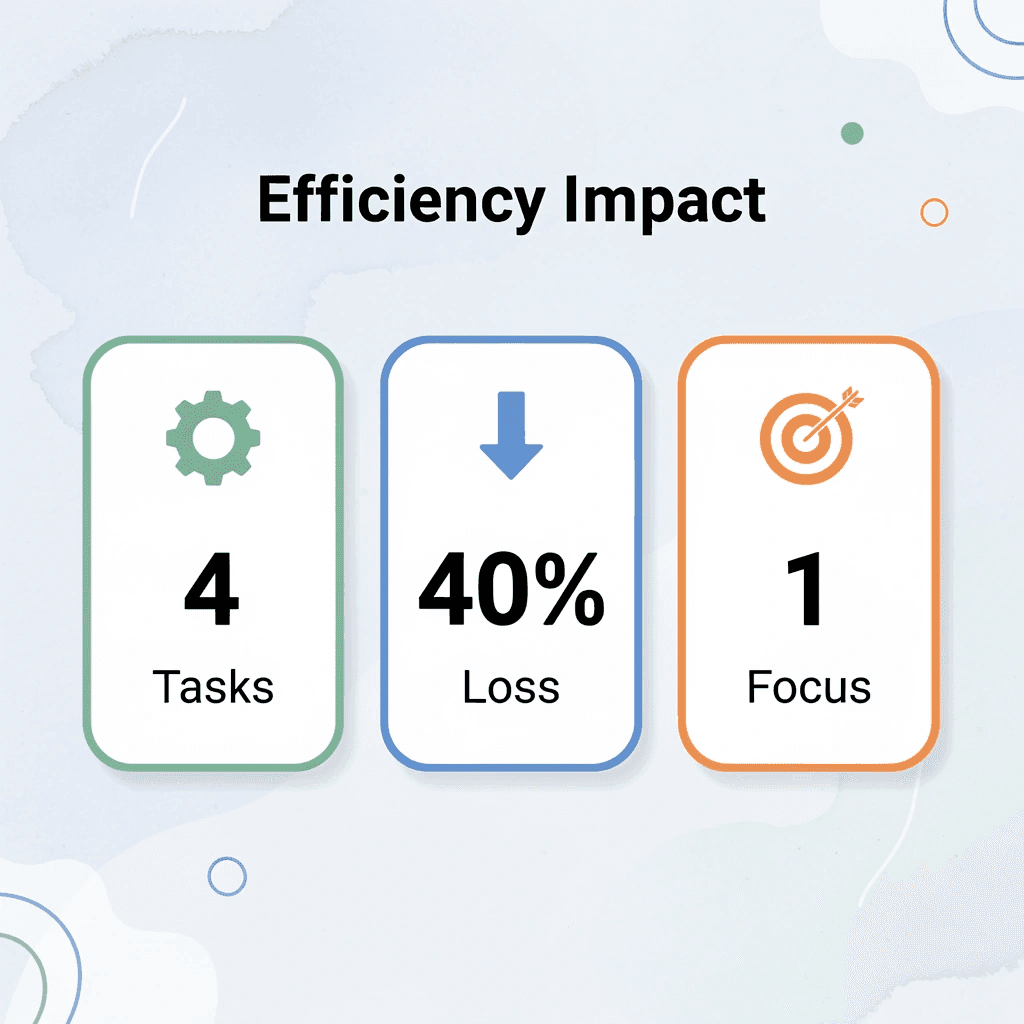
🔑 Takeaway: Most students think they're being thorough when they're actually creating cognitive bottlenecks that prevent deep analysis and synthesis.
Reading Without Extraction Goals
Most people read from beginning to end, treating every paragraph as equally important and assuming clarity emerges through careful reading. Documents aren't written to be analyzed; they're written to be complete. According to Zendy's 2025 survey of 1,500+ students and researchers, this approach consumes hours that structured extraction goals could compress into minutes.
Trying to Understand and Analyze at the Same Time
The bigger problem emerges when people try to understand findings while still building context. They highlight passages before knowing what matters and take notes while confused, hoping writing will clarify their thinking. It rarely does. Separating understanding from analysis feels inefficient at first. But doing both simultaneously doubles cognitive load. You're processing information while deciding what it means, which requires a framework you haven't built yet. That's where the slowdown begins.
No System for What to Extract
Without a clear framework, people highlight too much or too little, copy long sections without context, and save details that lose meaning later. The work produces no lasting value. After reading, they still can't answer basic questions, such as "What's the main idea?" What are the key findings? What matters? The document has been processed, but not changed, and change is what research needs. Platforms like Otio address this by organizing extraction around specific research questions rather than relying on passive reading, turning documents into targeted insights rather than highlighted PDFs.
Handling Documents in Isolation
Most people review files one at a time, rebuilding context for each new source. The problem isn't volume, it's the failure to connect ideas across sources. Real analysis happens in comparison. Themes repeat, arguments contradict, evidence accumulates. When every document feels separate, those patterns remain invisible and researchers work harder without gaining clarity from synthesis.
The Constant Context Switch
Document analysis requires constant switching between source, notes, outline, and draft. Readers jump between sections to verify details, interrupt writing to check context, and lose focus with each transition. The workflow breaks into a dozen small tasks instead of a single clean process. Simple documents feel harder to process than they need to be, not because the content is complex, but because the method creates unnecessary friction. Adding more time won't solve a structural problem. But time isn't the only cost of this approach.
Related Reading
The Hidden Cost of Using NotebookLM for Document Analysis
The real cost isn't the tool itself, it's the illusion of efficiency it creates. You upload documents, ask questions, and get answers. The process feels streamlined. But underneath, you're repeating prompts, reorganizing outputs, and rebuilding context every time you start a new analysis session.
🎯 Key Point: The hidden productivity drain comes from context switching and repetitive setup work that happens behind the scenes.
"The process feels streamlined. But underneath, you're still repeating prompts, reorganizing outputs, and rebuilding context every time you start a new analysis session."
⚠️ Warning: This illusion of efficiency can mask the time investment required for meaningful document analysis, leading to underestimated project timelines and workflow bottlenecks.

When Summaries Replace Understanding
NotebookLM excels at condensing fifty pages to five paragraphs. That feels productive—but reduction isn't comprehension. A summary tells you what a document says, not what it means for your research question. You still need to interpret findings, connect arguments across sources, and extract patterns that emerge only through comparison. The summary reduces reading time but sacrifices the depth required for serious analysis. You've saved time without building understanding.
The Prompt Refinement Loop
Most researchers don't get useful answers on the first try. They rephrase, add constraints, clarify scope, and try different angles. Each iteration produces marginally better output, creating an illusion of progress. But this is trial and error masquerading as a real workflow. According to Thomas Manandhar-Richardson's analysis of NotebookLM's data handling, the tool reported 400 rows when the dataset contained nearly 1,000 rows. The problem wasn't the prompt but the tool's limitations in processing completeness. Refining prompts to compensate for structural gaps doesn't optimize a workflow; it patches one that fails at larger scales.
Documents Analyzed in Isolation
NotebookLM processes files one at a time: you upload a document, extract insights, then move to the next. However, research involves synthesis: comparing findings across sources, identifying contradictions, and seeing how arguments build on one another. This requires holding multiple documents in your working memory simultaneously rather than reviewing them sequentially. When your tool treats every file as a separate task, you're forced to do the connecting work yourself. You read the outputs, copy key points into notes, then rebuild the relationships yourself. The tool handled extraction, but you're still doing the hardest part alone.
Outputs That Require Rebuilding
NotebookLM provides accurate answers but returns unstructured text, with key points buried in the response and no clear organization that matches how you'll use the information. You copy it into a document and reformat it by pulling out main ideas, creating bullet points, and reordering sections to match your outline. For PhD students managing literature reviews across dozens of sources or consultants building client reports under tight deadlines, this manual reorganization is a recurring tax on every analysis session. Platforms like Otio address this by structuring outputs around research goals from the start, turning raw analysis into organized insights without the assembly work.
Why Doesn't Each Analysis Build Momentum For The Next
Speed isn't about reviewing a single document; it's about whether each look builds momentum for the next. When you finish reviewing a source in NotebookLM, that work stays isolated. The next document starts fresh. You ask similar questions again, pull out overlapping themes again, and rebuild context again.
What Does Real Efficiency Look Like In Research Workflows?
Efficiency comes from systems that remember what you've learned, carry forward your research framework, build patterns across sessions, and reduce repetitive work as your project grows. When your workflow treats every document as a new beginning, you're not getting faster over time; you're repeating the same process. Otio maintains your research context across all your projects, so each new document builds on what you've already discovered. But speed isn't the only limitation when your tool cannot scale to meet serious research demands.
5 NotebookLM Limits for Document Analysis in 10 Minutes
NotebookLM helps you analyze documents, but it has significant limits on usage volume and organization. These restrictions impede your work when processing large files, working with multiple sources, or running numerous queries. You won't discover these limits until you encounter them, then you must find workarounds, manually reorganize content, or split your research across different spaces.
🔑 Key Point: Understanding NotebookLM's limitations upfront helps you plan your document analysis workflow more effectively and avoid frustrating roadblocks.
"These limits can get in the way of your work when you're processing big files, working with multiple sources, or running lots of queries."
⚠️ Warning: You won't discover these restrictions until you hit them mid-project, potentially disrupting your research timeline and forcing manual workarounds.

Daily Query Caps Create Unexpected Friction
NotebookLM limits standard plans to 50 daily chat questions and 3 audio generations, according to NotebookLM's help documentation. When you refine prompts and work through analysis, these 50 questions run out fast, stopping your work mid-session once you hit the daily limit.
Source Limits Force Workflow Fragmentation
Each notebook supports a maximum number of sources. Current NotebookLM limitations cap standard notebooks at 50 sources, with higher tiers allowing more. If your research depends on dozens of PDFs, articles, slides, and notes, you'll hit that ceiling and must split materials across multiple notebooks, fragmenting what should be a unified research space.
Notebooks Don't Talk to Each Other
NotebookLM treats each notebook as a separate project: you cannot search across multiple notebooks simultaneously or combine insights from different workspaces. When your sources are spread across notebooks, you lose the ability to ask comparison questions across all your data. Instead, you must manually move between notebooks, copy outputs, and rebuild context.
Per-Source Size Restrictions Still Apply
Individual sources have size limits within a notebook. NotebookLM's FAQ specifies a limit of 500,000 words per source, or 200 MB for uploads. Large documents, files with extensive formatting, or complex spreadsheets may need to be reduced in size before uploading.
Platform Inconsistencies Slow Mobile Workflows
Features don't work the same way on all devices. Google's documentation notes that mobile apps may have limits for Audio Overviews, Video Overviews, and some notebook creation workflows. Workflow friction occurs when expected features work inconsistently across devices. Core analysis functions, but process gaps slow you down when speed matters most. For researchers managing heavy daily workloads across overlapping projects, these limits accumulate. Platforms like Otio solve this by removing daily query limits, supporting unlimited sources per project, and maintaining cross-project context, enabling scalable research rather than a tool you outgrow.
The Real Problem Isn't the Tool, It's the Interruption
NotebookLM performs well within its design parameters, but problems arise when your research needs exceed its capacity. Daily limits, source fragmentation across notebooks, and file size constraints force you to manage restrictions rather than optimize your workflow. Infrastructure with source limits, notebook boundaries, and input restrictions creates extra manual work. Systems built to handle unlimited documents and work across projects keep analysis flowing smoothly, whether it takes 10 minutes or spans multiple days.
Related Reading
The 10-Minute Workflow to Analyze Documents Without NotebookLM Limits
You can analyze documents faster by separating the extraction goal from the reading process. Most people combine these steps into a single session, which significantly slows things down. Define what you need before reading, ask specific questions instead of exploratory ones, and structure outputs for reuse. The shift isn't about reading faster; it's about eliminating steps that don't help your research.
🎯 Key Point: The biggest time-waster in document analysis is combining goal-setting with reading. Separate these processes to double your efficiency.
"The shift isn't about reading faster, it's about eliminating steps that don't help your research." — Document Analysis Best Practices
💡 Tip: Before opening any document, write down 3 specific questions you need answered. This prevents aimless reading that wastes valuable research time.
Define Your Extraction Target Before Opening Any Document
Write down the specific questions your analysis needs to answer. These are the exact things you want to pull from each source and what you want to skip. If you're comparing how three studies conduct their work, focus on differences in their methods, not full summaries. If you're finding disagreements in policy recommendations, focus on conflicting claims rather than background information. According to Baytech Consulting's NotebookLM workflow guide, defining clear questions upfront prevents wasted queries and keeps analysis focused within tool constraints. This one-minute step eliminates the ten minutes you'd spend re-reading documents because your first pass captured the wrong information.
Upload Only the Documents That Answer Your Specific Questions
Don't upload everything. If you need three sources, upload three. Adding more files makes it harder to focus, increases the risk of hitting limits, and spreads out your workspace. Choosing your inputs carefully produces cleaner results and faster analysis. You avoid sorting through extra information or filtering noise from irrelevant documents.
Ask for Structure, Not Just Answers
Most people ask, "What are the main findings?" and receive a paragraph of text that requires reformatting, breaking down into key points, and reorganizing to match how they will use it. Instead, ask for structured outputs right away: bullet points, comparison tables, or hierarchical summaries that match your research framework. Our Otio platform handles the organization of the work, eliminating your manual assembly step. Otio automatically structures outputs around your research goals, turning raw analysis into organized insights without requiring prompt engineering for format control.
Extract Comparative Insights Across Documents in One Query
The real value emerges when you stop examining files individually and start asking questions that connect different documents. What ideas appear across all three sources? Where do the arguments disagree? Which evidence appears in only one study versus multiple studies? These questions require you to synthesize information from different sources rather than summarize what you read. You hold documents in mind simultaneously and identify patterns that only emerge through comparison. That's when analysis becomes genuine research.
Save Outputs as Reusable Research Components
Pull out every answer and use it as a building block for later work. Copy organized outputs into a research repository where they can be referenced, combined, and built upon without starting from scratch. When your next analysis session begins, you're adding to an existing knowledge base instead of rebuilding context. The work builds on itself, keeping ten-minute workflows efficient as your project grows.
Use Constraints to Sharpen Focus, Not Slow It Down
Daily query limits and source caps rarely matter with tight workflows. When you ask clear questions and organize outputs for reuse, you stay well within the limits. Problems arise from exploratory prompts, vague requests, and outputs requiring substantial manual cleanup. The real problem isn't the tool's limits: it's workflows designed without considering them. Constraints become design parameters that force clarity when you plan for them from the start. They become interruptions when you ignore them. Knowing the workflow isn't the same as having infrastructure that supports it without friction.
Analyze Documents Without Hitting NotebookLM Limits Using Otio
NotebookLM's infrastructure is designed for casual exploration, not professional research that demands unlimited queries, cross-project synthesis, and scalable document handling. You won't need to split notebooks, ration daily queries, or manually reconnect insights scattered across isolated workspaces.
🎯 Key Point: Professional research requires infrastructure that scales with your workload, not platforms that artificially limit your analysis capacity.
Platforms like Otio remove those boundaries entirely. Upload your full document set, ask comparative questions across unlimited sources, and extract structured insights without hitting query caps or source limits. Our system was built for researchers who process dozens of files daily, compressing fragmented sessions across multiple days into one focused research operation.
"Our system was built for researchers who process dozens of files daily, compressing fragmented sessions across multiple days into one focused research operation."
Open Otio. Upload your documents. Ask for key insights across all files. Request a comparative analysis highlighting contradictions and patterns. Save structured outputs as reusable research components. In under ten minutes, you'll have organized insights from all sources, clearer comparisons, and notes ready for immediate use.
🔑 Takeaway: Better document analysis comes from infrastructure that scales with serious research demands instead of limiting them.
Related Reading
Notebooklm Limits
Claude Ai File Upload Limits
Best Document Management Software For Small Businesses
Notebooklm Vs Notion
Ai Tools To Summarize a Research Paper
Best Hr Document Management Software
Best Ai Tools For Research Projects
Best Automation Tools For Document Management
Top Ai Tools For Document Review
ChatGPT File Upload Limits
Legal Document Data Extraction
Best Document Management Software



