
Document Review
NotebookLM vs Notion: Which Organizes Documents in 10 Minutes
Learn NotebookLM Vs Notion differences and which tool helps organize documents faster in just 10 minutes for your workflow.
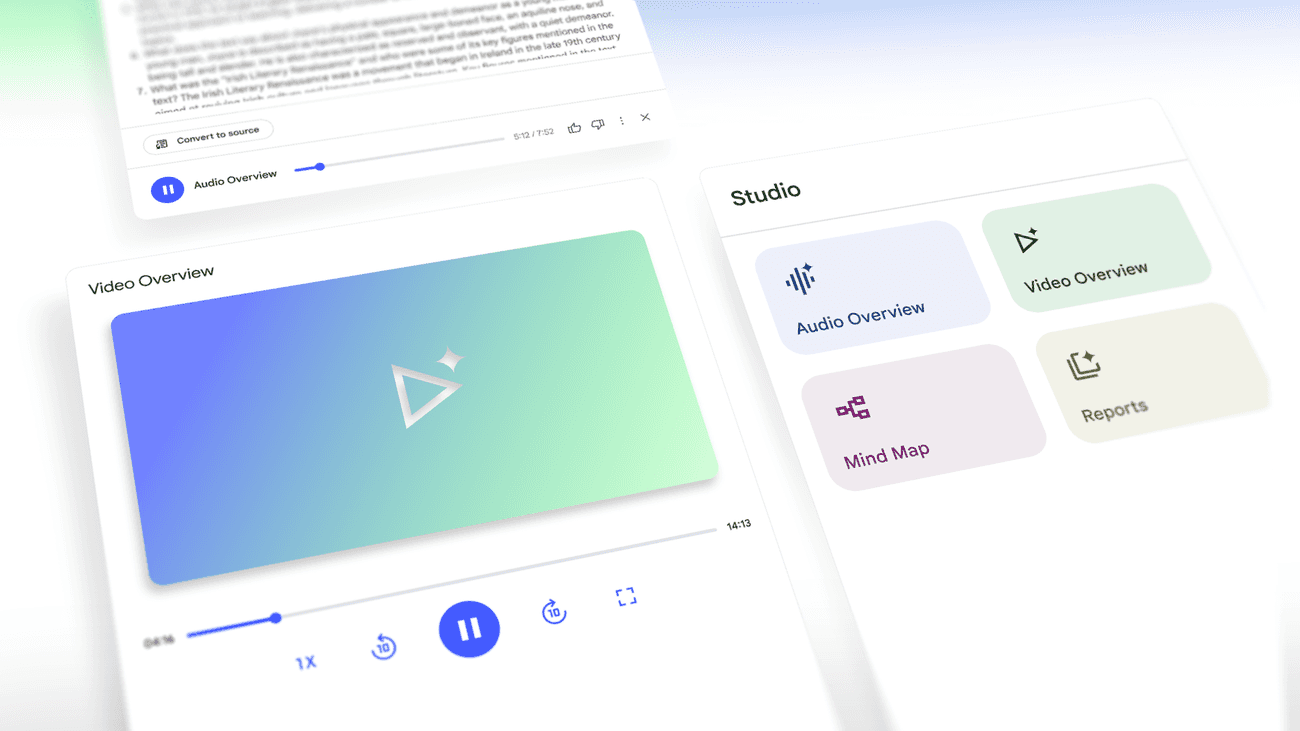
Research papers, meeting notes, and scattered documents create information overload that demands smart organization tools. NotebookLM offers intelligent document analysis while Notion provides flexible workspace management, but determining which platform actually saves time requires examining their AI capabilities, search functions, and real-world performance. Both promise to streamline document organization, yet their approaches differ significantly in execution and results.
NotebookLM excels at AI-powered document insights, while Notion shines in customizable workspace design. However, neither platform fully bridges the gap between intelligent analysis and seamless organization. For those seeking a comprehensive solution, Otio serves as an AI research and writing partner that combines document upload, instant insight extraction, and unified organization without requiring multiple applications.
Table of Contents
Why Students and Researchers Struggle to Organize Documents Efficiently
The Hidden Cost of Organizing Documents Without the Right Tool
NotebookLM vs Notion: Which Organizes Documents in 10 Minutes
Summary
Research workflows break down when documents scatter across email, downloads folders, and cloud storage, forcing repeated searches across multiple platforms just to locate files you saved days earlier. A FileMaker survey found that 88% of college students believe better organization would improve their grades, revealing that the problem isn't discipline but inadequate infrastructure that fails under the volume of research.
Employees lose 30 to 40% of their work time searching for information, according to workplace productivity research. This isn't an occasional inconvenience. It represents a structural inefficiency in which retrieval becomes the primary task rather than analysis, and the cost compounds across every research session as time is lost to repeated file searches and version confusion.
Version proliferation creates decision paralysis when files named "final," "final_v2," and "actually_final" multiply without clear indicators of which contains the current thinking. Industry research shows that 7.5% of documents disappear entirely, while surviving versions fragment across storage locations, making every retrieval attempt a guess about which file represents the truth.
Notes disconnected from source documents lose context over time, forcing researchers to reread previously processed materials just to reconstruct which citation supported which insight. This transforms research into an archaeology of recent work, where the effort of reconnecting orphaned notes to their origins often exceeds the time saved by taking notes in the first place.
An organization optimized for storage logic rather than retrieval speed creates beautiful hierarchies that demand mental effort to navigate. Search-based systems outperform browsing-based folder structures at scale because memory of organizational decisions degrades faster than the ability to describe what you're looking for, shifting the question from "where did I put that?" to "what am I searching for?"
AI research and writing partner addresses this by connecting notes directly to source documents within unified workspaces, where natural language queries replace folder navigation and context preservation happens automatically rather than through manual linking systems.
Why Students and Researchers Struggle to Organize Documents Efficiently
Students and researchers struggle to organize documents efficiently because they manage files across disconnected tools, rely on inconsistent manual sorting, and lack a retrieval system that connects notes to sources. This creates cognitive friction, turning research sessions into difficult searches through scattered PDFs, duplicate files, and orphaned notes that lose meaning without their original context.
🎯 Key Point: The problem isn't poor organization alone; it's the cognitive overhead of managing multiple disconnected systems that should work together seamlessly.
"Cognitive friction turns every research session into a difficult search through scattered PDFs, duplicate files, and orphaned notes that no longer make sense without their original context."
🔑 Takeaway: Efficient document organization requires integrated systems that maintain the connection between sources and insights, not just better file naming conventions.
Documents Live in Too Many Places
Most researchers don't use one system for everything. PDFs pile up in downloads folders. Notes sit in standalone apps. Cloud drives hold some files, while others remain in email attachments or messaging threads. Finding files means checking multiple locations, remembering which tool you used, and hoping you named it in a way that makes it searchable. According to a FileMaker, Inc. nationwide survey, 88% of college students say they would get better grades if they were more organized. The issue isn't discipline, it's infrastructure.
Manual Organization Breaks Down Under Volume
At the start of a research project, making folders seems manageable. Then the project grows. New sources arrive faster than you can sort them. Folder names that made sense three weeks ago become unclear. Files get moved, renamed, then moved again when the original location no longer fits. The system you built for twenty documents breaks down at two hundred because manual organization fails as research intensity increases.
Notes Exist Separately From Their Sources
The most frustrating pattern emerges when notes and documents live in different ecosystems. You highlight a crucial passage in one tool, write your interpretation in another, then weeks later, find the note without any way to trace it back to the original source. Context evaporates. You remember the insight but not where it came from, which citation supports it, or what page held the evidence. You return to the document, re-read sections you've already processed, and waste time reconstructing connections that should have been preserved from the start.
Why does duplication happen when retrieval fails?
When finding documents takes longer than downloading them again, duplication becomes unavoidable. The same PDF appears in three folders, each with a slightly different name. Files labeled "final" sit alongside "final_v2" and "final_revised," and nobody remembers which one contains the latest version. The problem isn't storage space; it's decision paralysis about which file represents the current truth.
How can AI transform research workflows?
Otio treats research as an active workflow rather than passive storage. Instead of managing files across disconnected tools, researchers upload documents to a single shared workspace, where the AI extracts key insights, links notes to sources, and retrieves information via natural language queries rather than folder navigation. Finding information becomes a conversation instead of a memory test. However, an inefficient organization incurs costs that extend far beyond the minutes spent searching for files.
Related Reading
The Hidden Cost of Organizing Documents Without the Right Tool
Organizing documents without the right system creates costs that keep growing. Time vanishes into repeated searches. Mental energy drains through constant decisions about how to organize things. Files multiply into version chaos while notes drift from their sources. The expense isn't measured in storage space but in cognitive friction that slows research from retrieval to synthesis.
🔑 Key Takeaway: The real cost of poor document organization isn't storage; it's the cumulative time loss and mental fatigue that compounds with every search.
"Knowledge workers lose up to 25% of their time due to inefficient information management and document retrieval challenges." — APQC Survey, 2023
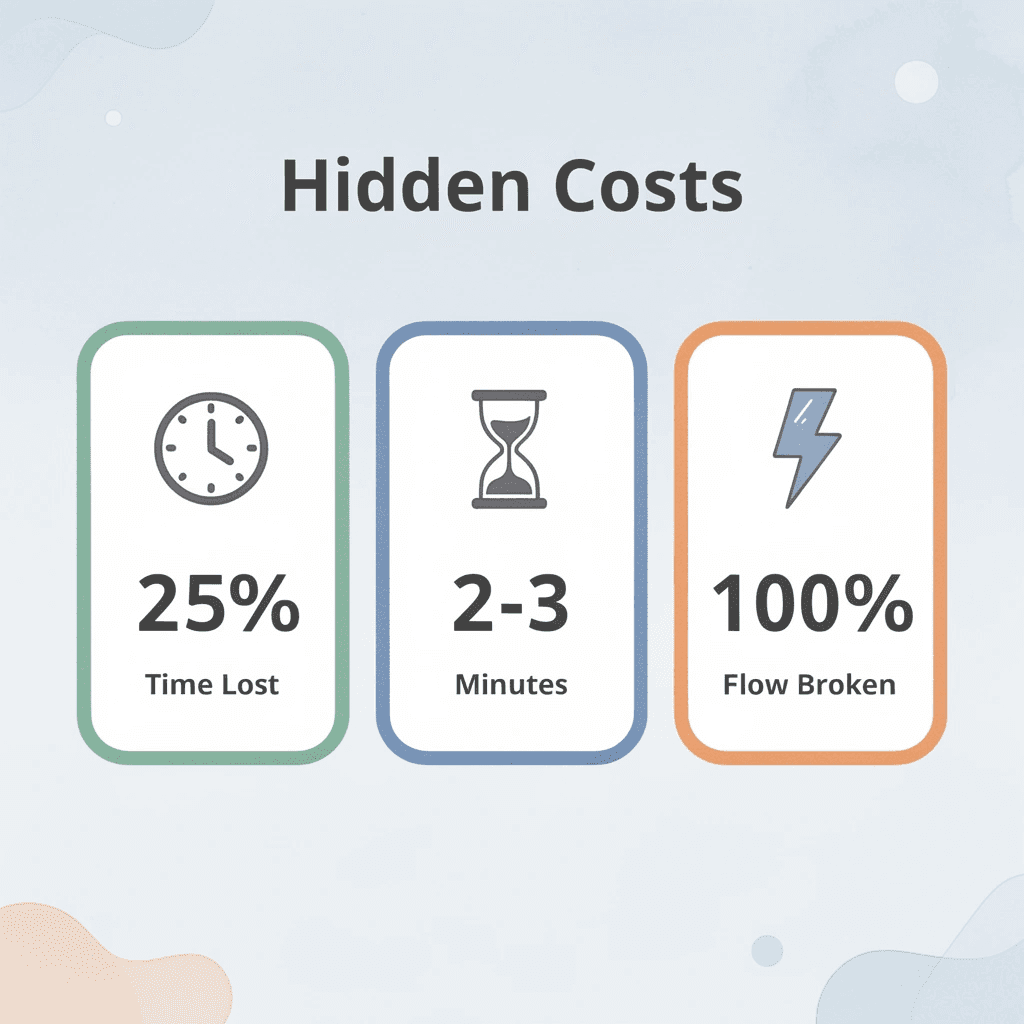
⚠️ Hidden Impact: Every misplaced document doesn't just cost you the 2-3 minutes to find it—it breaks your research flow and forces your brain to rebuild the mental context you just lost.
Time Disappears Into Search Loops
Each file search feels simple: type a keyword, scan the results, open the candidates, and refine the terms. But according to [industry research on workplace productivity, employees spend 30 to 40% of their time searching for information. This reveals a structural inefficiency in which retrieval becomes the work rather than what you do with what you find. Five searches per day, each lasting two minutes, for a total of ten minutes. Multiply across a semester or research project, and you've spent hours confirming file locations rather than analyzing content. The cost is erosive, compounding like reverse interest.
Why does manual categorization create cognitive overload?
Deciding where files belong requires active cognitive processing each time. You evaluate topic relevance, consider existing folder structures, determine whether sources fit multiple categories, rename files to match conventions, and remember their locations. Researchers often spend more time organizing PDFs than reading them because categorization decisions happen faster than folder hierarchies can accommodate.
How does working memory breakdown affect research quality?
Working memory can only handle a few pieces of information at once before performance degrades. When document management requires constant choices about how to organize files alongside research thinking, something breaks: the research itself. You lose track of an argument while mentally organizing sources. The effort feels productive, but it mistakes organizing for actual progress.
How does version confusion turn files into decision problems?
Saving multiple versions feels like insurance against losing work. Then you need the file three weeks later, and you face five candidates named "draft," "final," "final_v2," "final_revised," and "actually_final." Opening each one to determine which contains your latest thinking wastes time and introduces doubt. Did you add those edits? Is this the version you sent to your advisor? The duplication that promised safety now creates confusion whenever you need the file.
What are the hidden costs of poor document management?
According to industry research on document management, 7.5% of documents are lost completely. The rest often exist in fragmented pieces across folders, cloud drives, and local storage. The cost extends beyond lost files to the confusion about which surviving version is correct and the risk that selecting the wrong one sets your work back.
How do notes become disconnected from their sources?
Taking notes in one tool while storing documents in another creates a retrieval gap that widens with time. You capture an important insight and write your thoughts, then weeks later, find the note separated from its source. Which paper supported this claim? What page contained the evidence? The connection existed when you wrote it, but nothing preserved the link. Research becomes the archaeology of your own recent thinking.
How does unified workspace design solve this problem?
Otio handles this differently by linking notes directly to source documents in a single unified research workspace. When you highlight a passage or write an interpretation, the platform maintains the relationship between your insight and the evidence. You can find information through natural language questions instead of searching folders, and AI extraction surfaces key points without rereading everything.
Related Reading
NotebookLM vs Notion: Which Organizes Documents in 10 Minutes
Neither tool organizes documents in ten minutes if you measure organization by perfect folder hierarchies and comprehensive tagging systems. NotebookLM excels when your problem is understanding what's inside documents. Notion excels when your problem is connecting documents to broader workflows.
Feature | NotebookLM | Notion |
|---|---|---|
Primary Strength | Document comprehension | Workflow integration |
Best For | Understanding content | Connecting systems |
Organization Style | AI-powered insights | Manual structure |
Speed | Fast analysis | Fast linking |
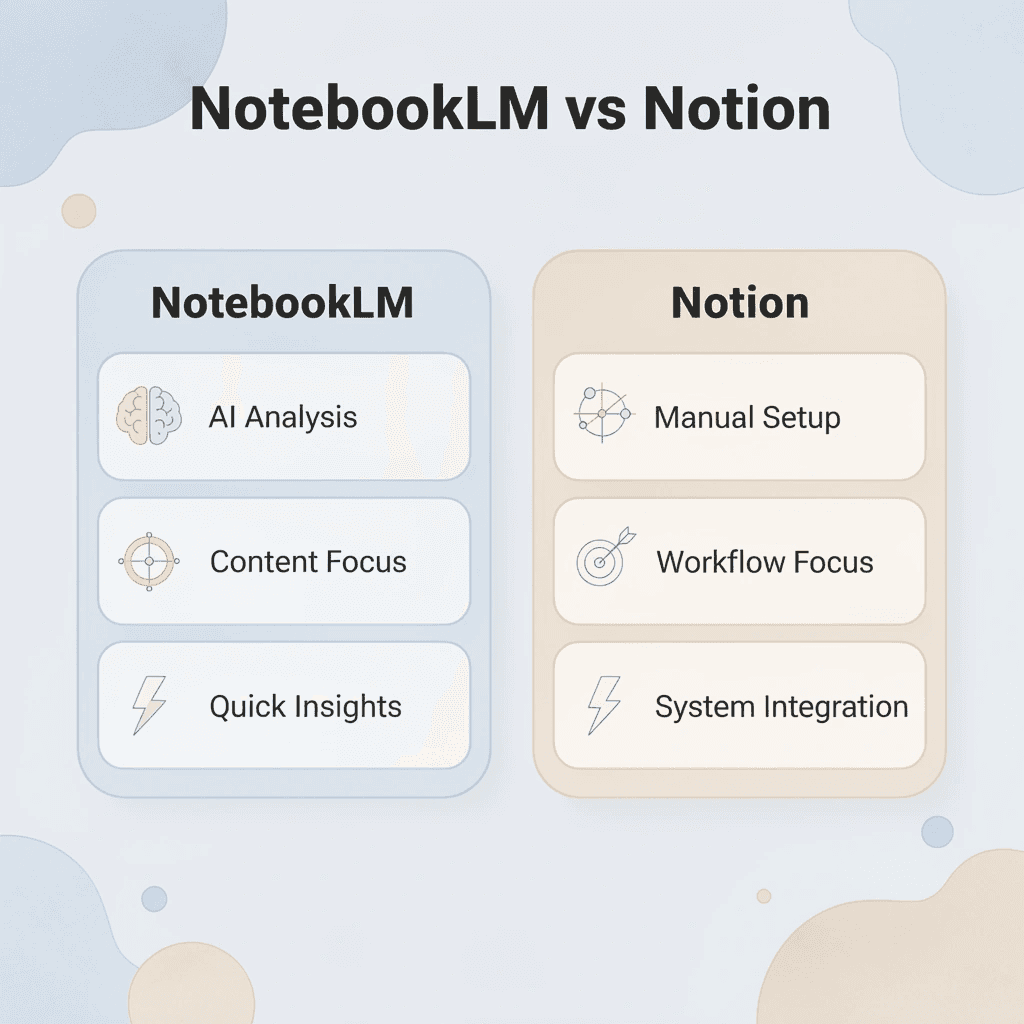
🎯 Key Point: The real question isn't which tool is faster at organizing, but which tool matches your specific organization's needs. NotebookLM excels at content understanding, while Notion dominates workflow connection.
"The best document organization tool is the one that solves your actual problem, not the one that promises universal solutions."

🔑 Takeaway: Choose NotebookLM when you need to quickly understand what's inside your documents. Choose Notion when you need to seamlessly connect documents to your existing workflows and project management systems.
What happens when document volume overwhelms reading capacity?
The real bottleneck isn't where files live, it's extracting meaning from them fast enough to make decisions. You download fifteen research papers, save six industry reports, and bookmark eight articles. Finding them isn't hard. Knowing what they contain without re-reading everything is.
How does NotebookLM solve the comprehension problem?
NotebookLM treats this as a comprehension problem rather than a storage problem. Upload your sources, then ask questions across all of them simultaneously. "What are the main arguments about remote work productivity?" generates a summary based on your specific documents, with citations pointing to exact passages. The platform reads your sources and reports what they say; it doesn't guess or fabricate from general training data.
Why does this matter when time pressure makes reading impossible?
This matters when time pressure limits reading capacity. Employees spend 20 to 40% of their time searching for information. NotebookLM compresses that search into a conversation. Instead of opening twelve PDFs to find which one discusses methodology limitations, you ask and receive an answer with source references in seconds.
When do you need a structured organization over speed reading?
Some organizational problems aren't about understanding documents. They're about connecting research to tasks, linking notes to project timelines, and maintaining relationships between different types of information over months. You need one place where meeting notes reference the same client as your proposal drafts, where research documents connect to action items, and where knowledge remains consistent across project phases.
How does Notion approach workspace architecture?
Notion treats organization like building a workspace. Create a database for research sources, another for project tasks, and another for meeting notes. Link them through relations so clicking a client name displays every connected document, conversation, and deadline. Add AI summaries to condense long reports, use search to find information across pages, and organize everything through nested pages that match your workflow.
What problems arise with separate systems?
The familiar approach is building separate systems for documents, notes, tasks, and calendars, then mentally reconstructing connections between them when needed. As projects multiply and information accumulates, those mental maps fail. You remember writing something relevant, but cannot recall which tool it was in or which project it belonged to.
Platforms like Otio address this by treating research as an integrated workflow rather than isolated file management. Upload documents into a unified workspace where AI summarizes content, helps you explore topics in depth, generates new insights, and creates deliverables directly from source materials. Otio connects document analysis to writing tasks and scales from individual papers to comprehensive research operations without requiring manual reorganization as complexity grows.
How do NotebookLM and Notion differ in their organizational approaches?
NotebookLM organizes around sources as the main unit. Each notebook holds a group of documents you want to analyze together. Upload ten papers on climate policy, and the notebook becomes a research assistant for that specific topic. Organization happens through topic separation rather than hierarchical folders.
This works well for focused research projects with clear boundaries: literature reviews, client sprints, and single-semester courses. The limitation arises when you need to reference sources across multiple contexts or maintain long-term knowledge that doesn't fit neatly into project boxes. A paper relevant to three different research questions lives in one notebook, forcing you to remember which one or duplicate it.
What are the tradeoffs of a structure-first organization?
Notion organizes around a flexible structure as its main unit. Pages nest inside pages, and databases filter and sort by multiple properties. The same document can appear in different views without duplication because you're organizing metadata and relationships rather than copying files.
The tradeoff is setup time. Notion rewards investment in structure but punishes quick organization. Throw documents into pages without considering database properties, and you recreate the chaos you tried to escape. Many researchers spend more time building their workspace than capturing content.
What does ten minutes of work actually accomplish in each tool?
Ten minutes in NotebookLM means uploading sources and generating your first round of insights. Ask three questions, generate a study guide, and create an audio overview. You won't achieve perfect organization, but you'll gain immediate access to the contents of those documents. The value lies in how fast you can understand the information, not in perfect organization.
How does Notion's ten-minute setup differ from NotebookLM's approach?
Ten minutes in Notion means creating basic pages and deciding on the starting structure. Set up a research database with properties for source type, topic, and status, then create a few linked pages. You won't have a complete knowledge system, but you'll have infrastructure that can grow in an organized way. The value lies in scalable architecture, not instant answers.
Which type of speed matters most for your workflow?
The question isn't which tool is faster in absolute terms: it's which kind of speed matters for your workflow. If you need to understand twenty documents by tomorrow morning, NotebookLM's source-grounded Q&A delivers faster than manual reading or note-taking. If you need those documents findable and connected to related work six months from now, Notion's structural approach prevents future archaeological expeditions through disconnected files.
What happens when NotebookLM is used for long-term knowledge management?
Using NotebookLM for long-term knowledge management can create too many notebooks. You end up with dozens organized by topic, each holding sources related to specific questions. Finding information across notebooks requires remembering which one contains what, fragmenting your knowledge into disconnected containers.
How does Notion create obstacles for rapid document analysis?
Using Notion for quick document analysis can create template paralysis. You spend time deciding whether a source belongs in "Research" or "Reference Materials," whether it needs multiple tags or just one, and whether to create a new page or add to an existing one. The tool that promised flexible organization now demands constant categorization decisions that slow your reading and thinking.
Why do researchers abandon these tools after initial enthusiasm?
Researchers often abandon both tools after initial enthusiasm. NotebookLM users hit a limit when managing too many separate projects becomes unwieldy. Notion users get overwhelmed as their systems grow more complicated, requiring more maintenance time than they yield in useful information. The problem isn't the tool itself: people expect it to solve a different organizational problem than it actually does.
Should you use both tools together?
The real question isn't NotebookLM versus Notion, but whether your workflow needs both to serve different functions in a larger research ecosystem. Use NotebookLM for intensive document analysis during active research phases and Notion for long-term knowledge storage and project coordination. Export insights from NotebookLM into Notion pages when comprehension crystallizes into knowledge worth preserving.
How does workflow integration work across research stages?
This hybrid approach recognizes that organizing information serves different purposes at different research stages: early exploration benefits from NotebookLM's conversational source analysis, while synthesis and long-term retention benefit from Notion's structural flexibility.
Why do most researchers miss this integration opportunity?
Most researchers never consider how their tools work together because they seek one perfect tool that does everything. That search continues as documents accumulate, deadlines approach, and the organization's problem grows beyond what either tool can solve on its own.
The 10-Minute Workflow to Organize Documents Using AI Tools
Organizing documents in ten minutes means gaining value instead of building complex systems. Skip perfect folders and exhaustive tags. Focus on placing sources in one place, understanding content through AI analysis, and establishing ways to find what works faster than memory. Speed comes from asking better questions, not arranging better hierarchies.

🎯 Key Point: The goal is immediate usability, not perfect organization. Your AI tools can handle the heavy lifting of categorization and analysis while you focus on extracting insights and making connections.
"Speed comes from asking better questions, not arranging better hierarchies." — The core principle of AI-powered document organization
💡 Tip: Start with a single folder or workspace where you dump everything. Let AI categorization and smart search do the sorting work while you focus on understanding and applying the content.
Start With Outcome, Not Method
Before touching a single file, decide what you need these documents to do. Will you write a report on them? Pull out specific data points? Compare arguments across sources? Build a reference library for ongoing work? The answer determines everything that follows, including that an organization without purpose creates systems nobody uses.
A researcher preparing a literature review needs a different structure than someone gathering client background materials. The literature review requires thematic synthesis across papers; client research needs quick fact retrieval and source verification. Clarifying the outcome first prevents building elaborate systems for problems you don't have.
Why should you centralize all documents in one workspace?
Stop managing documents across downloads folders, email attachments, cloud drives, and messaging apps. Pick one location and consolidate everything there. The specific platform matters less than eliminating the fragmentation that turns every search into a multi-location expedition.
This becomes obvious when you watch someone check three different tools to find a PDF they downloaded yesterday. Each additional storage location multiplies retrieval time exponentially because you're searching your memory of which tool you used, not just searching files.
How can AI transform scattered files into queryable knowledge?
Platforms like Otio treat centralization as infrastructure rather than preference. Upload documents into a unified research workspace where AI actively analyses content, connects insights across sources, and maintains relationships between original documents and your thinking. The AI research and writing partner remembers context you'd otherwise reconstruct manually, transforming scattered files into queryable knowledge.
Why should you analyze content before creating folders?
The traditional approach builds folders first, then fills them with documents. This fails because you're guessing at categories before knowing what the content contains. A better workflow reverses the sequence, including uploading documents, then asks AI to identify themes, extract key arguments, and surface patterns across everything you've organized in one place.
How does content analysis change your organization's approach?
What you learn changes how you organize. Three papers you thought belonged in separate categories might share research methods that matter more than their surface topics. Two reports with similar titles might answer completely different questions. You discover these connections by analyzing their content, not their filenames.
What makes an AI-driven structure better than manual folders?
The way you organize things should come from what the documents say, not from what you initially wanted them to say. When you use AI to summarize information across multiple sources, you can see natural groups and connections that manual organization might miss. You're finding the organization that's already there, not creating one from scratch.
Why does an organization fail when optimized for storage?
An organization fails when it optimizes for storage logic instead of retrieval speed. Nested folders make sense as filing systems, but require multiple clicks to access anything. A better approach treats organization as a retrieval problem: How will you find this information three weeks from now when the project context has faded?
How should you tag documents for better retrieval?
Label documents with words you'll use to search for them, not abstract categories. Use natural language that matches how you think about the content. If you'll remember this as "the study about remote work productivity in healthcare," use that phrase as your search term rather than a folder path like "Research > Workplace > Healthcare > Productivity Studies."
Why does search-based retrieval beat browsing at scale?
Search-based retrieval works better than browsing-based retrieval when you have substantial information because memory degrades faster than search algorithms. You forget which folder contains what, but you never forget how to describe what you're looking for. This shift from "where did I put that?" to "what am I looking for?" reduces cognitive load.
Why do insights become disconnected from their sources?
The most expensive organizational failure happens when insights drift from their origins. You highlight a crucial passage, write an interpretation, then lose the connection between your thinking and the evidence that sparked it. Weeks later, you find the note orphaned from context. The insight remains, but you cannot verify it, cite it, or build on it without archaeological work through documents you have already processed.
How do you maintain bidirectional links between notes and sources?
Keep two-way links between every note and its source. When you save an idea, retain the document, page number, and surrounding context. This prevents wasted time later when tracing your thinking back to facts or developing a basic thought into a full analysis.
What happens when connections between notes and sources are missing?
When notes don't connect to their sources, fact-checking becomes a mystery to solve. When insights lack supporting evidence, it creates preventable delays that better note-taking would have avoided.
Lock in Reusable Patterns
Save successful workflows as templates. Consistency removes decision fatigue by eliminating the need to reinvent the system each time new sources arrive. Establish defaults that work until you encounter specific reasons to deviate. Most document batches share more similarities than differences; treating each as a unique challenge wastes energy solving problems you've already solved.
Researchers who maintain organized systems long-term aren't more disciplined; they're more systematic. They build a repeatable process once, then apply it consistently rather than starting fresh each time. The upfront investment in effort pays dividends through reduced friction on every subsequent research task.
What does ten minutes of setup actually produce?
This workflow creates centralized documents, an AI-generated understanding of the content, a natural-language-based retrieval infrastructure, and preserved connections between insights and sources. You won't achieve perfect categorization, but you'll gain functional access that scales better than manual folder archaeology.
How should you measure organizational success?
The shift happens when you stop measuring an organization by how impressive the system looks and start measuring by how fast you can get what you need. Beautiful hierarchies that require mental effort lose to simple structures that answer questions. Complexity that helps you find things is valuable; complexity that looks nice is a waste. Most people never reach this realization because they're still searching for the tool that makes perfect organization effortless.
Organize Your Documents Faster With Otio
Document organization bottlenecks aren't tool problems: they're manual ones. Researchers spend hours reading, sorting, and structuring documents when AI can compress that work into minutes.
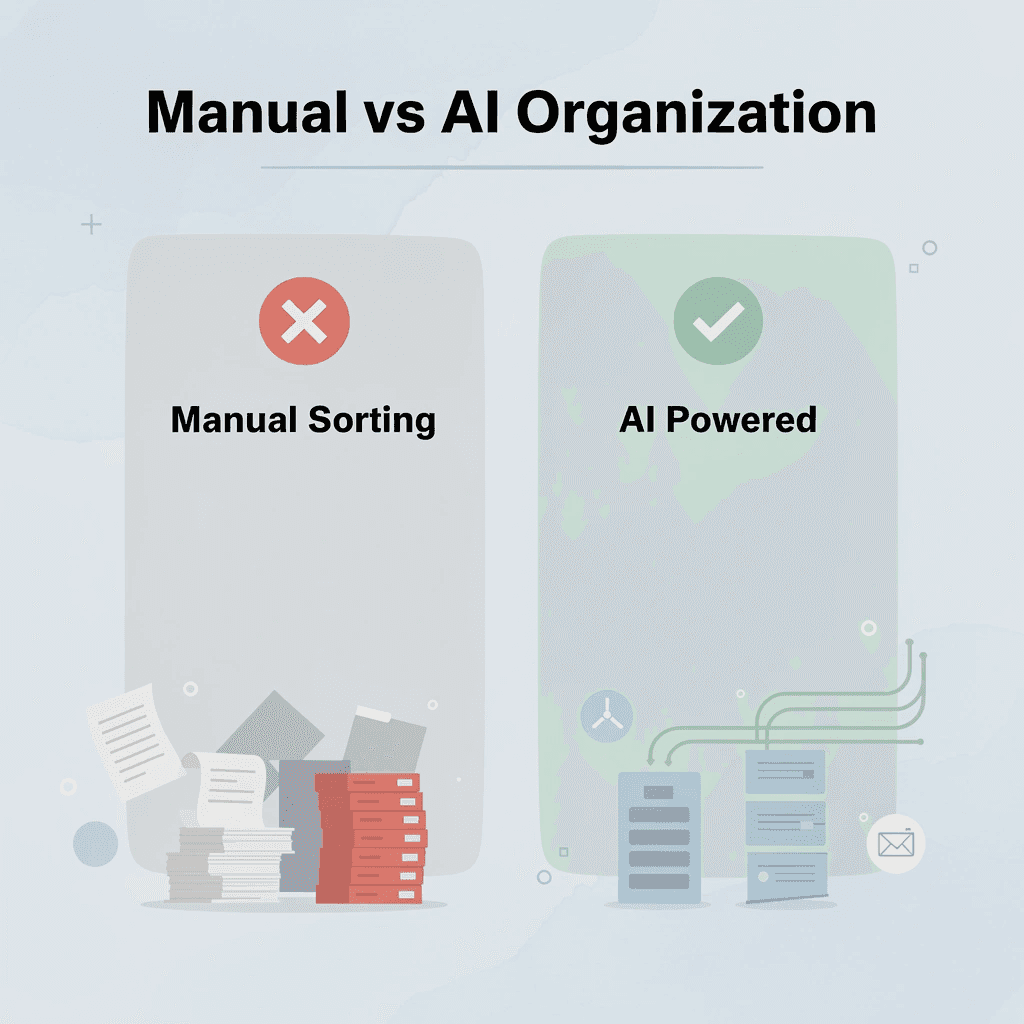
Open Otio, upload your documents, and ask what you need to know. Instead of creating folders, switching between notes, or rereading sources, our AI research and writing partner delivers structured summaries, thematic groupings, and key insights extracted instantly. Otio transforms research from manual sorting into an active conversation with your sources, maintaining connections between insights and evidence without requiring you to build that infrastructure yourself.
🎯 Key Point: Transform document chaos into intelligent conversations, no manual filing required.
"AI can compress hours of manual document organization work into minutes of intelligent retrieval." — Otio Research Team, 2024
In under ten minutes, you'll have documents organized by meaning rather than arbitrary categories, key insights surfaced across multiple files simultaneously, and a system that responds to questions instead of requiring you to remember where everything lives.
💡 Tip: Ask specific questions about themes across documents rather than browsing individual files.
Better document organization comes from asking better questions and letting AI handle retrieval patterns that manual hierarchies were never designed to support efficiently.
🔑 Takeaway: The future of document organization is conversational, not hierarchical. Let AI find connections you'd miss when you do it manually.
Related Reading
Notebooklm Limits
Claude Ai File Upload Limits
Best Document Management Software For Small Businesses
Notebooklm Vs Notion
Ai Tools To Summarize a Research Paper
Best Hr Document Management Software
Best Ai Tools For Research Projects
Best Automation Tools For Document Management
Top Ai Tools For Document Review
ChatGPT File Upload Limits
Legal Document Data Extraction
Best Document Management Software



